












AI Clothes Remover: Turn a Workout Photo Into a New Athletic Look
Replace an adult model’s original workout clothes with a new athletic outfit while preserving the pose, setting, lighting, and recognizable appearance.
Removing the original clothing is only the first part of an AI outfit edit. The harder part is keeping the model’s face, body proportions, pose, and background natural after the clothing changes.
A vague instruction such as remove the clothes gives the AI no clear replacement target. The result may have incomplete coverage, a changed pose, or clothing that no longer fits the athletic direction of the image.
A more reliable approach is to describe the intended result directly—such as an opaque athletic top, supportive sports top, high-waisted training shorts, or coordinated yoga set—while specifying which character and scene details must remain unchanged.
This tutorial uses a side-lunge fitness photo from the WeShop AI Showcase and turns it into an activewear replacement workflow with AI Dress Remover.
Case Goal: Keep the Pose and Change Only the Athletic Styling
The original image shows an adult model holding a deep side lunge on an outdoor court. She is wearing a navy short-sleeve workout top and fitted training shorts.
The goal is not to regenerate the entire photo. It is to replace the original garments with a different athletic look while preserving the recognizable model, pose, environment, and composition.
Details to Preserve
- The adult model’s recognizable facial appearance and hairstyle
- The deep side-lunge pose
- Body orientation and natural proportions
- The outdoor court and chain-link fence
- White athletic socks
- The green exercise mat and pink dumbbells
- Warm natural lighting
- The original vertical composition
Details to Change
- The original short-sleeve workout top
- The original fitted training shorts
- The garment cut, coverage, and fabric construction
| Original Sportswear Photo | AI-Generated Athletic Result |
|---|---|
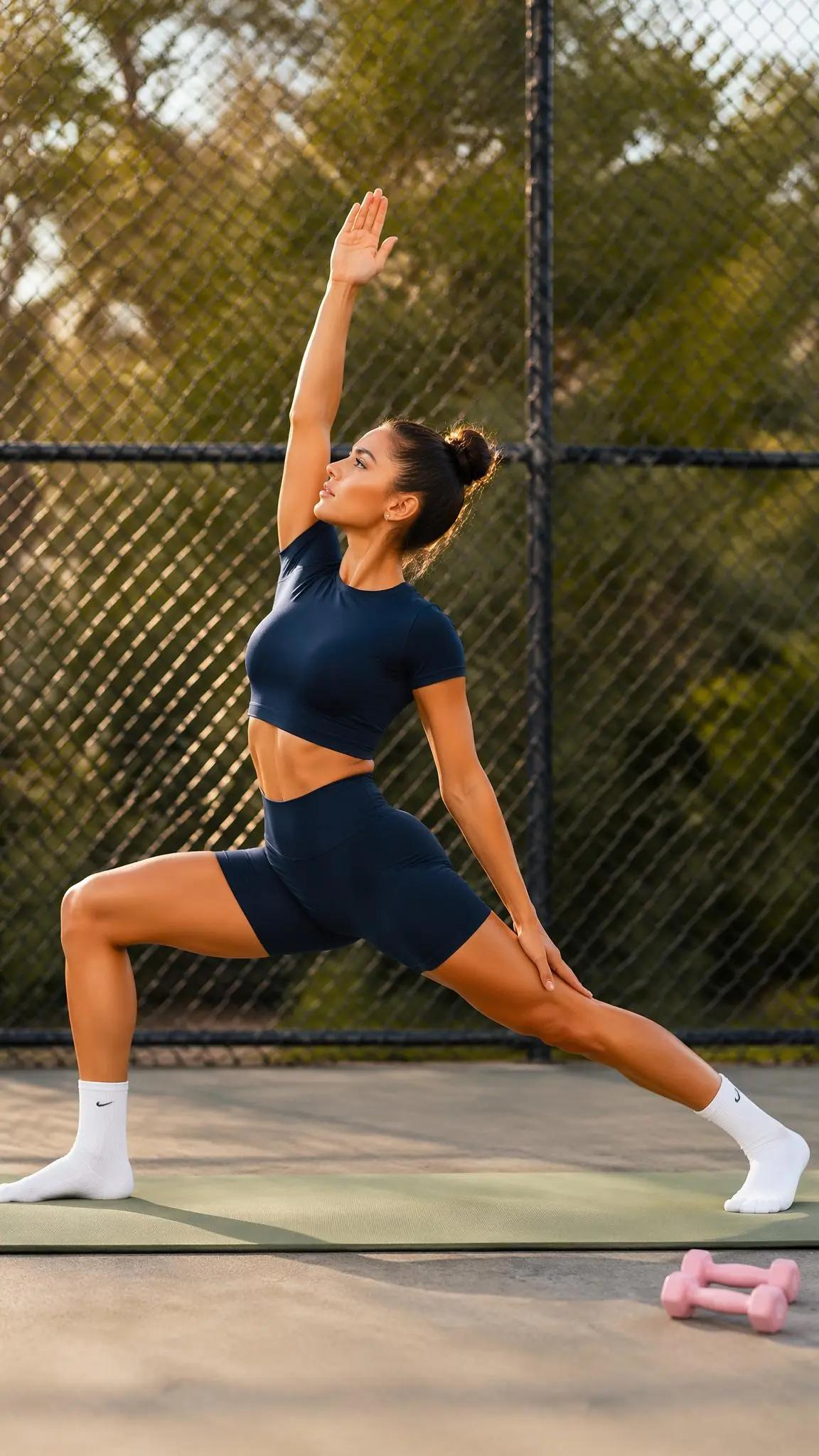 | 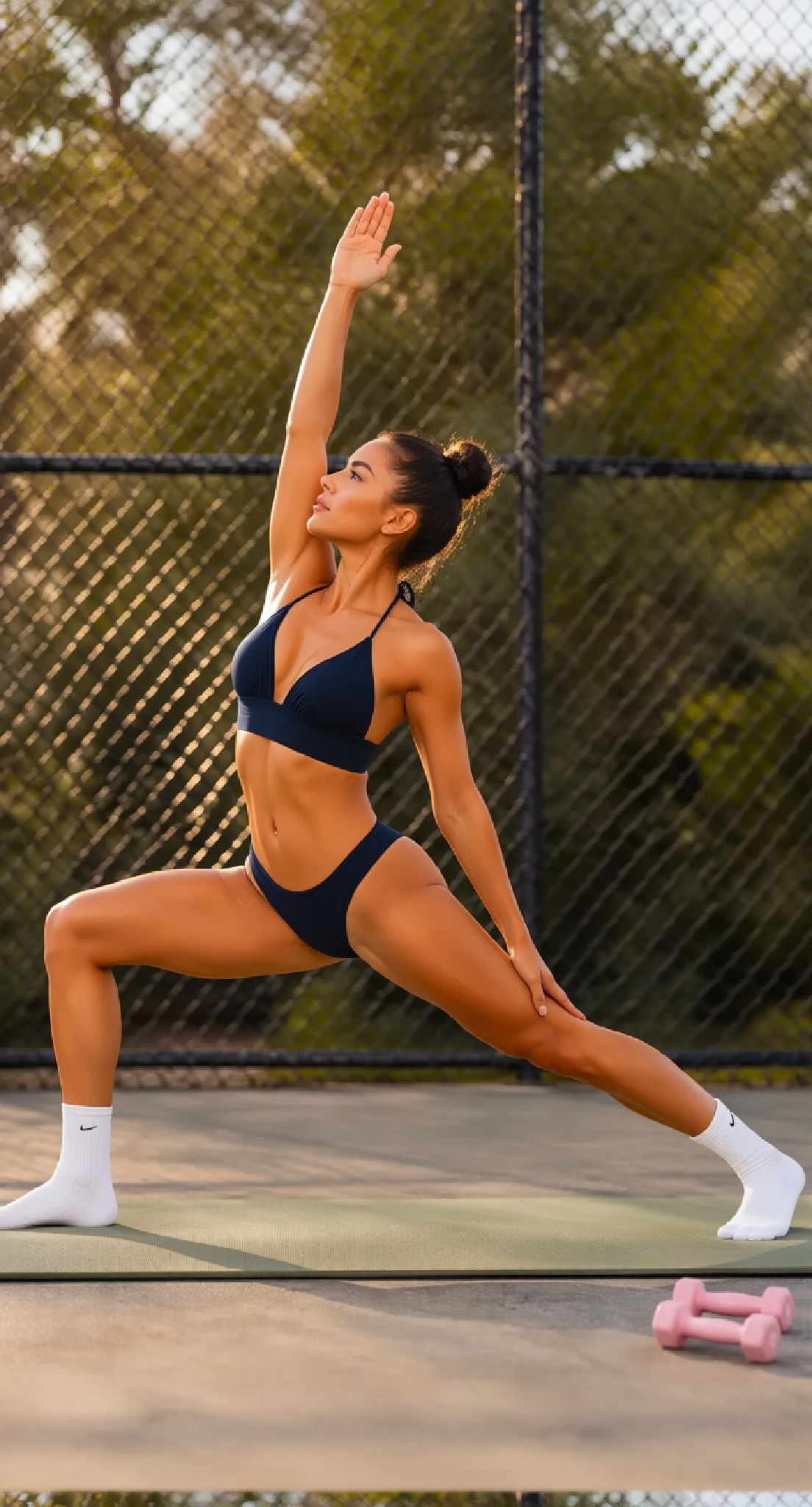 |
| Original: Supplies the adult model, side-lunge pose, court, white socks, exercise mat, lighting, and pink dumbbells. | Generated: Changes the garment silhouette while keeping the original pose and environment recognizable. |
Why “Remove the Clothes” Is Not Enough
AI clothes remover is a common search phrase, but it is not a sufficiently clear image-editing instruction.
The AI needs to know what should replace the original clothing. Without a defined target, it must guess the new outfit, coverage, material, and garment structure. This increases the chance of unnatural body edges, incomplete clothing, or an unrelated style.
A clearer instruction is:
Replace the original outfit with a specific activewear set.
This frames the task as a controlled outfit replacement rather than an undefined clothing-removal request.
What You Need
Prepare:
- One clear photo of an adult model
- A description of the new athletic outfit
- A list of details that must remain unchanged
Use a photo of yourself, an AI-generated character, or an adult model who has explicitly authorized image editing and publication.
Step 1: Open AI Dress Remover
Open WeShop AI Dress Remover.
The tool is designed for changing or removing selected clothing elements in a photo. In this workflow, the removed areas are replaced with a defined athletic outfit rather than left exposed.
Start with one image so the model, pose, background, lighting, and props can remain connected throughout the edit.
Step 2: Upload the Original Workout Photo
Upload the source image you want to restyle.
A useful input should have:
- One clearly visible adult model
- A readable outline around the original clothing
- Limited obstruction across the body
- Consistent lighting
- Clear arm and leg positions
- Enough space around the subject
The example works well because the model, clothing edges, and full side-lunge silhouette are visible.
| Original Input Image |
|---|
|
| The input supplies the model, facial appearance, hairstyle, exercise pose, outdoor court, warm sunlight, exercise mat, white socks, and pink dumbbells. |
Step 3: Define the New Athletic Outfit
Do not stop at “change the clothes.” Describe the final outfit directly.
For this example, the target design includes:
- A navy two-piece athletic posing set
- A supportive halter-style performance top
- Secure, opaque fabric
- Matching high-cut athletic posing bottoms
- Realistic seams and elastic edges
- No text or added brand marks
Specific garment language helps the AI determine where the new fabric begins, how it fits, and how it should respond to the stretched pose.
Step 4: Lock the Pose and Environment
The outfit is the only element that should be redesigned.
Tell AI Dress Remover to preserve:
- The adult model’s recognizable facial appearance
- Hairstyle and skin tone
- Natural body proportions
- Raised right arm
- Deep side-lunge position
- Left hand resting near the extended leg
- White athletic socks
- Green exercise mat
- Pink dumbbells
- Outdoor court and fence
- Warm directional sunlight
- Vertical composition
Without these constraints, an outfit-changing instruction may also alter the pose, framing, props, or background.
Step 5: Enter the Sportswear Replacement Instruction
Use the following instruction in AI Dress Remover:
Replace the adult model’s original navy short-sleeve workout top and fitted training shorts with a coordinated navy two-piece athletic posing outfit.

Use a supportive halter-style performance top with secure opaque coverage, realistic seams, a structured lower band, and natural athletic fabric tension. Add matching high-cut athletic posing bottoms with opaque stretch fabric, clean elastic edges, and a coordinated navy color.

Preserve the adult model’s recognizable facial appearance, hairstyle, skin tone, natural body proportions, original deep side-lunge pose, raised arm, hand positions, leg positions, and viewing angle.

Keep the white athletic socks, green exercise mat, pink dumbbells, outdoor court, chain-link fence, trees, warm sunlight, shadows, camera framing, and vertical composition recognizable.

Make the new outfit respond naturally to the stretched athletic pose. Maintain believable fabric tension around the shoulders, chest, waist, hips, and upper legs.

Do not create lingerie, nudity, transparent fabric, exposed intimate areas, added logos, text, extra accessories, altered anatomy, extra limbs, distorted hands, or a different pose.
The instruction has three jobs:
- Define the replacement athletic outfit.
- Lock the model, pose, environment, and props.
- Exclude transparency, anatomy errors, and unrelated visual changes.
Step 6: Generate the New Athletic Look
Choose the required image quantity and click Generate.
In the completed result, the short sleeves and fitted training shorts are replaced with a navy two-piece athletic posing design. The model continues to hold the same deep side lunge, while the court, socks, exercise mat, fence, sunlight, and pink dumbbells remain recognizable.
| AI Dress Remover Result |
|---|
|
| AI-generated result: The garment silhouette changes while the athletic pose, outdoor setting, lighting direction, and exercise props remain visually connected to the input. |
You can try it directly using the tool on the right.
Replace the Outfit, Not the Whole Photo
A useful AI Dress Remover workflow begins with the replacement target—not the removal itself. When the new athletic outfit is clearly defined, the tool has less reason to improvise the garment or rebuild unrelated parts of the image.
The original photo supplies the athlete, movement, court, light, and props. The instruction supplies the new sportswear direction.