












3 Glamour Photo Prompts for Nano Banana 2.1: Change the Light, Keep the Look
Try three tested Nano Banana 2.1 glamour photo prompts: golden-hour window light, colored edge light and soft studio light on the same red-dress image.
The same red dress can read warm, dramatic or softly lit without a new outfit or pose. These three Nano Banana 2.1 tests start from one seated fashion photograph and change the lighting instruction. Comparing one source against all three outputs makes the effect of each light recipe easier to see.
Source / reference
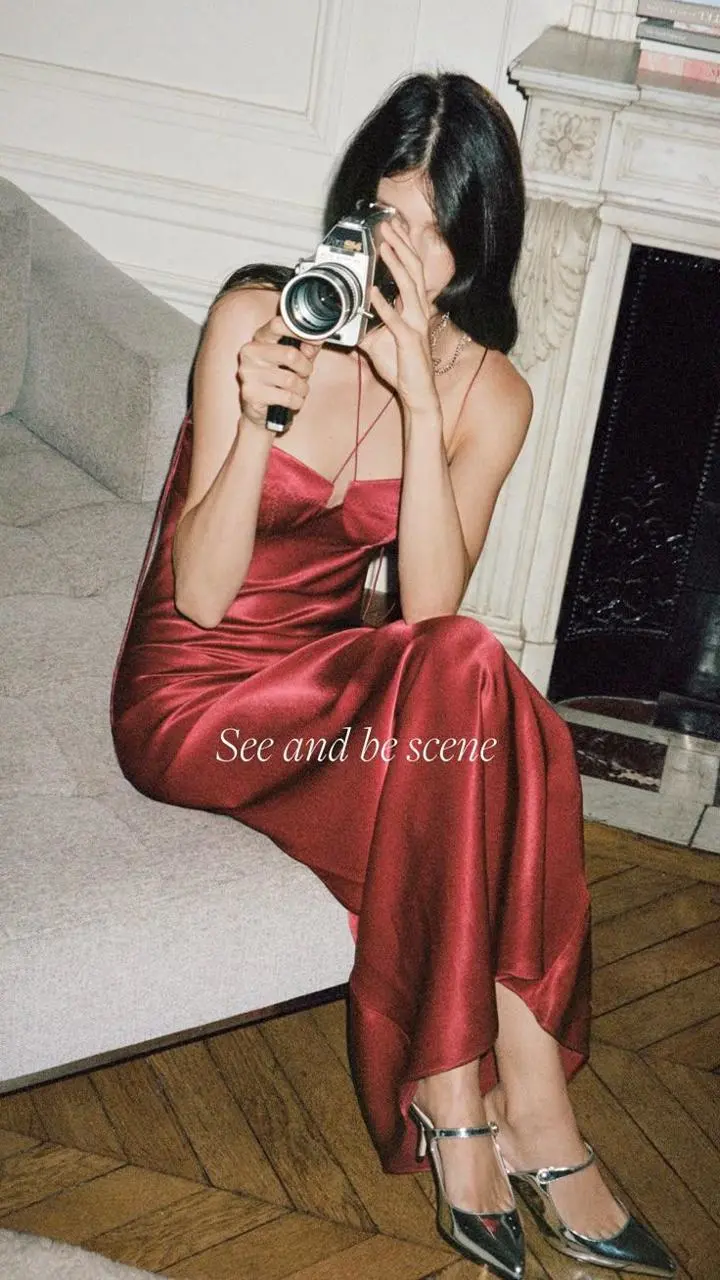
Keep one preservation block and change the light recipe
The source contains a seated woman, red satin dress, silver camera, sofa and fireplace. Keep that scene description identical across the three prompts. Change only the sentence that defines light direction, softness and color. This gives the comparison a clear variable instead of three unrelated fashion images.
Use the same input and settings for all three edits
Load the original red-dress image into Nano Banana 2.1. These tests used one image, 2K and Auto aspect ratio for each generation. The camera obscures much of the face, so the examples cannot establish complete facial fidelity. The embedded “See and be scene” caption is inherited source lettering, not a new text-generation test.
Golden-hour window light
The selected output adds warm directional sunlight and visible window-like shadows across the wall and scene. The red dress, camera, seated composition and inherited caption remain recognizable. The stronger shadow pattern is a visible change to the image, not a subtle white-balance adjustment.
AI-generated result
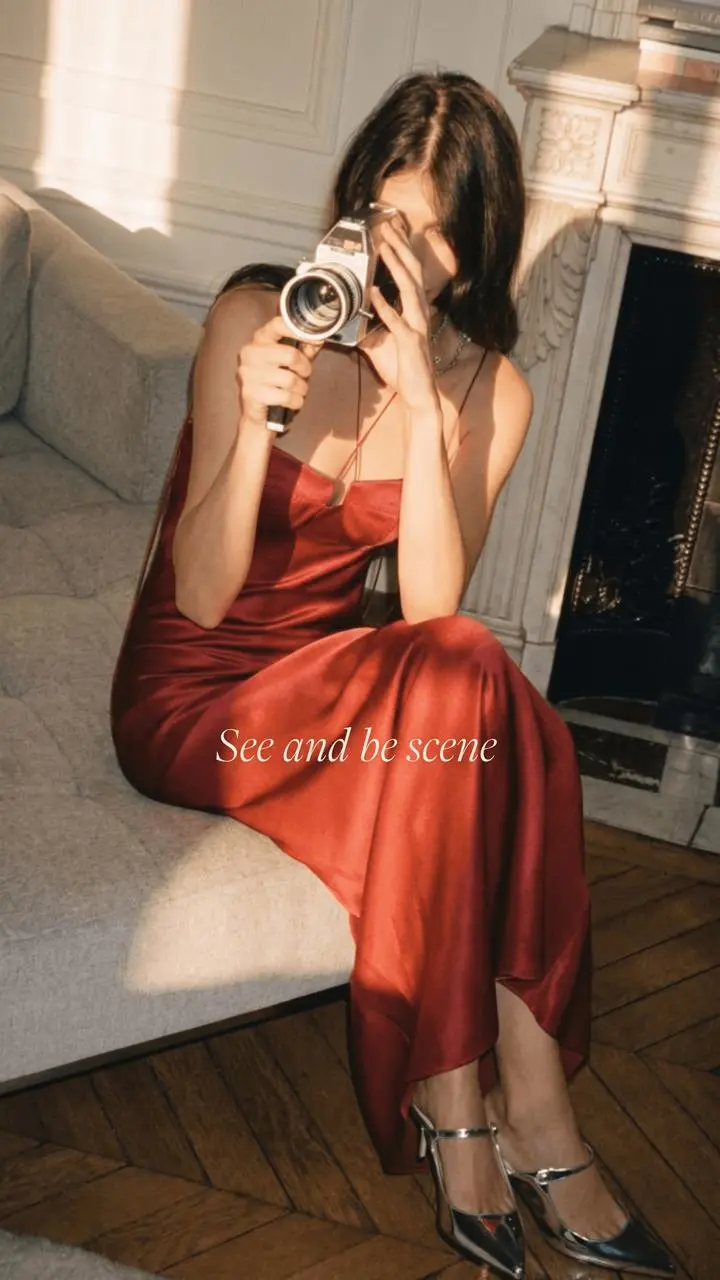
Change only the photographic lighting of Image 1. Use warm golden-hour window light from the left, gentle amber highlights on the red satin, natural skin tone, and soft directional shadows. Preserve the same adult woman, face as visible behind the camera, hairstyle, seated pose, fingers, silver camera and its strap, red opaque satin dress, silver shoes, sofa, fireplace, wall molding, wood floor, crop and original composition. Retain the existing embedded source caption; do not add or invent text. Do not remove clothing, change garment coverage, reshape the body, expose new skin, add people, nudity or erotic posing.Colored edge light
The selected output has cool and magenta edge accents around hair, arms and the scene, while the red dress remains readable. Compare this against the warm version: the useful variable is the color and direction of the light, not a different garment or pose.
AI-generated result
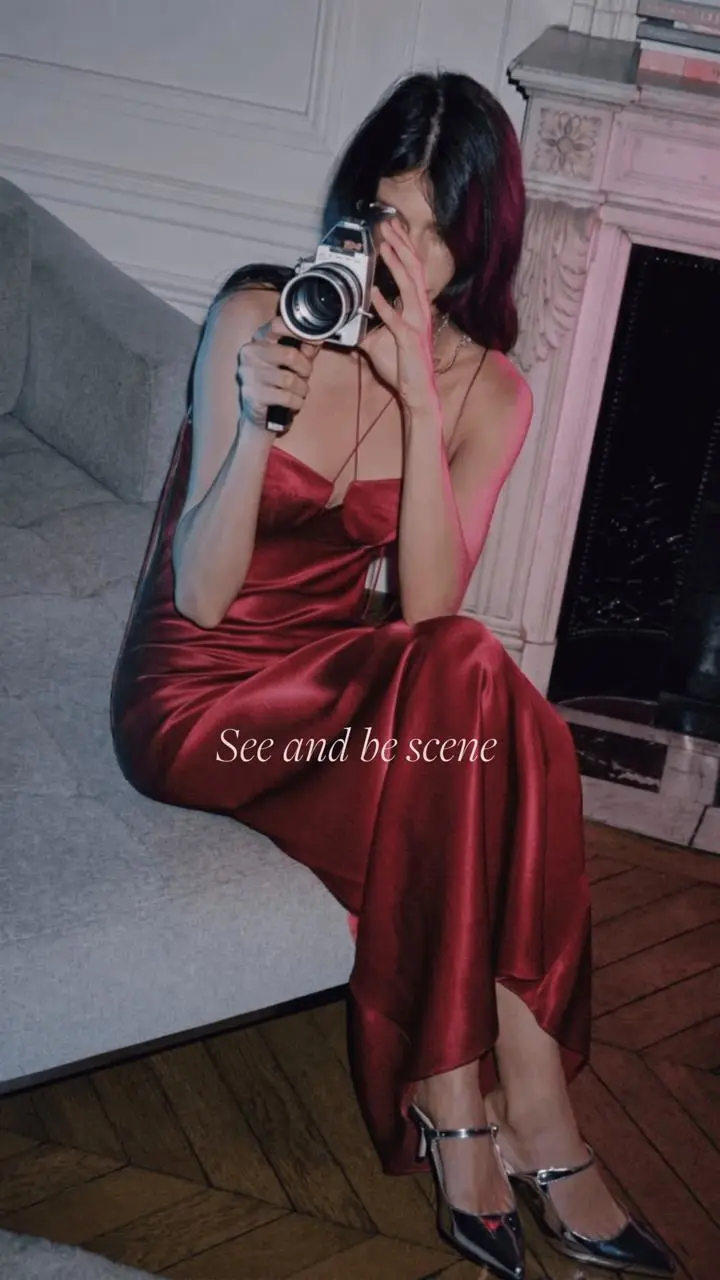
Change only the photographic lighting of Image 1. Use a restrained magenta edge light from the right and a subtle cool-blue edge from the left, with enough neutral frontal fill to keep the outfit readable. Preserve the same adult woman, face as visible behind the camera, hairstyle, seated pose, fingers, silver camera and its strap, red opaque satin dress, silver shoes, sofa, fireplace, wall molding, wood floor, crop and original composition. Retain the existing embedded source caption; do not add or invent text. Do not remove clothing, change garment coverage, reshape the body, expose new skin, add people, nudity or erotic posing.Soft studio fashion light
The selected output uses softer, more even illumination with readable red fabric folds and reduced dramatic color effects. Check highlight texture on the dress and camera; a softer lighting recipe can still reconstruct small details rather than preserving every source pixel.
AI-generated result
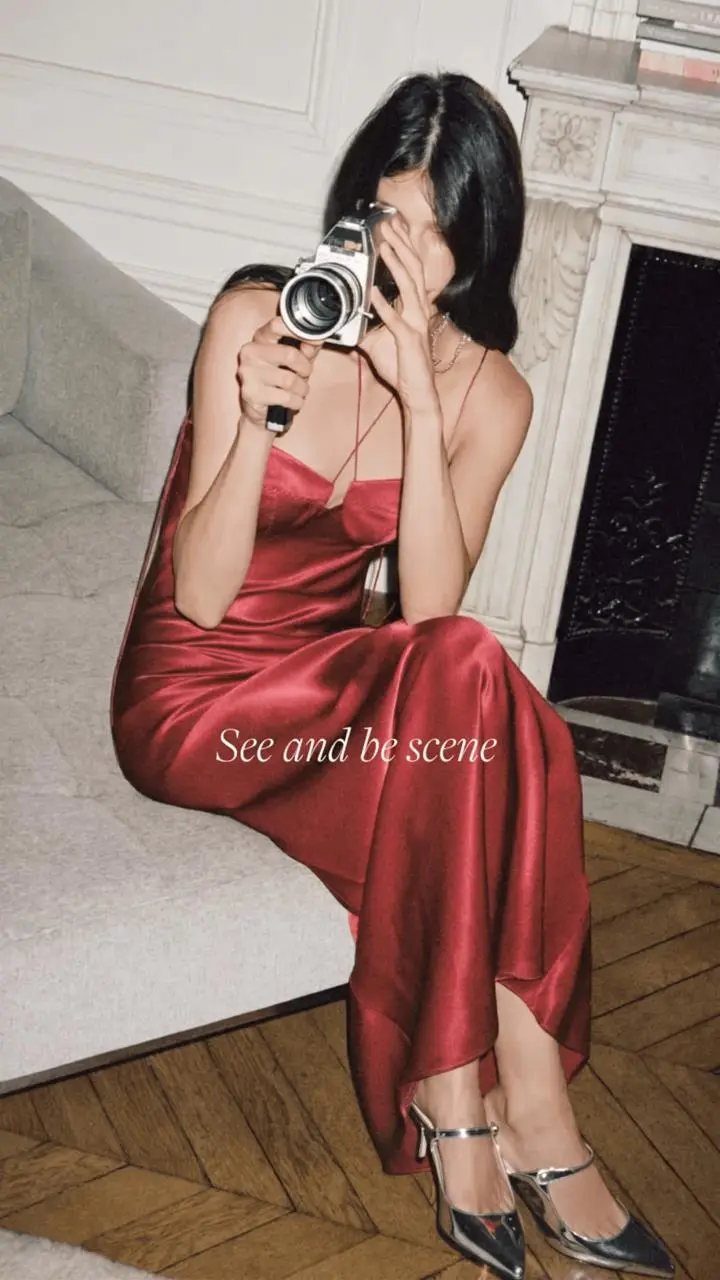
Change only the photographic lighting of Image 1. Use a broad soft neutral key light above camera-left and gentle frontal fill, with clean red satin highlights, realistic skin texture and soft shadows. Preserve the same adult woman, face as visible behind the camera, hairstyle, seated pose, fingers, silver camera and its strap, red opaque satin dress, silver shoes, sofa, fireplace, wall molding, wood floor, crop and original composition. Retain the existing embedded source caption; do not add or invent text. Do not remove clothing, change garment coverage, reshape the body, expose new skin, add people, nudity or erotic posing.Recorded generation settings
Open Nano Banana on WeShop, select Nano Banana 2.1, and load the source in the roles described above. Paste the tested prompt, generate one result, then compare it with the source.
| Setting | Tested value |
|---|---|
| Workflow | Image-to-Image |
| Image inputs | 1 |
| Video inputs | 0 |
| Image size | 2K |
| Aspect ratio | auto |
| Quantity | 1 |
These examples were generated and inspected on November 12, 2026. They show selected outputs, rather than a repeatability benchmark. Model selection and supported input modes are documented in the WeShop model guide.
Choose a lighting recipe for your own image
Choose warm window light for directional sun and shadow, colored edges for a cooler dramatic mood, or broad soft light for a more even fashion treatment. Review camera, fingers, dress folds and original lettering in every result.
You can try it directly using the tool on the right.
Related workflows: Nano Banana 2.1 Athletic Body Edit: Build a Fitness Look Under the Same Clothes.
Original reference credit: J.Crew on Pinterest. The reference posts and their creators are independent of this AI-editing demonstration; no endorsement is implied. Use source media and likenesses you are authorized to edit.