












AI Breast Expansion: Edit Body Proportions with GPT Image
Learn to make controlled, SFW AI body-proportion edits with GPT Image, preserving identity, clothing, pose, lighting, and background for fashion and fitness concepts.
AI body editing becomes much more useful when you can change one proportion without rebuilding the entire character. In the examples below, a fully clothed adult woman receives a controlled bust adjustment, while a fully clothed adult man receives a fitness-focused chest, shoulder, arm, and leg enhancement. The face, outfit, pose, lighting, and studio background remain closely aligned with the input in both cases.
Describe the exact area to expand, set a realistic degree of change, and lock everything that should stay the same.
These are SFW, AI-generated examples featuring clearly adult subjects. Use only images you have permission to edit.
Female AI Breast Expansion Without Changing the Outfit
The first case starts with a neutral fitness-fashion portrait. The edit asks for a moderate increase in bust volume beneath the existing opaque crew-neck top. It does not request a new outfit, pose, camera angle, or background.
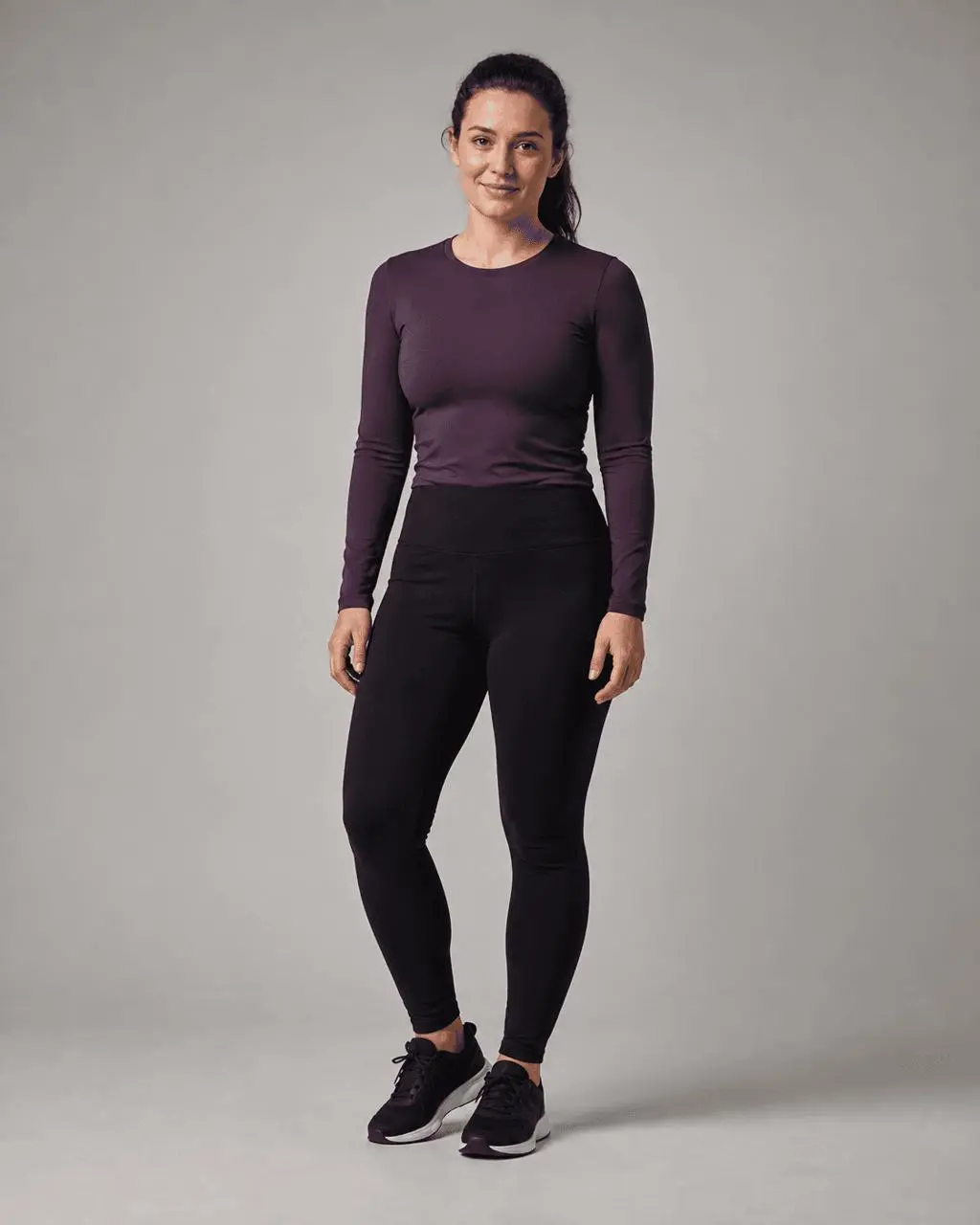
Original: Adult fitness portrait with natural body proportions.
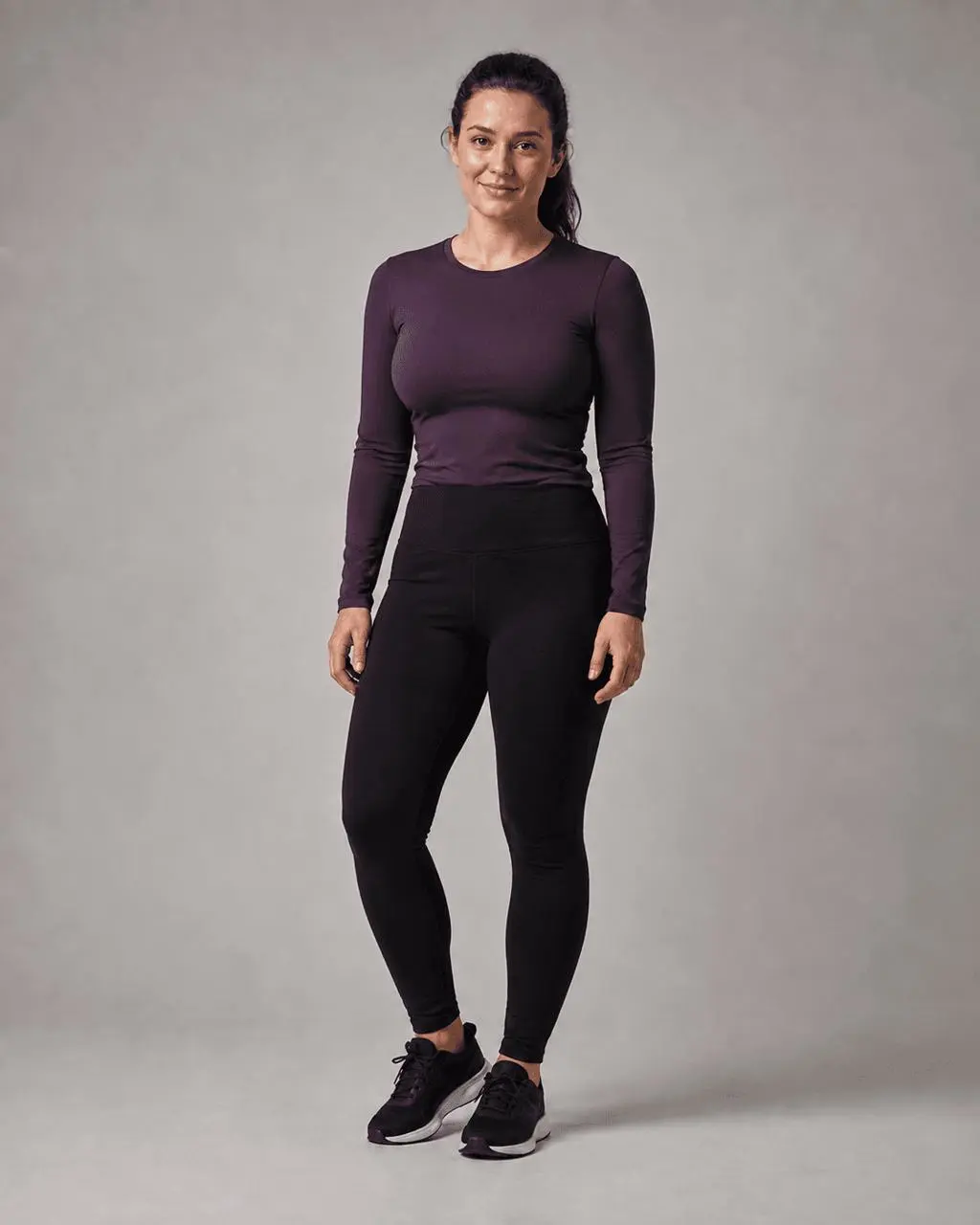
Edit: Moderate bust expansion with the same identity, outfit, pose, and setting.
Prompt for a Controlled Bust Adjustment
Moderately increase the adult woman's bust and chest volume beneath the existing fully opaque top. Keep the result anatomically plausible and suitable for a mainstream fashion or fitness image.

Change only the chest and bust proportions. Keep the exact same adult identity, face, expression, hair, skin tone, shoulders, arms, hands, waist, hips, legs, pose, camera angle, crop, lighting, background, outfit design, crew neckline, fabric color, leggings, shoes, and shadows. Let the shirt fabric stretch naturally over the adjusted silhouette without changing its design. Keep full coverage with no cleavage, exposed skin, transparency, or nudity. Do not add text, watermarks, or other people.
The most important phrase is not simply “make the chest bigger.” The control comes from combining three instructions: the target area, the amount of change, and the long list of visual details that must remain unchanged.
Male Body Expansion for a Fitness Transformation
Body expansion can also support male fitness concepts. Instead of enlarging one isolated area, this prompt coordinates the chest, shoulders, arms, and thighs so the physique remains balanced. The result is athletic rather than extreme, and the existing T-shirt and training pants remain in place.
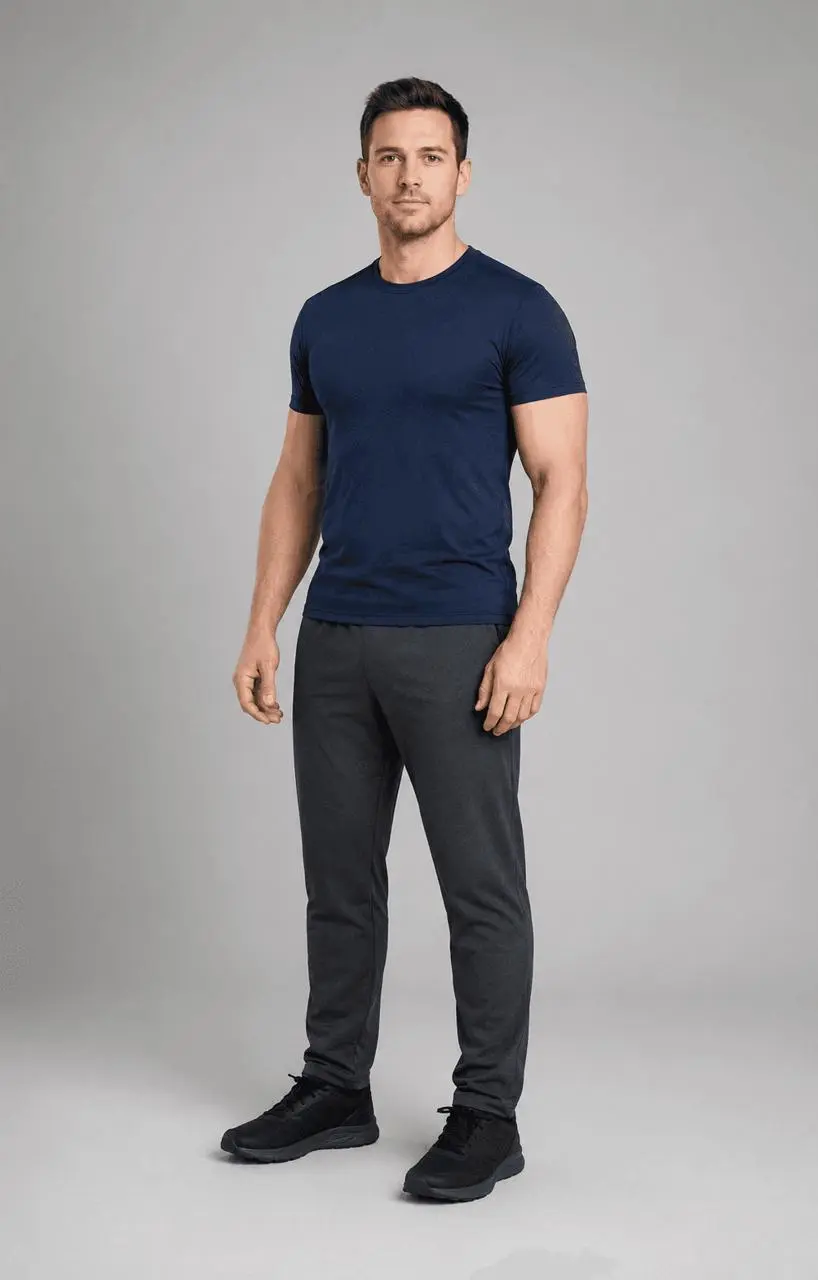
Original: Adult man with a healthy, lightly defined build.
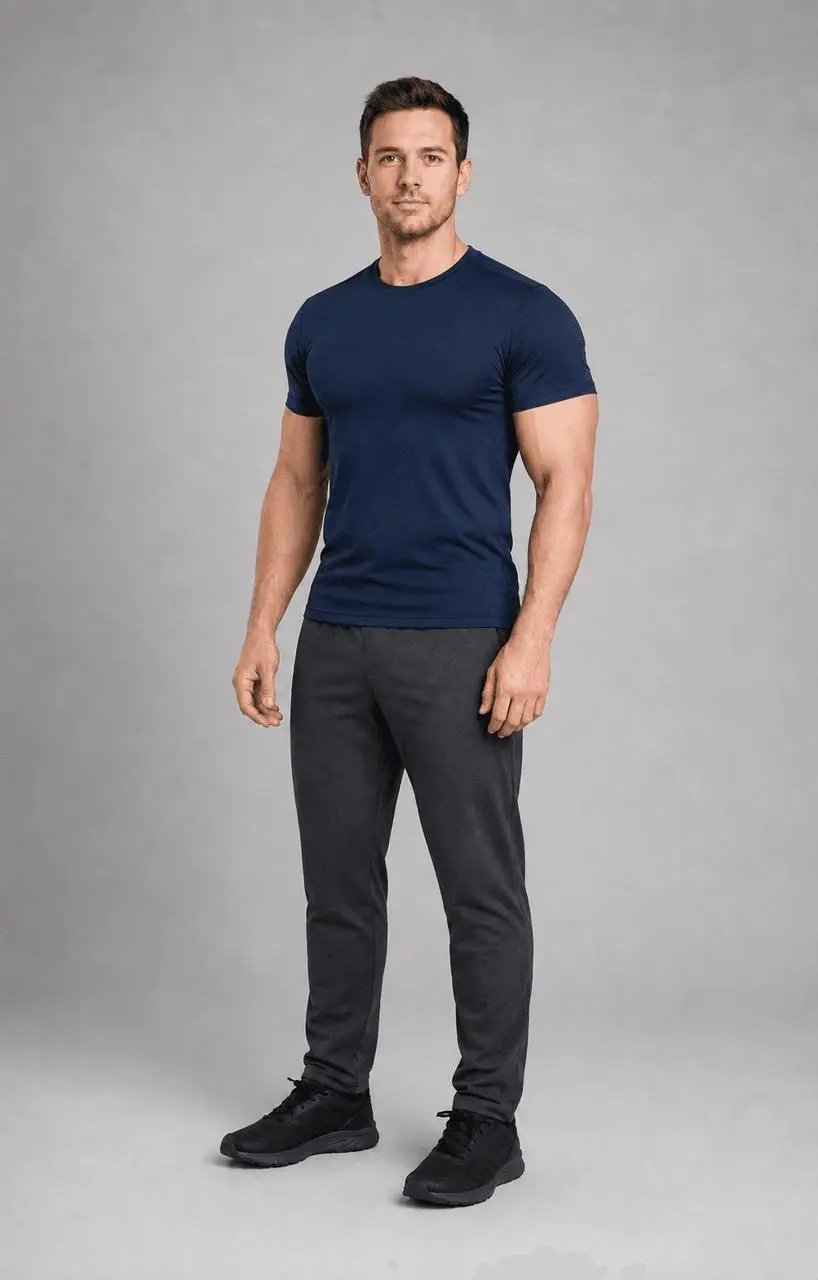
Edit: Coordinated chest, shoulder, arm, and thigh enhancement.
Prompt for Realistic AI Muscle Expansion
Create a coordinated but realistic fitness transformation by moderately increasing the adult man's pectoral and chest volume, shoulder width and roundness, upper-arm muscle size, and thigh muscle volume beneath the existing clothing. Keep a natural athletic physique rather than an extreme bodybuilder look.

Change only the named muscle proportions. Keep the exact same adult identity, face, expression, hair, skin tone, pose, hands, camera angle, crop, lighting, background, navy crew-neck T-shirt, training pants, shoes, and shadows. Let the clothing drape and stretch naturally over the adjusted physique without changing garments. Keep realistic anatomy and balanced left-right proportions. Do not add extreme muscle definition, prominent veins, nudity, text, watermarks, or other people.
How to Create an AI Body Expansion Edit
- Open GPT Image in WeShop.
- Upload one clear image of a fully clothed adult subject or an adult fictional character. A front-facing or three-quarter pose makes proportion changes easier to judge.
- Paste the relevant prompt and replace the body-part terms with your intended target.
- Keep the first attempt moderate. If the change is too weak or too strong, adjust only the degree—such as
slightly,moderately, ormore noticeably—instead of rewriting the whole prompt. - Generate the image and inspect the face, hands, garment seams, left-right balance, pose, and background before choosing the result.
You can try it directly using the tool on the right.
Expand Other Character Features with the Same Prompt Structure
The same method works beyond AI breast expansion. Change the target phrase while preserving the identity and scene constraints.
| Editing goal | Replacement instruction |
|---|---|
| Wider shoulders | Moderately increase shoulder width and deltoid roundness while keeping the neck, arms, outfit, and pose unchanged. |
| Larger arms | Increase upper-arm muscle volume slightly and symmetrically while keeping the hands, elbows, sleeves, and pose unchanged. |
| Fuller hips and thighs | Moderately increase hip and thigh proportions beneath the existing clothing while keeping the waist, legs, garment design, and stance unchanged. |
| Stronger legs | Increase quadriceps and calf volume proportionally while keeping leg length, shoes, trousers, and pose unchanged. |
| Stylized character features | Enlarge only the character's [ears / horns / wings / armor] while preserving identity, costume, pose, lighting, and background. |
For multi-part edits, group related areas. Chest, shoulders, and arms form one believable upper-body fitness change; hips and thighs form one lower-body change. Asking for many unrelated transformations in one generation makes it harder to preserve the original image.
Fix the Most Common Expansion Errors
- The face changes: Put
keep the exact same identity, face, expression, and hairnear the beginning of the constraint paragraph. - The outfit is redesigned: Name the garment, color, neckline, and coverage, then state that only natural fabric stretching is allowed.
- The anatomy becomes exaggerated: Replace
dramaticallyormassivelywithslightlyormoderately, and ask for plausible proportions. - Only one side changes: Add
symmetrical, balanced left-right proportionsto the prompt. - The whole body changes: Repeat
change only the named areaand list every body region that should remain unchanged. - The result is still not usable: Generate a few variations or simplify the request to one body area before combining multiple changes.
Make One Precise Change, Then Build From It
The useful part of an AI body part expander is control, not maximum size. Start with one clearly defined adjustment, preserve the parts of the image that already work, and refine the degree in small steps. That approach gives you reusable adult character concepts for SFW fashion, fitness, illustration, and creative design without rebuilding the entire scene.
Try a controlled body-proportion edit
Upload a permitted adult character image, choose one target area, and use the matching prompt as your starting point.
Open GPT Image in WeShop