












Viral AI Instagram Photo Prompts for Fashion Content
Turn one authorized model photo into consistent Instagram-ready fashion images with detailed prompts for street-style and top-down influencer compositions.
Viral AI Instagram Photo Prompts: Turn One Model Image Into Influencer-Style Fashion Content
How can you turn one ordinary model photo into fashion content that feels native to Instagram?
The answer is not simply asking an AI image generator to “change the background.” A useful prompt needs to define the identity reference, outfit, camera angle, composition, environment, lighting, textures, and realism constraints separately.
In this tutorial, we will use the same original model image to create two different Instagram fashion photos:
- A full-body street-style photo outside an orange café
- A top-down influencer photo captured on outdoor stone steps
The first image establishes the complete outfit. The second introduces accessories, beauty details, and a more spontaneous social-media perspective. Together, they create a more convincing content series than two nearly identical portraits.
The same reference-image workflow can transform different model photos into polished, Instagram-ready fashion content while changing the composition, styling, and environment.
Example 1
| ORIGINAL IMAGE | GENERATED IMAGE |
|---|---|
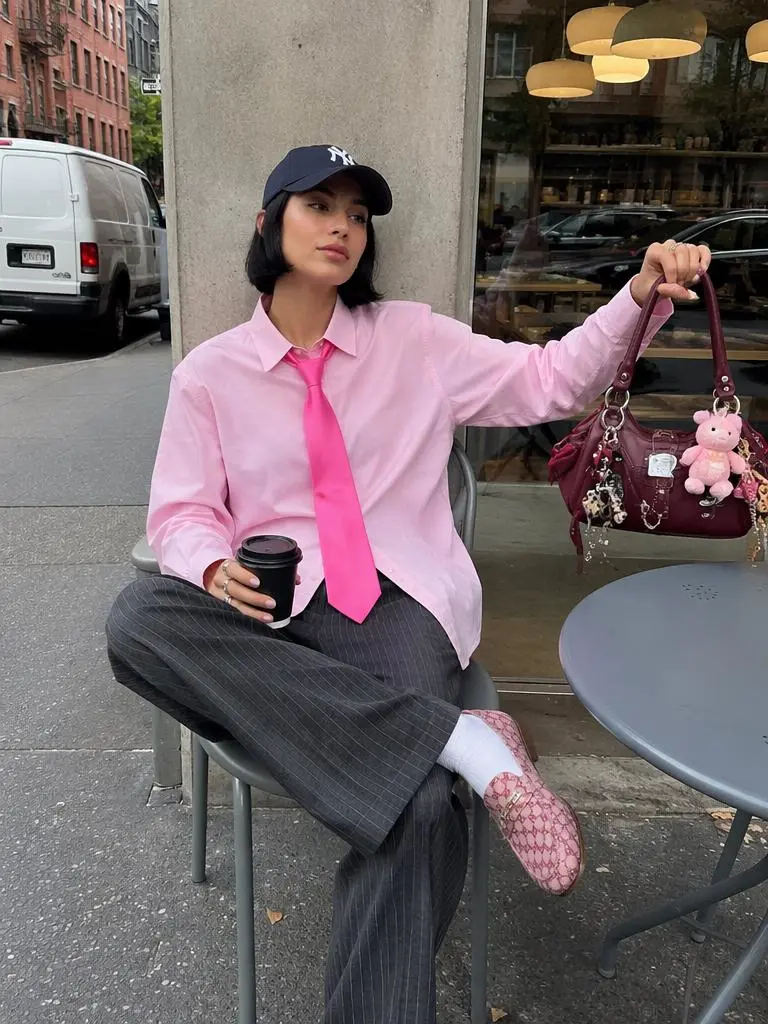 | 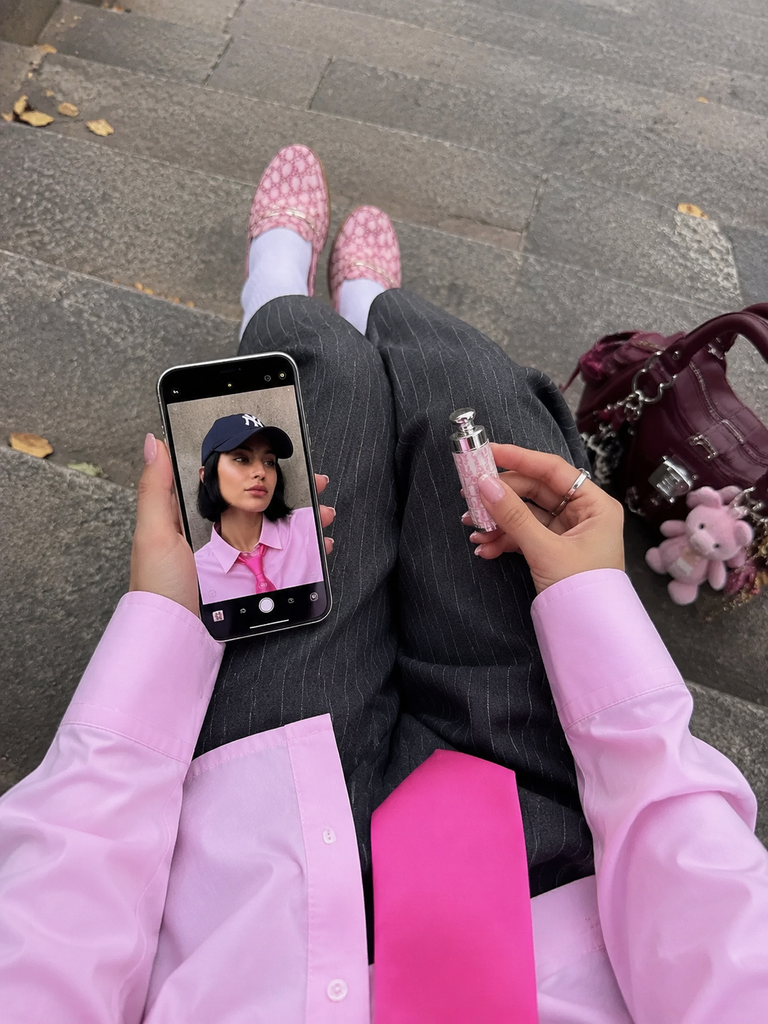 |
| Original model photo: the uploaded image provides the subject and initial visual direction. | Generated result: a new Instagram-ready fashion composition created from the uploaded reference. |
Example 2
| ORIGINAL IMAGE | GENERATED IMAGE |
|---|---|
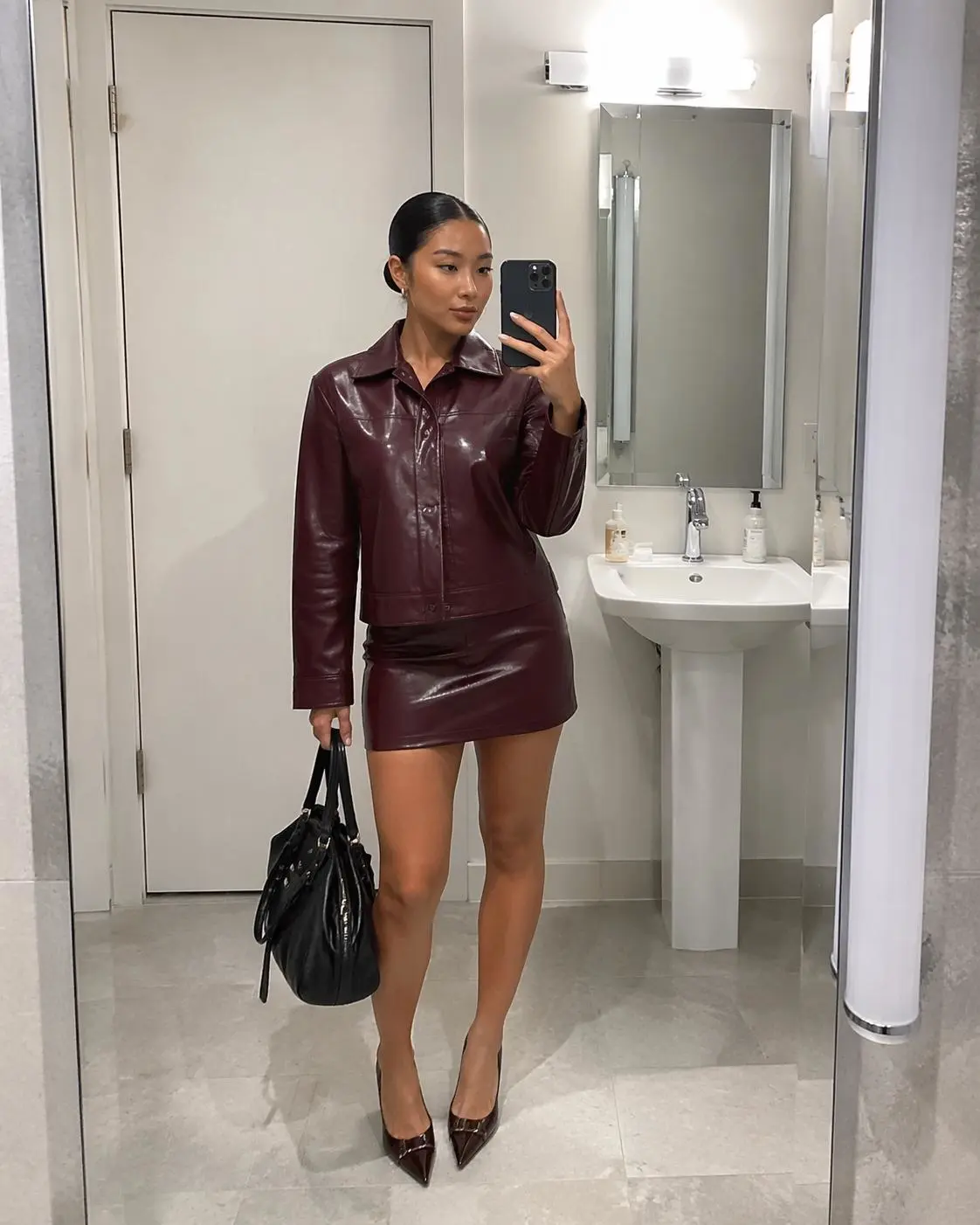 | 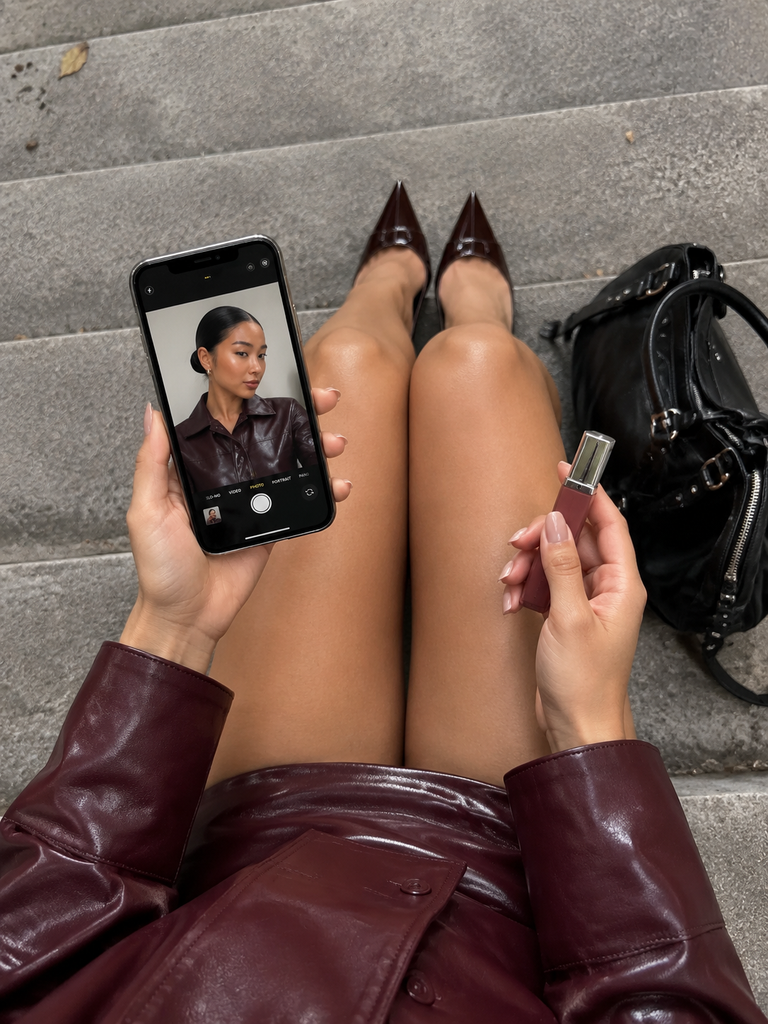 |
| Original model photo: the reference supplies the subject, outfit information, and initial appearance. | Generated result: the model is presented in a more polished social-media fashion composition. |
These examples show how an AI image generator can preserve a model as a visual reference while developing new fashion compositions for social-media campaigns.
Only upload a photo of yourself or an adult model whose image you have permission to use. Do not upload or imitate another person’s identity without authorization.
Why an Ordinary Model Photo Is Not Automatically an Instagram Hit
An ordinary model image may show the subject’s face, hairstyle, skin tone, and general appearance clearly. However, an engaging Instagram fashion image usually needs more:
- A color contrast that attracts attention in the feed
- A natural but intentionally designed composition
- A recognizable fashion or lifestyle direction
- Realistic skin, fabric, lighting, and environmental details
- A consistent visual language that can continue across multiple posts
This workflow therefore does more than replace the background. It expands one model portrait into two distinct fashion-content scenarios.
How to Create the Instagram Images Step by Step
Step 1: Open the AI Image Generator
Open WeShop AI GPT Image and start a new image-generation task.
You can try it directly using the tool on the right.
Step 2: Upload the Original Model Image
Upload the clearest available portrait as the identity reference. The face, hairstyle, hair color, and skin tone should be visible without heavy filters, motion blur, or strong shadows.
Use only your own image or an adult model image you are authorized to use.
Original Model Image
The original image does not need to show the subject’s entire body. However, the face, hairstyle, hair color, and skin tone should be clearly visible.
| ORIGINAL MODEL IMAGE |
|---|
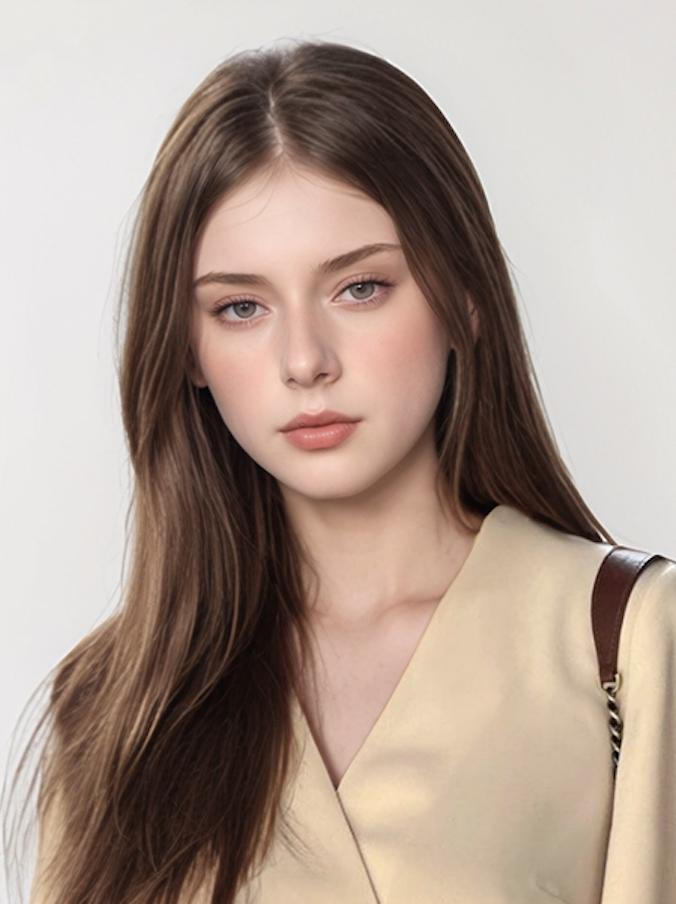 |
| Identity reference: facial appearance, hairstyle, hair color, skin tone, makeup direction, and overall visual impression. |
Because the original image does not show the full body, the missing body, clothing, pose, and environment must be inferred by the AI. The results should therefore be treated as creative generations, not accurate records of the person’s body or real outfit.
Step 3: Choose the First Instagram Composition
Open Copy-Ready Prompt 1 below and paste the complete prompt into the AI image generator. This prompt creates the full-body street-style photo outside an orange café.
Generate a small number of controlled variations first. Compare the face, body proportions, outfit structure, hands, shoes, and background text before selecting a result.
Prompt 1: Full-Body Street Style Outside an Orange Café
The first composition uses a vibrant orange storefront as its visual hook. The warm background contrasts with the gray asymmetrical pleated skirt, while the accessories connect the complete outfit.
This type of image can work well for:
- Instagram outfit posts
- Shopify fashion-brand content
- Footwear and accessory campaigns
- Influencer-style advertisements
- Urban lifestyle content
Copy-Ready Prompt 1 — Click to open
{
  "prompt": {
    "global_instruction": "Use the uploaded photo as the sole identity reference for an adult female subject. Preserve the subject's recognizable facial features, hairstyle, hair color, skin tone, and overall visual impression where possible. Recreate the subject in a photorealistic full-body street-style fashion photograph.",
    "scene_and_composition": {
      "visual_hook": "The stark contrast between the asymmetrical gray pleated skirt and the vibrant orange storefront, anchored by a cool and effortless off-duty-model pose.",
      "camera_angle": "Eye-level, slightly wide-angle lens, capturing the complete outfit from head to toe with a subtle natural tilt.",
      "framing_and_depth": "Full-body portrait with shallow depth of field. Keep the subject sharply focused while leaving the storefront slightly soft but still recognizable as a cafe environment.",
      "medium_physics": "Realistic digital street-style photography, sharp natural focus, diffuse daylight, subtle smartphone-camera grain, and slightly saturated orange highlights."
    },
    "subject_content": {
      "identity_features": "An adult female subject based on the uploaded reference image. Preserve the recognizable face, hairstyle, hair color, skin tone, and overall appearance where possible. Use natural facial proportions and realistic skin texture.",
      "overall_pose": "Casual standing stance with a slight hip tilt to the left. The right hand rests naturally near the waist, while the left hand holds a black handbag at the side.",
      "limb_articulation": "The right arm is bent at the elbow, the left arm hangs naturally while holding the bag, and both legs remain straight with the feet placed close together.",
      "pose_dynamics": "Relaxed center of gravity, poised posture, and a neutral, confident expression directed toward the camera.",
      "makeup_look": "Natural minimalist makeup, dewy skin, neutral lips, subtle bronzer, and clean brows.",
      "emotional_vibe": "Confident, urban, effortless, fashion-forward, and nonchalant.",
      "main_object_apparel": "Layered outfit consisting of a white base camisole under a brown crochet mesh tank top, an asymmetrical gray pleated miniskirt with an exaggerated long panel, a black leather belt with silver hardware, white crew socks, and dark brown leather loafers.",
      "hair_and_styling": "Keep the hairstyle and hair color consistent with the uploaded reference. Add small black oval sunglasses, small silver hoop earrings, a double-layered pearl necklace, and a silver watch on the left wrist.",
      "interaction_with_environment": "The subject stands naturally on a concrete pavement. A bicycle is parked immediately to her left, and her body is positioned against the orange exterior of a cafe."
    },
    "environment": {
      "visual_depth_stack": {
        "foreground": "One parking suspension sign on a black pole and one bicycle with a black basket.",
        "midground": "One round cafe table, two metal cafe stools, and one adult female subject.",
        "background": "One orange cafe facade, one dark doorframe, one glass window with interior tables, and one light-colored wall section on the right."
      },
      "lighting_atmosphere": "Bright, diffuse natural daylight entering from the right. Use soft and even ambient light, realistic reflections on the sunglasses and leather loafers, and minimal harsh shadows."
    },
    "realism_rules": [
      "Maintain an authentic street-style photography aesthetic.",
      "Preserve natural skin texture, including pores and subtle tonal variation.",
      "Create realistic fabric tension, folds, and movement in the pleated skirt.",
      "Use a believable smartphone-camera appearance with natural light dispersion.",
      "Do not apply artificial facial smoothing or excessive airbrushing.",
      "Include believable environmental imperfections such as pavement scuffs and restrained street clutter.",
      "Keep hands, fingers, legs, shoes, and accessories anatomically coherent.",
      "Do not introduce unintended brand logos or promotional text."
    ]
  },
  "negative_prompt": [
    "child or underage appearance",
    "3D render",
    "cartoon",
    "painting",
    "studio glamour lighting",
    "over-smoothed skin",
    "stiff or unnatural posing",
    "AI-hallucinated facial features",
    "floating subject",
    "flat lighting",
    "distorted hands",
    "extra fingers",
    "duplicate limbs",
    "distorted architectural lines",
    "unreadable promotional text",
    "watermark",
    "unintended logo"
  ]
}
Original and Generated Result
| ORIGINAL MODEL IMAGE | GENERATED IMAGE 1 |
|---|---|
| 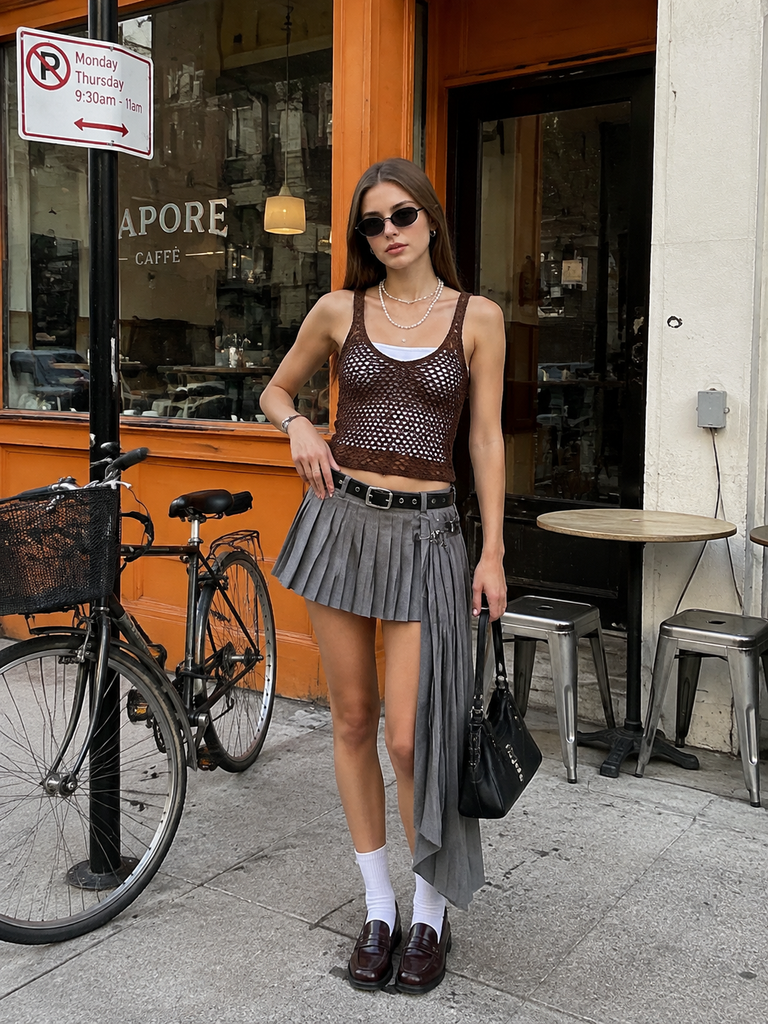 |
| Reference details: facial appearance, hairstyle, hair color, skin tone, and overall visual identity. | Prompt-controlled result: a full-body street-style outfit, orange café setting, natural daylight, and an off-duty-model pose. |
Step 4: Generate the Second Content Format
Return to the original model image, open Copy-Ready Prompt 2, and paste it into a new generation. This prompt creates the top-down lap-view image with a smartphone and beauty product.
Using the same original reference helps connect the two images, while the different camera angle prevents the content series from feeling repetitive.
Prompt 2: Top-Down Influencer Photo on Stone Steps
The second image uses a top-down lap-view composition frequently seen in fashion, beauty, and lifestyle content.
Its central elements include:
- The knees and pleated skirt
- A smartphone held in one hand
- The subject’s portrait displayed on the screen
- A beauty or lifestyle object held in the other hand
- Shoes, a handbag, and textured stone steps
This composition can accompany the first full-body image without repeating the same camera angle.
Copy-Ready Prompt 2 — Click to open
{
  "prompt": {
    "global_instruction": "Use the uploaded photo as the sole identity reference for an adult female subject. Preserve the subject's recognizable facial features, hairstyle, hair color, skin tone, and overall visual impression where possible. Recreate the subject inside a stylish top-down lap-view social-media composition.",
    "scene_and_composition": {
      "visual_hook": "A top-down lap-view composition with the knees placed together as the central visual anchor. The main focus is a lit smartphone screen held in one hand and a small beauty or lifestyle object held in the other, creating a fashion-blogger snapshot aesthetic.",
      "camera_angle": "High-angle overhead shot, as if the subject is casually photographing the scene while sitting on outdoor stone steps. The framing should feel relaxed, slightly asymmetrical, and naturally composed rather than precisely staged.",
      "framing_and_depth": "Clearly show the lower body, hands, smartphone, shoes, and personal accessories. Use medium depth of field, keeping the hands, phone, clothing, and key accessories sharp while allowing the stone-step background to soften slightly.",
      "medium_physics": "The result should resemble a realistic smartphone photograph with authentic skin texture, subtle natural-light reflections, and a candid social-media appearance. Avoid heavy retouching or artificial studio polish."
    },
    "subject_content": {
      "identity_features": "Base the adult subject on the uploaded reference image. Preserve the person's recognizable facial identity and key visual traits where visible. If the uploaded image does not show the full body, infer the missing areas naturally without presenting them as an exact representation of the person's real body.",
      "overall_pose": "The subject is seated with both knees slightly bent and placed together near the center of the frame. The upper body remains partially outside the camera view, consistent with a natural lap-view composition.",
      "limb_articulation": "One hand naturally holds a smartphone with believable finger placement and grip. The other hand holds a small beauty, fashion, or lifestyle item in a relaxed and elegant way.",
      "pose_dynamics": "The seated posture should feel casual, balanced, and stable, with soft body tension typical of a candid street-style photograph.",
      "screen_content": "The smartphone screen displays the adult subject from the uploaded reference as the main on-screen portrait. Style it like a live front-camera view or a recently captured fashion portrait. Keep the screen image visually consistent with the uploaded identity and the styling used throughout the scene.",
      "emotional_vibe": "Relaxed, refined, fashion-forward, and subtly luxurious, with a minimalist European or Scandinavian-inspired street-style mood.",
      "main_object_apparel": "Extend the styling into a cohesive premium street-fashion outfit. Use a brown crochet mesh top layered over a white camisole, an asymmetrical gray pleated skirt, a black leather belt, white crew socks, and dark brown loafers. Add only restrained accessories that support the overall aesthetic.",
      "hair_and_styling": "Keep the hairstyle, hair color, and grooming consistent with the uploaded reference, particularly in the portrait displayed on the smartphone screen.",
      "interaction_with_environment": "The subject sits naturally on the stone steps. The hands, clothing, shoes, handbag, and accessories should make believable contact with the body and surrounding surfaces."
    },
    "environment": {
      "visual_depth_stack": {
        "foreground": "Hands, smartphone, and one small beauty or lifestyle object.",
        "midground": "The lap area, skirt, belt, shoes, and a black personal bag positioned naturally beside the subject.",
        "background": "Gray outdoor stone steps extending upward in perspective, with subtle surface variation and restrained natural details."
      },
      "lighting_atmosphere": "Use soft, diffused natural daylight with a slightly warm tone. Light should fall evenly across the hands, phone, clothing, shoes, and steps while creating gentle contrast in fabric folds, skin highlights, leather, glass, and metal surfaces."
    },
    "realism_rules": [
      "Use natural daylight and avoid studio-style lighting.",
      "Preserve realistic skin texture, tonal variation, and fine natural details.",
      "Render believable fabric weave, leather texture, glass reflections, and metal hardware.",
      "Keep the composition slightly spontaneous and organic, like a handheld social-media photo.",
      "Maintain realistic hand anatomy, finger positioning, and smartphone grip.",
      "Keep the smartphone screen clean, coherent, and visually consistent with the uploaded adult subject.",
      "Ensure the phone, lipstick, bag, shoes, and steps have believable scale and perspective."
    ]
  },
  "negative_prompt": [
    "child or underage appearance",
    "3D render",
    "cartoon",
    "over-smoothed skin",
    "stiff posing",
    "studio glamour lighting",
    "deformed limbs or hands",
    "extra fingers",
    "duplicate hands",
    "flat or textureless lighting",
    "plastic-looking AI skin",
    "floating accessories",
    "distorted smartphone shape",
    "impossible phone grip",
    "inconsistent screen identity",
    "unreadable screen interface",
    "text overlay",
    "watermark",
    "unintended logo"
  ]
}
Original and Generated Result
| ORIGINAL MODEL IMAGE | GENERATED IMAGE 2 |
|---|---|
| 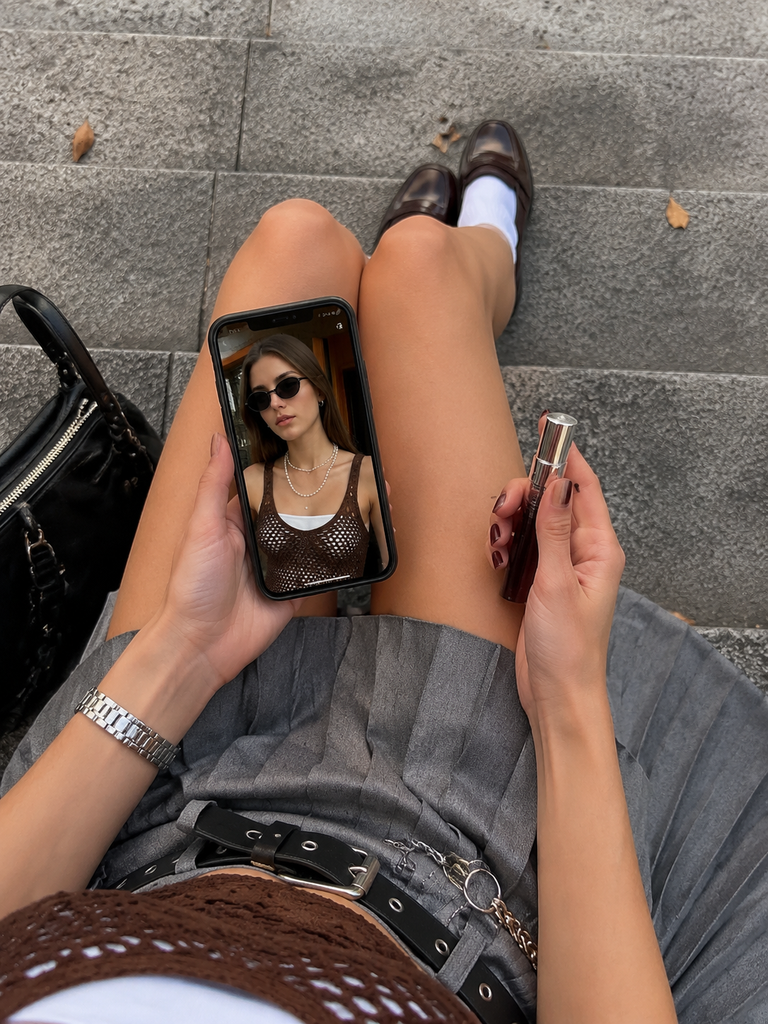 |
| Reference details: the uploaded portrait provides the identity, hairstyle, skin tone, and initial styling direction. | Prompt-controlled result: an overhead composition with a smartphone, beauty product, coordinated outfit, and stone-step setting. |
Step 5: Review and Export the Final Images
Check facial consistency, hand anatomy, phone geometry, screen content, clothing details, background text, and unintended logos. Regenerate or edit any image containing visible errors.
Export the approved images in a portrait format suitable for Instagram posts, Shopify content, Pinterest, or other social-media campaigns.
How to Keep an AI Model Consistent Across Multiple Images
The compositions do not need to be identical. The identity reference and visual language are the elements that should remain stable.
1. Use One Identity Reference
Tell the AI image generator that the uploaded photo is the sole identity reference. Repeat the facial, hairstyle, hair-color, and skin-tone requirements in every prompt.
Avoid introducing conflicting appearance descriptions, which can cause the generated subject to drift toward a generic AI face.
2. Repeat the Core Outfit
Keep the important clothing details consistent:
- Brown crochet mesh tank top
- White camisole
- Gray asymmetrical pleated skirt
- Black belt
- White crew socks
- Dark leather loafers
This helps the full-body street photo and the overhead detail shot feel like parts of the same campaign.
3. Change the Composition, Not Just the Background
The first image uses an eye-level full-body composition. The second uses a high-angle overhead composition.
This creates two distinct content moments. Simply replacing a café with another street or indoor background would produce a much weaker variation.
4. Preserve a Natural Smartphone-Photography Look
If the goal is Instagram-native content, the prompt does not always need phrases such as “8K,” “cinematic masterpiece,” or complex camera specifications.
Try using descriptions such as:
- Realistic smartphone photo
- Subtle camera grain
- Natural daylight
- Candid composition
- Realistic skin texture
- Slight asymmetry
- Minimal retouching
These constraints can reduce excessive facial smoothing and artificial-looking skin.
Create the Images With WeShop AI GPT Image
Upload the authorized original model image to WeShop AI GPT Image, paste one prompt at a time, and generate several controlled variations.
You can try it directly using the tool on the right.
For the first result, prioritize the complete outfit, café composition, and natural body proportions. For the second result, examine the hands, phone shape, screen portrait, and small product carefully.
If a result contains a distorted hand, incorrect face, malformed text, or inconsistent outfit, revise the relevant prompt section instead of generating many uncontrolled images.