












Generate Polaroid-Style Couple Photos with WeShop AI Using Two Solo Photos
Learn how to create Polaroid-style couple photos with WeShop AI's Image Combiner. Upload two solo photos, apply a detailed prompt, and generate atmospheric, face-preserving couple photos with a candid flash effect. Includes prompt templates and pose change tips.
Want a couple photo that feels full of atmosphere, like it was just printed from a Polaroid at a party?
No need to actually buy a Polaroid camera, and you don't need both people to be there at the same time.
Today, I'll teach you how to use WeShop AI to generate high-quality couple photos with the following features by simply uploading two solo photos:
- High preservation of facial features
- Freely switchable poses
- Polaroid camera texture
- Direct flash effect
- Slight shake and blur
- Natural, lazy party vibe
Sweet and cool atmosphere, all in one click.
Preparation / Required Tools
Before you start, you need to prepare:
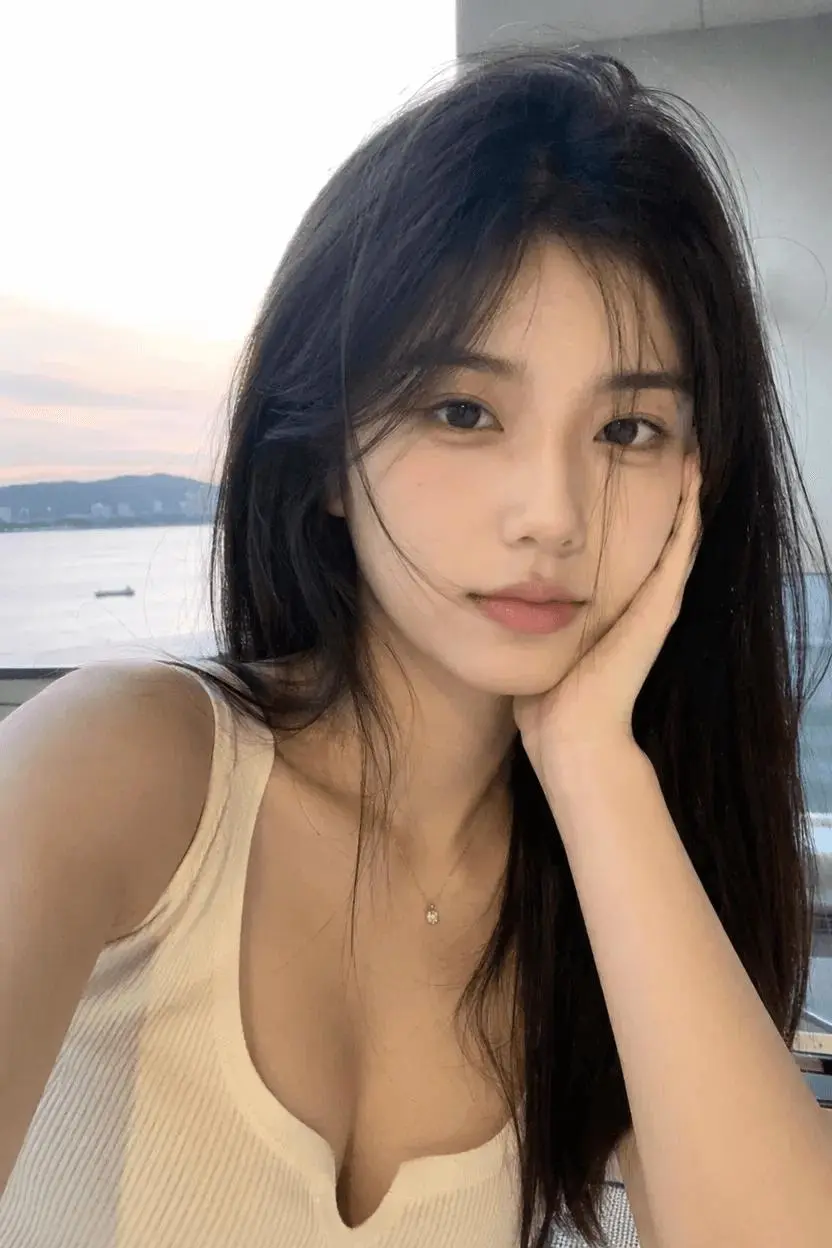
- A clear front-facing photo of yourself
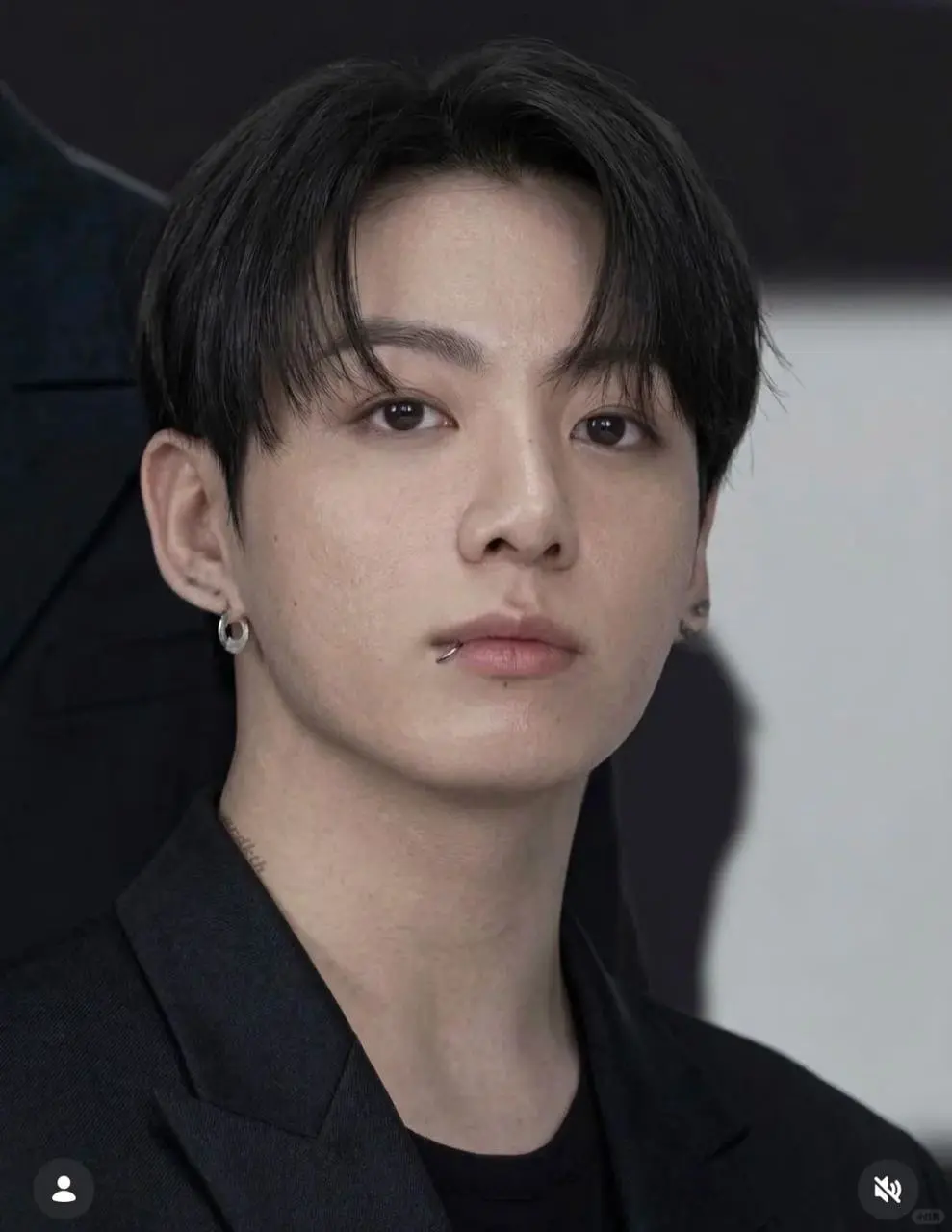
- A clear front-facing photo of the person you want to be in the photo with
- A WeShop AI account
- The complete Prompt provided in this article
It is recommended to choose solo photos with clear facial features, no obstructions, and natural lighting. This will result in more stable face reconstruction after generation.
Detailed Step-by-Step Guide
Step 1: Open WeShop AI
Open the WeShop AI official website:
After entering the site, follow these steps:
- Click Tools in the top or sidebar
- Find and open AI Image Combiner
- Upload your own front-facing photo
- Upload the photo of the person you want to be in the photo with
- Delete the default text in the input box
- Enter the style Prompt provided in this article
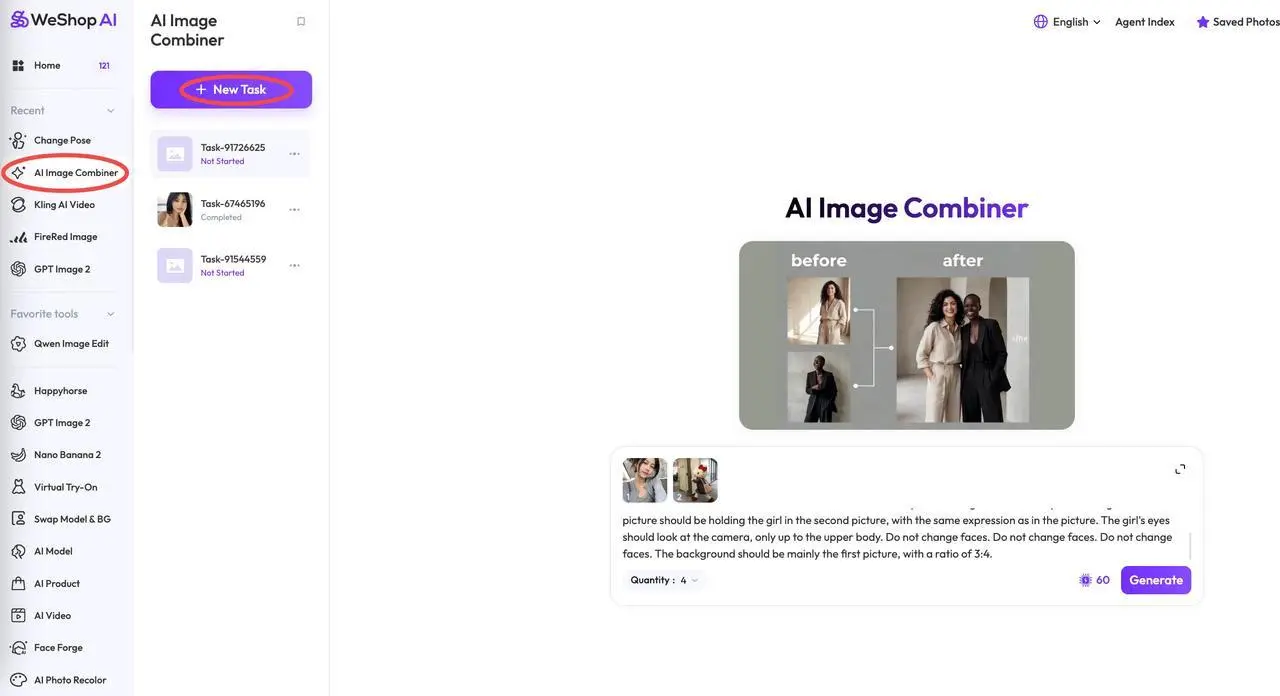
Step 2: Enter the Complete Command
Copy the full command below into the Prompt input box.
Complete Prompt Template
Help me generate an image taken with a Polaroid camera. There is no specific subject or tool mentioned. It should look like an accidental, casual snapshot taken by chance. The photo should have a slight shaky effect. The illumination from the camera flash in the dark areas must spread throughout the entire photo.

The girl in the first picture should be holding the girl in the second picture, with the same expression as in the picture. The girls' eyes should look at the camera. The image should only show their upper bodies.

Do not change faces. Do not change faces. Do not change faces.

The background should be mainly based on the first picture. Use a 3:4 aspect ratio.
This Prompt mainly controls the following:
- Simulates Polaroid camera shooting effect
- Creates a natural look of a candid shot
- Adds slight camera shake and blur
- Uses direct flash effect in low-light environments
- Makes the person in image 1 hug the person in image 2
- Keeps the original facial features of both people
- Makes both people look at the camera
- Only shows the upper bodies of the people
- Mainly uses the background from image 1
- Uses
3:4image ratio
The phrase
Do not change facesis repeated three times in the Prompt to further emphasize not modifying the facial features.
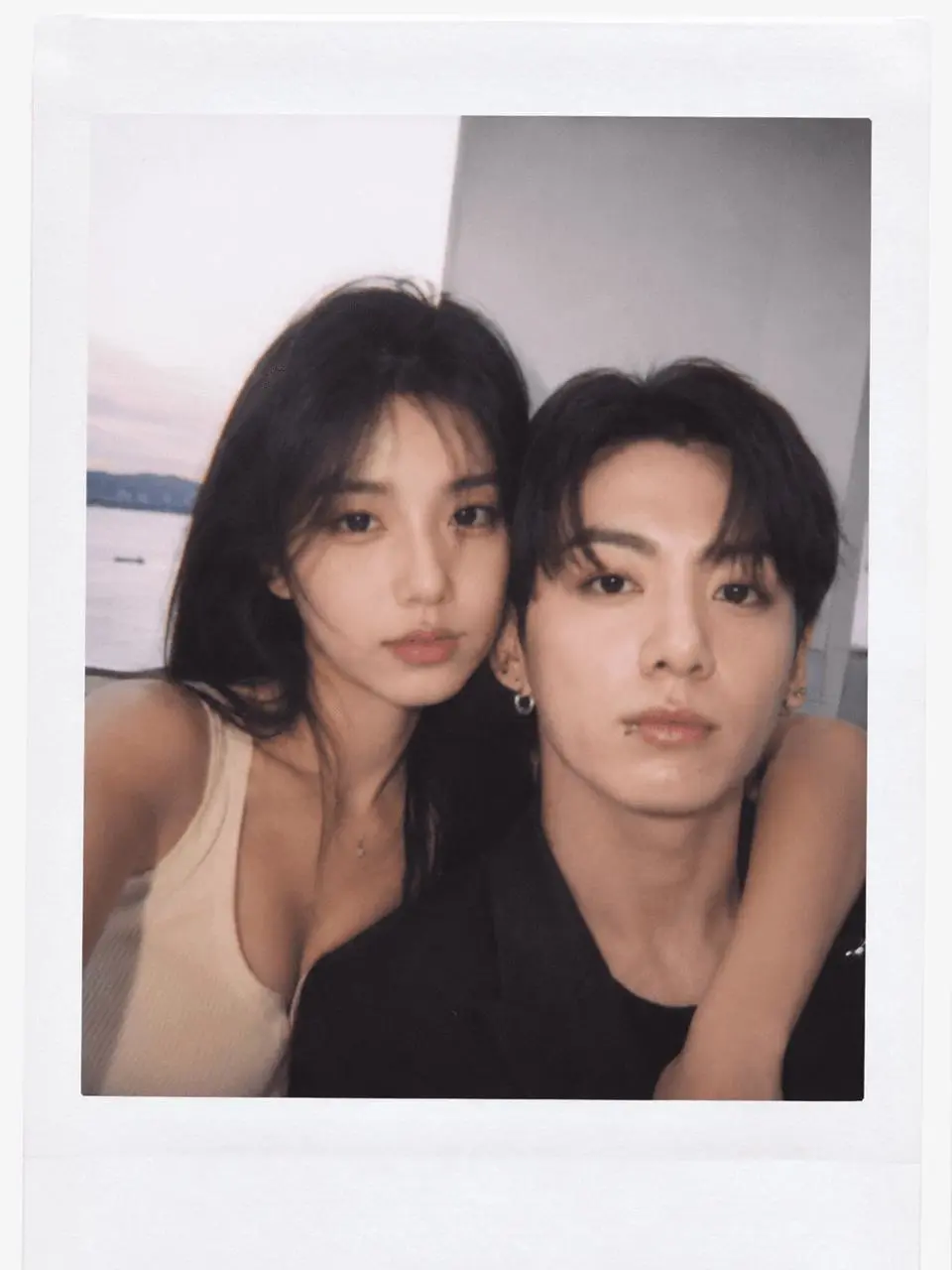
Step 3: Click Generate and Preview the Result
After uploading the photos and entering the Prompt, click the generate button.
Wait for the generation to complete, then preview the final Polaroid-style couple photo.
|
|
|
Frequently Asked Questions
Q1: What is the difference between AI Image Combiner and ordinary "face swapping"?
Ordinary face swapping usually just replaces or "pastes" one face onto another image, often causing the following issues:
- Inconsistent lighting between face and body
- Unnatural head angles
- Obvious stitching edges around the face
- Mismatched expressions and body movements
In contrast, AI Image Combiner regenerates the entire image.
The lighting, angle, expression, and skin tone of the face will blend with the new pose and scene, resulting in a more natural overall effect.
Q2: What if the generated face doesn't look like the person?
You can try the following methods:
- Use a front-facing photo with clearer facial features
- Avoid using heavily beautified or retouched photos
- Avoid bangs, sunglasses, masks, or hands blocking the face
- Emphasize repeatedly in the Prompt:
Do not change faces.
Keep the original facial features.
Preserve the exact identity of both people.
You can also generate multiple times and select the one with the highest face preservation.
Q3: What if the height ratio of the two people in the generated photo is off?
You can add specific descriptions of height and person positions in the Prompt.
For example:
The girl is 162 cm tall and the man is 178 cm tall. When they stand together, the girl's head should reach approximately the man's chin.
The Chinese meaning is:
The girl is 162 cm tall, the man is 178 cm tall. When standing together, the top of the girl's head is roughly at the level of the man's chin.
WeShop AI will adjust the proportions and relative positions based on the description.
Q4: If I want to generate multiple couple photos with different poses, do I need to re-enter the full command?
No.
You can use WeShop AI's Change Pose feature:
https://www.weshop.ai/tools/ai-pose-generator
Here are the specific steps:
- In the generated image you like, click the Send icon
- Select Change Pose
- Describe the new pose you want to generate
- Click Generate
The system will try to keep:
- The same people
- The same clothing
- The same scene
- The same overall style
Only the actions and poses of the people will change.
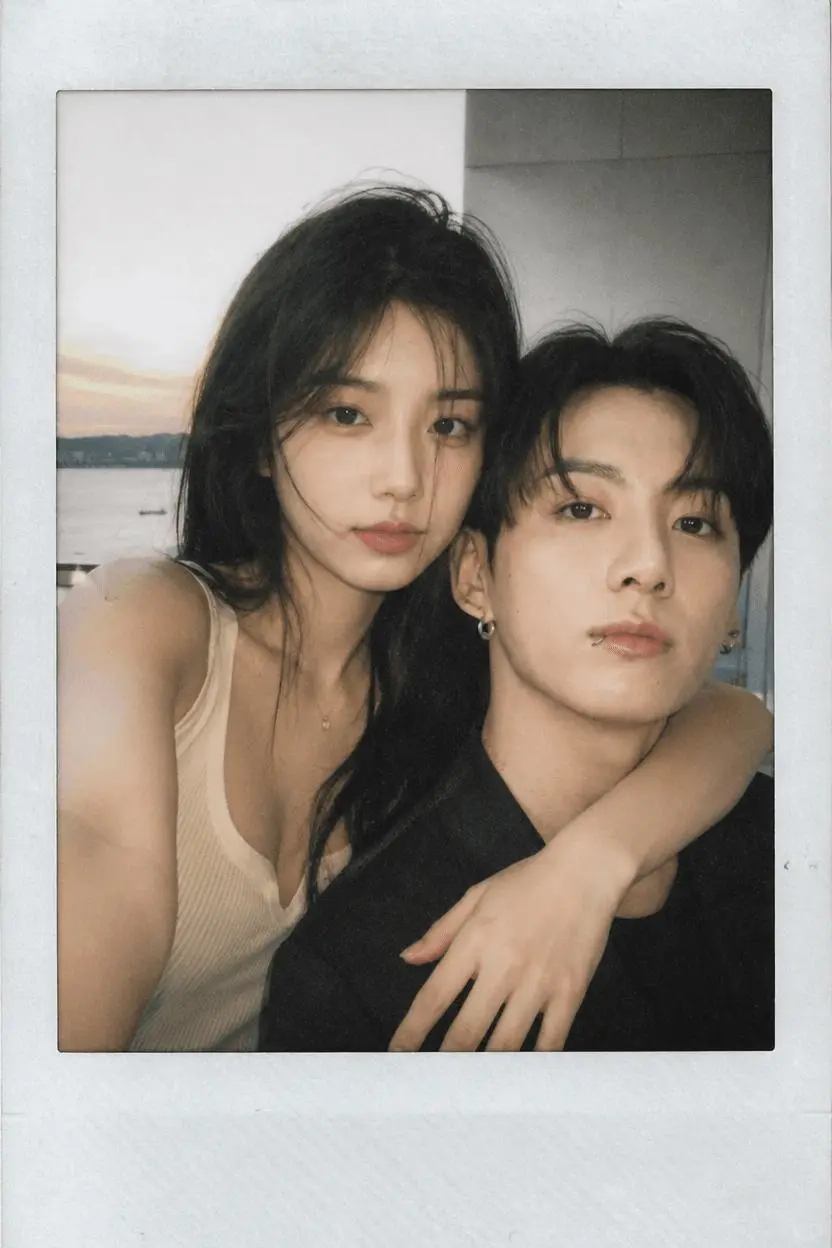
|
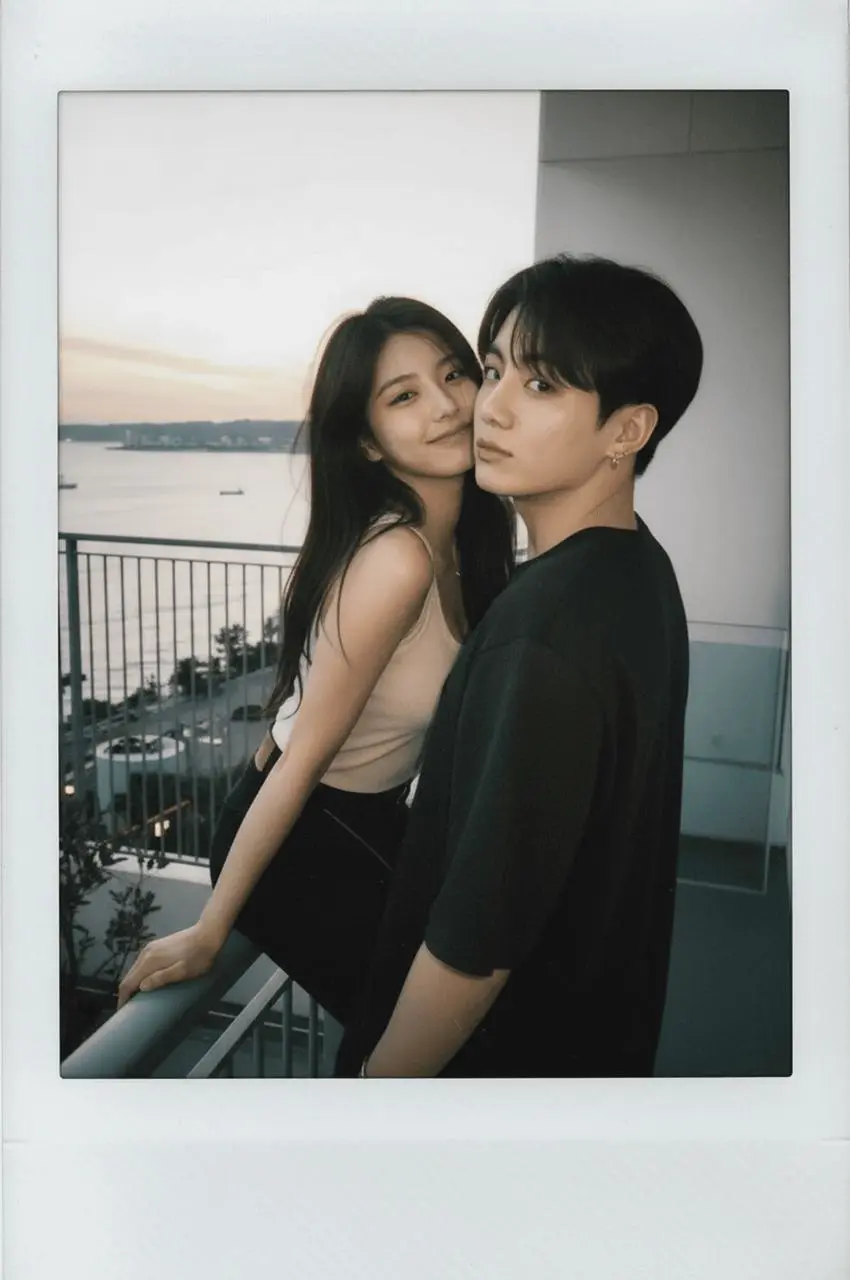
|
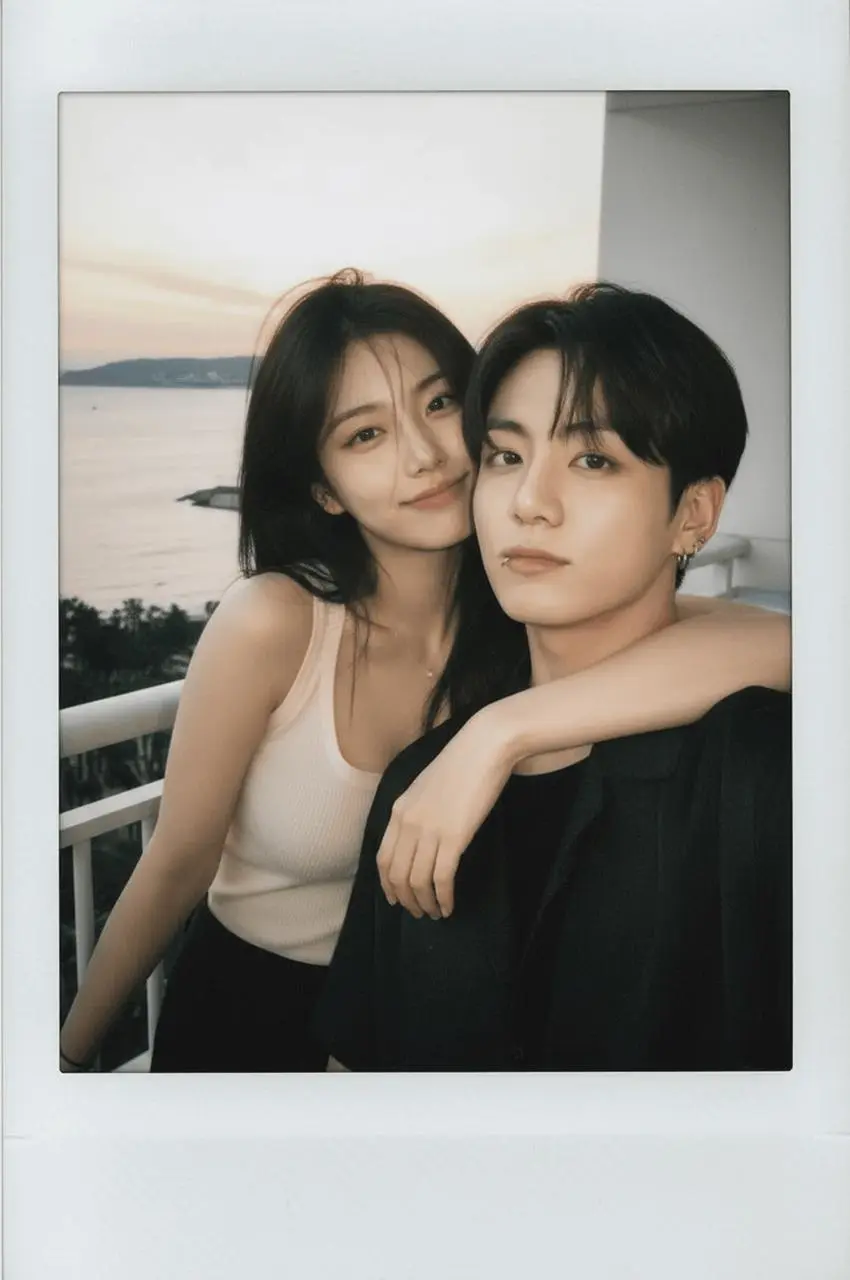
|
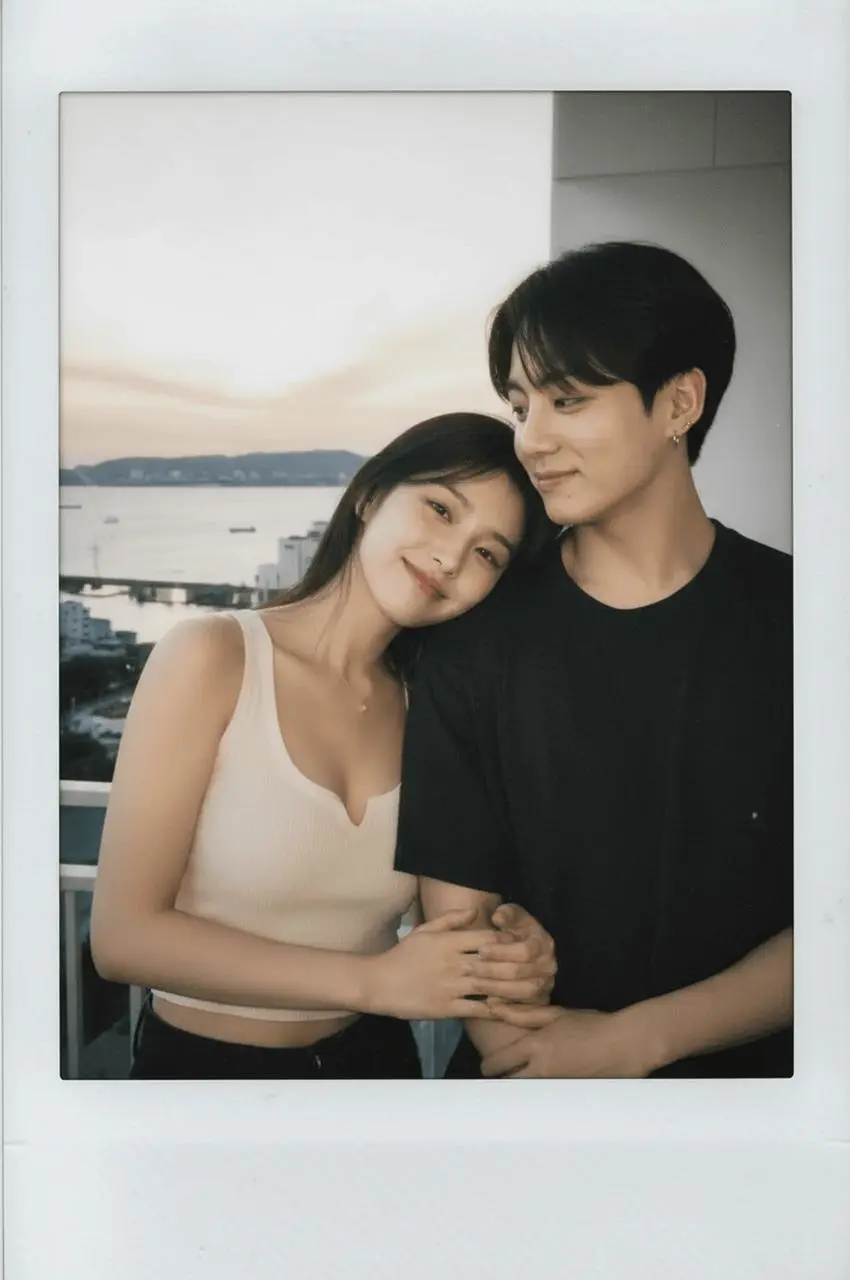
|
Change Pose Pose Description Examples
You can use the following pose descriptions directly.
Intimate Hug
The two people are standing close together. The person in the first image gently hugs the person in the second image from behind. Both of them look at the camera with relaxed and natural expressions.
Cheek-to-Cheek Photo
The two people lean their faces close together and look directly at the camera. Their expressions are relaxed and playful, like a casual party snapshot.
Arm Around Shoulder Photo
The person in the first image puts one arm around the shoulder of the person in the second image. Both people stand naturally and look at the camera.
Seated Photo
The two people sit closely together on a sofa. One person rests their head gently on the other person's shoulder. Both look at the camera.
Summary
Now, you have a complete AI couple photo generation solution.
No need to spend thousands on a professional photoshoot, no need to learn complex prompt engineering, and not even need both people to be present at the same time.
Simply prepare your own solo photos, and WeShop AI can help you naturally "frame together" and generate intimate couple photos with a Polaroid texture.
Next Steps
- Open WeShop AI and create an account
- Click Tools → AI Image Combiner
- Upload your own photo and the photo of the person you want to be with
- Copy the complete Prompt from this article
- Generate your first Polaroid-style couple photo
- Use Change Pose to continue generating different poses
- Come back to the comment section and show off your results
Give it a try—this might be the easiest "couple photo" you've ever taken. 📸