












WeShop Image & Video Agent: A Practical Free Alternative to Lovart for Product Visuals
Explore WeShop Image & Video Agent, a free Lovart-style tool for creating ecommerce product images, model visuals, and vertical marketing videos.
WeShop Image & Video Agent: A Practical Free Alternative to Lovart for Product Visuals
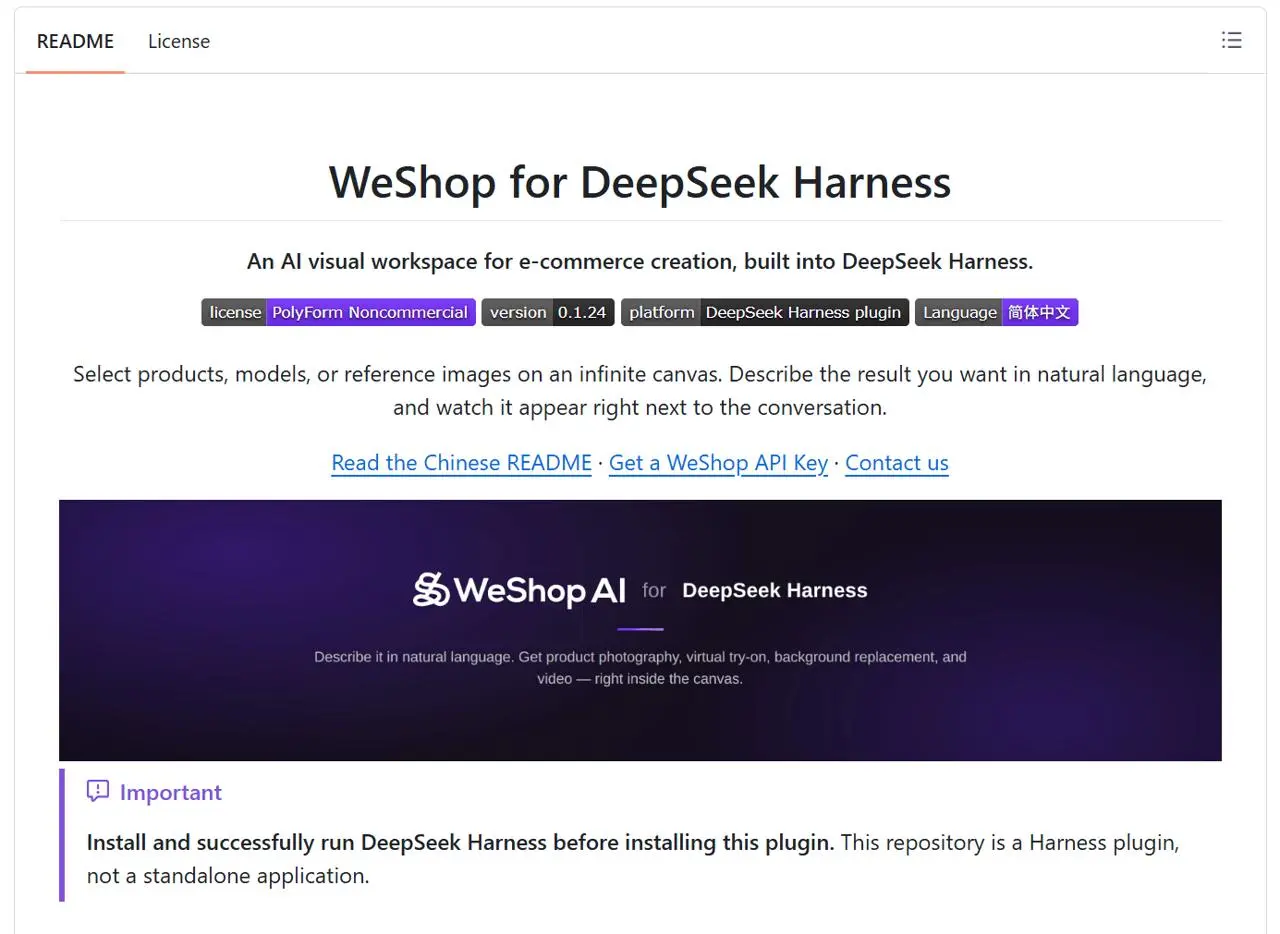
AI creative tools are moving from single prompt boxes toward agents. Instead of asking one model for one image, a creative agent can read a brief, choose the right generation path, make several assets, revise them, and keep the work organized on a visual canvas. Lovart.ai helped popularize this direction with its AI Design Agent and ChatCanvas workflow. It brings image generation, video generation, editing, brand context, and campaign-style output into one place.
Our new WeShop Image & Video Agent is built for the same shift, but with a more accessible goal: give sellers, creators, and small teams a free way to produce useful image and video assets without jumping between multiple tools. It is based on a DeepSeek harness plugin workflow, which means the agent is designed to reason through the task, call image and video capabilities, inspect progress, retry when a model fails, and return usable creative results inside a shared canvas.
This article introduces the agent honestly: what it is good at today, how it compares with Lovart, and where it fits best.
What Is WeShop Image & Video Agent?
The WeShop Image & Video Agent is an AI creative assistant for producing ecommerce and marketing visuals. You can give it a product image, model image, reference style, campaign goal, or plain-language prompt. The agent then helps generate assets such as product photography, model try-on style visuals, vertical ad videos, social posts, and short product clips.
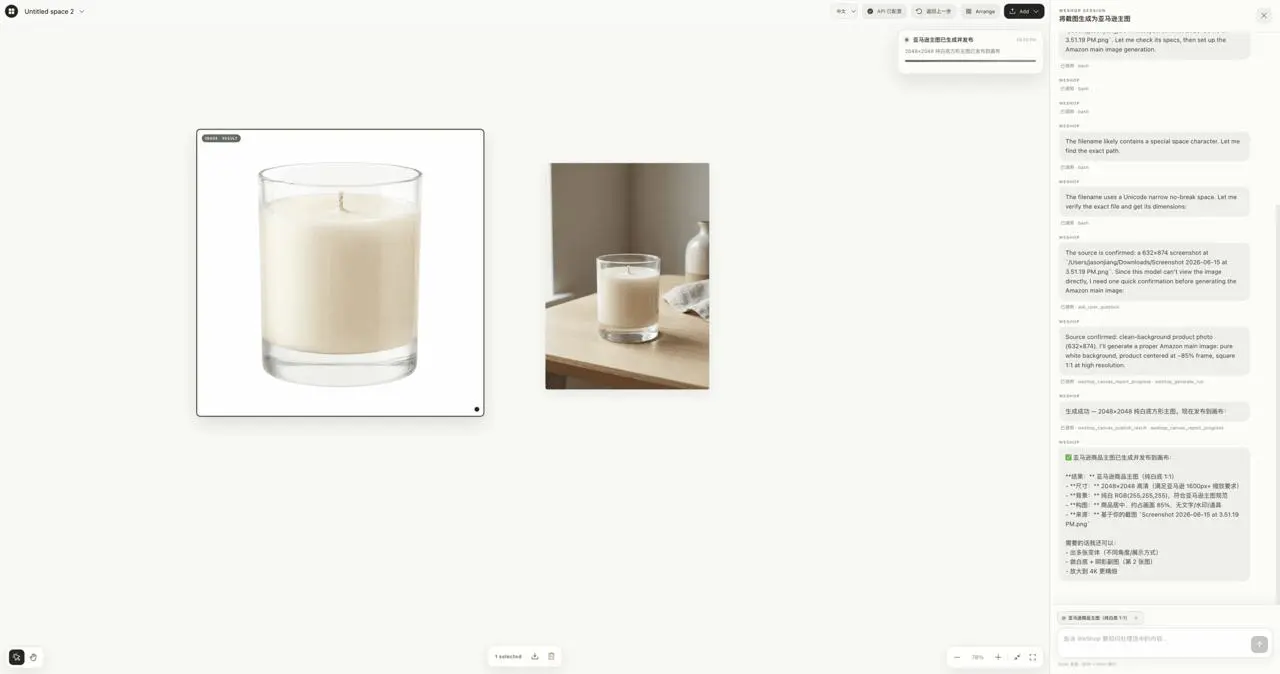
From the screenshot, the workflow is canvas-first. Generated product shots, human model images, shoes, lipstick assets, and video outputs sit together in one workspace. The chat panel on the side shows the agent reading images, selecting models, generating 9:16 assets, retrying when a model route fails, and publishing the final output back to the canvas. That matters because most AI tools still make users manage the production process manually: upload here, generate there, download, re-upload, resize, animate, and export.
The agent’s purpose is simpler: describe the result, provide references, and let the system coordinate the steps.
Why compare it with Lovart.ai?
Lovart positions itself as an AI design agent rather than a single image generator. Its public pages describe a unified ChatCanvas, multimodal input, brand-aware generation, Touch Edit, image-to-video, text-to-video, variant loops, and exports for common formats such as 9:16, 16:9, and 1:1. Lovart’s promise is end-to-end creative production: research, plan, generate, edit, and ship.
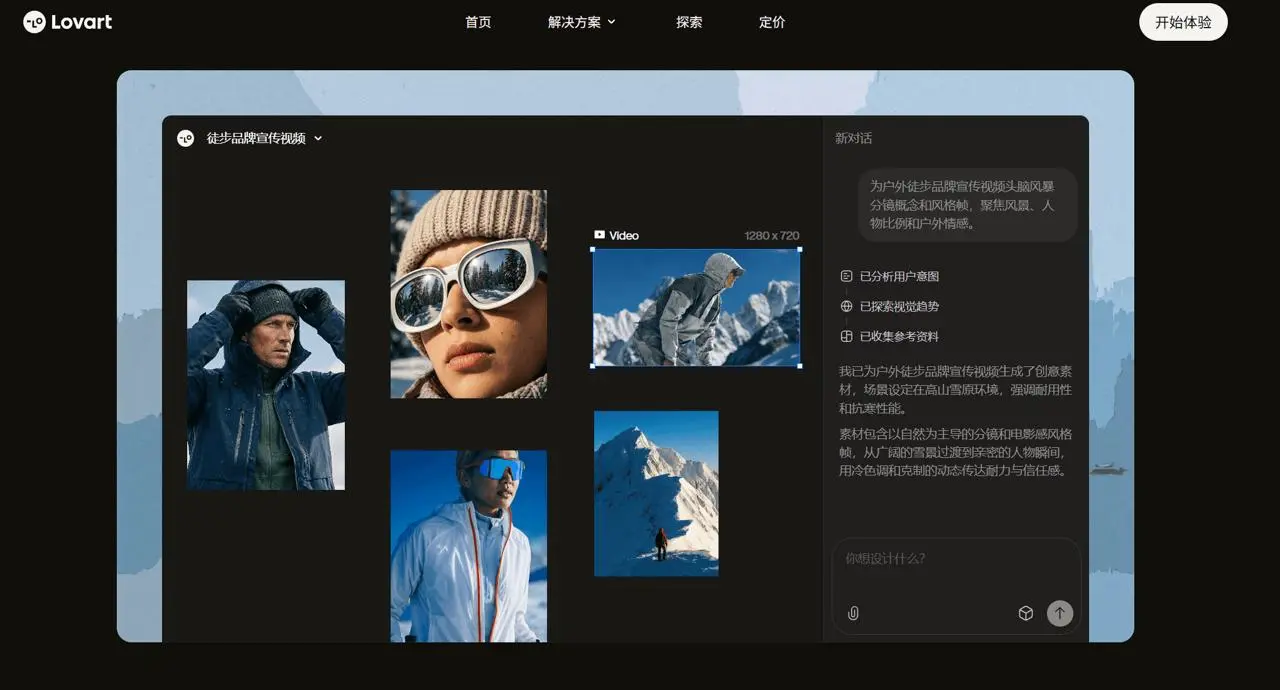
That is the right category for understanding WeShop’s new agent. The comparison is not “one prompt generator versus another prompt generator.” It is agentic creative workflow versus manual tool switching.
Lovart is broader. It talks about brand kits, 3D renders, audio, campaign systems, and professional creative workflows. WeShop’s agent, at least from the current product direction, is more focused: image and video generation for product marketing, especially ecommerce-style scenes, model/product combinations, and vertical ad assets.
That narrower scope can be a strength. Many sellers do not need a full design operating system. They need product visuals that look clean, consistent, and ready for listings, ads, short videos, and social posts.
Key features of the WeShop Image & Video Agent
1. Image and video in one workflow
The agent can move from still images to video outputs without forcing the user to rebuild context. For example, a lipstick product image can become a model-held product visual, and that generated image can then become a short 9:16 video ad. A shoe image can be placed in a cleaner product scene. A model reference can guide outfit, pose, or commercial styling.
For ecommerce teams, this is more useful than a pure image generator. Product marketing needs sets: hero image, model image, close-up, lifestyle variation, and motion asset.
2. Canvas-based creative review
The canvas gives users a visible workspace. You can compare outputs side by side, keep references nearby, and inspect image and video results in context. This is close to the value Lovart emphasizes with ChatCanvas: creative work becomes spatial and iterative, rather than buried in a linear chat history.
A canvas is especially helpful for product teams because “best” is often comparative. You want to see which model pose sells the product better, which product angle feels more premium, and whether a video thumbnail matches the still campaign images.
3. DeepSeek harness plugin orchestration
The DeepSeek harness plugin is the agent layer behind the workflow. Instead of expecting the user to know which model, parameter, or generation route to use, the harness can interpret the request and coordinate tool calls. In the screenshot, the agent reads an image, notices model support limitations, adjusts parameters, retries with a different approach, and reports completion.
That behavior is important. AI generation often fails in small ways: the wrong parameter name, unsupported input count, poor aspect ratio, missing image reference, or a failed video pass. A useful agent should not simply stop at the first failure. It should diagnose, revise, and continue.
4. Ecommerce-first prompts and outputs
The agent appears tuned for practical product work: lipstick visuals, model ads, shoes, fashion images, 9:16 vertical video, and publish-to-canvas output. That makes it different from general creative tools that can do almost anything but require more direction.
This agent is strongest when the task sounds like a real seller’s need: “Make a vertical ad video for this lipstick,” “Put this product with a model,” “Create a clean marketplace hero image,” or “Generate variations for Instagram and TikTok.”
5. Free access model
Lovart promotes a free start, but its broader agent stack is designed around paid creative workflows and model access. WeShop’s positioning as a free version of Lovart is compelling if the product keeps the promise clear: not a complete Lovart replacement for every studio workflow, but a free image and video agent for product creators who need fast commercial-looking output.
That honesty helps the SEO page convert better. Users searching for “free Lovart alternative” are usually asking for affordability, not a clone.
WeShop vs Lovart: honest comparison
Lovart is currently the more mature all-in-one AI design platform. Its feature set includes broader creative workflows: brand kits, editing controls, multiple image and video models, campaign generation, and more polished end-to-end design language. It is a strong fit for teams that want a full creative workspace.
WeShop Image & Video Agent is more focused and lightweight. It is best for ecommerce sellers, product marketers, creators, and small teams that want to turn product references into image and video assets quickly. It may not replace a full design team or a full Lovart-style campaign system, but it can remove a lot of repetitive production work.
A simple way to frame the difference:
| Need | Lovart.ai | WeShop Image & Video Agent |
|---|---|---|
| Full AI design workspace | Strong | Focused on product image/video |
| Brand and campaign systems | Strong | Emerging or lightweight |
| Ecommerce product visuals | Strong | Core use case |
| Free Lovart-style alternative | Limited free entry | Main positioning |
| Canvas-based review | Yes | Yes |
| Image-to-video workflow | Yes | Yes, product-focused |
| Best audience | Creative teams, agencies, brand teams | Sellers, creators, ecommerce operators |
Best use cases
The agent is most useful for:
-
Product photography variations for ecommerce listings
-
Short vertical product videos for TikTok, Reels, Shorts, and ads
-
Model-and-product compositions for fashion, beauty, and accessories
-
Hero visuals for product pages
-
Quick campaign asset exploration before hiring a photographer or designer
-
Creative testing when you need several visual directions fast
It is less ideal when you need heavy manual retouching, complex typography systems, long-form video editing, or final brand identity work that requires a human designer’s judgment.
Final thoughts
The WeShop Image & Video Agent is not just another prompt box. Its value is in the workflow: product references, image generation, video generation, retry logic, and canvas review in one agentic process. Lovart shows where the category is heading: creative agents that plan, generate, edit, and ship. WeShop brings that idea into a more focused, free, ecommerce-friendly format.
For sellers and creators who want fast product visuals without paying for a full design suite, this agent is worth trying. It will be most powerful when users treat it like a junior creative operator: give it context, ask for a clear outcome, review the canvas, and iterate until the assets match the campaign.
Related WeShop tutorial
For a hands-on reference-image workflow, follow the DeepSeek Harness tutorial for creating a girl holding a bag.