












GPT Image 2 for Ecommerce: 10 Ways to Create Better Amazon and Shopify Product Images
Learn 10 GPT Image 2 workflows for transforming product photos into Amazon main images, A+ graphics, Shopify lifestyle scenes, fashion shots, and seasonal ads.
GPT Image 2 for Ecommerce: 10 Product Photo Edits for Amazon and Shopify
A good product can still look untrustworthy when its photos feel like quick warehouse snapshots. A gray background, cluttered promotional text, uneven reflections, or an empty mannequin can make an otherwise solid product difficult to sell.
That is where GPT Image 2 is especially useful for ecommerce. Instead of generating an unrelated visual from scratch, sellers can edit an existing product image into an Amazon white background image, a Shopify lifestyle photo, an on-model fashion image, or an Amazon A+ graphic.
This guide breaks down 10 practical transformations created with WeShop AI GPT Image 2. Each example includes the original image, the AI-generated result, and a copy-ready prompt.
AI-generated ecommerce images should be reviewed before publication. Check the product structure, color, logo, text, accessories, packaging, and specifications against the item customers will actually receive.
What You Need
Prepare the following before generating:
- A clear source image of the product
- Accurate product colors, materials, dimensions, and features
- Real packaging references if packaging must appear
- A defined output, such as an Amazon main image or Shopify lifestyle photo
- Access to WeShop AI GPT Image 2
Use this basic workflow:
- Upload the original product image.
- Choose one specific ecommerce image task.
- Describe what the AI may change, such as the background, model, lighting, or composition.
- State what must remain unchanged.
- Generate the image.
- Compare the result with the real product before publishing it.
Case 1: Turn a Mannequin Dress Photo Into an On-Model Lifestyle Image
A mannequin image can show the garment’s general shape, but it does not help shoppers imagine the fit or styling. An AI clothes changer workflow can add an adult model and a realistic setting while using the original dress as the product reference.
| Original product image | GPT Image 2 result |
|---|---|
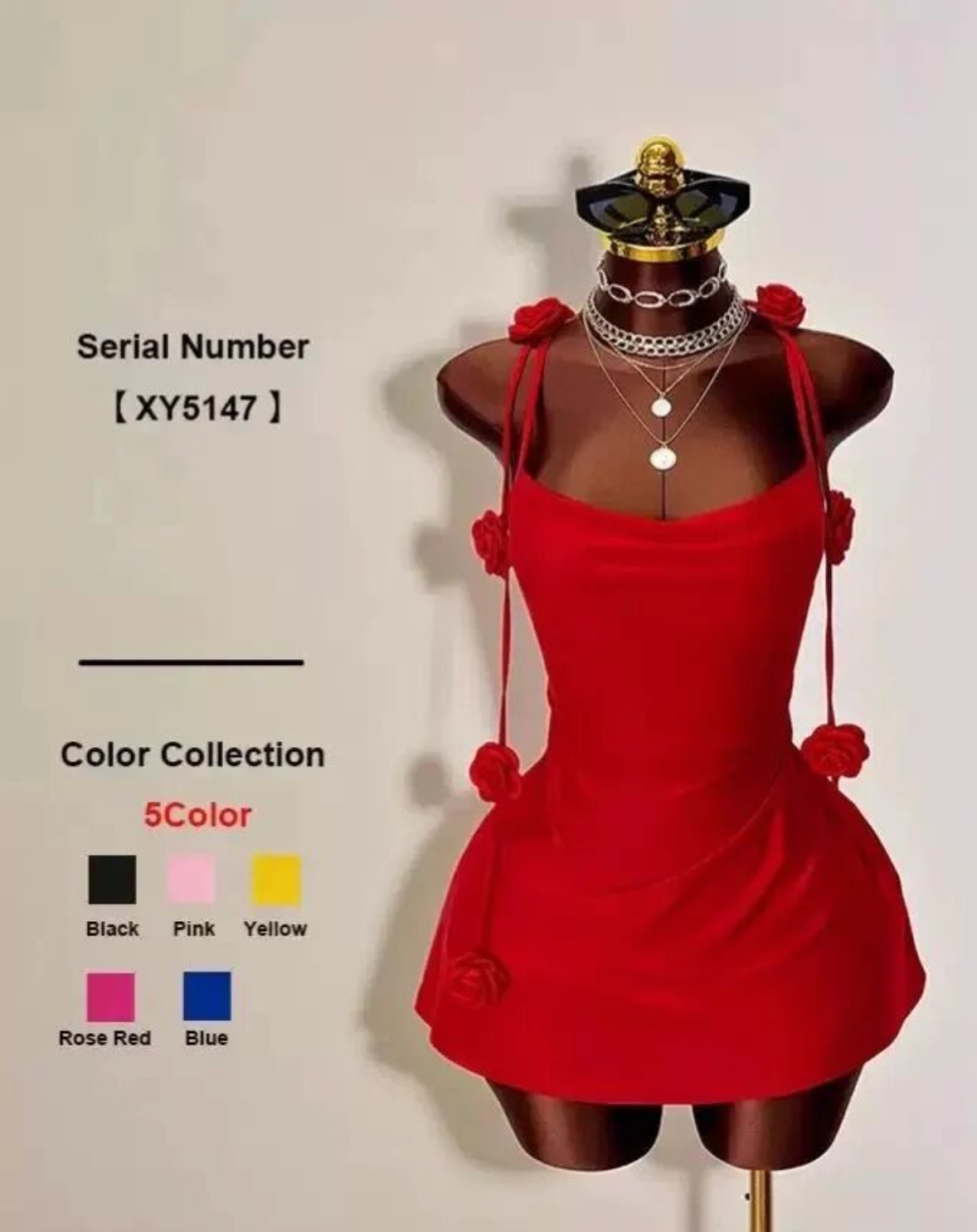 | 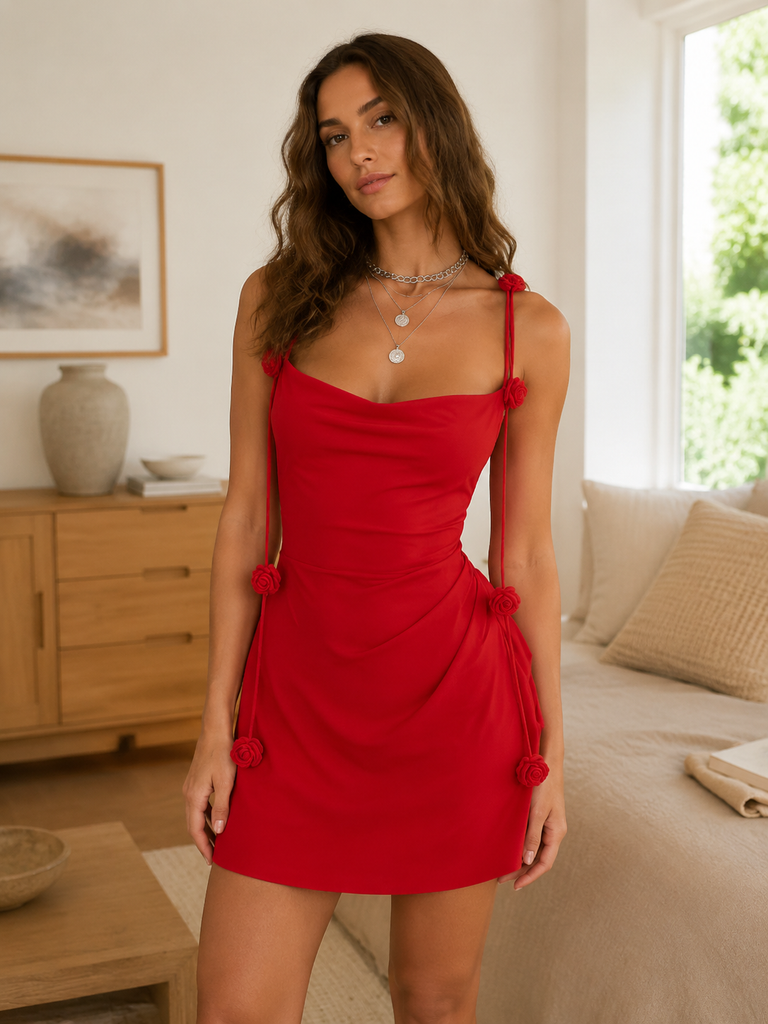 |
| Original: The dress is shown on a mannequin with additional product information around it. | Generated: An adult model wears the dress in a warm lifestyle setting. |
Copy-Ready Prompt
Create a realistic ecommerce lifestyle image based on the uploaded dress photo.

Preserve the dress's original red color, shoulder straps, neckline, print, fabric appearance, length, proportions, and overall silhouette. Do not redesign the garment or add new logos, buttons, belts, patterns, or decorations.

Show an adult female model naturally wearing the dress. Use realistic body proportions, a relaxed pose, natural hands, and a believable face. Place her in a clean, warm Western-style home interior with soft natural light and a slightly blurred background.

Remove the original product numbers and promotional text. Do not generate Chinese text, watermarks, price labels, or sales graphics.

Use a composition suitable for a Shopify product page, Amazon secondary image, or social media advertisement.
Inspect the straps, print placement, hemline, and garment proportions before using the result.
Case 2: Create an Amazon White Background Image
A clean Amazon main image removes distractions and makes the product immediately recognizable. The purpose is not to redesign the item—it is to isolate the real product from the original advertising layout.
| Original promotional image | GPT Image 2 result |
|---|---|
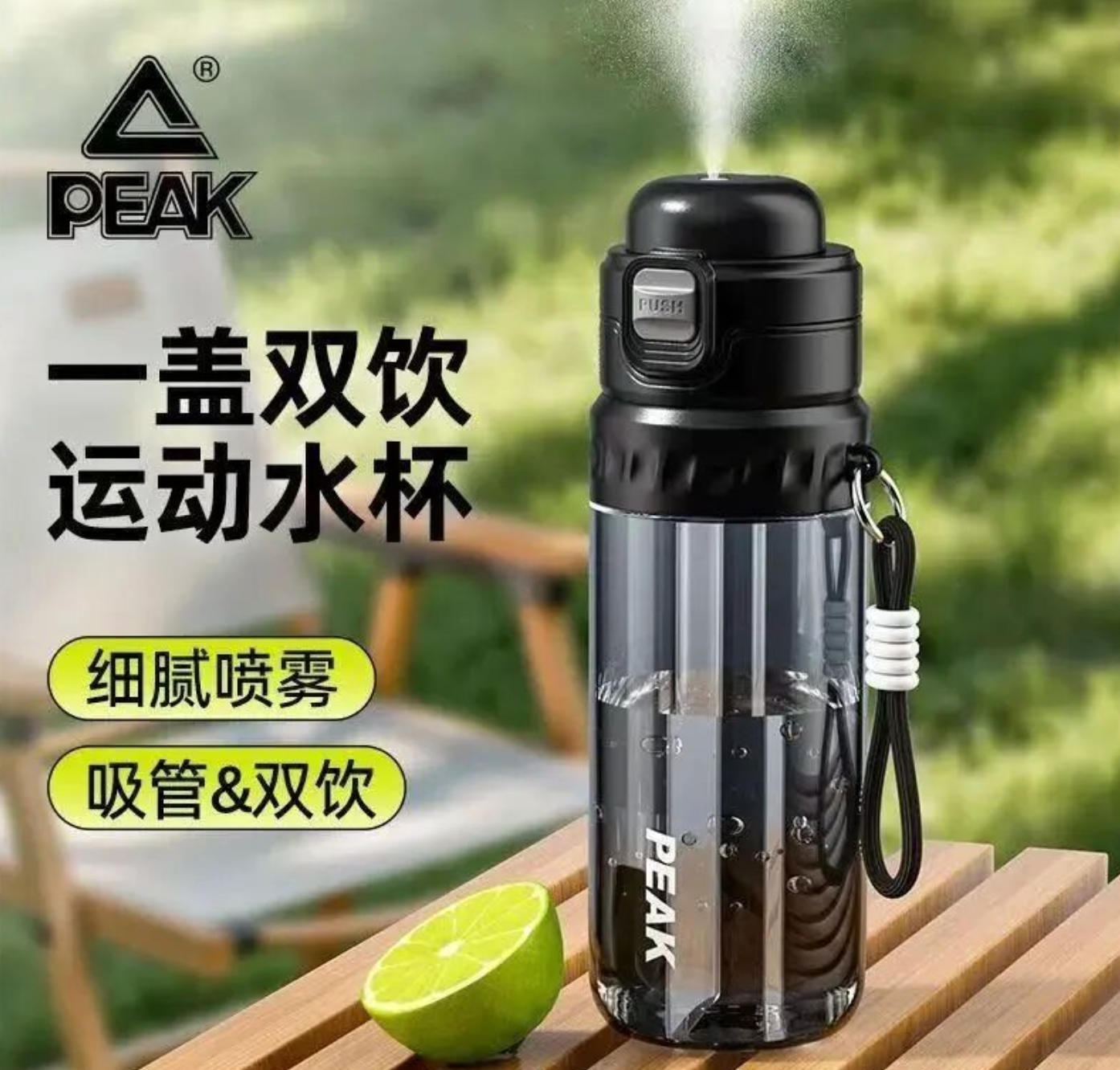 | 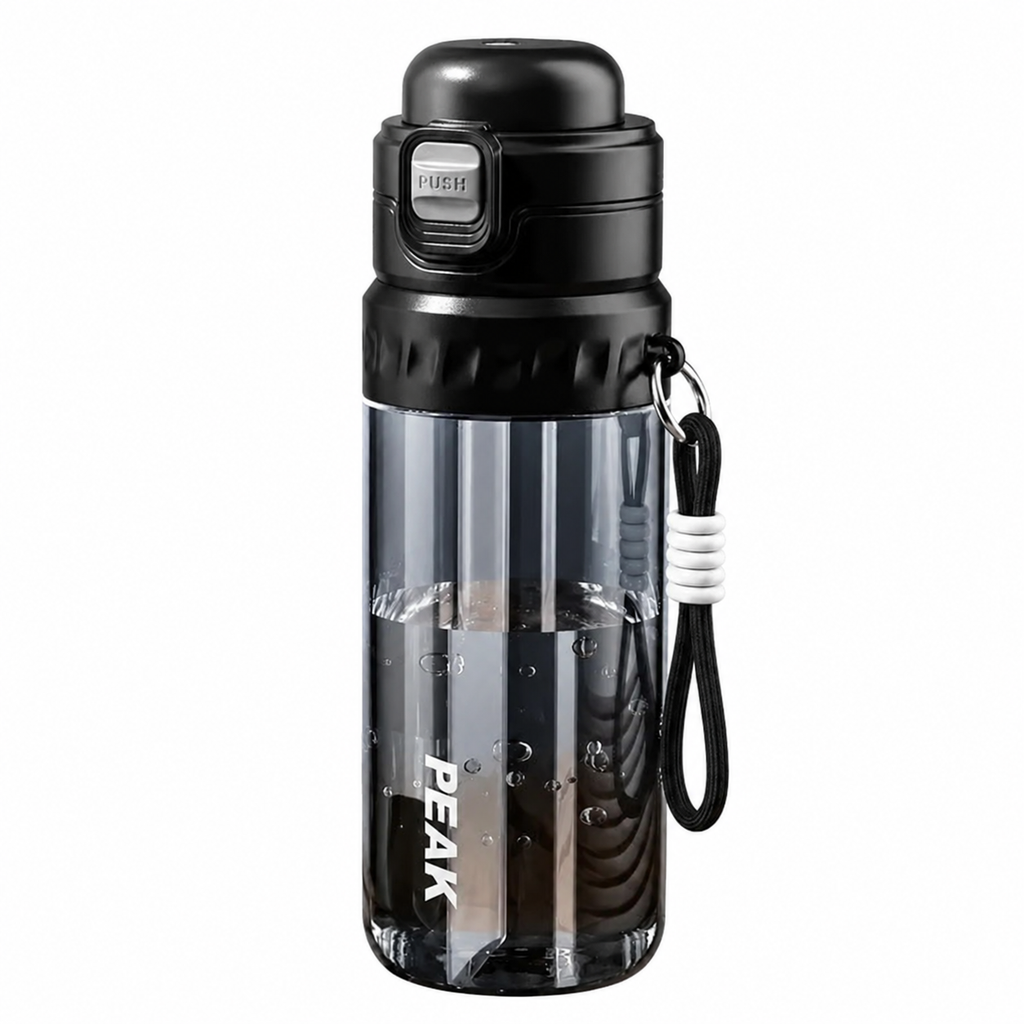 |
| Original: The bottle appears in an outdoor advertisement with a person and promotional copy. | Generated: The surrounding scene and text are removed to produce a centered white background image. |
Copy-Ready Prompt
Create a high-quality Amazon Listing main image based on the uploaded product image.

Strictly preserve the bottle's real black color, shape, cap, handle, surface material, logo placement, and proportions. Do not redesign the bottle, change the branding, or add or remove accessories.

Remove the outdoor background, person, Chinese copy, promotional text, and decorative graphics. Use a pure white RGB 255, 255, 255 background.

Center the complete product and make it fill approximately 85% of the image. Keep the edges clean, the perspective natural, and the lighting similar to professional ecommerce studio photography.

Do not add text, watermarks, borders, props, or dramatic shadows.
Amazon requirements can vary by product category and marketplace. Check the current rules for the category before uploading the final image.
Case 3: Convert a Product Photo Into a Feature Detail Graphic
Customers may see a camping chair without immediately understanding its materials, stitching, feet, or folding construction. A feature graphic can organize those details visually—but every feature claim must come from verified product information.
| Original product scene | GPT Image 2 result |
|---|---|
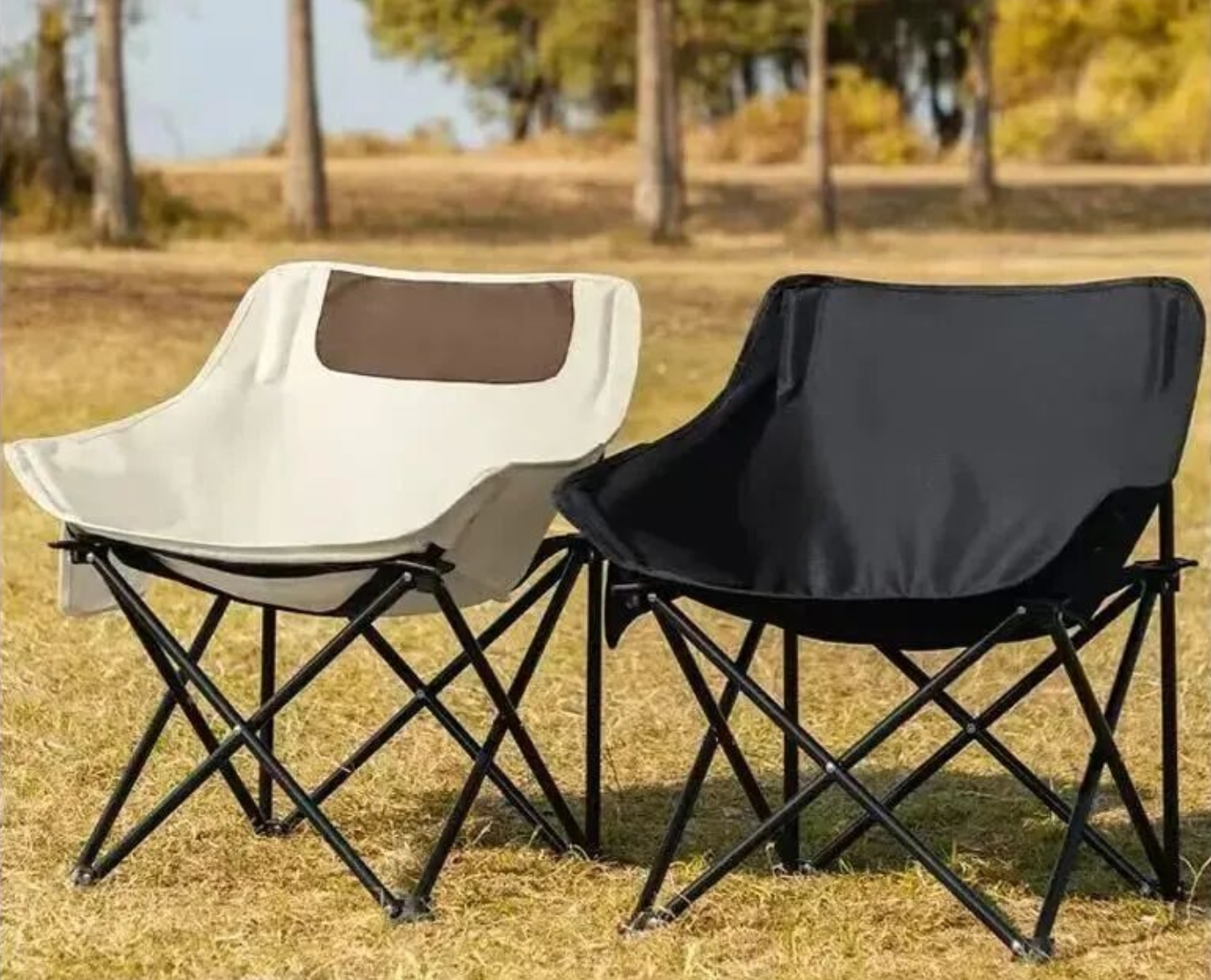 | 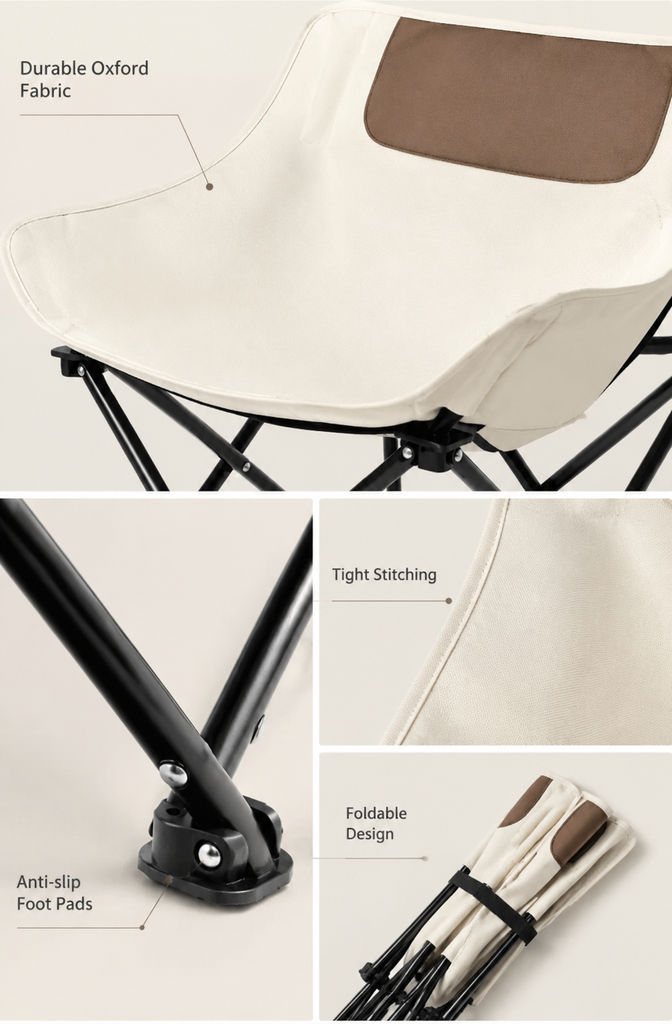 |
| Original: Two folding chairs are shown in an outdoor use environment. | Generated: The chair and several close-up details are reorganized into a vertical feature graphic. |
Copy-Ready Prompt
Create an ecommerce product feature graphic based on the uploaded folding camping chair image.

Preserve the chair's real structure, colors, frame shape, fabric, stitching, armrests, feet, and folding mechanism. Do not redesign the product or add structures that do not exist.

Use one complete product view together with three or four realistic close-up panels. Show only materials, stitching, feet, folding components, or other features confirmed in the product information I provide.

Do not invent load capacity, waterproofing, durability certifications, material names, or performance claims.

Use a warm white or light beige background with a clean outdoor-brand layout. Keep each English feature heading under four words. Avoid exaggerated arrows, promotional stickers, fake certifications, or crowded text.
If a feature cannot be confirmed from the product specifications, leave it out of the graphic.
Case 4: Place a Kitchen Product in a Western Breakfast Scene
Kitchen appliances are easier to understand when shoppers can see how they fit into everyday routines. A breakfast scene can introduce a person and surrounding objects while keeping the appliance as the main subject.
| Original advertisement | GPT Image 2 result |
|---|---|
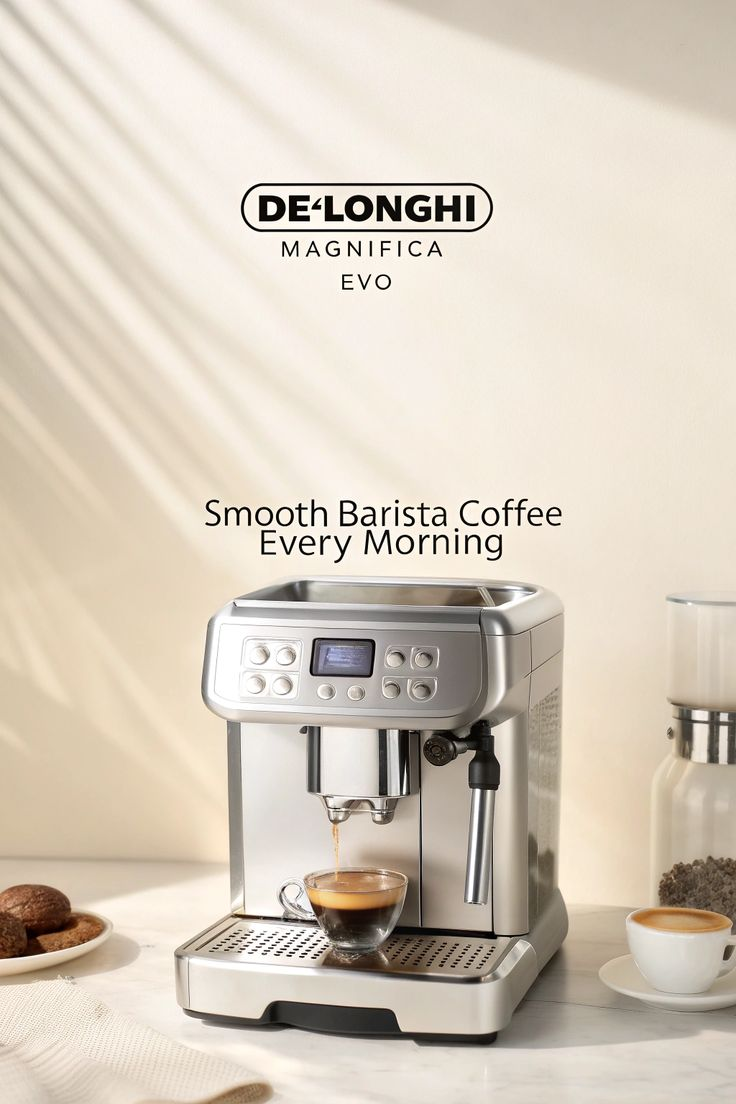 | 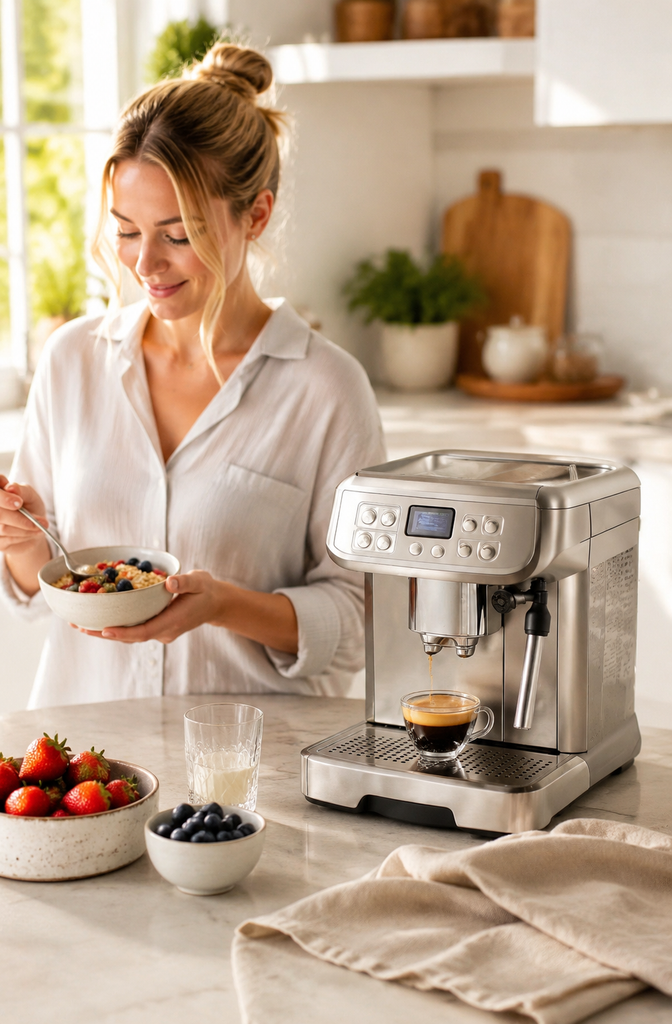 |
| Original: The coffee machine appears inside a text-heavy advertising layout. | Generated: The appliance is placed in a bright kitchen with a natural breakfast moment. |
Copy-Ready Prompt
Create a Western family breakfast lifestyle image based on the uploaded coffee machine photo.

Strictly preserve the coffee machine's real shape, colors, materials, controls, dispensing area, cup tray, logo, and proportions. Do not alter the machine or add functions that do not exist.

Place the coffee machine on a light quartz kitchen counter. An adult woman may naturally prepare breakfast nearby. Add only a few supporting items, such as bread, fruit, a coffee cup, and light linen.

Use a bright, slightly blurred open kitchen background with soft morning daylight. Keep the complete coffee machine clearly visible and do not let the person or props cover important product details.

Remove the original advertising copy. Do not generate Chinese text, prices, promotional labels, or watermarks.
Case 5: Create a Pet Product Use Scene
An empty pet bed shows its construction, but it provides little emotional or dimensional context. Adding a naturally posed pet can demonstrate use without turning the image into a cartoon.
| Original product image | GPT Image 2 result |
|---|---|
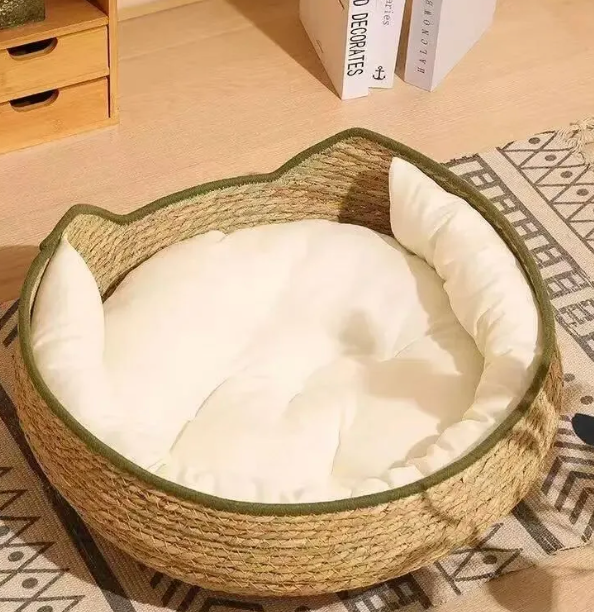 | 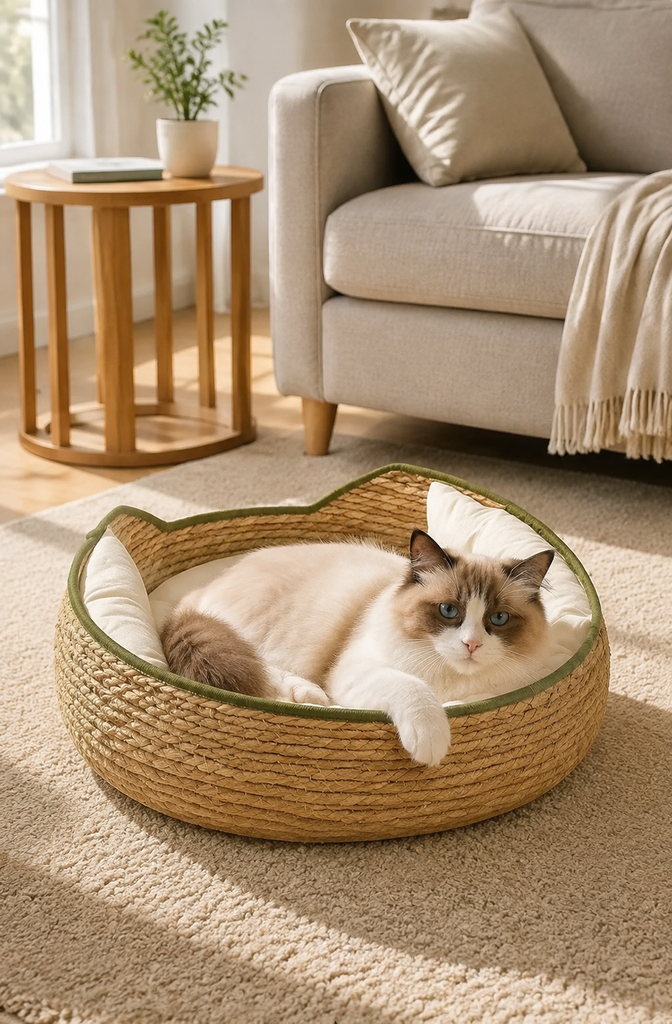 |
| Original: The empty pet bed is isolated without an animal or room reference. | Generated: A cat uses the bed in a softly lit home interior. |
Copy-Ready Prompt
Create a realistic Western home pet lifestyle image based on the uploaded pet bed.

Strictly preserve the pet bed's real shape, woven texture, color, opening, cushion, and proportions. Do not change its construction or add accessories that are not part of the product.

Show one natural-looking adult cat resting comfortably inside the bed. Place the product in a clean, bright, light-colored living room. The background may include a cream rug, light gray sofa, wooden side table, and soft sunlight.

Keep the product clearly visible. The cat should have natural anatomy and behavior. Do not create extra limbs, cartoon features, human-like expressions, or an exaggerated smile.

Do not add Chinese text, promotional copy, watermarks, or incorrect logos.
Case 6: Turn a Clothing Cutout Into a Street-Style Model Photo
A standalone clothing image communicates color and construction but not styling context. A street-style result can provide that context for Shopify pages, fashion advertisements, and social content.
| Original clothing image | GPT Image 2 result |
|---|---|
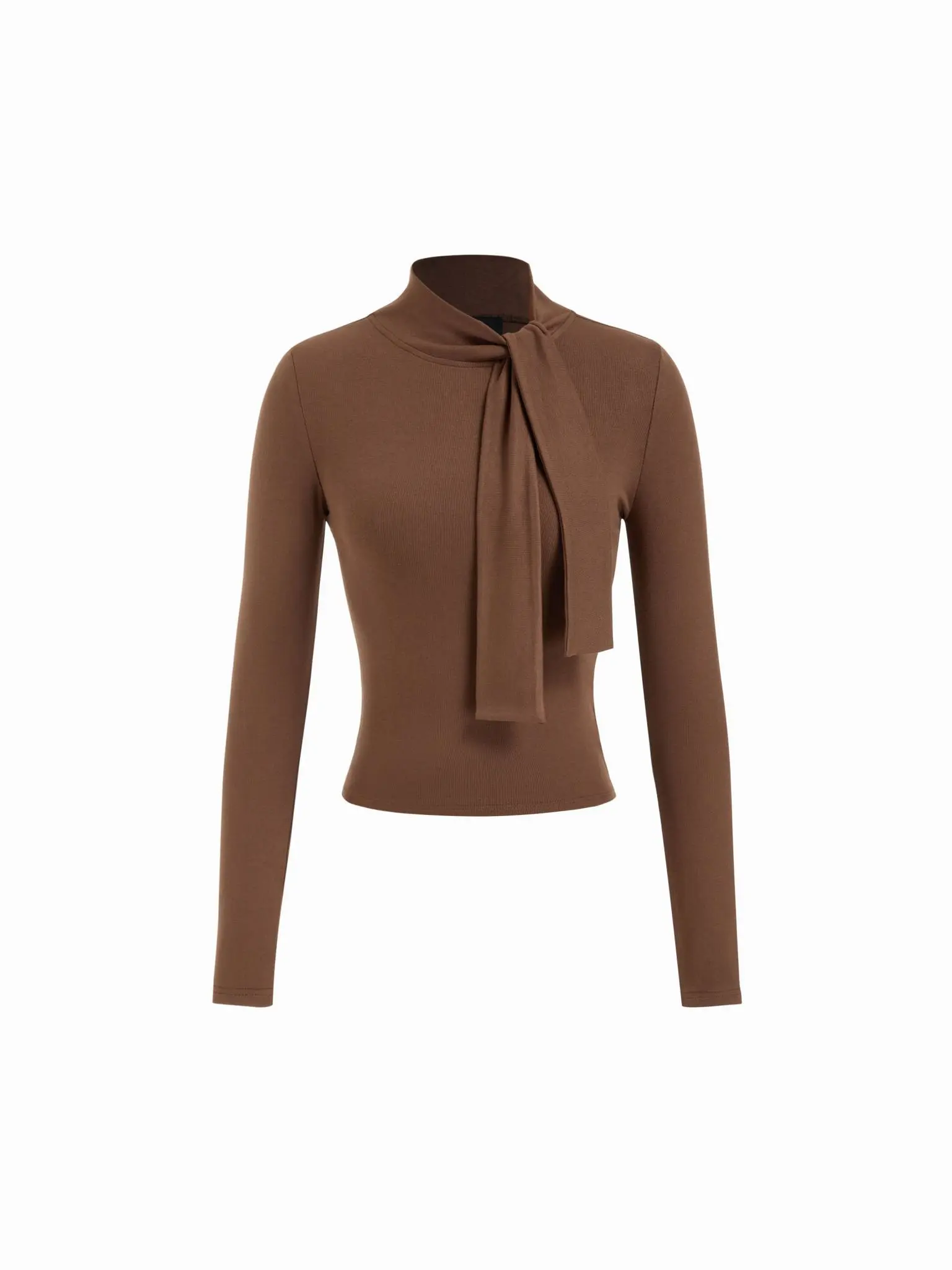 | 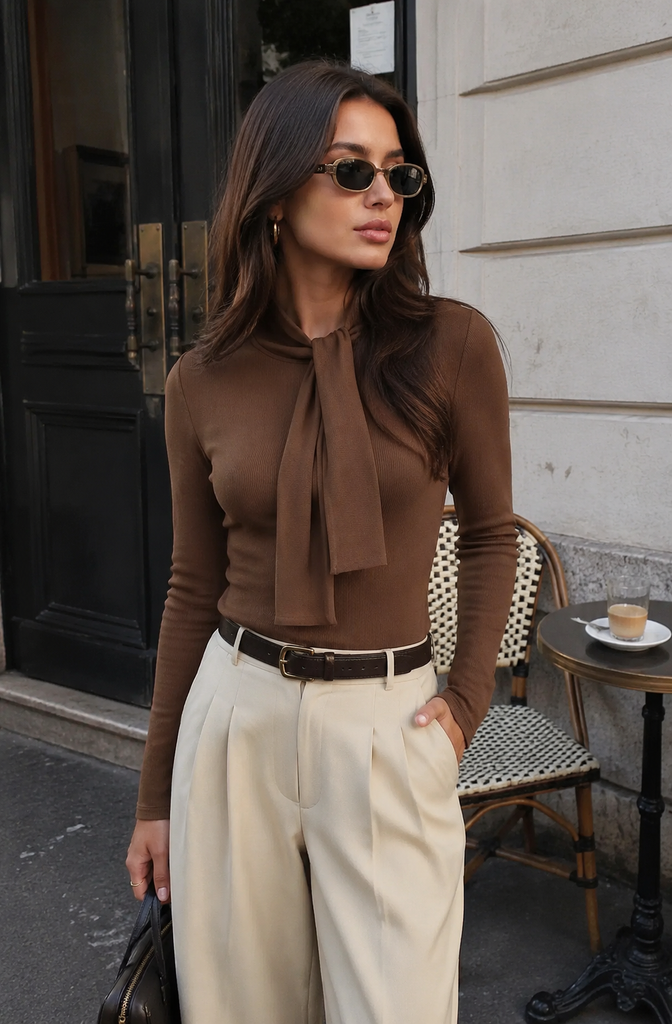 |
| Original: A white background cutout clearly shows the top’s neckline, sleeves, and silhouette. | Generated: An adult model wears the item in an outdoor city setting. |
Copy-Ready Prompt
Create a Western street-style ecommerce fashion image based on the uploaded brown top.

Strictly preserve the top's original brown color, tie-neck detail, long sleeves, fabric appearance, cut, length, and proportions. Do not change the garment design or add logos, buttons, patterns, or decorations.

Show an adult female model naturally wearing the top with simple neutral bottoms. Keep the visual emphasis on the garment. Use a relaxed pose with realistic facial features, hands, and body proportions.

Place the model at a clean city corner, outside a cafe, or beside a light architectural wall. Use soft natural light and a high-quality Instagram street-style aesthetic.

Avoid studio glamour lighting, aggressive filters, promotional text, and watermarks.
Case 7: Make a Before-and-After Organization Image
The value of an organizer is easier to understand when the problem and solution appear together. A before-and-after layout can show the transformation without relying on aggressive advertising graphics.
| Original disorganized drawer | GPT Image 2 result |
|---|---|
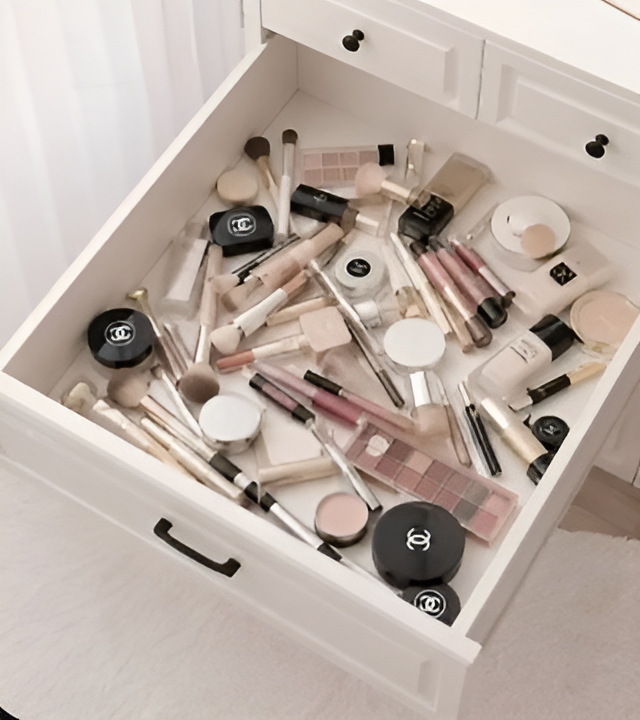 | 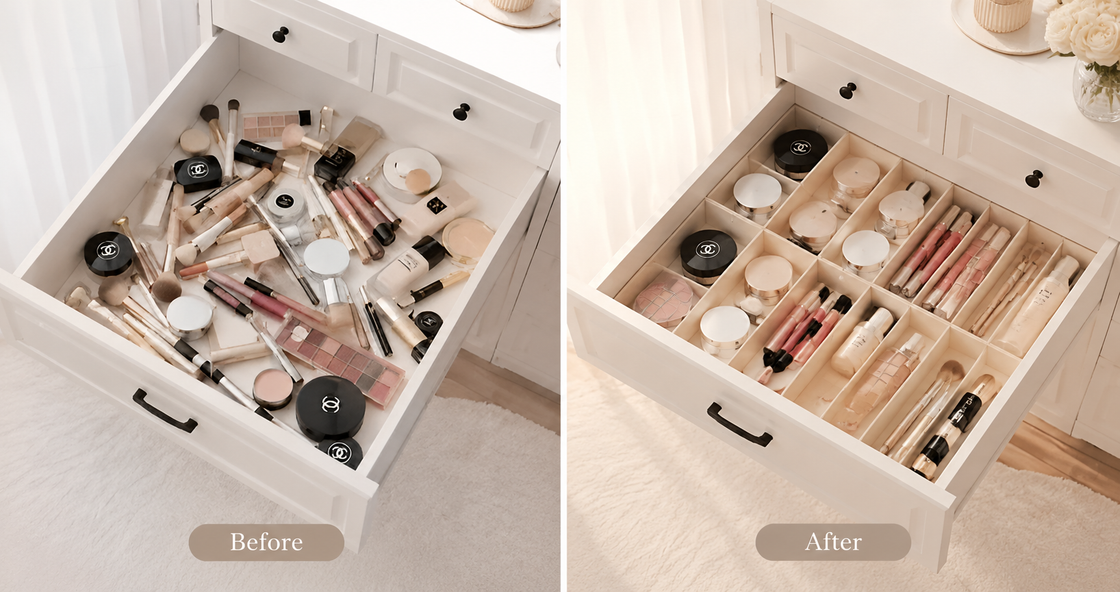 |
| Original: Cosmetics and tools are scattered throughout the drawer. | Generated: The left side shows the problem while the right side presents an organized result. |
Copy-Ready Prompt
Create a before-and-after ecommerce image based on the uploaded drawer and organizer references.

On the left, show the original lightly cluttered condition with the cosmetics, tools, and drawer environment. On the right, show the same drawer after the organizer has been used, with the items naturally separated and arranged.

Strictly preserve the organizer's real shape, color, material, compartment count, structure, and size relationship. Do not add compartments that do not exist or change the dimensions of the drawer.

Keep the camera angle and general lighting consistent on both sides. You may add the simple English labels "Before" and "After."

Do not use red crosses, green check marks, exaggerated arrows, or crowded promotional text.
Case 8: Turn a Product Image Into a Gift Packaging Scene
Gift imagery communicates presentation as well as the product itself. However, when no real packaging reference is supplied, an AI-generated box should be treated as a packaging concept—not as evidence of what customers will receive.
| Original promotional image | GPT Image 2 result |
|---|---|
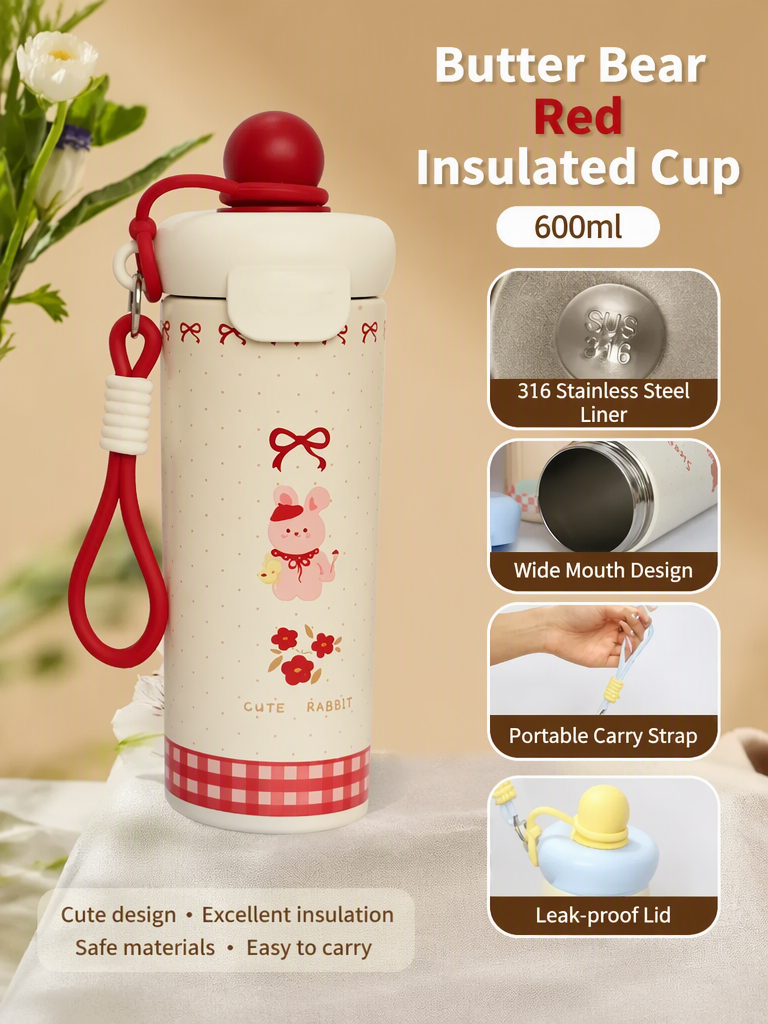 | 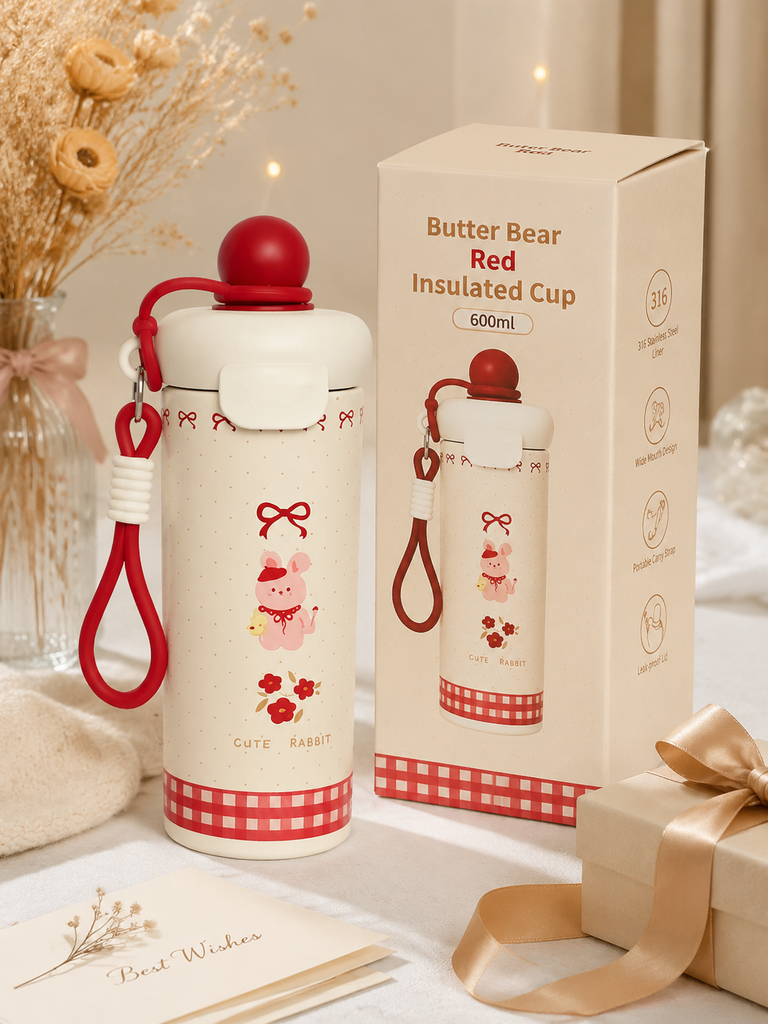 |
| Original: The cup is surrounded by promotional information, but no real packaging reference is provided. | Generated: The cup appears in a soft gift setting with a conceptual presentation box. |
Copy-Ready Prompt
Create a gift-oriented ecommerce lifestyle image based on the uploaded insulated cup.

Strictly preserve the cup's real colors, rabbit pattern, lid, body proportions, material appearance, and visible brand elements. Do not redesign the product or add unverified product text.

Place the cup naturally on a light tabletop. Add a restrained selection of gift props, such as ribbon, a greeting card, dried flowers, or soft fabric. Use warm, diffused studio lighting and create an elegant birthday, Mother's Day, or everyday gift atmosphere.

If no real packaging reference has been uploaded, any box must be a plain, unbranded concept prop and must not be presented as the product's actual packaging.

Do not add prices, sales stickers, incorrect logos, or large holiday text.
For a product page that promises gift packaging, upload a photograph of the real box and use it as an additional reference.
Case 9: Convert a Product Image Into an Amazon A+ Graphic
An Amazon A+ graphic should organize information, not resemble a crowded instruction manual. Each module should communicate one verified product benefit or detail.
| Original promotional image | GPT Image 2 result |
|---|---|
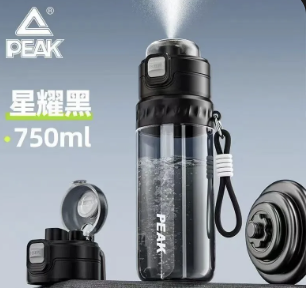 | 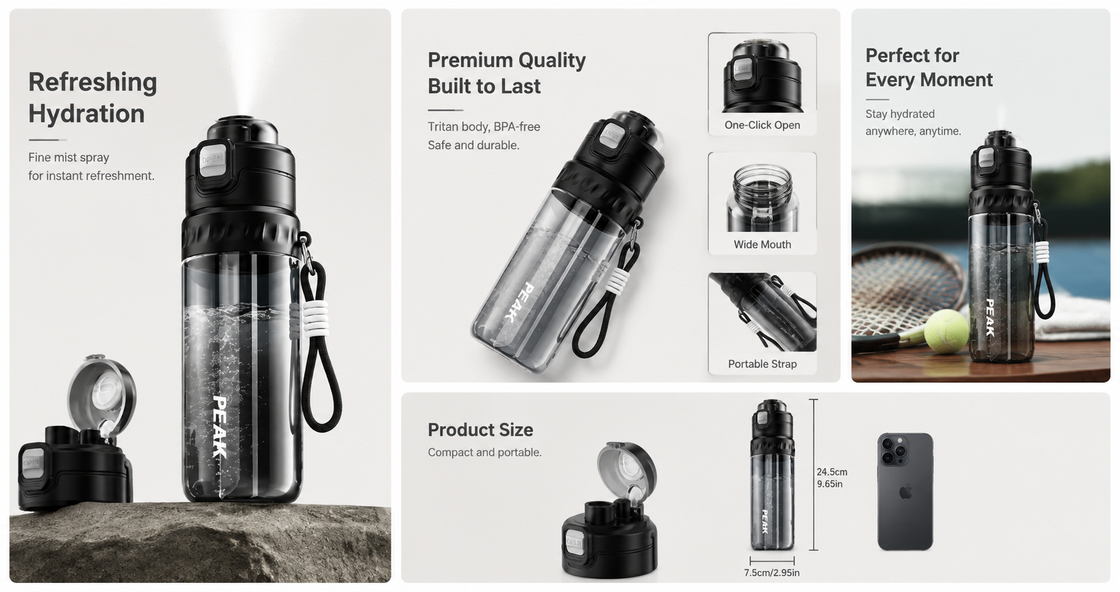 |
| Original: A small source image combines the product with Chinese promotional content. | Generated: The product, detail views, and English information are reorganized into a horizontal A+ layout. |
Copy-Ready Prompt
Create a clean Amazon A+ brand graphic based on the uploaded product image and the verified product information I provide.

Strictly preserve the bottle's real shape, black color, cap, handle, surface material, logo, construction, and proportions. Do not redesign the product or add accessories.

Divide the layout into three or four clear modules showing the full product, a real material detail, a usage scene, and verified features.

Only include dimensions, capacity, materials, temperature ranges, or other specifications when I provide the exact data. Do not invent numbers, performance claims, or certifications.

Use a warm white, light gray, or beige background with restrained premium-brand typography. Keep each English phrase under five words.

Do not overcrowd the image with icons, arrows, Chinese text, red and yellow sales copy, or watermarks.
Dimensions, capacity, and feature claims must match the actual product data before the graphic is published.
Case 10: Create a Holiday Marketing Scene
Holiday elements should establish atmosphere without becoming the main subject. The product must remain more prominent than the lights, gift boxes, fireplace, or seasonal decorations.
| Original product image | GPT Image 2 result |
|---|---|
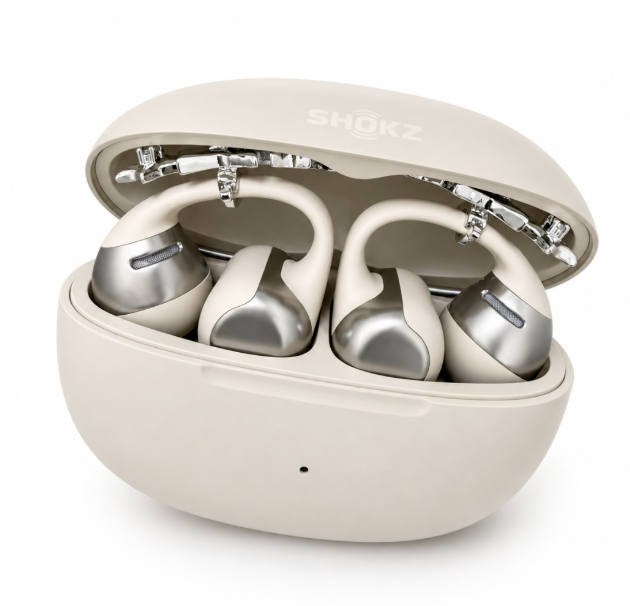 | 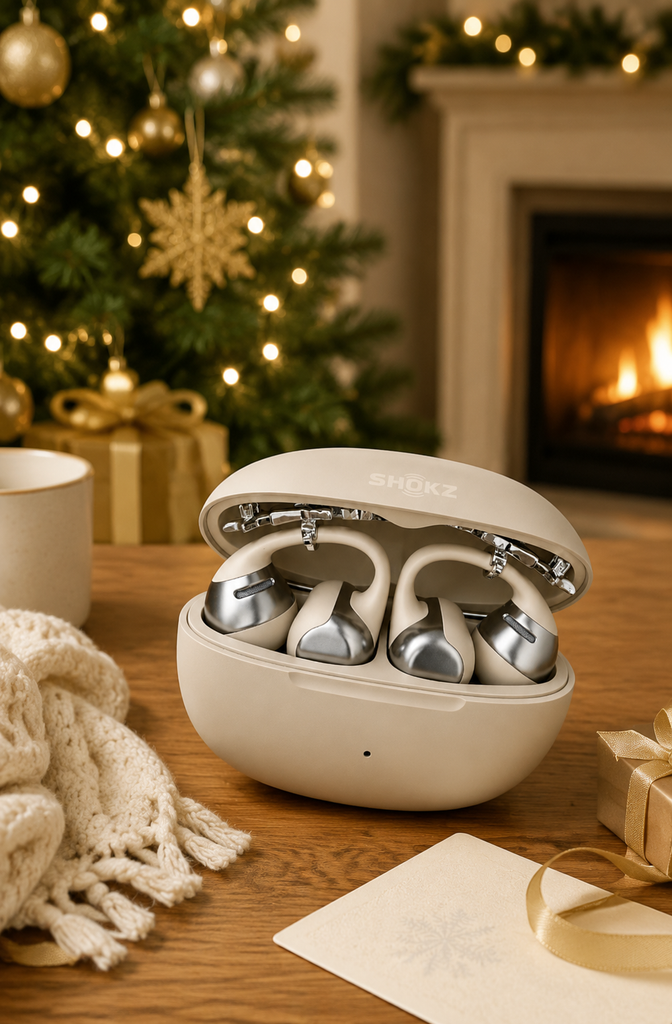 |
| Original: The headphones and charging case are clearly visible against white. | Generated: The product is placed in a warm Christmas setting with a tree and fireplace. |
Copy-Ready Prompt
Create a Christmas ecommerce marketing image based on the uploaded headphone product photo.

Strictly preserve the headphones and charging case's real colors, shapes, opening structure, materials, logo placement, proportions, and number of accessories. Do not redesign the product or add buttons or lights that do not exist.

Place the product in a clean, warm Western home during Christmas. The softly blurred background may include warm tree lights, a fireplace, pine branches, or a small number of gift boxes.

Keep all decorations restrained so the product remains the visual subject. Use soft, warm light and leave a small clean area at the top or side for advertising copy to be added later.

Do not generate SALE stickers, prices, incorrect text, or watermarks.
A Product-Preservation Instruction for Every Prompt
Whether you are creating a white background image, lifestyle photo, clothes-change result, feature graphic, or holiday advertisement, add this instruction:
Strictly preserve the product's real appearance, colors, materials, structure, proportions, logo placement, and key details. Do not redesign the product or add buttons, accessories, patterns, text, or functions that do not exist. The generated product must remain consistent with the item being sold.
Turn the 10 Examples Into a Repeatable Ecommerce Photo Workflow
These transformations cover several common visual jobs:
- Shopify product pages: on-model photos, lifestyle scenes, and gift imagery
- Amazon Listings: white background main images, feature images, and A+ graphics
- Advertising and social media: street-style photos, pet scenes, and holiday campaigns
- Product photo editing: background replacement, AI clothes changes, text removal, and layout reconstruction
The goal is not to generate as many images as possible. Each image should solve one specific problem: a white background image identifies the product, a lifestyle image adds context, a feature graphic explains a benefit, and a holiday image supports a campaign.
You can try it directly using the tool on the right.
Start with one existing product photo and one clear task in WeShop AI GPT Image 2. Once the first comparison is accurate, expand the same visual direction into a consistent set of Amazon or Shopify assets.