












Create a Text-Accurate Product Launch Poster with GPT Image 2.5
Use GPT Image 2.5 Sunburst to turn a clean product packshot into an ecommerce launch poster with controlled layout and exact approved copy.
A product poster has two separate accuracy problems: the product must stay recognizable, and the approved copy must appear exactly as written. A beautiful background cannot compensate for a changed package or a misspelled headline.
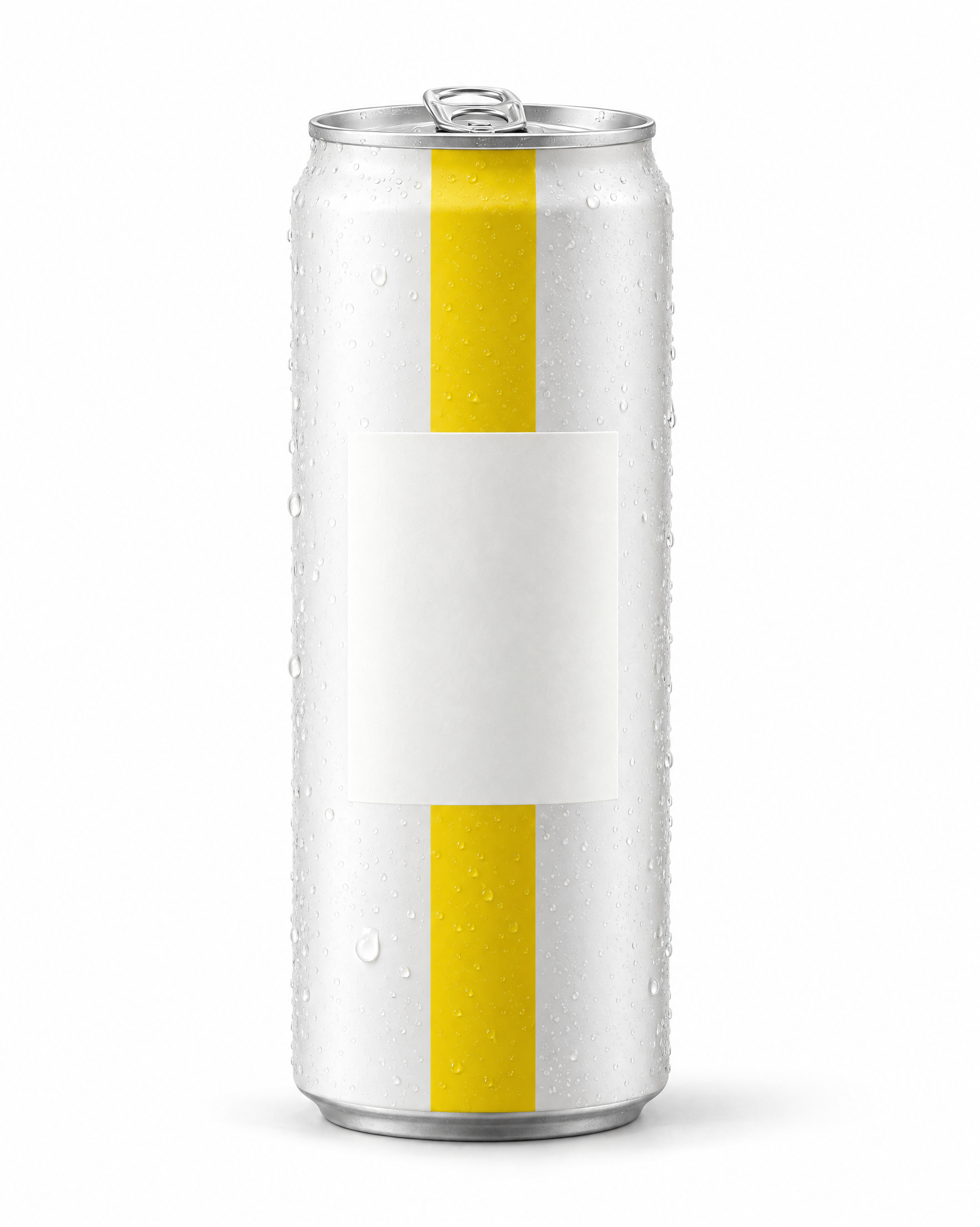
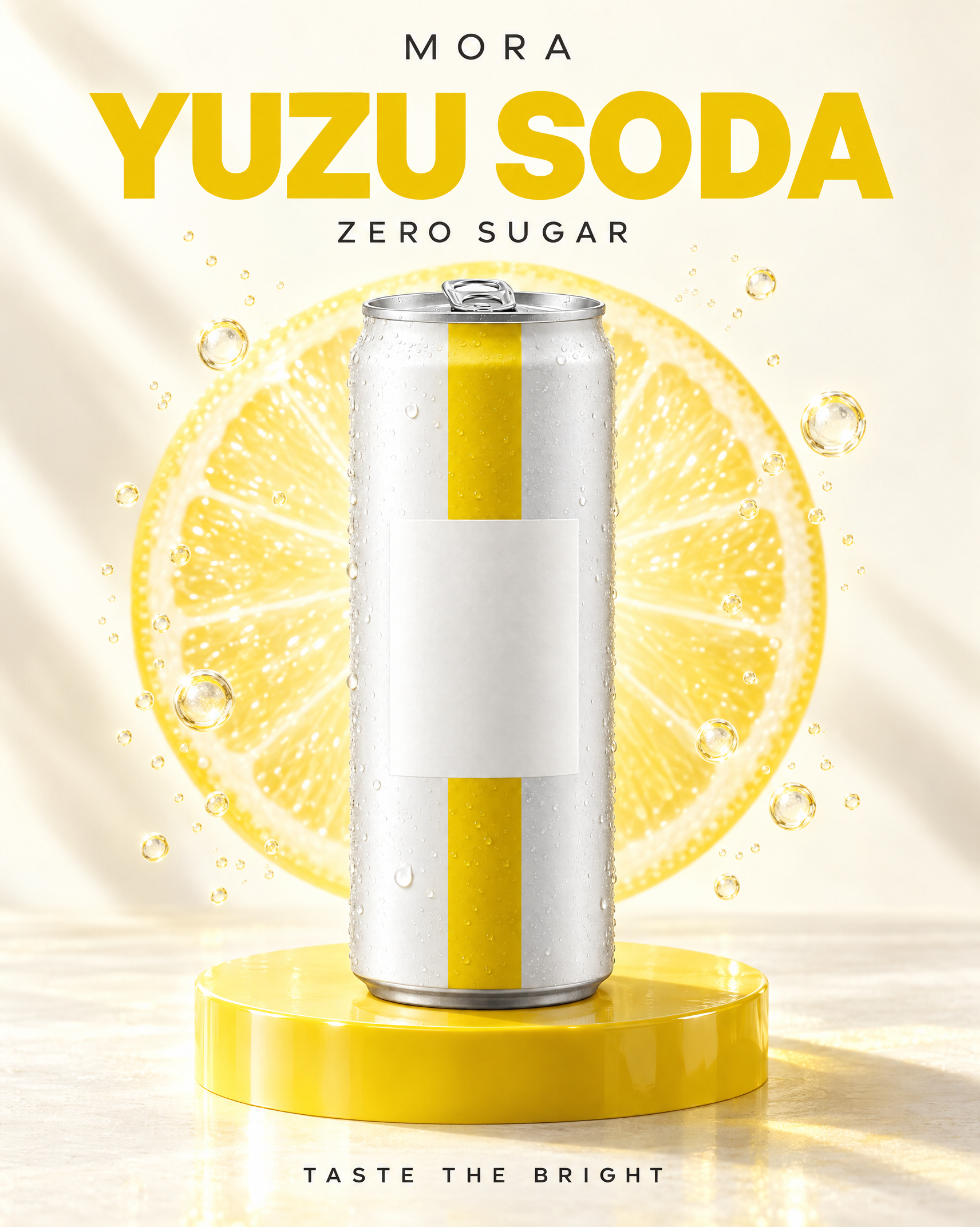
In this GPT Image 2.5 Sunburst turned a blank-label yuzu soda can into a finished ecommerce launch poster. The output retained the slim pearl-white can, yellow stripe, silver pull tab, blank label panel, and condensation while rendering all four requested text lines correctly.
Source and Final Poster
| Product Reference | Launch Poster |
|---|---|
 |  |
The final poster contains:
MORAYUZU SODAZERO SUGARTASTE THE BRIGHT
Every name and claim in this test is fictional. ZERO SUGAR is test copy, not a verified claim about a real product.
Step 1: Use a Clean Product Reference
The source can has a simple identity system: a slim aluminum body, pearl-white finish, one vertical yellow stripe, a silver pull tab, condensation, and a blank rectangular label panel.
Starting with a blank label keeps the test focused on external poster typography. It also avoids pretending that generative text has replaced regulated packaging artwork.
Step 2: Lock Copy, Hierarchy, and Exclusions
The prompt does more than list four phrases. It tells the model:
- which line is the brand;
- which line is the main headline;
- which line is supporting copy;
- which line is the CTA;
- where the text must not appear;
- which extra content is prohibited.
Full Prompt
Use the uploaded beverage can as a strict product reference and create a premium 4:5 ecommerce launch poster. Preserve the exact single slim-can geometry, matte pearl-white finish, vertical citrus-yellow stripe, silver pull tab, condensation beads, blank rectangular label area, proportions, and straight-on orientation.

Place the can on a glossy lemon-yellow circular pedestal against a warm ivory background. Add a translucent citrus slice shape behind the product, crisp directional shadows, small controlled bubbles, and generous negative space.

Render only these four text lines, once each, with exact spelling: MORA; YUZU SODA; ZERO SUGAR; TASTE THE BRIGHT.

Use MORA as a small top brand line, YUZU SODA as the largest headline, ZERO SUGAR as a compact descriptor, and TASTE THE BRIGHT as the bottom call-to-action. Keep all text outside the can silhouette.

Do not rewrite, duplicate, omit, or misspell any text. One can only; no people, hands, extra products, pseudo-text, fine print, third-party logos, or watermark.
Result Review
All four requested lines are visible and correctly spelled. MORA sits at the top, YUZU SODA forms the dominant headline, ZERO SUGAR appears as supporting copy, and TASTE THE BRIGHT anchors the bottom.
The model kept the can label blank and placed the campaign copy outside the product silhouette. It also added the requested citrus form, bubbles, yellow pedestal, ivory background, and directional light.
The exact typography is still generative. Font selection, letter spacing, headline scale, and final safe margins are not editable text layers, so a brand designer should review or rebuild them when strict design-system compliance is required.
A Reusable Product Poster Formula
Use the uploaded product image as a strict reference.

Preserve exactly: [product geometry], [packaging colors], [materials], [label area], [count], [orientation], and [distinctive details].

Create a [aspect ratio] ecommerce launch poster using [background], [pedestal], [lighting], [supporting visual motif], and [negative-space rule].

Render only the following approved copy, once each, with exact spelling and punctuation:
[Brand]
[Product name]
[Approved descriptor or claim]
[CTA]

Use [brand] as a small top line, [product name] as the main headline, [descriptor] as supporting copy, and [CTA] as the bottom action line. Keep text outside the product silhouette.

Do not rewrite, translate, duplicate, omit, or misspell any copy. Do not add pseudo-text, fine print, products, people, third-party logos, or watermarks.
Copy QA Before Publishing
- Compare every character with the approved copy deck.
- Confirm every line appears once.
- Check punctuation, spacing, and unintended letter substitutions.
- Search for small pseudo-text or invented disclaimers.
- Confirm claims such as sugar, ingredients, price, or performance are legally approved.
- Check text safe areas at the final placement crop.
- Compare product geometry and packaging colors with the source.
- Confirm the file has the required dimensions and export format.
Practical Limitations
One successful four-line poster does not prove that every language, long paragraph, disclaimer, or repeated run will be accurate. Short, high-priority copy is a better generation target than dense legal text.
The result is a composited raster image. For editable typography, accessibility adjustments, multiple responsive formats, or frequent campaign updates, use the generated image as a visual base and rebuild the approved type in a design tool.
Final Takeaway
GPT Image 2.5 Sunburst produced a complete product launch poster with the requested product treatment and four correct text lines in this run. The dependable workflow is to supply approved copy, assign each line a role, prohibit additions, and perform a character-by-character review before release.
You can try it directly using the tool on the right.
Turn a Packshot Into a Launch Poster
Lock the product, paste approved copy, define the hierarchy, and inspect every line before publishing.