












AI 360 Video Ads for Bags and Accessories: Create Rotating Product Videos
Learn how to create AI 360 video ads for bags and accessories with WeShop AI. Step-by-step guide covers motion direction, prompts, and channel tips for Amazon, Shopify, TikTok, and Instagram.
AI 360 Video Ads for Bags and Accessories: Create Rotating Product Videos with WeShop AI
ai 360 video ads for bags and accessories help ecommerce sellers show product shape, texture, size, hardware, straps, zippers, and styling details in a more dynamic way than static product photography. For Shopify owners, Amazon sellers, fashion brands, photographers, and ad teams, bags and accessories are hard to sell with one flat image because shoppers want to inspect the full product before they trust the purchase.
With WeShop AI 360 Video Production, teams can create product-focused 360-style videos from product visuals and campaign direction. Instead of booking a rotating product shoot, sellers can use AI to generate ai 360 video ads for bags and accessories for marketplace listings, Shopify product pages, TikTok ads, Instagram Reels, and paid social campaigns.
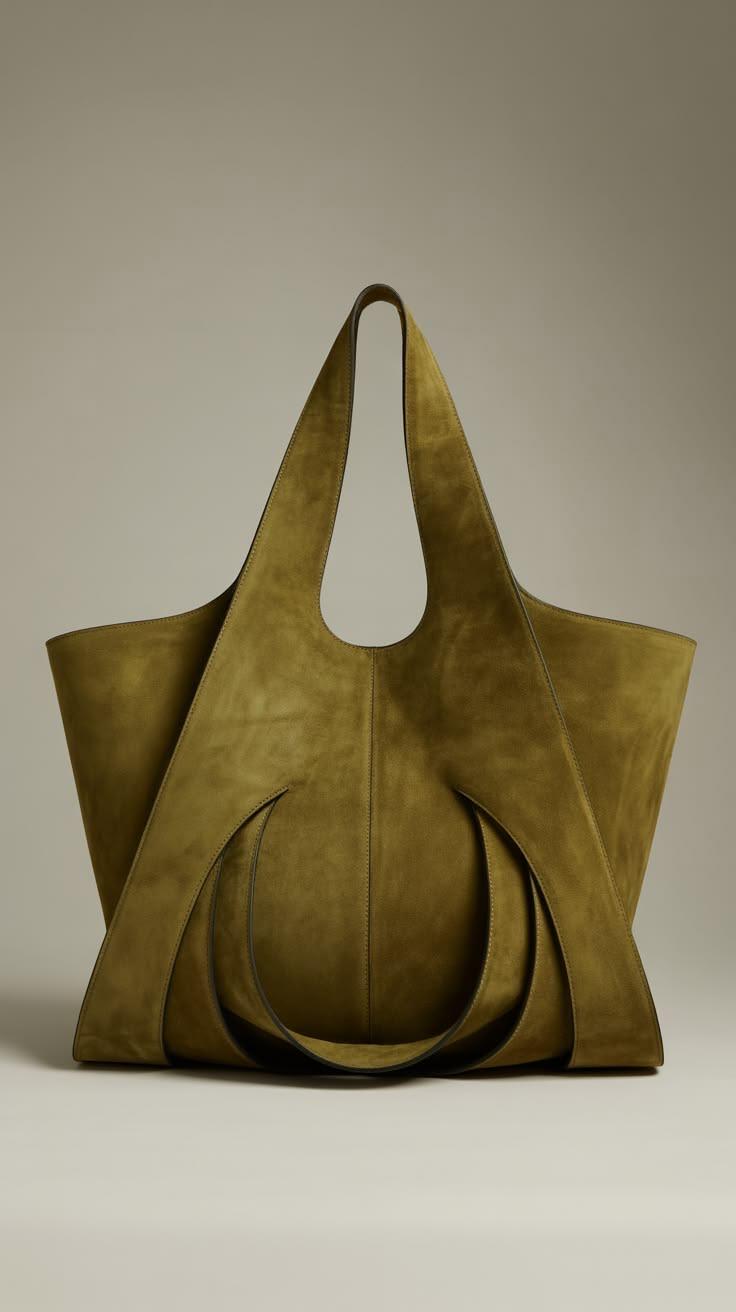
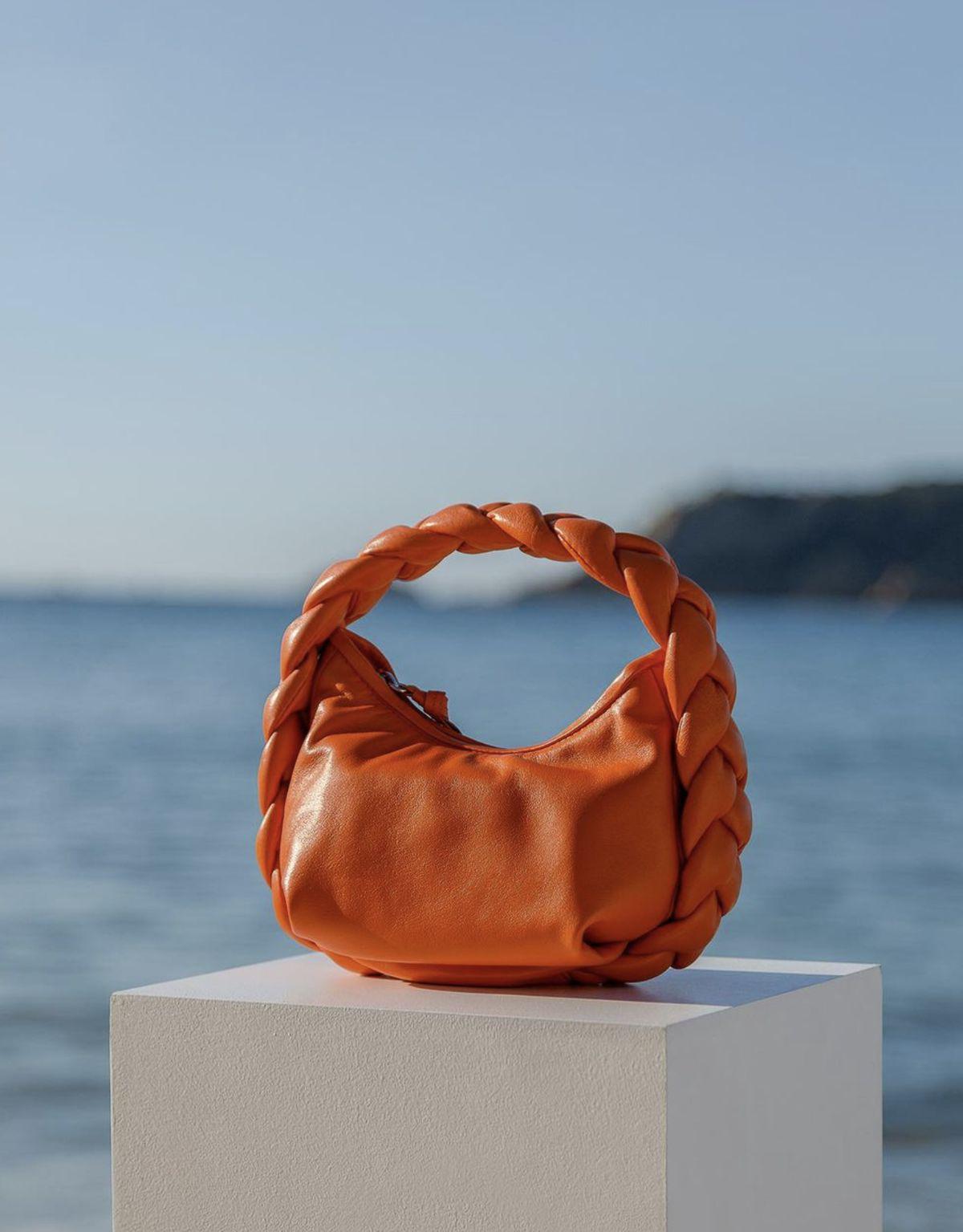
For this article, we will use these two WeShop showcase examples as the case references:
|
These showcases demonstrate the kind of visual direction ecommerce teams can use when creating ai 360 video ads for bags and accessories: product-first motion, polished presentation, and video assets that feel ready for commercial use.
Why AI 360 Video Ads for Bags and Accessories Work for Ecommerce
Bags and accessories are detail-heavy products. A shopper may want to see the front, side, handle, strap length, texture, closure, inner shape, and how the item catches light. A single photo can show style, but it often cannot show enough depth. ai 360 video ads for bags and accessories give sellers a better way to communicate the full product experience in just a few seconds.
This is especially useful for Amazon and Shopify sellers. On Amazon, a 360-style product video can make a listing feel more informative and premium. On Shopify, the same video can support a product detail page, landing page, collection page, or homepage campaign. On TikTok and Instagram, ai 360 video ads for bags and accessories can become short product reveal content that catches attention faster than a still image.
The main advantage is speed. Traditional 360 video production may require a studio setup, turntable, lighting, camera work, editing, and retouching. WeShop AI 360 Video Production gives ecommerce teams a faster way to create rotating product videos for bags, wallets, jewelry, sunglasses, belts, watches, and other accessories.
|
How to Create AI 360 Video Ads for Bags and Accessories with WeShop AI
Before creating ai 360 video ads for bags and accessories, prepare the product image and decide where the video will be used. A video for an Amazon listing should look clean and trustworthy. A TikTok ad can be more energetic. A Shopify product page may need a premium, brand-led rotation.
Use this workflow:
| Step | WeShop AI Tool | What to Do | Output |
|---|---|---|---|
| 1 | Product Image Upload | Upload a clear product image of the bag or accessory. | A source image ready for 360 video generation. |
| 2 | AI 360 Video Production | Choose a 360-style product motion direction. | A rotating product video concept. |
| 3 | Prompt Direction | Describe camera motion, background, lighting, and product focus. | A more controlled ecommerce video result. |
| 4 | Review and Refine | Check product shape, material, and visual consistency. | A stronger product video for ads or listings. |
| 5 | Export | Download the final video for your campaign channel. | A ready-to-use asset for Amazon, Shopify, TikTok, or Instagram. |
This workflow keeps ai 360 video ads for bags and accessories focused on the product. The goal is not random motion. The goal is to help shoppers inspect the item from more angles and understand why it is worth buying.
Step 1: Prepare the Source Image for AI 360 Video Ads for Bags and Accessories
Start with a clear product image. For bags and accessories, the input image should show the product shape and key design details clearly. If the product has a handle, strap, clasp, zipper, logo, metal hardware, texture, or special material, make sure those details are visible before generating the video.
Use these preparation tips:
- Choose a product image with clean lighting.
- Avoid blurry edges or heavy shadows.
- Make sure the full product is visible.
- Use a simple background when possible.
- Keep the product centered and easy to recognize.
If the image has a distracting background, use a background cleanup workflow before starting the 360 video. A cleaner input helps WeShop AI create better ai 360 video ads for bags and accessories, especially when the final video needs to show product edges and material accurately.
Step 2: Open WeShop AI 360 Video Production
Next, open WeShop AI 360 Video Production. This is the main tool for turning static product visuals into 360-style motion assets.
When using the tool, think like an ecommerce creative director. Decide whether the product should rotate in a clean studio, appear in a premium campaign scene, or move with a social-first advertising style. The two showcase examples can be used as inspiration for polished product motion and campaign-ready output.
A practical prompt could be:
Create a clean 360 product video ad for this bag/accessory. Use smooth rotating motion, premium studio lighting, a minimal ecommerce background, and sharp product detail. Keep the product shape, color, texture, handle, strap, and hardware accurate. Make it suitable for Amazon listings, Shopify product pages, TikTok ads, and Instagram campaigns.
This kind of prompt gives the AI a clear commercial target. Strong ai 360 video ads for bags and accessories should feel useful, not overdesigned.
Step 3: Choose Motion and Background Direction
The best 360 video direction depends on the campaign channel. For Amazon, clean motion usually works better than dramatic animation. For Shopify, the video can be more branded. For TikTok and Instagram, the opening movement should be more attention-grabbing.
Use this quick guide:
| Channel | Best Motion Style | Best Background |
|---|---|---|
| Amazon listing | Slow, smooth product rotation | White, light gray, or clean studio |
| Shopify PDP | Premium 360 reveal | Brand-colored or lifestyle background |
| TikTok ad | Faster product reveal | Bold, high-contrast visual scene |
| Instagram Reel | Elegant rotating motion | Editorial or campaign-style background |
| Paid social ad | Product-first movement | Clean layout with strong visual focus |
This is where ai 360 video ads for bags and accessories become flexible. A seller can create one clean marketplace version, one premium Shopify version, and one social ad version from the same product asset.
Step 4: Review the AI 360 Video Ad Before Publishing
After WeShop AI generates the video, review it carefully. Bags and accessories often have small details, and those details matter for trust.
Check the final video for:
- Product shape consistency.
- Accurate color and texture.
- Natural handle, strap, zipper, clasp, or hardware details.
- Clean product edges during rotation.
- No strange warping or unwanted background artifacts.
- Strong first frame for ads.
- Clear mobile visibility.
If the product looks distorted, adjust the prompt and regenerate. Ask for slower motion, cleaner lighting, less background movement, or stronger product detail. Better ai 360 video ads for bags and accessories usually come from clear prompt control and careful review.
Best Use Cases for AI 360 Video Ads for Bags and Accessories
Amazon sellers can use ai 360 video ads for bags and accessories to improve product listings and advertising creative. A rotating product video can help shoppers see more than the main image, especially for handbags, wallets, travel bags, sunglasses, jewelry, watches, and fashion accessories.
Shopify owners can use 360 video ads on product detail pages, landing pages, homepage banners, and collection launches. A short rotating product video makes the product page feel more premium and gives customers more visual confidence.
Social media teams can use ai 360 video ads for bags and accessories for TikTok, Instagram Reels, Stories, and paid social ads. The same 360 product video can also become a short product reveal, a campaign teaser, or a retargeting creative for shoppers who already viewed the item.
Photographers and creative teams can use WeShop AI 360 Video Production as a fast concept tool. Instead of presenting only static product photos, they can show clients how the product might look in motion before committing to a larger campaign direction.
Start Creating AI 360 Video Ads for Bags and Accessories with WeShop AI
If you sell bags, wallets, jewelry, watches, sunglasses, or fashion accessories, WeShop AI gives you a practical way to create ai 360 video ads for bags and accessories from product visuals. Start with a clear product image, open WeShop AI 360 Video Production, choose a smooth product motion direction, refine the background and lighting, then export the video for Amazon, Shopify, TikTok, Instagram, or paid ads.
The two showcase examples above show how product visuals can become more engaging when motion is added. With ai 360 video ads for bags and accessories, ecommerce teams can help shoppers inspect the product faster, understand details more clearly, and feel more confident before buying.