










Create Transparent PNG Product Assets With Seedream 5.5
Plan, generate, and inspect reusable transparent product assets for ecommerce, branding, stickers, mockups, and campaign layouts.
A product team rarely needs one beautiful image only once. The same bottle, pouch, ornament, or icon may appear on a product page, a marketplace banner, a seasonal poster, and a social post. Rebuilding or manually cutting out that asset for every layout slows the campaign down.
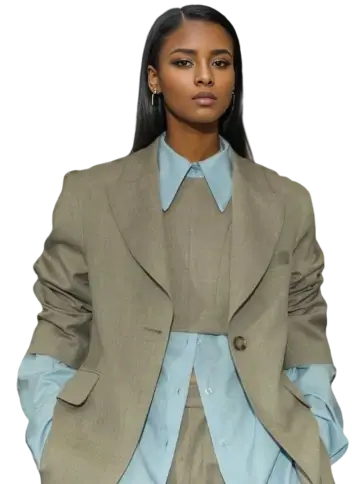
Dreamina's official Seedream 5.5 preview highlights fully and partially transparent RGBA generation. The opportunity is not merely a white-background image—it is a reusable asset with a real alpha channel that can be placed over different designs.
| Official capability reference |
|---|
Official Dreamina example: Transparent and translucent RGBA assets intended for reuse across layouts. |
Define the asset before describing the scene
Use a short production brief instead of a mood-only prompt.
| Brief field | Example decision |
|---|---|
| Subject | Frosted green serum bottle with a silver pump |
| View | Three-quarter front view |
| Edge behavior | Clean silhouette, no cropped pump or base |
| Transparent materials | Preserve realistic glass and semi-transparent liquid |
| Shadow | Soft contact shadow on its own transparent layer if supported |
| Exclusions | No table, room, hands, text, badge, or checkerboard background |
| Intended use | Ecommerce hero, 4:5 social poster, and homepage banner |
Prompt starting point
The following is a documentation-based starting prompt, not a first-party tested guarantee:
Create an isolated ecommerce asset of a frosted forest-green glass serum bottle with a brushed-silver pump, shown in a three-quarter front view. Preserve the complete bottle, pump, label area, glass thickness, and realistic semi-transparent liquid. Use controlled studio reflections and clean commercial product lighting. Output a true RGBA PNG with a fully transparent background and clean anti-aliased edges. Do not add a table, room, decorative props, hands, border, text, watermark, checkerboard pattern, or painted background.
Step 1: Confirm model and export access
In Dreamina, confirm that Image 5.5 by Seedream 5.5 appears in your model selector. Then check whether your workspace exposes PNG or transparent export options. The official preview does not establish identical access for every account.
Step 2: Generate one simple object first
Begin with one product, a clean silhouette, and a stable view. Complex piles, translucent fabric, fine chains, hair-like fibers, and glass-within-glass constructions are harder to inspect.
Step 3: Inspect the actual alpha channel
A gray checkerboard visible inside the image is not proof of transparency. Download the file and place it over:
- solid black;
- solid white;
- a saturated color;
- a textured campaign background.
Look for pale halos, dark edge contamination, missing translucent regions, and shadows baked into an opaque rectangle.
Step 4: Test reuse before scaling production
Place the same asset into square, portrait, and landscape layouts. Check whether the silhouette, label area, and reflections remain convincing against each background.
A simple quality-control table
| Check | Pass condition |
|---|---|
| File format | Exported file retains an alpha channel |
| Background | No white rectangle, checkerboard pixels, or backdrop residue |
| Product identity | Shape, closure, material, and visible label area remain recognizable |
| Edges | No bright halo, dark fringe, or missing fine detail |
| Transparency | Glass, liquid, mesh, or smoke retains partial transparency where appropriate |
| Composition | Entire product remains inside the canvas |
Where this workflow is useful
Transparent outputs can become reusable components for ecommerce product cards, promotional banners, stickers, livestream overlays, packaging mockups, email headers, and marketplace modules. The gain comes from reusability: one approved asset can move through several layouts without a new cutout pass.
| Official reuse example |
|---|
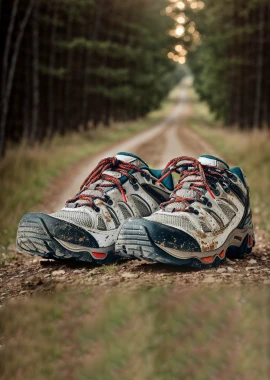
Official Dreamina example: A reusable transparent asset placed into a broader design workflow. |
The workflow still needs human review. Confirm packaging accuracy, text, trademarks, materials, and edge quality before publishing commercial creative.
Coming Soon to WeShop AI
Transparent Seedream 5.5 asset workflows are coming soon to WeShop AI. Stay tuned.