










Redesign a Room Through Successive Edits with Seedream 5.5
Redesign a reading corner with Seedream 5.5: replace the chair, then add a side table using the first output as the next reference image.
A room concept is easier to judge when the window, floor and daylight remain familiar. This two-pass Seedream 5.5 workflow changes a reading chair first, then uses that approved result for a small side-table addition instead of asking for a complete redesign at once.
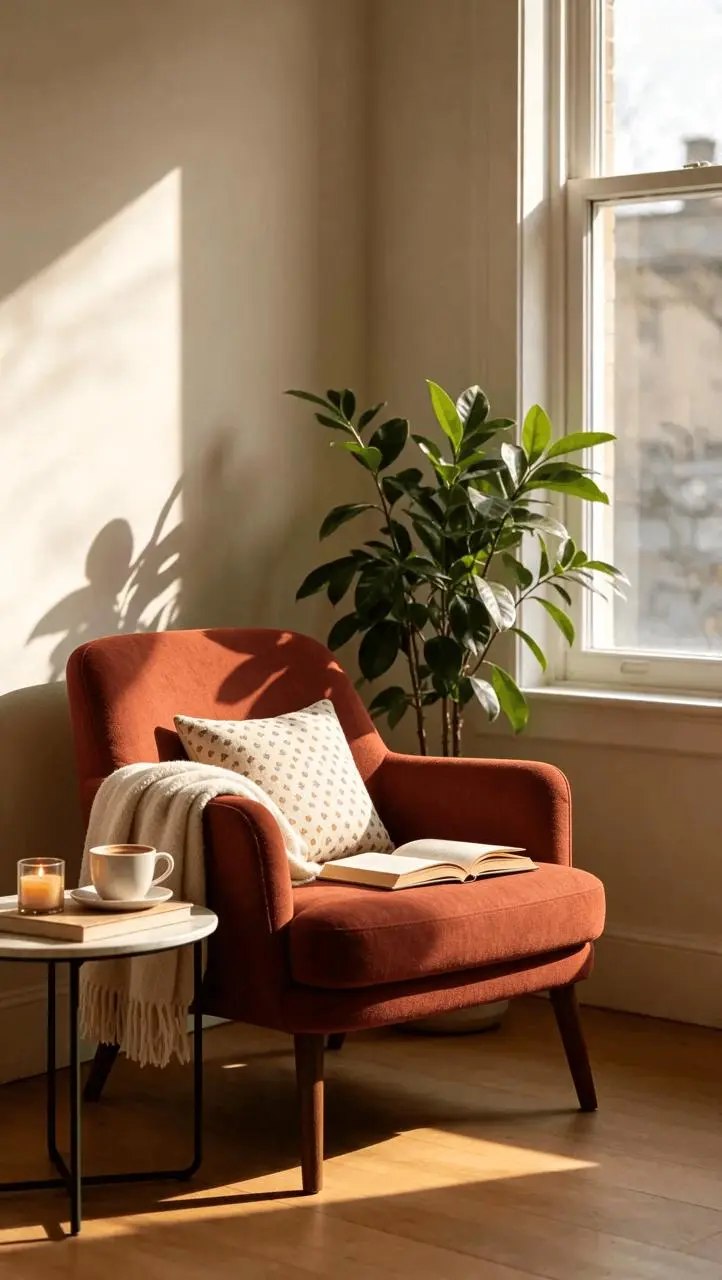
AI-generated result from the Seedream 5.5 workflow shown below.
Image-to-Image · Seedream 5.5 · PNG · 2K
Use the existing room as the spatial reference
The Pinterest source shows a sunlit reading corner with a tan chair, plant, open book and an existing table on the left. Those objects provide landmarks for checking a change. Use a permitted room photo of your own for a real project, ideally with vertical wall and window lines visible.
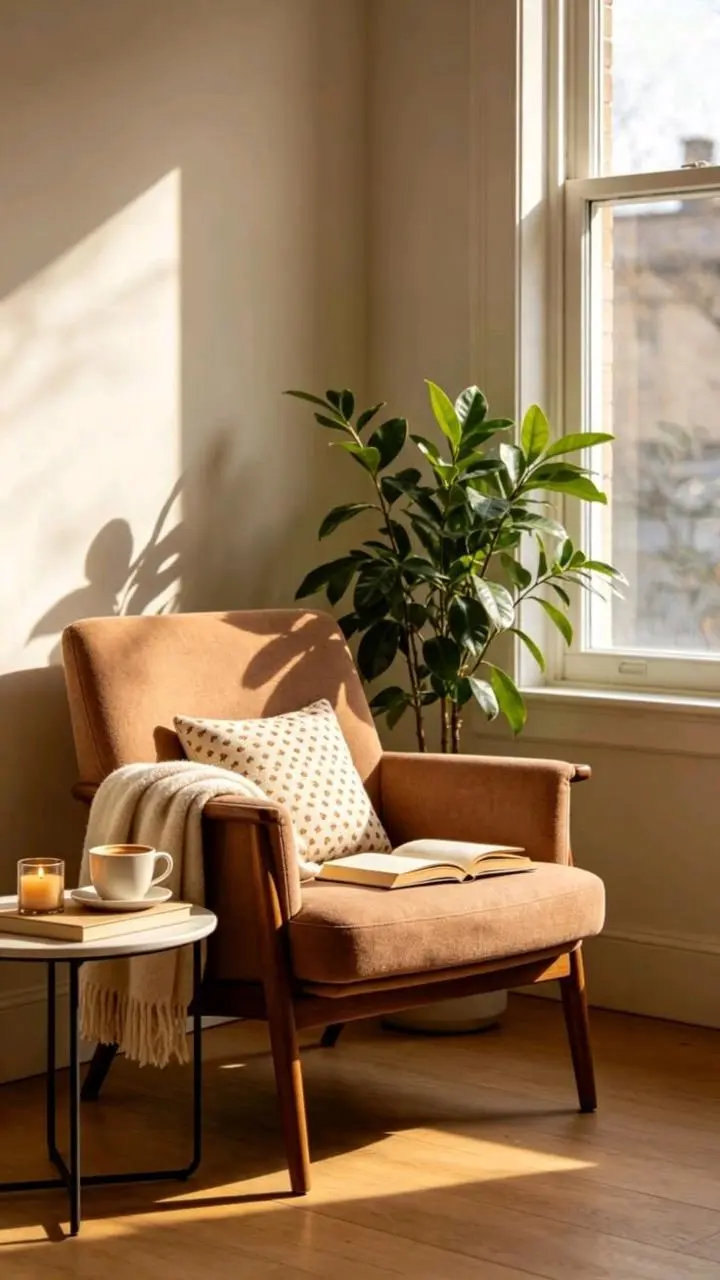
Reference input. The source link and context are provided above.
1. Replace one furniture item
Upload the room and confirm its thumbnail. Select Seedream 5.5, 2K, PNG, Opaque, Auto and one output. Ask for a rust-orange upholstered chair in the same position and orientation, with approximately the same footprint. Keep the window, plant, floor, original table and light in the preservation list.
2. Compare structure before decoration
In the first result, the tan wood-arm chair becomes a rust upholstered chair. Check its feet against the floorboards and look at the plant’s overlap with the backrest. Review the existing cup, books and left table before treating the image as an approved next input.
3. Add the table from the approved output
Save and upload the first result, then request a small dark-walnut table with a closed cream-colored book on the open floor beside the chair. Specify that the rust chair and original furnishings stay. The round-two upload is an actual previous output, rather than a text-only reference to the editing history.
Reuse the exact generation prompt
Edit this room photograph. Replace only the main armchair with a muted rust-orange upholstered reading chair in the same location, approximately the same footprint and orientation. Preserve the architecture, windows, walls, flooring, other furniture, objects and camera viewpoint. Match perspective, daylight direction, occlusion and contact shadow. Do not add text or redesign the whole room.Make the next change from the approved room image
Edit the supplied room image only. Keep the rust-orange reading chair and every architectural element exactly as in this input. Add one small round dark-walnut side table beside the chair on the open floor, with a single closed cream-colored book on top. Keep the same window, walls, shelves, plants, other furniture, floor, camera viewpoint and daylight. Match scale, perspective, occlusion and contact shadows. Do not restyle the entire room or add text.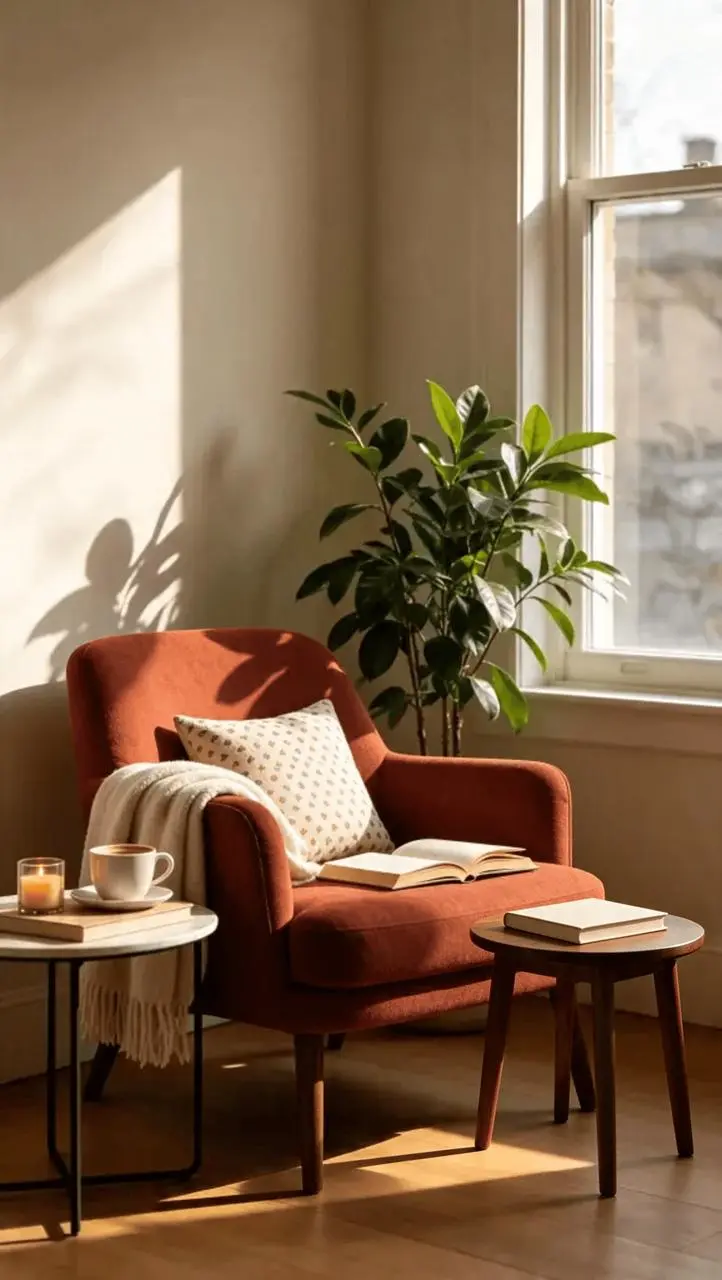
Second generated edit, using the first result as its actual image input.
Inspect the result before reusing it
The second result adds a small walnut table with a cream book on the right, while the original left-hand table, cup and books remain visible. The sequence lets you compare the original corner, the chair replacement and the subsequent table edit as separate decisions. This is a concept exploration workflow: preserving the scene visually does not establish exact dimensions, clearance, structural feasibility or a pixel-identical architectural record.
| Check | What to inspect |
|---|---|
| Architecture | Compare window edges, wall corners and floorboard direction. |
| Furniture placement | Check the new chair footprint, table legs and contact shadows. |
| Continuity | Keep the approved chair and original left-hand table visible through the next pass. |
The source already has a table on the left. If the model replaces it when you intended an additional table, narrow the location to the empty floor on the other side and retry from the approved chair image. Use measured drawings and real product dimensions before making purchasing or installation decisions.
Try this workflow with your own brief
You can try it directly using the tool on the right.
Replace the reference with an image you have permission to use, then change only the target instruction. Open the Seedream generator to select Seedream 5.5.
The same approval habit applies at a smaller scale in portrait accessory editing.