












Seedream 5.5 Ahegao Edit: Four Results from One Portrait
Compare four existing Seedream 5.5 ahegao expression edits from one portrait, with a 2×2 image table and an analysis of visual consistency and variation.
Four edits can follow the same brief and still give a portrait noticeably different expressions. In this supplied Seedream 5.5 case, the second result reads more like a smile, while the first, third, and fourth results form a closer visual group. The useful comparison is between the changed face and the details that remain recognizable around it.
This page analyzes four existing outputs from one reference portrait. The images are AI-edited results, not evidence of the subject’s real expression or emotional state.
What this Seedream 5.5 ahegao case contains
Ahegao is an adult-media term for a stylized facial expression associated with sexual climax; the JLect dictionary entry provides the terminology. Here, the word identifies the supplied editing case. This article is a non-graphic comparison of its existing results, rather than a reproduction guide.
The task record identifies Seedream_55, one attached reference image, and four output units from one execution. They are parallel alternatives from the same batch, not a sequence in which each image became the next input. They also do not represent four different models.
The reference portrait provides the comparison point

The reference establishes the dark hair, necklace, shoulder clothing, close portrait crop, and background arrangement. Those details provide visible comparison points beyond the expression itself. The image’s photographic origin and the subject’s identity have not been independently established.
Compare all four results in one table
Result 1 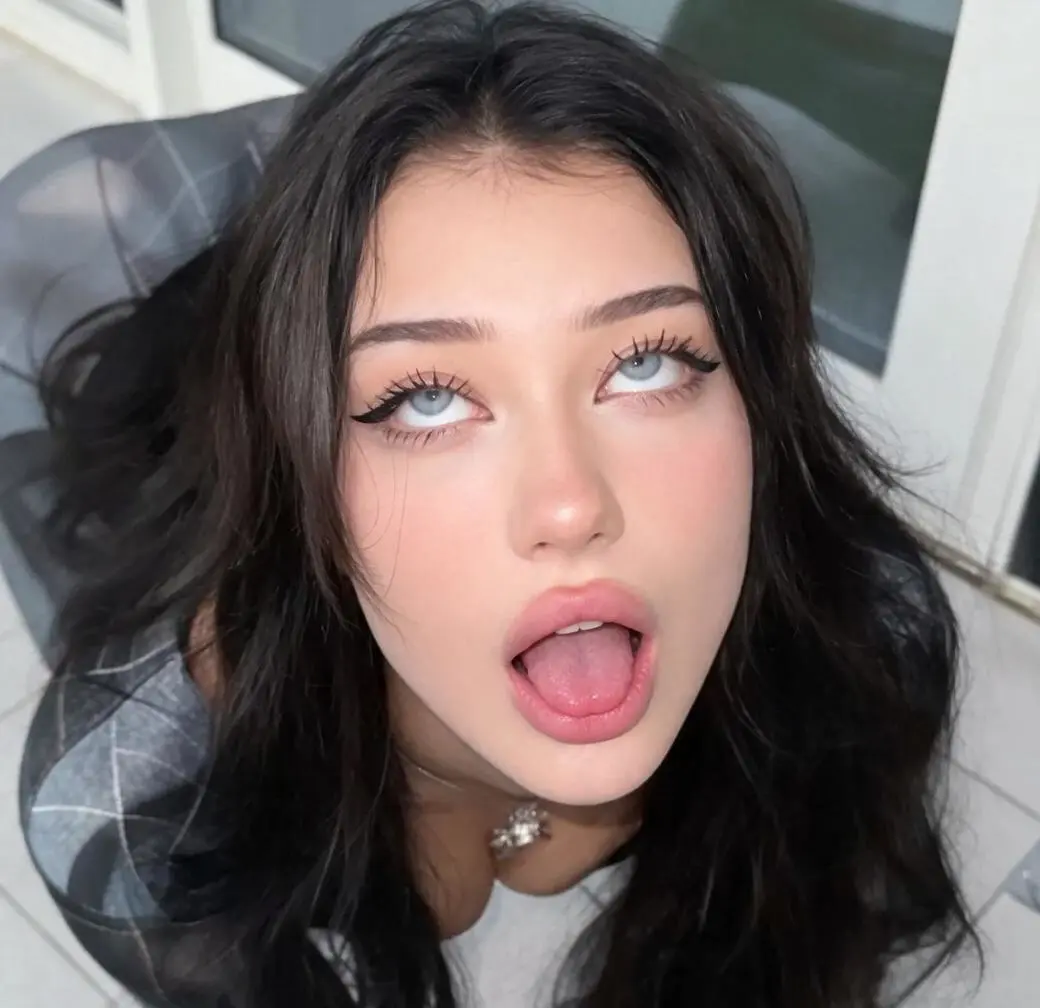 A baseline for comparing this batch’s shared framing and appearance. | Result 2 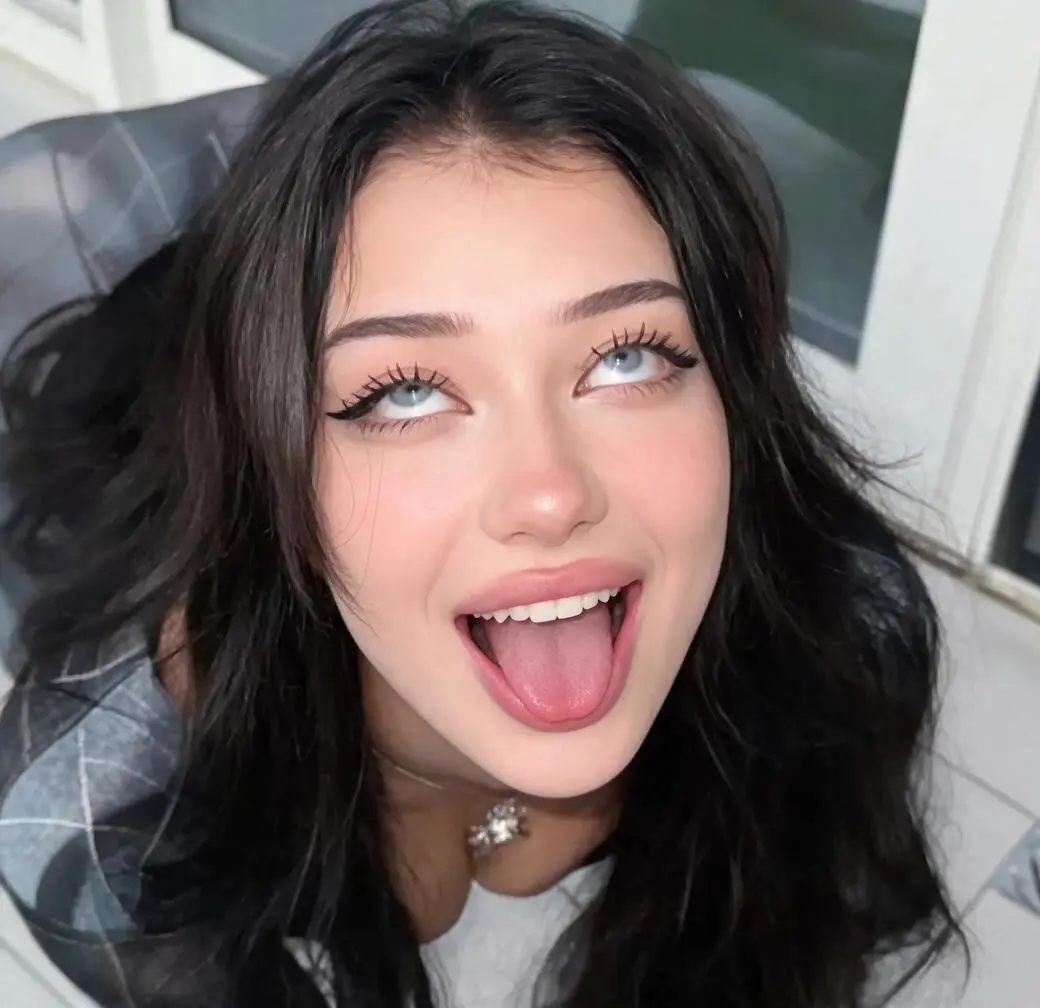 The most smile-like overall result in this batch. |
Result 3  A similar overall expression, with local differences in facial shape and shading. | Result 4 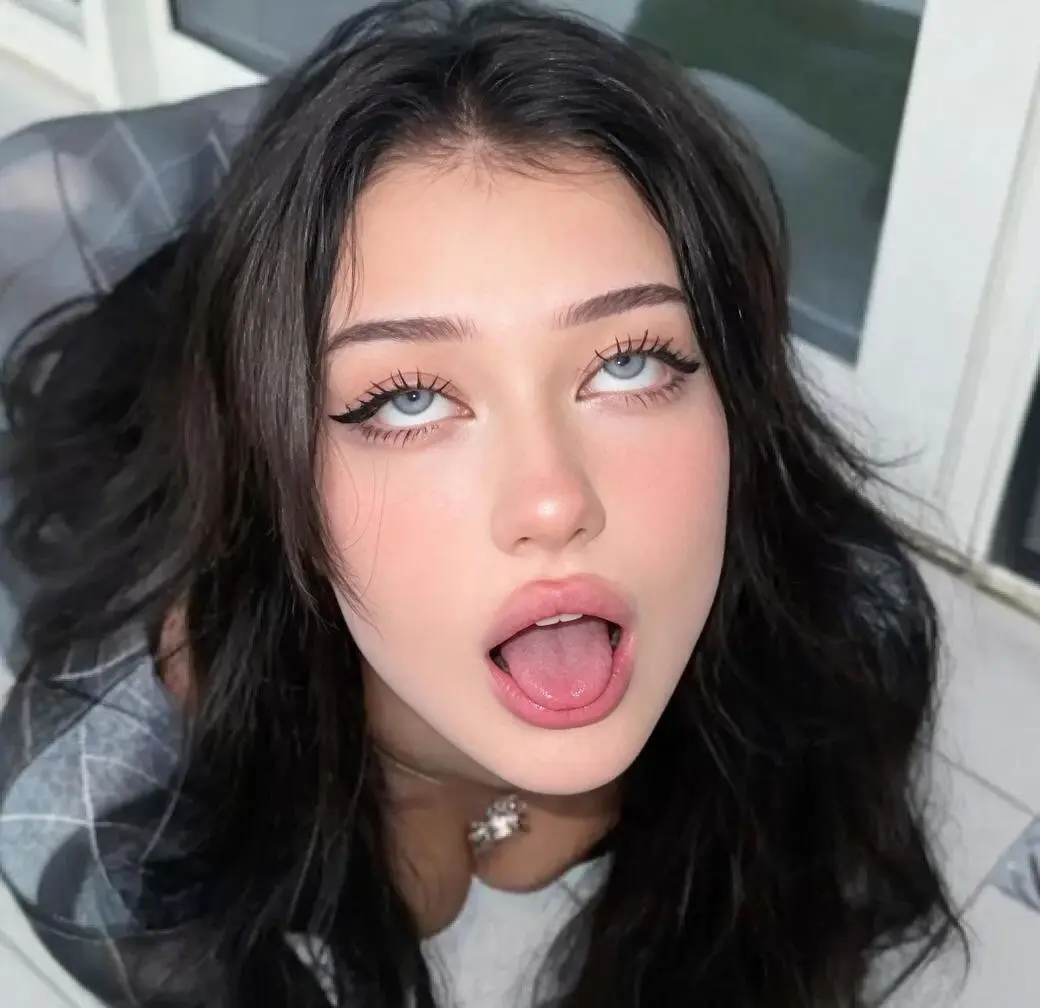 Similar framing and appearance; compare small details at full size. |
All four images above are the existing Seedream 5.5 outputs supplied for this case. Each image links to its full-size file. The labels preserve the order shown in the original task screenshot.
Result 2 is the clearest outlier in the set: its smile-like appearance changes the relationship between the cheeks and lower face. Results 1, 3, and 4 look more alike at thumbnail size, but similarities at that scale should not be mistaken for identical facial geometry or shading.
The table keeps the complete frame visible in each cell. That matters because a tight face crop would make it harder to judge whether the hair, shoulders, and background remained visually similar.
What remains visually consistent across the batch
The black hair, necklace, nearby clothing, background structure, and selfie-style composition remain recognizable across all four outputs. These similarities help the set read as variations of the same reference rather than entirely different scenes.
This is an observation about visible resemblance. It is not identity verification or proof that surrounding pixels stayed unchanged. Face shape, cheek shading, and small boundary details can shift during generative editing even when the overall image looks familiar.
ByteDance’s official Seedream 5.5 page describes targeted editing and consistency as model capabilities. This one batch supports a narrower conclusion: these particular outputs retain a similar overall appearance while varying locally. It does not independently validate broader claims about many rounds of editing.
What the recorded settings establish
| Recorded item | Value in this case |
|---|---|
| Model identifier | Seedream_55 |
| Reference input | One attached portrait, 518 × 499 pixels |
| Output group | Four results from one execution |
| Image size setting | 1K |
| Aspect-ratio setting | auto |
| Returned dimensions | 1040 × 1008 pixels for each result |
| Evidence date | November 13, 2026 |
The output dimensions are larger than the input dimensions. That does not establish that the model recovered authentic detail absent from the source; newly rendered skin, hair, and facial detail remain generated content.
The four outputs also do not provide a repeatability rate. There is no separate controlled comparison with other models, no long multi-round editing sequence, and no timing benchmark in this case.
Read the differences without overstating the result
This batch shows both visible continuity and variation. The surrounding portrait remains similar, while the second output demonstrates that the same brief can lead to a noticeably different overall facial impression.
Use the four-image table to compare the complete frames and then the local facial differences. For a separate, non-expression example of selective editing, see portrait accessory editing with Seedream 5.5. This case-analysis page contains no interactive generation template.