












Create an Alina Becker Mirror Selfie with Seedream 5.0 Pro
Alina Becker mirror selfie with Seedream 5.0 Pro: a sourced reference photo, exact editing prompt, generated example and practical checks.
An Alina Becker mirror selfie concept needs a recognizable reference as well as believable reflective geometry. This Seedream 5.0 Pro workflow takes a public suit photograph into a simple hallway-and-mirror composition.
Retain Alina Becker’s styling while changing the composition
The public reference is attributed to Alina Becker’s @abecker_cos account by its source index. It shows a short black bob, black suit and white shirt. The hallway selfie is a labeled AI concept; it is not a newly discovered photograph of the creator or a location she is known to have visited.
Public reference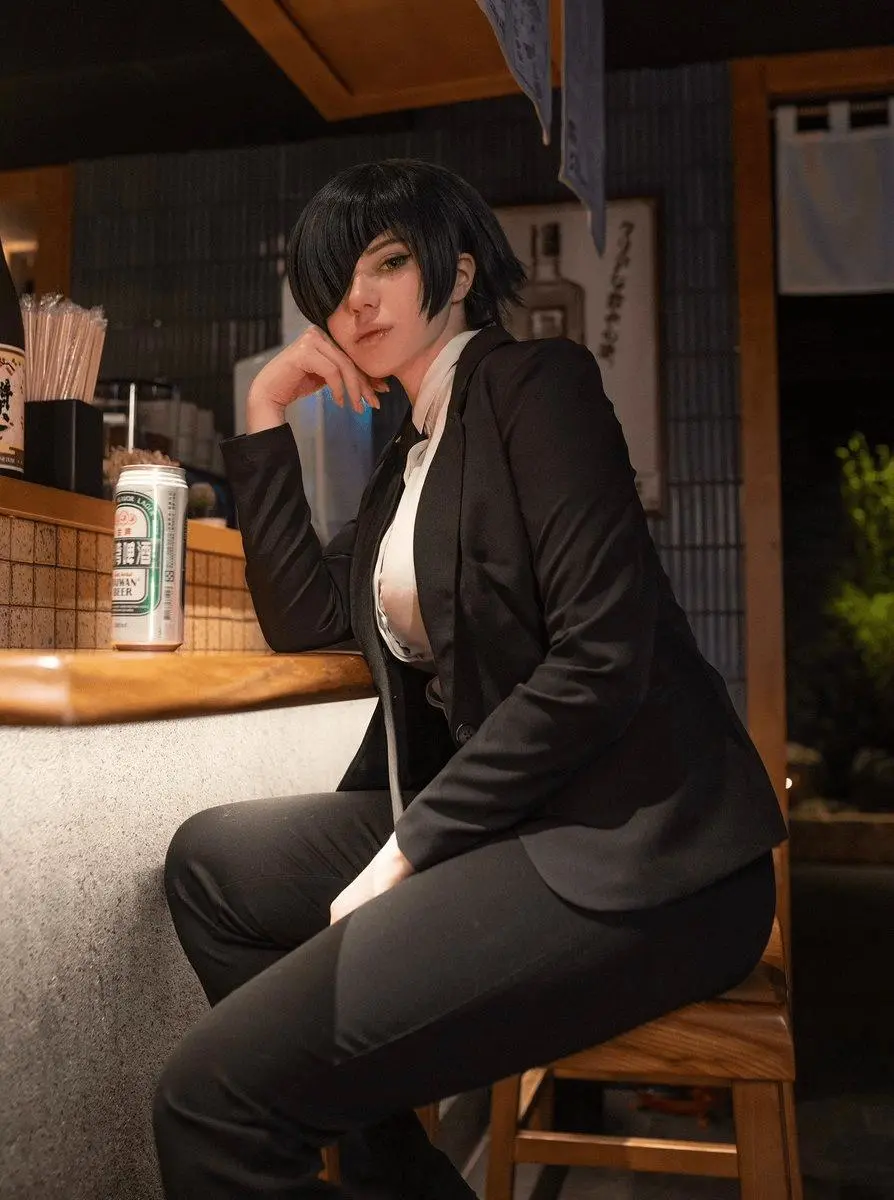 | AI-edited result · Seedream 5.0 Pro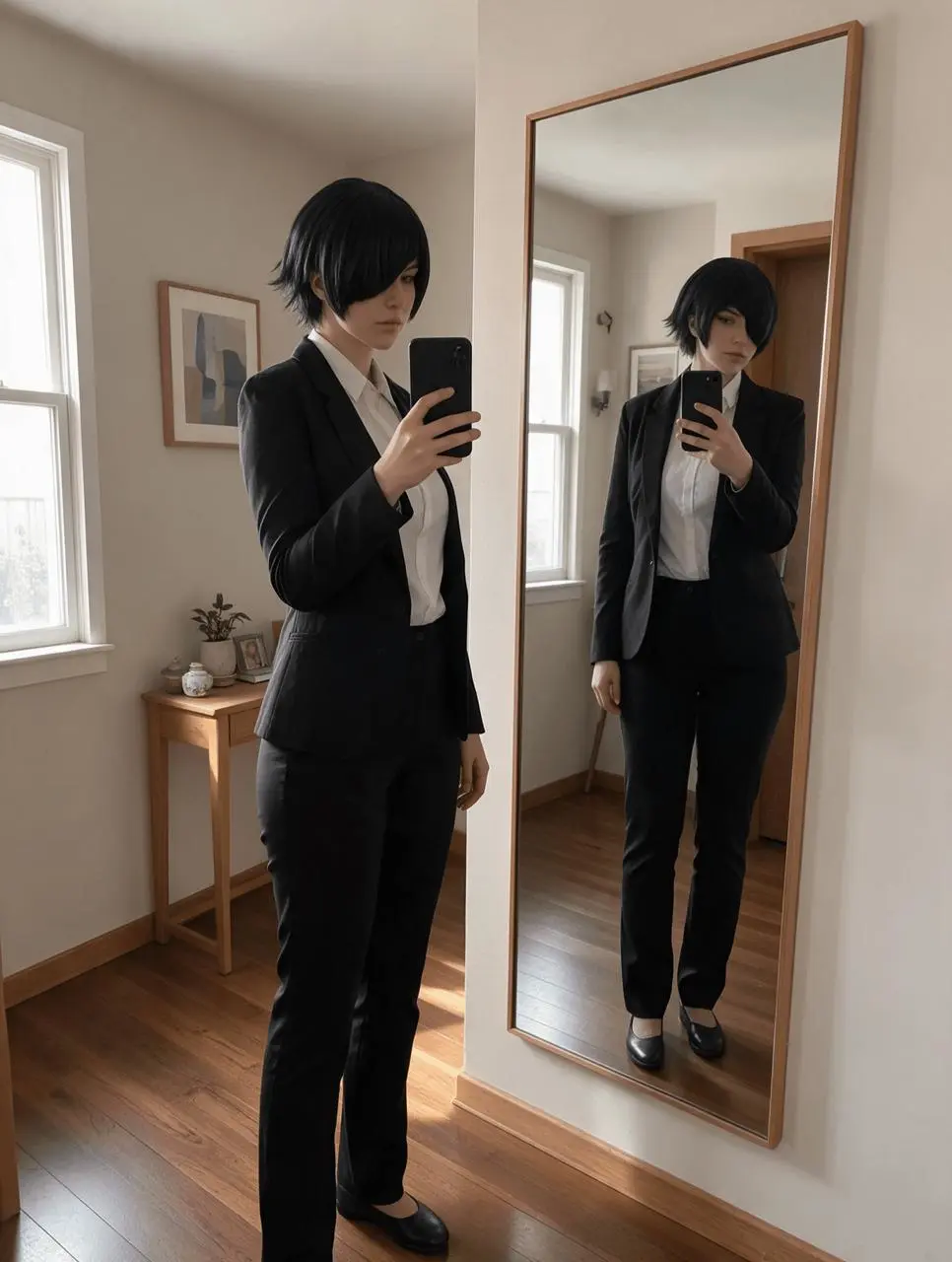 |
Alina Becker / @abecker_cos, public cosplay photo indexed by Twoucan. Photographer not identified. Public source.
Build the mirror selfie editing brief
List the face, hairstyle and suit as reference constraints, then describe a single rectangular mirror, one phone and a natural standing pose. A sparse room with straight doorframes makes perspective problems easier to spot. Changing the pose and setting can also change small facial details, so compare those independently.
Use Alina Becker’s public reference for this mirror selfie concept, and label the generated edit clearly.
Reproduce this Seedream 5.0 Pro workflow
- Open the WeShop Seedream generator and select Seedream 5.0 Pro in Model.
- Upload the actual reference photo or an image you are authorized to edit. Confirm that the correct reference thumbnail has finished loading.
- Select 2K, PNG, auto aspect ratio and 1 output. Keep an opaque background.
- Paste the following brief and generate. Compare the full-size result against the specific retained details before revising it.
Use image 1 as the actual adult face and hairstyle reference for an AI-edited mirror selfie concept. Preserve the adult woman's recognizable facial features, short black bob and fully covered black suit with white shirt. Change the composition into a believable full-length mirror selfie in a tidy apartment hallway: one rectangular wall mirror, one phone held at chest height, one arm relaxed, natural upright pose, black flat shoes. Correct mirrored perspective and coherent room geometry, realistic hands, natural window daylight, ordinary smartphone photography. Remove bar furniture and drinks. Do not change body proportions or add text, logos, extra phones or other people.
The displayed reference was actually attached to this generation. A person’s name in a text-only prompt would be a different process.
Inspect the generated example
The selected result retains the short black bob, suit and white shirt in a hallway with a tall mirror. It includes the physical subject and her reflection, rather than being cropped entirely to the phone’s mirror view.
Trace the phone, hand and mirror frame. A photograph containing both the physical subject and her reflection will show the same phone twice; distinguish that from an invented second device. Check whether the result reads as an outside view of a mirror-selfie scene or as the phone’s own captured image.
Refine the viewpoint and reflection
If the viewpoint is wrong for your intended selfie, specify a crop entirely inside the mirror, with no separate foreground figure. If the hands distort, simplify the phone grip. If room lines bend, remove decorative detail and preserve straight vertical geometry.
The output is best read as a staged mirror-selfie scene. For an actual phone-view crop, the brief needs a focused composition revision; this image should not be described as exact camera-view compliance.
You can try it directly using the tool on the right.
Replace the reference with your own image, retain the useful constraints and label shared AI edits clearly.