












Change an Enji Night Cosplay Backdrop with GPT Image 2
Enji Night cosplay with GPT Image 2: use the real reference photo, exact prompt and a reusable example to create and inspect the edit.
A plain cosplay backdrop can become a cinematic setting while the makeup and costume remain the comparison point. This Enji Night example uses a public Yennefer portrait for a softly blurred courtyard at blue hour.
Keep the portrait intact while changing its setting
The source is the Yennefer portrait attributed to Enji Night in image 14 of Diez’s public gallery. The black hair, violet eye makeup and choker provide concrete details to compare. The edited courtyard is AI-generated and does not show an actual photoshoot location.
Reference input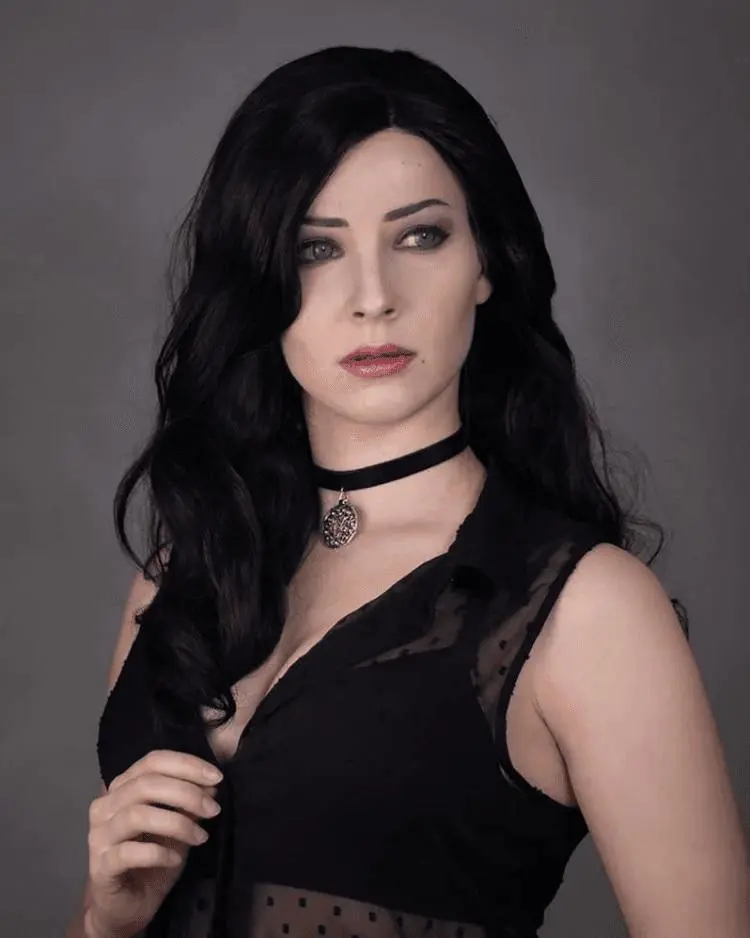 | AI-edited result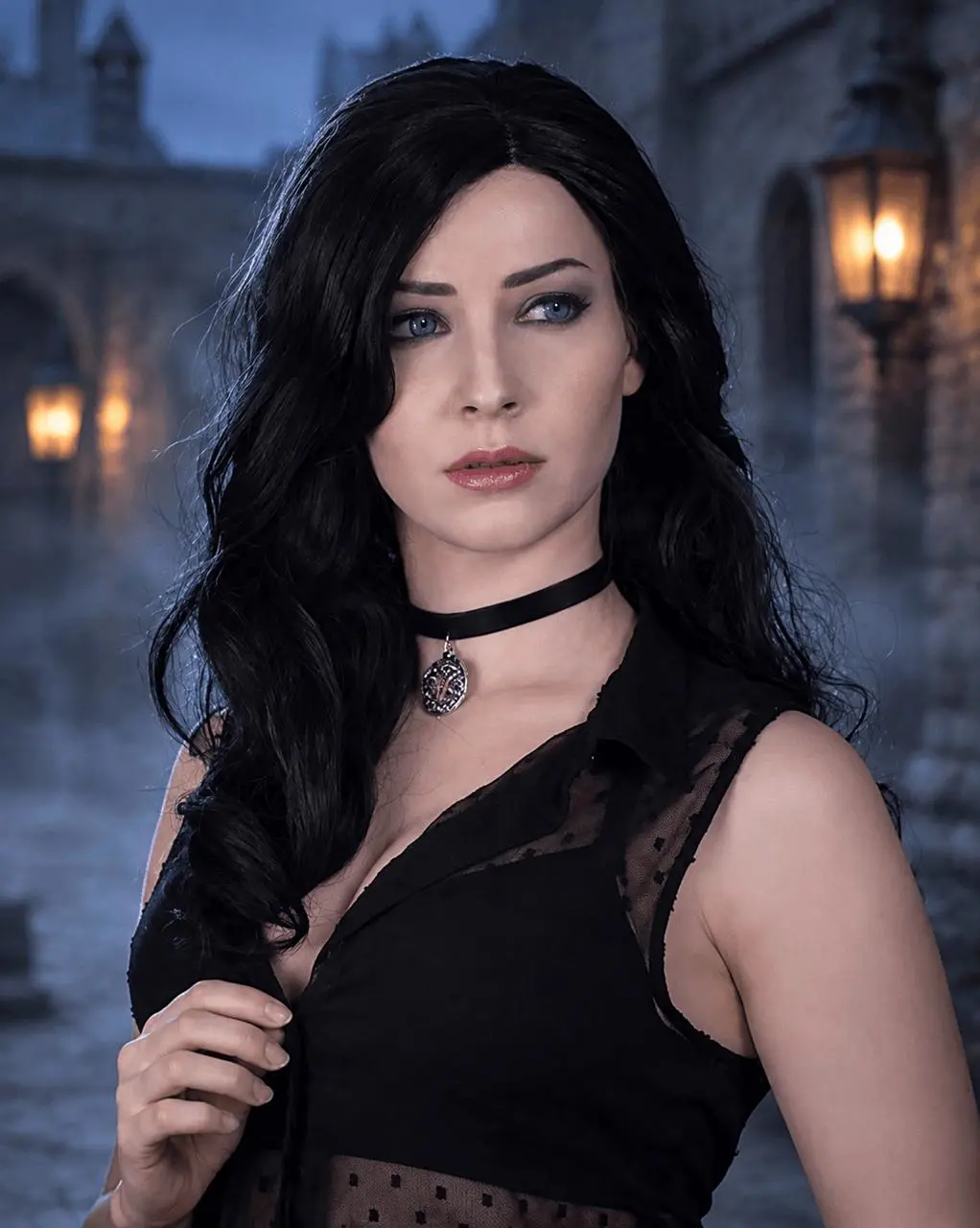 |
Reference credit: Enji Night, Yennefer cosplay photograph identified in image 14 of Diez public gallery, 1 April 2022. View the public source. AI editing is labeled separately from the source photograph.
Prepare the reference and define the edit
Keep the portrait crop and outfit coverage fixed, then describe the background behind them. Distant lanterns and a little mist can provide atmosphere without adding new costume elements. Restrained cool edge light helps connect the hair with the setting.
This guide uses the GPT Image 2 option available in WeShop. Select that exact version when following the example.
Run this reference-guided edit in WeShop
- Open the WeShop GPT Image generator and choose GPT Image 2 from Model.
- Upload the reference photo shown above, or replace it with an image you are authorized to edit. Confirm its thumbnail is attached before generating.
- Choose 2K, High quality, auto aspect ratio and 1 output. Keep the background opaque.
- Paste the following prompt, generate, and inspect the full-size output before making another edit.
Edit the attached public portrait as a clearly labeled AI photography demonstration. Preserve the adult woman's recognizable face, expression, black wavy hair, violet eye makeup, black choker and pendant, black outfit and existing coverage, hand position and original portrait crop. Replace only the plain gray background with a softly blurred medieval stone courtyard at blue hour, distant warm lanterns and a trace of mist. Match restrained cool ambient light at the hair edges without altering the facial features or makeup. Photorealistic, no extra people, no new costume pieces, no text or logos.
The reference was actually attached to this generation. Writing a person’s name without uploading the photo would be a different workflow.
What the generated example shows
The selected GPT Image 2 result replaces the gray backdrop with blue-hour stone architecture and warm lanterns. Black wavy hair, violet eye makeup, the choker and the hand holding the hair remain recognizable, with a cool rim at the hair edge.
Compare the eyes, expression, hairline, choker and hand position first. Then inspect dark hair against the new courtyard: pale halos and hard cutout edges can weaken the integration. Stone details should remain secondary to the face.
Refine one detail at a time
If the face changes, restart from the reference with a background-only request. If the scenery competes with the portrait, reduce the lanterns and increase blur. Keep a new camera angle out of the first background edit.
The new environment and edge illumination are AI-generated. They do not document a location visited by the creator, and small facial or fabric details may vary.
You can try it directly using the tool on the right.
Replace the reference with your own photo, keep the useful preservation constraints, and label shared AI edits clearly.