












Create a Candlelit Gothic Nun-Inspired Portrait Series With Seedream 5.0 Pro
Use one selfie or white-background portrait to create a consistent five-image candlelit gothic nun-inspired fashion series with Seedream 5.0 Pro in WeShop.
Creating a cinematic dark portrait series in real life can require hard-to-source wardrobe, a suitable old-stone location, candles, haze, set dressing, makeup, and a full studio crew. Those requirements make the concept expensive and difficult to schedule, while people who feel uncomfortable in front of a camera may still struggle to get five usable expressions and poses. An image-to-image workflow offers a practical alternative: upload one clear selfie or white-background portrait, lock the identity, and build a coordinated editorial series without arranging a separate physical setup for every shot.
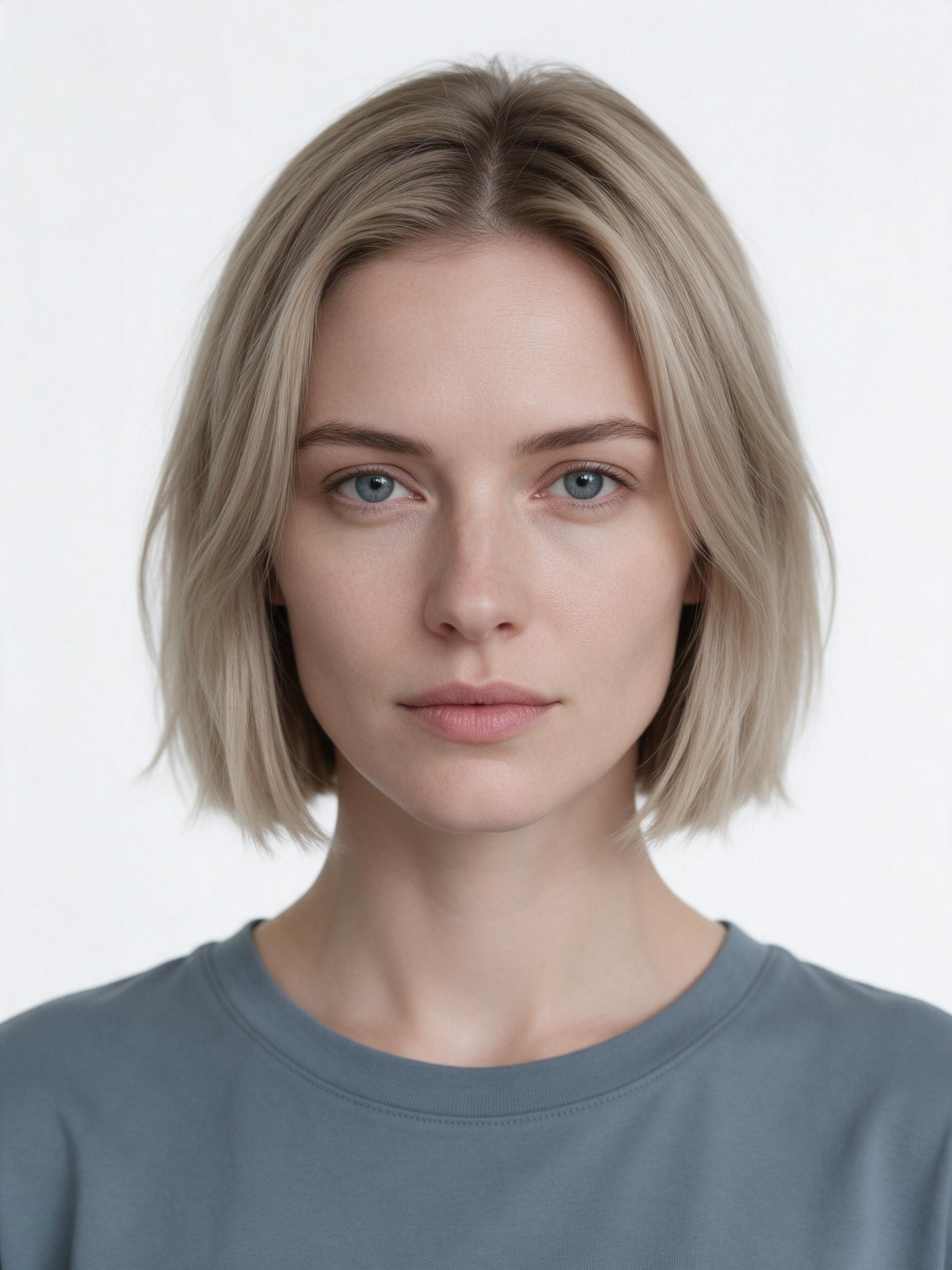
Five generated portraits from one identity image
Rosary portrait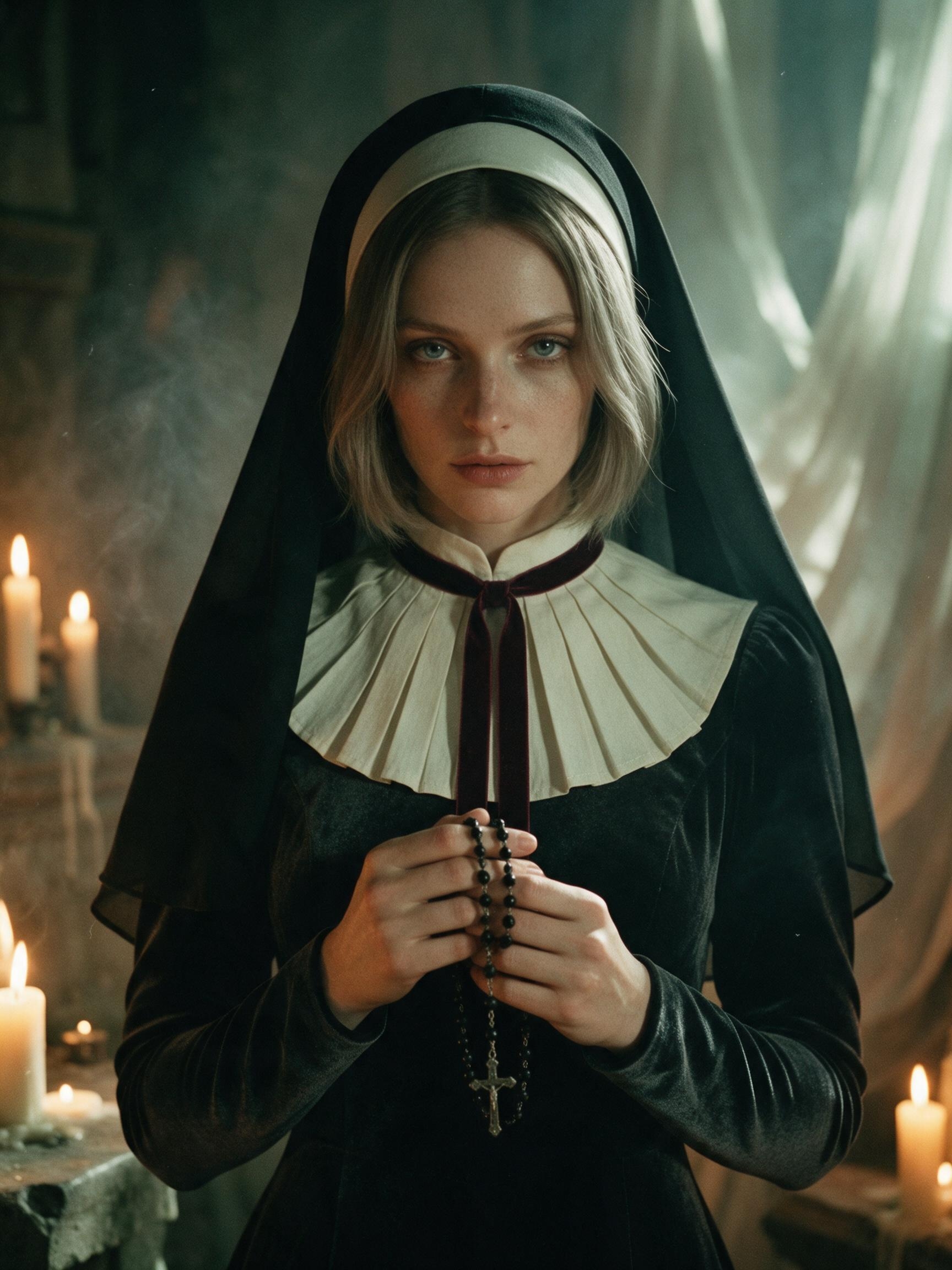 | Candle profile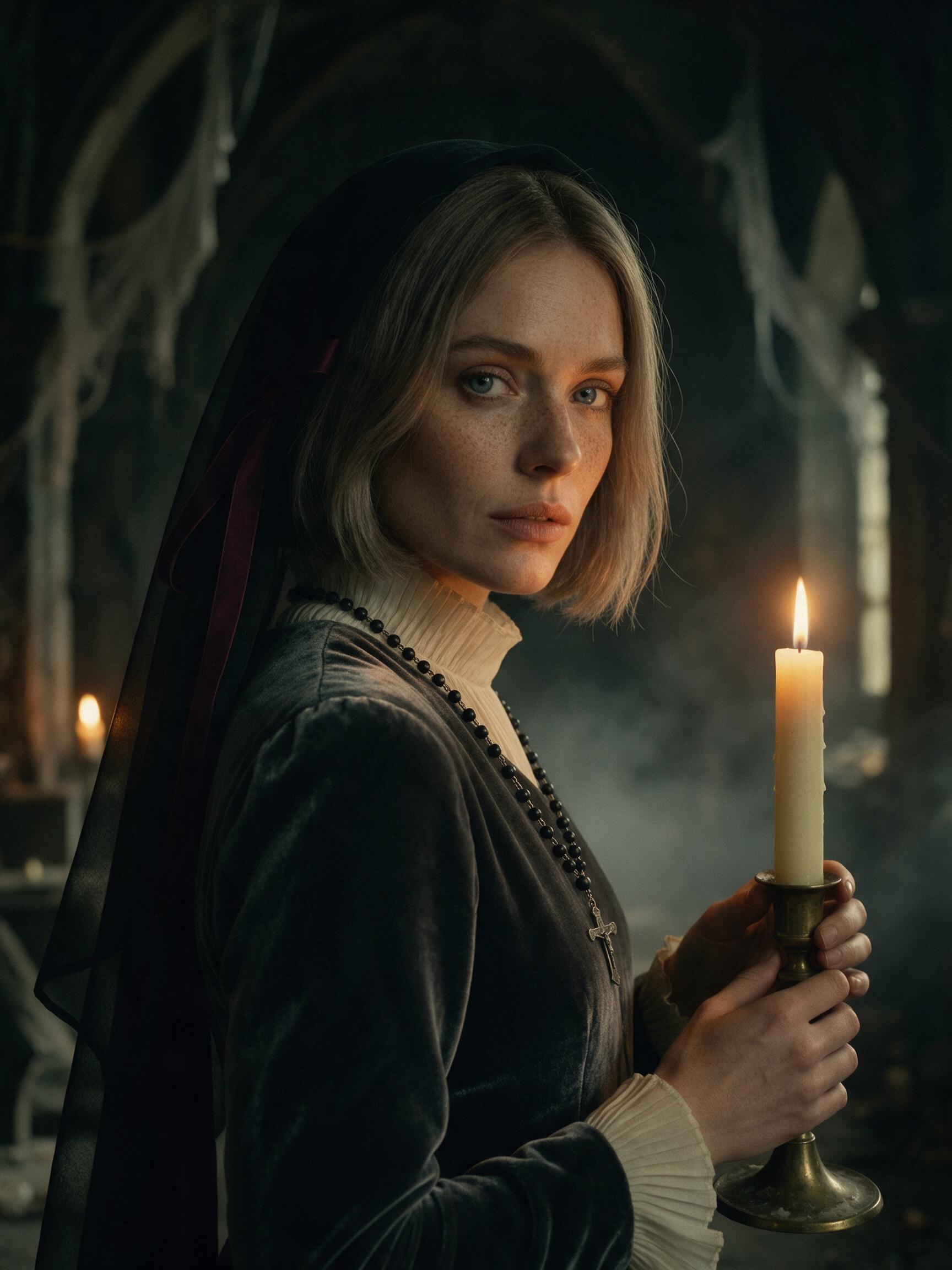 |
Reaching candle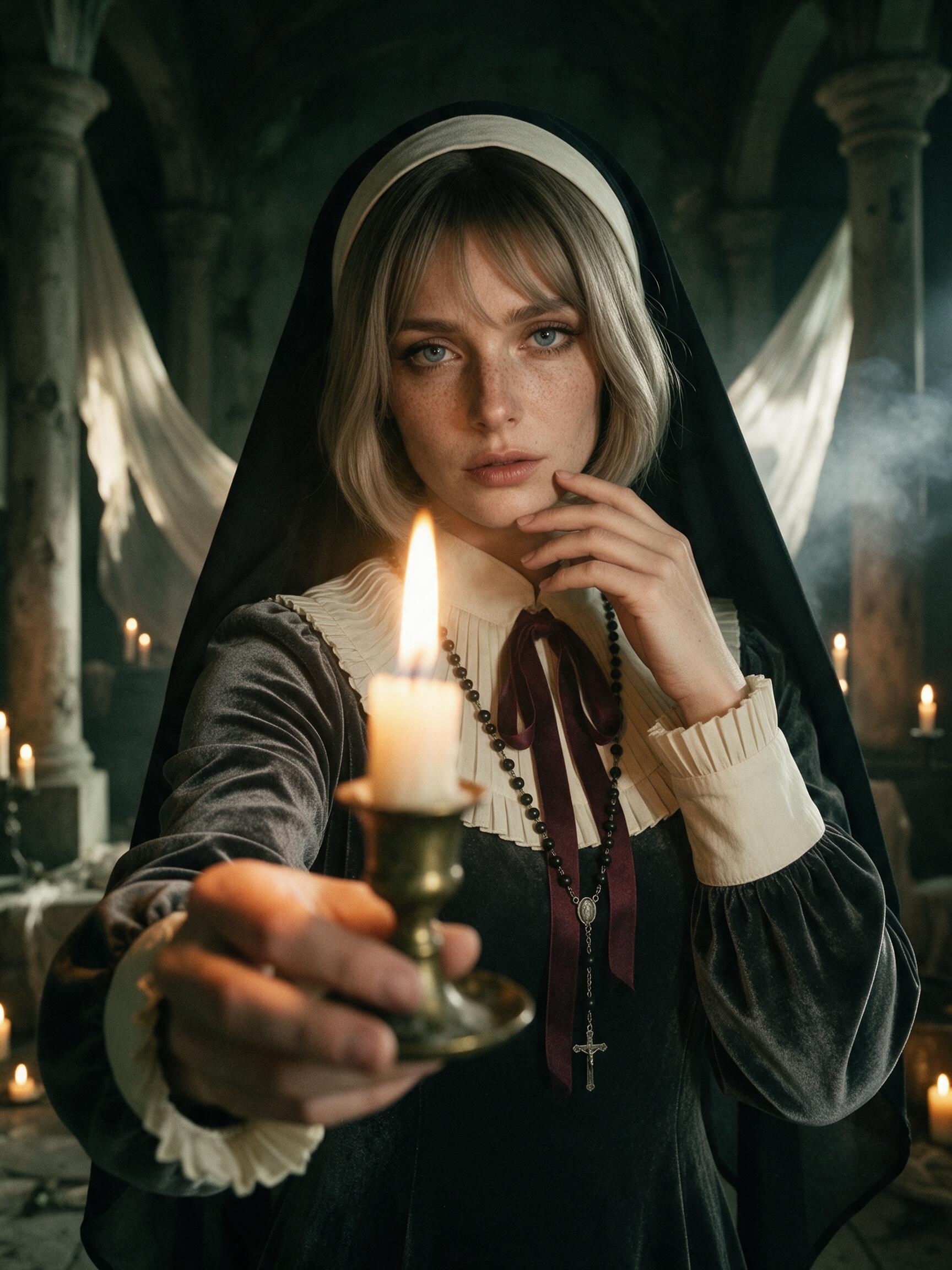 | Seated story frame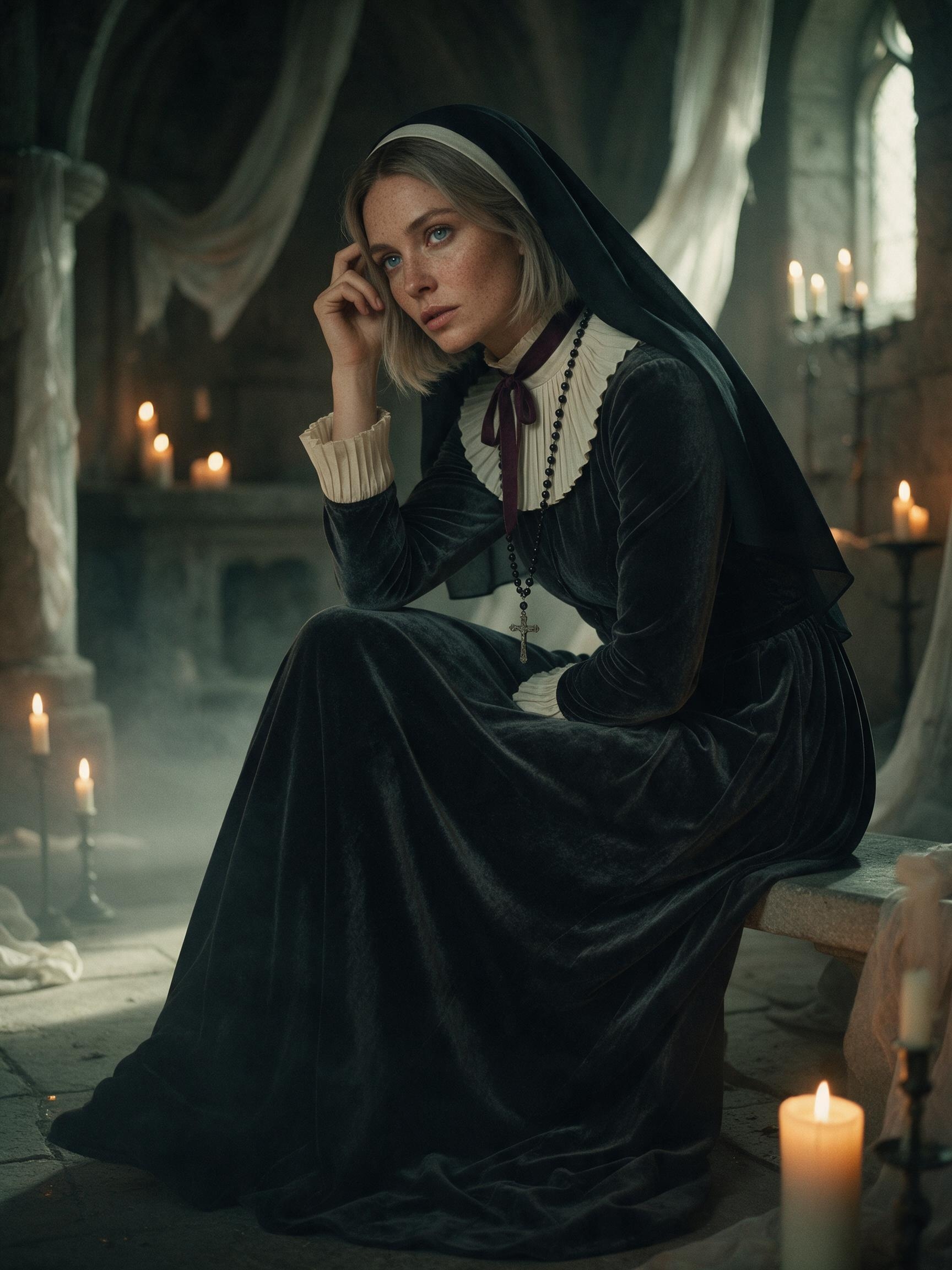 |
Flame close-up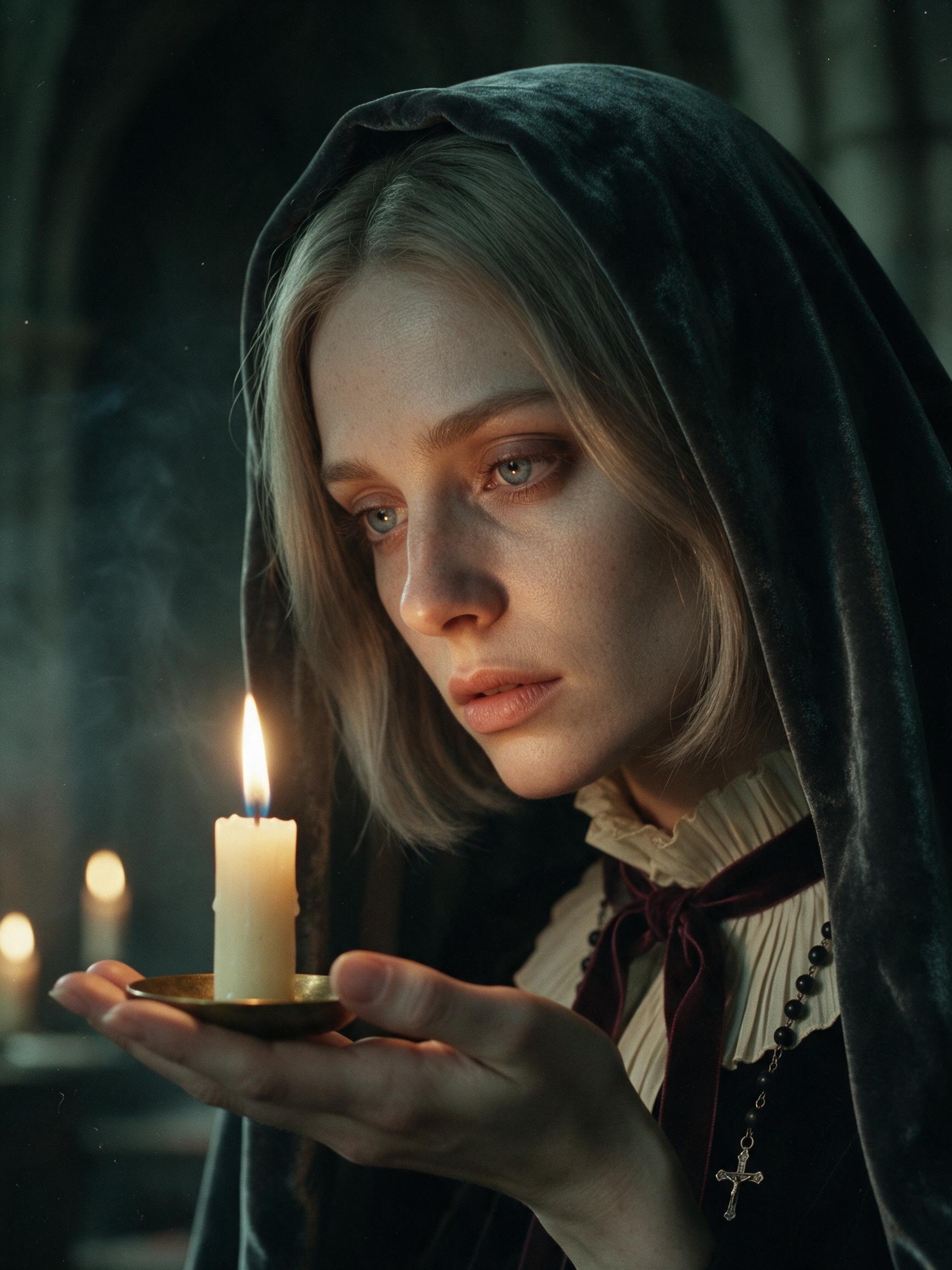 | |
Why the series stays visually consistent
Every generation repeats the same identity and wardrobe lock: gray-blue eyes, ash-blonde bob, natural freckles, charcoal velvet gown, structured ivory pleated collar, black veil, deep-wine ribbon, and black-bead rosary. Only the camera distance, pose, gaze, and candle position change. This keeps variation in the storytelling instead of allowing the model to redesign the character between frames.
Workflow
Step 1 — Prepare the identity image
Upload a clear, unobstructed selfie or white-background portrait without a heavy beauty filter. A simple background and plain clothing make identity preservation easier to evaluate.
Step 2 — Choose the generation settings
Select Seedream 5.0 Pro in WeShop, use a 3:4 vertical aspect ratio, choose 2K output, and add the portrait as the image-to-image reference.
Step 3 — Lock the face and wardrobe
At the beginning of every prompt, state that the uploaded portrait is the only identity reference. List the facial structure, eye color, skin tone, freckles, and hairstyle that must remain unchanged, followed by the complete shared wardrobe.
Step 4 — Fix the location and lighting
Keep the abandoned stone manor chapel, sparse candles, translucent drapery, and light haze consistent. Use warm candlelight against cool green-black shadow to create a restrained Rembrandt-style contrast.
Step 5 — Change only the shot assignment
Generate the front-facing rosary portrait, candle profile, reaching-candle perspective, seated frame, and flame close-up separately. Compare facial proportions, hair color, collar, veil, ribbon, and rosary after every result.
Reusable master prompt
Use the uploaded white-background portrait as the only identity reference. Preserve the same adult person's recognizable facial structure, natural facial proportions, skin tone, eye color, freckles, hairstyle, and authentic skin texture.

Create a 3:4 vertical cinematic gothic fashion portrait. Dress the subject in an original nun-inspired editorial outfit: a charcoal-black velvet gown with long sleeves, a structured ivory pleated collar and cuffs, a matte black veil, a narrow deep-wine velvet ribbon at the throat, and a black-bead rosary with a small aged-silver cross. Set the scene inside a candlelit abandoned stone manor chapel with only a restrained number of candles, worn columns, translucent draped fabric, and light smoke haze.

Warm candlelight illuminates one side of the face while the opposite side falls into cool green-black shadow, creating Rembrandt-style lighting. Use low saturation, analog 35mm film grain, subtle highlight halation, shallow depth of field, realistic pores, individual hair strands, and visible velvet texture. The mood is quiet, distant, fragile, and story-driven.

Shot assignment: replace this line with one specific pose, framing, gaze direction, and prop position.

No gore, wounds, sexualized wardrobe, extra people, modern objects, text, watermark, duplicated fingers, distorted candles, copied identity, or exact recreation of a reference pose.
Five shot assignments
- Front-facing waist-up portrait: hold the black-bead rosary between both hands at chest level and look directly at the camera.
- Three-quarter profile: hold a tall candle in a tarnished brass chamberstick with both hands, turn the shoulder away, and look back.
- Forced-perspective medium close-up: extend the candleholder toward the lens while the other hand rests lightly near the jaw.
- Three-quarter seated portrait: sit sideways on a low stone bench, rest fingertips near the temple, and look past the camera.
- Intimate face close-up: balance a short candle on a small brass saucer in an open palm and study the flame.
Quality checks and limitations
Check the eyes, nose-to-lip proportions, hairline, and bob length before judging the atmosphere. Then compare the ivory pleated collar, wine ribbon, rosary, veil, and velvet texture across all five results. If the fingers or candle contact look unnatural, simplify the action sentence and generate that frame again. Candles are part of the AI-generated visual concept; any real-world recreation still requires appropriate fire-safety controls.