












Create a Text-Accurate Product Launch Poster With Nano Banana 2
Use Nano Banana 2 to turn a beverage packshot into an ecommerce launch poster with exact short copy, clear hierarchy, and protected package details.
In fast-moving ecommerce and social channels, brands need product posters that can capture attention and communicate the core message within seconds. A strong poster brings the product, campaign headline, selling point, and visual identity into one clear composition, making it useful across product launches, paid social campaigns, marketplace promotions, and landing pages.
The challenge is maintaining accurate packaging while presenting approved copy with a readable hierarchy. The product must remain recognizable, and every headline or selling point needs to be clear, correctly spelled, and easy to understand at a glance.
The result is useful for teams creating paid-social, marketplace, and landing-page creative from an existing SKU image—especially when the poster needs short, approved English copy rather than a text-free concept image.
Source and Result
| Source Packshot | Generated Launch Poster |
|---|---|
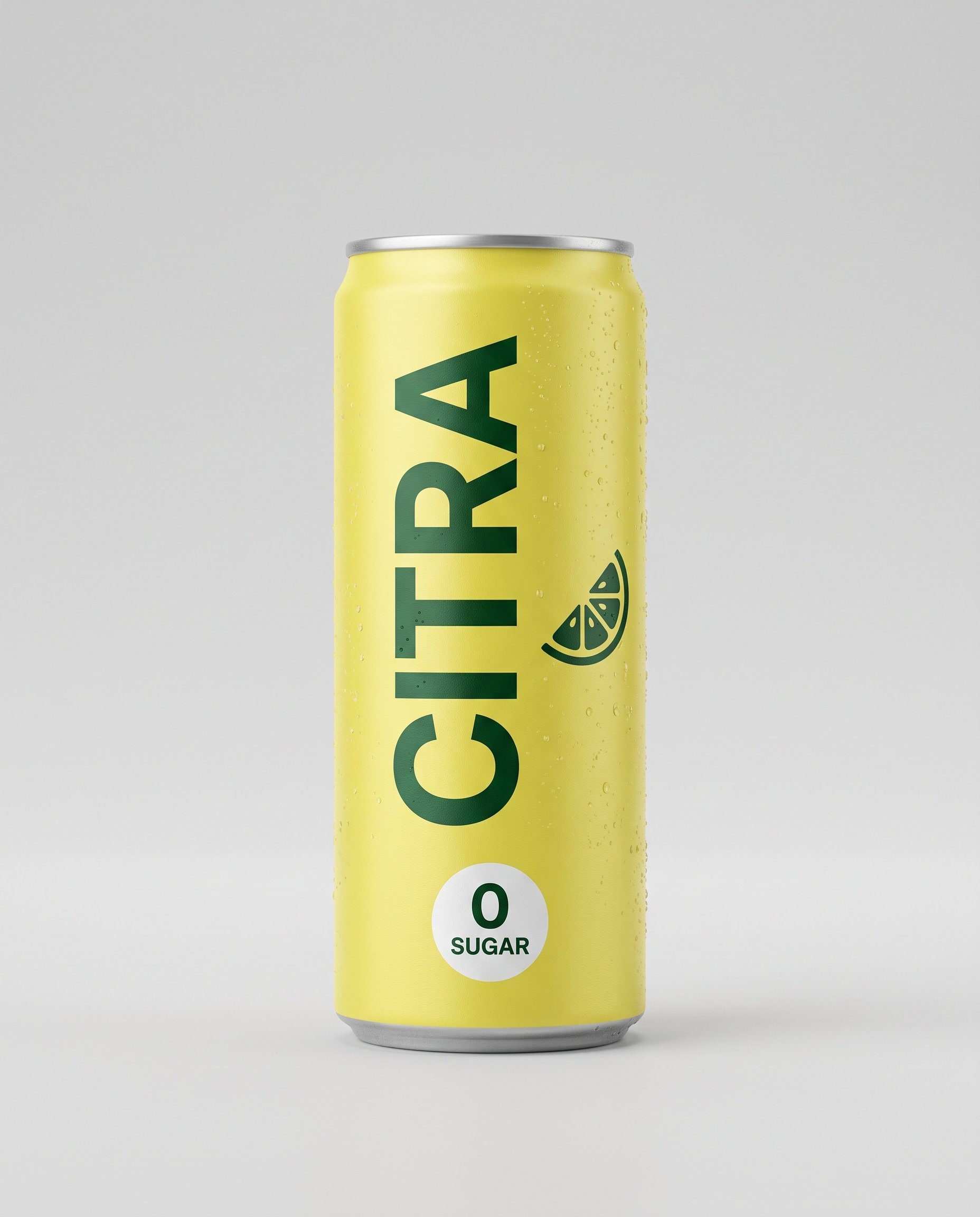 | 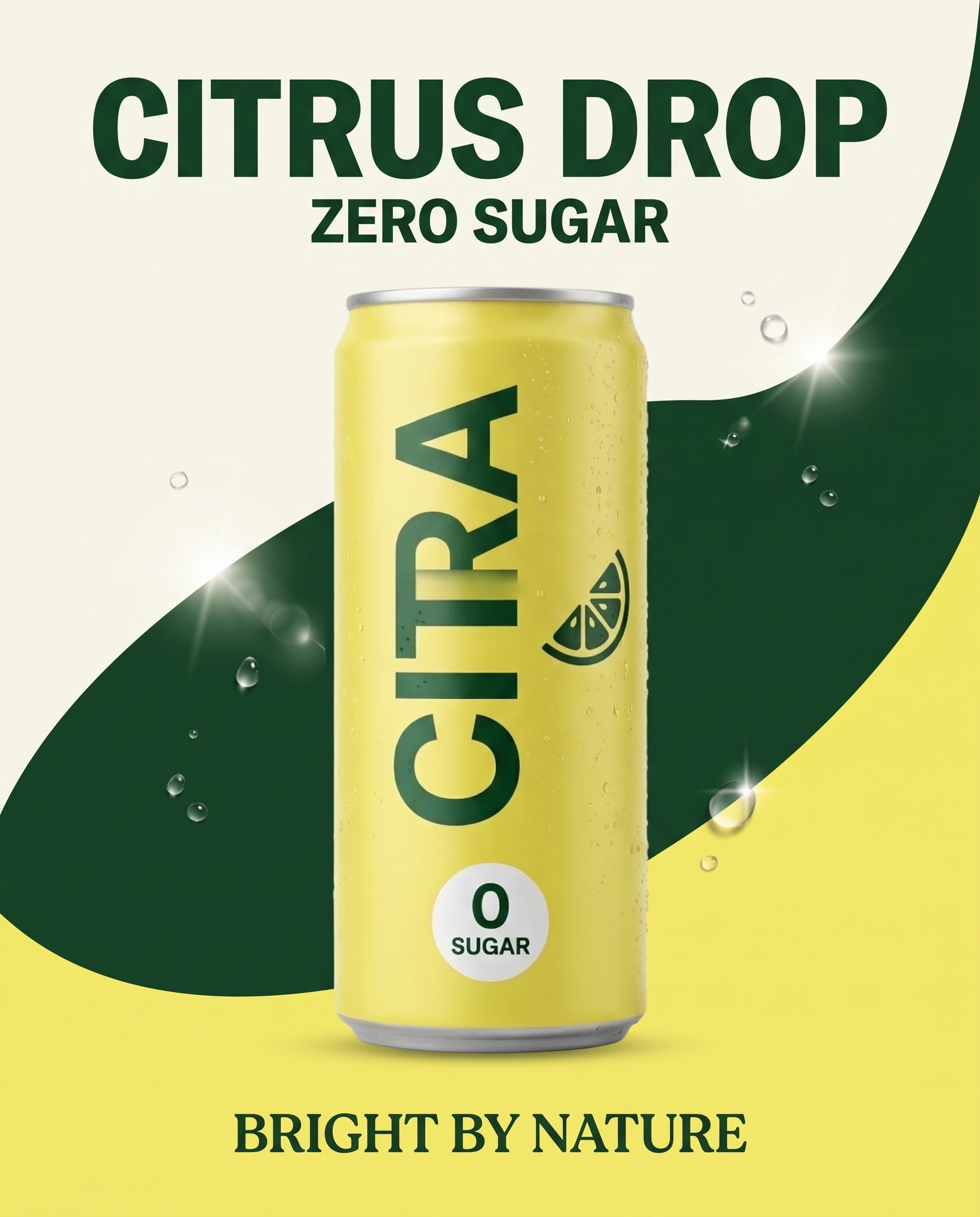 |
The fictional package uses a lemon-yellow can, vertical green “CITRA” lettering, a citrus icon, and a white “0 SUGAR” badge. The requested poster copy was limited to “CITRUS DROP,” “ZERO SUGAR,” and “BRIGHT BY NATURE.”
Step 1: Keep Poster Copy Short and Final
Use approved copy, not a rough marketing paragraph. Three short text elements are enough to demonstrate hierarchy while keeping proofreading practical:
- one headline;
- one supporting claim;
- one footer or brand line.
Write each line exactly as it should appear and instruct the model to use it once. Avoid asking the model to invent benefits or legal text.
Step 2: Define Layout and Product Locks Together
Use the uploaded can as the exact product reference and build a bold 4:5 ecommerce launch poster.

Preserve the can shape, lemon-yellow finish, green “CITRA” branding, white “0 SUGAR” badge, citrus icon, and all package details.

Center the can slightly below the middle, large and fully visible, on a clean cream-and-citrus-yellow graphic background with one dark-green curved shape and a few controlled sparkling droplets.

Add only these three pieces of poster copy, spelled exactly and each used once:
headline “CITRUS DROP”
subheadline “ZERO SUGAR”
footer line “BRIGHT BY NATURE”

Use bold editorial display type, strong hierarchy, high contrast, and ample spacing. No overlapping text on the can, no fine print, no logos beyond the package, and no extra products.
This prompt assigns both content and location. The product sits below the main headline, the supporting claim stays close to it, and the footer line occupies its own clear zone.
Step 3: Proofread in Two Passes
First, ignore the design and read every requested word letter by letter. In this result, all three poster lines appear once and match the prompt. Second, inspect the package separately: brand letters, icon, badge, rim, color, and proportions.
The output uses a dark-green curve to connect the headline and the can, while the yellow field reinforces the product color. The copy remains separate from the package, which keeps both the advertisement and the SKU readable.
A Reusable Text-Poster Formula
Use the uploaded [product] as the exact reference. Preserve [package shape], [colors], [brand mark], [label], [badge], and [distinctive details].

Create a [ratio] product launch poster for [channel]. Keep the product fully visible at [position]. Use [two-color palette], [one graphic device], and [controlled accent].

Add only this approved copy, each line exactly once:
Headline: “[exact text]”
Subheadline: “[exact text]”
Footer: “[exact text]”

Use [type mood], clear hierarchy, high contrast, and copy-safe spacing. Do not invent copy, duplicate text, cover the package, add extra products, or alter the branding.
Preflight Checklist
- Spell every poster line letter by letter.
- Confirm each line appears once and in the intended hierarchy.
- Check that no copy overlaps the product or falls near the crop edge.
- Compare package shape, color, brand word, badge, and icon with the source.
- Inspect small highlights that could obscure printed packaging.
- Confirm contrast at mobile-feed size.
- Route claims and legal language through normal brand approval.
Practical Limitations
This result uses three short English lines and a fictional package. Longer multilingual copy, small regulatory text, and exact font matching may require separate typography in a design tool. Even when the visible copy is correct, a human reviewer should approve spelling, claims, trademark treatment, and export-safe margins.
Final Takeaway
Nano Banana 2 can combine product preservation and short-form poster copy in one pass when the prompt specifies exact wording, frequency, hierarchy, and protected package details. Treat generation as the first layout pass and proofreading as a mandatory production step.
You can try it directly using the tool on the right.
Turn an SKU Image Into a Launch Poster
Upload the approved packshot, paste final copy, and generate a poster with an explicit hierarchy in WeShop.