












Create a Big-Head Mini-Body Portrait From One Selfie With GPT Image 2.5
Use GPT Image 2.5 in WeShop to turn one selfie into a photorealistic overhead big-head, mini-body portrait while preserving identity, hair, clothing, and expression.
Creators often need a fresh way to reuse an ordinary selfie without losing the person's identity. A standard portrait may be too familiar to stop the scroll, while a heavily stylized edit can make the subject unrecognizable. An overhead big-head, mini-body image solves both problems: it creates an immediate visual surprise while keeping the face, hairstyle, expression, and outfit connected to the original person.
In this first-party WeShop test, we started with an original fictional adult portrait and used GPT Image 2.5 to create a square, photorealistic overhead image. The real test was not whether the proportions could look extreme, but whether the face, hairstyle, expression, clothing, and accessories would remain consistent inside that distortion.
| Source image |
|---|
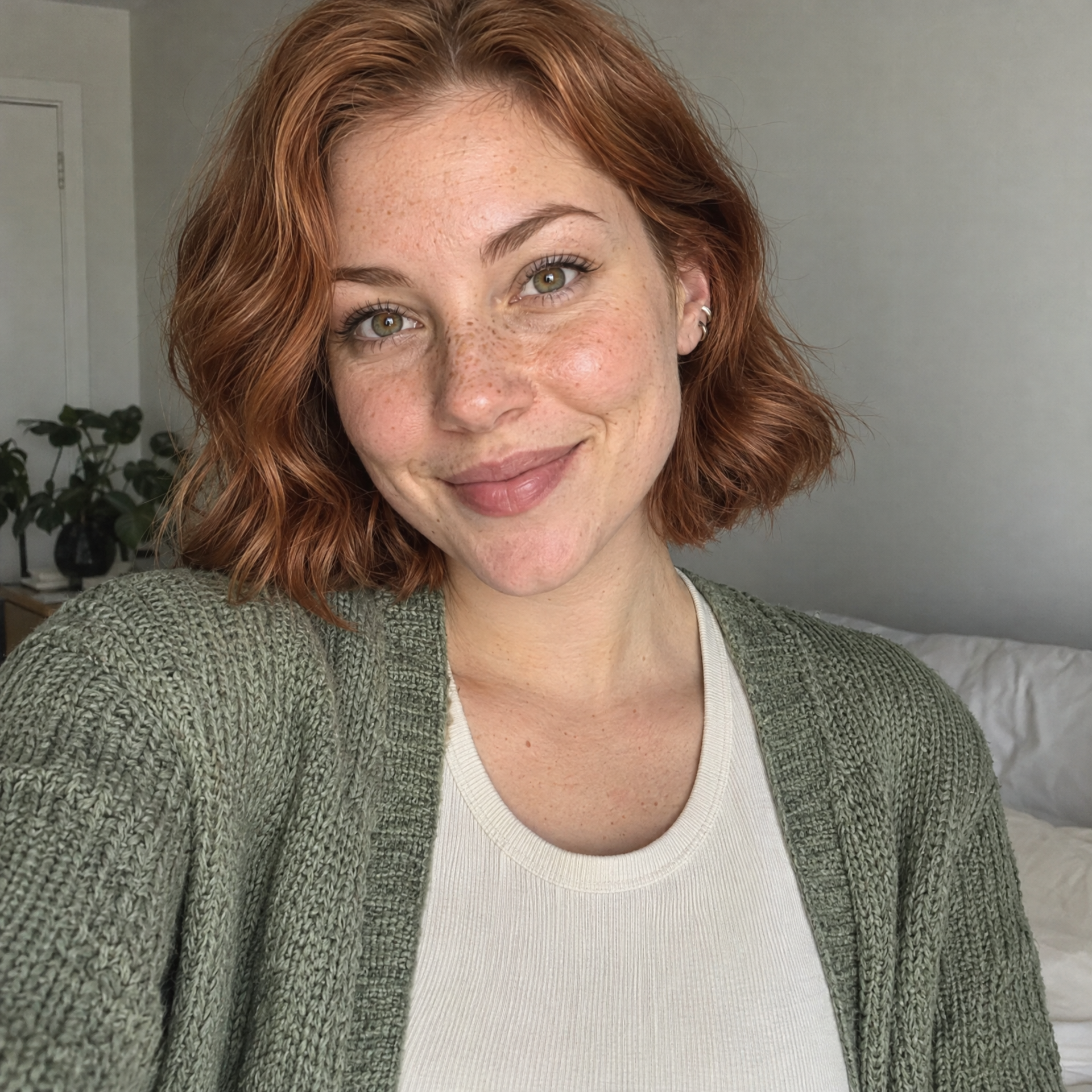 |
| A clear single-person selfie provides the identity, hairstyle, expression, visible clothing, and accessory reference. |
The generated result
| Generated result |
|---|
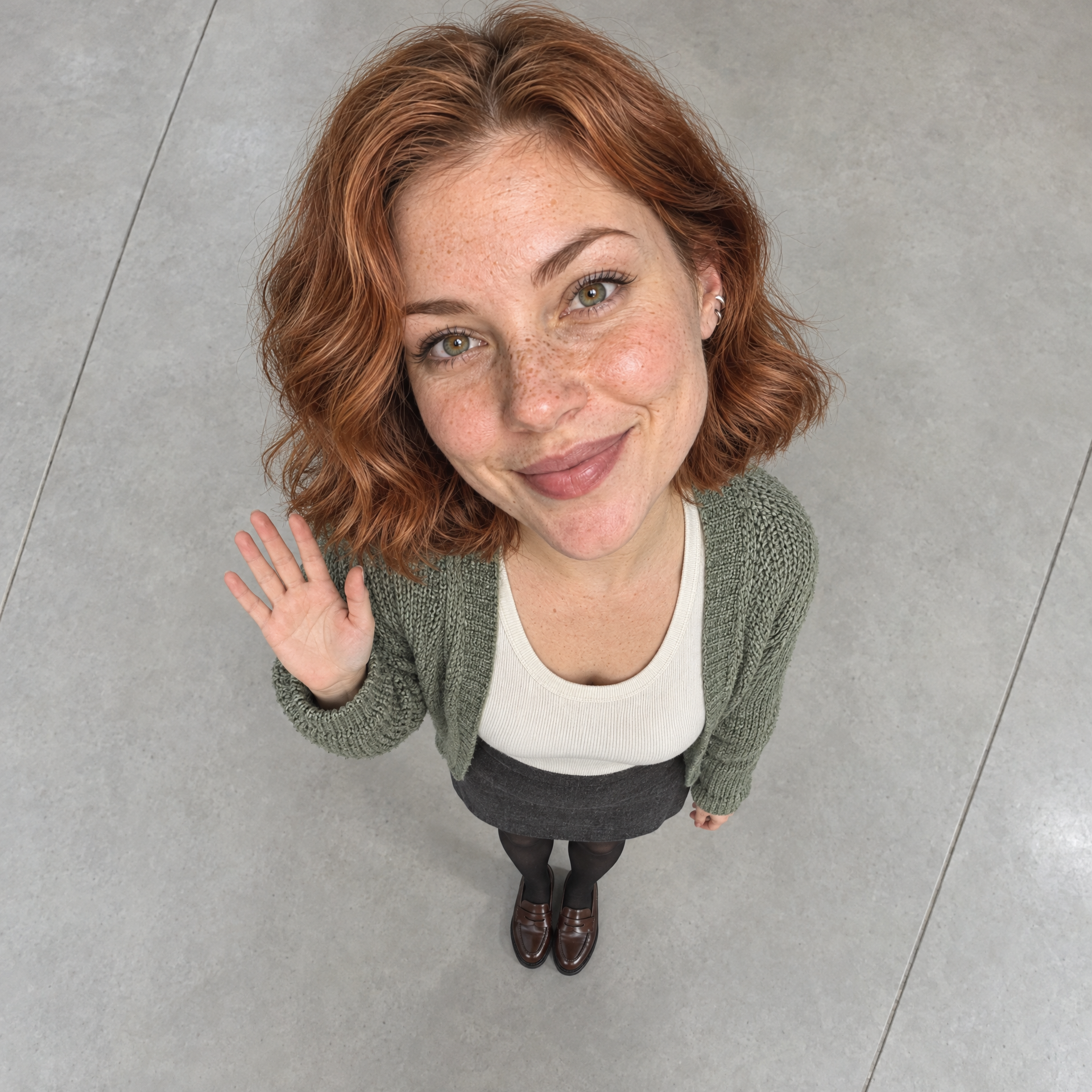 |
| The new composition creates an extreme scale illusion while preserving the subject's recognizable identity and wardrobe. |
The output keeps the copper bob, freckles, hazel eyes, sage cardigan, cream top, silver ear cuffs, and friendly expression. A nearly vertical camera angle, sparse floor seams, and a head occupying roughly 72% of the figure silhouette establish the scale illusion. The small wave gives the new image a distinct pose instead of simply reproducing the source.
Why this workflow works
The effect depends on three controls working together: identity, spatial scale, and believable photography. A prompt that only says “make the head bigger” can produce a cartoon or a pasted-on face. Camera position, body percentage, shoulder width, floor scale, and explicit exclusions help the model interpret the distortion as extreme wide-angle perspective.
How to create it
Step 1 — Upload a clear selfie
Choose a single-person image with a visible face, natural expression, and no heavy beauty filter.
Step 2 — Set the output format
Select GPT Image 2.5 in WeShop, use a 1:1 aspect ratio, and choose 2K output.
Step 3 — Lock the identity
State that the selfie is the only identity reference and list the facial, hair, clothing, and accessory details that must remain unchanged.
Step 4 — Define the scale illusion
Set the full figure at about 40% of frame height and the head at about 70%–75% of the complete figure silhouette.
Step 5 — Control the camera and floor
Request a near-vertical overhead camera and a large, quiet floor with only a few widely spaced seams.
Reusable prompt
Use the uploaded selfie as the only identity reference. Preserve the same adult person's recognizable face, natural facial proportions, skin tone, hairstyle, original expression, visible clothing, prints, and accessories. Complete any unseen lower-body clothing and shoes naturally in the style of the existing outfit.

Create a 1:1 square ultra-realistic photograph shot from almost directly overhead. The person stands alone slightly below center, fully visible from head to toe, with the complete figure occupying only about 40% of the frame height and ample empty ground above and on both sides. Use an open pale-gray microcement or light stone floor with only two or three thin, widely spaced seams. Do not add props, plants, or clutter.

Use extreme wide-angle forced perspective to create a realistically enormous head and miniature body. The head from crown to chin should occupy about 72% of the figure silhouette; shoulder width should be about half the head width, followed by a very short narrow torso, miniature arms, and perspective-compressed legs. The person looks up at the camera, gives a small natural wave with the right hand, and keeps the left arm relaxed. Maintain real facial anatomy, pores, hair strands, and fabric texture. Do not create a cartoon, collage, or cutout effect.

Use natural daylight, grounded contact shadows, subtle film grain, and a believable camera-captured finish. No extra people, phone, mirror, text, watermark, interface, cartoon eyes, or disconnected head and body.
Quality-control checklist
- Confirm that the person remains recognizable before judging the visual effect.
- Check that the neck and shoulders connect naturally to the enlarged head.
- Keep floor seams sparse; a dense tile grid weakens the scale illusion.
- Treat unseen trousers and shoes as conservative completion, not a redesign opportunity.
Best uses and limitations
This format works well for single-person selfies and social creative. It is not suitable for ID photos, accurate body-proportion references, or formal professional portraits. Heavy occlusion from hair, sunglasses, or hands can reduce identity consistency.