Seedance 1.0 Pro 모델을 커피 광고 시퀀스, 한 샷에 집중한 여우 캐릭터, 콘서트 스크린 속 캐릭터 연기 예시로 살펴보세요. 각 저장 사례는 실제 프롬프트와 사용 가능한 입력을 유지합니다. 자신의 피사체에 맞게 요청을 수정하기 전에 결과를 확인하세요.
커피 광고 시퀀스
제공된 시각 입력을 바탕으로 클로즈업 디테일과 샷 진행으로 제품 이야기를 전하는 커피 광고 시퀀스를 계획하세요.
Style: 8K photorealistic cinematic commercial, epic coffee montage. Ultra-shallow macro DOF (f/1.4), creamy bokeh, warm amber grade, forest-green + coral brand accents. Cine lens feel, 180° shutter motion blur. Edgar Wright-style kinetic editing. Speed ramps snap from fast motion to ultra slow-mo at impact points. Real physics and weight. Deadpan Hollywood acting. Characters, props and café identical in every cut. Audio: NO music anywhere in the film. The entire soundtrack is hyper-real, ASMR-level sound design — drawer roll, bean rattle, grinder crunch, kettle hiss, bloom fizz, liquid pours, drip plinks, ice rattle, cup slides — crisp, close-mic'd, frame-synced, layering louder as the cuts accelerate, then falling to near-silent café room tone (fan hum, distant dishes) at the presentation. Clean dialogue; slogan VO at the end. 24fps, no subtitles, no on-screen text.
Characters: barista — early-20s man, black curls under a black cap, white earbuds in BOTH ears the entire film, khaki tee, forest-green bib apron, black trousers. Performs the brew with the solemn intensity of a concert soloist — precise and ceremonial. skater — teenage boy, shaggy black hair, sage windbreaker over black hoodie, baggy grey cargos, skateboard under his arm. Total stone face, calm slow movements. worker — heavyset construction worker, navy jacket, tan work pants, yellow hard hat under his arm. Tired, second in line. woman — young woman with a shoulder bag third in line.
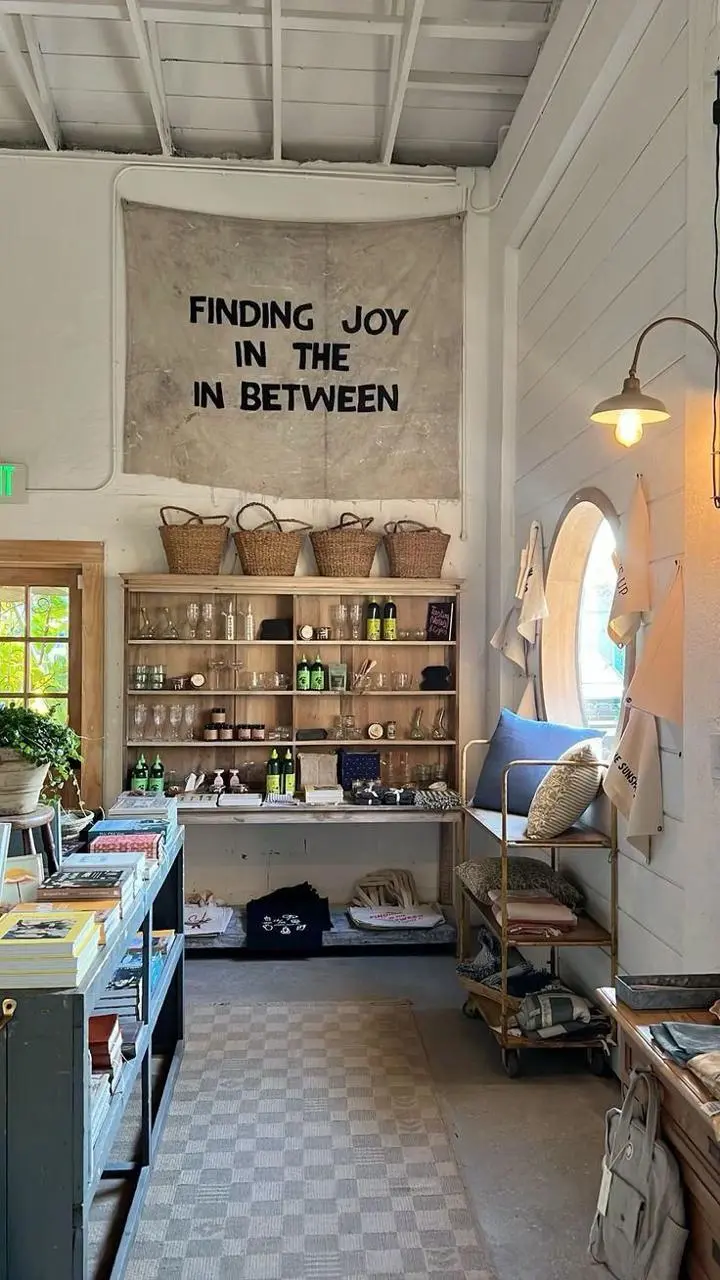
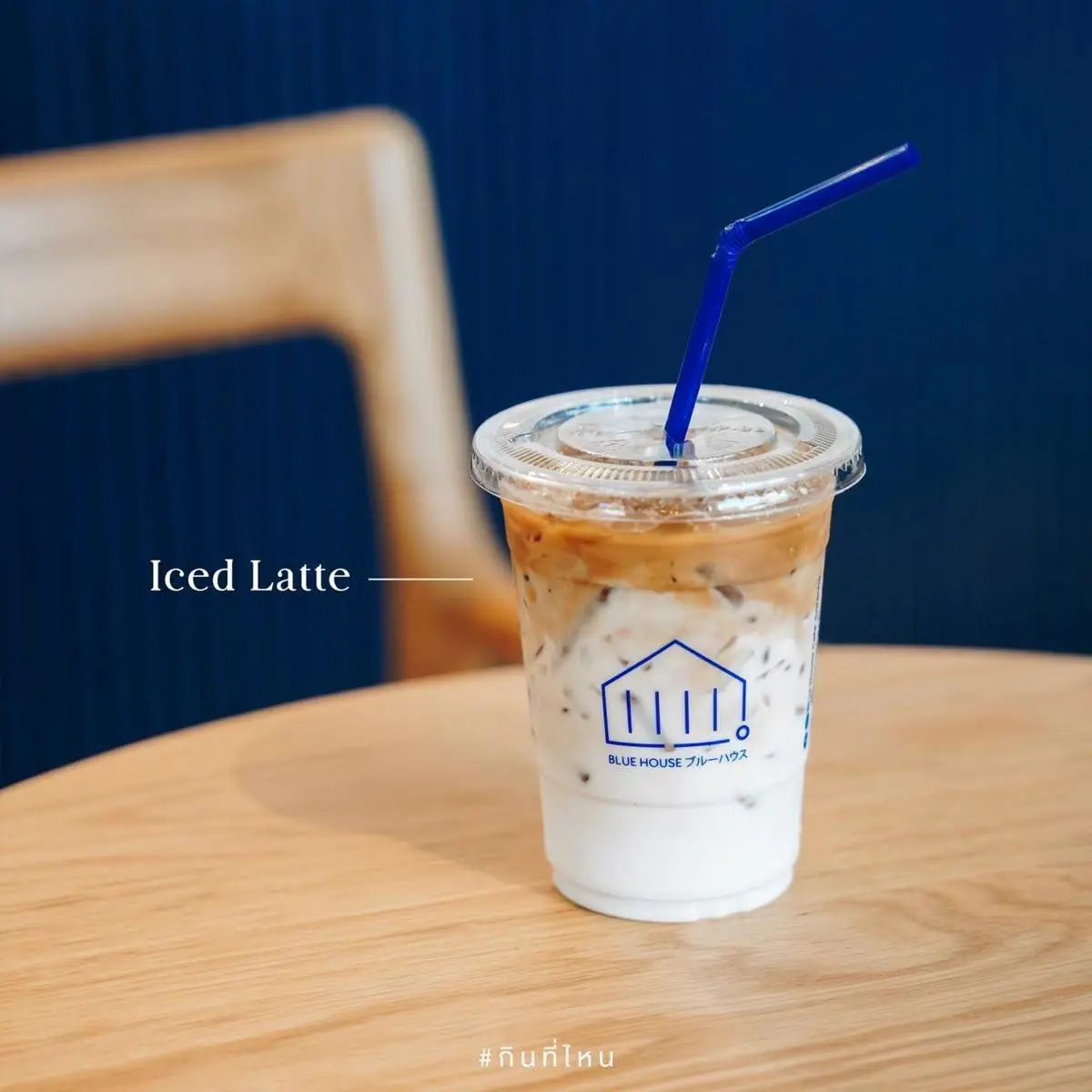
Scene: Café interior from [%#[image1]#%]cafe. barista runs a slow-drip pour-over station: glass carafe, filter cone, gooseneck kettle, grinder, and a counter drawer holding the bag from coffee-bag. The finished iced coffee is in [%#[image2]#%]caffee. Queue: skater first in line and worker and woman behind him.
CUT 1 (0:00–0:03) — Top-down tracking close-up: the counter drawer is pulled down toward the bottom of frame, camera tracking the pull; a single coffee-bag lies flat on its back inside the empty white drawer with nothing else in it. barista's hand grabs the bag and in a quick motion lifts it up toward the lens until dark fills the frame. TRANSITION: the cut hides inside the dark frame-fill.
CUT 2 (0:03–0:06) — Laowa probe lens macro dolly-out, pulling out of the bag's open mouth as beans cascade past the lens in ultra slow-motion into the grinder hopper below. TRANSITION: the camera whips DOWN with the falling beans.
CUT 3 (0:06–0:08) — Enters on the same downward plunge: macro on the grinder's spout as fresh ground coffee streams out of it like dark sand, backlit, piling into a soft mound in the dosing cup below — slow-motion on the flowing grounds, fine particles drifting in the light. TRANSITION: speed ramping orbit to the right.
Use image 1 as the opening frame. The same fox breathes gently, blinks, and turns its head slightly toward the camera. Fine snow falls slowly. Keep the fox, scarf, body proportions and snowy setting consistent. One continuous shot, a subtle camera push-in, no new animals, no cuts, no text.
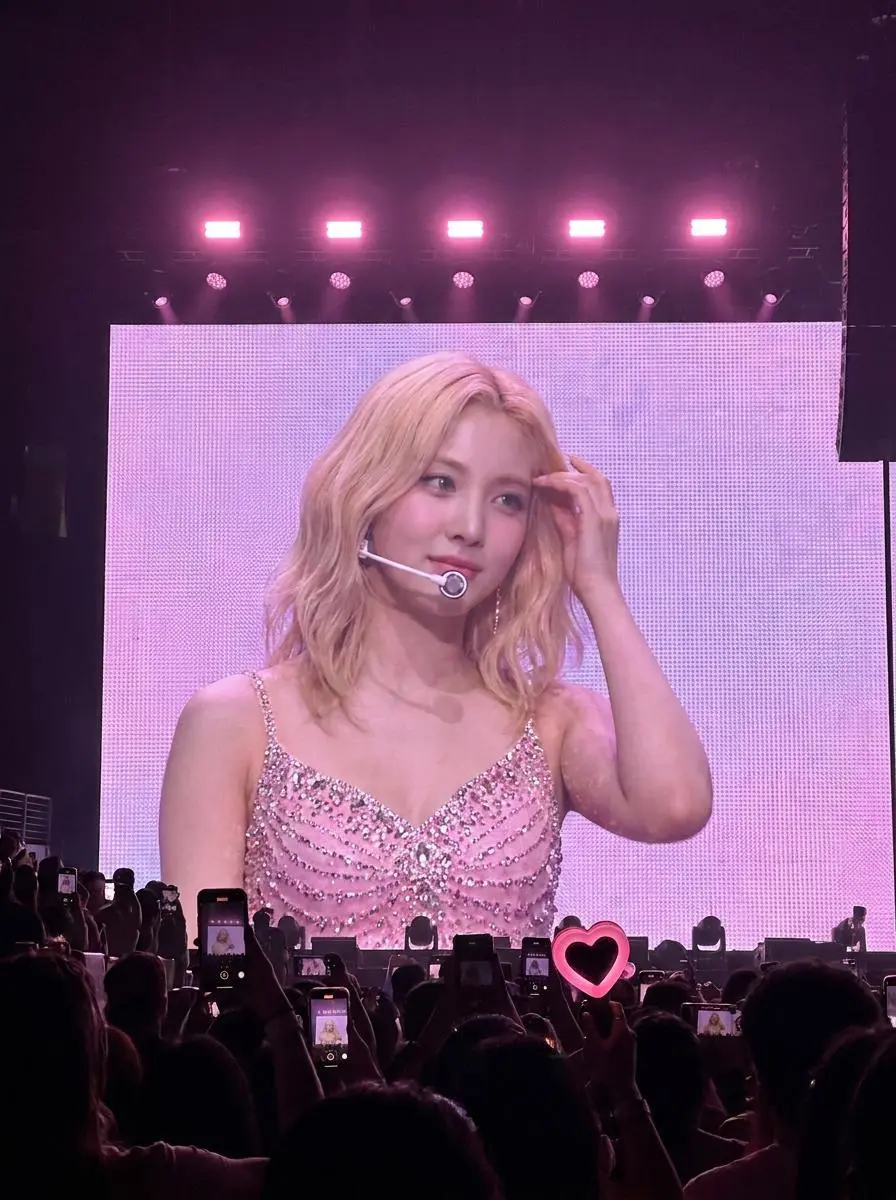
Use image 1 as the first frame. The performer on the stage screen turns her head slightly and makes a small natural hand gesture. Keep the pink stage lights, LED screen and audience silhouettes consistent. One continuous audience-view shot with a fixed camera. No new people, no cuts and no text.
Seedance 1.0 Pro는 텍스트와 이미지 기반의 ByteDance 영상 생성 모델이며, Seedance 1.0 발표는 동작과 여러 샷을 연결한 이야기 구성을 설명합니다.
Seedance 1.0 Pro는 텍스트 또는 이미지 기반 동작과 연결된 샷 요청에 활용할 수 있습니다. 커피 시퀀스와 집중된 여우 연기는 서로 다른 동작 규모를 보여 줍니다. 모델의 다중 샷 역할이 요청한 모든 컷의 수용을 보장하지는 않습니다.
텍스트 및 이미지 시작점
사용 가능한 WeShop 모드로 글로 쓴 장면이나 이미지 프레임에서 시작하세요.
여러 샷을 연결한 이야기 구성
공식 Seedance 1.0 발표에는 연결된 여러 샷 생성이 포함됩니다. 여러 샷을 쓰는 요청에서는 순서와 피사체를 명확히 하세요.
장면 속 움직임
무엇이 움직이고 동작이 어떻게 진행되는지 설명한 뒤 클립의 전환과 피사체 디테일을 확인하세요.
제작 방식
시작 입력 선택하기
현재 설정에는 텍스트, 시작 이미지와 시작/끝 프레임 작업이 등록되어 있습니다. 프레임 모드에는 시작 이미지가 필요하며 전환 모드에는 끝 이미지도 필요합니다. 현재 알려진 텍스트 전용 폼 제한은 설정에 등록된 모드 지원과 별개입니다.
텍스트로 장면 구성하기
모델 설정에는 텍스트 생성이 표시됩니다. 이 폼이 여전히 이미지를 요구한다면 여기서는 텍스트 전용 경로를 사용할 수 없습니다. 요구 조건을 우회할 수 있다고 가정하지 말고 확인된 이미지 기반 경로를 사용하세요.
시작 이미지 움직이기
피사체와 장면을 정하는 프레임을 업로드하세요. 이어지는 동작, 환경의 움직임 또는 카메라 연출을 설명하세요.
시작·끝 프레임 지정하기
두 이미지를 제공하고 구도를 연결하는 동작이나 전환을 설명하세요. 이 모드에서 제공하는 길이를 선택하세요.
프롬프트 가이드
Seedance 1.0 Pro 프롬프트 작성 방법
아래의 실제 Seedance 1.0 Pro 프롬프트를 결과 및 사용한 참조 입력과 함께 살펴보세요. 각 설명은 확인할 특정 지시를 짚어 줍니다. 효과를 요청했다고 해서 생성된 모든 디테일이 일치한다는 보장은 없습니다.
환경에 움직임 추가
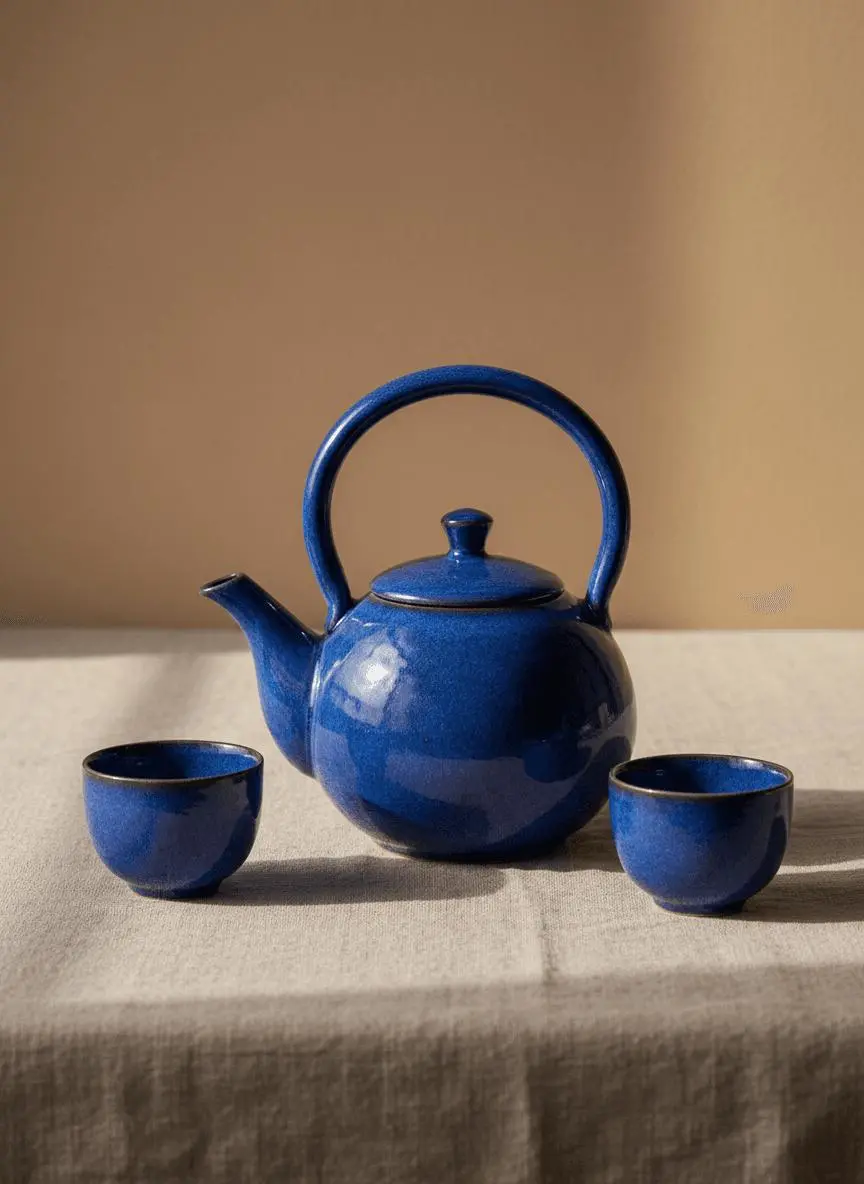
구도를 알아볼 수 있게 유지하면서 움직일 환경 요소를 지정하세요. 이 사례에서는: “A soft patch of window light moves slowly across the linen cloth while the camera makes a gentle push-in.”
Use image 1 as the first frame. Keep the blue teapot and two cups unchanged in shape, color and placement. A soft patch of window light moves slowly across the linen cloth while the camera makes a gentle push-in. One uninterrupted product shot, realistic shadows, no new objects, no cuts and no text.
프레이밍 변화 설명
프롬프트에서 요청한 카메라 움직임을 설명하고 결과의 프레이밍에 미친 효과를 확인하세요. 이 사례에서는 다음과 같이 요청했습니다. “One continuous shot with a gentle camera push-in.”
Use image 1 as the opening frame. The same illustrated character at the desk makes one small hand gesture and looks up briefly. Preserve the drawing style, face, glasses, clothing, desk and background. One continuous shot with a gentle camera push-in. No new people, no cuts and no text overlays.
사건 순서 지정
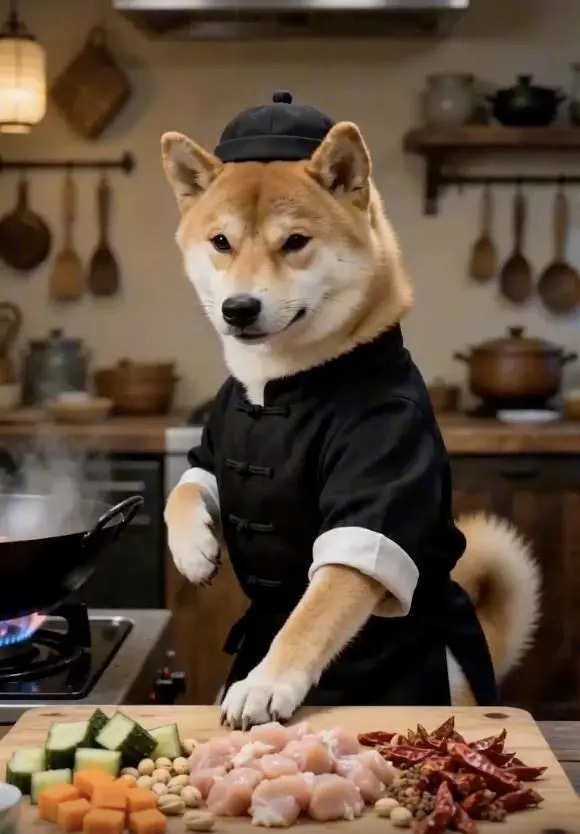
먼저 일어나는 일과 다음 동작 또는 공개가 이어지는 방식을 설명하세요. 이 사례에서는 다음과 같이 요청했습니다. “The same dog in the chef outfit makes one small stirring movement at the kitchen counter, then looks toward the camera.”
Use image 1 as the opening frame. The same dog in the chef outfit makes one small stirring movement at the kitchen counter, then looks toward the camera. Keep the dog identity, clothing, vegetables and kitchen layout consistent. One continuous medium shot, a stable camera, no scene changes and no text overlays.
사용 방법
Seedance 1.0 Pro 첫 영상 만들기
Seedance 1.0 Pro 선택 항목과 아래에 설명된 입력 경로로 시작하세요. 제출 전에 사용 가능한 설정과 포인트를 확인하세요.
이 모델에 필요한 입력 제공
현재 확인한 이미지 기반 경로에는 시작 이미지를 제공하고 움직임을 설명하세요. 시작/끝 모드에는 마지막 구도를 추가하세요. 텍스트 전용 제출은 폼에서 해당 모드를 허용할 때만 사용하세요.
이용 가능한 설정과 포인트 확인
길이: 2–12초. 화면 비율: 16:9, 9:16, 3:4, 4:3, 1:1. 이는 선택 가능한 설정이며 고정 픽셀 크기나 파일 형식 보장이 아닙니다. 실제 크기와 길이는 원본 출력에서 확인하세요. 제출 전에 표시 포인트와 요금제의 모델 접근 권한을 확인하세요.
결과 열기 및 확인
선택한 클립 길이 전체에서 피사체 연속성과 샷 순서를 확인하세요. 프롬프트에 대사나 시간 범위가 있다는 이유만으로 오디오나 정확한 시각을 가정하지 마세요.
등록된 시작/끝 프레임 작업이 필요하면 Pro를 선택하세요. 관련 효율성 중심 모델인 Pro Fast는 현재 설정에 텍스트와 시작 프레임 모드가 있으며 끝 프레임 모드는 등록되어 있지 않습니다. 공식 포지셔닝, 기록된 WeShop 설정, 현재 선택된 폼은 서로 구분되며 측정된 품질 또는 속도 순위를 뜻하지 않습니다.
비교 항목
Seedance 1.0 Pro
Seedance 1.0 Pro Fast
모델 역할
텍스트/이미지 영상과 모델의 다중 샷 능력
효율성을 중시하는 1.0 Pro 버전
페이지에 기재된 입력
텍스트로 장면 구성, 시작 이미지 움직이기, 시작·끝 프레임 지정
텍스트로 장면 구성, 시작 이미지 움직이기
현재 WeShop 옵션
길이: 2–12초
길이: 2–12초
모델 역할
Seedance 1.0 Pro
텍스트/이미지 영상과 모델의 다중 샷 능력
Seedance 1.0 Pro Fast
효율성을 중시하는 1.0 Pro 버전
페이지에 기재된 입력
Seedance 1.0 Pro
텍스트로 장면 구성, 시작 이미지 움직이기, 시작·끝 프레임 지정
Seedance 1.0 Pro Fast
텍스트로 장면 구성, 시작 이미지 움직이기
현재 WeShop 옵션
Seedance 1.0 Pro
길이: 2–12초
Seedance 1.0 Pro Fast
길이: 2–12초
Seedance 1.0 Pro 검토 시점
작업에 맞는 모델 선택
등록된 시작/끝 워크플로가 필요하면 Pro를 검토하세요. Pro Fast는 효율성 중심 대안이며 현재 입력 모드 선택이 다릅니다.
Seedance 1.0 Pro는 텍스트와 이미지 기반의 ByteDance 영상 생성 모델이며, Seedance 1.0 발표는 동작과 여러 샷을 연결한 이야기 구성을 설명합니다.
Seedance 1.0 Pro 활용 용도는 무엇인가요?
Seedance 1.0 Pro는 텍스트 또는 이미지 기반 동작과 연결된 샷 요청에 활용할 수 있습니다. 커피 시퀀스와 집중된 여우 연기는 서로 다른 동작 규모를 보여 줍니다. 모델의 다중 샷 역할이 요청한 모든 컷의 수용을 보장하지는 않습니다.
Seedance 1.0 Pro 사용에 어떤 입력이 필요한가요?
현재 설정에는 텍스트, 시작 이미지와 시작/끝 프레임 작업이 등록되어 있습니다. 프레임 모드에는 시작 이미지가 필요하며 전환 모드에는 끝 이미지도 필요합니다. 현재 알려진 텍스트 전용 폼 제한은 설정에 등록된 모드 지원과 별개입니다.
어떤 길이와 형식 설정을 사용할 수 있나요?
길이: 2–12초. 화면 비율: 16:9, 9:16, 3:4, 4:3, 1:1. 이는 선택 가능한 설정이며 고정 픽셀 크기나 파일 형식 보장이 아닙니다. 실제 크기와 길이는 원본 출력에서 확인하세요.
Seedance 1.0 Pro 프롬프트는 어떻게 쓰면 되나요?
구도를 알아볼 수 있게 유지하면서 움직일 환경 요소를 지정하세요. 이 사례에서는: “A soft patch of window light moves slowly across the linen cloth while the camera makes a gentle push-in.” 가이드에서 연결된 전체 프롬프트와 실제 입력을 읽고 자신의 작업에 맞게 조정하세요.
Seedance 1.0 Pro 모델은 관련 모델과 어떻게 다른가요?
등록된 시작/끝 프레임 작업이 필요하면 Pro를 선택하세요. 관련 효율성 중심 모델인 Pro Fast는 현재 설정에 텍스트와 시작 프레임 모드가 있으며 끝 프레임 모드는 등록되어 있지 않습니다.
Seedance 1.0 Pro 무료 이용이 가능한가요? 비용은 어떻게 정해지나요?
현재 WeShop 요금 페이지에서 요금제의 모델 이용 권한과 제공량을 확인하고 생성기에서 선택한 설정과 수량에 대한 예상 포인트를 확인하세요. 이 페이지는 요청당 고정 가격을 제시하거나 다른 제공업체의 구독 할당량을 WeShop에 적용하지 않습니다.
어떤 한계를 확인해야 하나요?
다중 샷 능력이 임의 장면 변경이나 과도한 대본을 짧은 클립에 모두 담는 것을 보장하지는 않습니다. 선택한 클립 길이 전체에서 피사체 연속성과 샷 순서를 확인하세요. 프롬프트에 대사나 시간 범위가 있다는 이유만으로 오디오나 정확한 시각을 가정하지 마세요.
이 페이지의 예시에서 무엇을 배울 수 있나요?
저장된 Seedance 1.0 Pro 예시는 커피 광고 시퀀스, 한 샷에 집중한 여우 캐릭터, 콘서트 스크린 속 캐릭터 연기 사례를 보여 줍니다. 각 결과를 실제 프롬프트와 사용 가능한 입력과 함께 확인하세요. 사례는 하나의 요청을 보여 줄 뿐 결과 보장이나 성공률 벤치마크가 아닙니다.