에어프라이어 제품 이야기 및 동영상에서 이어진 향수 샷 및 가이드 이미지 기반 FPV 카메라 경로를 살펴보세요. 각 결과에는 실제 영어 프롬프트, 저장된 사례와 이용 가능한 참조 입력이 연결되어 있습니다.
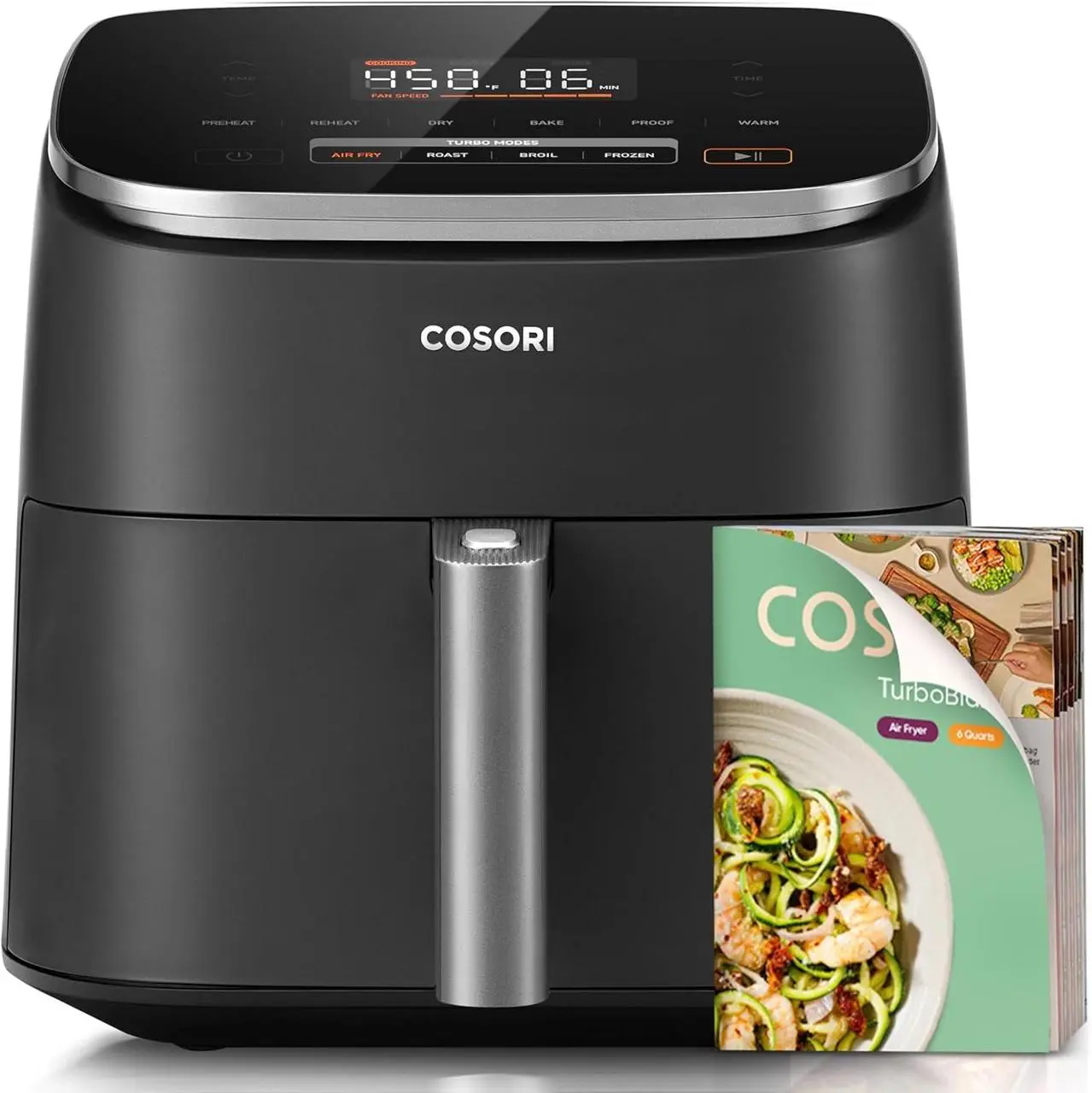
에어프라이어 제품 이야기
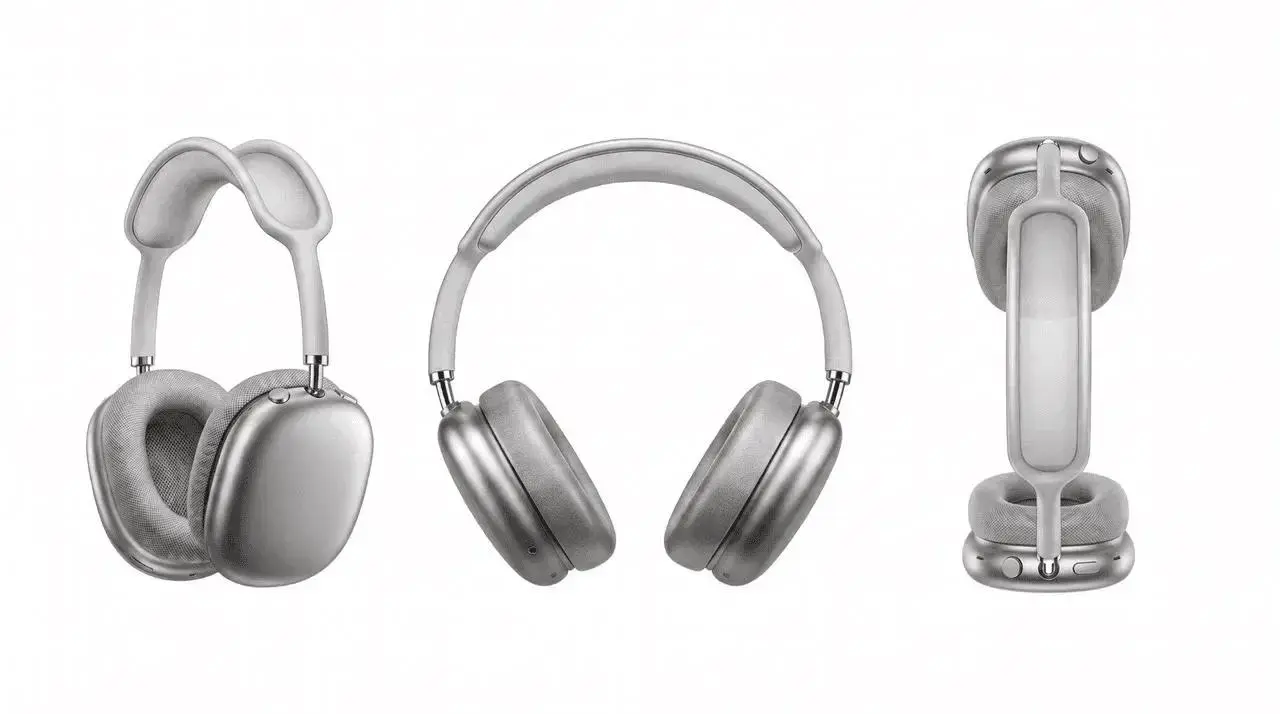
원본 프롬프트와 입력으로 제품 및 표현 방식을 제공하고 에어프라이어를 중심으로 제품 이야기를 만드세요.
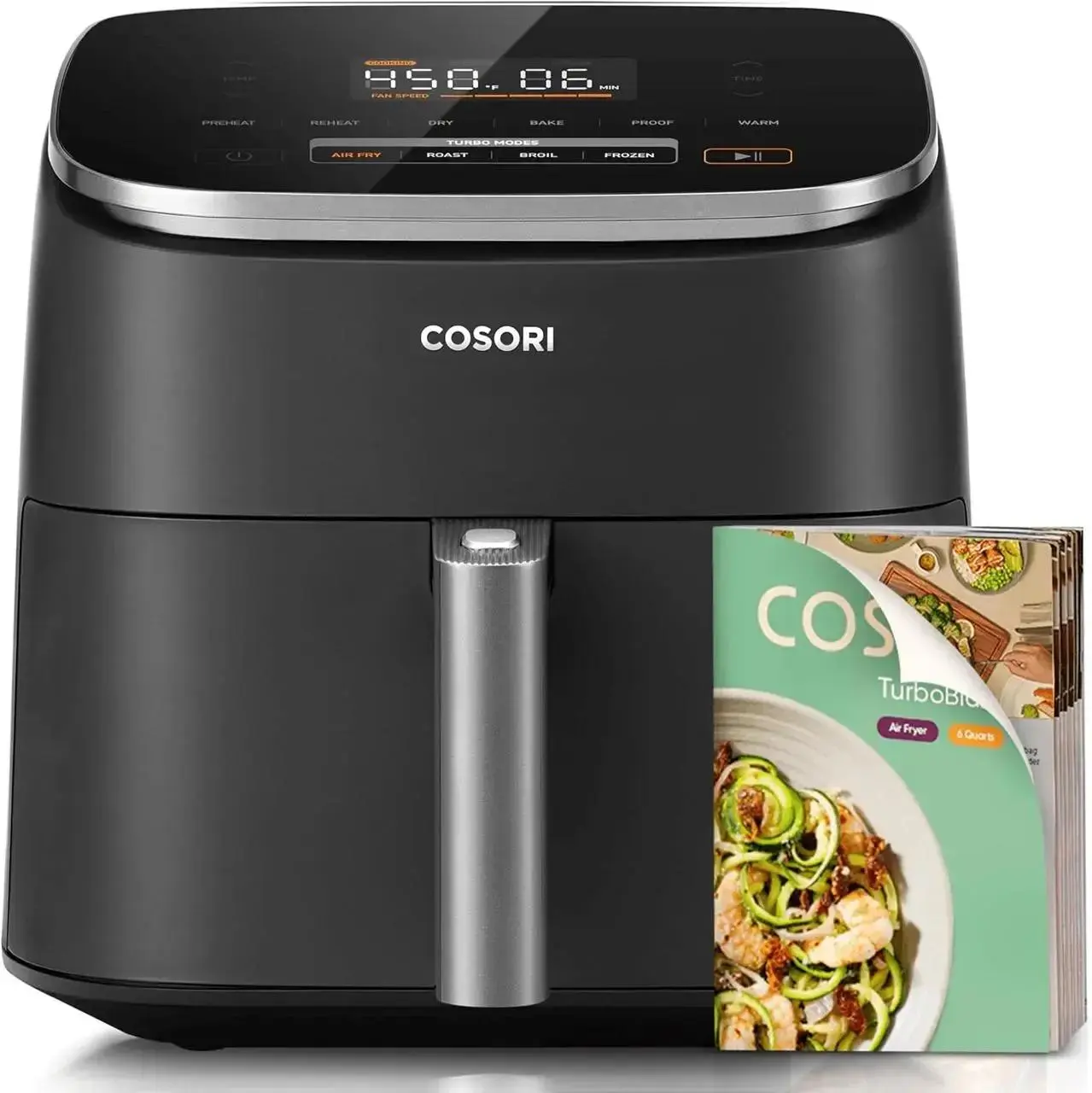
product name: Cosori TurboBlaze Air Fryer
product is[%#[image1]#%].
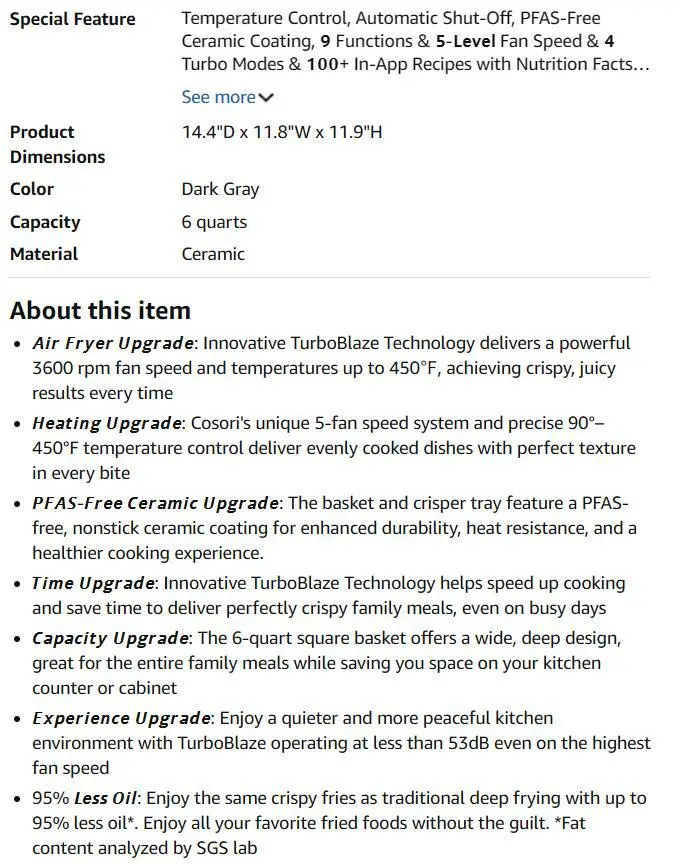
product details is[%#[image2]#%].
Create a piece of content that uses a full-process video for the first time.
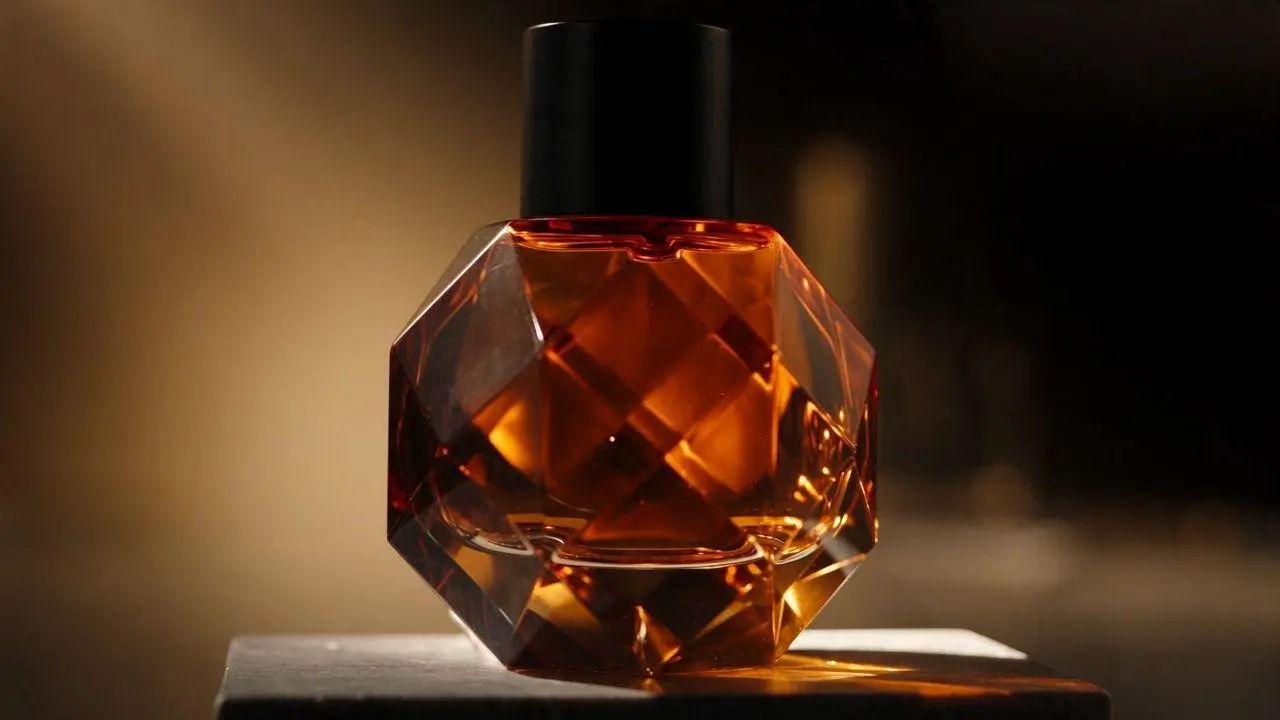
기존 향수 클립의 병과 스튜디오를 유지하며 영상을 이어 만들고, 카메라를 곡선으로 이동해 마지막에 3/4 각도로 보여 줍니다. 이 저장된 사례의 참고 입력은 원본 동영상입니다. 연결된 사례에서 해당 입력과 생성된 이어 만들기 결과를 비교하세요.
Continue video 1 forward from its exact final close-up. Keep the same faceted amber glass perfume bottle, matte black cylindrical cap, dark stone pedestal, warm minimal studio, golden side light, and fine background mist. The camera continues its slow forward motion for one beat, then makes a gentle clockwise arc to reveal the right side of the same bottle. A thin ribbon of mist passes behind the bottle while the golden beam narrows. End on a stable three-quarter hero close-up with the bottle centered and its amber reflections still shimmering. Preserve the bottle proportions, facet pattern, cap shape, pedestal, lighting direction, black-and-gold palette, and cinematic realism. Do not introduce people, hands, text, labels, logos, extra products, subtitles, or a watermark. Continue the same subtle room tone and let the final glass chime decay naturally.
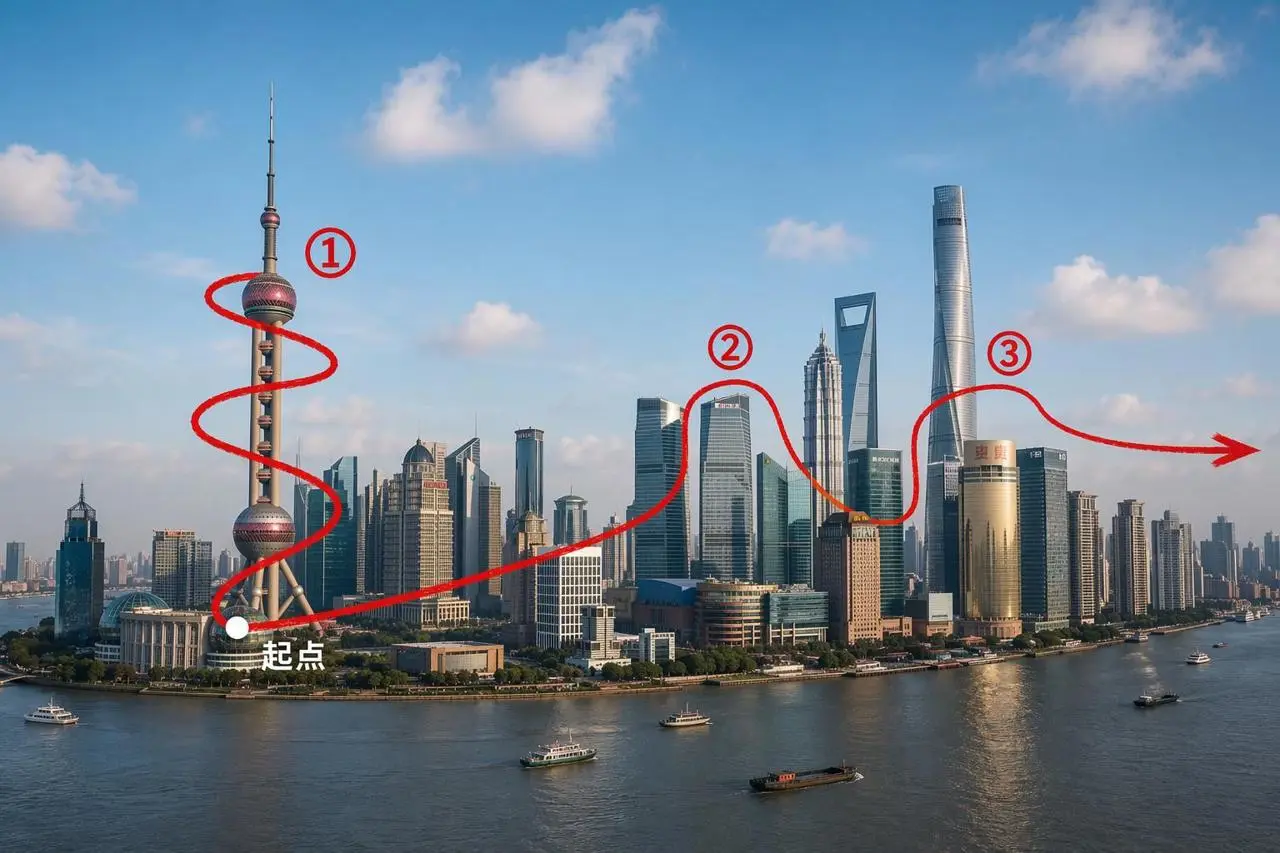
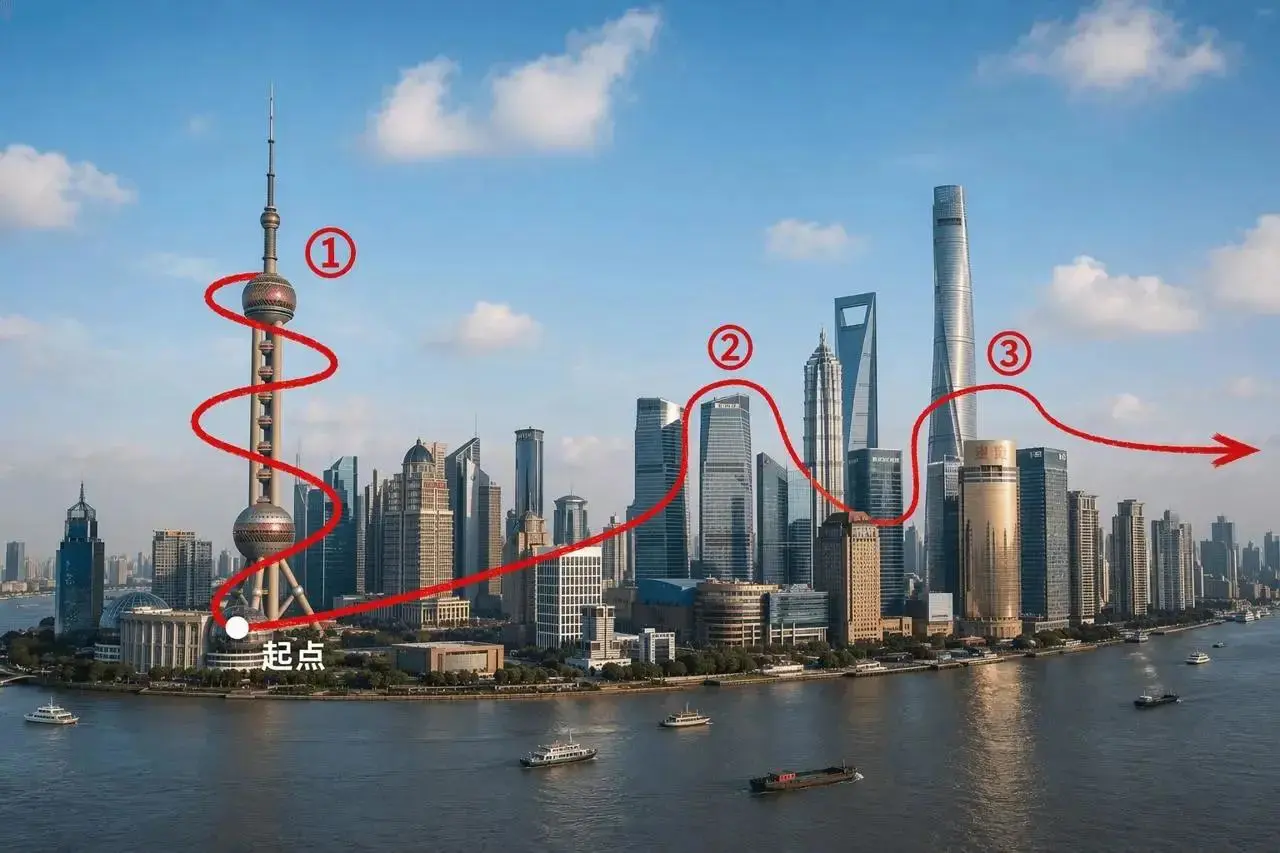
제공된 가이드 이미지로 FPV 스타일 카메라 경로를 따르고 카메라의 이동 위치와 시점 변화를 설명하세요.
Generate a 15-second, first-person FPV video of an ultra-high-speed drone fly-through in a cinematic, continuous one-take shot. Start at low altitude above the Huangpu River, near the base of the Oriental Pearl Tower. Rapidly climb while smoothly orbiting the tower shaft, lower sphere, upper sphere, and antenna. Then follow the spatial relationship indicated by the red route in the reference image, flying at high speed toward the Lujiazui financial district. Weave left and right with rising and diving movement between Shanghai Tower, Shanghai World Financial Center (SWFC), and Jin Mao Tower. Finally, continue in the direction of the arrow and accelerate toward the front-right side of the Pudong skyline, ending on a wide, open city view. Do not show the red route, numbers, arrow, starting-point label, or any other guide markings in the generated video; they are only spatial references.
Seedance 2.5는 더 긴 이야기, 참조 기반 지시와 동영상 편집을 위한 ByteDance의 오디오·동영상 모델입니다.
Seedance 2.5는 더 긴 시청각 구상, 참조 기반 지시와 샷 이어 만들기 또는 변형에 관련됩니다. 저장된 향수 이어 만들기는 기존 클립을 사용하고 FPV 사례는 가이드 이미지에 경로를 지정합니다. 둘은 서로 다른 입력 작업입니다.
더 긴 이야기를 위한 여유
2.5 릴리스는 생성당 최대 30초를 지원합니다. 선택한 길이 안에서 도입, 동작 전개와 마무리를 구성할 여유를 제공합니다.
창작 역할을 가진 참조
시각 및 오디오 참조는 피사체, 프레이밍, 연기와 해석의 지침이 될 수 있습니다. 요청에서 제공한 자료의 역할을 설명해야 합니다.
생성 및 지시 기반 변형
공식 릴리스에는 편집 지향 기능이 포함됩니다. 의도한 변경에는 WeShop이 실제로 제공하는 참조 및 편집 컨트롤을 사용하세요.
제작 방식
동영상을 설명하고 필요에 따라 참고 자료 추가
먼저 원하는 동영상을 설명하세요. 장면을 안내할 자료가 필요할 때 이미지, 동영상 또는 오디오를 추가하세요. 현재 양식에서 이러한 업로드는 선택 사항입니다.
동영상 설명으로 시작하기
피사체, 배경, 동작, 카메라 방향을 설명하세요. 선택한 길이 동안 장면이 어떻게 전개되어야 하는지 적고, 요청에서 역할이 있는 경우에만 참고 자료를 추가하세요.
멀티미디어 참고 자료로 요청 안내
필요한 이미지, 동영상 또는 오디오를 추가하고 각 자료가 무엇을 안내할지 설명하세요. 제품 이야기와 동영상 이어 만들기 예시는 서로 다른 참고 입력을 사용하므로 프롬프트를 응용하기 전에 실제 입력을 확인하세요. 이어 만들기 예시가 있다고 해서 이 페이지에 별도의 동영상 연장 기능이 있다는 뜻은 아닙니다.
프롬프트 가이드
Seedance 2.5 프롬프트: 샷 순서·카메라·소리
아래 실제 Seedance 2.5 요청을 참고하세요. 각 카드는 구체적인 지시, 결과와 이용 가능한 입력을 보여 주며 영어 원본 프롬프트 전문을 유지합니다. 주제와 참조 역할을 자신의 작업에 맞게 조정하세요.
커피 샷과 소리 지시 구분
실제 커피 광고 프롬프트는 카페, 커피 준비와 순서 있는 컷을 설명합니다. 별도로 음악 없이 원두, 그라인더, 주전자와 따르는 소리를 상세히 요청합니다. 샷 전개와 제공된 오디오를 확인하세요. “8K” 문구는 출력 설정을 보장하지 않습니다.
Style: 8K photorealistic cinematic commercial, epic coffee montage. Ultra-shallow macro DOF (f/1.4), creamy bokeh, warm amber grade, forest-green + coral brand accents. Cine lens feel, 180° shutter motion blur. Edgar Wright-style kinetic editing. Speed ramps snap from fast motion to ultra slow-mo at impact points. Real physics and weight. Deadpan Hollywood acting. Characters, props and café identical in every cut. Audio: NO music anywhere in the film. The entire soundtrack is hyper-real, ASMR-level sound design — drawer roll, bean rattle, grinder crunch, kettle hiss, bloom fizz, liquid pours, drip plinks, ice rattle, cup slides — crisp, close-mic'd, frame-synced, layering louder as the cuts accelerate, then falling to near-silent café room tone (fan hum, distant dishes) at the presentation. Clean dialogue; slogan VO at the end. 24fps, no subtitles, no on-screen text.
Characters: barista — early-20s man, black curls under a black cap, white earbuds in BOTH ears the entire film, khaki tee, forest-green bib apron, black trousers. Performs the brew with the solemn intensity of a concert soloist — precise and ceremonial. skater — teenage boy, shaggy black hair, sage windbreaker over black hoodie, baggy grey cargos, skateboard under his arm. Total stone face, calm slow movements. worker — heavyset construction worker, navy jacket, tan work pants, yellow hard hat under his arm. Tired, second in line. woman — young woman with a shoulder bag third in line.
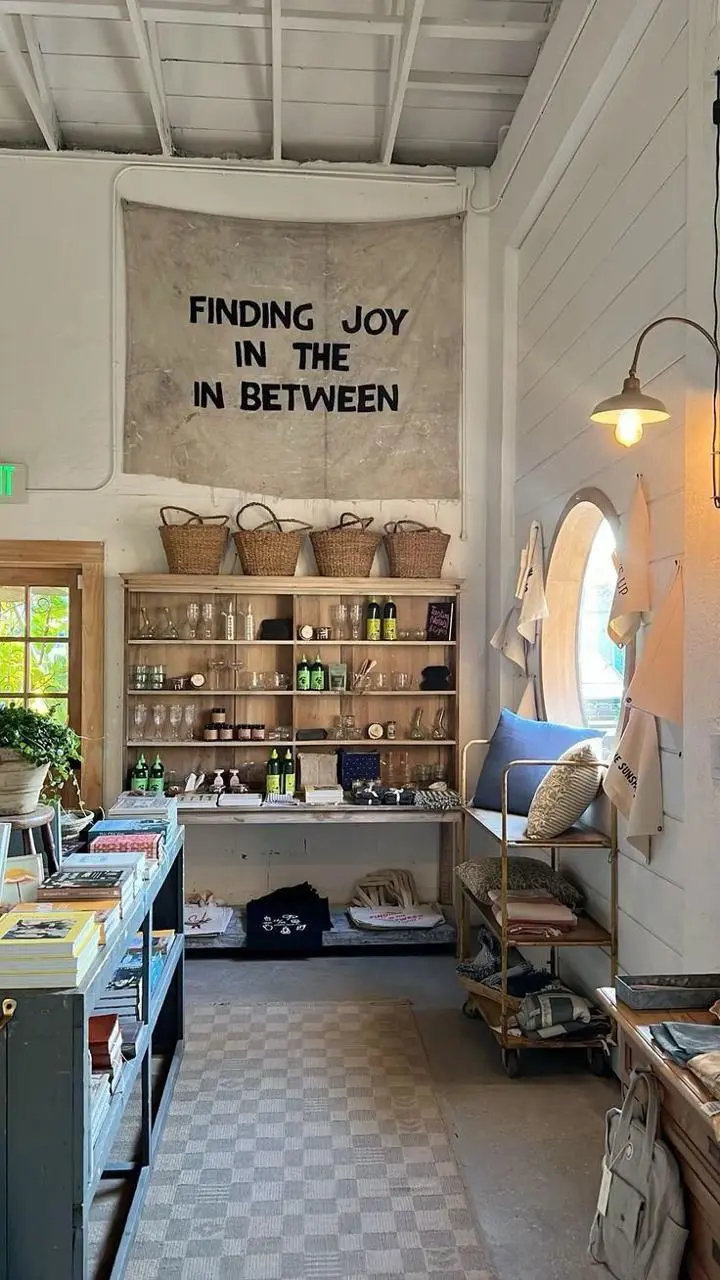
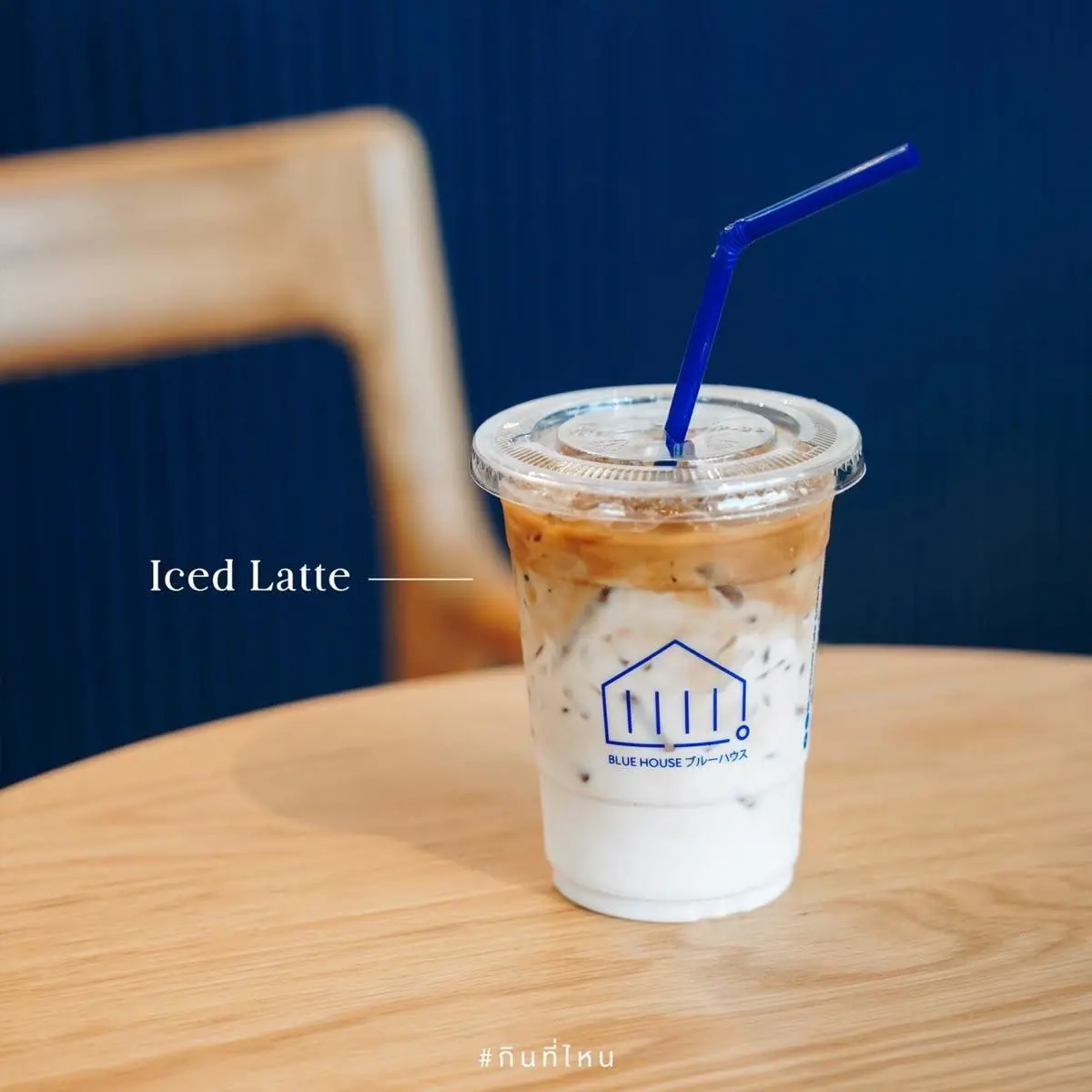
Scene: Café interior from [%#[image1]#%]cafe. barista runs a slow-drip pour-over station: glass carafe, filter cone, gooseneck kettle, grinder, and a counter drawer holding the bag from coffee-bag. The finished iced coffee is in [%#[image2]#%]caffee. Queue: skater first in line and worker and woman behind him.
CUT 1 (0:00–0:03) — Top-down tracking close-up: the counter drawer is pulled down toward the bottom of frame, camera tracking the pull; a single coffee-bag lies flat on its back inside the empty white drawer with nothing else in it. barista's hand grabs the bag and in a quick motion lifts it up toward the lens until dark fills the frame. TRANSITION: the cut hides inside the dark frame-fill.
CUT 2 (0:03–0:06) — Laowa probe lens macro dolly-out, pulling out of the bag's open mouth as beans cascade past the lens in ultra slow-motion into the grinder hopper below. TRANSITION: the camera whips DOWN with the falling beans.
CUT 3 (0:06–0:08) — Enters on the same downward plunge: macro on the grinder's spout as fresh ground coffee streams out of it like dark sand, backlit, piling into a soft mound in the dosing cup below — slow-motion on the flowing grounds, fine particles drifting in the light. TRANSITION: speed ramping orbit to the right.
손과 상호작용 설명
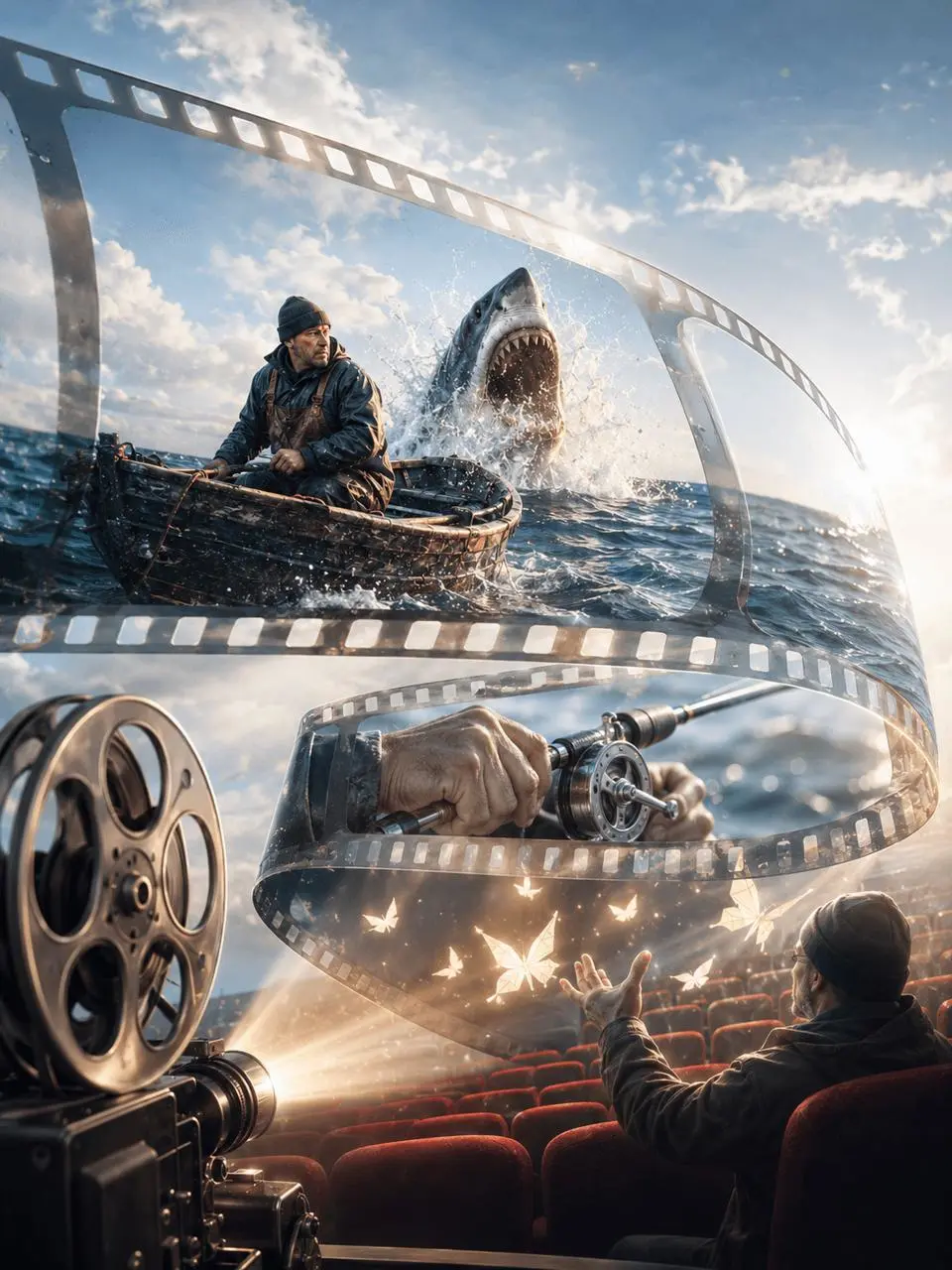
낚시 장면이라고만 하지 말고 손잡는 방식, 릴 움직임, 낚싯줄 장력과 물보라를 지정하세요. 이 요청은 손 클로즈업에 동작을 집중합니다.
[6-12 SECONDS]
Close-up of his hands gripping the rod, cranking the reel. The line cuts through the water in sharp zigzags, spraying mist. The boat rocks and tilts, water sloshing across the deck around his boots. He stumbles, catches himself on the railing, pulls the rod back up, laughs and says, "What did I hook, a truck?"
제품 주변 카메라의 곡선 이동 지정
이미지로 제품을 정하고 스튜디오에서 느린 카메라 곡선 이동을 요청하세요. 시각적 피사체와 동영상 요청으로 추가하는 동작을 구분할 수 있습니다.
Use the uploaded product image as the subject reference. Place it in a bright studio scene and describe a slow camera arc around the product.
이야기를 샷으로 나누기
캠퍼스 로맨스 구상은 만화 스타일 장면을 시간별 샷으로 나눕니다. 각 샷에 피사체 동작과 프레이밍을 지정해 시퀀스의 전개를 명확히 하세요.
Create a 15-second, Japanese-style campus romance motion comic in a 9:16 vertical format. The art style should be fresh and delicate, featuring clean lines, soft colors, and a subtle "manga screentone" texture. The setting is a university classroom after class; the setting sun streams through the window, casting light onto the desks, while curtains sway gently—creating a quiet, tender atmosphere. Convey the romantic tension through glances, pauses, and subtle facial expressions; avoid exaggerated effects like floating hearts.
**Character Profiles:** The girl is around 20, with shoulder-length black hair, wearing a white top under a light blue knitted cardigan; she appears studious but is actually stealing glances at the boy. The boy is also around 20, with short black hair and a crisp white shirt; he has a refreshing, clean-cut aura and is helping the girl with her coursework. They sit side-by-side at a desk by the window, with an open exercise book lying between them.
Shot 1 | 0–3 seconds: Medium shot of both characters, with a slow zoom-in.
The boy looks down, tapping a problem in the exercise book with the tip of his pen. The girl turns her head slightly, her gaze fixed on the boy’s face rather than the book.
The boy asks casually, "Did you follow that?"
Shot 2 | 3–6 seconds: Close-up of the girl.
Startled back to reality, the girl quickly looks down at the book, her fingers unconsciously gripping the edge of the page as she tries to pretend she’s been listening intently.
She murmurs, "Ah... I didn't quite get it."
Shot 3 | 6–9 seconds: Close-up of the boy, with the girl’s shoulder visible in the foreground.
The boy stops writing and turns to look at her, his eyebrows lifting slightly, his tone carrying a hint of a smile. They are positioned naturally, without any forced physical closeness.
The boy asks, "Then what were you looking at just now?"
Shot 4 | 9–12 seconds: Extreme close-up of the girl’s face.
The girl instinctively looks up, meeting his eyes. She realizes what she’s just blurted out; the tips of her ears turn a faint shade of red, and she hurriedly shifts her gaze away. The girl says, "Looking at you..."
A brief silence follows, capturing her small gestures—pressing her lips together and lowering her gaze.
Shot 5 | 12–15 seconds: A close-up, side-profile shot of both characters; the camera pulls back gently.
The boy pauses for half a second, then lowers his head with a smile. He sets his pen down on his book and looks back at the girl. She steals a glance upward, and their eyes meet once more.
In a softer tone, the boy says, "Well... keep looking for a little while longer."
The scene lingers on the moment their eyes meet, set against the backdrop of the setting sun and gently swaying curtains—a tender conclusion.
**Audio and Visual Requirements:** Use natural-sounding voiceovers for a young man and woman; the pace should be unhurried, ensuring all dialogue is completed within each respective shot, while incorporating natural hesitations and pauses. The background audio should include the faint sound of a breeze, the rustling of book pages, and soft piano music. Chinese subtitles should appear line-by-line, synchronized with the dialogue. Maintain consistent character appearances, attire, seating arrangements, and lighting throughout. Do not add any voice-over narration, additional characters, or extra lines of dialogue.
고정된 정면 구도, 부드러운 자연광, 조용한 실내를 텍스트로 지정해 만든 인물 영상입니다. 프롬프트는 카메라 바라보기, 자연스러운 눈 깜박임, 작은 시선 변화, 은은한 미소와 가벼운 끄덕임을 지시합니다. 이 예시에는 참조 이미지를 첨부하지 않았습니다.
8-second portrait video using the input image. Fixed front-facing composition with soft daylight and a quiet indoor setting.
The subject looks toward the camera, blinks naturally, and makes a small gaze adjustment. The expression gradually changes into a gentle smile, followed by a brief downward glance and a subtle nod.
One continuous static shot with natural movement and quiet room ambience. No speech, music, camera movement, or on-screen text.
피사체를 따라 마지막 시점으로
돌을 지나는 종이배를 따라가고 주변 물결로 마무리하세요. 경로와 마지막 프레이밍을 명시하면 원하는 카메라 이동이 구체화됩니다.
A paper boat moves along a shallow stream at sunrise. Follow it past mossy stones and finish on a close-up of the ripples around the boat.
사용 방법
WeShop AI에서 Seedance 2.5 사용하는 방법
Seedance 2.5를 선택하고 아래 입력 경로로 시작하세요. 제출 전에 이용 가능한 설정과 포인트를 확인하세요.
이 모델에 필요한 입력 제공
먼저 만들고 싶은 동영상을 글로 설명하세요. 작업에 참고 자료가 필요하면 현재 양식에서 허용하는 파일을 추가하고 각 파일의 역할을 설명하세요. 기존 클립을 이어 만들려면 해당 원본 동영상을 제공하고 마지막 장면에서 샷이 어떻게 이어져야 하는지 적으세요.
이용 가능한 설정과 포인트 확인
길이: 4–30 초. 화면비: 21:9, 16:9, 9:16, 3:4, 4:3, 1:1. 이는 선택 가능한 설정이며 고정된 픽셀 크기나 파일 형식을 보장하지 않습니다. 실제 크기와 길이는 원본 출력에서 확인하세요. 제출 전에 표시된 포인트와 요금제의 모델 이용 권한을 확인하세요.
결과 열기 및 확인
제품 연속성, 카메라 경로와 마무리를 확인하세요. 이어진 클립은 원본과의 연결부를 확인하고 프롬프트의 시간 범위에만 의존하지 말고 실제 길이와 오디오를 살펴보세요.
BytePlus는 2.0 시리즈에서 Seedance 2.0을 품질 중심, Mini를 비용 효율 중심으로 설명합니다. Seedance 2.5는 한 번의 요청에서 더 긴 길이를 선택할 수 있습니다. 아래에서 모델의 지향점과 현재 WeShop 옵션을 비교한 뒤 개별 선택 카드로 작업에 맞는 모델을 고르세요.
비교 항목
Seedance 2.0
Seedance 2.0 Mini
Seedance 2.5
공식 지향점 — BytePlus
2.0 시리즈의 품질 중심 옵션
2.0 시리즈의 비용 효율 중심 옵션
더 긴 이야기와 확장된 참고·편집 기능
WeShop의 선택적 참고 자료 업로드
이미지, 동영상, 오디오
이미지, 동영상, 오디오
이미지, 동영상, 오디오
WeShop에서 선택 가능한 길이
4~15초
4~15초
4~30초
공식 지향점 — BytePlus
Seedance 2.0
2.0 시리즈의 품질 중심 옵션
Seedance 2.0 Mini
2.0 시리즈의 비용 효율 중심 옵션
Seedance 2.5
더 긴 이야기와 확장된 참고·편집 기능
WeShop의 선택적 참고 자료 업로드
Seedance 2.0
이미지, 동영상, 오디오
Seedance 2.0 Mini
이미지, 동영상, 오디오
Seedance 2.5
이미지, 동영상, 오디오
WeShop에서 선택 가능한 길이
Seedance 2.0
4~15초
Seedance 2.0 Mini
4~15초
Seedance 2.5
4~30초
Seedance 2.0을 선택할 때
4~15초 클립에서 영상 품질을 우선할 때 적합한 선택지입니다. BytePlus는 2.0 시리즈 내에서 2.0을 품질 중심 옵션으로 설명합니다. 실제 결과는 자신의 작업 요구에 맞춰 확인하세요.
Seedance 2.5는 더 긴 이야기, 참조 기반 지시와 동영상 편집을 위한 ByteDance의 오디오·동영상 모델입니다.
Seedance 2.5는 어떤 용도에 유용한가요?
Seedance 2.5는 더 긴 시청각 구상, 참조 기반 지시와 샷 이어 만들기 또는 변형에 관련됩니다. 저장된 향수 이어 만들기는 기존 클립을 사용하고 FPV 사례는 가이드 이미지에 경로를 지정합니다. 둘은 서로 다른 입력 작업입니다.
Seedance 2.5로 기존 동영상을 이어 만들 수 있나요?
저장된 향수 사례는 기존 클립을 이어 만든 결과입니다. 해당 사례에서 실제 설정을 확인하고 필요한 원본 동영상을 입력할 수 있는지 먼저 확인하세요. 문서화된 모델은 참조 기반 작업을 처리하며 이미지를 쓰는 사례도 있습니다. 다만 현재 페이지 컨트롤만으로 모든 공식 미디어 유형이나 이어 만들기 도구의 제공 여부를 확정할 수는 없습니다.
어떤 길이와 형식 설정을 사용할 수 있나요?
길이: 4–30 초. 화면비: 21:9, 16:9, 9:16, 3:4, 4:3, 1:1. 이는 선택 가능한 설정이며 고정된 픽셀 크기나 파일 형식을 보장하지 않습니다. 실제 크기와 길이는 원본 출력에서 확인하세요.
Seedance 2.5는 무료인가요? 이용 요금은 어떻게 부과되나요?
현재 WeShop 요금 페이지에서 요금제의 모델 이용 권한과 제공량을 확인하고 생성기에서 선택한 설정과 수량에 대한 예상 포인트를 확인하세요. 이 페이지는 요청당 고정 가격을 제시하거나 다른 제공업체의 구독 할당량을 WeShop에 적용하지 않습니다.
어떤 한계를 확인해야 하나요?
공식 확장 및 제작 컨트롤이 여기서 자동으로 활성화되지는 않습니다. WeShop이 지원하는 길이와 입력을 선택하세요. 제품 연속성, 카메라 경로와 마무리를 확인하세요. 이어진 클립은 원본과의 연결부를 확인하고 프롬프트의 시간 범위에만 의존하지 말고 실제 길이와 오디오를 살펴보세요.
Seedance 2.5 예시는 무엇을 보여 주나요?
저장된 요청은 에어프라이어 제품 이야기, 동영상에서 이어진 향수 샷, 가이드 이미지 기반 FPV 카메라 경로를 보여 줍니다. 실제 프롬프트와 참조 역할을 결과와 함께 확인하세요. 개별 예시는 성공률 측정이나 정확한 보존을 보장하지 않습니다.
Seedance 2.5와 2.0, Mini는 어떻게 선택하나요?
2.5는 더 긴 단일 생성과 참조·편집 범위를 문서화합니다. 2.0과 Mini 항목에는 자체 모드와 4–15초 제품 옵션이 있습니다. 모든 2.5 기능을 이전 버전에 적용하지 말고 실제 입력, 길이와 작업을 비교하세요.
Seedance 2.5 프롬프트는 어떻게 작성하나요?
실제 커피 광고 프롬프트는 카페, 커피 준비와 순서 있는 컷을 설명합니다. 별도로 음악 없이 원두, 그라인더, 주전자와 따르는 소리를 상세히 요청합니다. 샷 전개와 제공된 오디오를 확인하세요. “8K” 문구는 출력 설정을 보장하지 않습니다. 가이드에서 연결된 전체 프롬프트와 실제 입력을 읽고 자신의 작업에 맞게 조정하세요.