

AI generation with weshop-skill, built for Claude Code, OpenCode, and AI agents that need fast image and video generation workflows.
In the rapidly evolving landscape of AI development, autonomous agents (such as Claude Code, Codex, and Gemini CLI) have proven incredibly powerful at parsing code, orchestrating tasks, and running local tools.
However, the gap between text-based AI reasoning and actual visual production has always been annoying. Weshop Skill and Weshop CLI close it — directly from the terminal.
The system works with Weshop.ai. While agents run commands asynchronously from CLI, you can jump on the web platform to check progress, manage assets, and tweak results in a collaborative workspace.
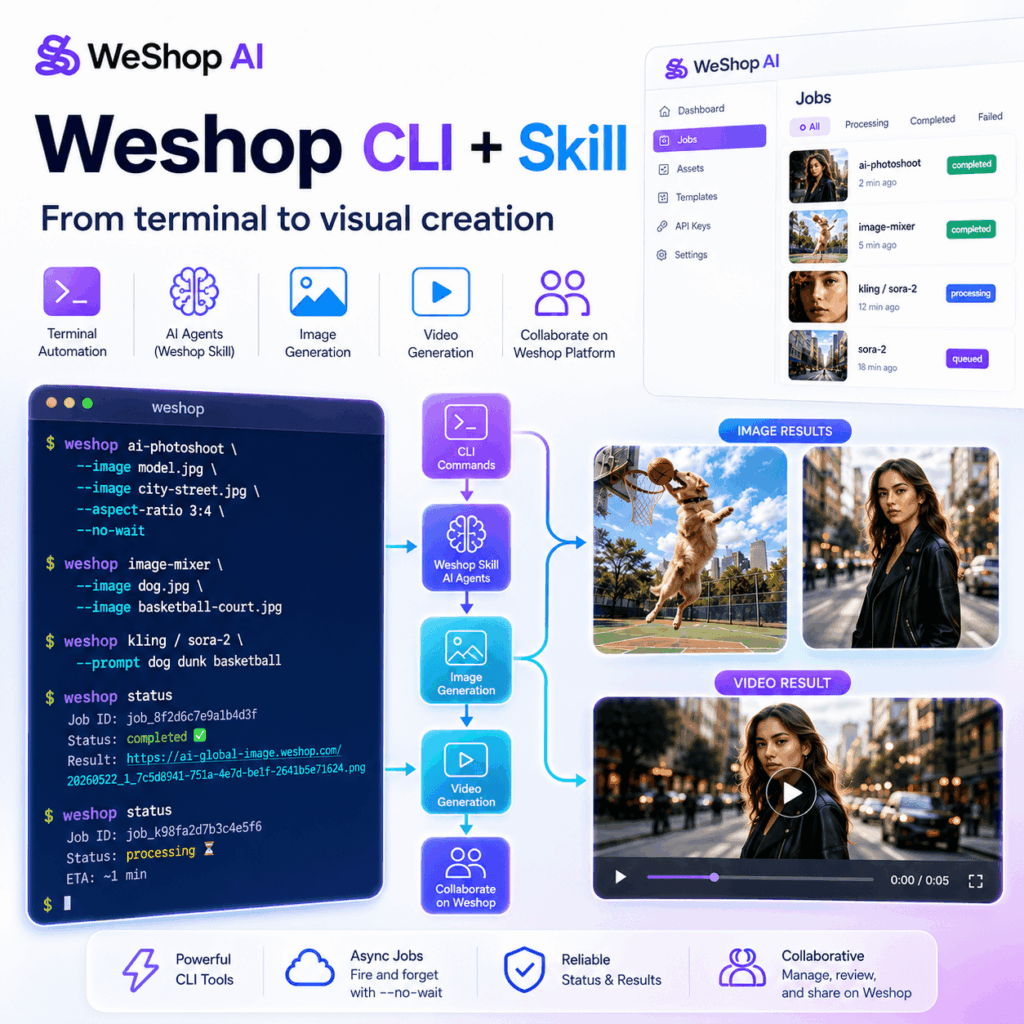
What is Weshop-CLI and Weshop-Skill?
To understand how to give your terminal agents visual eyes and artistic hands, we must look at the two core components of this ecosystem:
- Weshop-CLI: The Command-Line Engine
weshop-cli is a cross-platform command-line tool that exposes the full creative suite of the Weshop.ai platform. Instead of forcing developers or agents to deal with complex REST API endpoints, file upload states, and polling handlers, the CLI provides a clean, unified command pattern. It features:
- Implicit File Uploads: Pass local files directly to any parameter (e.g.,
--image ./input.jpg). The CLI handles uploading under-the-hood and feeds the resulting secure URL directly into the AI pipeline. - Asynchronous Jobs (
--no-wait): Submit image and video generations instantly, fetch a unique execution ID, and check back later usingweshop status <id>. This keeps terminal interactions snappy and non-blocking. - Comprehensive Capabilities: Supports everything from background replacement , campaingn poster to cinematic video generator platforms (
kling,sora-2,seedance).
- Weshop-Skill: Agentic Intelligence & Automated Context
weshop-skill is the semantic overlay that wraps the weshop-cli and related pexel scraper APIs into a structured instruction set for AI agents.:
- Understand Human Intent: Translate a broad request like “Make a professional video of this model on a tropical beach” into a structured multi-step plan.
- Fetch reference material: Use integrated scraping modules (like the Pexels API) to collect high-quality stock backdrops or model poses if the user didn’t supply them.
- Chain Tool Pipelines: Feed the output URL of an image generation tool (e.g.,
ai-photoshoot) as the direct input image for a video generator tool (e.g.,kling) completely automatically.
Installation & Configuration
Getting started is straightforward. You will need your Pexels and Weshop API keys.
- Install Weshop-CLI
You can install weshop-cli globally via npm:
npm install -g weshop-cliOr clone the repository and install it locally:
git clone https://github.com/weshopai/weshop-cli.git
cd weshop-cli
npm install
4. Configure Environment Variables
Set your credentials in your terminal session (or save them inside a local .env file):
# Get your keys:# - Pexels key: https://www.pexels.com/api/# - Weshop key: https://www.weshop.ai/apiKeyexport
PEXELS_API_KEY="your-pexels-api-key"export
WESHOP_API_KEY="your-weshop-api-key"
Verify your setup by running the CLI help:
weshop --helpShowcases: From Reference to Masterpiece
Let’s dive into two real-world creative workflows orchestrated using weshop-skills and local CLI commands, complete with their input references and final generated outputs.
Showcase 1: The Canine Basketball Superstar (Action Shot Composite)
How to place a completely custom subject into a dynamically generated action scene.
Phase 1: Reference Material Gathering
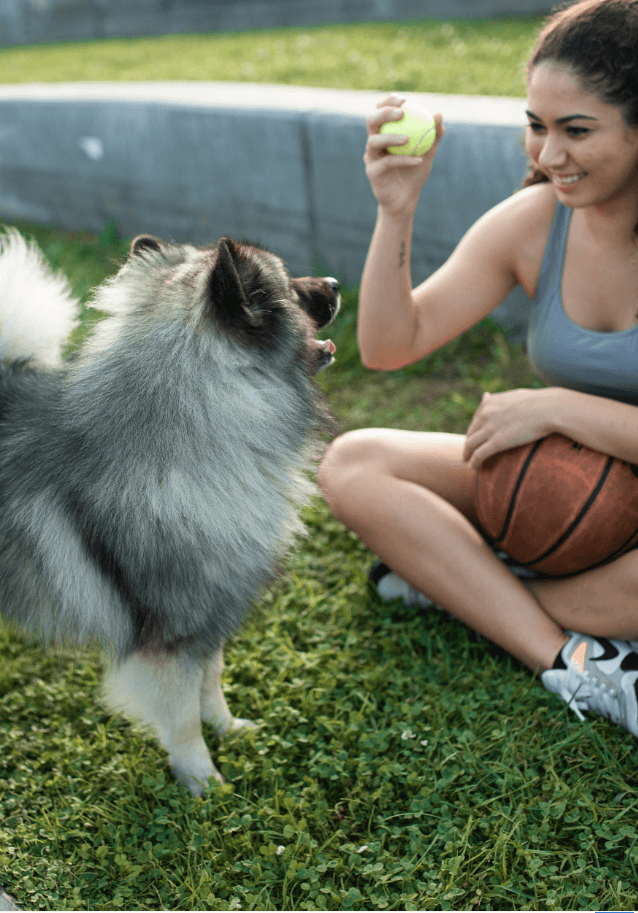
Tell the agent skill “pexels-fashion-designer” we want a dog dunking a basketball on a court with trees in the background, worth noting that you can also upload your own URL. First, the agent collects references from Pexels:
# Fetch a court scene
python3 skills/pexels-fashion-designer/scripts/collect_pexels_refs.py \
  --query "basketball court trees background" \
  --task-id "dog-dunk" --downloads 1

# Fetch a dog subject
python3 skills/pexels-fashion-designer/scripts/collect_pexels_refs.py \
  --query "dog playing basketball" \
  --task-id "dog-dunk" --downloads 1
Phase 2: Action Composite
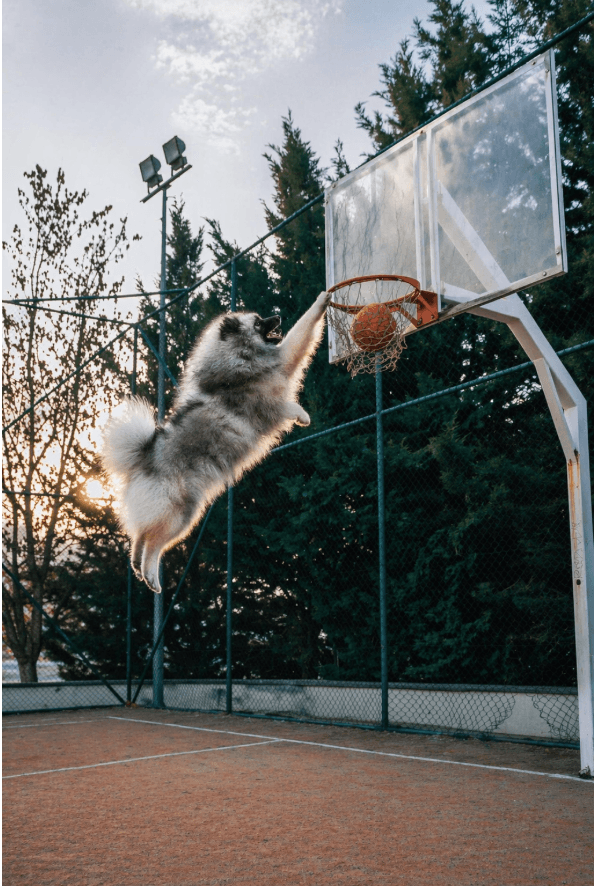
Using the local file paths of the downloaded references, the agent runs the image-mixer command through the analysis of weshop tool document:
weshop image-mixer \
  --image outputs/dog-dunk/basketball-court-trees-background/pexels_photo_1779555457661_0.jpg \
  --image outputs/dog-dunk/dog-playing-basketball/pexels_photo_1779555496990_0.jpg \
  --prompt "A dog dunking a basketball on a court with trees in the background. The dog should be jumping high towards the basketball hoop in an athletic dunking pose, with the basketball going through the hoop. Natural lighting, dynamic sports action shot." \
  --task-name "dog-dunk" \
  --no-wait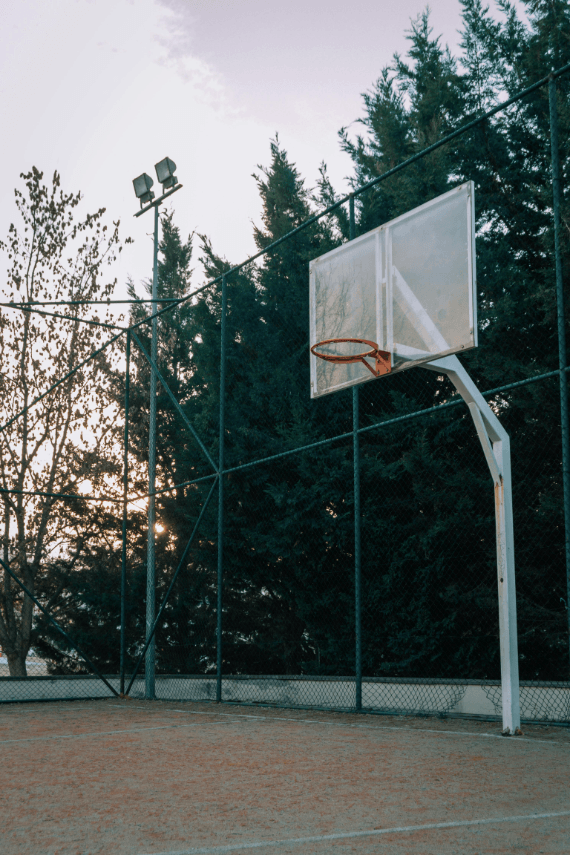
Showcase 2: Chaining Pipelines (Cinematic Fashion Video)
Generating a professional 5-second video from static model and street scene references.
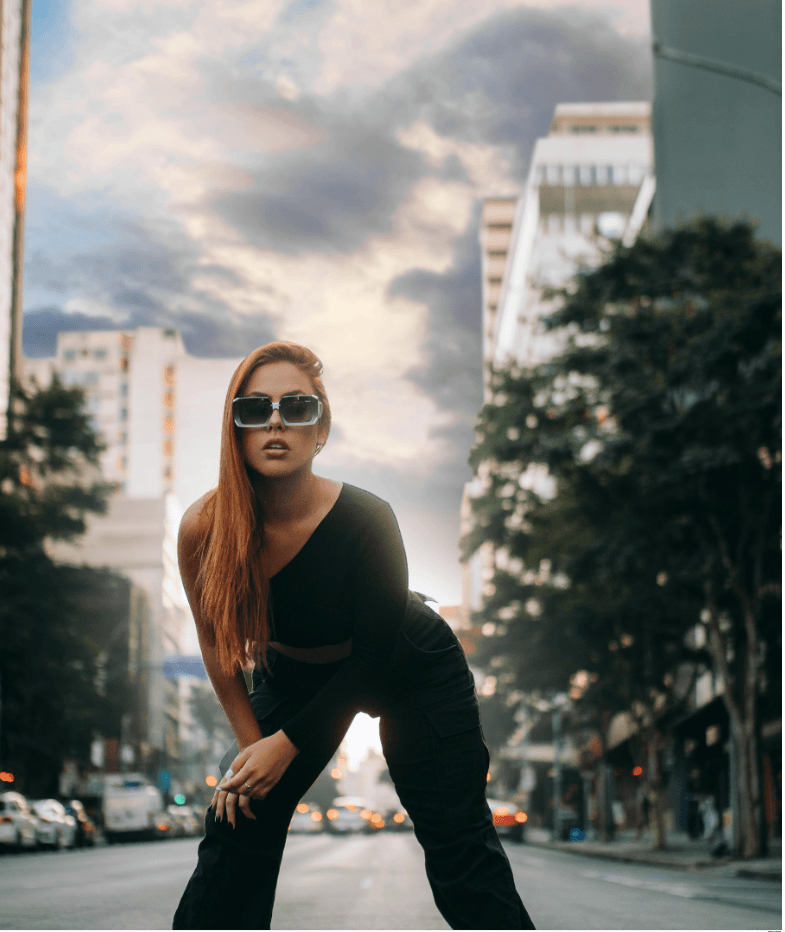
Phase 1: Gathering references
python3 skills/pexels-fashion-designer/scripts/collect_pexels_refs.py \
  --query "fashion model portrait" \
  --task-id "fashion-pipeline"

python3 skills/pexels-fashion-designer/scripts/collect_pexels_refs.py \
  --query "city street fashion scene" \
  --task-id "fashion-pipeline"
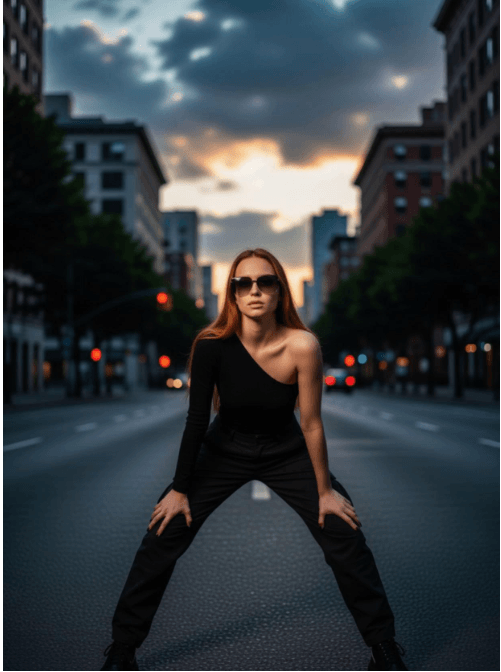
Phase 2: Composing the Model on Location
We take a model portrait and a city street scene, compositing them with ai-photoshoot:
weshop ai-photoshoot \
  --image assets/person-scene-composite/fashion-model-portrait/pexels_photo_1779447472010_0.jpg \
  --image assets/person-scene-composite/city-street-fashion-scene/pexels_photo_1779447585426_0.jpg \
  --aspect-ratio 3:4 \
  --no-wait
This produces a generated model composite URL in the cloud: https://ai-global-image.weshop.com/20260522_1_7c5d8941-751a-4e7d-be1f-2641b5e71624_864x1168.png.
Phase 3: Bringing the Scene to Life with Kling Video
Instead of downloading and uploading, we feed the generated image URL directly into the kling video model:
weshop kling \
  --image "https://ai-global-image.weshop.com/20260522_1_7c5d8941-751a-4e7d-be1f-2641b5e71624_864x1168.png" \
  --prompt "Fashion model walking confidently through a busy city street, camera follows at eye level, cinematic lighting" \
  --model Kling_3_0 \
  --duration 5s \
  --no-wait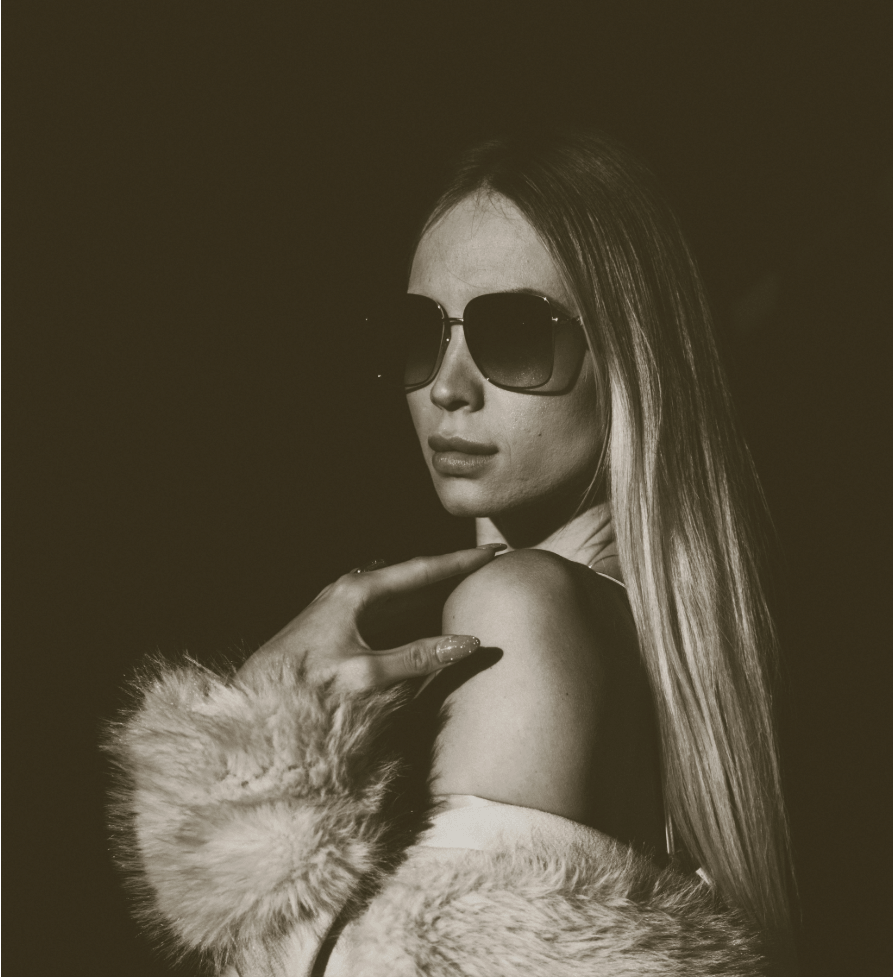
What Else Can Weshop Tools Do?
Beyond composites and videos, Weshop contains an extensive arsenal of AI tools that agents can execute seamlessly:
- Virtual Try-On & Modeling (
virtualtryon,aimodel,aipose): Swap garments on human subjects, swap background scenery while preserving the exact texture of clothing, or redesign poses altogether. - Creative Style Conversion (
anime-image-converter,ghibli-art-create,2d-to-3d-image-converter): Transform ordinary photos into anime sketches, Studio Ghibli artwork, or Blender-style 3D viewports. - Advanced Background & Room Planning (
aiproduct,ai-room-planner): Replace backgrounds for professional product photography, or mock up interior garden/room layouts instantly. - Graphic & Marketing Design (
ai-poster,ai-logo-generator): Generate high-converting layout posters and brand logos natively using text templates.
Conclusion & Next Steps
Weshop CLI and Skills enable developers, designers, and AI agents to execute professional-grade design pipelines directly from a shell. By bridging the power of terminal automation with the asset management, progress previewing, and asset catalogs of the Weshop.ai web console, you get the best of both worlds: programmatic speed and visual control.
Are you building an AI agent or looking to streamline your design workflows? Use the buttons above to explore the Weshop Skills repository, get started with Weshop CLI, and open the Weshop AI platform — then start automating your creative pipelines today!
Go to WeShop AI For Exploration:


