

Speech bubble posts can turn a completely normal photo into a joke, reaction, mini conversation, or meme in seconds. Instead of posting another polished image with a serious caption, you can let the person, pet, or product inside the photo do the talking.
That is the fun of Free Speech Bubble Maker. It adds an unexpected voice to images that might otherwise feel ordinary. A cat can complain about Monday. A suitcase can question your packing choices. Meanwhile, a friend staring at their phone can suddenly become the main character in a very relatable group-chat crisis.
The result does not need to look like an ad or a full comic. Instead, it can feel spontaneous, slightly chaotic, and much closer to the way people already communicate online.
Why Speech Bubble Posts Feel More Native Than Ads
Highly polished content still has its place. However, not every post needs dramatic lighting, perfect typography, and a carefully written sales line.
Sometimes, the funnier option is simply:
“Me pretending I did not check the tracking page six times.”
A speech bubble changes how viewers read an image. Instead of observing it from the outside, they immediately imagine what the subject is thinking or saying. As a result, the photo becomes a small piece of social storytelling.
This format also works well because it feels familiar. People already share reaction images, screenshot jokes, comment memes, pet thoughts, and “POV” situations every day. Therefore, a bubble does not feel like extra design. It feels like part of the joke.
For creators and casual users, that means less pressure to produce something perfect. For brands, meanwhile, it offers a way to show personality without forcing another promotional message into the feed.
Turn Everyday Photos Into Speech Bubble Posts
You do not need a professional image library. In fact, ordinary photos often create the best results because the dialogue adds a second meaning to a familiar moment.
Make Reaction Photos Feel Like Memes
A surprised face, awkward pause, side-eye, or dramatic hand gesture already contains the beginning of a meme. The speech bubble simply completes it.
For example:
- “When the meeting actually could have been an email.”
- “I opened the app for one thing.”
- “That sounded better in my head.”
- “POV: You said you would sleep early.”
The strongest line usually feels like something a person might send in a group chat. Therefore, avoid explaining the whole situation. Let the facial expression do half of the work.
Also, do not chase every viral phrase. A joke that fits the image will usually age better than random trending slang pasted onto it.
Give Pets an Inner Monologue
Pet photos are already expressive. However, a thought cloud can turn one raised paw or suspicious stare into a complete character.
A dog waiting beside the door might think:
“You touched the leash. I saw it.”
A cat sitting on a laptop might say:
“Your deadline is our deadline now.”
Meanwhile, a pet beside an empty food bowl can deliver a dramatic shout bubble:
“This household has failed me.”
Free Speech Bubble Maker supports different bubble moods, so the visual style can match the animal’s imaginary personality. A soft thought cloud feels cute. In contrast, an explosive bubble makes the moment intentionally overdramatic.

Turn Friend Photos Into Speech Bubble Posts
Friend-group photos can become mini conversations, inside jokes, or fake debates. For instance, two people looking in different directions can appear to argue over dinner plans. Likewise, one person staring at a phone can react to a message that viewers never actually see.
Try formats such as:
“Are we leaving?”
“I just got here.”
Or:
“Do not make it obvious.”
“I am being extremely normal.”
Because the joke relies on timing, keep each bubble short. Also, make sure every tail points clearly toward the right speaker. Otherwise, the conversation becomes confusing instead of funny.
Use Speech Bubble Posts for Products Without Making an Ad
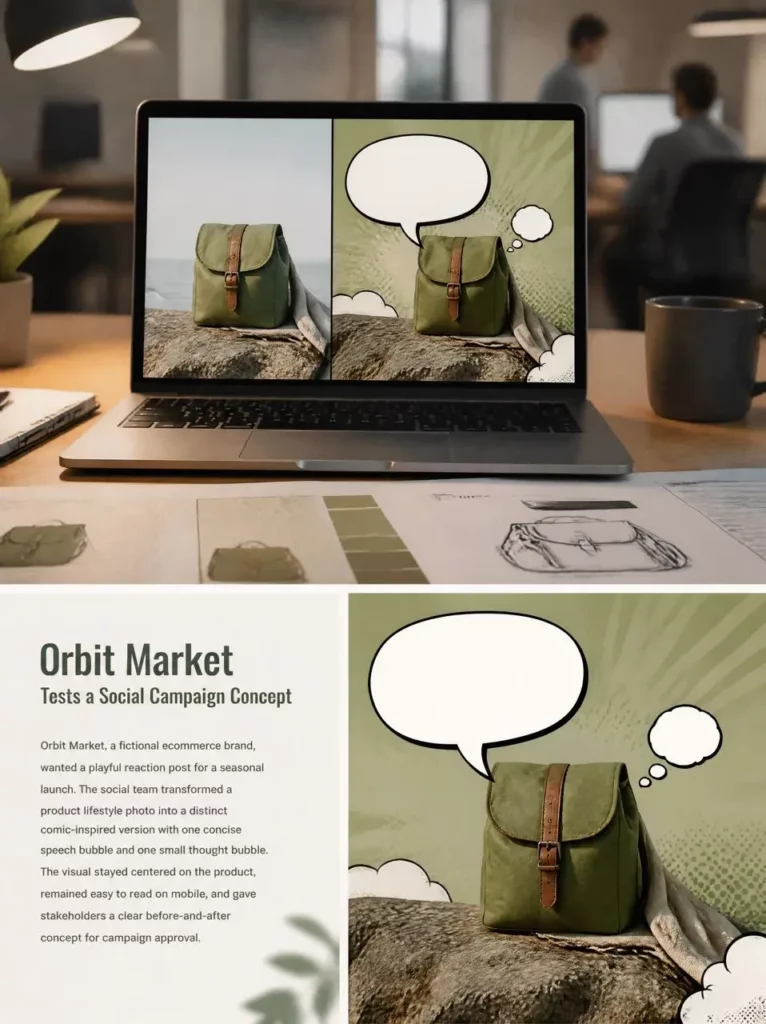
Products can appear in playful content without immediately becoming sales props. Instead of listing features, give the object an opinion, problem, or personality.
This works especially well for fashion, food, accessories, home items, stationery, travel products, and beauty content.
Let the Product Speak First
A product does not need to announce a discount. Instead, it can comment on the situation around it.
A pair of shoes might say:
“We are not walking home.”
A planner might say:
“You ignored me all week.”
A water bottle could ask:
“Have you had anything besides iced coffee today?”
Because the message is connected to a familiar habit, the product remains visible without feeling like a traditional ad. In other words, the post entertains first and promotes second.
Build a Product Meme
A product meme can connect an object to a recognizable mood or tiny daily struggle.
For example:
- A suitcase watching someone add a sixth outfit: “Be serious.”
- A desk lamp beside unfinished work: “So we are doing an all-nighter?”
- A skincare bottle near an exhausted face: “We need to talk.”
- A jacket on a chair: “You said this would be a casual evening.”
The product becomes a character rather than a static object. As a result, the content feels more like something a person might repost, tag a friend in, or send privately.

Answer One Real Question
Speech bubbles can also communicate useful information, but the delivery should remain conversational.
For example, a bag might ask:
“Laptop, charger, snacks?”
A second bubble could reply:
“Bring them all.”
Similarly, a jacket could say:
“Yes, I have real pockets.”
This approach highlights one relatable benefit without turning the image into a crowded product specification sheet. Therefore, choose one question per post. Save the rest for another image.
Match the Bubble Style to the Mood
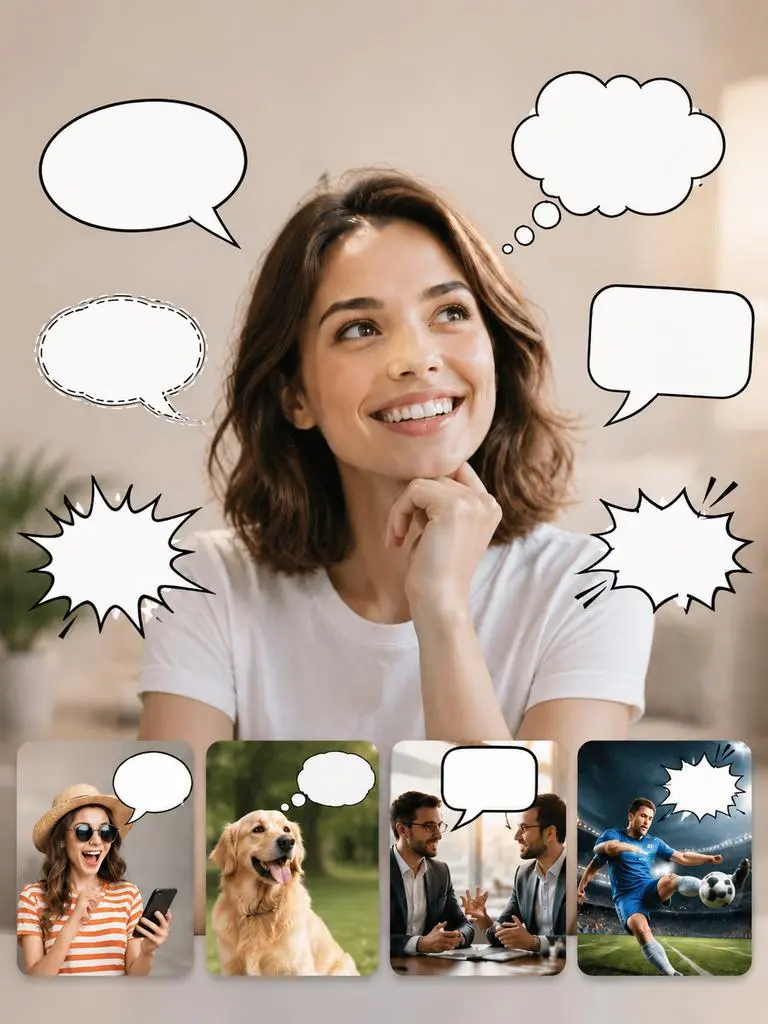
The same sentence can feel completely different depending on the bubble shape. Therefore, do not treat every bubble as interchangeable.
Classic Speech Bubbles for Clear Dialogue
A standard speech bubble works best when someone is clearly speaking. It is ideal for conversations, product comments, simple jokes, and educational examples.
Keep the tail close to the speaker. Meanwhile, leave enough space around the face or product so the image still feels balanced.
Thought Clouds for Inner Monologues
Thought clouds suit private reactions, secret opinions, overthinking, and pet thoughts.
They work especially well with photos where the subject is looking away, staring at an object, or appearing lost in thought. For example:
“Should I reply now or in three business days?”
Because thought clouds already suggest an internal voice, the text can feel more honest, awkward, or dramatic.
Whisper and Shout Bubbles for Extra Drama
A whisper bubble can create a secretive or passive-aggressive mood. A shout shape, however, is ideal for sudden reactions and intentionally exaggerated meme energy.
For instance:
“I said one little treat!”
Use these styles carefully. If every line looks like a shout, nothing feels surprising anymore.
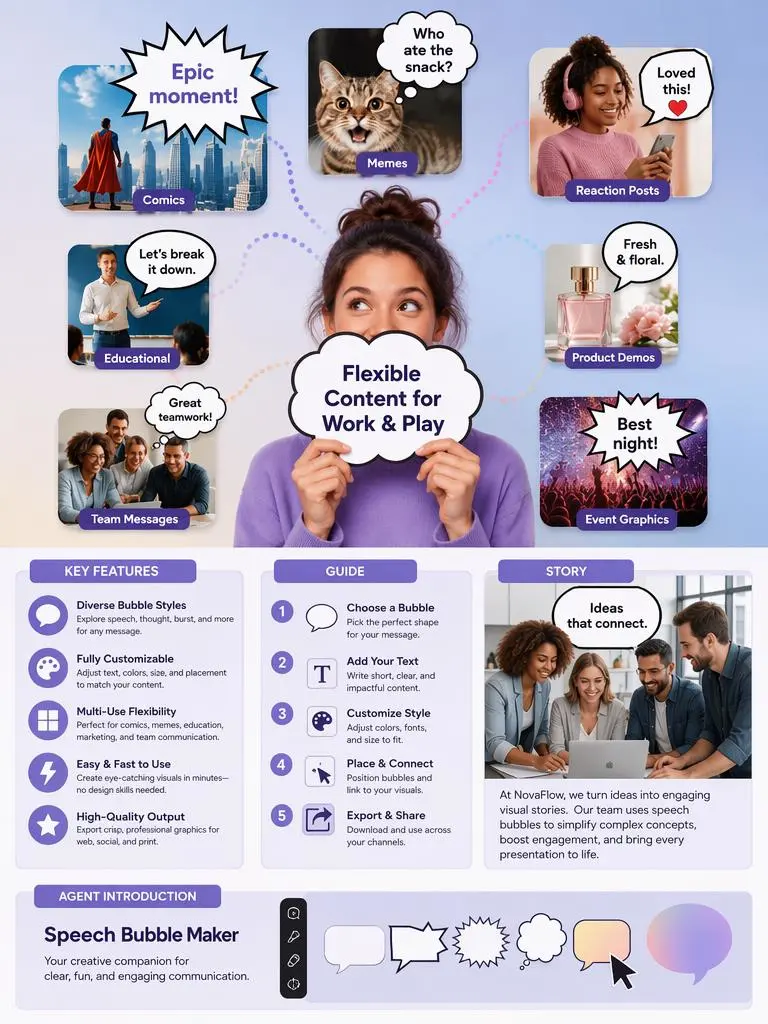
How to Make Speech Bubble Posts With Free Speech Bubble Maker
The process is simple. However, a little planning makes the result look much more intentional.
Choose a Clear Source Photo
First, select an image with one obvious subject and some empty space around it. A plain wall, open sky, clean desk, or uncluttered background gives the bubble somewhere natural to sit.
Also, check the subject’s expression. A strong reaction, gesture, or direction of gaze makes it easier to imagine a line of dialogue.

Write One Good Line
Next, write the sentence before choosing the bubble style.
Keep it short enough to read without zooming. Usually, one sharp line is stronger than a paragraph. For example:
Too long:
“I cannot believe you ordered another package when you said you were trying to save money this month.”
Better:
“So much for the no-buy month.”
The second version leaves room for the viewer to understand the rest of the joke.
Describe the Bubble Clearly
Then, tell Free Speech Bubble Maker:
- Who is speaking
- Which bubble style to use
- Where the bubble should appear
- Which direction the tail should point
- What text should appear inside
- Whether the mood is cute, dramatic, quiet, or comic-inspired
For example:
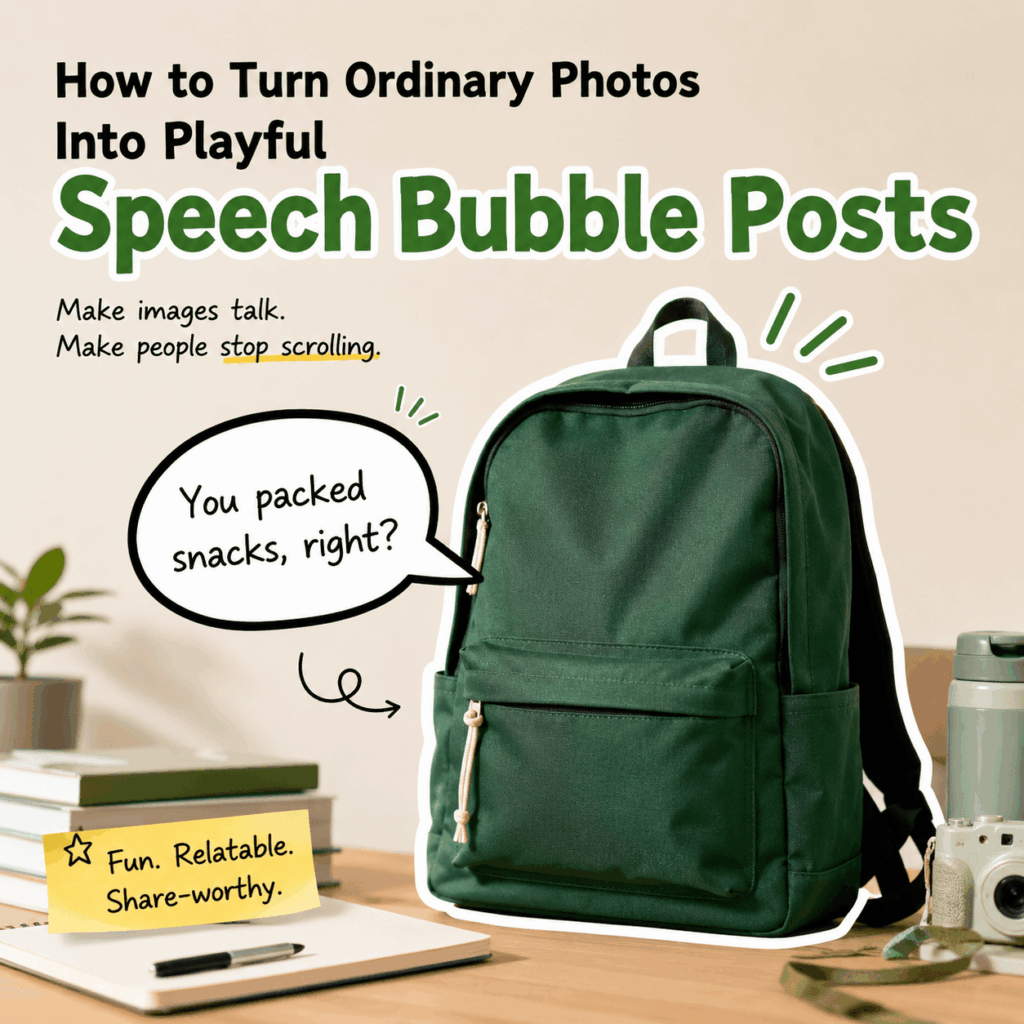
Add a rounded white speech bubble above the green backpack. Point the tail toward the bag and add the text, “You packed snacks, right?” Keep the product fully visible.
Clear instructions reduce awkward placement and make the speaker easy to identify.
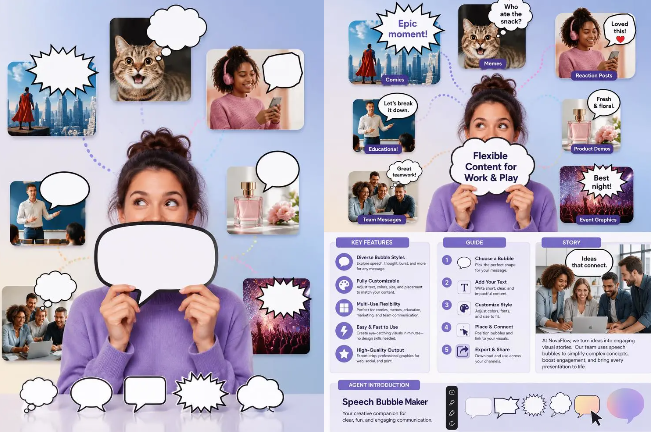
Review Before Posting
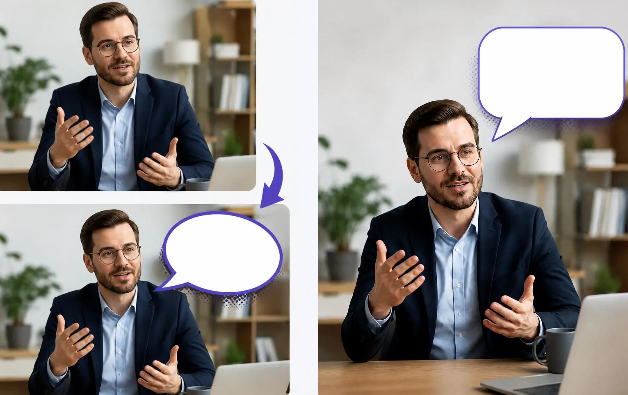
Finally, check the result at the size people will actually see.
Make sure the text is readable on mobile. Also, check that the bubble does not cover a face, hand, product feature, or important background detail. Then confirm the spelling and punctuation.
Free Speech Bubble Maker creates a separate edited result, so you can compare it with the original image before choosing the final version.
Gen Z Copy Ideas for Speech Bubble Posts
Gen Z humor often works because it sounds casual, specific, and slightly self-aware. However, trying too hard can make the result feel like a brand intern discovered slang five minutes ago.
Use formats that fit naturally:
POV
“POV: You opened the fridge again for emotional support.”
My brain vs. me
“We should save money.”
“Counterpoint: tiny lamp.”
Object with an attitude
“You have worn me four days in a row.”
Pet logic
“Your chair? Interesting theory.”
Expectation vs. reality
“I will answer one email.”
“Three hours later…”
Quiet confession
“I only came for the free snacks.”
Most importantly, write for the image rather than forcing the image into a trend. A good visual joke should still make sense after the trending audio or phrase disappears.
More Speech Bubble Posts Prompt Ideas
Here are several adaptable prompts for Free Speech Bubble Maker.
Reaction Photo Prompt
Add a classic white speech bubble above the person on the left. Point the tail clearly toward them and add the text, “We were supposed to bring something?” Keep both faces visible and use a clean meme-style layout.
Pet Thought Bubble Prompt
Add a soft white thought cloud above the cat. Use three small connecting circles and add the text, “The keyboard is warm. I live here now.” Do not cover the cat’s ears or eyes.
Product Personality Prompt
Add a bold rounded speech bubble beside the suitcase. Point the tail toward the suitcase and add the text, “Another pair of shoes? Really?” Keep the suitcase fully visible and use a playful social-media style.
Product Reaction Meme Prompt
Turn the product lifestyle image into a light comic-inspired reaction post. Add one speech bubble from the product saying, “I was not designed for your Monday chaos.” Use strong contrast and leave safe margins for mobile viewing.
Friend Conversation Prompt
Add two small dialogue bubbles above the two friends. The first says, “Are we being awkward?” The second says, “Extremely.” Point each tail toward the correct person and avoid covering their faces.
Keep It Fun, Not Forced
Speech bubbles are simple, but that is exactly why they work. One line can turn an ordinary photo into a reaction, character, joke, or tiny story.
Free Speech Bubble Maker is useful for product images, pet photos, friend-group moments, classroom visuals, memes, and everyday social posts. However, its biggest value is not making an image look more commercial. It is making the image feel more alive.
So, start with a photo that already has some personality. Then give it the one sentence it looks like it has been waiting to say.
Go to WeShop AI For Exploration:


