

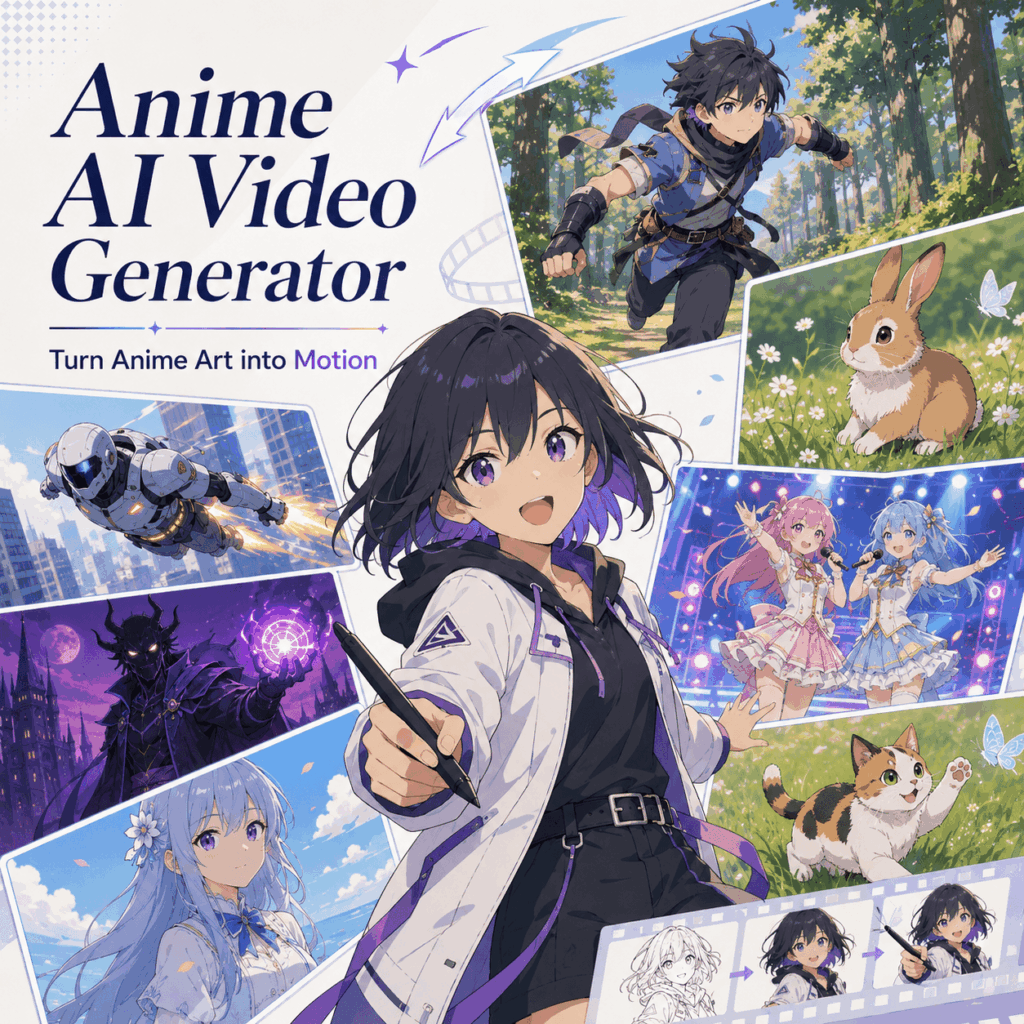
A good anime image already has style. However, it often stays frozen on the screen. No blink. No camera move. No small moment that makes people stop scrolling. Therefore, an Anime AI Video Generator can make a big difference. With one prompt or one image, anime art, OC designs, manga panels, and story ideas can become short animated videos online. In other words, your still anime art does not have to stay still anymore.
For artists, this means characters can finally feel alive. Meanwhile, short-form creators can turn one visual into a TikTok, Reel, YouTube Short, intro, teaser, or fan-style edit. Moreover, beginners do not need animation software to make a scene move. As a result, the whole process feels lighter, faster, and much easier to try.
Why Anime AI Video Generator Matters Now
Static anime art is still beautiful. Yet social feeds move fast. A nice image can show a character. Motion, however, can show emotion faster.
One slow zoom can make a scene feel dramatic. Moving hair adds life. Glowing lights build mood. Meanwhile, falling petals can make one picture feel like a tiny story.
Therefore, an Anime AI Video Generator is not just another AI toy. Instead, it helps creators make anime content feel active, easy to share, and more memorable.
From Still Image to Moving Moment
A still image shows the design. Video shows the mood.
One character may blink under sunset light. Another might run through a forest. With rain, glow, or soft camera motion, even a manga panel can become a short teaser.
So, the point is simple. Your anime idea can move, and you do not need to animate every frame by hand.
What Is an Anime AI Video Generator?
An Anime AI Video Generator is an online AI tool for anime-style videos. It can work with text prompts, uploaded images, character art, manga panels, or scene ideas. In other words, you can start with a picture or a simple prompt.
Once the prompt is ready, the tool can create a short anime-style clip. Character movement, camera motion, lighting, and background effects can all be added in one workflow.
Anime AI Video Generator for Text Prompts
Text prompts work well when the scene is only in your head. Describe the character, action, setting, mood, light, and camera move.
Weak prompt:
Anime girl in a city.
Better prompt:
Create a 5-second anime-style video of a girl standing on a rainy neon street. Add soft blinking, wind-blown hair, glowing reflections, and a slow camera push-in.
The second prompt gives motion and mood. As a result, the clip feels more directed.
Anime AI Video Generator for Uploaded Images
Uploaded images are great when you already have anime art. Start with a character illustration, manga-style scene, digital painting, or OC design. After that, tell the tool how the image should move.
For example, you can add blinking eyes, flowing hair, floating particles, soft light, or a gentle camera zoom. Soon, still artwork becomes a short video for social media.
Keep the Anime Style Consistent
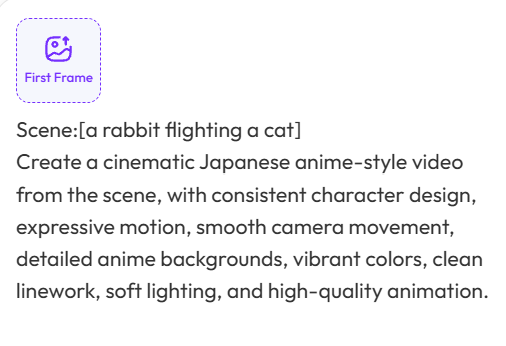
Character drift can ruin an AI video. Sometimes the face changes. In other cases, the outfit shifts. Worse still, the style may turn messy after a few seconds.
For that reason, your prompt should protect the design. Use simple lines like “keep the original face,” “preserve the outfit,” and “maintain the same color palette.” Whenever possible, start with a clear input image.
Who Should Use Anime AI Video Generator?
This tool is not only for pro animators. Actually, it works best for creators who already have visual ideas. What they need is a faster way to make those ideas move.
Anime Artists and OC Creators
Original character artists can use the tool for moving intros, portfolio teasers, and social posts. Your OC can blink, turn slightly, stand in soft light, or appear in a short reveal clip.
As a result, the character feels more alive. No frame-by-frame work is needed.
Short-Form Anime Creators
TikTok, Reels, and YouTube Shorts creators need fresh visuals often. However, anime clips can take a long time to make by hand.
With an Anime AI Video Generator, one image can become a 5-second hook, transition, story scene, fan-style edit, or looping background. Later, the clip can support a voiceover, meme, reaction, or mini story.
VTubers and Virtual Character Accounts
VTubers often need stream intros, reveal clips, outfit updates, and quick social posts. Still, not every update needs a full animation team.
A simple animated clip can make an announcement feel more polished. Moreover, a clear prompt helps keep the face, outfit, and color palette recognizable.
Manga, Webtoon, and Story Creators
Manga panels already carry emotion. Still, video platforms often reward movement. Therefore, small animation details can make a panel easier to share.
Rain can fall. Eyes can blink. Magic can glow. Meanwhile, the original mood can stay intact.
Game Teams and Anime-Style Brands
Game studios, virtual IP teams, toy brands, and anime-style campaigns can use this workflow for teasers, mascots, and social clips. For commercial use, original or licensed assets are safer.
How to Use Anime AI Video Generator
Using an Anime AI Video Generator is simple. Still, a clear prompt makes a big difference. Think of the prompt as a tiny director’s note.
Step 1: Pick One Clear Scene
Start with one main idea. A short anime clip does not need five actions at once.
Maybe the character blinks in a sunset scene. Perhaps a warrior runs through a forest. Another option is a manga panel with a soft magical glow.
For a 5-second video, one clear action is enough.
Simple planning line:
Create a 5-second anime clip where [character] does [action] in [setting], with [mood] and [camera movement].
Step 2: Upload an Image or Write a Prompt
Have anime art ready? Upload it. A clean image usually works best. The character should be easy to see, and the face should not be hidden.
Starting from an idea instead? Write a prompt. Include the character, action, setting, mood, light, and camera move.
Step 3: Add Motion Details
Many weak prompts only describe the look. However, video needs movement.
Useful motion phrases include blinking eyes, flowing hair, slow head turn, camera push-in, side tracking shot, glowing background, floating petals, falling rain, dust trails, and soft zoom out.
For stronger consistency, add direct instructions. Try “keep the original face,” “preserve the outfit,” “maintain the same color palette,” and “use clean anime linework.”
Step 4: Generate and Adjust
Choose the settings and generate the clip. If a short duration such as 5 seconds is available, start there. Short clips are easier to test and fix.
When the result feels messy, simplify the prompt. If the movement is too small, describe the action more clearly. Meanwhile, add stronger consistency lines if the character starts to change.
Step 5: Check Before Posting
Before publishing, check the face, outfit, hands, camera movement, and background. Make sure the background does not steal attention from the character.
For TikTok, Reels, and Shorts, the first second should feel strong. In a portfolio, smoother motion may matter more. With VTuber content, character identity should stay clear.
Best Uses for Anime AI Video Generator
An Anime AI Video Generator becomes more useful when the goal is clear. Here are a few strong ways to use it.
Turn OC Art into a Character Intro
Upload your original character image. Then, add subtle movement, such as blinking, hair motion, soft glow, and a slow camera push-in.
This works well for portfolio posts, pinned videos, character reveals, and fan updates.
Prompt idea:
Create a 5-second anime-style video of the uploaded character standing under warm sunset light. Add subtle blinking, gentle hair movement, floating dust particles, and a slow camera push-in. Keep the original face, outfit, color palette, and art style consistent.
Create Anime Story Clips for Short Videos
Simple story ideas can become short scenes. For example, try a magical school hallway, a cyberpunk street, a quiet sunset, or a forest chase. Later, several clips can become a mini story.
Prompt idea:
Create a dynamic anime-style video of a young warrior running through a forest. Add fast camera tracking, dust trails, expressive movement, dramatic lighting, and consistent outfit details.
Animate Manga Panels
Manga panels usually work better with small motion. Add falling rain, blinking, glowing light, or a gentle camera zoom.
As a result, the panel keeps its original feeling. Meanwhile, it becomes easier to post on video platforms.
Make VTuber Teasers
VTuber accounts can use the tool for quick updates. For example, animate a new outfit, birthday post, stream announcement, or intro scene.
Prompt idea:
Animate the uploaded anime character with a soft head turn, blinking eyes, flowing hair, glowing background lights, and a seamless loop feel. Keep the original face, outfit, color palette, and character design consistent.
Build Anime-Style Brand Visuals
Brands can use the tool for anime-inspired campaigns, especially with a mascot, virtual character, or game-style visual identity. However, original assets usually lead to cleaner and safer results.
Prompt Tips for Better Anime AI Video Generator Results
Good prompts do not need to be long. However, they should be clear and easy to follow.
Use One Main Action
A short clip should not do everything at once. Therefore, choose one main action.
Good:
The character turns toward the camera as hair moves in the wind.
Too much:
The character runs, jumps, fights, transforms, changes outfit, and flies through three locations.
Add Camera Direction
Camera movement makes a clip feel more cinematic. So, add simple directions like slow push-in, side tracking shot, close-up, low-angle shot, or soft zoom out.
Protect the Character Design
To keep the character recognizable, say it directly. Use phrases like keep the original face, preserve the outfit, maintain the same colors, and keep clean anime linework.
Keep the Scene Easy to Read
Crowded prompts often create messy videos. Instead, keep the scene clean. One character, one setting, and one mood are usually enough for the first generation.
Why This Anime AI Video Generator Is Worth Trying
Speed is useful. However, the bigger value is creative testing.
Start with a drawing, a manga panel, a character idea, or a short prompt. Then, turn it into a short anime clip for social platforms, portfolios, character pages, intros, teasers, or creative projects.
Artists can turn still art into a moving character moment. Beginners get a simpler path into anime-style animation. Short-form creators also get reusable visual assets from one image.
So, if your anime art already looks good, the next question is simple:
Why let it stay still?
FAQ About Anime AI Video Generator
What is an Anime AI Video Generator?
An Anime AI Video Generator is an online tool that creates anime-style videos from text prompts, uploaded images, character art, manga-style scenes, or story ideas.
Can I animate an existing anime image?
Yes. Upload anime artwork, manga panels, character designs, or digital illustrations. Then, add motion prompts such as blinking, hair movement, camera zoom, glowing lights, or background effects.
Do I need animation skills?
No. Traditional animation skills are not required. A clear image or a clear prompt is enough. The tool handles the motion generation process.
What image works best?
Clear anime art works best. Pick a visible character, clean composition, good resolution, and simple background. Also, avoid images where the character is too small or crowded by details.
Can I use Anime AI Video Generator for TikTok or Reels?
Yes. The tool works well for TikTok, Instagram Reels, YouTube Shorts, anime edits, character intros, story teasers, and looping social media clips.
Can it keep my character style consistent?
The tool can help preserve character style, especially when the input image is clear. For better results, add prompt details such as keep the original face, preserve the outfit, maintain the color palette, and keep the anime linework consistent.
Can I use anime AI videos commercially?
Commercial use depends on the platform rules, input rights, and copyrighted assets. Therefore, original characters or licensed visuals are safer.
Is Anime AI Video Generator good for beginners?
Yes. Beginners can start with a text prompt or an uploaded image. Also, complex animation software is not required.
Go to WeShop AI For Exploration:


