

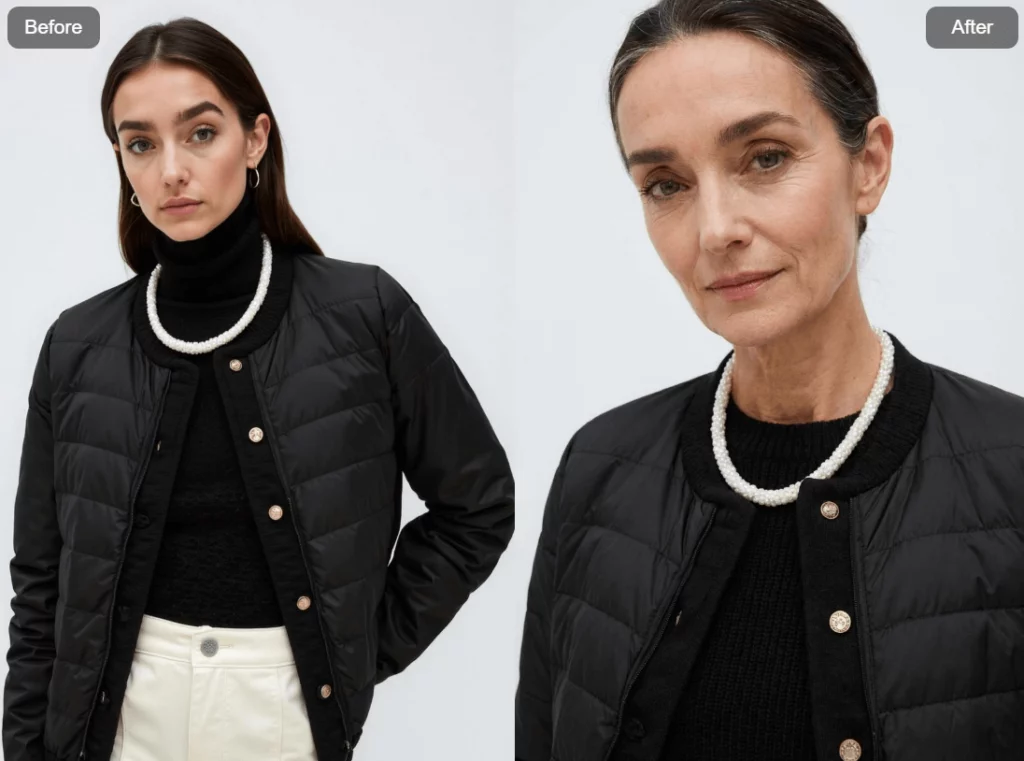
AI age progression is easy to judge too quickly. If wrinkles appear and hair turns gray, the effect may seem successful. However, look at the rest of the image. Did the jacket change? Did the pose drift? Does the person still feel familiar?
For creators and e-commerce teams, the best result is not simply an older face. Instead, it is the same character, the same product, and the same visual world at another life stage. That difference gives AI age progression a useful role in storytelling.
The Face Can Change While the Product Stays Put
Think of AI age progression as a one-variable experiment. The face may age. Meanwhile, the garment, accessories, camera angle, lighting, and background should remain stable.
This AI age progression rule matters because people read more than a face. A changed collar or pose can make the “after” image feel like another photoshoot. As a result, the time jump becomes less convincing.
For a personal portrait, that break may only feel odd. For a fashion brand, however, it can misrepresent the product. Therefore, continuity should be planned before generation, not repaired after every detail has changed.
Build an AI Age Progression Sequence Around One Control Image
The current AI age progression workflow in WeShop AI begins with a portrait and an age instruction. Still, a commercial result needs a tighter brief.
Choose a Source Photo That Can Survive the Edit
For AI age progression, start with one consenting adult. A front or three-quarter view usually gives the face enough detail. Also, keep the eyes visible and use balanced light.
If clothing matters, show the full neckline, sleeves, closures, and visible accessories. Avoid crossed arms or objects that cover the product. In addition, choose a simple background when you need a clean comparison.
The opening AI age progression case works well as a control image. The model wears a black layered outfit with strong white trim. Therefore, any unexpected change to those edges is easy to notice.
Upload the Control Image
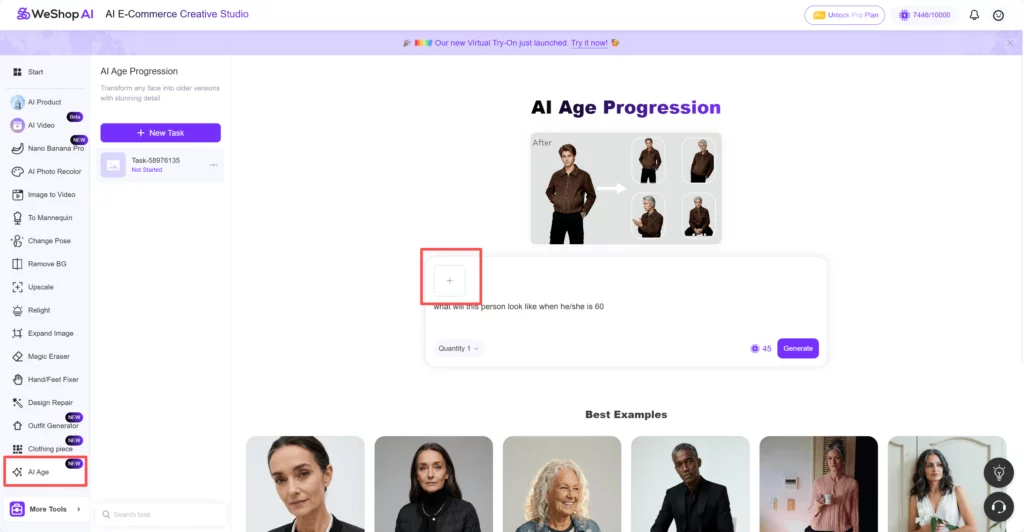
Open AI Age Progression in WeShop AI and upload the chosen portrait. Then pause before generating. Check the crop, face visibility, and garment edges one more time.
Front-facing photos work best.
Turn the AI Age Progression Prompt Into a Continuity Brief
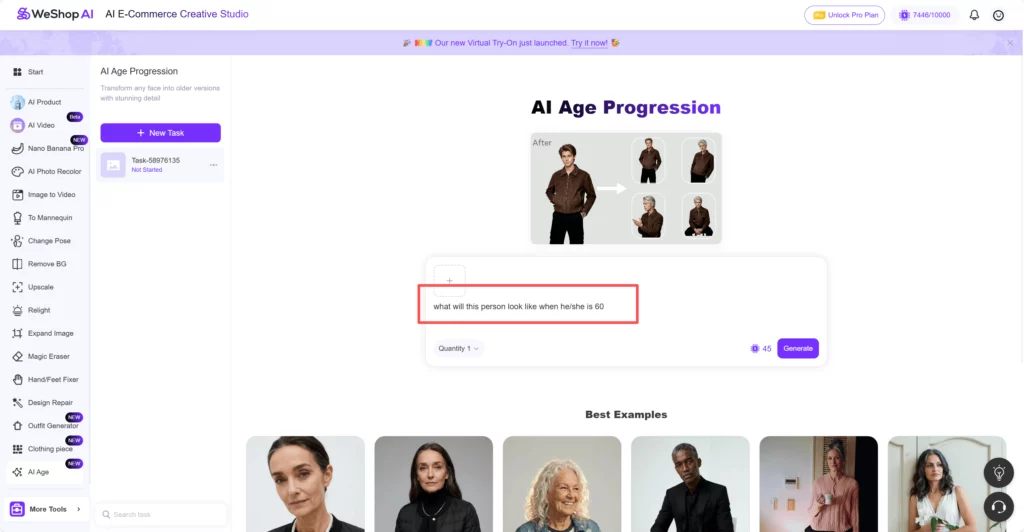
The interface provides a starting prompt that asks how the person may look at age 60. You can use it as a quick test. However, a brand image needs more direction.
Try a continuity prompt such as:
Show this person at age 60. Keep the same identity, black quilted jacket, pearl-trim cardigan, pose, framing, background, and neutral studio light. Change only age-related facial and hair details.
The prompt does not guarantee perfect preservation. Instead, it tells the model which visual facts matter most. Therefore, name the product details that must not change.
It’s ready right away.
Build the Timeline One Age at a Time
Choose a small set of target ages instead of asking for a vague “older” version. For example, create separate stages for midlife and later life. Then keep the same source image and continuity language in every prompt.
After each AI age progression result, compare it with the original. Do not continue the sequence when the product has already drifted. First, correct the base result or regenerate it. Otherwise, the errors may define the rest of the series.
Read AI Age Progression Results Like an Art Director
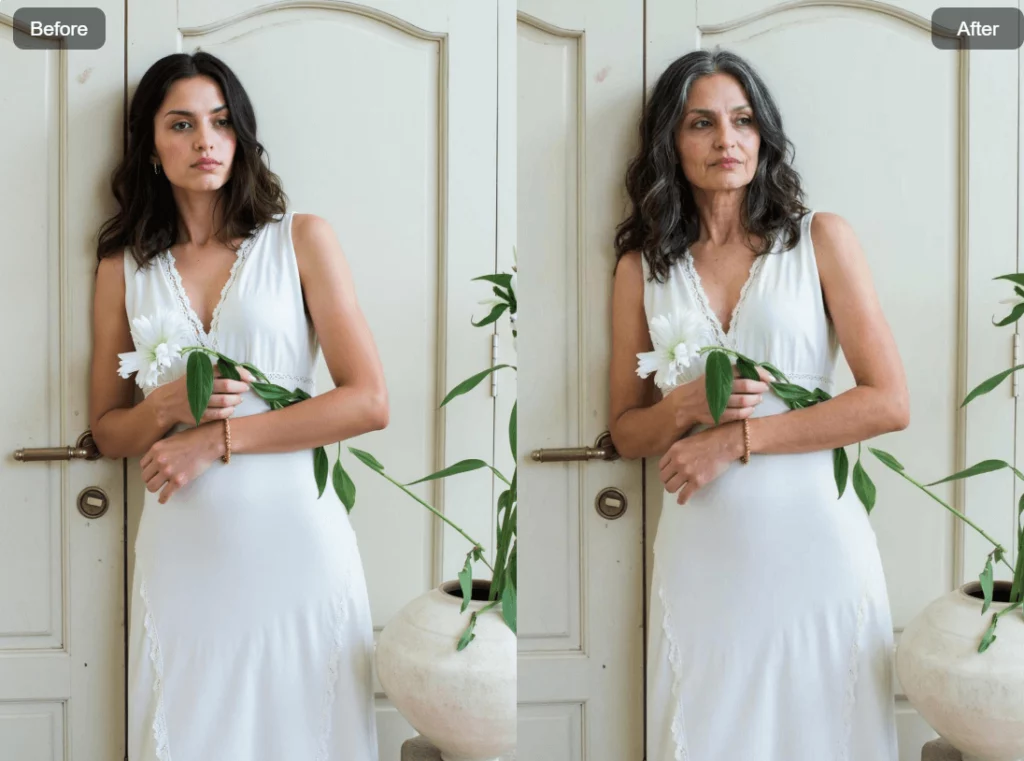
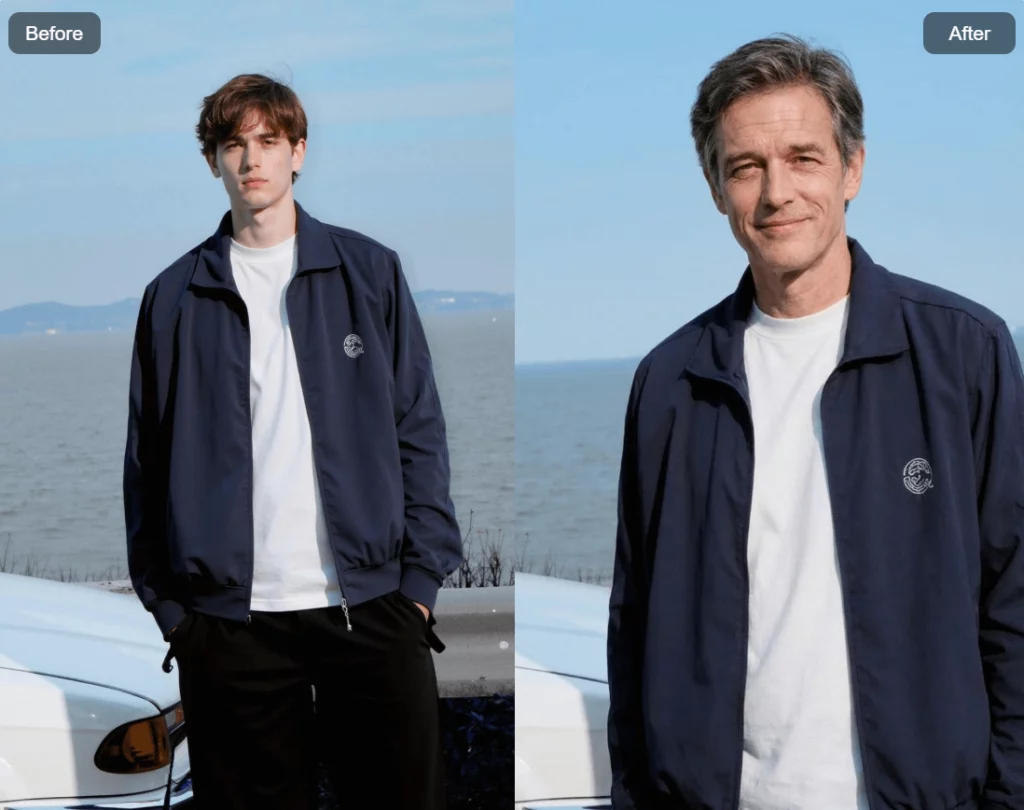
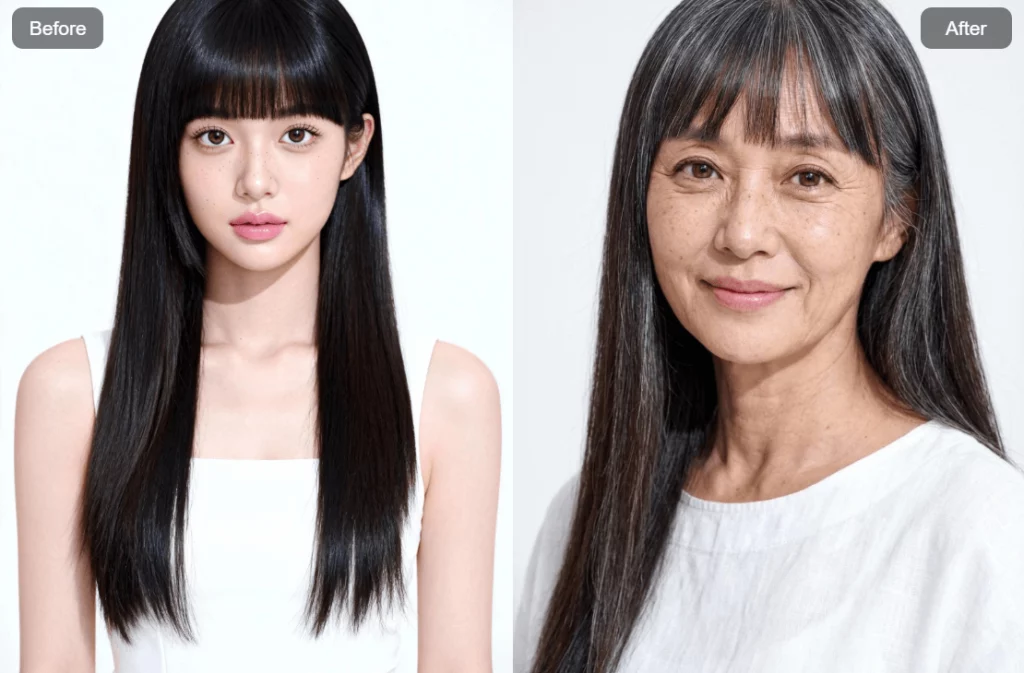
These four AI age progression examples show why facial realism is not enough. Each keeps much of the original outfit and setting. Still, small changes deserve attention before commercial use.
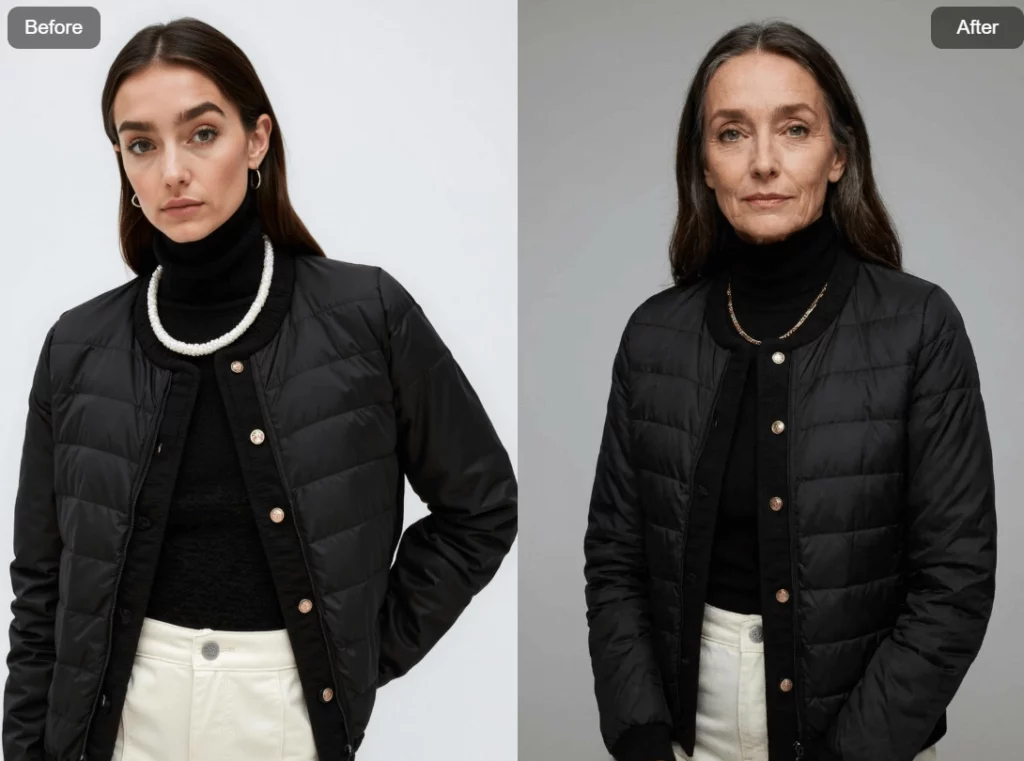


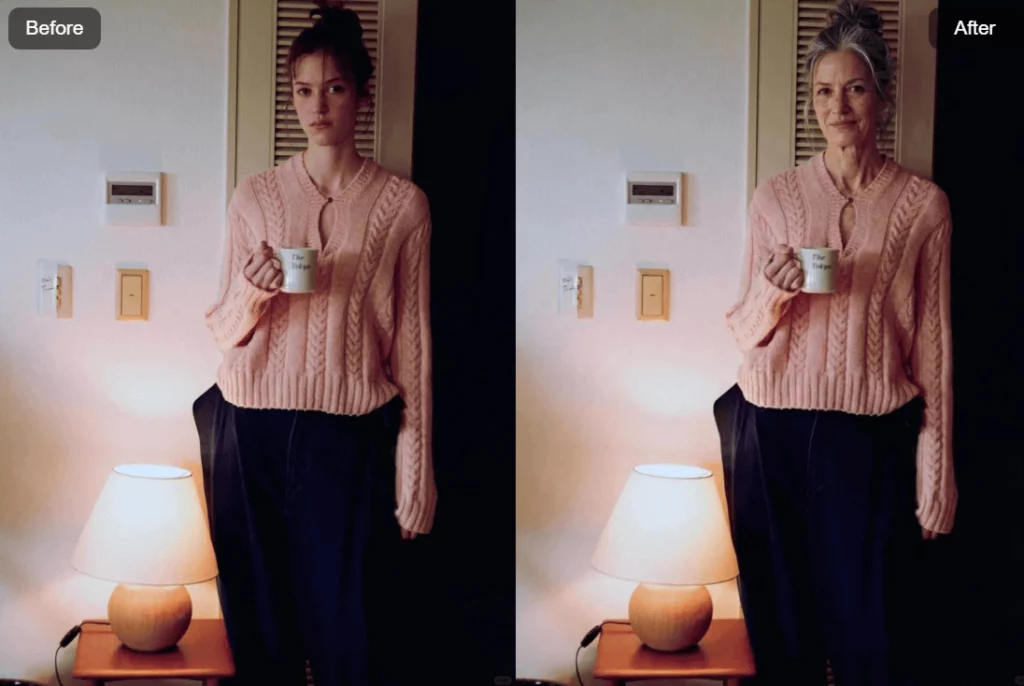
First, check identity. The eyes, face shape, expression, and head position should still suggest one person. Next, inspect the product. Look at seams, buttons, trim, print, jewelry, and color. Finally, review the scene. Shadows and background objects should not jump between time stages.
A dramatic face can attract attention. Yet AI age progression is more useful when the whole image survives inspection. For that reason, choose the most consistent result, not the oldest-looking one.
Where AI Age Progression Fits Into E-Commerce
AI age progression is not a replacement for product photography. However, it can add a story layer around verified product images.
A product that travels through time
A brand can show the same coat, watch, or bag across several life stages. As a result, the campaign can express longevity without rebuilding every scene.
A character-led launch concept
Creators can use AI age progression to outline a campaign before a full production. For example, one character may encounter the same signature product at different ages.
A broader casting conversation
The sequence can help a creative team question whether a campaign speaks only to one age group. Still, generated previews should not replace real customer research or inclusive casting.
A social carousel with a reason to swipe
Instead of posting an isolated “old me” image, arrange the stages as a short visual story. Then use the caption to connect each stage to the same product promise.

The Most Persuasive Image May Be the Least Useful
An extreme transformation often looks impressive at first glance. Yet it may also invent new facial structure, hair, fabric, or styling. Therefore, visual drama should not outrank continuity.
Before approving an AI age progression image, ask four questions.
- Would a viewer recognize the same person without the before image?
- Is the product still accurate enough to identify and buy?
- Did the edit add stereotypes about age, health, or personality?
- Is the image clearly presented as an AI-created concept?
If one answer creates doubt, keep the image in the concept folder. A weak continuity result should not become a product listing, paid ad, or brand claim.
AI Age Progression Is a Simulation, Not a Forecast
No AI age progression result can predict a person’s future appearance. Genetics, environment, styling, health, and personal choices all affect how someone ages. Therefore, describe the output as a creative simulation.
Consent matters as well. Use photos you own or have permission to edit. Do not treat a public figure’s image as free material. Moreover, take extra care with children’s photos and commercial distribution. Clear guardian permission and a defined business purpose are essential.
A responsible AI age progression project also needs clear records. Keep the source image, approval status, prompt, and final edit. Also, label synthetic imagery when the context could mislead a shopper. Trust is more valuable than a surprising reveal.
Let One Controlled Change Carry the Story
The best AI age progression workflow starts with restraint. Choose one strong portrait. Protect the product. Name the details that must stay fixed. Then build each time stage from the same visual brief.
Once the sequence is ready, judge it as a campaign rather than a filter result. The face should change. The character should remain. Most importantly, the product story should still be true.op AI, you can explore aging in a simple, realistic, and creative way. No complex steps, no heavy editing—just upload a photo, click generate, and instantly see how time may shape a face. Whether for fun, content creation, or pure curiosity, this free AI age filter turns imagination into visuals, making age progression easy, engaging, and surprisingly lifelike.
Go to WeShop AI For Exploration:


