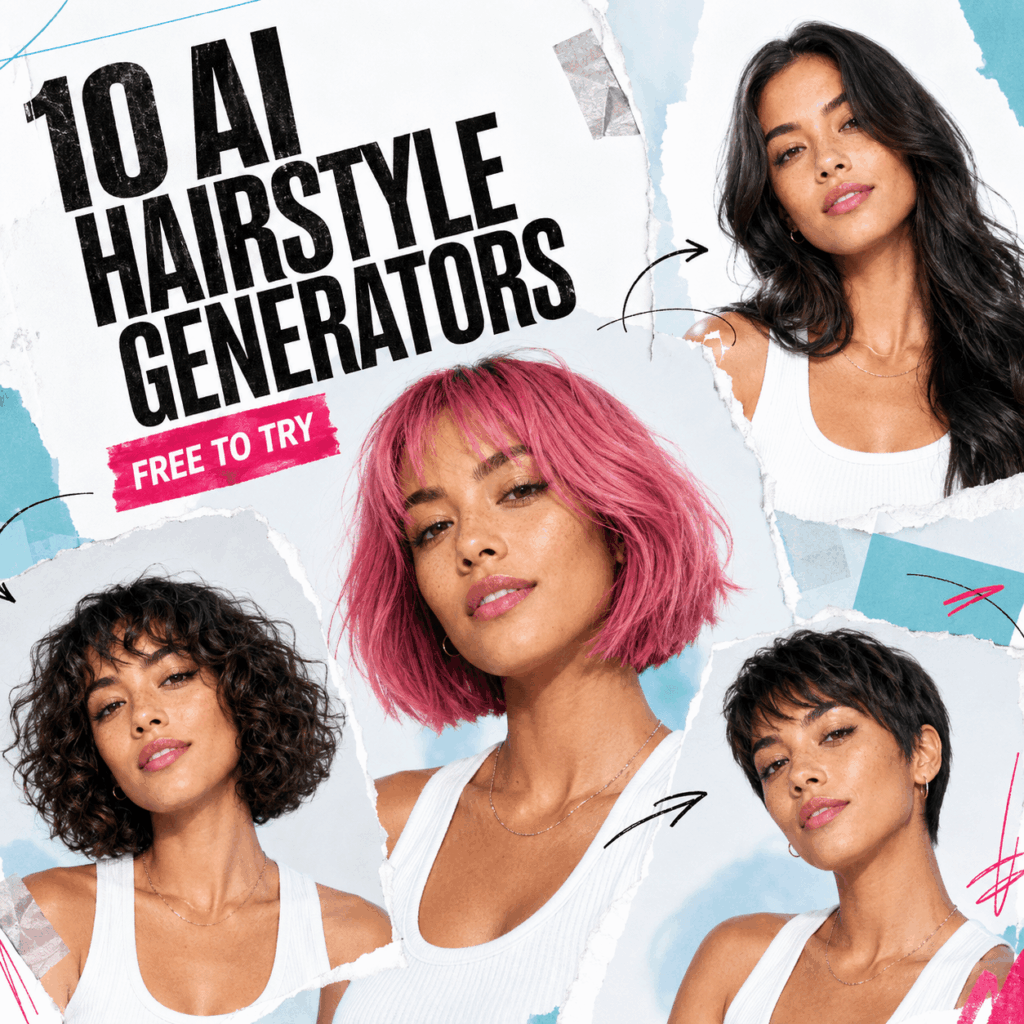
AI hairstyle generators can help you preview a new cut, length, or color before making a real change. Some tools use preset hairstyle filters, while newer generators can rebuild the hair around your face from a photo or text instruction.
However, the results vary. Hairline placement, face angle, lighting, and how much of the original hair covers the face can all affect the preview. Free access also differs between tools, so this guide focuses on what each option is useful for rather than assuming every feature is free.
Below are 10 AI hairstyle tools worth comparing, followed by a current WeShop AI workflow for generating a hairstyle from a portrait.
Pick by task in 20 seconds
- Want fast preset comparisons? Start with YouCam, MyEdit, or AI Ease.
- Need a specific cut, texture, and color? Try LightX, Firefly, Fotor, or CapCut Web.
- Prefer a browser tool with a simple upload flow? Look at insMind or Media.io.
- Editing a commercial model photo? WeShop AI Design Repair gives you control over the hair region while the rest of the image stays in place.
This list follows workflow fit, not a claimed lab score. In addition, every entry had a live official product page when this article was updated.
The shortlist begins here
1. YouCam Makeup makes preset testing easy
YouCam Makeup remains one of the more complete hairstyle try-on options. Its current AI Hairstyle Try-On includes dozens of haircut filters, while Hair Transfer can use a reference photo or text prompt for broader hairstyle changes.
2. Fotor works well for presets plus small refinements
Fotor combines hairstyle presets, colors, and portrait edits. For example, its male simulator includes fades, crops, slicked-back styles, and braids. You can adjust details after generation.
This AI hairstyle generator uses gifted credits. Each generation spends them. As a result, it suits a short comparison session better than a large batch.
3. LightX gives prompt writers more room
LightX supports presets and text instructions. Therefore, you can turn “bob” into a clear request with length, texture, bangs, and color.
Signed-in users currently receive five free AI credits per day. That makes this AI hairstyle generator useful for controlled tests, although retries use the allowance quickly.
4. MyEdit balances templates and custom prompts
MyEdit offers more than 50 haircut choices. It also accepts a prompt when a template is too generic. Current free users can claim daily credits, and results download without a watermark.
Use this AI hairstyle generator for a guided start plus a custom option. Meanwhile, you must sign in to claim credits, and each look can cost a different amount.
5. AI Ease is built for browsing many ready-made looks
AI Ease has a default mode with more than 80 ready-made hairstyles. Its custom mode accepts a description. Consequently, you can scan many shapes before refining one idea.
The official page offers one free try-on and also mentions daily credits after sign-in. Because these may apply to different modes, confirm the allowance inside the generator.
6. insMind keeps the browser workflow light
insMind lets you upload a front-facing photo, select a haircut, and download a standard result. Options include long and short cuts, curls, bangs, braids, buzz cuts, and colors. It works in desktop and mobile browsers.
This AI hairstyle generator provides a free standard try-on. However, higher-quality downloads and advanced edits may need an account or upgrade.
7. Media.io favors one-click style effects
Media.io groups haircut and color effects in one browser area. You can choose bobs, layers, fades, curls, and buzz cuts. Moreover, its current page advertises free try-on and watermark-free downloads.
Pick this AI hairstyle generator for a fast effect instead of detailed prompting. Still, check the live screen for account or usage limits.
8. Adobe Firefly is strongest when the brief is specific
Adobe Firefly asks you to describe the cut, length, texture, fringe, and color. It then returns several variations, so comparisons are easier.
A free account includes limited daily generations. Adobe says output made with Firefly models is commercially safe. Partner models can have different terms, though. Therefore, confirm the selected model before using an AI hairstyle generator result in paid work.
9. CapCut Web connects hair edits with social content
InStyle Hairstyle Try-On is a legacy virtual-hairstyle option rather than one of the newer generative AI tools on this list. It can still be useful as a reference for preset hairstyle try-on, although its workflow is less current than newer AI generators.
The product page advertises free generation and watermark-free export. However, login is required, and access can vary by account or region. This AI hairstyle generator suits content drafts, but verify the export early.
10. WeShop AI protects the rest of a commercial model photo
WeShop AI Design Repair differs from a preset app. Instead, it edits a masked area. That matters for ecommerce. A seller may want shorter hair while keeping the face, earrings, garment, background, and lighting unchanged.
Use it for controlled variation, not casual salon discovery. It can also repair a result after another AI hairstyle generator changes product details.
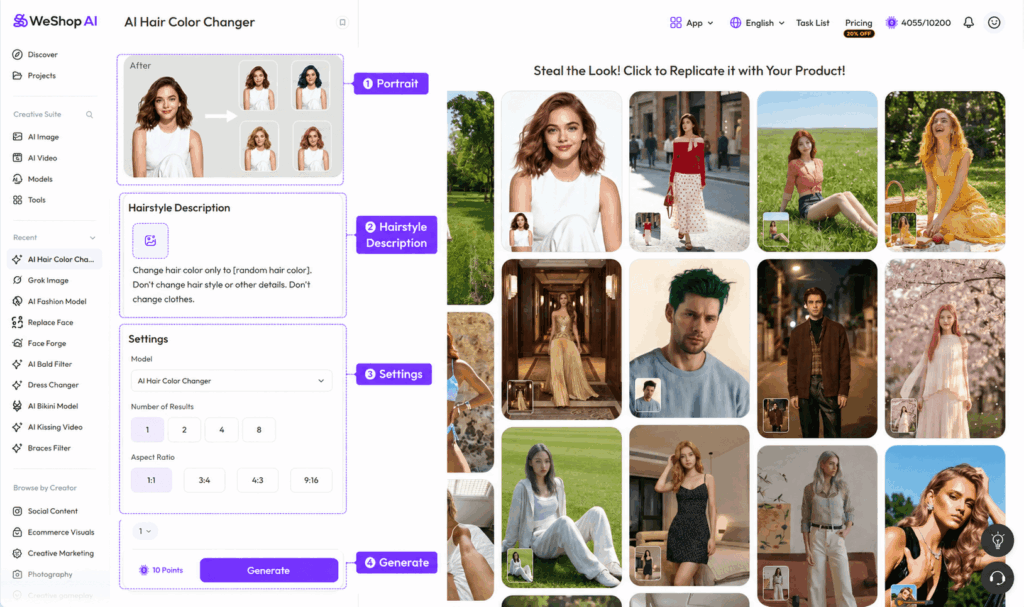
Make One Controlled Hairstyle Variant in WeShop AI
Instead of changing the haircut, color, bangs, and texture at the same time, start with one clear hairstyle direction.
Use one portrait as the base. Then decide what you actually want to test.
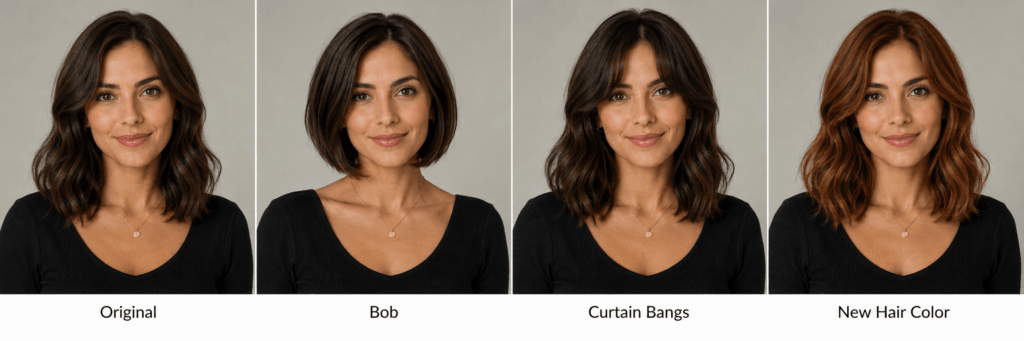
For example, keep the face, pose, and background unchanged, but replace the current hair with a shoulder-length layered bob.
A simple instruction could be:
Change the hairstyle to a shoulder-length layered bob with soft waves and a center part. Keep the face, expression, pose, and background consistent. Use a natural dark brown hair color.
This makes the result easier to review because the generation has one main job.
If you want to test bangs next, keep the preferred bob and change only the fringe:
Keep the same shoulder-length layered bob and add soft curtain bangs. Preserve the hair color, face, expression, and background.
The same method works for hair color. First settle the cut and shape. Then test another shade without changing the rest of the hairstyle.
This is more useful than generating several completely different looks and trying to decide which one worked.
Check the Hairline Before Comparing Styles
An AI hairstyle generator result can look good from a distance but still feel wrong around the face.
Zoom in once before keeping it.
Check these areas:
| Area | What to look for |
|---|---|
| Hairline | clean connection to the forehead |
| Bangs | no blurred strands across the eyes or brows |
| Ears | hair should sit naturally in front of or behind them |
| Face | eyes, jawline, and facial proportions should stay stable |
| Texture | curls, waves, or straight strands should stay consistent |
| Light | highlights and shadows should match the portrait |
| Background | no blurred or broken edges around the new hair |
The hairstyle itself is only one part of the result.
A good preview should still look like the same person in the same photo.
When the Hairstyle Looks Wrong, Find the Cause First
Generating the same image again is not always the best fix.
If the problem keeps appearing, check the source photo and hairstyle description.
The forehead looks too large
The new hairline may sit too high. Try a clearer hairstyle description or use a source image with a more visible original hairline.
The bangs cover too much of the face
Describe the fringe more precisely. For example:
Soft curtain bangs with an open center and visible eyebrows.
The curls look messy
Simplify the texture direction:
Loose medium waves with consistent curl size.
Hair blends into the background
A source image with clearer contrast between the hair and background may work better.
The face changes
Reduce unnecessary hairstyle details and ask the generation to preserve the original face and expression.
The hairstyle keeps failing after several attempts
Try another source portrait.
A clearer input often helps more than adding another long sentence to the prompt.
One Portrait Can Test Several Hair Decisions
Once one generation looks stable, you can build a small hairstyle comparison.
Keep the same portrait and test only one category at a time.
For example:
Length
- chin-length bob
- shoulder-length cut
- long layered hair
Bangs
- no bangs
- curtain bangs
- soft side fringe
Texture
- straight
- soft waves
- loose curls
Color
- dark brown
- warm brunette
- copper
- soft blonde
This creates a much cleaner comparison.
If the face, pose, and framing stay similar, you can focus on the hairstyle itself instead of comparing four completely different portraits.
Quick Comparison of the AI Hairstyle Generators Above
The tools in this list do not all approach hairstyle preview in the same way.
Some are better for browsing preset cuts. Others focus more on hair color or broader beauty editing. Newer generative tools can also let you describe a hairstyle rather than choosing only from a fixed library.
So, instead of choosing by the largest number of styles, decide what kind of test you want to make.
| Your goal | What to look for |
|---|---|
| Browse many preset hairstyles | a large style library |
| Compare hair colors | strong color controls |
| Test one specific haircut idea | text or reference-based hairstyle generation |
| Compare several looks quickly | consistent side-by-side previews |
| Edit hair with makeup or portrait changes | broader beauty editor |
| Keep one portrait and generate new hair | good face and hairline preservation |
The size of the hairstyle library matters less if the result does not fit the source portrait.
For that reason, pay attention to the hairline, face preservation, texture, and lighting before judging the number of available styles.
What to Check Before Choosing an AI Hairstyle Generator
Before settling on one tool, ask a few practical questions.
- Does it preserve the face?
A hairstyle preview should not quietly change the jaw, eyes, or facial proportions. - Does the hairline look believable?
Look closely around the forehead and temples. - Can it handle your hairstyle idea?
Check whether you can control length, bangs, texture, or color. - Does the texture make sense?
Waves and curls should not turn into random strands around the face. - Does the lighting stay consistent?
New hair should respond to the same light as the original portrait. - Can you compare results easily?
Using the same source portrait makes different hairstyles much easier to judge. - What does access actually include?
“Free” can mean a free download, limited styles, trial access, or paid features. Check the current terms before relying on a tool for repeated use.
There is no need to find one AI hairstyle generator that does everything.
Choose the one that matches the type of hairstyle decision you want to test.
A Hairstyle Preview Is a Reference, Not a Salon Guarantee
An AI-generated hairstyle can help you compare visual directions before making a real change.
However, real hair has its own density, texture, growth pattern, curl behavior, and styling needs. A generated bob may look smooth in the image but behave differently on your natural hair.
So, use the preview to answer questions such as:
Do I prefer shorter or longer hair around my face?
Would bangs change the balance of the forehead?
Does a warmer hair color work with the overall portrait?
Those are useful visual questions.
For an actual haircut, color treatment, or major style change, a stylist can then help translate the visual idea to your real hair.
Final Takeaway
The best AI hairstyle generator is not simply the one with the longest list of styles.
A useful tool helps you compare a hairstyle while keeping the person recognizable.
Start with a clear portrait. Test one hairstyle direction first. Then review the hairline, texture, face, lighting, and background.
If the result works, change one more variable.
If the same error keeps returning, change the source photo instead of generating the same setup again.
That gives you a much more useful hairstyle preview than trying dozens of random looks at once.
Go to WeShop AI For Exploration: