Search for deepfake tools, and you will still find plenty of pages promising “free” or “unlimited” access. In practice, those words can mean very different things.
One tool may be free to download but charge for advanced features. Another may give a few credits. Some run locally and are genuinely open source. Others charge by subscription, credits, or each generated video.
That distinction matters more than a long feature list.
This updated guide compares 10 tools by what they actually do, how you access them, and where each workflow makes sense. It also separates face swapping from related tools such as portrait transformation and talking-photo animation.
The list is not a best-to-worst ranking. Instead, use it to find the type of workflow that matches your project.
Editor’s note: Updated August 2026. Pricing, credits, and free access can change, so check the current tool before starting a large project.
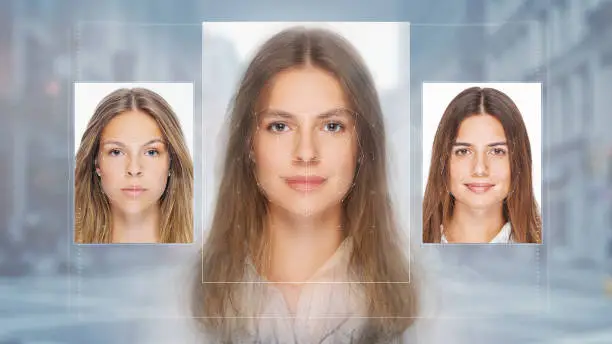
“Free Deepfake Tools” Does Not Always Mean Unlimited
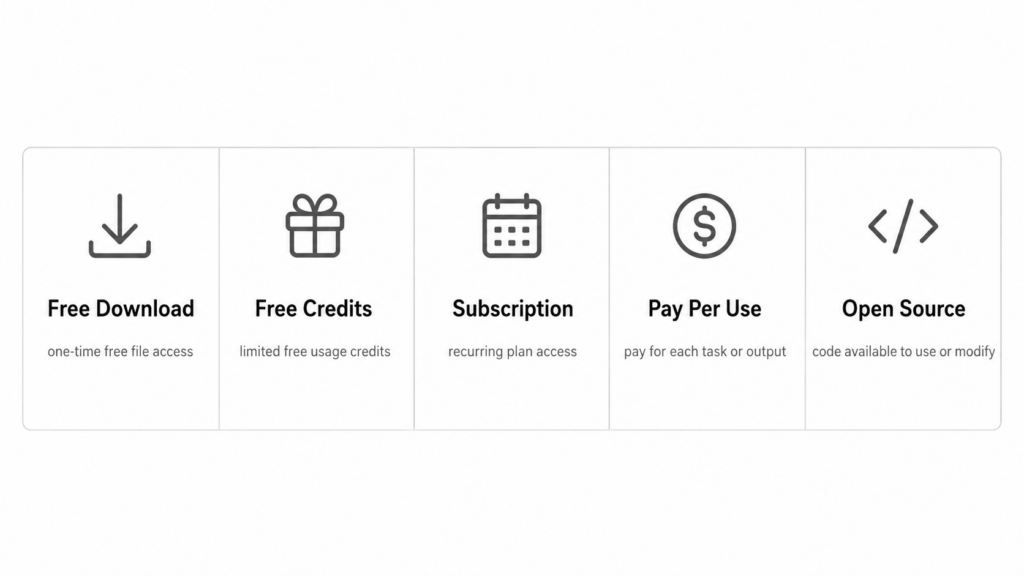
Before comparing tools, it helps to separate five access models.
| Access type | What it usually means |
|---|---|
| Free download | You can install the app, but some tools may require payment |
| Free credits | A small amount of generation is available before more credits are needed |
| Free trial | Premium features are available for a limited period |
| Pay per use | You pay for each generation or video |
| Open source | The software can run locally, but you provide the hardware and setup |
For example, FaceApp is free to download but also offers FaceApp Pro. Reface uses paid subscriptions for broader access, while DeepSwap uses credits. Deepfakes Web currently charges per video and explicitly states that it does not offer free video generation. By contrast, FaceFusion is available as an open-source local project.
So, if you arrived here after searching for free deepfake tools, check what “free” covers before uploading your project.
10 Deepfake Tools at a Glance
| Tool | Main workflow | Access model | Better for |
|---|---|---|---|
| WeShop AI | image and video face replacement | points / account usage | browser-based creative work |
| Reface | image and video face swap | subscription | quick web and mobile edits |
| DeepSwap | photo, GIF, and video face swap | credits + premium | multi-format face swapping |
| Remaker AI | photo and video face swap | free credits + credit packs | browser users who prefer credits |
| Deepfakes Web | cloud video deepfake | pay per video | longer cloud-rendered video |
| FaceApp | portrait transformation | free download + Pro | portrait effects |
| SpeakPic | talking-photo animation | app-based | animated portraits and voice |
| Jiggy | face/body animation | app + in-app purchases | short mobile content |
| FaceFusion | local face manipulation | open source | technical local workflows |
| DeepFaceLab | traditional local deepfake workflow | open source, archived | learning older deepfake pipelines |
The older article mixed face swapping, portrait effects, talking-photo tools, and deepfake software under one label. This version keeps those useful names but makes the difference clear.
Browser-Based Deepfake Tools for Faster Testing
1. WeShop AI
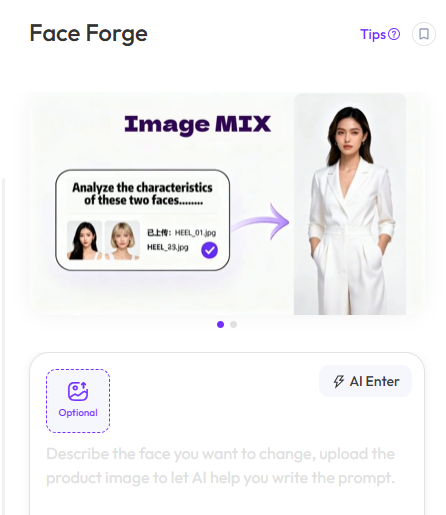
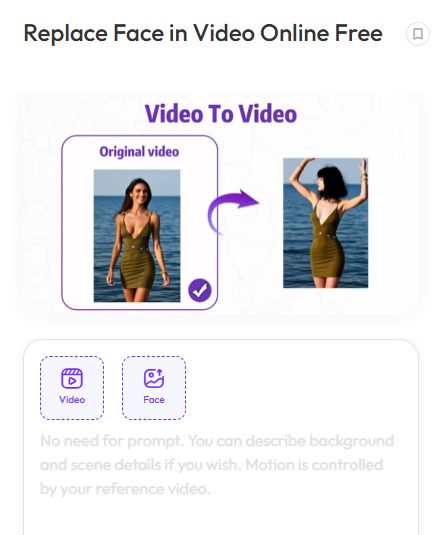
WeShop now has more relevant face-generation tools than the older article described.
For still images, Face Forge focuses on face morphing and face swapping. For video, Replace Face in Video takes a video plus a reference face image and generates a new clip with the replacement face. The current WeShop tool directory lists both capabilities separately, which is more useful than treating AI Model generation as a deepfake feature.
This makes WeShop a practical option when you want the face workflow inside the same browser workspace as other image and video tools.
For quality review, pay attention to:
- head angle
- face shape
- jawline
- skin tone
- hair overlap
- lighting
- expression stability
For video, also watch what happens when the head turns or passes behind another object.
2. Reface
Reface remains centered on face swapping and related photo/video transformations. Its current web product supports swapping into photos and videos. However, broader access is tied to subscription plans rather than an unlimited free model.
Reface is useful when you want a guided interface instead of building a local workflow.
The main thing to check is source compatibility. A clean portrait and a target with a similar head angle usually make comparison easier.
For video, inspect several frames rather than judging one thumbnail.
3. DeepSwap
DeepSwap supports photo, GIF, and video face swapping. However, the old article incorrectly described it as open source and unlimited free.
The current service uses premium access and credits. Its official pricing page assigns credits to photo, GIF, and video face-swap generation.
One useful detail from DeepSwap’s own support guidance is that clear, unobstructed faces work better. Side angles and frequent movement can also make video tracking harder.
That is a useful rule for almost every face-swap tool, not only DeepSwap.
4. Remaker AI
Remaker AI includes face swap tools for images and video. Its current model is different from a subscription service: new users can receive free credits, while additional usage is handled through one-time credit purchases.
That makes it useful for people who prefer buying credits only when needed.
Remaker is also worth comparing when your project involves several separate image swaps rather than a recurring subscription workflow.
Still, “free credits” should not be rewritten as “unlimited free.” They are not the same thing.
5. Deepfakes Web
Deepfakes Web is more focused on cloud video processing.
You upload a source face and target video, then the service processes the swap in the cloud. Its current pricing is pay-per-video, and its FAQ states that free video generation is not available.
This makes it quite different from mobile template apps.
It is better thought of as a dedicated video workflow rather than a quick free face-filter tool.
If you compare it with other video options, review:
- face tracking through motion
- mouth and expression stability
- lighting changes
- occlusion
- flicker between frames
Not Every Tool Here Is a Full Face-Swap Engine
This is where many older “top deepfake tools” articles become confusing.
Some popular names are useful, but they solve a different problem.
6. FaceApp
FaceApp belongs closer to AI portrait transformation than a full deepfake video workflow.
It remains free to download, while FaceApp Pro unlocks additional tools and filters.
So, keep FaceApp in the comparison if readers are interested in facial appearance changes. However, do not describe it as an unlimited face-swap video system.
That distinction makes the article more accurate without removing a familiar tool from the original list.
7. SpeakPic
SpeakPic is better described as a talking-photo or voice-animation tool.
The app is still listed for mobile use and focuses on making a photo speak or respond to voice-driven editing. That is adjacent to synthetic media, but it is not the same workflow as replacing one identity with another.
It can still belong in this guide because people searching for deepfake tools often mix face replacement with facial animation.
Just label it correctly.
8. Jiggy
Jiggy focuses more on mobile face/body animation and short-form creative content.
The app remains listed in App Store regions with in-app subscription options. However, it is a much more template-driven experience than local deepfake software.
That makes it more useful for quick entertainment edits than detailed compositing control.
When reviewing a result, look at the body-to-face connection. A face can look fine while the neck, head size, or movement still feels disconnected.
Open-Source Deepfake Tools Give More Control — and More Work
9. FaceFusion
FaceFusion is the strongest replacement I would add to the old list.
It is an actively maintained open-source face-manipulation project. The official GitHub repository includes face-swap and lip-sync related workflows, and recent releases continued into 2026.
However, local control comes with setup work.
The project itself warns that installation requires technical skills. So, this is not the best starting point for someone who only wants one fast browser swap.
It makes more sense for users who want:
- local processing
- repeatable workflows
- more control over models and settings
- batch or technical experimentation
10. DeepFaceLab
DeepFaceLab should stay in the article because it is historically important and may also be one of your existing external-link relationships.
However, the description must change.
It is open source, but the official repository was archived on November 13, 2024 and is now read-only. Therefore, I would describe it as a legacy technical reference, not an actively maintained 2026 recommendation.
Its workflow also requires much more learning than modern browser tools.
DeepFaceLab still helps readers understand what a traditional deepfake pipeline looks like. However, FaceFusion is the more current option if ongoing development matters.
Test Deepfake Tools With the Same Source Material
A list becomes much more useful when the tools are tested under similar conditions.
Do not upload a different face to every platform and then compare the results.
Instead, use the same authorized source material.
For example:
Source portrait
Use one clear photo of a consenting adult. The face should be visible, reasonably sharp, and not covered by hair or accessories.
Target
Choose a second authorized photo with a similar head angle and simple lighting.
Then review the same areas in every generation.
| Area | What to look for |
|---|---|
| Identity | does the result still resemble the intended source? |
| Eyes | consistent size, direction, and spacing |
| Jawline | no doubled or blurred edge |
| Skin tone | face matches neck and surrounding skin |
| Hairline | no obvious pasted boundary |
| Lighting | highlights and shadows follow the target scene |
| Occlusion | glasses, hair, hands, and objects overlap correctly |
| Background | no warping around the replaced face |
For video, add three more checks:
Frame stability — does the face flicker?
Head turns — does identity stay stable when the subject rotates?
Mouth movement — do lips and teeth remain coherent during speech?
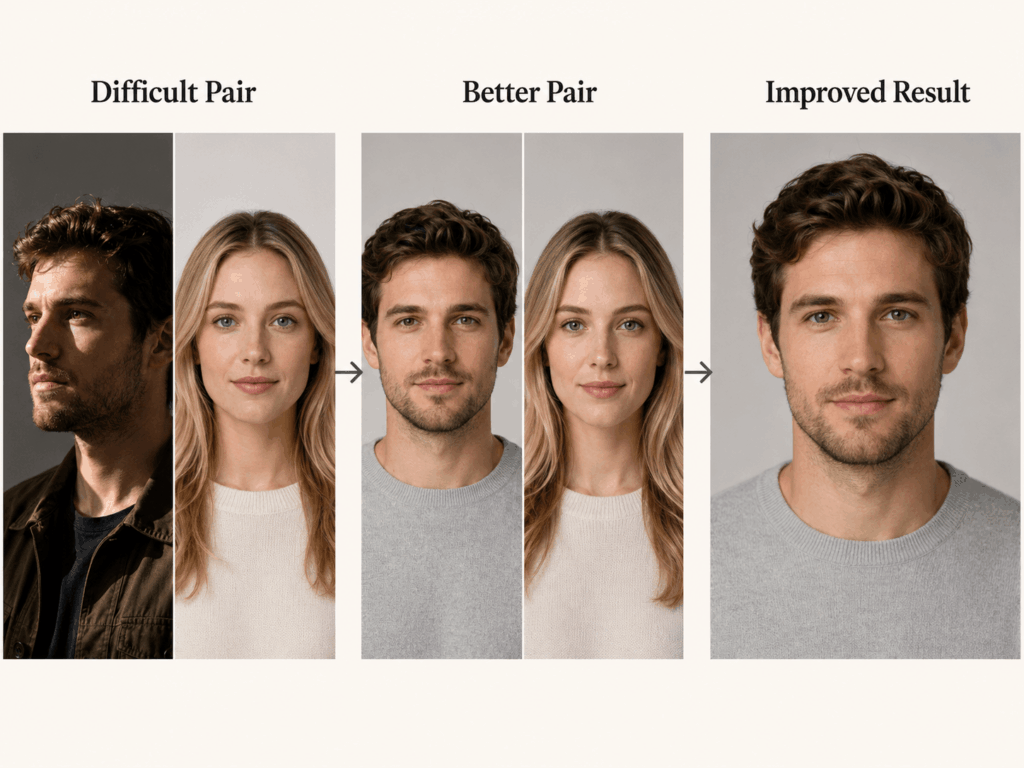
Why Face Swaps Fail Even When the Tool Is Good
A bad result does not always mean the tool is bad.
Sometimes the source pair creates the problem.
Head angles do not match
A front-facing face swapped into an extreme side view requires much more reconstruction.
Lighting comes from opposite directions
The new face may keep the source lighting while the target scene has different shadows.
Hair covers part of the face
The generator has to decide whether the hair belongs in front of or behind the replaced features.
The target face is too small
There may not be enough detail to preserve the eyes, mouth, and jawline.
Strong expressions change facial geometry
A neutral portrait and a wide-open laughing face can be harder to align.
Video contains fast turns or occlusion
Tracking becomes harder when a face disappears behind hair, hands, or objects.
So, before changing tools, test a cleaner source pair.
This is usually more informative than generating the same difficult input ten times.
Older Names From the Original List
I would not delete every older tool from the 2024 article, especially if some are external-link partnerships.
Instead, move uncertain or older names into this short section.
ZAO
ZAO was one of the better-known early mobile face-swap apps. However, its current global availability and product status are harder to verify cleanly than the active tools above. Therefore, keep the existing link if it is commercially important, but remove the old claim that it provides “full unlimited access for free.”
FakeApp
The name FakeApp is still found in current app listings, but it is difficult to verify that every current product using that name is the same classic deepfake software described in the old article. The safer approach is to keep it as a historical reference rather than giving it current pricing or capability claims.
WOMBO
WOMBO became well known for selfie lip-sync animation. However, the company’s current official app presence is much more focused on WOMBO Dream and newer creative products. So, keep WOMBO as part of deepfake history if needed for an existing partnership, but do not rank the older lip-sync experience as a current unlimited tool.
Which Type of Deepfake Tool Fits Your Workflow?
You do not need the tool with the longest feature list.
You need the right workflow.
| Your goal | Start with |
|---|---|
| Quick browser image face swap | WeShop AI, Remaker AI |
| Browser photo and video swap | Reface, DeepSwap |
| Dedicated cloud video workflow | Deepfakes Web |
| Portrait appearance effects | FaceApp |
| Talking-photo animation | SpeakPic |
| Short mobile face/body animation | Jiggy |
| Local open-source workflow | FaceFusion |
| Study an older technical deepfake pipeline | DeepFaceLab |
Also consider how often you use the tool.
A subscription may make sense for frequent work. Credits may be easier for occasional projects. Meanwhile, open-source software may reduce service dependence but adds installation, hardware, and maintenance work.
Use Synthetic Face Tools With Permission
Face replacement can create convincing synthetic media. That makes consent and context important.
Use your own images or images of consenting adults that you are authorized to edit.
Do not use deepfake tools to impersonate someone, mislead viewers about a real event, or create intimate synthetic content without consent.
For commercial work, also check the license and usage rights of the source image, target footage, and tool before publishing.
When a generated face could reasonably be mistaken for a real event, clear context or disclosure is a better choice than trying to make the edit deceptive.
Final Takeaway
The biggest problem with old lists of deepfake tools is not that every tool became useless.
It is that the access models changed.
Some tools are still worth using. Some moved to subscriptions or credits. Some are better described as portrait animation rather than face swapping. One major open-source option, DeepFaceLab, is now archived. Meanwhile, newer projects such as FaceFusion have become more relevant for local workflows.
So, start by deciding what you actually need:
photo, video, mobile, browser, or local processing.
Then test with the same authorized source material.
Finally, judge the generation by identity, angle, skin tone, lighting, edges, and stability—not by whether the homepage calls the result “realistic.”
That gives you a much more useful comparison than another list promising ten “unlimited free” tools.
Go to WeShop AI For Exploration: