Test New Fashion Designs with AI: How to Prototype Multiple Versions from a Single Sketch
Most apparel designers have a strong demand for rapidly prototyping and launching new fashion collections. So how can a design sketch be used to prototype multiple versions of garments for different demographics and scenarios? WeShop AI’s Image to Image generation mode can help you with this! Note that design sketches are recommended to use Img2Img rather than Product mode; because line drawings are not real garments, using other modules would make the clothing look artificially unrealistic.
Specific Steps
- Upload the original sketch from the designer to the Img2Img mode.
- In the generation parameters, you can select different model styles, different background scenes, and even adjust colors to generate multiple sets of mockup images.
- Compare the different versions of mockup images, and select the scheme that best fits the product positioning and target customer.
- After selecting the mockup image, you can download it for use on the product detail page, to visually present the product to customers.
AI Generation Step-by-step
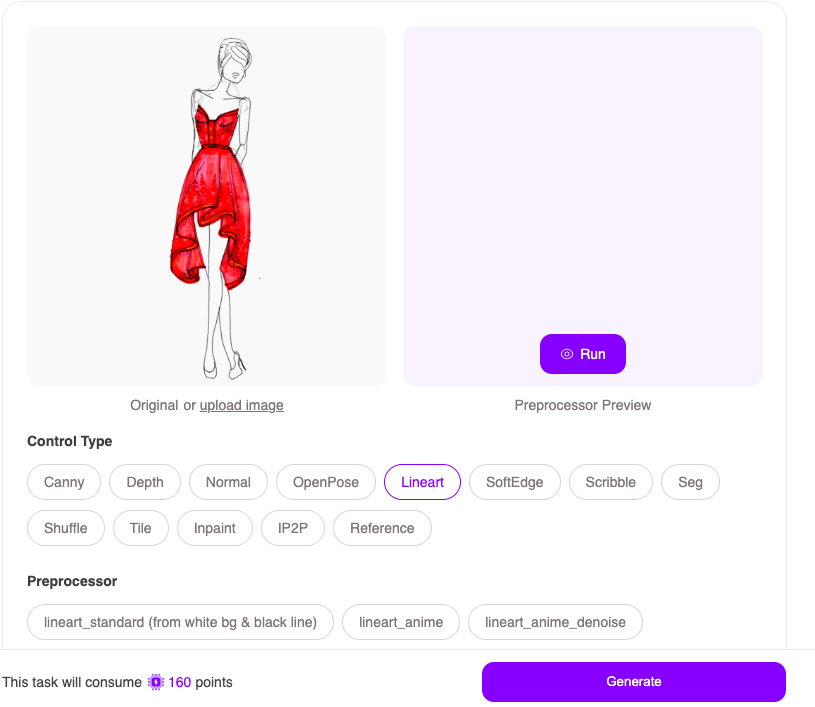
- Upload the original image
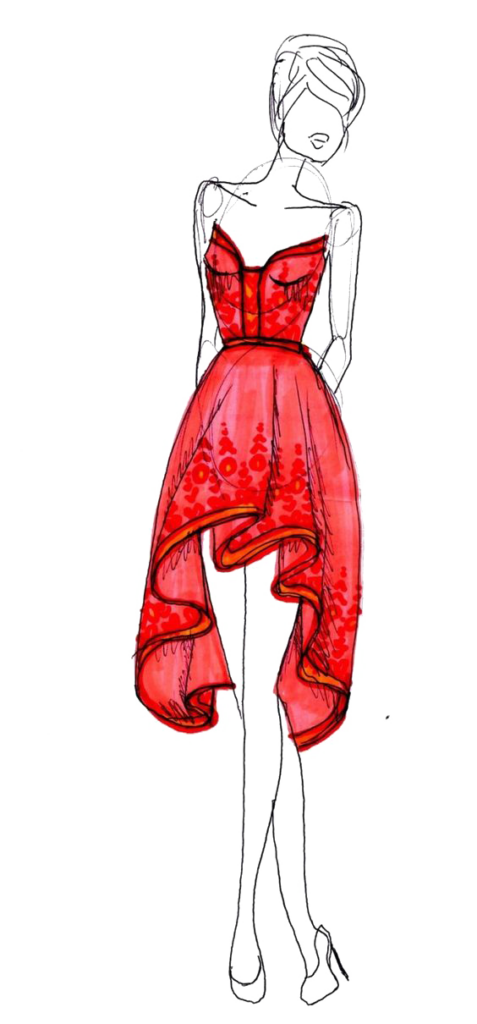

2. Following the below instruction and parameters as references to generate a beautiful and realistic caucasian woman in the red dress
3. Select Checkpoint: Realistic Vision V5.0 (great of human being generations)
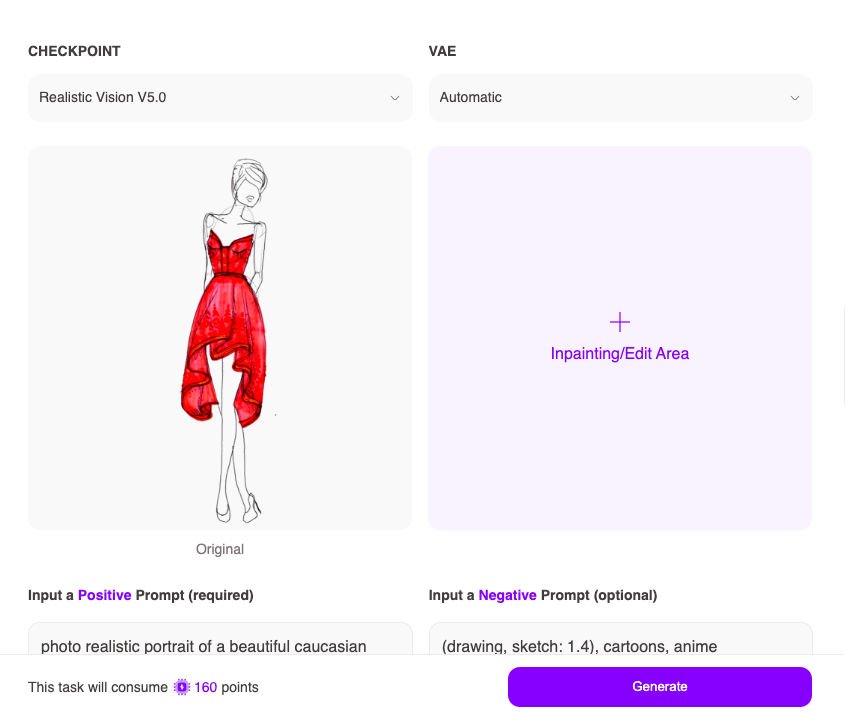
4. Insert below prompt: +ve: photo realistic portrait of a beautiful caucasian woman wearing red dress, centered in frame, facing camera, symmetrical face, ideal human, 85mm lens, f8, photography, ultra details, natural light, light background, Emerald green eyes and smooth blonde hair, standing on the street of paris; -ve: (drawing, sketch: 1.4), cartoons, anime
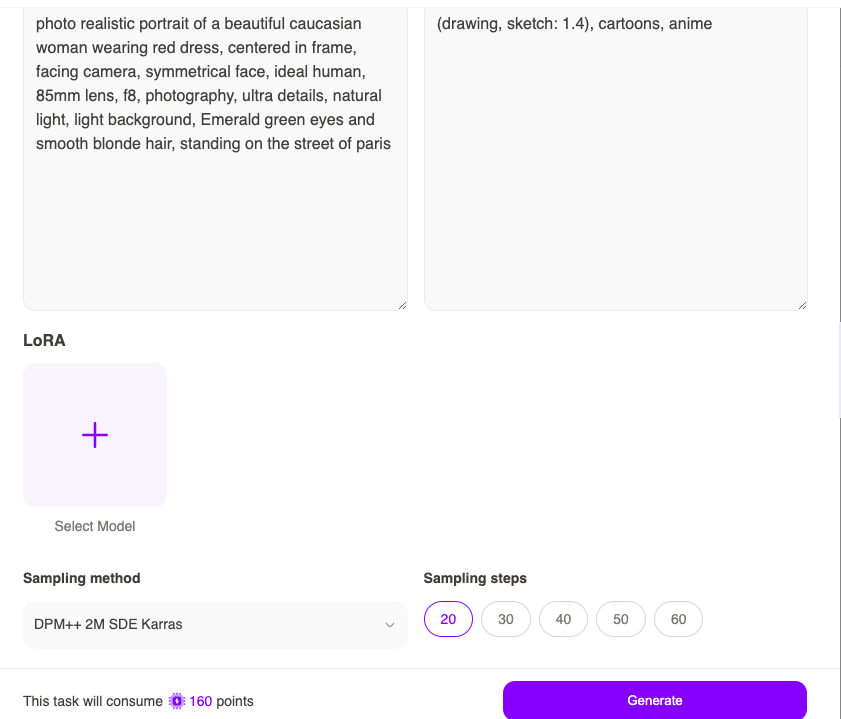
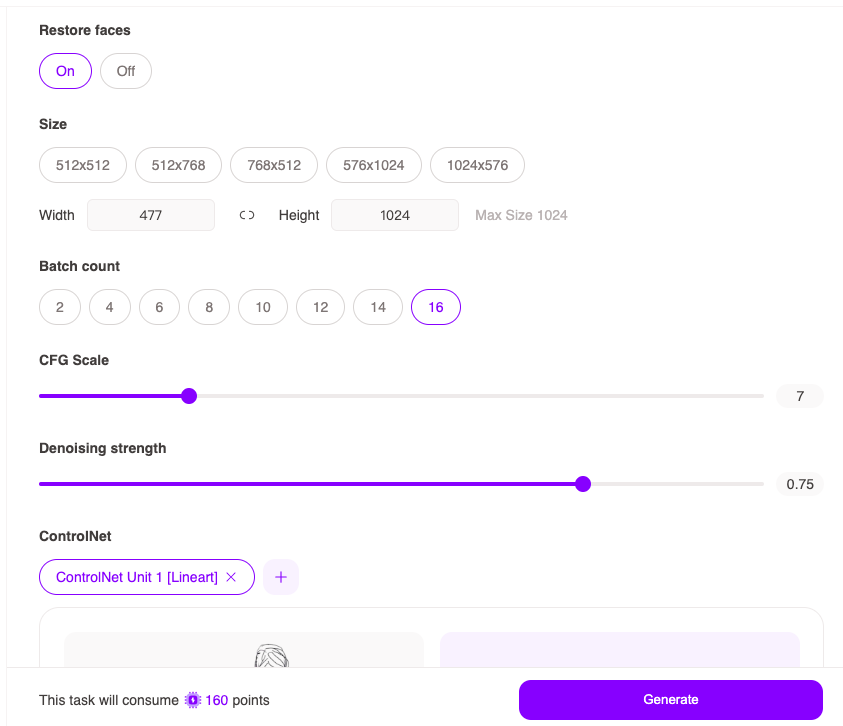
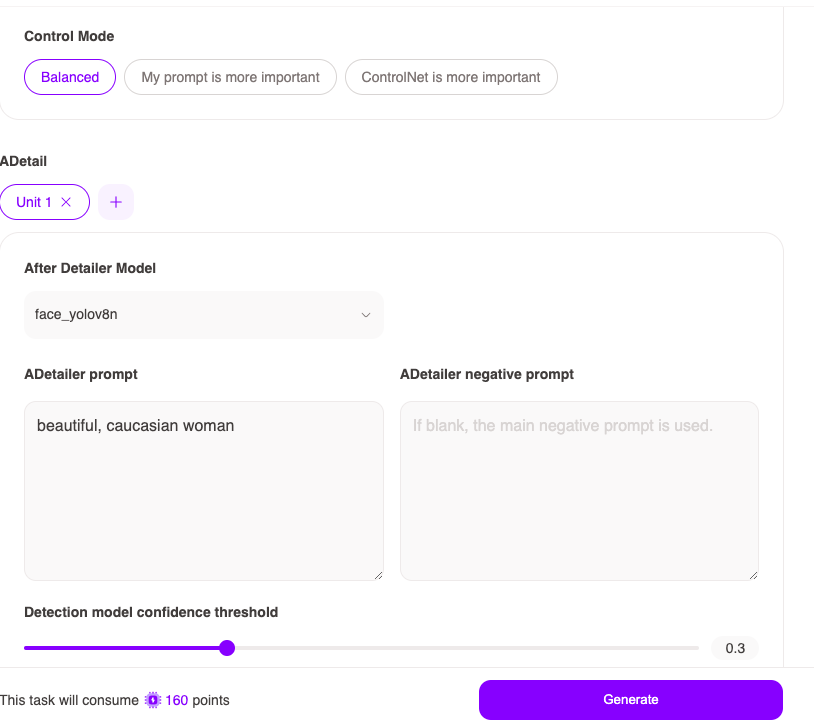
5. Lastly, following below parameters
Result
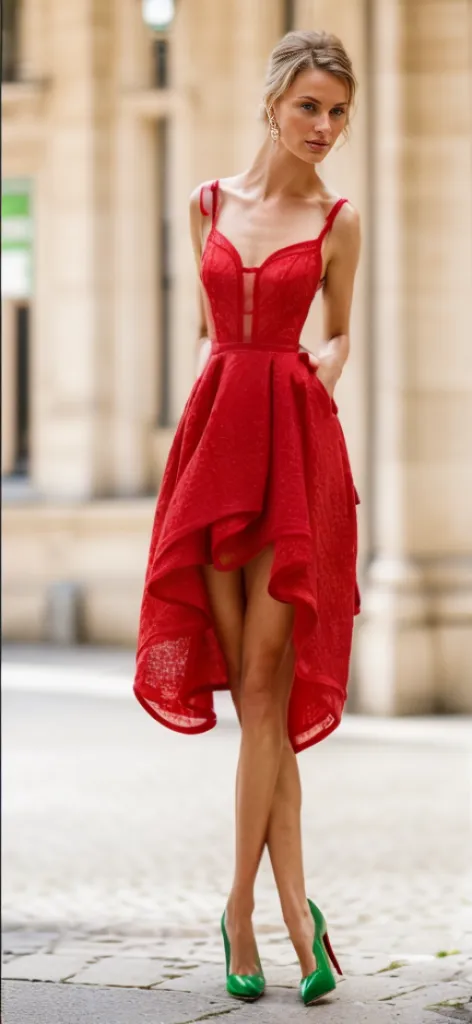
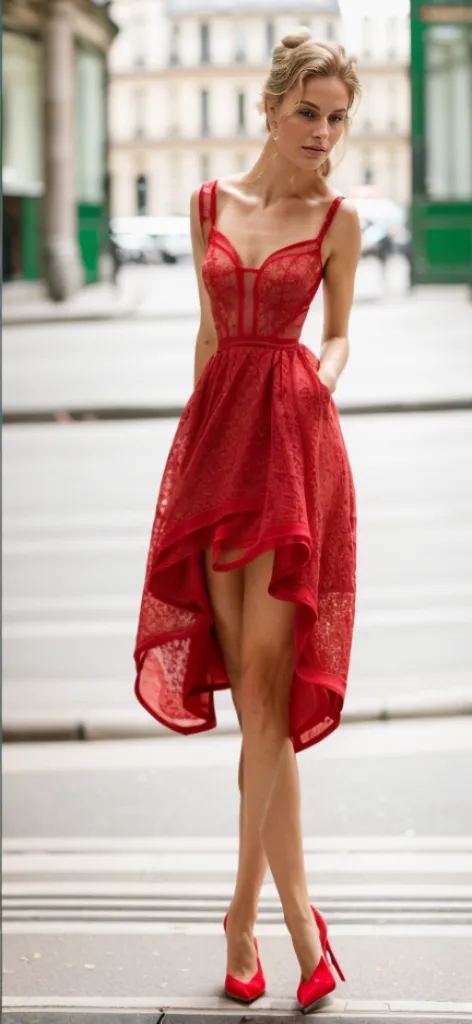
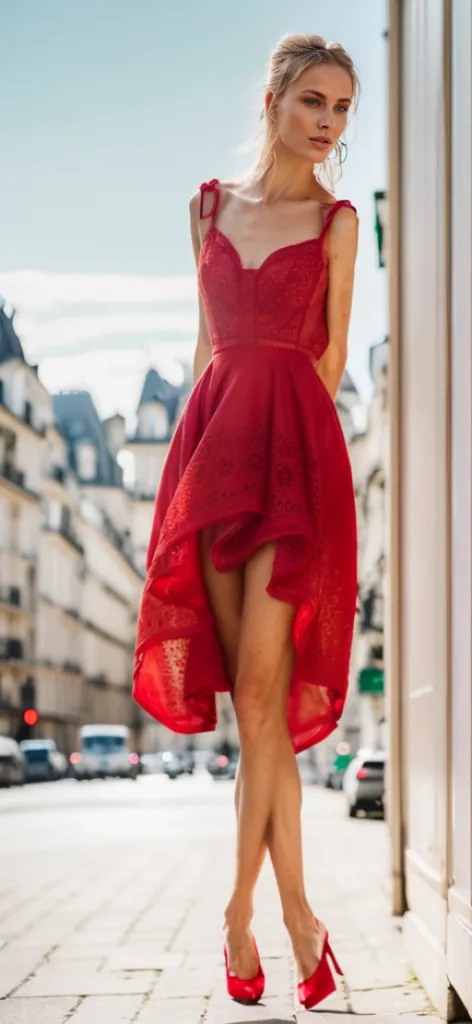
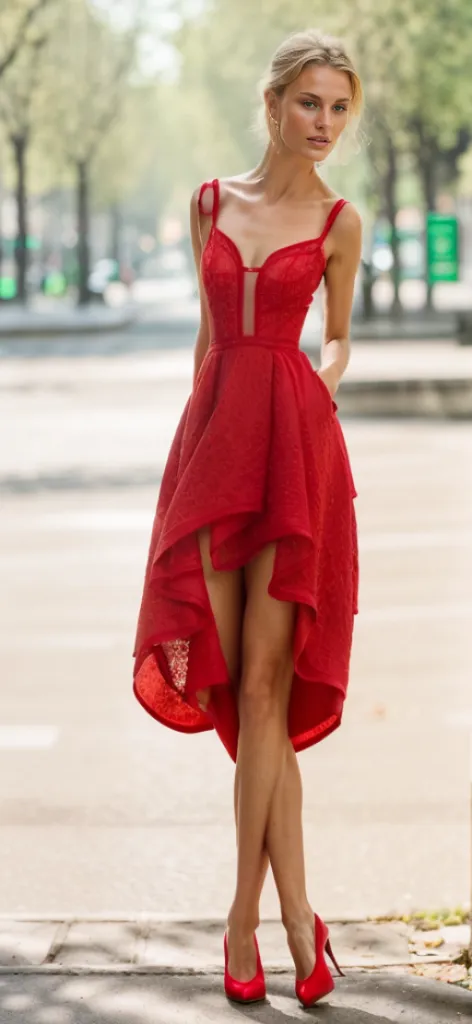
For other tutorials of New AI Feature for Designers/Artists: Text-to-Image & Image-to-Image, please refer to https://www.weshop.ai/blog/post-176