Work apps should help you move forward, not create more tabs to manage. That is why open source AI tools are getting serious attention from teams of every size. They give people more choice, more control, and, in many cases, a clearer view of how the software works. The wider debate between open and proprietary software has been building for years, as this TechCrunch overview explains.
However, open source does not automatically mean easy, free, or right for every team. Some tools need technical setup. Others offer a hosted plan alongside self-hosting. So, the practical question is not “Which tool is best?” It is “Which tool solves the problem in front of me?”
This guide looks at open source AI tools and open source productivity apps that can support a smarter workday. From image workflows to code, meetings, customer support, and publishing, each option has a clear job to do.

Why Open Source AI Tools Are Worth Your Attention
Open source software makes its code available for people to inspect, use, and improve under its license. As a result, teams can often adapt a tool to fit their workflow instead of changing their workflow to fit the tool. The phrase “open source AI” can mean different things in practice, so it is worth reading the fine print on models, code, data, and licenses; this explanation is a useful starting point.
That flexibility matters. For example, a business may want to keep files on its own server, connect a tool to an internal system, or avoid being tied to a single vendor. Open source AI tools can make those choices possible.
There are other practical benefits, too:
- More visibility: You can review the project, its documentation, and its community before you commit.
- More control: Self-hosting can help teams decide where data lives and how it is handled.
- More room to adapt: Developers can build integrations or adjust parts of a workflow when the license allows it.
- More options: Many projects offer both self-hosted and managed routes, so teams can choose the level of support they need.
Still, openness is not a shortcut. You may need someone to manage updates, backups, access rights, and security settings. Therefore, it is best to start with one clear use case rather than replace every app at once.
Open Source AI Tools vs. Closed Tools: What Is the Real Difference?
Closed tools can be quick to start with. Usually, you create an account, invite a team, and begin. That convenience is valuable, especially when time is tight.
Open source AI tools offer a different trade-off. They can give you more say over deployment, data, and customization. Yet that extra control can also bring more responsibility.
For instance, a hosted platform may handle maintenance for you. By contrast, a self-hosted tool may need setup and ongoing care from your team or a service partner. Neither approach is automatically better. The right choice depends on your budget, technical resources, and privacy needs.
Before you choose, ask three simple questions:
- What task is slowing us down today?
- Do we need to control where our data is stored?
- Who will own setup, updates, and support?
Those answers will narrow your search much faster than a long feature checklist.
12 Open Source AI Tools and Productivity Apps for Everyday Work
The following tools cover different parts of a modern workflow. Some are AI-first. Others are open source platforms that work well alongside AI tools. Together, they can help a team reduce repetitive work and keep important tasks in one place.
Open Source AI Tools for Visual Work: WeShop UI
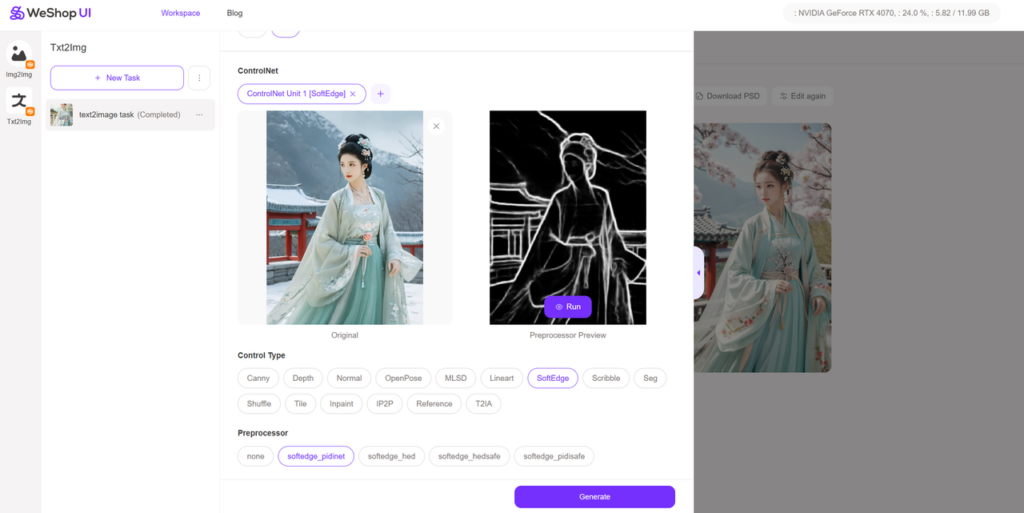
WeShop UI is an open-source project derived from WeShop AI. It is built around local AI image workflows and is designed for people who want more control over the creation process. It can be especially useful for visual teams that work across established tools such as Adobe and Figma, but want another local option to test.
The project supports task management, repeat editing, batch work, and image downloads. It also uses Stable Diffusion WebUI as part of its local workflow. So, it can be useful for teams that want to explore AI image generation without relying only on a browser-based service.
WeShop UI has a more hands-on setup than a standard web app. However, that is also part of its appeal. Designers and operators can keep projects organized locally, test settings, and revisit earlier tasks when they need another version. The project is also available through Hugging Face.
Open Source AI Tools for Scheduling: Cal.com

Cal.com is widely used for booking pages and scheduling workflows. Its licensing and product options have changed over time, so check its current terms before you plan a self-hosted rollout.
Even so, it remains a useful example of a flexible scheduling workflow. It can help teams connect booking pages, calendars, and availability rules in one place. As a result, it may reduce the back-and-forth that comes with arranging calls.
Open Source AI Tools for Screen Recording: Screenity
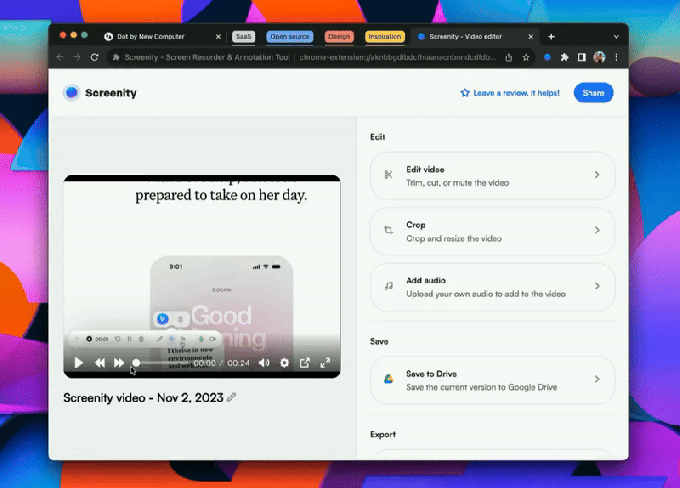
Screenity is a browser-based screen recorder for Chrome and other Chromium browsers. It can record a tab, a window, or a full screen. In addition, it includes simple annotation and editing features.
That makes it helpful for short product demos, bug reports, onboarding clips, and internal explainers. Instead of writing a long message, you can show the issue in a minute or two. Its local recording approach can also be useful when privacy is a priority.
Open Source AI Tools for Meetings: Jitsi
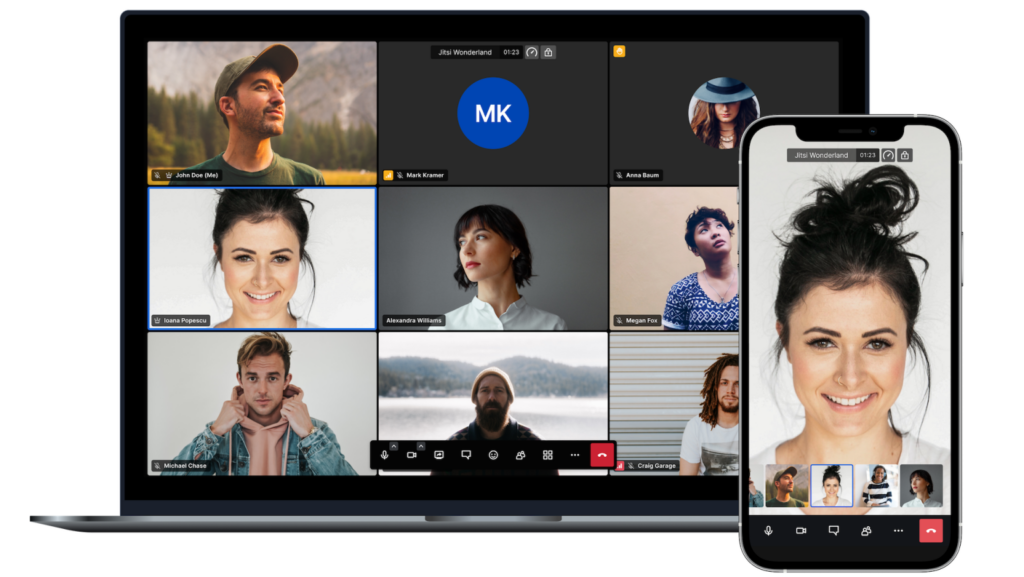
Jitsi is an open-source video conferencing project. It gives teams a way to run meetings without locking every workflow into one large platform.
For example, teams can use Jitsi for quick internal calls, community sessions, or embedded meeting experiences. If you have the technical support for it, self-hosting can offer more control over the environment. However, check your expected meeting size and infrastructure before deploying it widely.
Open Source AI Tools for Files and Collaboration: Nextcloud
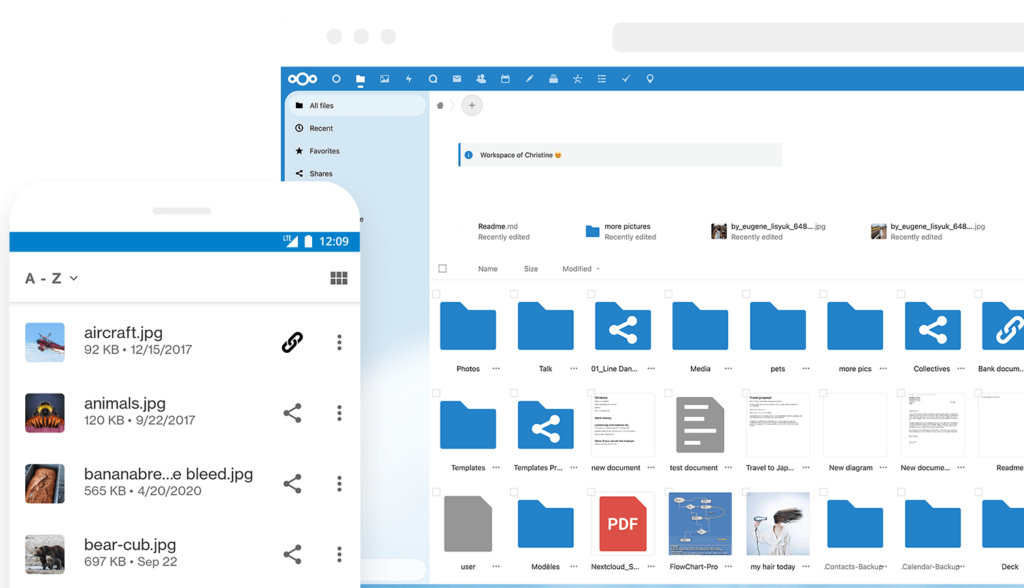
Nextcloud brings file storage, sharing, calendars, chat, document collaboration, and automation into one self-hosted workspace. It also offers an assistant layer for teams that want to explore private AI features in their own environment.
This makes Nextcloud a strong fit for organizations that care about data location and everyday collaboration. Moreover, it can replace several separate tools with a single, connected workspace. Start small, though. Moving files and permissions takes planning.
Open Source AI Tools for Publishing: Ghost
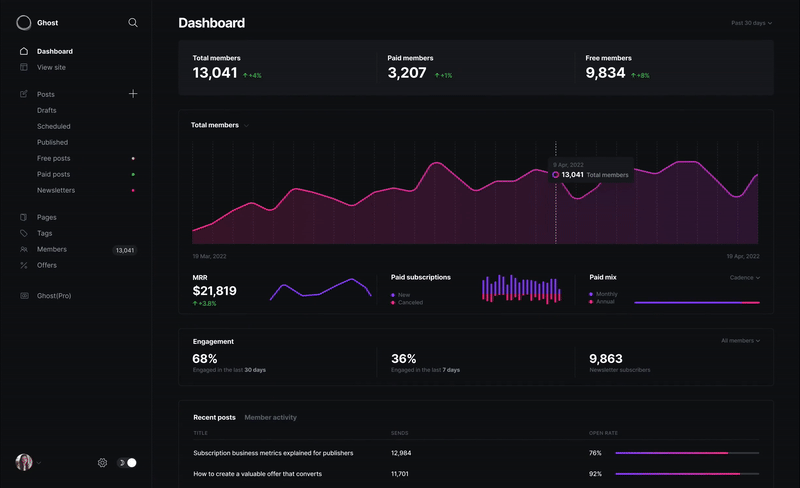
Ghost is an open-source publishing platform for blogs, newsletters, and membership sites. It is clean, focused, and built for people who want to own their content experience.
For content teams, Ghost can work well beside open source AI tools used for research, drafts, image preparation, or workflow planning. Meanwhile, its APIs and theme system leave room for a custom setup. That can be valuable when a brand needs a site that feels like its own.
Open Source AI Tools for Developers: Tabby
Tabby is a self-hosted, open-source AI coding assistant. It is designed as an on-premises alternative for developers who want AI support while keeping more control over their code environment.
For development teams, that can be a practical option when code privacy matters. In addition, Tabby can fit into existing editor workflows rather than forcing a new process. As with any coding assistant, review outputs carefully and keep normal code-review standards in place.
Open Source AI Tools for Customer Support: Chatwoot
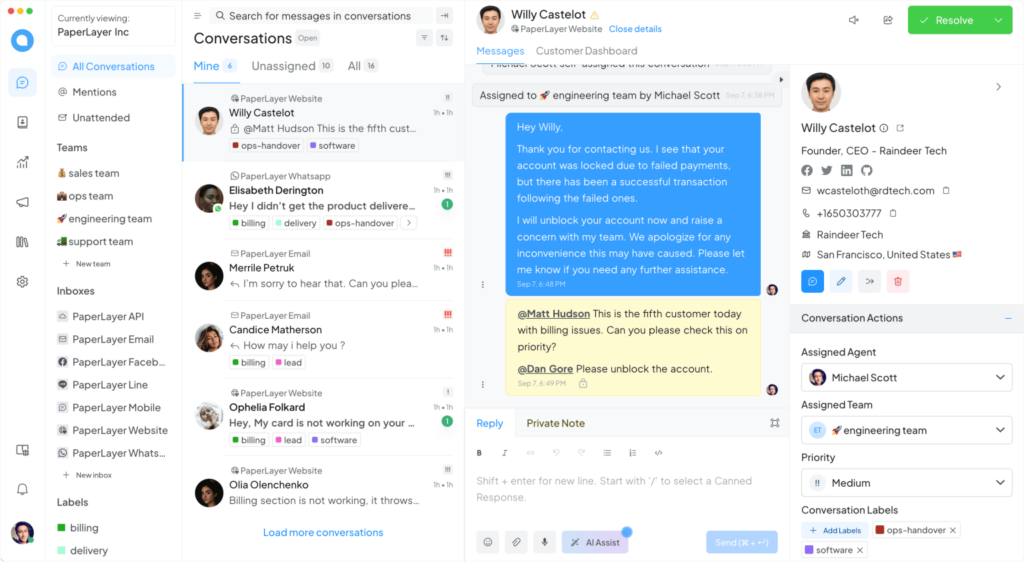
Chatwoot is an open-source customer support platform with self-hosted and cloud options. It brings conversations from web chat, email, social channels, and other channels into one inbox.
It also offers AI-assisted support features. So, a support team can use it to surface answers, organize common questions, and give agents a clearer view of customer history. If customer data needs to stay in a controlled environment, the self-hosted option is worth a closer look.
Open Source AI Tools for Photo Libraries: PhotoPrism
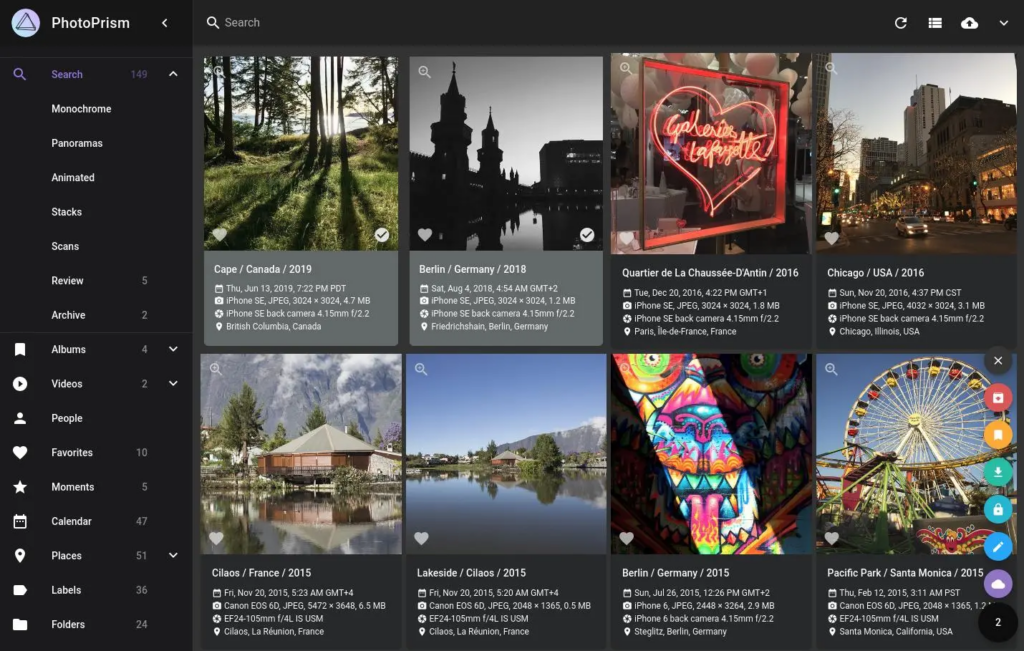
PhotoPrism helps people browse, organize, search, and share photo and video libraries. Its AI-assisted classification and search features can make large collections easier to manage.
For creative teams, that means less time hunting for old assets. It can also help reduce duplicate files and make internal archives more useful. However, image indexing takes computing resources, so test it with a smaller library first.
Open Source AI Tools for Passwords: Bitwarden
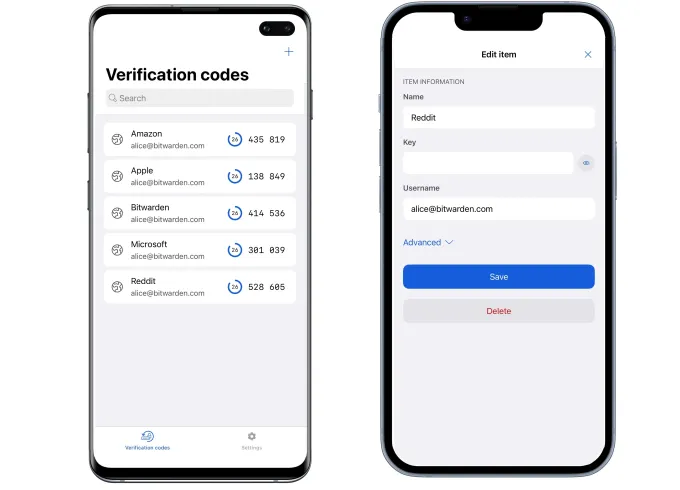
Bitwarden is an open-source password manager. It can help teams store credentials, share access safely, and reduce the risk of passwords being passed around in messages or spreadsheets.
It is not an AI tool in the narrow sense. Still, it supports the security habits that any AI-enabled workflow needs. For example, when a team adds new services quickly, a password manager helps keep account access organized.
You may also see Psono in conversations about self-hosted password management. If you prefer a commercial password manager, compare plans and features carefully rather than choosing based on a discount page alone. For reference, some buyers look at 1Password coupon information while comparing paid options.
Open Source AI Tools for Team Workspaces: AppFlowy
AppFlowy is an open-source workspace for notes, tasks, documents, and team planning. It is often considered by people who want a more flexible alternative to a closed all-in-one workspace.
Use it for project pages, meeting notes, lightweight databases, and shared planning. Then, connect it to the way your team already works. A simple workspace that people actually update is more useful than a complex one that everyone avoids.
Open Source AI Tools for Link Management: Dub.co
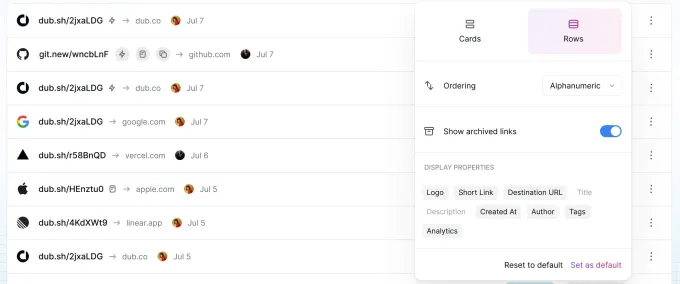
Dub.co is a link-management platform with an open-source codebase. It can help teams create branded links, organize campaigns, and review link activity.
This is especially useful for marketing teams that share content across many channels. As a result, people can see which links are being used and keep naming more consistent. Just make sure your tracking plan respects your privacy policy and local rules.
How to Choose Open Source AI Tools for Your Team
Do not choose a tool because it has the longest feature list. Instead, choose one that solves a real pain point with the least added complexity.
Open Source AI Tools: Start with One Repetitive Task
Pick a task that happens every week. It could be finding product images, recording bug reports, booking calls, answering common support questions, or organizing internal notes.
Then, test one tool with a small group. Give the test a clear goal, such as cutting handoffs, reducing duplicate work, or improving response time. After that, ask the people using it what felt easier and what created friction.
Open Source AI Tools: Check Ownership Before You Deploy
Someone needs to own access, updates, backups, and user support. This matters even more with self-hosted tools.
For example, a marketing team may own the day-to-day use of a link or content tool. However, an IT or engineering team may need to own security, hosting, and integrations. Set those roles early, and you will avoid confusion later.
Open Source AI Tools: Review Privacy and Integrations
Before you upload files, code, customer messages, or internal documents, understand what the tool stores and where it stores it. Also, check which services it connects to.
This is particularly important when you add AI features. In some cases, a private or local setup may be the better fit. In others, a managed service may save time. Either way, make the choice deliberately.
Open Source AI Tools and the Future of Productive Work
Open source AI tools are not replacing every paid platform. Instead, they are giving teams more ways to build a workflow around their real needs.
For some businesses, a client portal from an established platform may still be the right choice. For example, this guide to project management software with client portals shows why client-facing work often needs a structured system. Likewise, an all-in-one agency management platform may suit teams that need project delivery, resource planning, and finance tools in one place.
However, open source projects can give businesses a useful middle ground. They can combine flexible software with internal processes, custom integrations, and the level of control they need. When a project needs deeper changes, custom software solutions can help shape a tool around a specific workflow. Similarly, a software development outsourcing partner can help teams that need extra technical capacity.
AI will also keep changing how people work. We are already seeing more AI agent examples that automate routine steps and support decisions. At the same time, tools such as an AI note-taker can turn calls into notes and action items with less manual effort.
The best result will not come from adding AI everywhere. Instead, it will come from choosing a few useful tools, setting clear rules, and giving people time to learn them.
Build a Better Workflow with Open Source AI Tools
Open source AI tools can help you create a workday with fewer repeats, fewer scattered files, and more control over the systems your team depends on. Yet the goal is not to collect tools. The goal is to make good work easier to do.
Start with one problem. Test one solution. Then, keep what works and leave the rest behind.
If you are still exploring the AI landscape, Insidr.AI offers a directory of AI tools and resources that can help you compare options. However, do your own evaluation before you bring any new tool into an important workflow.
Go to WeShop AI For Exploration: