

Want to stop your WeShop AI plan from renewing? You can cancel your subscription from the Pricing page in four quick steps. Cancellation stops the next automatic renewal; your current plan remains active until the end of the paid billing period shown in your account.
Web
01 Open the Pricing Page
Sign in to WeShop AI, then select Pricing in the top navigation. This opens the page where you can view and manage your current subscription.

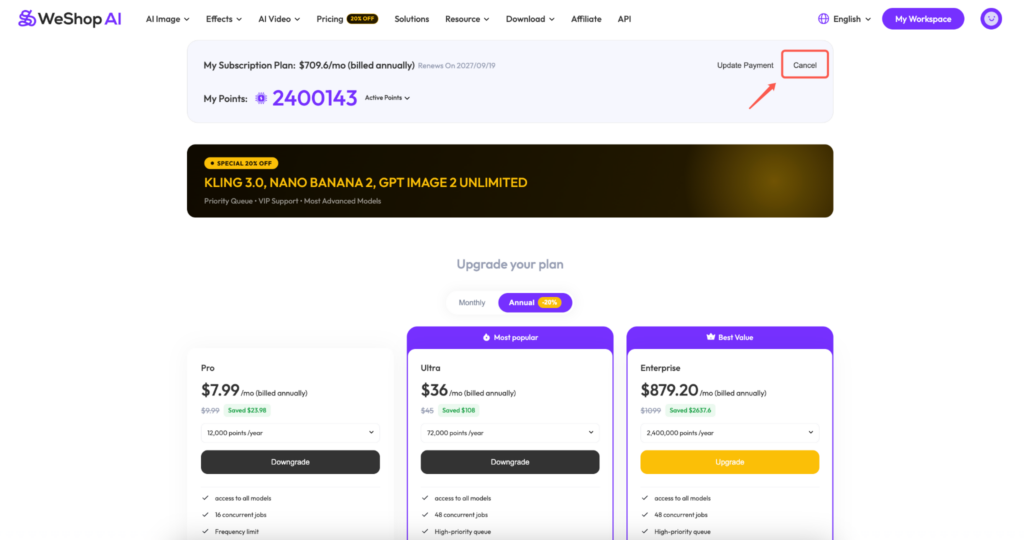
02 Select Cancel
At the top of the Pricing page, find My Subscription Plan. Review the plan and renewal details, then select Cancel on the right.
03 Review the Cancellation Message
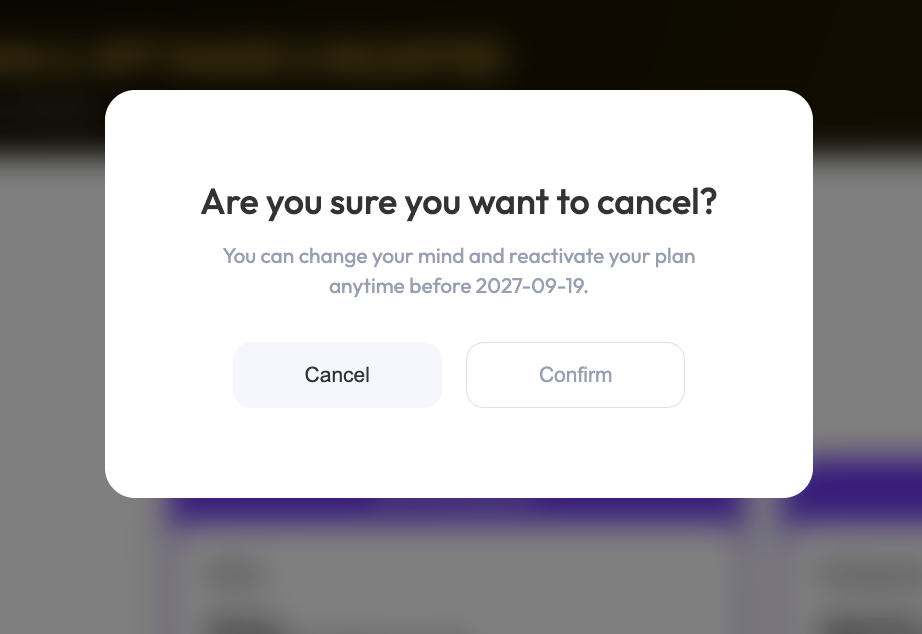
A confirmation window will show the date through which your plan remains available. Check this date before continuing. To leave without making changes, select Cancel in the popup.
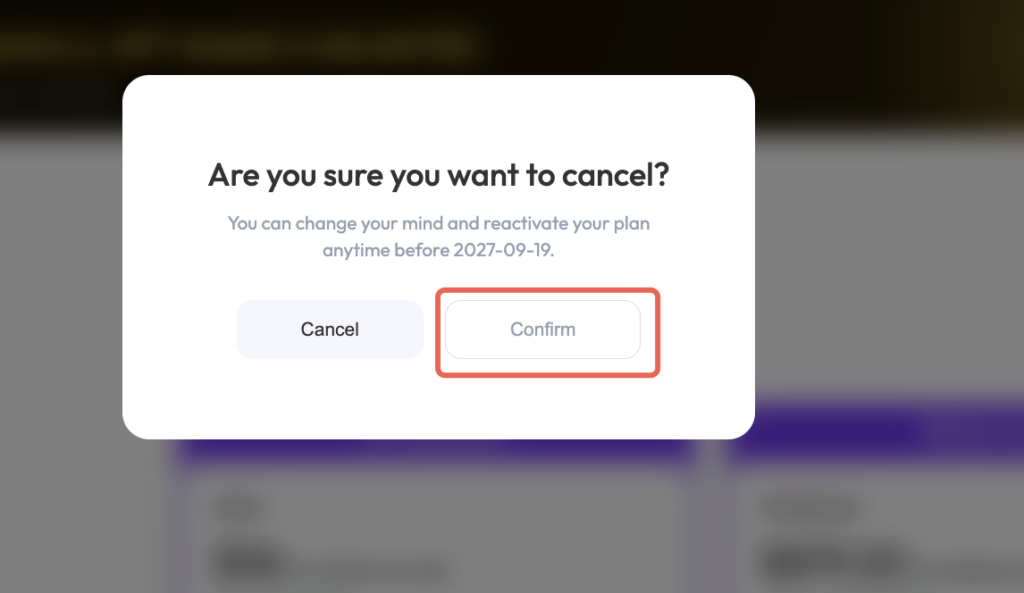
04 Confirm the Cancellation
Select Confirm to complete the request. Your subscription will not renew automatically when the current billing period ends.
What Happens After You Cancel?
Canceling affects your next renewal; it does not end your paid plan immediately. Until the end date shown in your account:
Your current subscription remains active.
You can continue using the plan features and benefits available to your account.
No new subscription charge should be created for the next billing period.
If reactivation is available, you can restore renewal before the displayed end date.
H5
How to Cancel Your WeShop AI Subscription on H5
If you’re using WeShop AI on H5, you can manage and cancel your subscription directly from your account page.
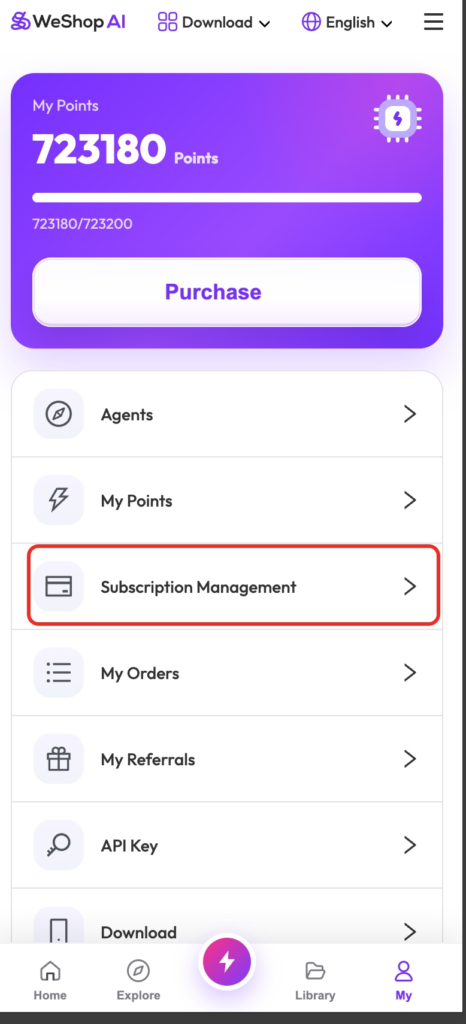
Step 1: Open “Subscription Management”
Open WeShop AI on H5 and tap My in the bottom navigation bar.
On the My page, find and tap Subscription Management.
Step 2: Tap “Cancel”
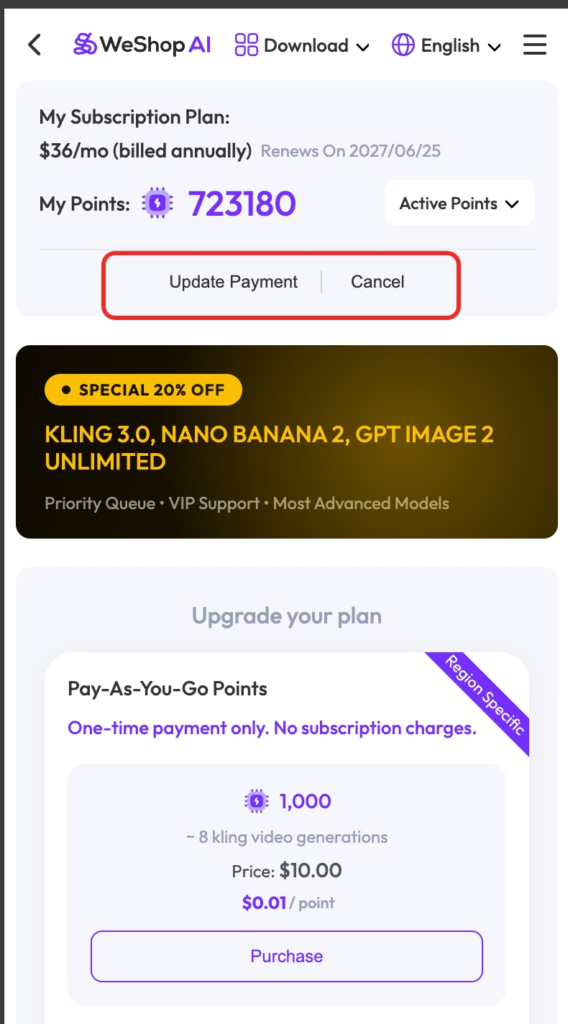
On the Subscription Management page, you can view your current subscription plan, renewal date, points balance, and payment options.
Tap Cancel next to Update Payment to start the cancellation process.
Step 3: Confirm the Cancellation
A confirmation window will appear after you tap Cancel.
Review the cancellation notice, then tap Confirm to complete the cancellation.
Your subscription will remain active until the end of the current billing period, but automatic renewal will be turned off.
What Happens After You Cancel?
After cancellation:
- Your current plan will remain active until the end of the paid billing period.
- Automatic renewal will be disabled.
- You can continue using your subscription benefits during the remaining active period.
- You may reactivate your subscription before it expires, if the option is available.
