

An Amazon Product Background Remover can turn a normal product photo into a clean Amazon image. It removes a busy background and keeps the focus on the item. It can also save time during listing creation.
Many sellers use photos from suppliers or mobile phones. However, these photos often have different backgrounds. One may show a table, while another may show a wall. As a result, the full catalog can look messy.
Therefore, background removal should be part of the image workflow. It can help sellers create cleaner images, keep a similar style, and publish products faster.

✨ Why an Amazon Product Background Remover Matters
A clean image helps shoppers see the product at once. In addition, it makes the shape, color, and material easier to notice.
However, the product still needs to look natural. It should be large enough in the frame. Its edges should also look smooth. Most importantly, it should not look as if it is floating.
An Amazon Product Background Remover removes tables, walls, and other objects. Therefore, sellers do not need to cut out every edge by hand. This is useful for stores with many products.eful for sellers who manage many products from different suppliers or photo sources.
How an Amazon Product Background Remover Improves Image Quality
Background removal cannot fix every photo. For example, it cannot fully repair blur, poor lighting, or a hidden label.
Therefore, always start with a clear image. The full product should be easy to see. Fine parts also need enough contrast. These may include straps, wires, handles, and clear packaging.
The process is simple. First, choose a strong photo. Next, remove the background. Then, check the final result.

📦 Amazon Product Background Remover and Main Image Rules
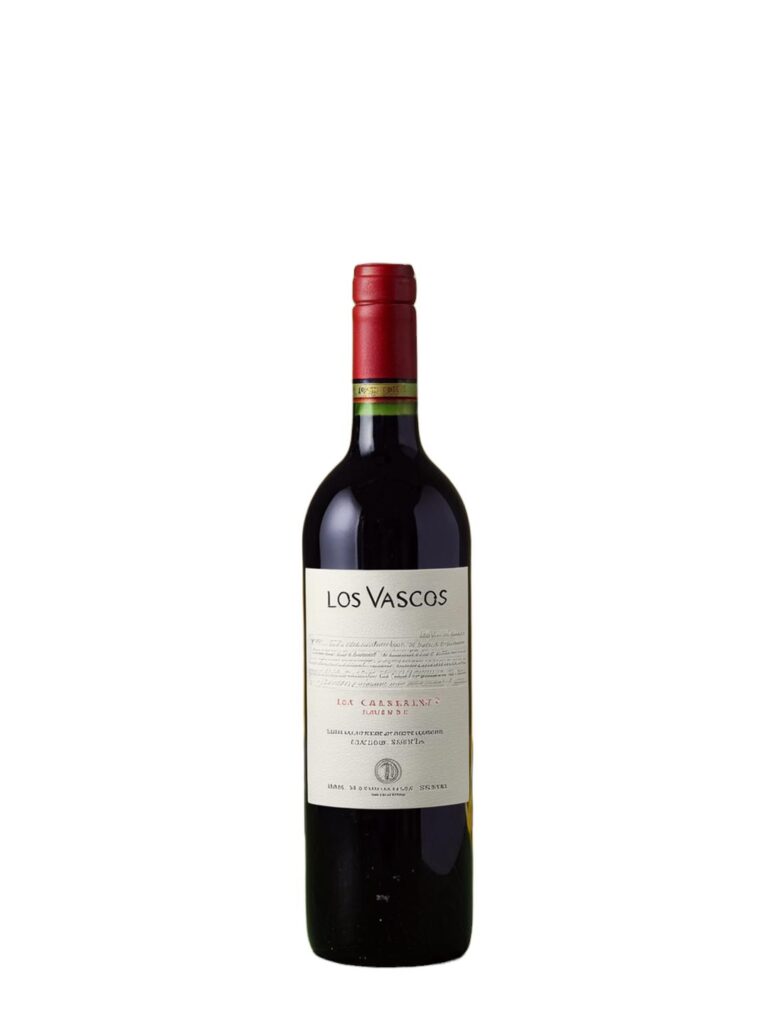
Amazon main images should keep the focus on the actual product. In most cases, the background should be pure white, while the item should fill most of the frame.
In addition, sellers should avoid extra text, decorative borders, watermarks, color blocks, and unrelated props in the main image.
Therefore, an Amazon Product Background Remover is useful, but it is not a complete compliance checker. Sellers still need to review the final canvas, product size, crop, colors, and visible details.
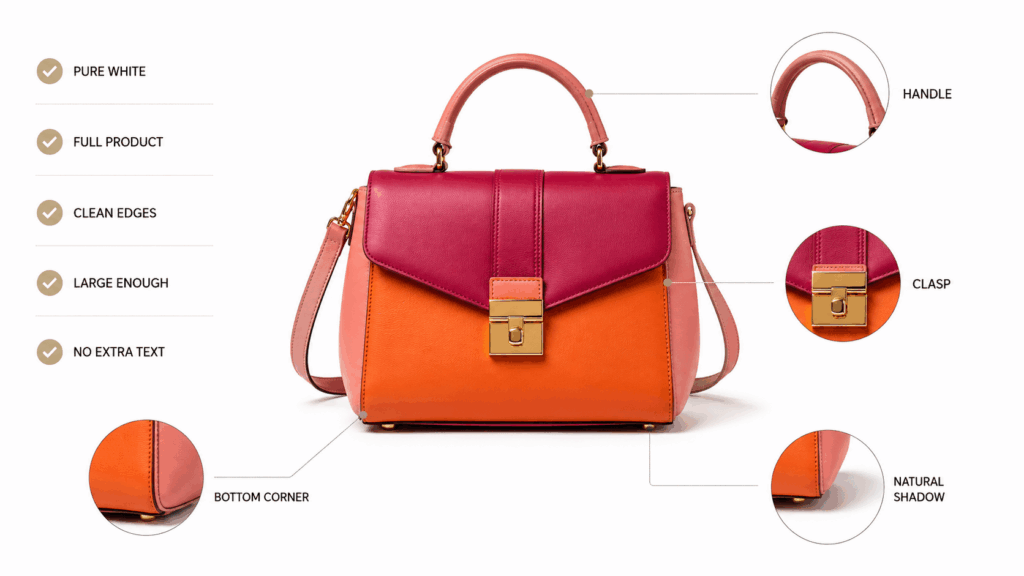
Amazon Main Image Checks After Background Removal
Before uploading an edited image, ask these five questions:
- Is the background pure white?
- Is the full product visible?
- Does the product fill the frame well?
- Are the product edges clean?
- Does the image show only what the buyer will receive?
If one answer is no, fix the image before publishing. As a result, the listing is less likely to need another round of editing later.
⚙️ How to Use an Amazon Product Background Remover
WeShop AI keeps the basic process simple. First, upload a product image. Next, let the tool identify the main subject and remove the original background. Then, review the edited result before preparing it for the listing.
However, a reliable workflow should include several extra checks. These checks take little time, yet they can make the final product image look far more professional.

Step 1: Choose a Photo for the Amazon Product Background Remover
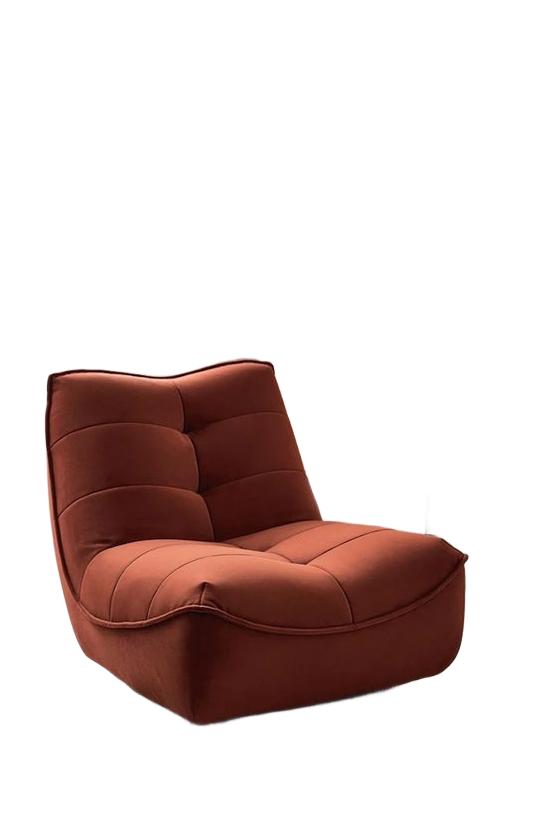
First, select the clearest photo of the product. Use an image with simple lighting and enough space around the item.
In addition, avoid photos where the product blends into the background. A black bag on a black chair may be hard to separate. Likewise, clear glass placed in front of a bright window can hide important edges.
Therefore, stronger input usually leads to stronger output. A phone photo can work well, but it should still show the real product clearly.
Step 2: Remove the Background from the Amazon Product Image
Next, upload the image and let the Amazon Product Background Remover detect the item. It can remove a distracting table, wall, room, or outdoor setting.
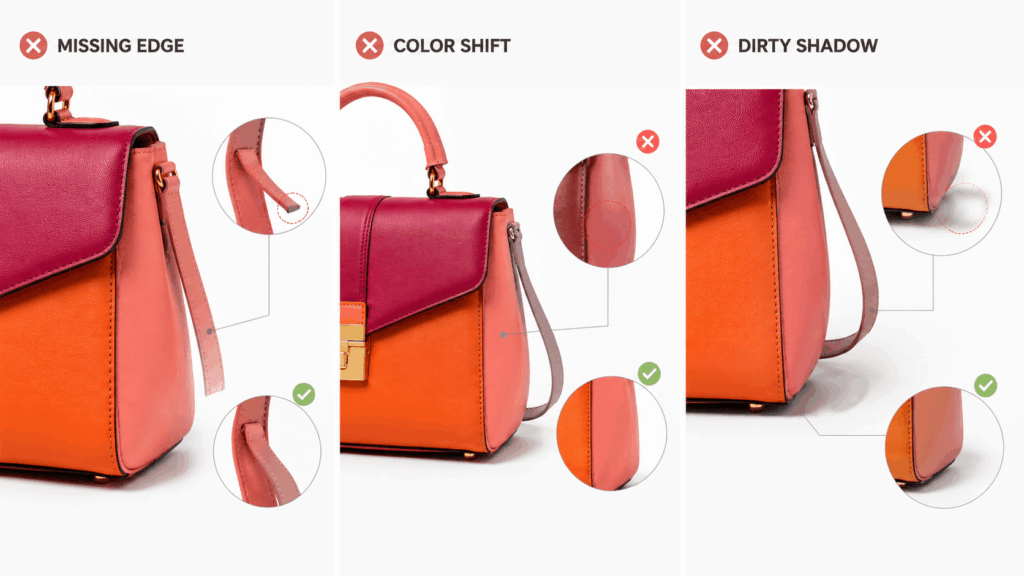
After that, zoom in on the result. Check corners, small openings, thin straps, soft fabrics, and transparent sections. Also, look for missing pieces or leftover background colors.
If the product has simple edges, the result may be ready quickly. However, complex products need a closer review.
Step 3: Create a Pure White Amazon Product Background
Once the original background is removed, place the product on a pure white canvas. Then, check the amount of space around it.
The product should not look too small. On the other hand, it should not touch the image edge or lose important parts. Therefore, adjust the size while keeping the full item visible.
A consistent white background also makes products easier to compare across a catalog. As a result, shoppers can move between listings without sudden changes in visual style.
🔍 Products That Need Extra Background Removal Checks
Some products are easier to isolate than others. For example, a solid box with clear edges is usually simple.
However, transparent bottles may lose part of their outline. Reflective metal may carry colors from the old background. Soft fabric may have thin or uneven edges. Jewelry may include small chains, open spaces, and bright highlights.
Therefore, use the Amazon Product Background Remover as a fast first step, but always inspect difficult areas. In addition, test one complex product before editing an entire collection.


Check Amazon Product Edges, Shadows, and Transparency
The product edge should look clean, but it should not appear sharply cut with scissors. Meanwhile, a small and natural contact shadow can help the product look grounded.
However, a dark shadow from the original room may look dirty on a white background. Therefore, keep only shadows that support the product’s real shape.
For transparent items, compare the final image with the original. If the container suddenly looks solid, too pale, or partly missing, the result needs further adjustment.
🧩 Build a Catalog with an Amazon Product Background Remover
The Amazon main image has one main job: show the product clearly. Secondary images have different roles. They can explain product use, scale, details, benefits, and context.
Therefore, do not place every message inside the main image. Instead, use the clean product cutout as the base for a wider image set.
For example, the same product cutout can support:
- A pure white main image
- A close-up detail image
- A size or feature graphic
- A lifestyle image
- A product comparison image
- A bundle or packaging image
An Amazon Product Background Remover makes this system easier because every design starts with one clean product asset. As a result, the full listing can feel more connected and professional.
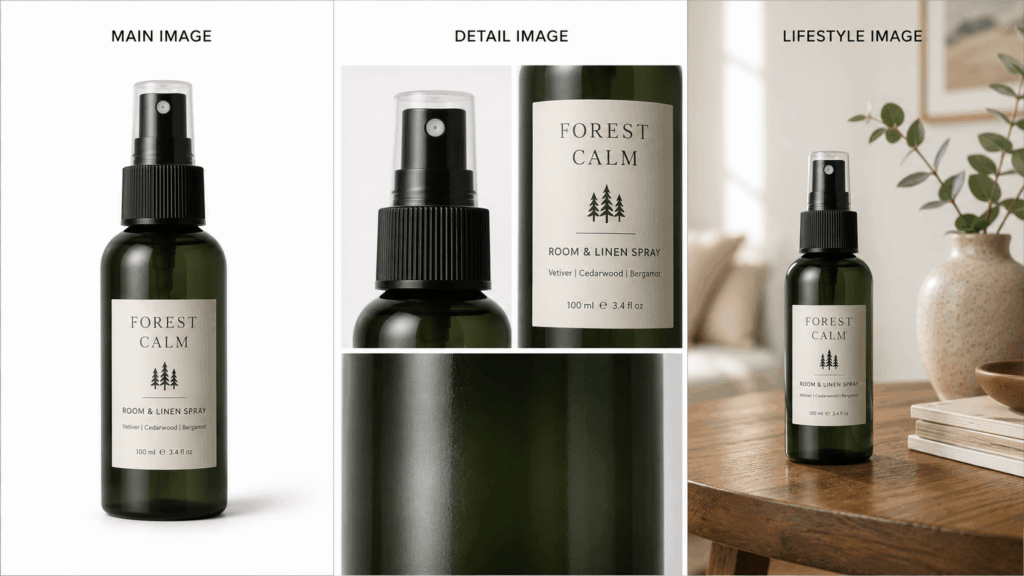
Use the Amazon Product Cutout in Secondary Images
A busy main image may attract attention for the wrong reason. However, a clean main image makes the product easier to understand.
Then, secondary images can answer more detailed questions. How large is the product? How is it used? What texture does it have? What is included in the package?
Therefore, the strongest image set does not repeat the same product photo several times. Instead, every image should have one clear purpose.
🚫 Common Amazon Product Background Remover Mistakes
The first mistake is assuming that a white background automatically makes an image ready for Amazon. It does not. The crop, product size, sharpness, and visible content still matter.
The second mistake is removing too much. For example, the tool may erase a thin handle, transparent lid, chain, or soft fabric edge. Therefore, sellers should always compare the edited version with the source image.
The third mistake is ignoring product color. Removing a background can make lighting and white balance problems easier to notice. As a result, the product may look warmer, cooler, or less colorful than it really is.
The fourth mistake is using one low-quality image for every channel. Instead, keep a high-resolution master and create separate copies for each use.
Review Every Amazon Product Background Removal Result
An Amazon Product Background Remover can save a large amount of manual editing time. However, faster editing does not mean sellers can skip the final review.
Therefore, add a short quality check to the workflow. One team member can review product shape, colors, edges, crop, background, and visible details before upload.
This check only takes a short time. Still, it can protect the listing from common and avoidable image problems.
✅ Create a Repeatable Amazon Product Image Workflow
A strong Amazon listing does not begin with decoration. Instead, it begins with a clear and accurate product image.
An Amazon Product Background Remover helps sellers remove visual clutter and create a consistent base for their catalog. However, the best results come from a repeatable process.
First, choose a strong source photo. Next, remove the background and inspect the details. Then, place the product on pure white and export a clean master image.
Therefore, the goal is not simply to delete a background. The real goal is to make every product easier to see, easier to compare, and easier to trust.
Go to WeShop AI For Exploration:


