Sora 2 is one of the most talked-about AI video generators available today. Its ability to create realistic video scenes from simple text prompts has attracted creators, marketers, and businesses looking to produce content faster.
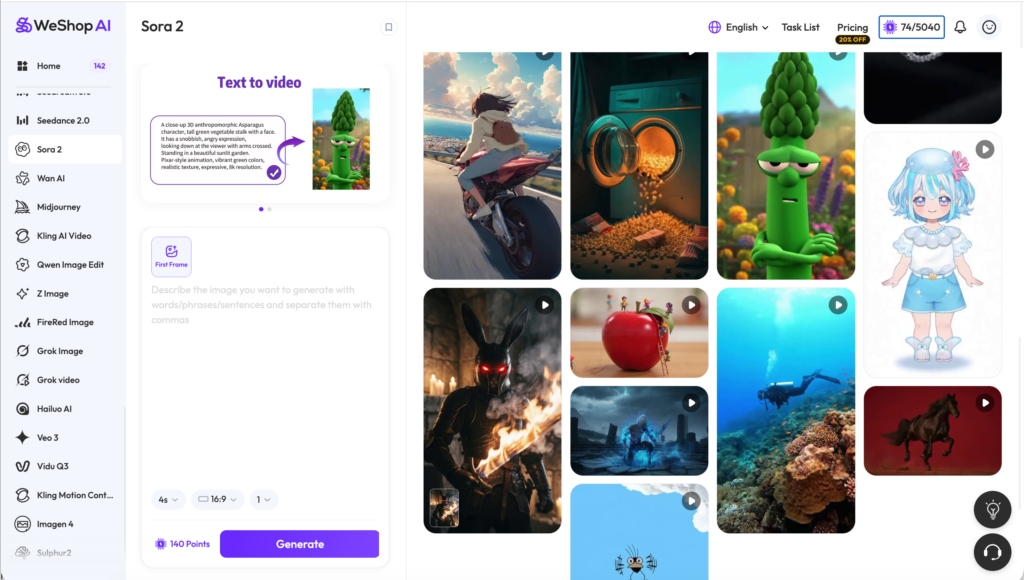
However, generating great AI videos requires more than simply typing a sentence and pressing a button. The quality of your prompts, scene descriptions, and creative direction all have a major impact on the final result.
In this guide, we’ll walk through how to use Sora 2 effectively and share practical prompt examples that can help you create better AI-generated videos.
Step 1: Start With a Clear Scene
One of the biggest mistakes beginners make is using vague prompts.
Bad example:
“Create a fashion video.”
Better example:
“A luxury fashion model walks through a modern city street during golden hour. Cinematic camera movement, realistic lighting, high-end commercial style.”
The more specific your scene description, the better Sora 2 can interpret your intent.
Step 2: Add Camera Directions
Professional-looking AI videos often include camera instructions.
Examples:
- close-up shot
- drone view
- slow motion
- cinematic tracking shot
- handheld camera
Example prompt:
“A female model wearing a black trench coat walks through Tokyo at night, cinematic tracking shot, neon reflections, shallow depth of field.”
Step 3: Describe Motion
Movement is one of the most important parts of AI video generation.
Good prompts explain:
- what moves
- how it moves
- how fast it moves
Example:
“A luxury perfume bottle slowly rotates on a reflective surface while soft golden particles float around it.”
Step 4: Use Style References Carefully
Style references can help produce more consistent results.
Examples:
- cinematic commercial
- fashion campaign
- documentary style
- product advertisement
- luxury branding
These keywords often improve video quality significantly.
Example Sora 2 Prompts for Ecommerce
Product Ad Prompt
“A premium skincare bottle placed on a marble table, soft sunlight, cinematic commercial lighting, smooth camera movement, luxury beauty advertisement.”
Fashion Campaign Prompt
“A fashion model walking confidently down a city street, luxury brand campaign, cinematic camera, realistic clothing movement.”
Social Media Ad Prompt
“Young creator holding a wireless headset, selfie-style video, authentic TikTok aesthetic, natural lighting, social media advertisement.”
Sora 2 vs Ecommerce AI Video Tools
While Sora 2 is excellent for creative exploration, ecommerce brands often need faster production workflows.
| Sora 2 | Ecommerce AI Platforms |
|---|---|
| Creative generation | Marketing workflows |
| Prompt-heavy | User-friendly templates |
| General purpose | Ecommerce focused |
| Experimental | Conversion oriented |
Platforms like WeShop AI help ecommerce brands quickly generate product videos, AI fashion content, and social-ready marketing assets without requiring advanced prompt engineering.
Final Thoughts
Learning how to use Sora 2 effectively comes down to one thing: better prompts.
The best AI-generated videos are usually the result of detailed scene descriptions, clear motion instructions, and strong creative direction.
As AI video generation continues to evolve, tools like Sora 2 will become increasingly powerful. At the same time, ecommerce-focused platforms such as WeShop AI will help businesses turn those capabilities into practical marketing content that drives results.
Go to WeShop AI For Exploration: