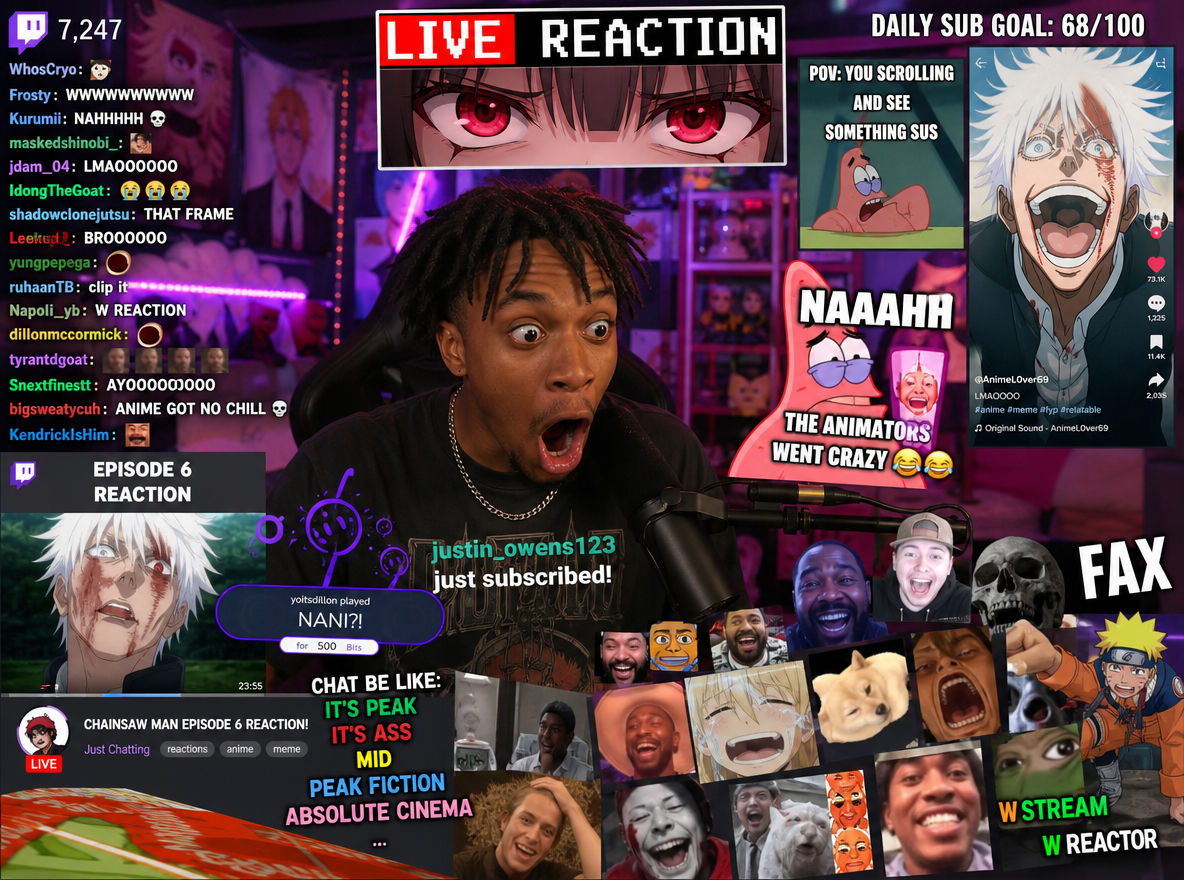
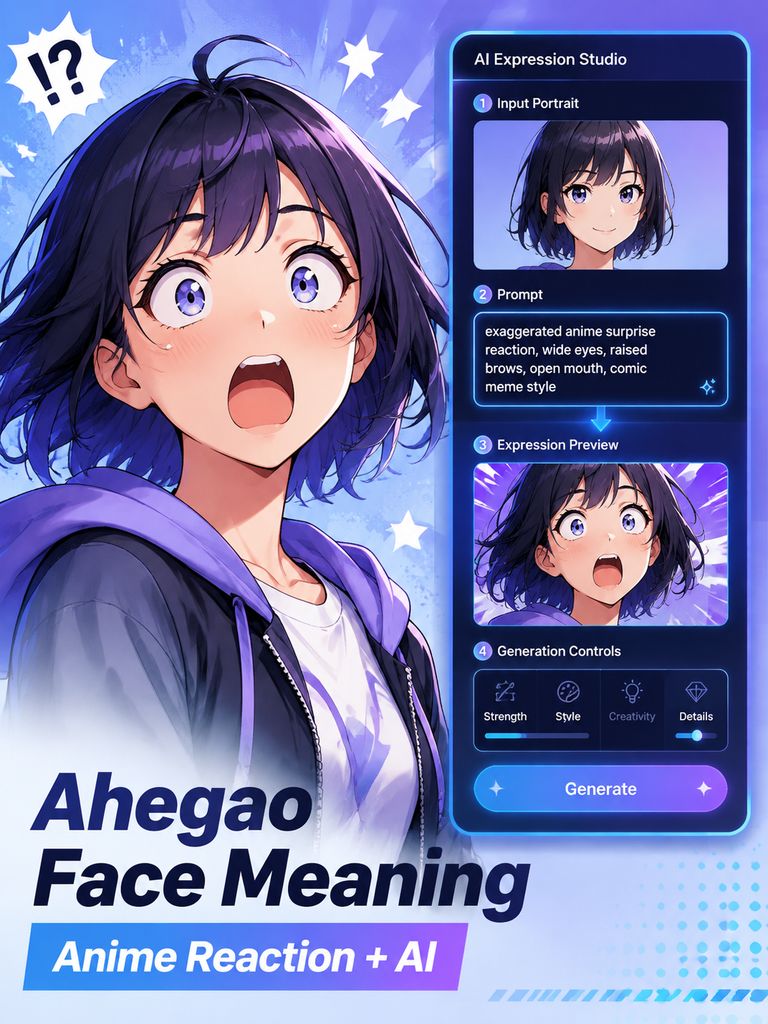
If you searched for the ahegao face meaning, you have probably seen the term attached to highly exaggerated anime-style reaction images, meme edits, Discord stickers, gaming posts, or AI-generated character art.
The expression has roots in mature Japanese illustrated media, but its use online has expanded far beyond its original context. In many modern meme communities, people use the term more loosely to describe an intentionally over-the-top anime reaction: dramatic, chaotic, instantly readable, and designed to communicate an exaggerated emotion.
This guide focuses on that internet-culture and creative-editing context. It explains why the reaction style became recognizable online and, more importantly, shows how to create a non-explicit anime reaction image with WeShop AI using a practical image-and-prompt workflow.
What Does the Ahegao Face Mean Online?
In its original context, the term came from mature illustrated media in Japan. For a general-audience article, however, there is no SEO or educational need to reproduce graphic descriptions or examples of that history.
What matters for modern internet culture is how the expression was repurposed.
Online communities frequently take a visual symbol from one context and give it a new meaning. In meme culture, the phrase is now often associated with an extremely exaggerated anime reaction used to communicate:
- comic surprise
- emotional overload
- confusion
- chaotic excitement
- exaggerated embarrassment
- intentionally absurd humor
This is why someone can encounter the phrase in a gaming meme or reaction post without the post itself referring to the term’s original context.
The important distinction is context. A meme-style anime reaction can be exaggerated without being suggestive.
Why Exaggerated Anime Reaction Images Spread So Easily
Faces communicate emotion quickly.
On fast-moving platforms, a reaction image has only a moment to explain what the creator means. A strongly exaggerated expression can communicate a joke before the viewer even reads the caption.
That makes anime reaction images useful in places such as:
- Discord communities
- gaming chats
- social media replies
- reaction GIFs
- meme posts
- stream overlays
- video thumbnails
The strongest reaction memes tend to have three characteristics: the emotion is immediately readable, the character remains visually recognizable, and the composition still works at thumbnail size.
That last point is often overlooked. More exaggeration does not automatically create a better meme. If the face becomes distorted or difficult to read, the image usually becomes less useful.
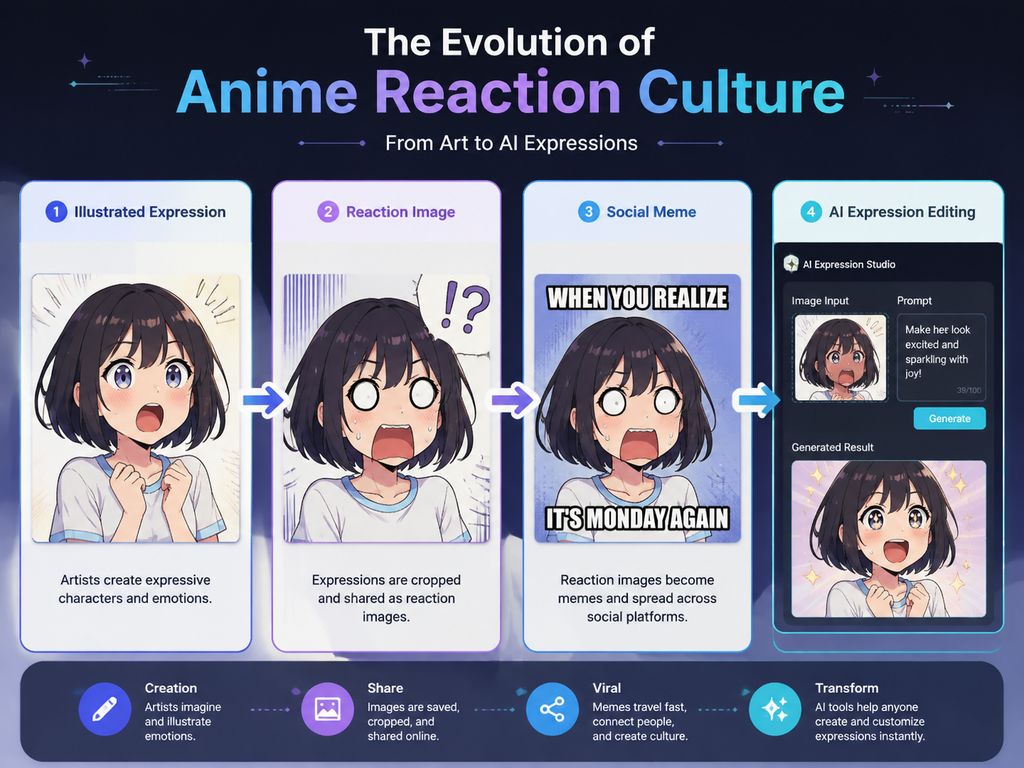
How to Create an Exaggerated Anime Reaction with WeShop AI
For readers who want to recreate the meme-style visual rather than study its history, WeShop AI provides a more practical workflow.
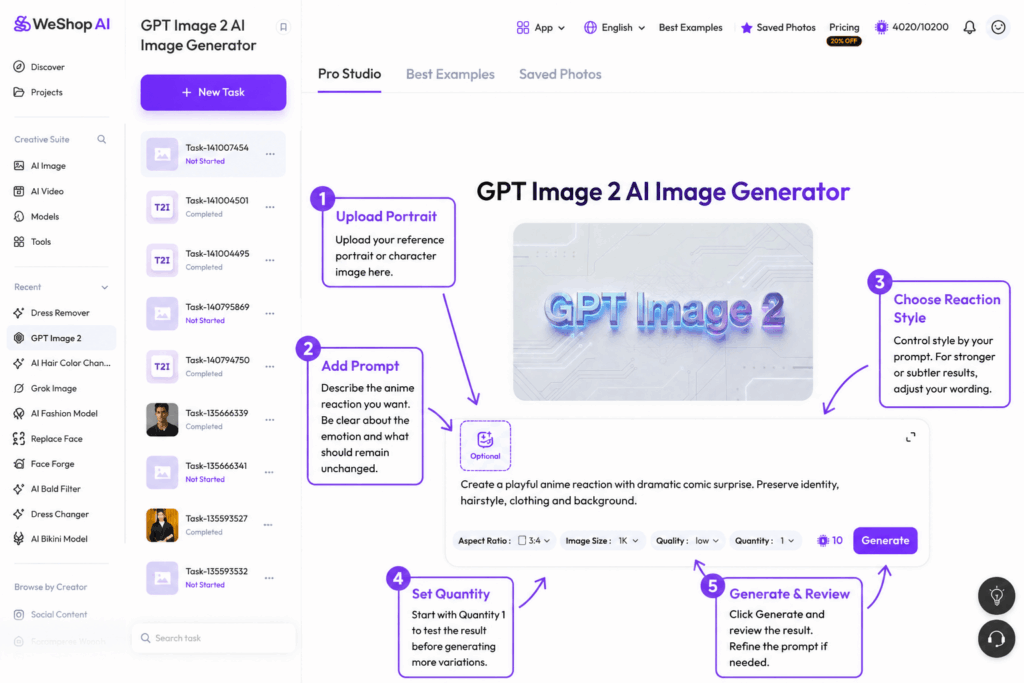
The public WeShop AI expression tool combines a reference image with written instructions through its Text & Image MIX interface.
Step 1: Open the WeShop AI Expression Tool
Open the WeShop AI expression generator and start a new image task.
Use an image that you own or have permission to edit. A clear portrait or original character illustration is easier for the model to interpret than a blurry screenshot or crowded group image.
Step 2: Upload Your Reference Image
Add the portrait or character image to the image input.
For more predictable results, start with:
- one clearly visible subject
- good lighting
- a reasonably front-facing head angle
- unobstructed facial features
- adequate image resolution
A complicated pose, very small face, heavy motion blur, or strong obstruction gives the AI less reliable information to work with.
Step 3: Use Text & Image MIX
The current interface uses Text & Image MIX, meaning the reference image provides the visual starting point while your prompt tells the model what should change.
This is important because the tool is not simply applying a fixed sticker or overlay. The prompt influences how the final facial expression is regenerated.
Step 4: Describe the Reaction You Want
For this article, keep prompts firmly in the comic reaction / anime meme direction.
A useful prompt should explain:
- what emotion you want,
- how stylized it should be,
- what should remain unchanged.
For example:
Prompt Example — Comic Surprise
Create an exaggerated anime-style surprised reaction with wide expressive eyes, raised eyebrows, energetic comic emotion, and clean facial detail. Preserve the person’s identity, hairstyle, clothing, pose, and background.
Prompt Example — Meme Reaction
Turn this portrait into a playful anime reaction image with dramatic surprise and high-energy meme expression. Keep the face recognizable and preserve the original hairstyle, outfit, composition, and background.
Prompt Example — Cleaner Character Art
Create a polished anime-style reaction with strong comic emotion, expressive eyes, clean line detail, and balanced facial proportions. Preserve the original character design and background.
Prompt Example — More Subtle Result
Add a moderately exaggerated anime reaction while keeping the expression readable and natural. Preserve identity, hairstyle, clothing, lighting, and scene composition.
Step 5: Start with Quantity 1
The interface includes a Quantity control.
For the first test, set Quantity to 1. This lets you evaluate whether the prompt is moving in the right direction before spending additional points on several variations.
The interface displays the point cost before generation. Check the current value in the product rather than relying on a fixed number in this article, because usage costs can change.
Step 6: Generate and Review the Result
Select Generate and inspect the output.
Do not judge only whether the expression looks dramatic. Check whether the result also preserves:
- facial identity
- hair shape
- clothing
- background
- lighting direction
- image sharpness
- overall composition
If too many unrelated details change, revise the prompt rather than simply increasing the emotional intensity.
What Each Setting Actually Does
A useful tutorial should distinguish controls that actually exist from features that are only implied by marketing copy.
Text & Image MIX
This mode combines the visual information in your source image with written instructions.
Use it when you want the final image to retain recognizable elements from the original while changing the facial expression or visual style.
Prompt
The prompt is currently the main way to control the direction of the expression.
Be specific about what should change and equally specific about what should remain unchanged.
For example, adding:
Preserve identity, hairstyle, clothing, pose, and background.
can reduce unwanted changes, although generative AI cannot guarantee perfect preservation every time.
Quantity
Quantity controls how many results you request in one generation.
For prompt testing, Quantity 1 is more efficient. Increase it only after the prompt is producing the intended direction.
Expression Intensity
The public interface I reviewed does not provide enough evidence of a dedicated expression-intensity slider.
Therefore, this article should not tell readers to “adjust the intensity setting” unless such a control is actually present in the live product.
Instead, control intensity through wording:
More subtle:
moderately exaggerated, clean and readable
Stronger:
highly expressive, dramatic comic surprise, energetic anime reaction
This is more accurate than describing a control users may not see.
A Real Test Should Be Added Before Publishing
Do not invent a customer story.
To make this article meet a stronger first-hand experience standard, the WeShop editorial team should run one documented internal test before publication.
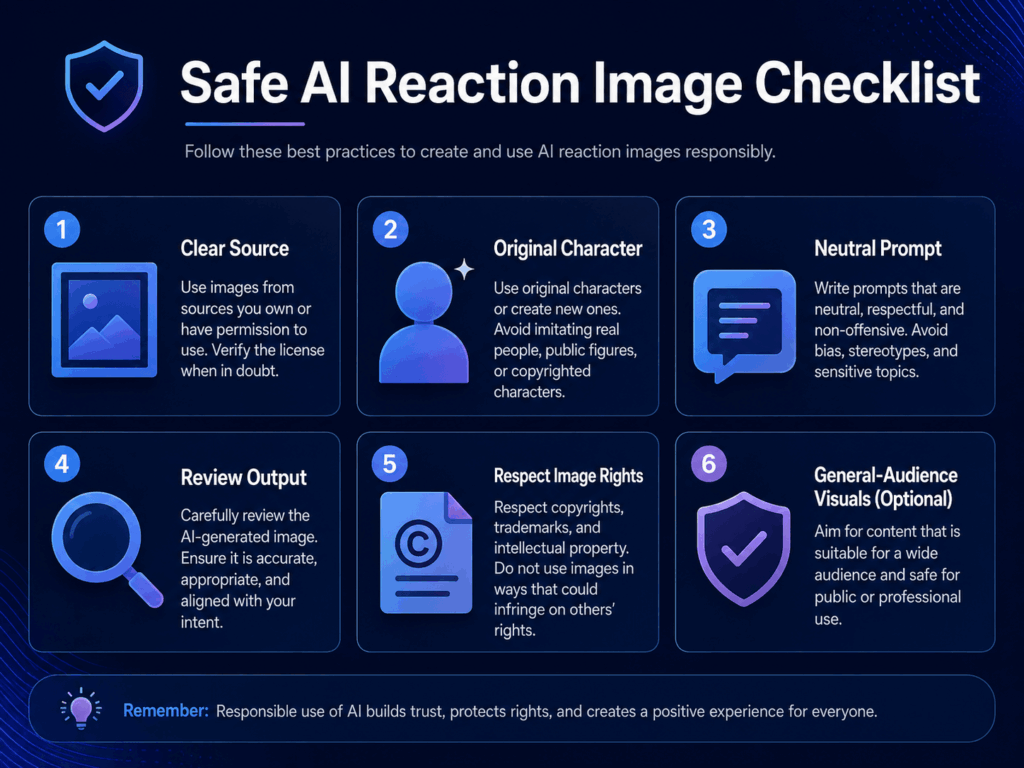
Once the test exists, add two or three sentences explaining what actually happened.
For example, report whether the first result preserved the hairstyle, whether the background shifted, or whether the prompt needed to be made more specific.
Do not write “perfect,” “best,” or “highly accurate” unless the actual result supports it.
Prompt Tips for Better Results
If the Result Changes the Person Too Much
Add stronger preservation language:
Preserve the same identity, facial structure, hairstyle, outfit, lighting, and background. Change only the expression.
If the Reaction Is Too Weak
Increase the emotional description rather than adding unrelated style terms:
Make the reaction more dramatic and energetic while keeping the face recognizable and visually clean.
If the Reaction Is Too Strong
Reduce the wording:
Use a moderately exaggerated anime reaction with balanced proportions and a clean, readable expression.
If the Background Changes
State the restriction directly:
Keep the original background, camera angle, lighting, composition, and clothing unchanged.
If the Result Looks Messy
Simplify the prompt.
Long prompts containing several conflicting styles can make the output less predictable. Start with one emotion and one preservation instruction, then add details only when necessary.
Limitations of the WeShop AI Expression Workflow
Generative editing is not perfectly deterministic.
Before using the tool in a production workflow, keep these limitations in mind.
Identity May Shift
The generated face may not perfectly preserve the source person or character.
Clear reference images and explicit preservation language can help, but they do not guarantee an identical result.
Hair and Small Details Can Change
Hair strands, accessories, makeup, line details, and small clothing elements may be regenerated differently.
Always compare the output with the source before publishing.
Difficult Angles Are Less Predictable
Extreme profiles, covered faces, motion blur, very small subjects, or complex lighting can create less stable results.
Prompt Instructions Can Compete
Asking for many styles, emotions, and composition changes in one prompt can make the result less controlled.
Use shorter prompts first.
The Public Tool Is Primarily Presented as an Image Workflow
Do not describe this article as a video-generation tutorial unless the live interface being documented actually provides video generation for this specific tool.
Output Resolution Should Be Checked in the Live Product
The product page promotes high-quality output, but users should confirm the actual download dimensions required for their project rather than assuming a particular resolution.
FAQ
What does the ahegao face mean in internet culture?
The phrase originally came from a mature-media context, but online meme culture has also used it more broadly for extremely exaggerated anime-style reactions.
This article focuses only on the general-audience meme and AI creative context.
Can I create a similar reaction without using provocative prompts?
Yes.
Describe the result as an exaggerated anime reaction, comic surprise, high-energy meme expression, or dramatic character reaction.
These descriptions are usually clearer for a general-audience workflow and give the model useful visual direction without unnecessary wording.
Why does my generated face look different from the original?
Generative tools rebuild parts of an image rather than simply moving existing pixels.
Use a clear source image and add:
Preserve the same identity, hairstyle, clothing, lighting, and background.
If the identity still changes too much, try another source image with a clearer face.
Why did the background or clothes change?
The prompt may not have clearly told the system what should remain fixed.
Add:
Change only the facial expression. Keep the original outfit, pose, background, camera angle, and lighting unchanged.
What should I do if the expression becomes too exaggerated?
Reduce intensity in the wording.
Try:
Create a moderately exaggerated anime reaction with clean proportions and a readable expression.
There is no need to add increasingly extreme description simply to force a stronger result.
Do I need editing or drawing experience?
No advanced drawing workflow is required for the basic process.
The current interface is based around uploading an image, adding text instructions, choosing the requested quantity, and generating a result.
Is the WeShop AI expression tool free?
The current product page advertises a free version. Generation uses the platform’s point system, so check the live interface for the current cost before generating.
Can I use the result commercially?
WeShop AI’s public product information states that results can generally be used for commercial projects, but you remain responsible for the rights to the original image and other protected material.
For a commercial campaign, check the current Terms and plan conditions before publishing.
Can I use a copyrighted anime character as the source?
For experiments, users may encounter many recognizable characters online, but commercial publication creates additional rights considerations.
For brand, advertising, or monetized content, using your own character, licensed artwork, or an original AI-created character is the safer workflow.
Final Thoughts
Understanding the ahegao face in current internet culture does not require reproducing its original mature context.
For many online users, the term now overlaps with a broader visual language of highly exaggerated anime reactions, meme humor, gaming communities, and expressive character art.
If your goal is to create that type of reaction image, the most useful workflow is simple: start with a clear source image, describe the emotion in neutral visual language, tell the model what must remain unchanged, generate one result first, and refine the prompt based on the actual output.
That produces a more practical, controlled, and general-audience-friendly result than chasing increasingly extreme descriptions.
Go to WeShop AI For Exploration: