

If you are searching for a free AI image generator with no restrictions, there is one important point to understand first: “free” and “unrestricted” rarely mean the same thing.
Some tools are free because they run locally. Others offer a limited free tier in the browser. Some provide broad model and workflow control but still require users to follow laws, model licenses, platform rules, or safety policies.
This guide compares 10 free AI image generator options by free access, setup, prompt control, editing flexibility, moderation, and best use case. Instead of promising that you can “create anything” with zero limits, it shows what kind of control each tool actually gives you.


Free AI Image Generator With No Restrictions: What Does That Really Mean?
A completely unrestricted online generator is not a realistic category. Browser platforms normally have account rules, usage limits, model policies, or safety moderation. Local open-source software can give you much more control, but model licenses, copyright, privacy, consent, and local law still apply.
It helps to separate “restrictions” into three types:
- Usage restrictions: credits, tokens, queues, paid features, or generation caps.
- Creative restrictions: prompt moderation, blocked categories, or model-specific filters.
- Technical restrictions: limited model choice, fixed workflows, hardware requirements, or missing advanced controls.
For most creators, the goal is not zero rules. It is fewer unnecessary workflow limits.
How We Compare Each Free AI Image Generator
A useful list needs more than brand names. This guide looks at five things: whether free access is a real tier or open-source download, how much prompt and model control you get, whether editing tools are included, how clearly moderation is explained, and which workflow the tool fits best.
“Free” also needs context. Local software may have no subscription fee but still requires your own hardware. Cloud tools are easier to start, but free plans often use credits or generation limits.

Free AI Image Generator Comparison at a Glance
| Tool | Free access | Local or browser | Best for | Restriction reality |
|---|---|---|---|---|
| WeShop AI | Free plan | Browser | Ecommerce and marketing | Safety filters and computing-point limits apply |
| ComfyUI | Open source | Local, plus cloud options | Custom workflows | Control depends on installed models and workflows |
| AUTOMATIC1111 | Open source | Local | Stable Diffusion power users | High local control; setup and hardware required |
| Civitai | Free-access ecosystem | Browser + local model workflows | Model discovery | Platform rules and model licenses still matter |
| Leonardo AI | Free tier | Browser | Beginner-friendly generation | Moderation and free-tier limits apply |
| Playground AI | Free tier | Browser | Simple design and image editing | Free usage is capped |
| Mage | Free to start | Browser | Flexible experimentation | Free access is limited; platform and model rules apply |
| InvokeAI | Open source | Local | Professional local workflows | Installation and suitable hardware required |
| RunDiffusion | Free plan | Browser/cloud | Open-source tools without local setup | Daily tokens and plan limits apply |
| NightCafe | Limited free generation | Browser | Casual AI art and community | Most modern models use credits |
The pattern is simple: local tools usually provide more technical control, while browser tools trade some control for easier setup.
Top 10 Free AI Image Generator Options in 2026
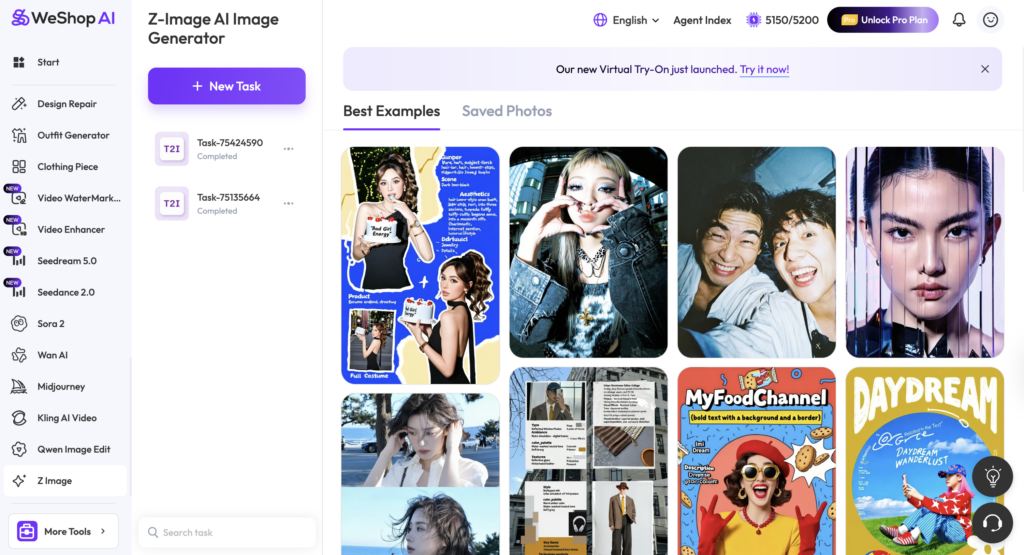
1. WeShop AI — Best for Ecommerce Workflows
WeShop AI combines browser-based image generation with ecommerce-focused tools such as Virtual Try-On, AI Product Photography, Background Remover, AI Photo Enhancer, and Magic Eraser. It currently has a free plan, so users can test the workflow before moving to heavier production.
However, WeShop should not be described as completely unfiltered. Safety filters apply, and generations use computing points. Therefore, “free” does not mean unlimited and “flexible” does not mean rule-free.
Best for: ecommerce sellers, fashion teams, marketers, and creators who want generation and practical editing in one browser workflow.
Trade-off: easier setup and commercial tools, but less system-level control than a fully local interface.
Editorial note: this article is published by WeShop AI, so WeShop is a first-party option in this comparison. Its limitations should be stated as clearly as its strengths.
2. ComfyUI — Best for Custom Workflow Control
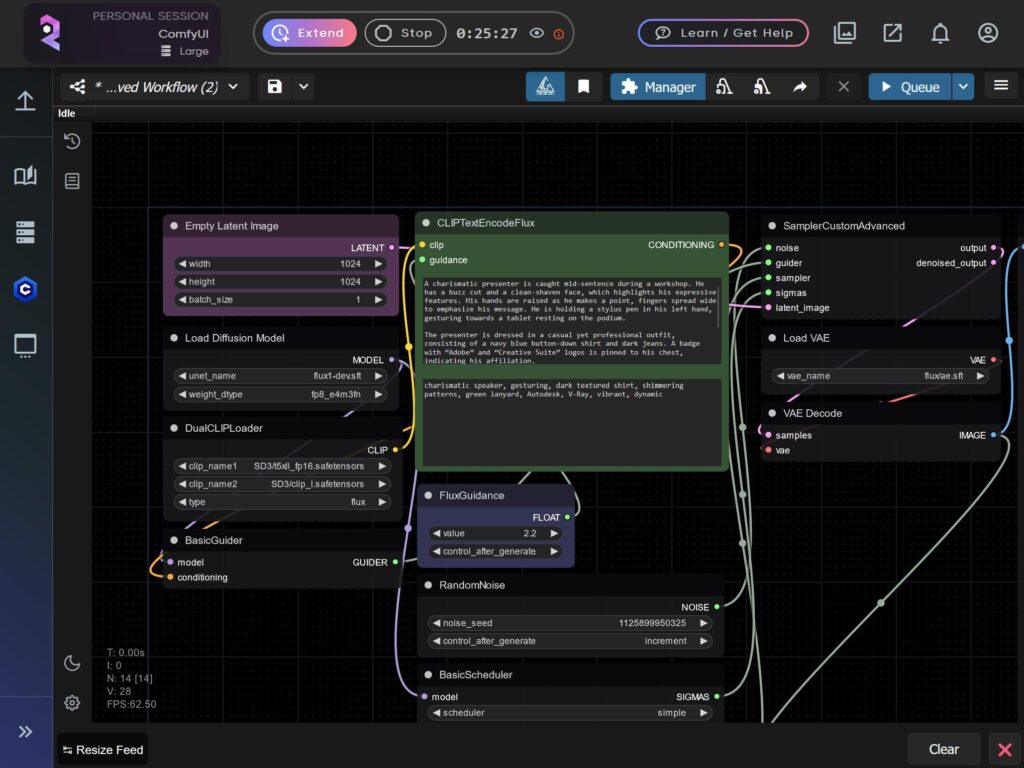
ComfyUI is a free, open-source node-based application for generative AI. Users can connect models and operations into custom workflows instead of relying on one fixed prompt screen.
That makes it useful as a free AI image generator for text-to-image, image-to-image, inpainting, upscaling, conditioning, and other tasks supported by the models and nodes you install. Because it can run locally, it offers much more technical control than most hosted platforms.
Best for: technical creators, workflow builders, and advanced AI artists.
Trade-off: powerful and flexible, but more complex to learn and maintain.
3. AUTOMATIC1111 — Best for Stable Diffusion Power Users
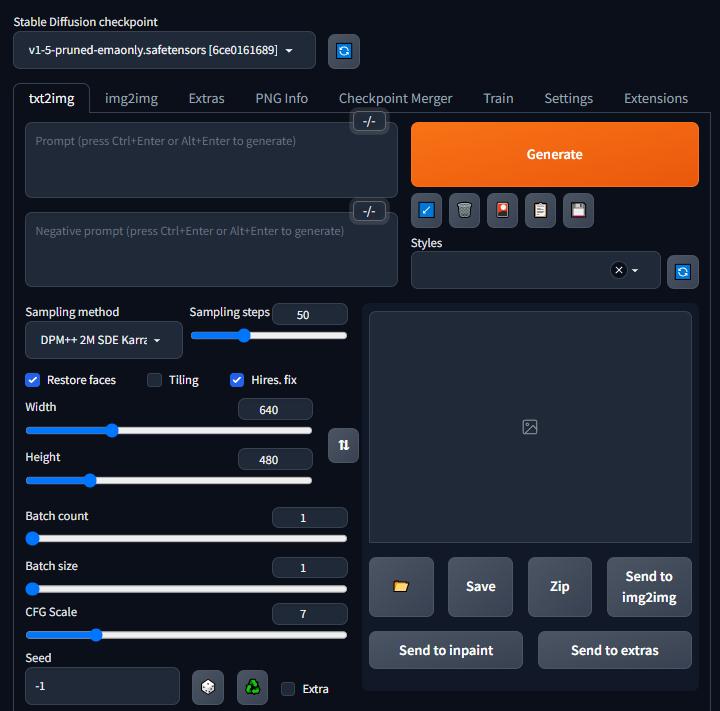
AUTOMATIC1111 is an open-source web interface for Stable Diffusion workflows. It supports text-to-image, image-to-image, inpainting, outpainting, extensions, model switching, prompt weighting, seeds, and upscaling.
For users who search for a free AI image generator with no restrictions because they want control over models and settings, local software like AUTOMATIC1111 is closer to that intent than most browser services.
Best for: experienced Stable Diffusion users.
Trade-off: strong control, but you manage installation, models, updates, and hardware yourself.
4. Civitai — Best for Discovering Models and Styles
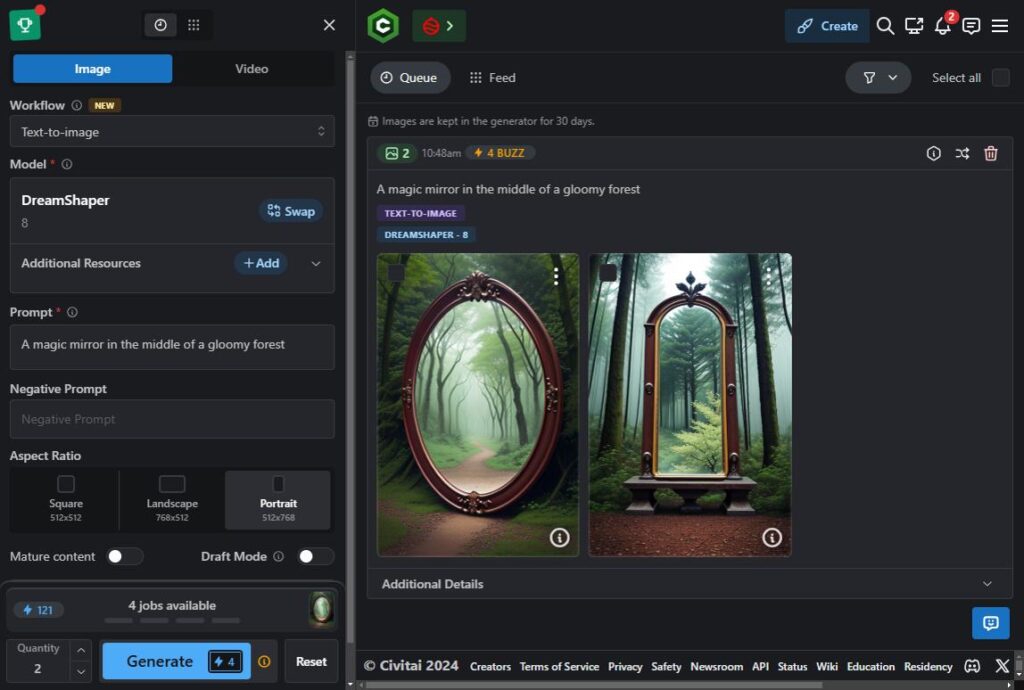
Civitai is best treated as a model and creator ecosystem rather than a simple one-box generator. It is useful for finding community models, LoRAs, styles, examples, and related resources that can feed into a larger generation workflow.
That variety comes with responsibility. Platform rules can apply, and individual models may have different licenses or usage conditions.
Best for: creators who want broad model discovery and community examples.
Trade-off: quality, setup, and use rights can vary from one resource to another.
5. Leonardo AI — Best for Beginner-Friendly Creation
Leonardo AI offers a browser-based free AI image generator tier alongside image and video creation tools. It is easier to start than a local Stable Diffusion environment and works well for concept art, stylized visuals, marketing ideas, and general creative exploration.
It is not an unfiltered service. Leonardo uses content moderation, and prompts outside its terms can be blocked.
Best for: designers and creators who want a polished browser experience.
Trade-off: simple setup, but free-tier limits and platform moderation apply.
6. Playground AI — Best for Fast Image Editing and Design
Playground AI focuses on accessible image creation and editing. Its free plan provides limited use rather than unlimited generation, while paid tiers increase capacity.
For users whose idea of a free AI image generator is “something I can open and use without installing a local model,” Playground is more approachable than node-based tools.
Best for: social graphics, fast image edits, design ideas, and beginners.
Trade-off: browser convenience comes with usage and feature limits.
7. Mage — Best for Flexible Browser Experimentation
Mage is a browser-based image and video platform that is free to start. It offers broad model access and emphasizes privacy and creative flexibility.
Its free tier is not unlimited. Paid memberships unlock unlimited generations and more features, while platform rules and model-specific filters still apply.
Best for: creators who want flexible browser experimentation without maintaining a local GPU workflow.
Trade-off: easy access, but premium capacity and some restrictions remain.
8. InvokeAI — Best for Open-Source Local Production
InvokeAI is a free and open-source creative engine for AI image generation. Its Community Edition is designed for local use and offers a more production-oriented environment than a basic prompt box.
The hosted Invoke service is no longer the main path, so users should think of InvokeAI primarily as a local open-source workflow.
Best for: artists and professional creators who want organized local generation.
Trade-off: no software subscription is required, but installation, hardware, storage, and model management are still real costs.
9. RunDiffusion — Best for Cloud Open-Source Tools
RunDiffusion provides a cloud free AI image generator path through open-source apps such as ComfyUI and AUTOMATIC1111 without requiring a local GPU setup. Its current free plan includes a daily token allowance.
This can be useful if you want to experiment with open-source workflows before buying hardware or moving to a paid cloud plan.
Best for: creators who want open-source interfaces with less setup.
10. NightCafe — Best for Casual Art and Community Use
NightCafe combines browser-based image generation with a creator community. Its current model guide says a small number of models support free base generations, while most modern models require credits and some require a paid plan.
NightCafe also has community standards and moderation, so it is easy to access but not a true no-filter generator.
Best for: casual AI art, style exploration, and community creation.
Trade-off: modern models often depend on credits.
Which Free AI Image Generator Should You Choose?
Choose ComfyUI, AUTOMATIC1111, or InvokeAI if your priority is maximum local control over models, parameters, and workflows.
Choose WeShop AI, Leonardo AI, Playground AI, Mage, or NightCafe if your priority is browser convenience and fast setup. Free limits and platform policies apply, but you avoid local installation.
Choose RunDiffusion if you want open-source interfaces without owning or configuring a capable GPU. Choose Civitai when model discovery and community examples matter more than staying inside one fixed generation system.
How to Get Better Results From a Free AI Image Generator
Whichever tool you choose, start with a clear subject and purpose. Then describe the scene, composition, lighting, camera direction, style, and any detail that must remain accurate.
For example:
Editorial product photo of a silver watch on dark slate stone, soft side lighting, close-up commercial photography, realistic reflections, clean background, negative space on the left for ad copy.
For ecommerce work, review product fidelity before aesthetics. Check logos, text, garment prints, material texture, hands, faces, reflections, and edges. Create one strong base image before generating many variations, then change one variable at a time.
Free AI Image Generator FAQ
Is there a completely free AI image generator with no restrictions?
Not in every sense at once. A browser tool may have credits or moderation. Local open-source software gives you more control, but hardware, model licenses, copyright, privacy, consent, and legal responsibilities still apply.
Which free AI image generator gives the most control?
Local tools such as ComfyUI, AUTOMATIC1111, and InvokeAI usually provide the deepest technical control because you can choose your models and build your own workflow.
Does a free AI image generator mean unlimited images?
Usually not. Browser plans may use credits, tokens, queues, or model limits. Open-source software may be free to download, but it still consumes your own computing resources.
Can I use generated images commercially?
It depends on the platform terms, the specific model license, your rights to the inputs, and the content you create. Check those conditions before publishing client or brand work.
Why avoid claims like “create anything with no filter”?
Because they hide important details. A service may still have account rules, safety systems, generation limits, model licenses, or legal restrictions. Clear limits are more useful than exaggerated promises.
Final Verdict: Choose Useful Control, Not “Zero Restrictions”
The search for a free AI image generator with no restrictions is really a search for control.
Local tools offer deeper technical freedom. Browser tools make generation easier to access but usually apply free-tier limits or platform policies. The best choice depends on your workflow, hardware, model needs, privacy requirements, and intended use.
For ecommerce and marketing teams that want to generate images and continue into practical editing workflows in the same browser environment, WeShop AI is one option to test on its current free plan.
Go to WeShop AI For Exploration:


