

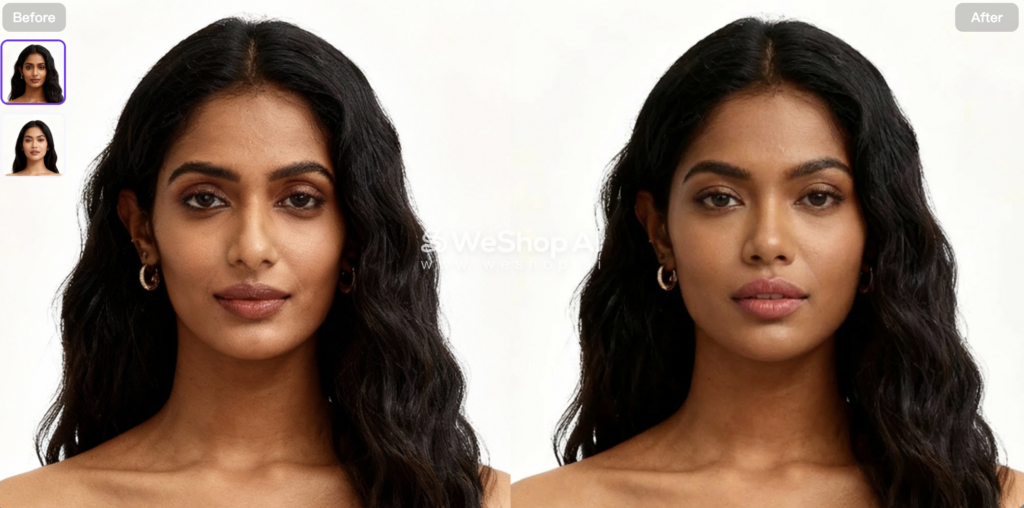
AI Face Merge combines two face photos into one new portrait. The basic idea is simple. Still, the final result depends heavily on the two images you choose.
A well-matched pair can produce a face that feels balanced and coherent. A weak pair may create uneven eyes, strange hair, broken lighting, or a result that looks almost identical to one source.
That is why face merging is not only about pressing Generate.
This guide explains how to choose better source photos, control the direction of a merge, review small facial details, and fix common problems. It also covers the difference between face merge and face swap, practical creative uses, and the limits of synthetic face images.
Quick Answer: What Is AI Face Merge?
AI Face Merge blends visible facial traits from two portraits into one synthetic face. It does not simply place one complete face on another person.
Instead, the final portrait may keep the overall pose and framing from one source while mixing in features from the other. For example, it may carry the brow shape of one person, the jaw structure of another, and a blended version of both eye and nose shapes.
The goal is not a literal 50/50 split. A strong result should look like one coherent person.
Also, the image is still synthetic. It can support character ideas, avatars, creative portraits, or visual experiments. It should not be treated as proof of a real identity or as a genetics prediction.
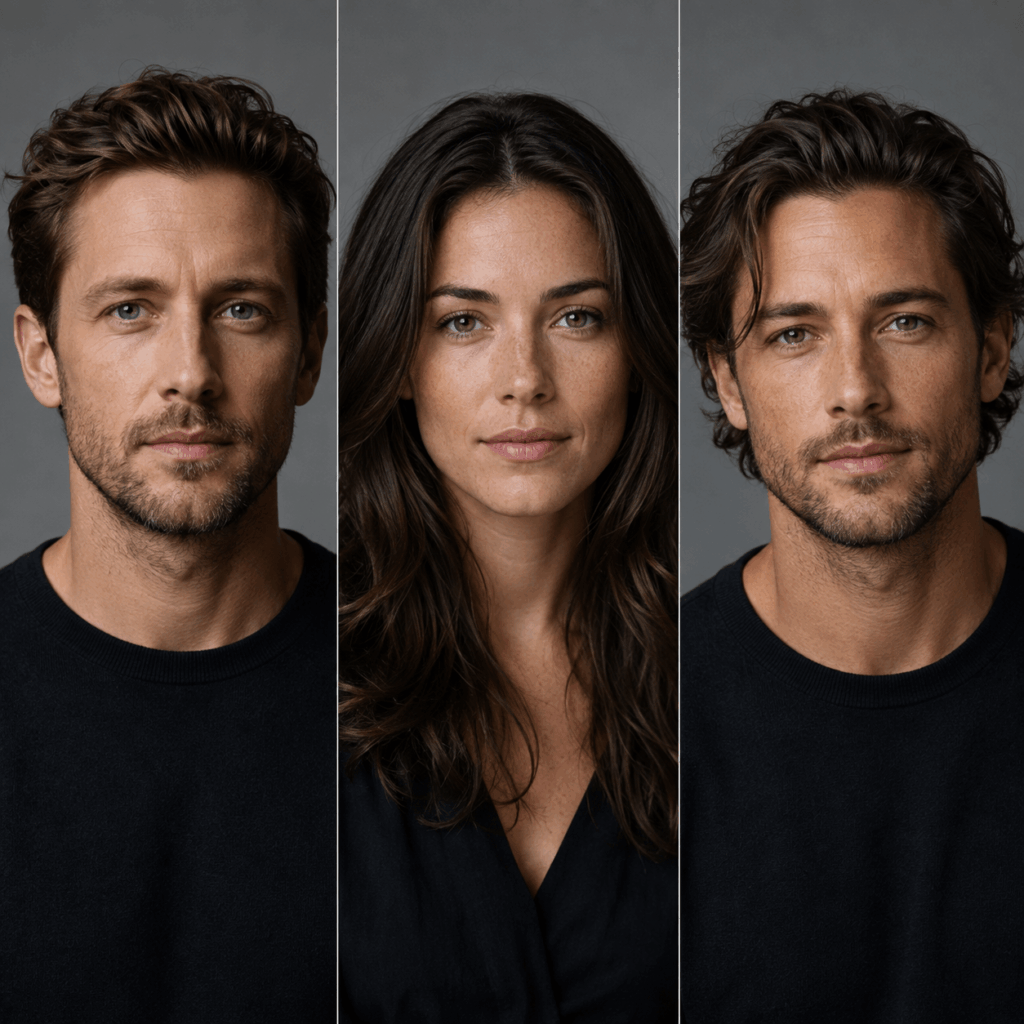
AI Face Merge vs Face Swap
Face merge and face swap are related, but they solve different problems.
A face swap usually replaces one face with another. The body, scene, pose, and much of the original image stay in place.
AI Face Merge creates a new composite identity. Therefore, you should judge it differently.
With a face swap, ask whether the replacement still looks like the target person. With a merge, ask whether the result feels like one face and whether both inputs contribute useful traits.
This difference also changes how you choose photos. A face swap often needs one strong target image and one identity reference. A merge needs two portraits that can work together.
What Two Photos Work Best for AI Face Merge?
The two source photos do not need to look identical. However, they should be close enough in angle, lighting, and scale to blend well.
Before using AI Face Merge, check these four things:
- Face angle: Front-facing photos usually work best. Slight three-quarter angles are fine too. Avoid pairing a side profile with a straight portrait.
- Face size: Keep both faces at a similar scale. If one image is a close-up and the other is a distant shot, crop them first.
- Lighting: Similar brightness and light direction make the result easier to blend. Very different lighting can cause uneven skin tone or shadows.
- Face visibility: Eyes, nose, mouth, and jawline should be clear. Hair, sunglasses, hands, or deep shadows can make the merge less stable.
Heavy beauty filters can also make a difference. They may change the eyes, jaw, nose, or skin texture before the merge even starts. So, use cleaner portraits when possible.
If the first result looks off, check the source photos before generating again. In many cases, changing one weak image works better than repeating the same pair.
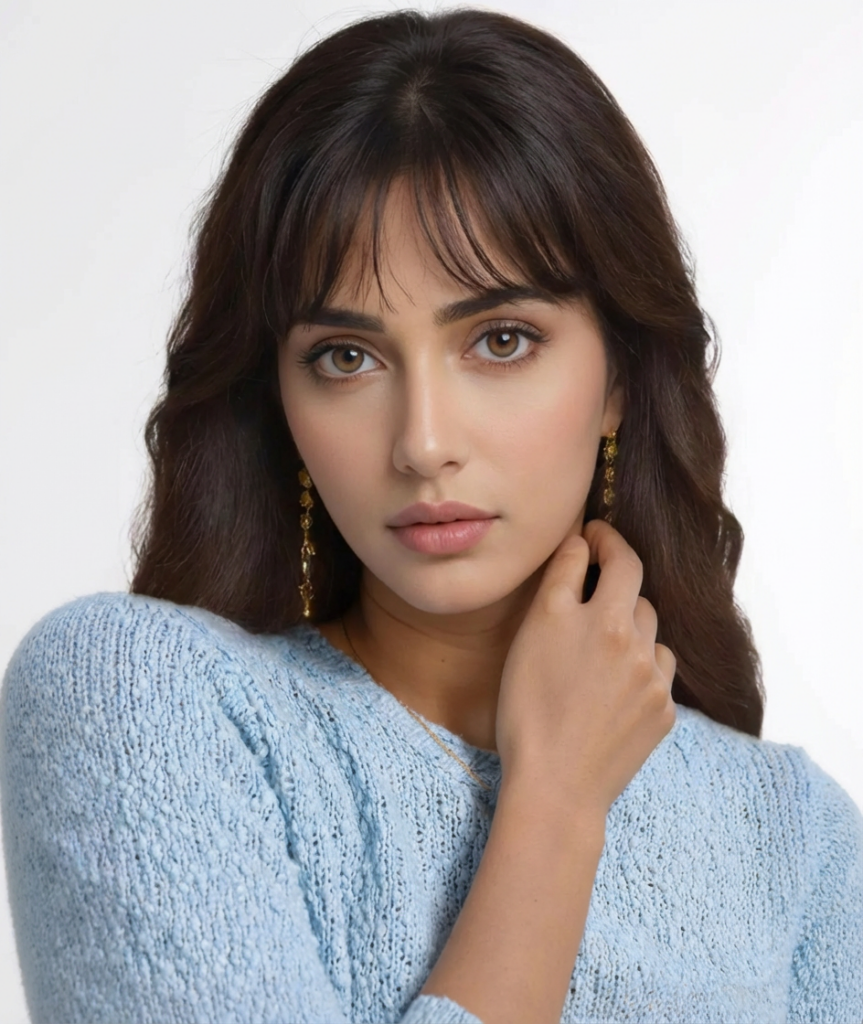

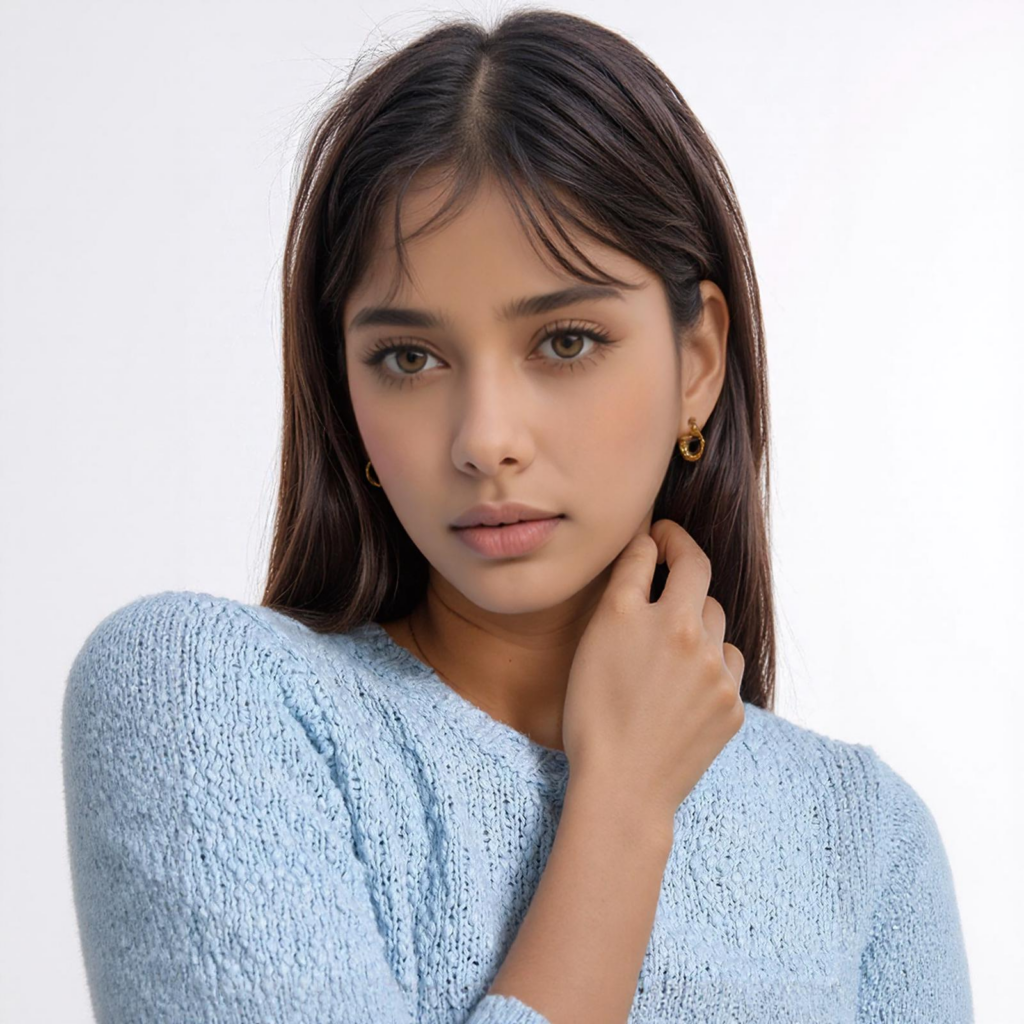
How to Use AI Face Merge in WeShop AI
You only need two portraits to start. However, it helps to decide which image should guide the final look before you upload them.
In the current WeShop workflow, Image 2 works as the baseline. So, use the photo with the pose, hairstyle, expression, and lighting you want to keep as Image 2.
AI Face Merge Step 1: Choose Your Two Photos
Use Image 1 for the facial traits you want to add.
Then, use Image 2 as the main visual reference.
For example, if Image 2 has better lighting and framing, keep it as the baseline. Image 1 can then contribute features such as the eyes, brows, nose, or jawline.
Try to use photos with similar face size and head angle. This gives the merge a cleaner starting point.
Step 2: Upload Both Images
Add both portraits to AI Face Merge.
Before generating, check that the faces are clear and not heavily cropped. Also, make sure hair, glasses, or hands do not hide important facial features.
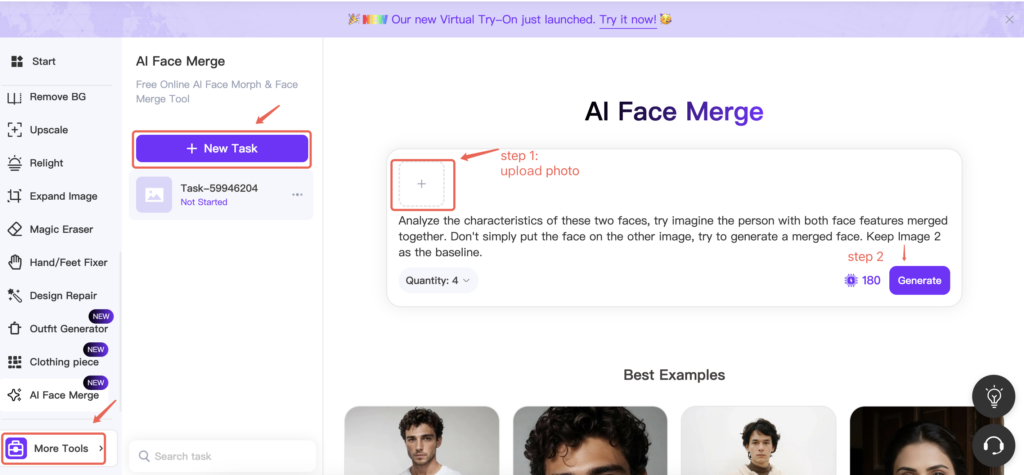
Step 3: Add a Short Instruction if Needed
You can use a short description when you want more control.
For a balanced result:
Blend the facial features from both images into one natural portrait. Keep realistic skin texture, balanced proportions, and a clean jawline.
If you want to keep more of Image 2:
Keep the hairstyle, expression, head angle, and lighting from Image 2. Blend the eye, brow, and nose characteristics from Image 1 into the face.
Keep the request focused. Do not change the background, outfit, hairstyle, and face at the same time.
AI Face Merge Step 4: Generate and Check the Result
Create one version first.
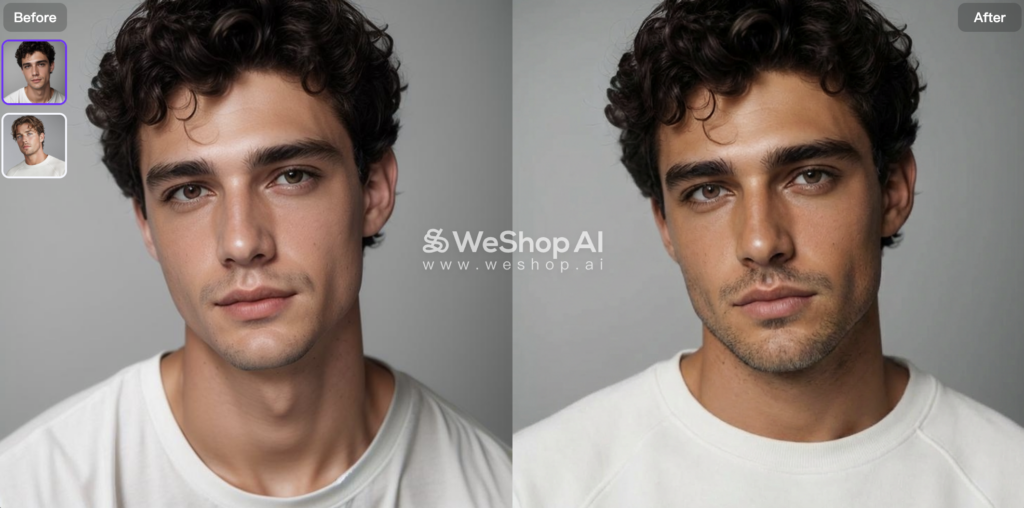
Then, look at the whole face before zooming in. Check whether the portrait feels balanced and whether both source images contribute to the result.
If the face shape or eyes look wrong, try a better source pair. If the overall merge works, you can then generate another version or adjust the instruction.
The goal is simple: one natural-looking portrait, not a visible half-and-half blend.
AI Face Merge Quality Check
Before keeping an AI Face Merge result, check the face at normal size and then zoom in.
Look for a few common issues:
- Eyes: similar size, direction, and sharpness
- Mouth: no stretched lips, doubled teeth, or uneven edges
- Skin: smooth tone and consistent lighting across the face
- Hairline: no blurred, missing, or duplicated hair
- Jaw and ears: clean face outline with no sudden shape changes
If several areas look wrong, try a better source pair instead of generating the same images again.
Common AI Face Merge Problems and How to Fix Them
Even with good source photos, AI Face Merge can produce small errors. Most problems come from mismatched angles, lighting, or image quality.
- One face dominates: Use a clearer second source or specify which traits you want to keep.
- Eyes look uneven: Choose photos with similar head angles and gaze direction.
- Skin looks patchy: Use images with closer lighting and color temperature.
- Jaw or face shape looks wrong: Match face size and camera distance more closely.
- Hair or accessories distort: Try cleaner portraits with less hair, glasses, or jewelry covering the face.
If the same problem appears after two or three attempts, change the source photos. In most cases, better inputs help more than repeated regeneration.
When to Stop Regenerating and Change the Input
If the same error appears two or three times, stop generating.
Check the source photos instead. Look at the angle, lighting, face size, sharpness, and anything covering the face.
Usually, replacing one weak photo works better than repeating the same pair.
Practical Uses for AI Face Merge
AI Face Merge works best for creative portrait ideas rather than identity replacement.
Common uses include:
- character and avatar concepts
- portrait experiments
- mood boards
- visual references
- before-and-after social content
For professional work, treat the result as a creative reference unless it has been reviewed and approved for its final use.
AI Face Merge and “Future Baby” Images
Some people use AI Face Merge to create a “future baby” style image.
That can be fun, but it is not a real prediction. The tool blends visible features from two photos. It does not use genetics or DNA.
So, treat the result as entertainment only.
Privacy, Permission, and Synthetic Identities
Use photos you own or have permission to edit.
Also, avoid using private portraits without consent. If the result looks like a real person, do not present it in a way that could mislead viewers.
For client work, confirm image rights before uploading either source photo.
AI Face Merge FAQ
Is AI Face Merge the Same as Face Swap?
No. Face swap replaces one face with another. AI Face Merge blends two faces into a new composite.
Which Photo Should Be Image 2?
Use the portrait whose pose, lighting, hairstyle, and framing you want to keep as the main visual base.
Why Does My Merge Look Strange?
The usual causes are mismatched angles, different lighting, blur, or very different face sizes. Try a better-matched photo pair first.
Final Takeaway
AI Face Merge works better when the two source photos already fit each other.
Start with clear faces, similar angles, and similar lighting. Then, create one result and check the eyes, skin, jawline, and hair.
If the merge still looks wrong after a few tries, change the source photo instead of generating more versions.
A good result should look like one complete portrait, not two faces forced together.
Go to WeShop AI For Exploration:


