

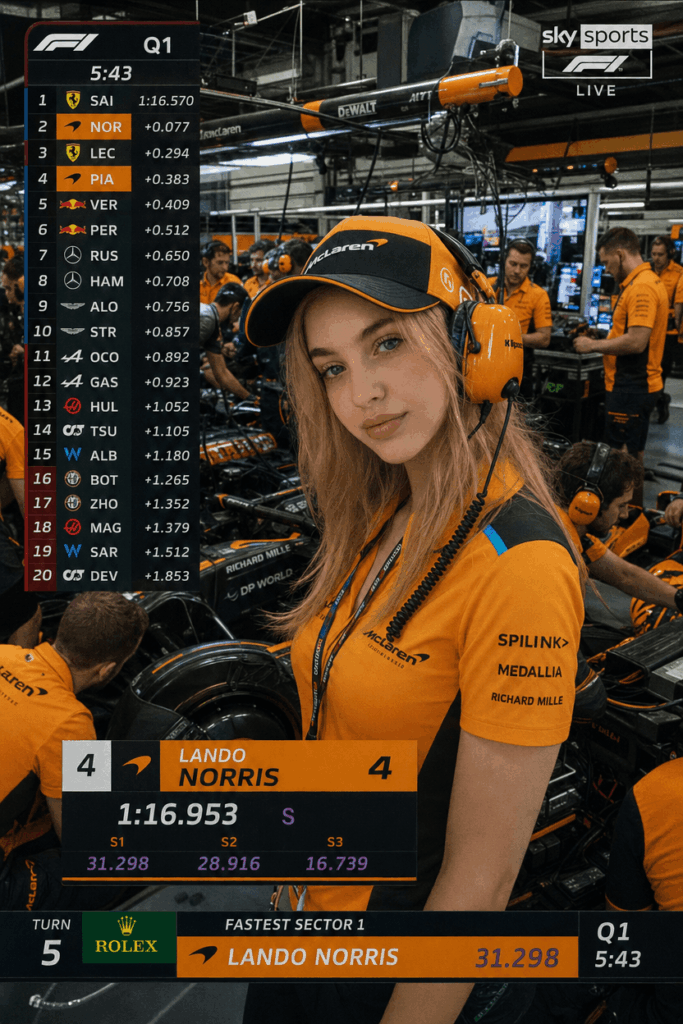
Imagine standing inside a high-tech F1 pit garage. You are wearing an official team uniform. Behind you, elite mechanics are tuning a multi-million dollar race car. Meanwhile, telemetry screens flash live race data.
This specific F1 broadcast aesthetic has quickly become a massive trend on social media. It signals precision, high-tech sophistication, and elite performance.
In this comprehensive F1 AI portrait tutorial, we will show you how to bypass exclusive grid access. Specifically, you can create a magazine-quality F1 pit lane photo in less than 10 minutes using WeShop AI. Best of all, we have completely removed complex JSON code structures. Consequently, you can achieve this look using pure, natural descriptive text.
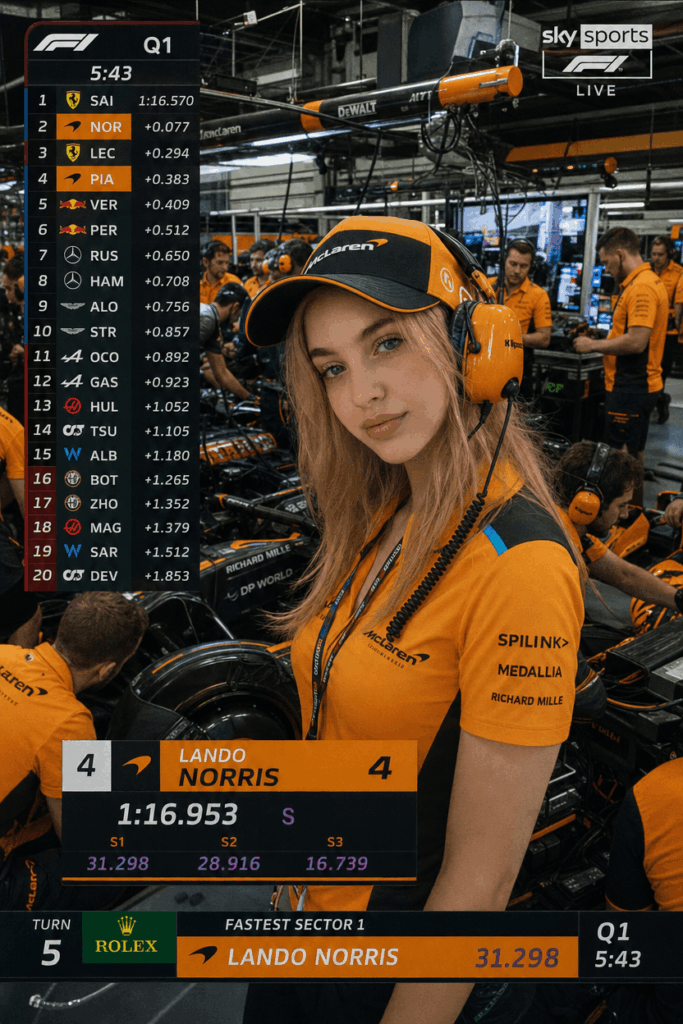
💡 Why the F1 Broadcast Aesthetic is Trending
Formula 1 is no longer just a sport. Instead, it is a global culture that represents cutting-edge engineering and international prestige.
Standard corporate headshots can often feel sterile and uninspired. In contrast, an F1 paddock avatar tells an immediate, compelling story. It portrays you as an analytical, focused professional who thrives under pressure.
However, getting actual photography access to an active F1 garage is virtually impossible for the general public. Therefore, an advanced AI image generator is the perfect tool to bring this elite aesthetic to life.
🛠️ Prerequisites: Your Digital Toolkit
Before diving into the generation process, you need to get your digital assets ready:
| Resource | Purpose | Requirement |
| WeShop AI Platform | The core tool powered by GPT Image 2 to render the image. | Required |
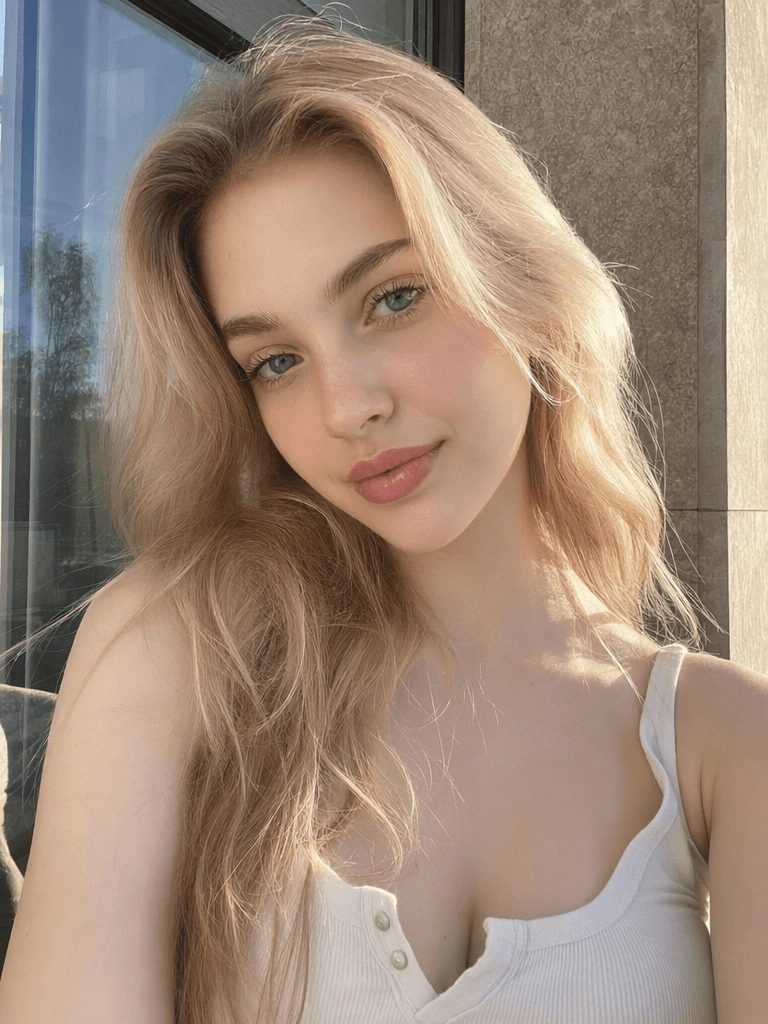
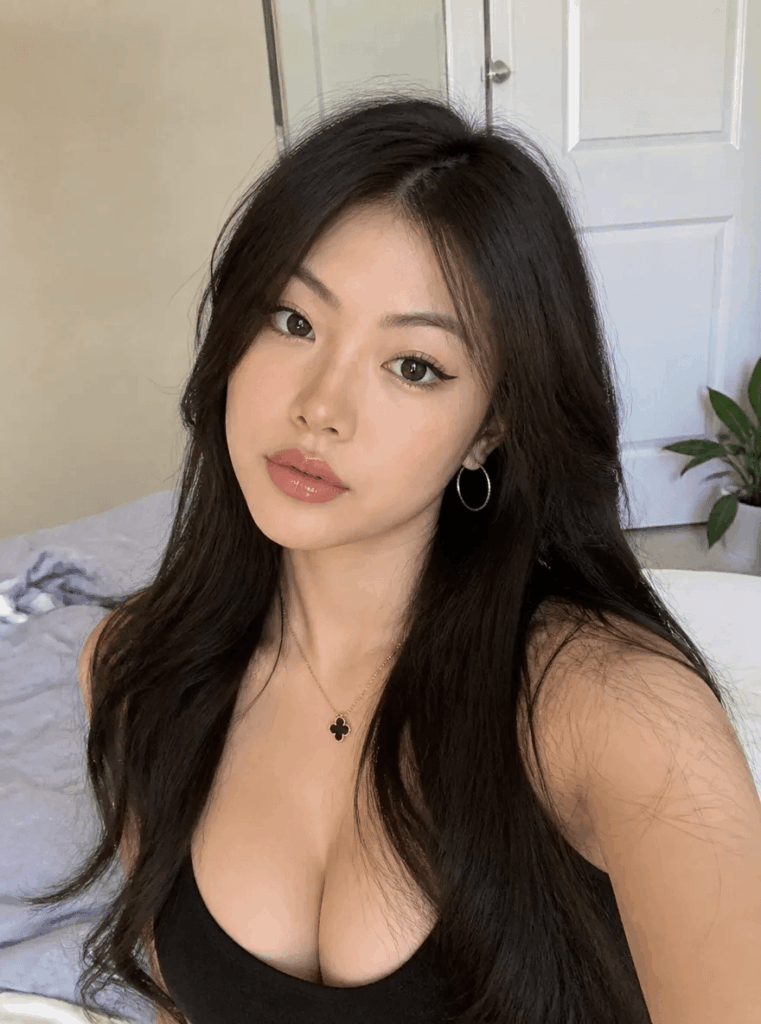
| A High-Quality Selfie | Your base face template to maintain your real facial features. | Required |
| Our Master Text Prompt | The exact descriptive text to paste into the AI generator. | Required |
📸 Choosing the Perfect Base Photo
To ensure the AI blends your face accurately, you must follow a few simple rules. Otherwise, the image might look distorted or plastic.
- Do: Use a clear, front-facing selfie taken in natural, even lighting. Furthermore, keep your facial expression neutral or calmly focused.
- Don’t: Do not use photos with heavy beauty filters. In addition, avoid massive sunglasses or hats that cast deep shadows over your eyes.
🚀 Step-by-Step Guide to Generating Your F1 AI Portrait
Step 1: Upload Your Base Image
First, log into your WeShop AI workspace. Next, navigate to the GPT Image 2 (Image Generator) tool. Finally, upload your prepared selfie to act as the facial structure reference.
Step 2: Input the Plain-Text Prompt
Copy and paste the optimized text block below directly into the WeShop AI prompt box. We have pre-formatted this text to emphasize the television broadcast feel, correct lighting depth, and crisp clothing textures.
Master Text Prompt (Cinematic Ferrari Edition):
A high-definition television signal live broadcast quality photo of a young East Asian individual in the center of the frame, capturing a realistic mid-profile composition. The subject is wearing a professional dark red Ferrari team racing jacket with clean white collar patches and a prominent sponsor logo on the chest, paired with a matching red team baseball cap. The setting is a deep, highly detailed F1 pit garage filled with industrial atmosphere. The subject looks calmly and intensely toward live data monitors on the side, projecting an elite, highly focused vibe. In the blurred background, team mechanics in red uniforms work around a Ferrari racing car where the number 16 is visible. A realistic F1 TV broadcast graphic UI overlay displaying driver telemetry and race standings is visible on the edge of the screen. The lighting features a mix of crisp white overhead industrial lights and deep red ambient reflections from the garage walls, creating sharp physical depth, dramatic contrast, and cinematic realism.
Step 3: Customizing for Your Persona and Team
The master prompt is currently configured for a female subject supporting Ferrari. However, you can easily tweak the words to match your identity and favorite constructor:
- Change Gender or Ethnicity: Swap
young East Asian individualwith your preferred details. For example, you can usea 30-year-old Caucasian man with a sharp jawline. - Switch to Red Bull Racing: Change the attire description to
a sleek navy blue Red Bull Racing team uniform with yellow branding. Additionally, update the background lighting to dark blue and matte silver hues.
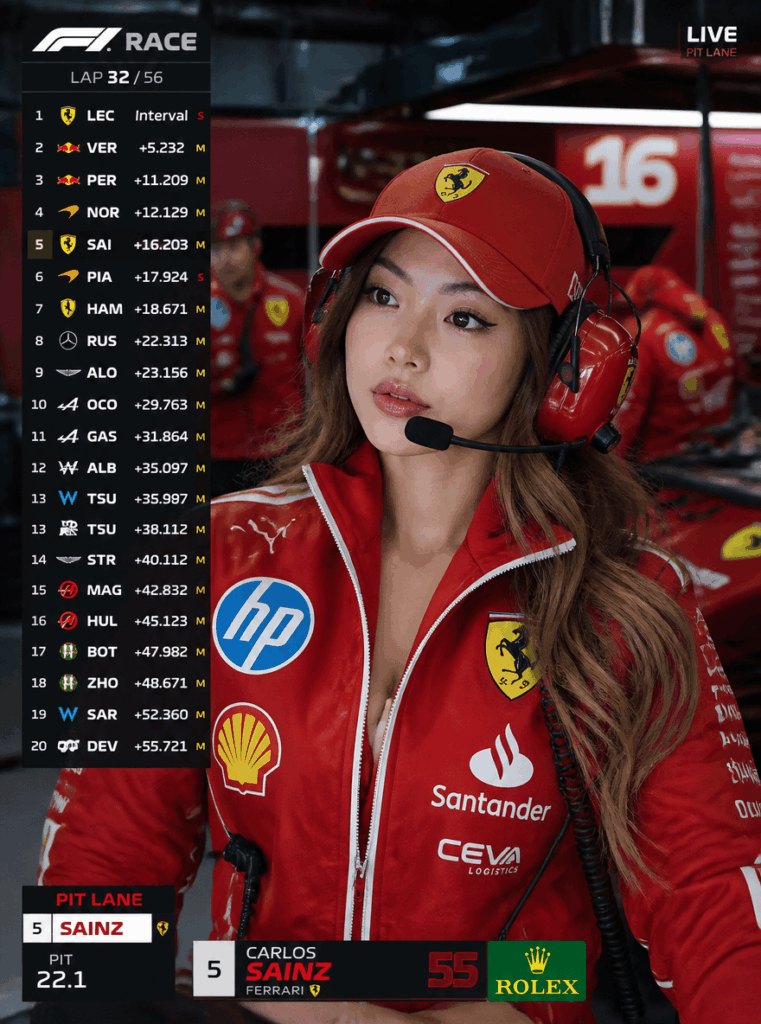
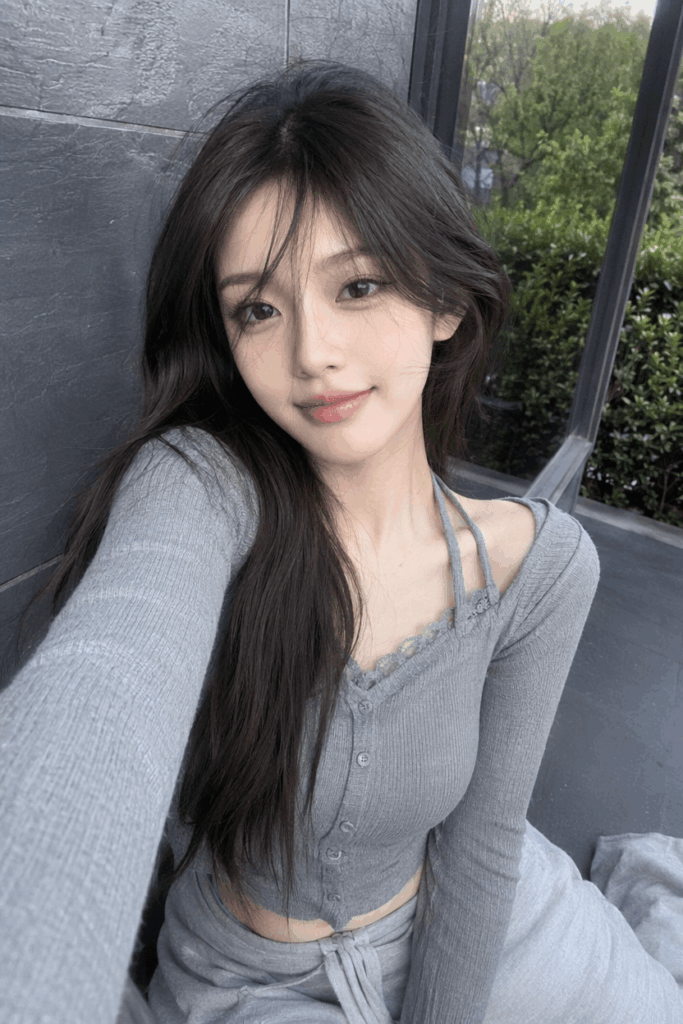
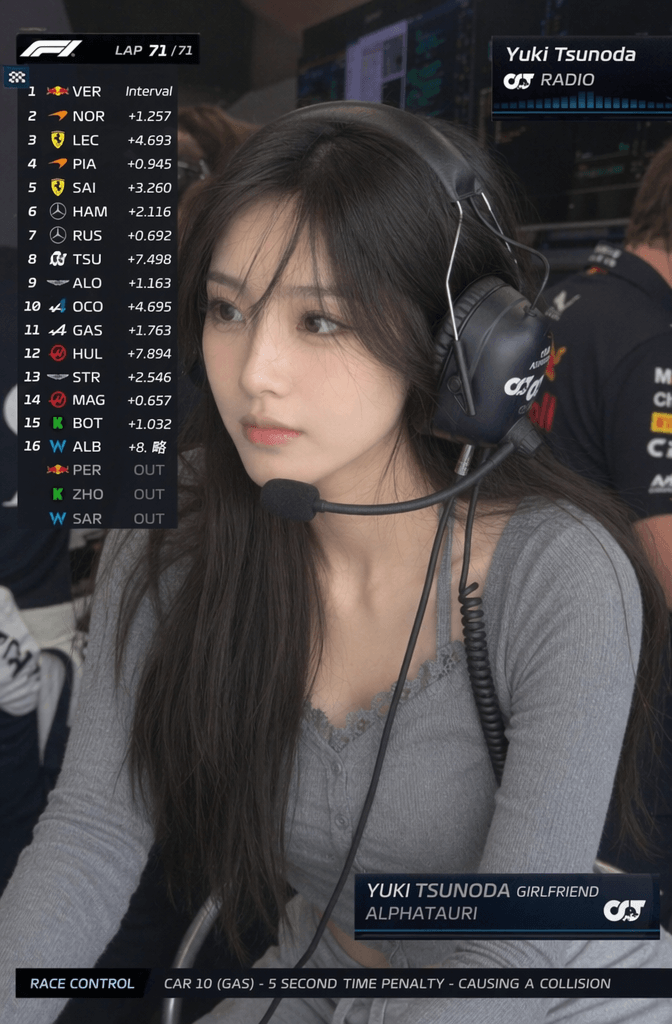
🛠️ Pro-Tips for Maximizing Realism and Fixing Errors
Avoid the “Clone Face” Trap
When generating complex backgrounds, AI sometimes accidentally copies your facial features onto the background mechanics. If you see recurring faces in your background, you can easily fix this. Simply add this specific rule to the end of your text prompt:
“Every background mechanic must have completely different facial features, hair, and heights to ensure zero visual repetition.”
Handling UI Graphics and Text Glitches
AI text generation inside images can sometimes look wavy or misspelled. While our plain-text prompt is highly optimized to keep the F1 telemetry clean, text glitches can still happen. Therefore, the most professional trick is to let the AI focus purely on rendering human textures. If a letter looks slightly off, you can quickly overlay a sharp, authentic digital F1 graphic sticker using a basic mobile editing app later.
Where Should You Use This Image?
This high-end aesthetic works incredibly well for personal branding. For instance, it is an excellent match for LinkedIn profiles if you work in the automotive, tech, EV, logistics, or sports marketing sectors. Conversely, if you work in highly traditional fields like corporate law, you might want to save it for your Twitter/X, Instagram, or gaming community avatars instead.
🏁 It’s Your Turn: Summary & Call to Action
Turning an ambitious idea into a magazine-level visual asset is incredibly simple. In short, it only takes a few quick steps:
- Open weshop.ai to register and log in.
- Find your favorite front-facing selfie from your photo album.
- Copy the plain-text English prompt provided in this article. Then, paste it into GPT Image 2.
- Click generate to clear the grid and claim your exclusive F1 team portrait!
💬 Join the Conversation: Once your image is generated, come back to the comments section and share your results! If you run into issues where the face doesn’t look like you, or the UI elements look glitched, feel free to drop a screenshot. I will gladly help you tweak your prompt parameters for a perfect render! 🏎️ 📸
🎁 Appendix: Streamlined Quick-Copy Prompt (McLaren Edition)
If you prefer a flatter, raw documentary style over the high-contrast cinematic look, we have you covered. Alternatively, if you are a dedicated McLaren fan, you can copy and paste this streamlined text prompt directly into WeShop AI.
Streamlined Text Prompt (McLaren Edition):
Ultra-realistic F1 live streaming screenshot style, McLaren P garage Q1 qualifying race scene. A young woman from East Asia, her face strictly referenced from the uploaded photo. She is wearing a McLaren orange team uniform, with official sponsor logos on the cuffs and collars. Multiple mechanics are busy working around her, and the background is crowded and clearly identifiable with high-tech details like computers, tire mats, and racing parts. Visual style is a flat live streaming pause screen with no blurred shallow depth of field. Shot on an 85mm zoom lens, half-body medium close-up, centered capture feeling with subtle motion blur and film grain. The garage features natural, uneven lighting. Overlayed with a Sky Sports F1 live streaming UI, featuring a top right corner logo, top left corner 20-person ranking table, and a bottom center driver information card. 16:9 aspect ratio.
Go to WeShop AI For Exploration:


