
language

English

Steal the Look! Click to Replicate it with Your Product!

Remove Logo from Video Online Free – AI Video Logo Remover for Clean Clips

This AI video logo remover helps users remove logo from video online with a faster, cleaner, and more beginner-friendly workflow. Using advanced AI detection, object removal, frame analysis, and background reconstruction, the tool can identify logos, brand marks, watermark overlays, text labels, and unwanted visual elements across video frames while helping preserve video quality.Whether you need to remove logo from video for your own footage, clean old brand assets, update marketing materials, or prepare social media clips, this online video logo remover makes the process simple.

Real-World Use Cases for Removing Logos from Videos with AI

When a Creator Needed Cleaner Social Media Clips

A content creator Bill had several short clips for TikTok, Instagram Reels, and YouTube Shorts, but some of the videos included distracting logo overlays and outdated brand marks. Instead of opening professional editing software and manually covering the logo in every frame, they used an AI tool to remove logo from video online. After uploading the clip, the video logo remover detected the logo area and analyzed the surrounding background.
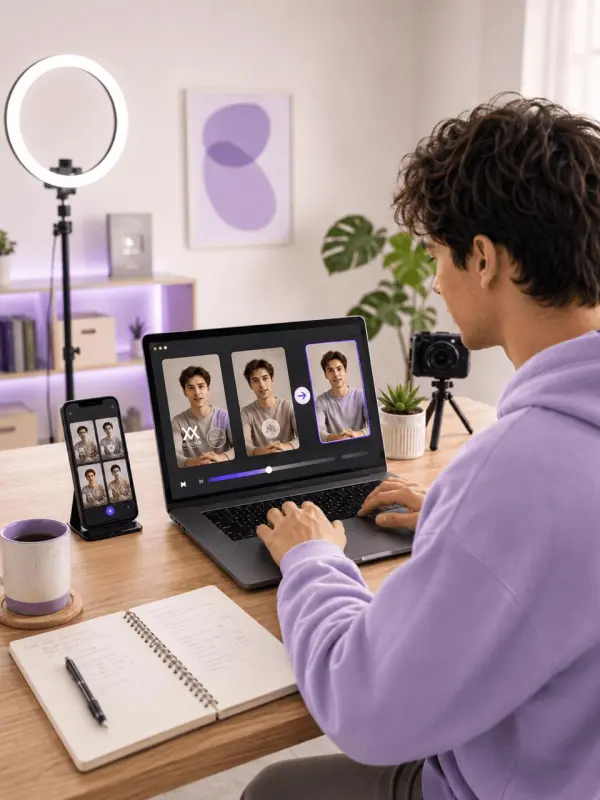
Remove Logo from Video by weshop ai

How a Marketing Team Updated Old Branded Videos

A marketing team wanted to reuse older campaign videos, but the footage included a previous logo, old product label, and outdated watermark overlay. Since the team needed a cleaner version for new ads, landing pages, and presentations, they used an online logo remover to remove logo from video without rebuilding the entire video from scratch.The AI video logo remover helped detect the unwanted branding element, track its position through the clip, and reconstruct the background where possible.
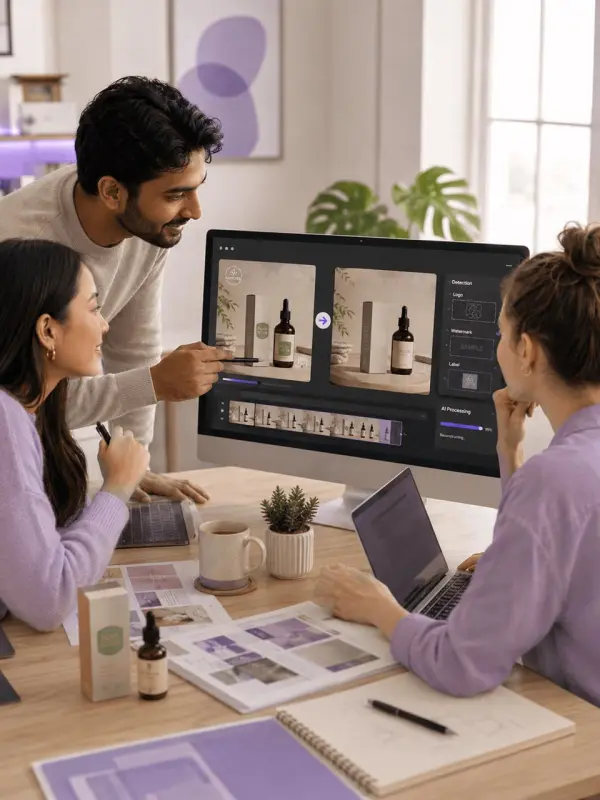
Remove Logo from Video by weshop ai
Previous
Next

Key Features of the AI Video Logo Remover

AI Logo Detection for Video Cleanup

This AI video logo remover can detect logos, watermark marks, brand labels, and unwanted overlay elements in a video. Users can upload a video, mark the logo area, and let the AI analyze the target region across frames. This makes it easier to remove logo from video online without advanced editing skills.

Remove Logos, Watermarks, and Brand Marks

The tool is designed to remove logos from videos, erase watermark overlays, clean brand marks, and reduce unwanted visual distractions. It can be useful for updating owned content, cleaning internal media, refreshing old campaign clips, or preparing videos for new layouts. The workflow helps users create cleaner clips with less manual work.

Frame-by-Frame AI Reconstruction

A strong video logo remover should not simply blur the selected area. This AI tool uses frame-by-frame analysis and background reconstruction to fill the logo region more naturally. By studying surrounding pixels and motion, it can produce cleaner results than basic cropping, covering, or manual masking methods.

Maintain Video Quality After Logo Removal

When users remove logo from video, maintaining video quality is important. The tool is built to reduce visible blur, distortion, and rough patches while keeping the original resolution as clear as possible. This makes the final video more suitable for social media, presentations, marketing edits, and further post-production.

Browser-Based Video Logo Remover

This online video logo remover works directly in the browser, so users do not need to install heavy software. The process is simple: upload a video file, select the logo or watermark area, start AI processing, preview the result, and download the cleaned video. It is designed for fast, accessible video cleanup.

What You Can Do with This AI Video Logo Remover

Remove Logo from Video Online

Upload your video and use the AI logo remover to remove logo from video directly in the browser. Select the logo area, start the AI process, and let the system clean the selected region across frames. This is useful for users who want a simple alternative to manual video editing.

Delete Watermark Overlays from Videos

If your own video includes a watermark overlay, old label, or repeated brand mark, the tool can help remove the unwanted element more efficiently. The AI detects and processes the marked area while trying to preserve the surrounding background, motion, and visual consistency of the original clip.

Clean Old Marketing and Brand Videos

Businesses can use the video logo remover to update old promotional videos, product demos, social ads, and presentation clips. Removing outdated logos or old brand elements makes it easier to reuse existing assets for new campaigns, product launches, website pages, and commercial projects.

Prepare Social Media Videos for Re-Editing

Creators can remove logo from video clips before adding new captions, effects, transitions, or branded layouts. This helps prepare cleaner videos for TikTok, Instagram Reels, YouTube Shorts, Facebook, and other social platforms. A cleaner visual frame can make the final edit look more professional.

Remove Distracting Objects and Visual Elements

Beyond logos, some AI logo remover tools can also help reduce unwanted objects, text marks, labels, and other overlay elements from videos. This makes the workflow useful for cleaning video backgrounds, improving product clips, or removing distractions from creative projects.

Frequently Asked Questions About Removing Logo from Video

How can I remove logo from video online?

You can remove logo from video online by uploading your clip to an AI video logo remover, selecting the logo area, and letting the AI process the selected region across frames.

Can AI remove a logo from a video automatically?

Yes. Many AI video logo remover tools can detect logo areas, track them through the video, and reconstruct the background automatically. Some tools may still require users to manually select the logo area for better accuracy.

Will removing a logo reduce video quality?

A good AI logo remover is designed to preserve video quality as much as possible. Results depend on the logo size, background complexity, video resolution, camera movement, and how long the logo stays on screen.

What video formats are usually supported?

Common supported video formats often include MP4, MOV, M4V, and similar file types. Format support may vary by platform, so users should check upload requirements before processing large video files.

Can I remove logos from TikTok or YouTube videos?

Technically, AI tools can process many social media clips, but users should only remove logos or watermarks from videos they own, have permission to edit, or are legally allowed to modify. Always respect copyright, platform rules, and creator rights.

Explore More AI Tools

Our new Virtual Try-On just launched. Try it now!
close

HappyHorse AI Video Generator

Create Cinematic Text-to-Video and Image-to-Video Content

GPT Image 2 AI Image Generator

Create High Quality Images, Text Rich Visuals, and Product Photography

Nano Banana

Google's Next-Gen AI Image Model for Instant Professional Creativity

AI Video Generator

Turn Images into Stunning AI Videos for Free

Virtual Try-On

Try On Clothes Online with AI Virtual Try Technology

Swap Model & BG

Realistic Model & Background Swapping Online with AI

AI Fashion Model

Showcase clothing with a variety of models

AI Product

Create stunning product images with few clicks from anywhere

Face Forge

AI Face Morph & Face Swap Generator Online

Product Recoloring

Recolor Image Online Free - Color Changer in WeShop AI

To Mannequin

Convert real model photos into mannequin displays

Change Pose

Change poses, switch between various model poses, making the clothing display more natural

Remove Background

Removing background with lightning speed and ease

AI Photo Enhancer

Enhance Photo Quality Online with Free AI

Relight

Relight your images automatically and efficiently

Expand Image

Expand images & backgrounds to fit any platform

Magic Eraser

Remove unwanted objects from your photos with AI

Hand/Feet Fixer

Regenerate natural-looking hands and feet in AI-generated images

Design Repair

Upload an image, highlight the area you wish to fix, and upload a target reference image

Outfit Generator

Create AI clothes styling from any model photo, garment, or style prompt.

Video Agent

Create and publish videos from a photo or description—instantly, in any style.

AI Clothing Piece Generator

Create Professional Flatlay Clothing Images From Any Photo or Idea

Watermark Video Remover Free Online

Remove Watermark from Video

AI Video Enhancer

Enhance Video Quality Online with AI

Replace Face in Video Online Free

AI Video Face Swap for Realistic Clips

Seedream 5.0

Try the Latest Smart Image Creation Model Online

Seedance 2.0

A Multi-Modal AI Video Creative Engine for Cinematic Storytelling

Sora 2

Next Generation AI Video Generator with Realistic Physics & Storytelling

Wan AI Video Generator

Advanced AI Image & Video Generation Model

Midjourney Image Generator

Use Midjourney v7 to Create AI-Generated Images

Kling O1 AI Video Generator

Create Cinematic Videos with Omni One Control

Kling 3.0

AI Director Video Model with 4K Cinematic Storytelling

Kling Motion Control

Create Realistic Motion Videos from Reference Images and Videos

Qwen Image Edit

A Revolutionary Tool for Seamless Image Editing

Z-Image AI Image Generator

Create High-Quality Images from Text Instantly

FireRed Image Edit

Open Source AI Image Editing Model for High Fidelity Edits

Grok Imagine AI Image Generator

Create High-Resolution Images from Text with Aurora AI

Grok Imagine AI Video Generator

Create Cinematic AI Videos with Native Audio & Scene Control

Hailuo AI Video Generator

Create Cinematic AI Videos from Text or Images

Veo 3 AI Video Generator

Create Cinematic Videos from Text or Images

Vidu Q3 AI Video Generator

Create Cinematic Short Videos with Turbo and Pro Modes

Imagen 4

Create Photorealistic Images and Accurate Text Visuals with AI

HiDream AI Image Generator

Create Stunning AI-Generated Images Online

Sulphur2

Create Cinematic AI Videos from Text and Images

idea
helper





















