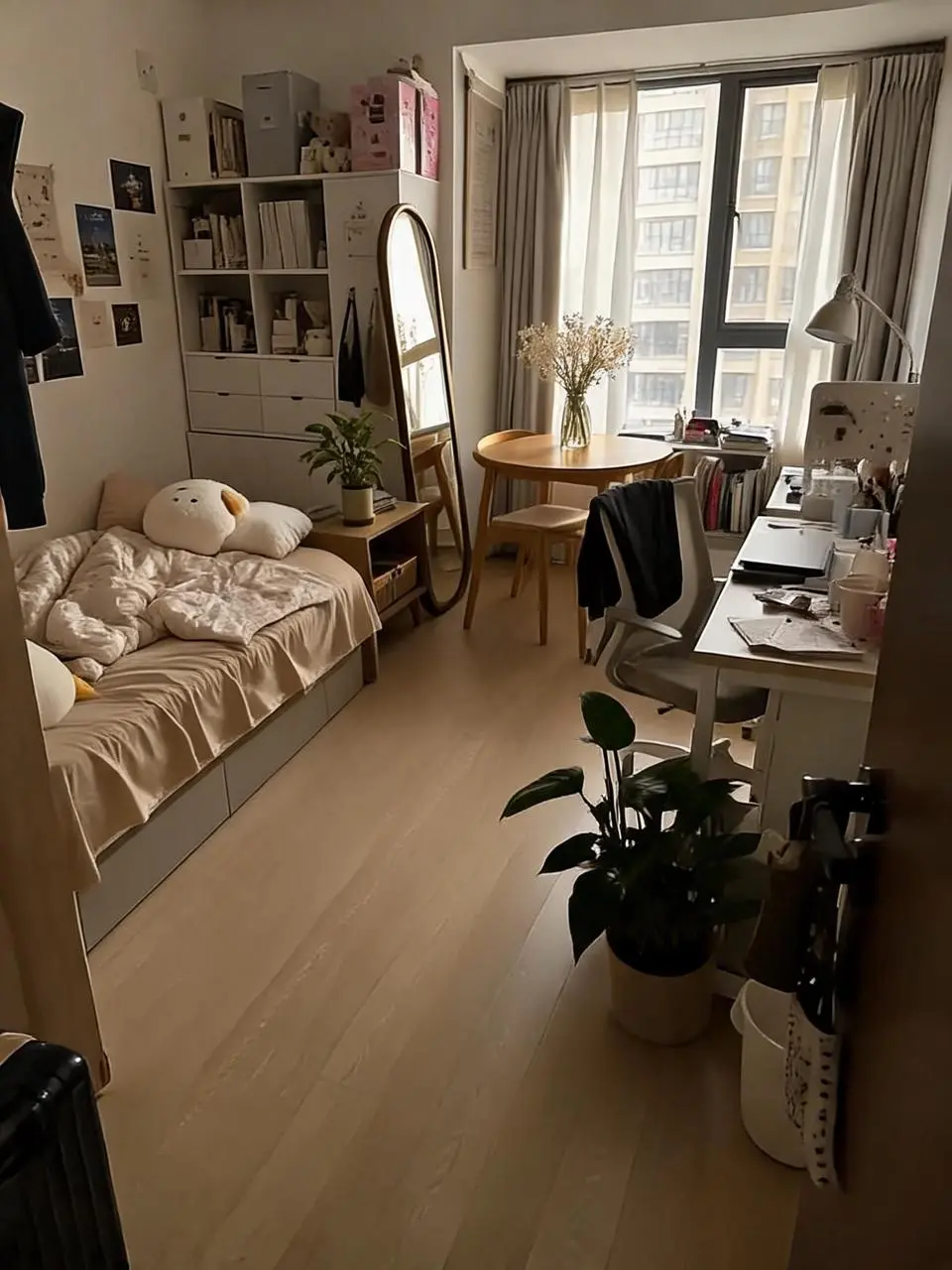
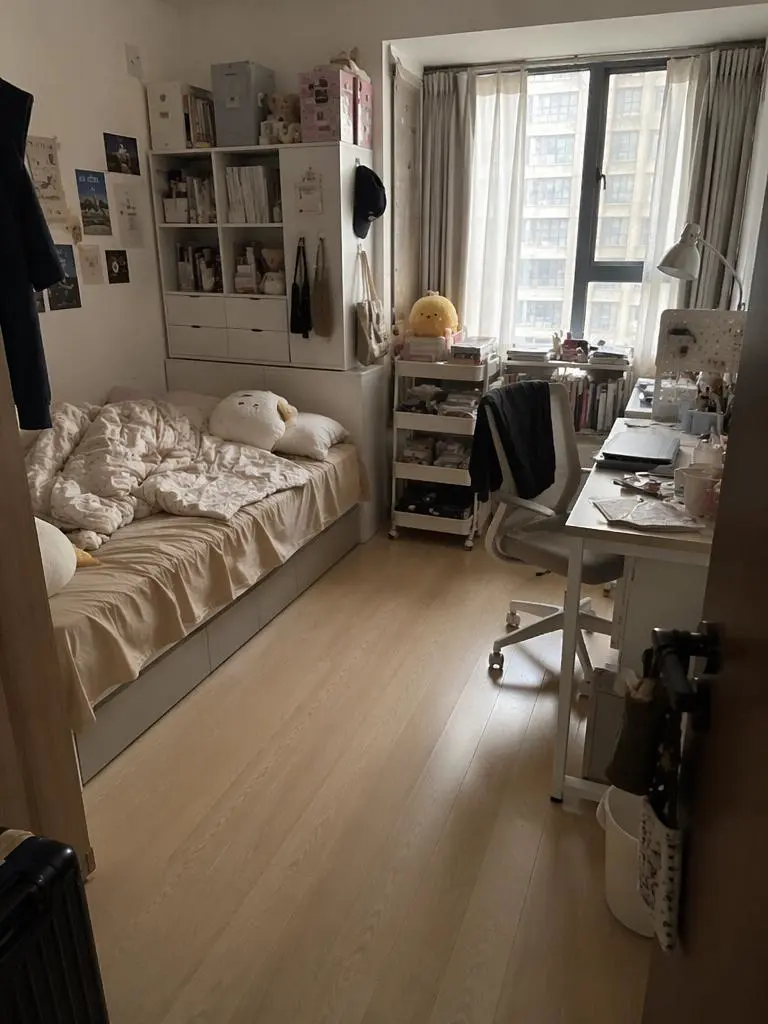
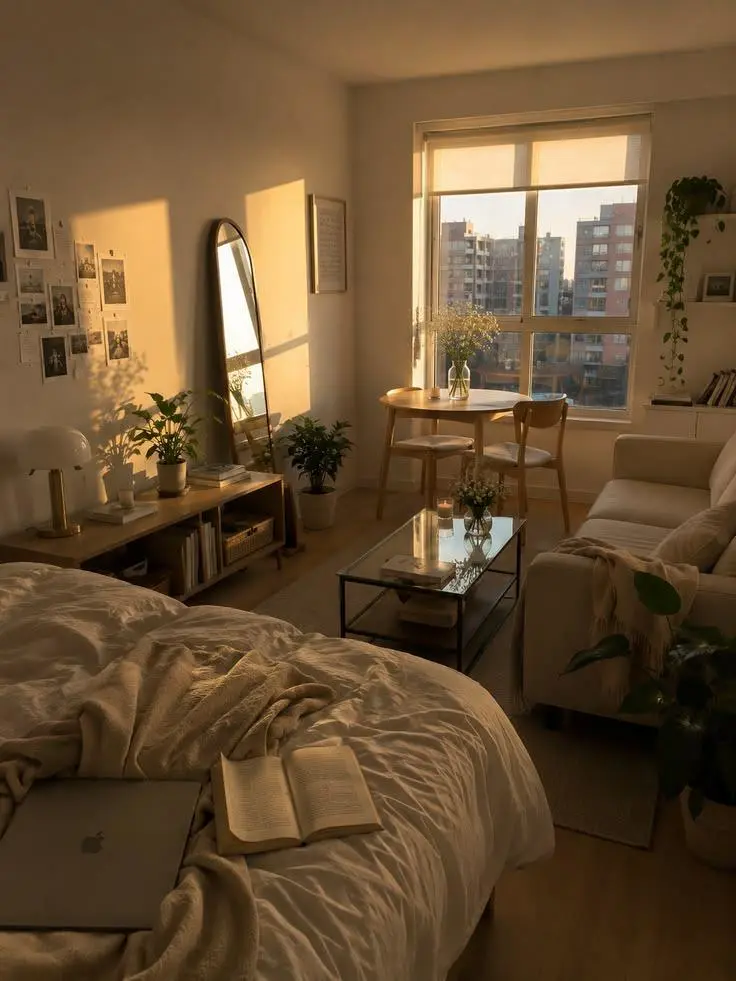
Seedream 5.0 Lite 모델을 지정 영역 요소 교체, 참조 여우를 종이 공예풍으로 표현하기, 코발트색 도자기 정물 예시로 살펴보세요. 각 저장 사례는 실제 프롬프트와 사용 가능한 입력을 유지합니다. 자신의 피사체에 맞게 요청을 수정하기 전에 결과를 확인하세요.
지정 영역 요소 교체
전체 스타일만 새로 지정하는 대신 원본 이미지와 표시된 위치로 구도의 특정 부분에 변화를 지시하세요.
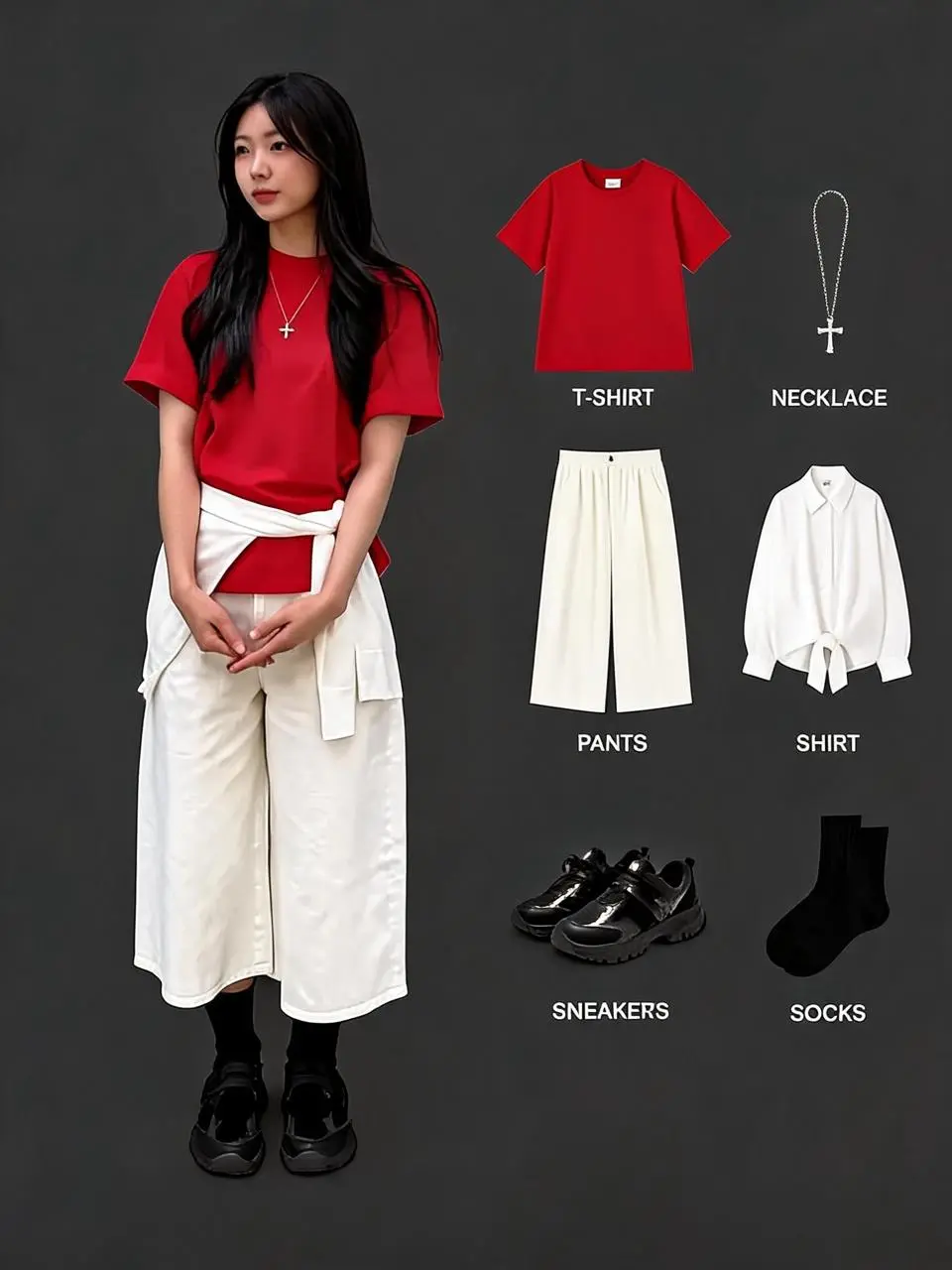
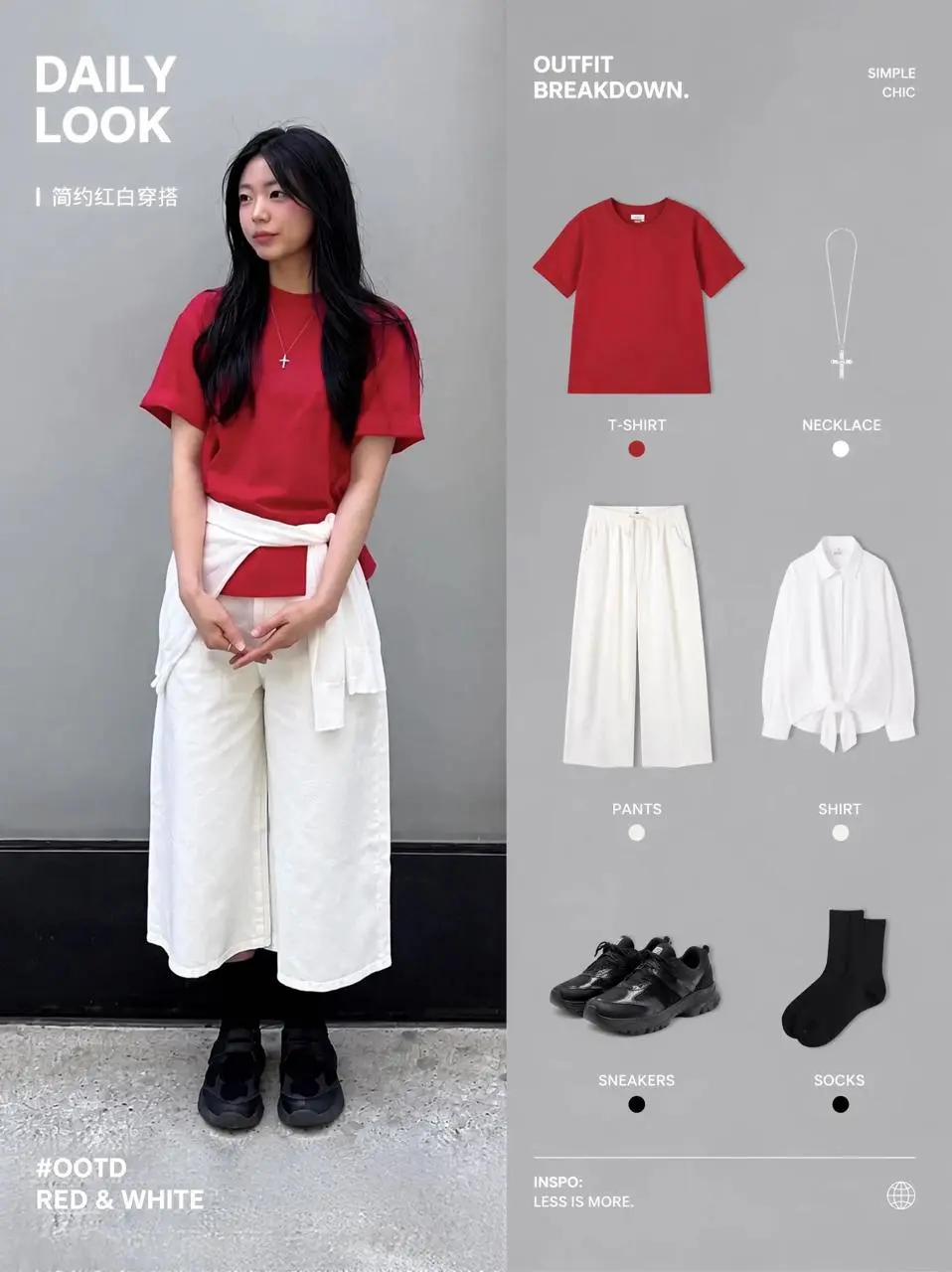
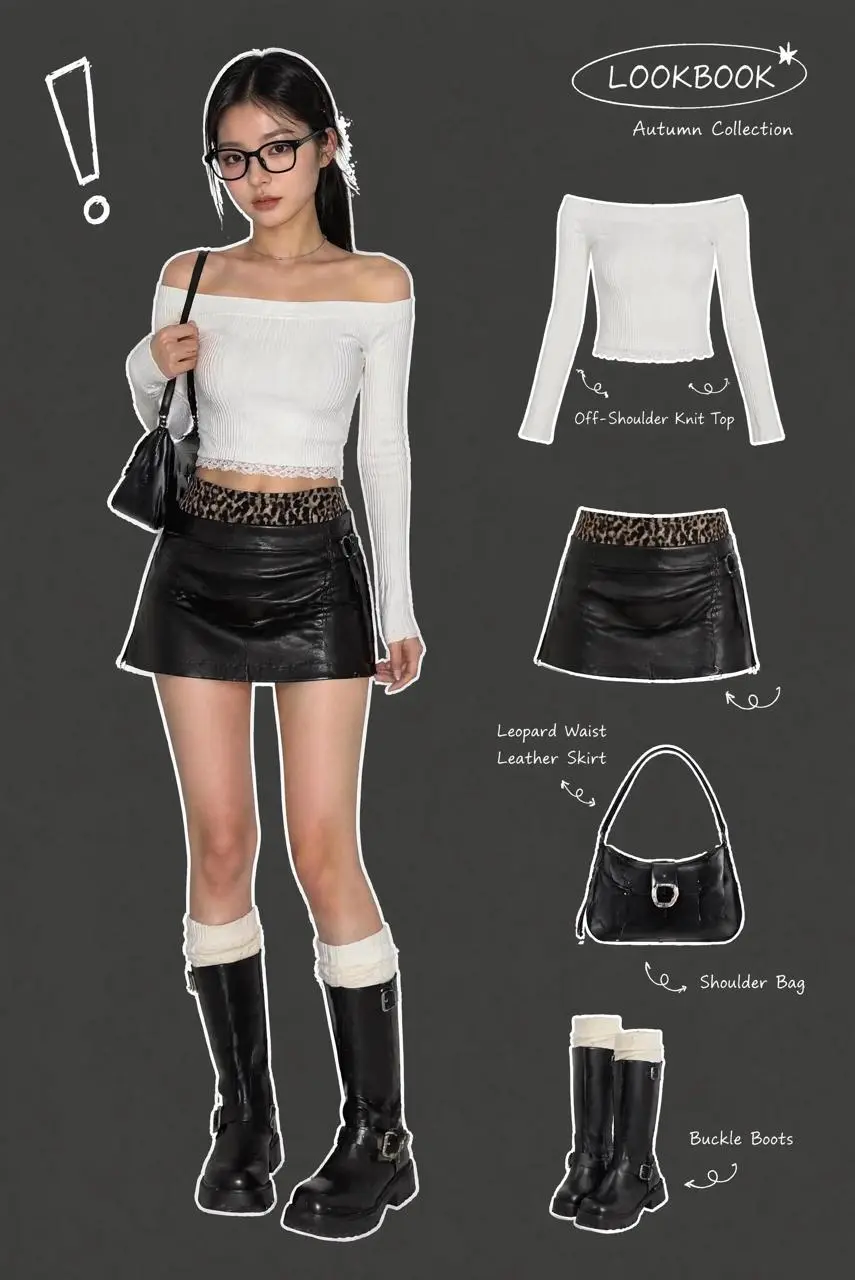
Replace the elements markedImage 2 [%#[Image 2 at <point>435 426</point>]#%][%#[Image 2 at <point>454 575</point>]#%][%#[Image 2 at <point>662 510</point>]#%][%#[Image 2 at <point>232 510</point>]#%]in Figure image 1 [%#[Image 1 at <point>666 468</point>]#%][%#[Image 1 at <point>315 311</point>]#%][%#[Image 1 at <point>451 431</point>]#%]iand arrange the layout appropriately.
여우 참조를 겹겹이 쌓인 종이 공예 장면으로 재해석하며 캐릭터와 원하는 매체에 서로 다른 역할을 지정합니다.
Use the fox in image 1 as the character reference. Reimagine it as a layered paper-cut storybook scene in a moonlit woodland. Keep its pointed ears and recognizable orange-and-white face, but render the fur, scarf, trees and stars as visibly cut paper with crisp edges and soft cast shadows. Place the fox on the left and a glowing lantern on the right. Vertical 3:4 composition, no words or border.
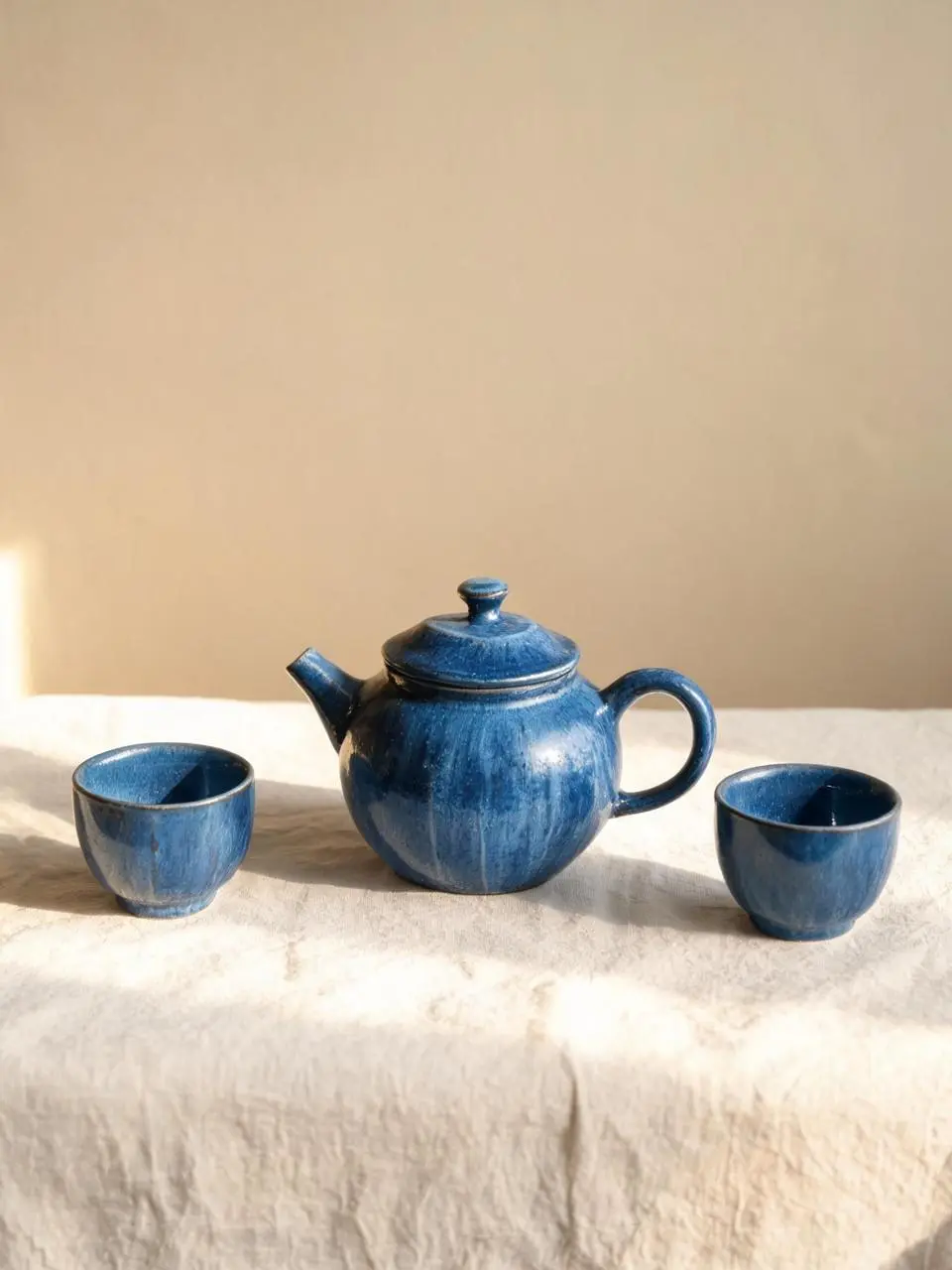
A handmade cobalt-blue ceramic teapot and two matching small cups arranged on a pale linen cloth, a warm beige studio wall, morning sunlight from the left, soft realistic shadows, visible handmade glaze texture, eye-level product photography. Keep the entire teapot and both cups visible. Clean vertical 3:4 composition. No lettering, brand marks, border or watermark.
Seedream 5.0 Lite는 지시 이해, 시각 요청에 대한 추론, 이미지와 텍스트 결합 제작에 중점을 둔 ByteDance 이미지 모델입니다.
Lite는 연결된 지시, 시각적 관계 및 글과 이미지를 결합한 요청에 활용할 수 있습니다. 표시된 교체와 참조 여우 사례는 편집을, 도자기 정물은 텍스트 기반 생성을 보여 줍니다.
요청의 의도 파악하기
공식 발표는 지시 뒤의 의도 이해를 강조합니다. 디자인 요소의 관계와 목적을 설명하세요.
이미지와 글 콘텐츠
그림이 있는 콘셉트부터 디자인 이미지까지 텍스트와 시각 자료를 하나의 제작 요청에 결합하세요.
시각 요소의 관계
요소를 따로 나열하기보다 구도를 사용해 피사체, 물체와 라벨의 관계를 설명하세요.
제작 방식
시작 입력 선택하기
새 이미지에는 텍스트를, 편집에는 원본 이미지를 사용하세요. 위치 표시 사례에는 실제 원본 주석도 필요하며 좌표 토큰만 복사해서 입력을 재현할 수 없습니다. 현재 폼의 다중 이미지 제어에는 인터페이스 제한이 남아 있습니다.
참조 사진으로 시작
편집할 피사체나 장면을 업로드하세요. 입력이 여러 개면 각 참조가 제공하는 내용과 원하는 변경을 설명하세요.
글로 작성한 구상으로 제작
새 피사체, 배경, 구도와 시각적 표현을 설명하세요. 이미지에 들어갈 문구도 포함하세요.
프롬프트 가이드
Seedream 5.0 Lite 프롬프트 작성 방법
아래의 실제 Seedream 5.0 Lite 프롬프트를 결과 및 사용한 참조 입력과 함께 살펴보세요. 각 설명은 확인할 특정 지시를 짚어 줍니다. 효과를 요청했다고 해서 생성된 모든 디테일이 일치한다는 보장은 없습니다.
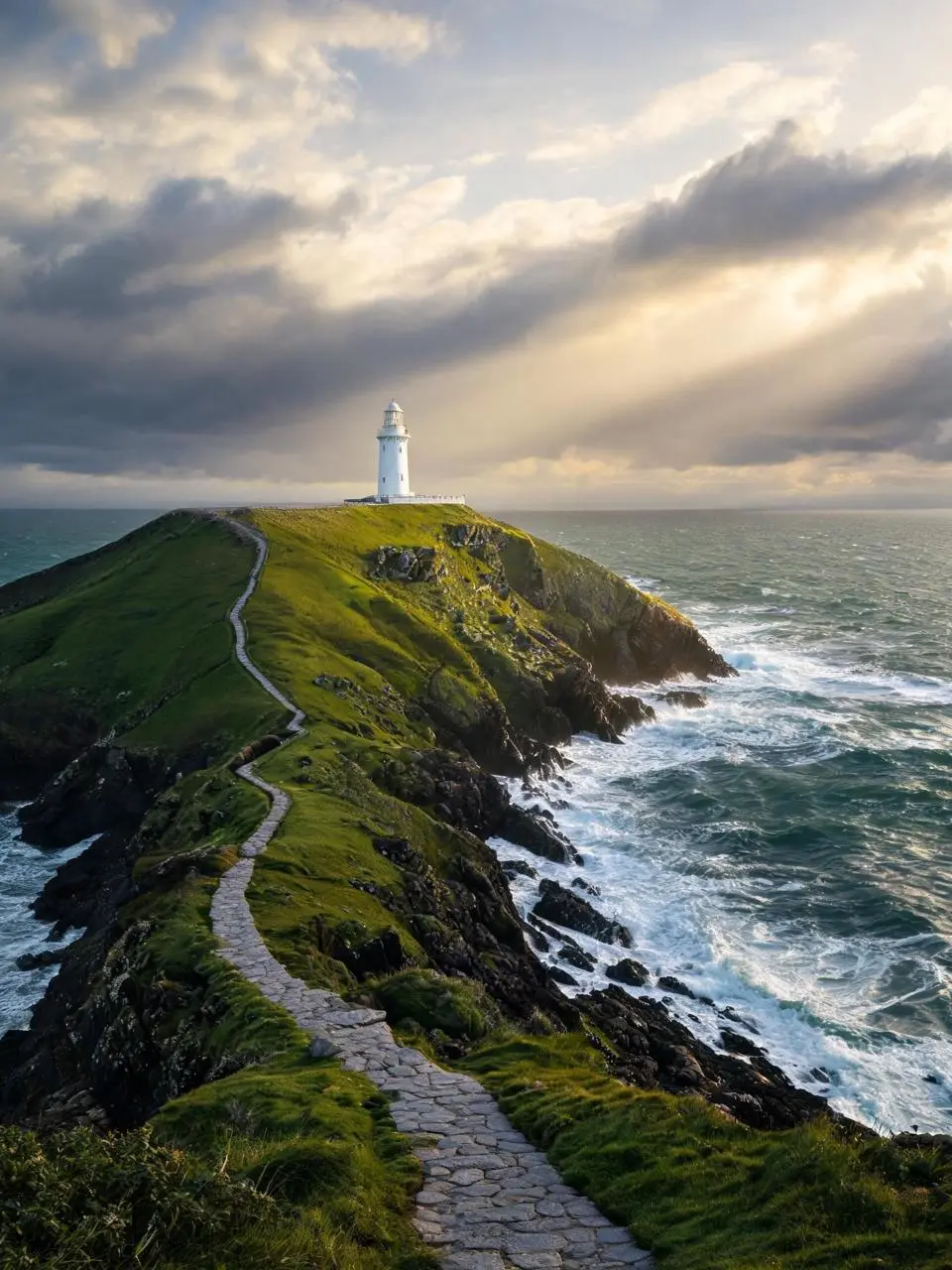
장면의 빛과 색 배치
보이는 조명이나 색 배치를 구도의 일부로 지정하세요. 이 사례에서는 다음과 같이 요청했습니다. “Golden sunlight breaks through layered clouds, waves foam against dark rocks.”
A solitary white lighthouse on a rugged green headland above a deep teal sea just after a storm. A winding stone path leads from the bottom foreground to the lighthouse in the upper third. Golden sunlight breaks through layered clouds, waves foam against dark rocks. Photorealistic landscape photography, vertical 3:4 composition, no people, no lettering, no border or watermark.
편집 영역과 교체 대상 지정하기
원본 프롬프트는 표시된 위치와 제공된 이미지로 변화를 지시합니다. 자신의 입력에 맞게 표시를 다시 지정하세요. 이 사례에서는 다음과 같이 요청했습니다. “Replace the elements marked image 2 [%#[Image 2 at <point>818 1013</point>]#%][%#[Image 2 at <point>969 1768</point>]#%][%#[Image 2 at <point>1017 2955</point>]#%][%#[Image 1 at <point>1691 785</point”
Replace the elements marked image 2 [%#[Image 2 at <point>818 1013</point>]#%][%#[Image 2 at <point>969 1768</point>]#%][%#[Image 2 at <point>1017 2955</point>]#%][%#[Image 1 at <point>1691 785</point>]#%][%#[Image 1 at <point>1678 1534</point>]#%][%#[Image 2 at <point>1861 2420</point>]#%][%#[Image 2 at <point>1655 3161</point>]#%]into Image [%#[Image 1 at <point>664 1147</point>]#%][%#[Image 1 at <point>793 1896</point>]#%][%#[Image 1 at <point>806 2768</point>]#%][%#[Image 1 at <point>1691 785</point>]#%][%#[Image 1 at <point>1678 1534</point>]#%][%#[Image 1 at <point>1717 2522</point>]#%][%#[Image 1 at <point>2246 1825</point>]#%] ensure the outfit combination looks appropriate and adjust the adjacent layout accordingly.
장난감의 알아볼 수 있는 디테일 설명하기
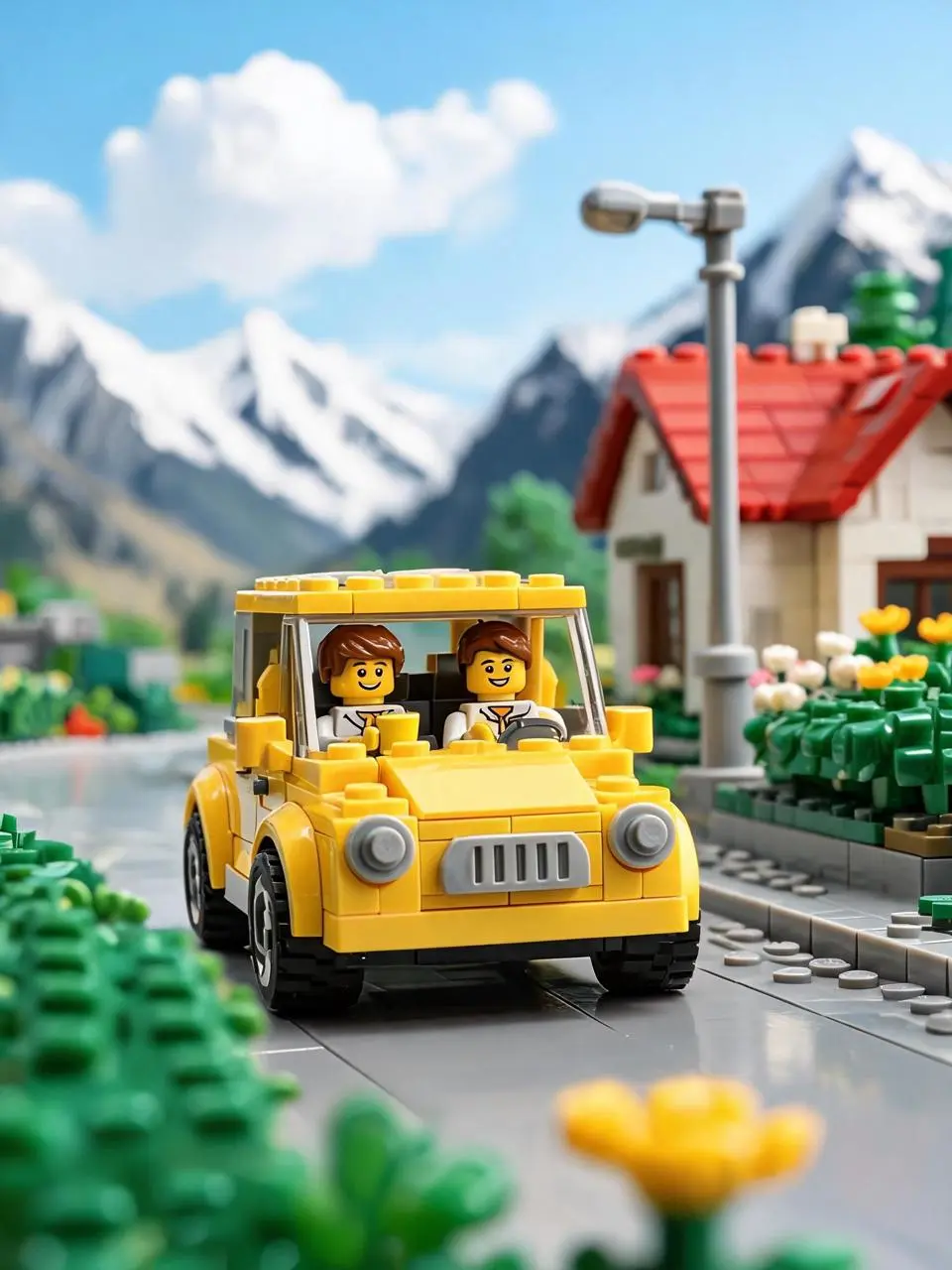
장난감 차 요청은 시골 장면 안의 둥근 헤드라이트, 회색 그릴과 검은 타이어를 명시합니다. 이는 피사체와 장난감 표현을 지정합니다. 사진식 묘사를 물리적인 성능 주장으로 보지 말고 보이는 결과를 비교하세요.
This image depicts a yellow toy brick car driving on a countryside road, exuding a bright, relaxed, and joyful atmosphere. At the center of the scene is a retro-style yellow brick car facing the camera. Its round headlights, gray grille, and black tires are clearly visible, showcasing the classic texture of a toy car.
Inside the car are two brick figures. The driver in the front seat has brown hair, a smiling face, and appears to be holding a yellow cup or drink, looking relaxed. In the backseat or cabin, there’s another passenger with a cheerful expression, suggesting they are on a trip together. The car’s vibrant yellow color stands out under the sunlight, evoking a sense of summer travel or a weekend getaway.
The background features a bright brick-built small town or countryside setting: on the right, there’s a small house with a red roof, along with streetlights, flower bushes, and greenery. In the distance, snow-capped mountains and a blue sky with white clouds complete the scene. The background is blurred, resembling a macro shot of a model, which highlights the car and figures in the foreground.
The lighting is very bright, with sunlight coming from above or slightly behind, creating beautiful highlights on the car and reflections on the ground. The overall color saturation is high, with the yellow car, green plants, and blue sky forming a vivid, fairy-tale-like palette.
In terms of composition, the car is positioned slightly below the center of the frame, with its front taking up the main visual focus, giving the impression that the car is driving toward the viewer. The foreground features blurred yellow and green brick flowers and plants, enhancing the realism and spatial depth of the miniature photography.
Style keywords:
Lego brick car, countryside travel, sunny and bright, retro yellow car, brick-built town, snowy mountain backdrop, blue sky and white clouds, macro photography, shallow depth of field, toy advertisement, joyful travel vibe.
사용 방법
Seedream 5.0 Lite 첫 이미지 만들기
Seedream 5.0 Lite 선택 항목과 아래에 설명된 입력 경로로 시작하세요. 제출 전에 사용 가능한 설정과 포인트를 확인하세요.
이 모델에 필요한 입력 제공
텍스트 요청을 선택하거나 현재 폼에서 허용하는 원본을 업로드하세요. 부분 교체는 좌표를 그대로 재사용하지 말고 사례를 열어 이미지와 표시를 확인하세요.
이용 가능한 설정과 포인트 확인
크기 라벨: 2K, 3K. 화면 비율: 1:1, 2:3, 3:2, 4:3, 3:4, 16:9, 9:16, 21:9. 이는 선택 가능한 설정이며 고정 픽셀 크기나 파일 형식 보장이 아닙니다. 실제 크기는 원본 결과 파일에서 확인하세요. 제출 전에 표시된 포인트와 요금제의 모델 접근 권한을 확인하세요.
결과 열기 및 확인
대상 요소가 바뀌었는지, 주변 피사체나 배치가 적절한지 확인하세요. 글을 교정하고 원본 파일 크기를 살펴보세요.
Lite는 요청 이해와 연결된 시각적 관계를 강조합니다. Pro는 정보가 풍부한 디자인과 위치를 지정한 변화에 중점을 둡니다. 현재 WeShop 크기 라벨은 다르며 Lite가 자동으로 속도나 해상도에서 우세한 것은 아닙니다. 공식 포지셔닝, 기록된 WeShop 설정, 현재 선택된 폼은 서로 구분되며 측정된 품질 또는 속도 순위를 뜻하지 않습니다.
비교 항목
Seedream 5.0 Lite
Seedream 5.0 Pro
모델 역할
요청 추론과 시각 정보 결합
정보가 풍부한 디자인, 공간 편집과 사실적 표현
페이지에 기재된 입력
참조 사진으로 시작; 글로 작성한 구상으로 제작
참조 사진으로 시작; 글로 작성한 구상으로 제작
현재 WeShop 옵션
이미지 크기: 2K, 3K
이미지 크기: 1K, 2K
모델 역할
Seedream 5.0 Lite
요청 추론과 시각 정보 결합
Seedream 5.0 Pro
정보가 풍부한 디자인, 공간 편집과 사실적 표현
페이지에 기재된 입력
Seedream 5.0 Lite
참조 사진으로 시작; 글로 작성한 구상으로 제작
Seedream 5.0 Pro
참조 사진으로 시작; 글로 작성한 구상으로 제작
현재 WeShop 옵션
Seedream 5.0 Lite
이미지 크기: 2K, 3K
Seedream 5.0 Pro
이미지 크기: 1K, 2K
Seedream 5.0 Lite 검토 시점
작업에 맞는 모델 선택
연결된 지시와 시각적 관계가 중심인 요청에는 Lite를 검토하세요. 밀도 높은 디자인이나 공간 편집이 핵심이면 Pro와 비교하세요.
Seedream 5.0 Lite는 지시 이해, 시각 요청에 대한 추론, 이미지와 텍스트 결합 제작에 중점을 둔 ByteDance 이미지 모델입니다.
Seedream 5.0 Lite 활용 용도는 무엇인가요?
Lite는 연결된 지시, 시각적 관계 및 글과 이미지를 결합한 요청에 활용할 수 있습니다. 표시된 교체와 참조 여우 사례는 편집을, 도자기 정물은 텍스트 기반 생성을 보여 줍니다.
Seedream 5.0 Lite 사용에 어떤 입력이 필요한가요?
새 이미지에는 텍스트를, 편집에는 원본 이미지를 사용하세요. 위치 표시 사례에는 실제 원본 주석도 필요하며 좌표 토큰만 복사해서 입력을 재현할 수 없습니다. 현재 폼의 다중 이미지 제어에는 인터페이스 제한이 남아 있습니다.
어떤 크기와 화면비 설정을 사용할 수 있나요?
크기 라벨: 2K, 3K. 화면 비율: 1:1, 2:3, 3:2, 4:3, 3:4, 16:9, 9:16, 21:9. 이는 선택 가능한 설정이며 고정 픽셀 크기나 파일 형식 보장이 아닙니다. 실제 크기는 원본 결과 파일에서 확인하세요.
Seedream 5.0 Lite 프롬프트는 어떻게 쓰면 되나요?
보이는 조명이나 색 배치를 구도의 일부로 지정하세요. 이 사례에서는 다음과 같이 요청했습니다. “Golden sunlight breaks through layered clouds, waves foam against dark rocks.” 가이드의 전체 프롬프트와 실제 입력을 읽은 뒤 자신의 작업에 맞게 조정하세요.
Seedream 5.0 Lite 모델은 관련 모델과 어떻게 다른가요?
Lite는 요청 이해와 연결된 시각적 관계를 강조합니다. Pro는 정보가 풍부한 디자인과 위치를 지정한 변화에 중점을 둡니다. 현재 WeShop 크기 라벨은 다르며 Lite가 자동으로 속도나 해상도에서 우세한 것은 아닙니다.
Seedream 5.0 Lite 무료 이용이 가능한가요? 비용은 어떻게 정해지나요?
현재 WeShop 요금 페이지에서 요금제의 모델 이용 권한과 제공량을 확인하고 생성기에서 선택한 설정과 수량에 대한 예상 포인트를 확인하세요. 이 페이지는 요청당 고정 가격을 제시하거나 다른 제공업체의 구독 할당량을 WeShop에 적용하지 않습니다.
어떤 한계를 확인해야 하나요?
Lite는 더 높은 해상도나 더 빠른 생성 보장을 뜻하지 않습니다. 공식 발표도 추론 개선과 이러한 주장을 명확히 구분합니다. 대상 요소가 바뀌었는지, 주변 피사체나 배치가 적절한지 확인하세요. 글을 교정하고 원본 파일 크기를 살펴보세요.
이 페이지의 예시에서 무엇을 배울 수 있나요?
저장된 Seedream 5.0 Lite 예시는 지정 영역 요소 교체, 참조 여우를 종이 공예풍으로 표현하기, 코발트색 도자기 정물 사례를 보여 줍니다. 각 결과를 실제 프롬프트와 사용 가능한 입력과 함께 확인하세요. 사례는 하나의 요청을 보여 줄 뿐 결과 보장이나 성공률 벤치마크가 아닙니다.