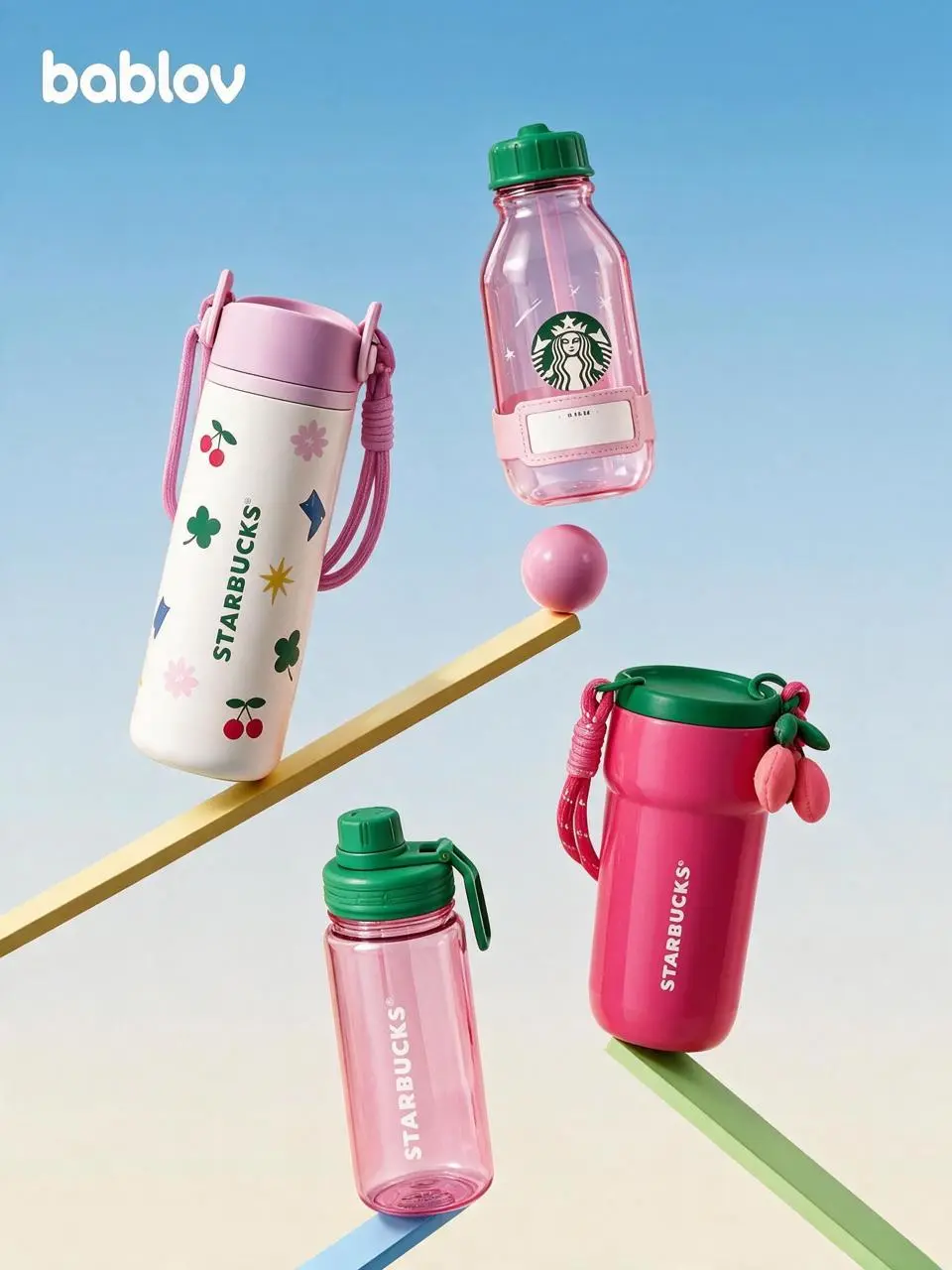
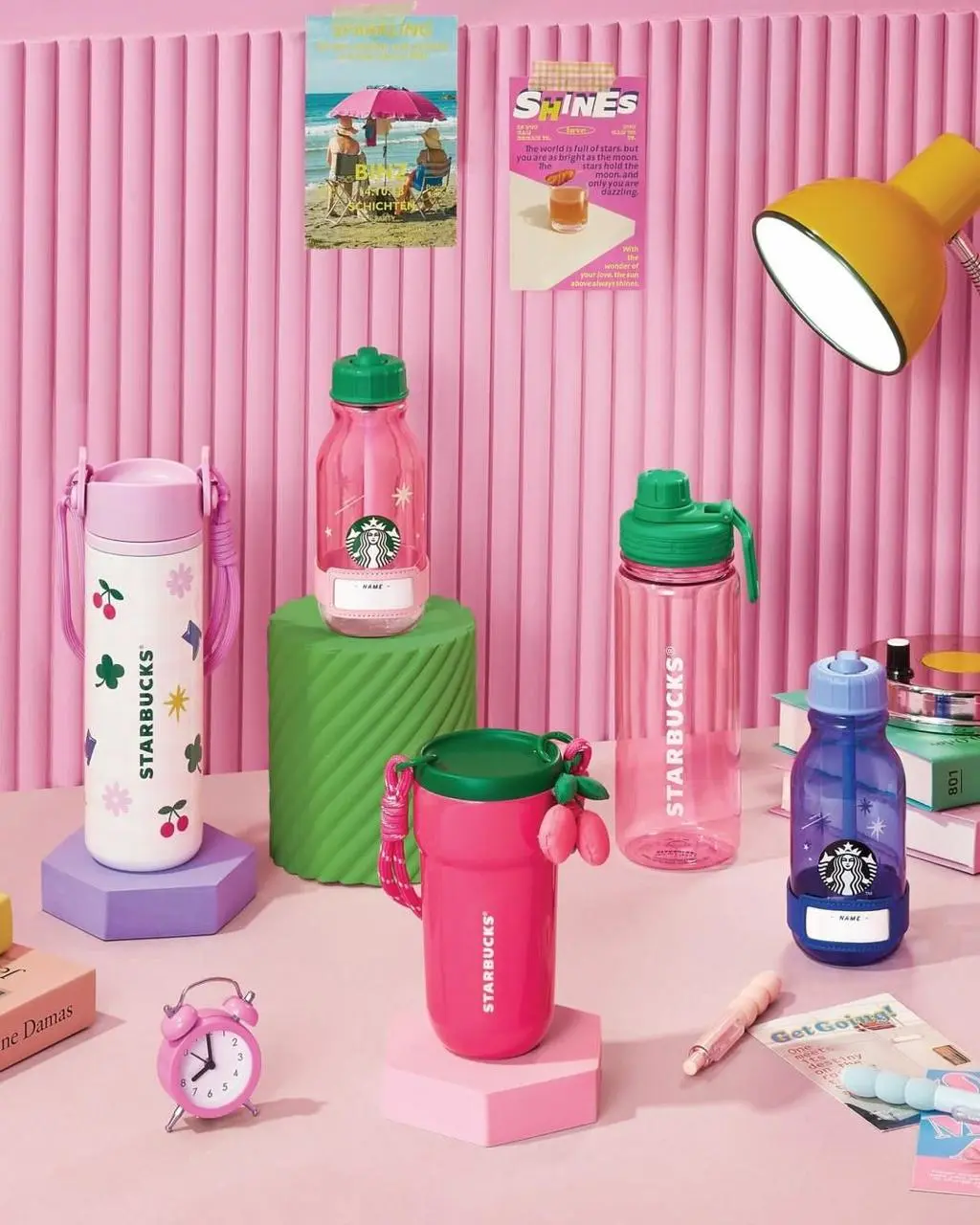
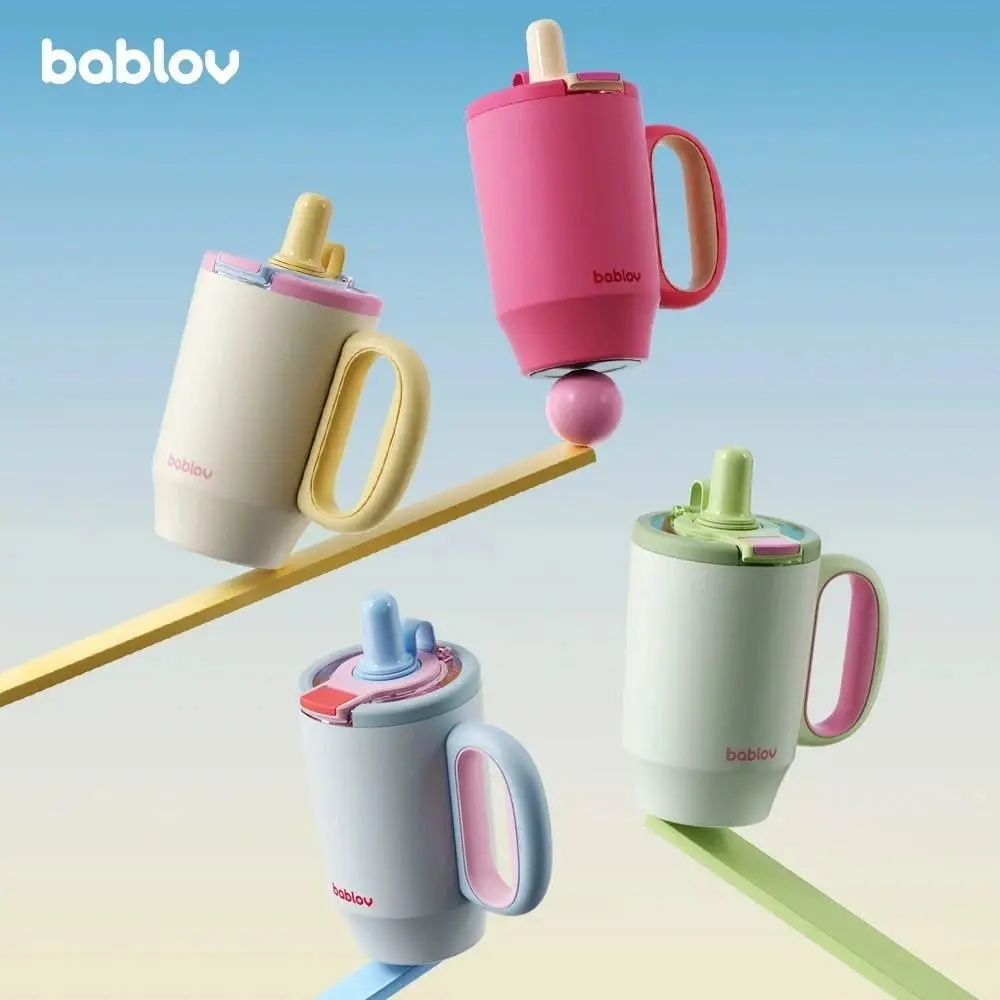
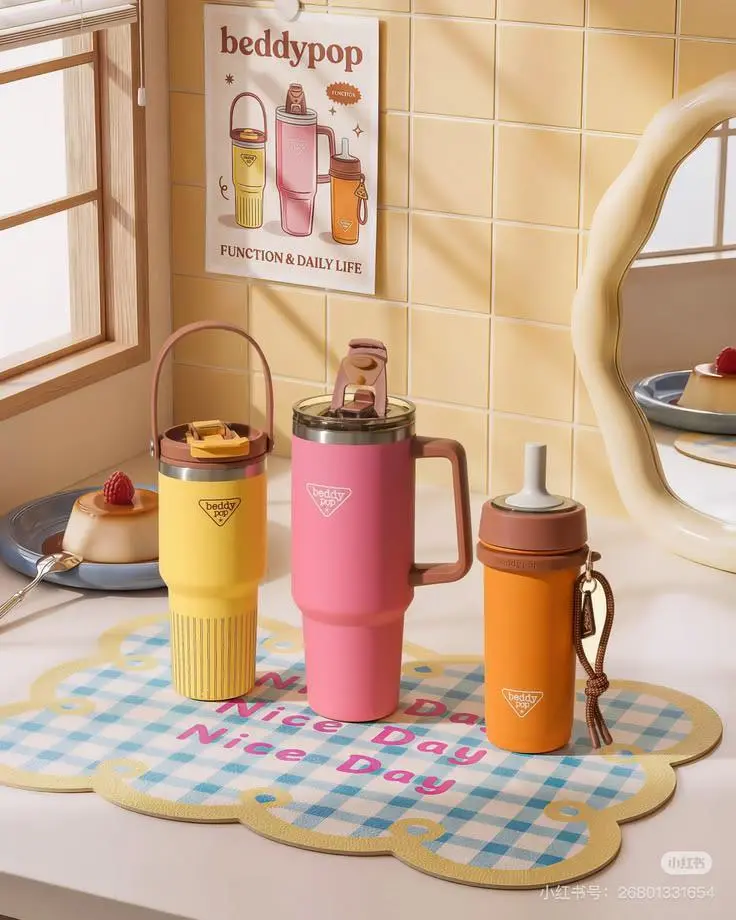
Seedream 5.0 Pro 모델을 화려한 실내의 드레스 인물 사진, 음료 제품 그래픽 배치, 네온 방에서 색상 상자로 지시하는 부분 편집 예시로 살펴보세요. 각 저장 사례는 실제 프롬프트와 사용 가능한 입력을 유지합니다. 자신의 피사체에 맞게 요청을 수정하기 전에 결과를 확인하세요.
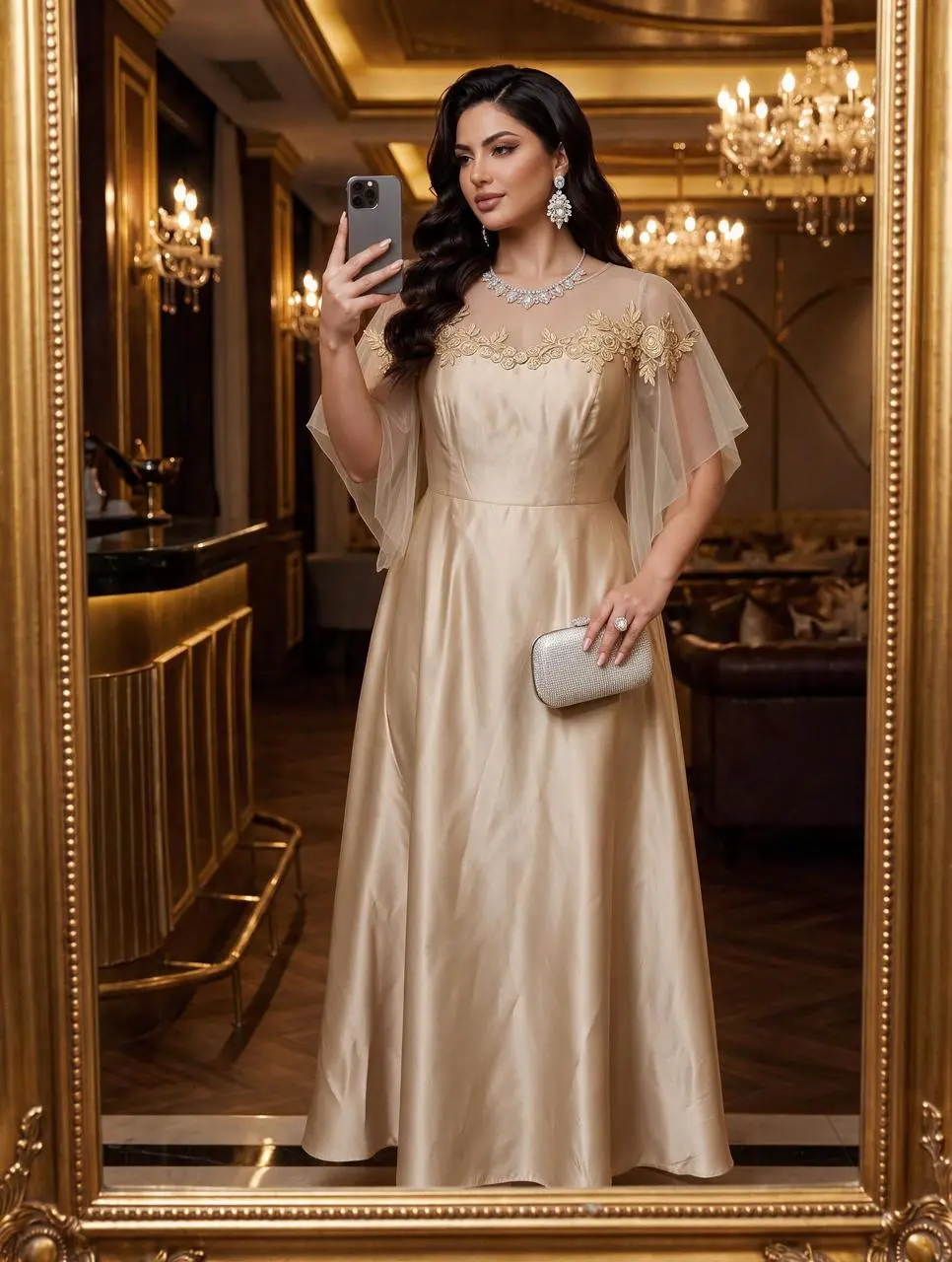
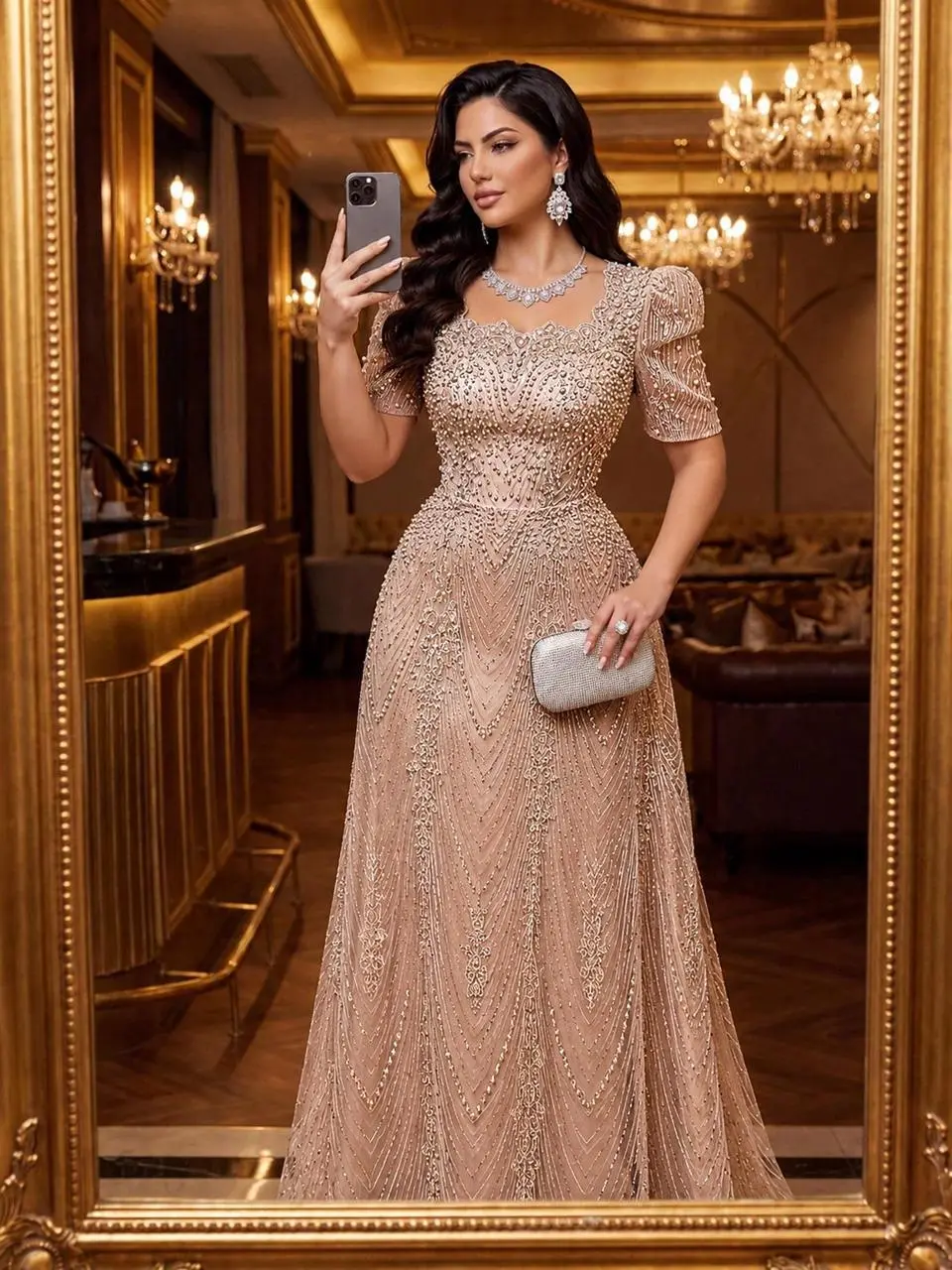
화려한 실내의 드레스 인물 사진
드레스와 화려한 실내를 중심으로 조명과 배경이 표현에 기여하는 패션 인물 사진을 만듭니다.
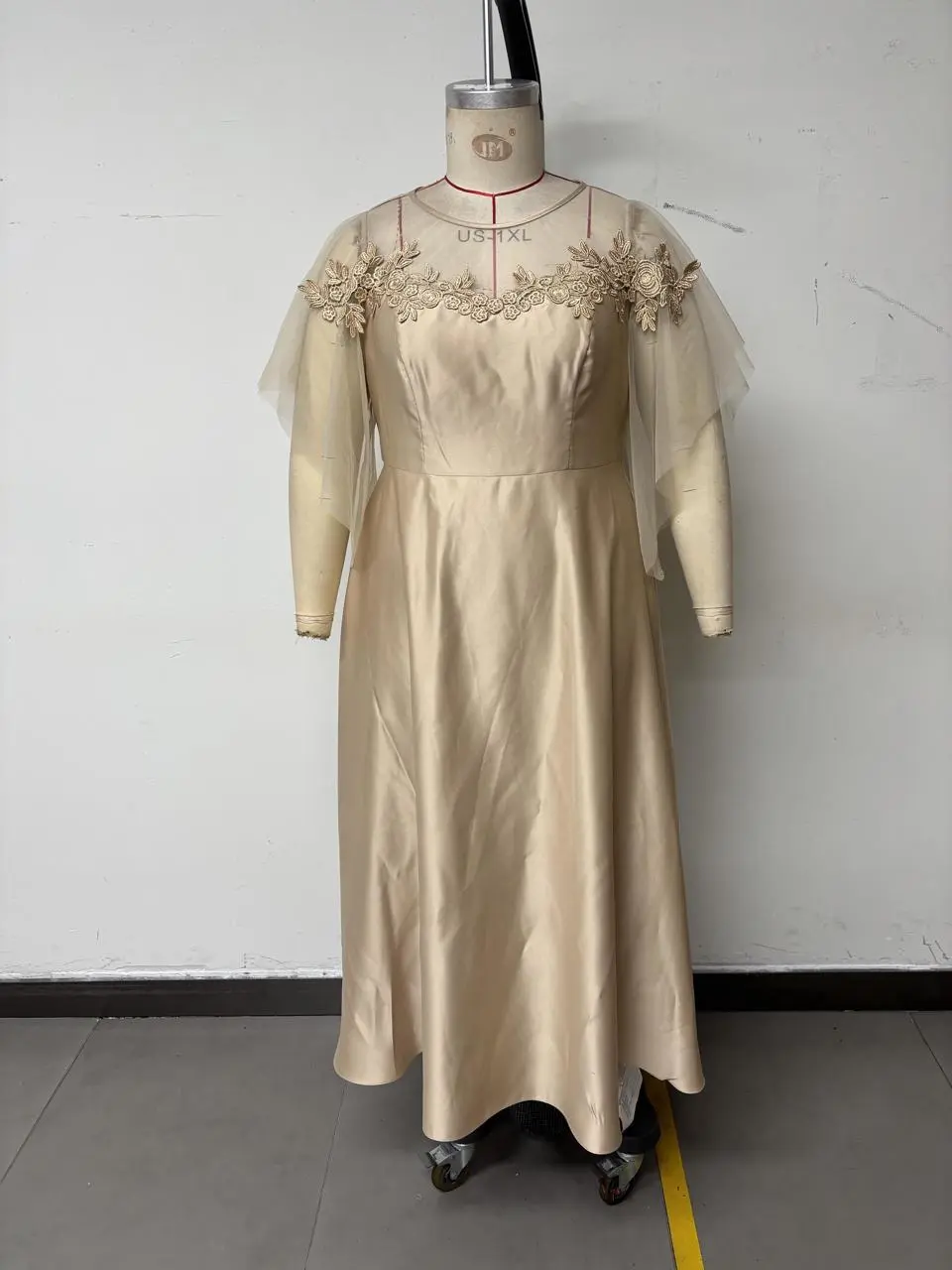
Change the close-up of the clothes in Figure 1 to that of Figure 2. The texture of the embroidery should be better! The texture of the sheer fabric should be better!! For different styles, the clothes are made of satin material! The skirt length should reach the ground but not drag on the ground. Do not change the pose and figure of the model in Figure 1!!!
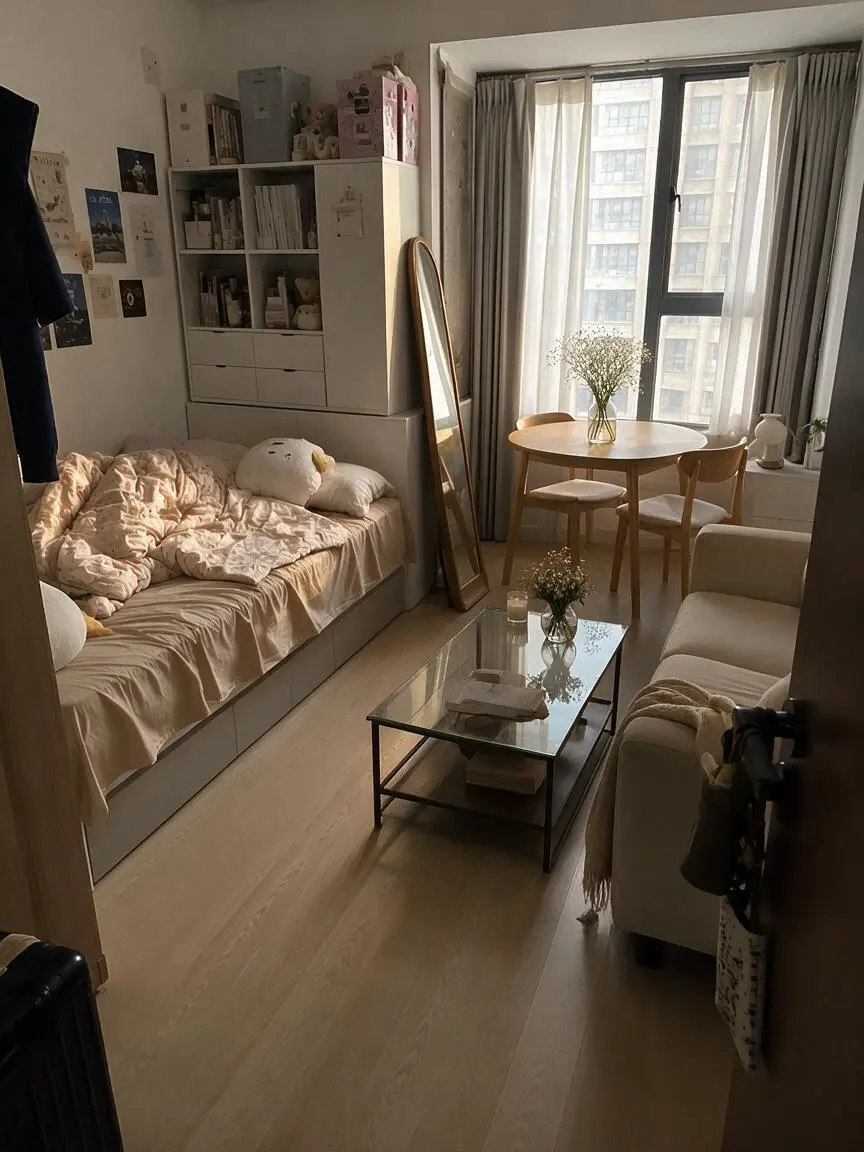
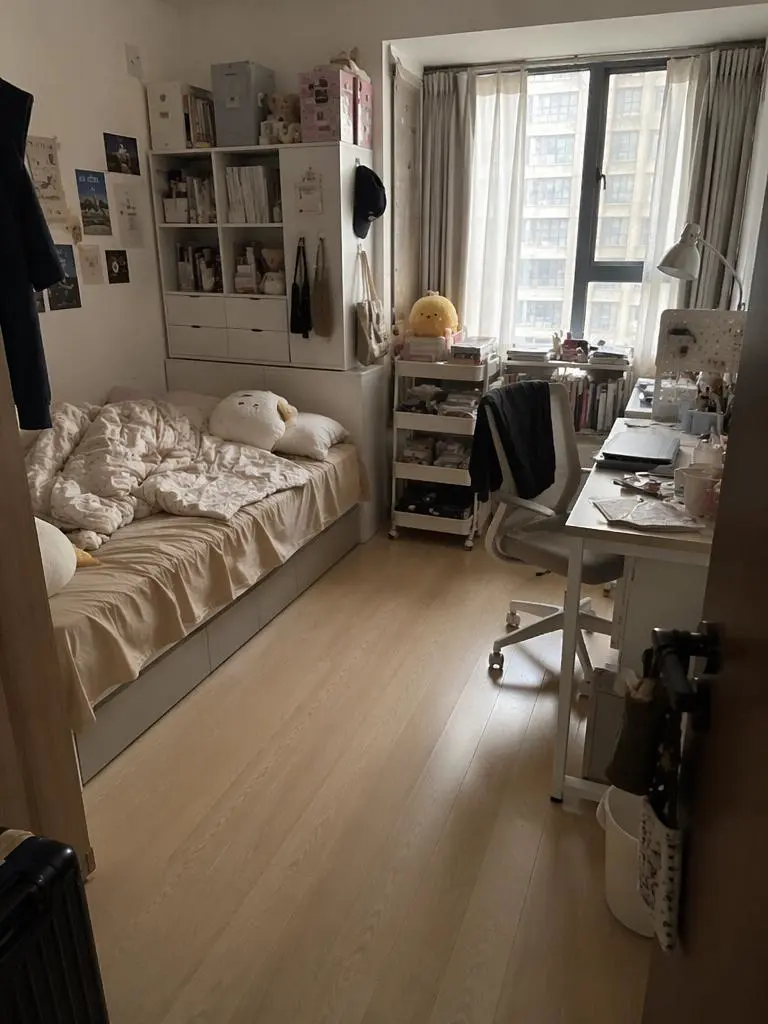
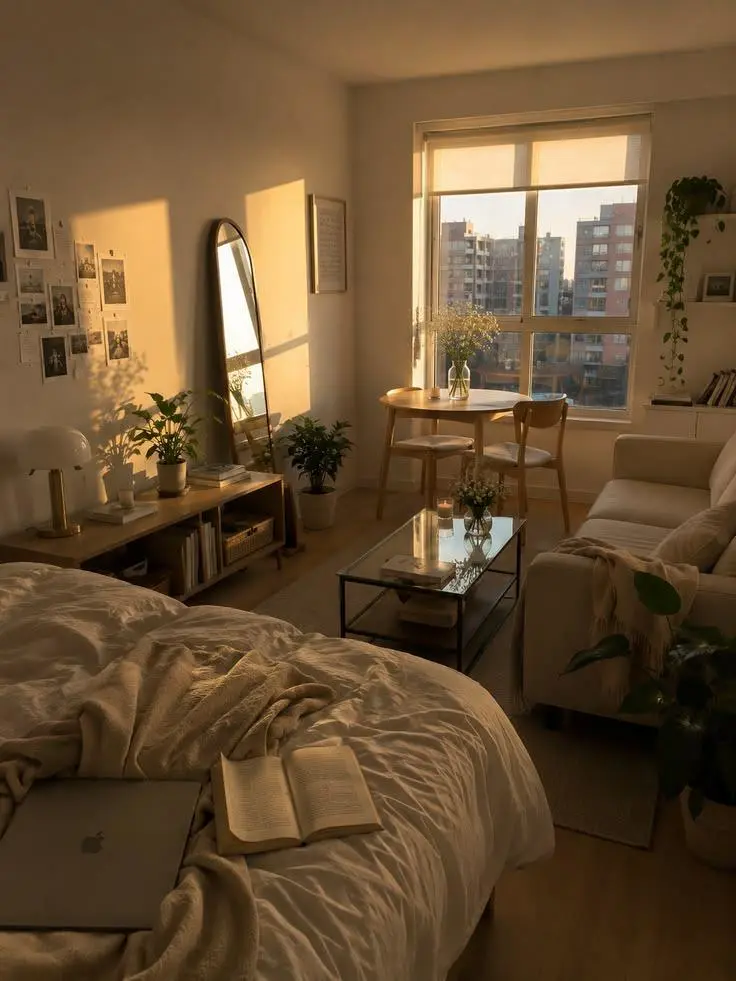
Replace [%#[Image 2 at <point>293 417</point>]#%][%#[Image 2 at <point>560 233</point>]#%][%#[Image 2 at <point>699 666</point>]#%][%#[Image 2 at <point>389 810</point>]#%] in Figure 2 and [%#[Image 3 at <point>361 536</point>]#%] in Figure 3 with [%#[Image 1 at <point>130 736</point>]#%][%#[Image 1 at <point>401 549</point>]#%][%#[Image 1 at <point>569 1049</point>]#%][%#[Image 1 at <point>750 780</point>]#%][%#[Image 1 at <point>940 976</point>]#%] in Figure 1.
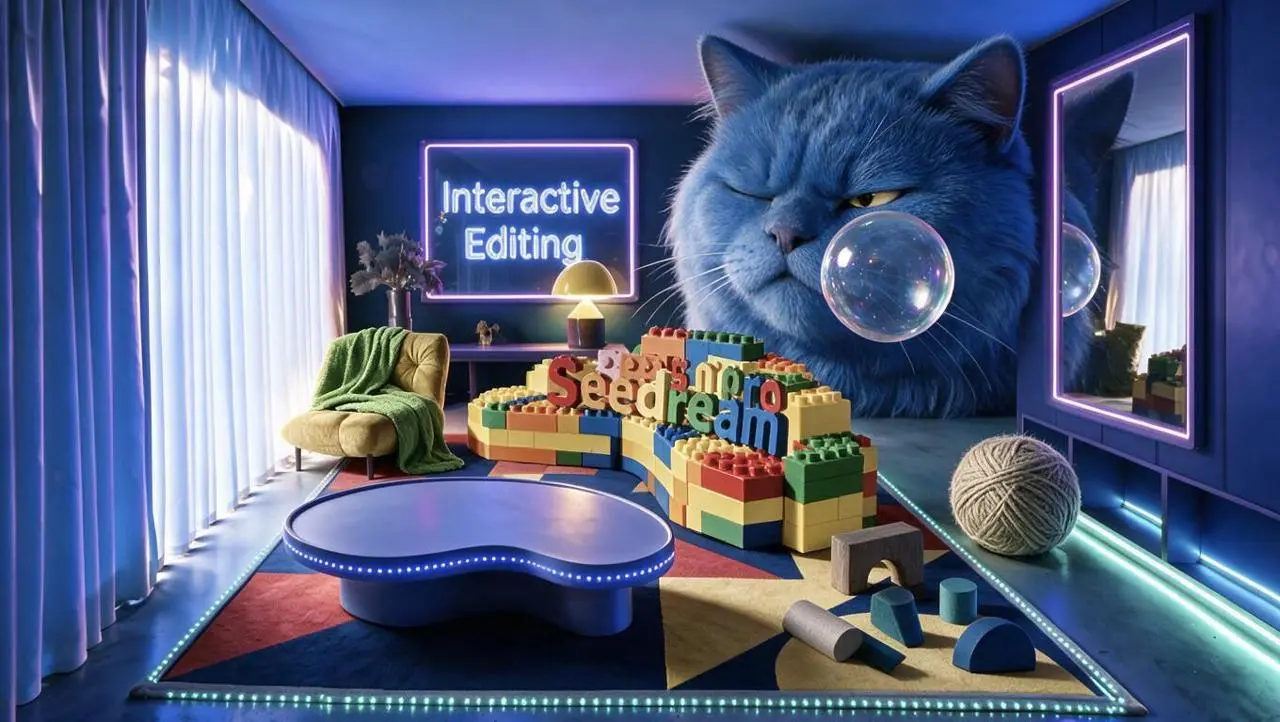
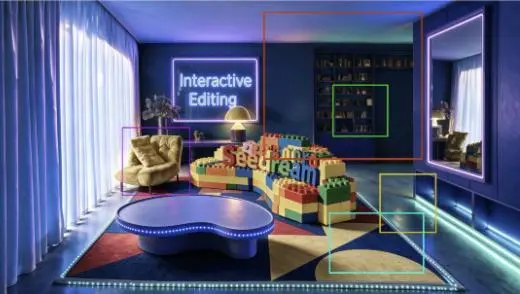
실제 요청은 색상 상자마다 큰 파란 고양이, 투명한 거품, 실, 추상 블록과 초록 담요를 각각 지정합니다. 표시된 상자 바깥은 바꾸지 말라고도 요청합니다. 각 편집 영역을 제공된 참조와 비교하세요. 이 사례는 반려동물 가게 인터페이스 디자인이 아닙니다.
Perform localized edits on the areas corresponding to the differently colored boxes shown in the image.
Maintain the room's original composition, furniture placement, camera angle, perspective, blue-purple neon lighting, and the areas outside the marked boxes exactly as they are.
Red box:
Generate the head of a huge blue long-haired cat. The cat appears as if squeezed into the room; its body is outside the frame, showing only its massive head. It wears a slightly displeased expression, with one eye narrowed as it gazes at the transparent bubble in front of it. The fur is thick and soft, reflecting the blue and purple lighting of the room.
Green box:
Generate a transparent bubble positioned in front of the blue cat's face. The bubble's surface reflects the room's blue, purple, and warm yellow lights, featuring realistic transparency, highlights, and iridescent reflections.
Yellow box:
Generate a large ball of yarn in a warm gray-beige tone, placed naturally on the floor on the right side of the room. Preserve the clear structure of the wound yarn and the soft texture of the fibers, and add contact shadows consistent with the floor lighting.
Cyan box:
Generate a set of scattered abstract building blocks, including an arch-shaped block in warm dark gray, a semi-cylinder in warm light gray, a cylinder in lake blue, a sloped block in deep lake blue, and a semi-circular block in cobalt blue. The blocks should be arranged naturally on the carpet, with proportions, perspective, and shadows consistent with the room.
Purple box:
Add a grass-green blanket to the armchair on the left. The blanket should drape naturally over the backrest, armrests, and seat cushion, displaying realistic fabric texture, soft folds, and a natural hang.
All newly added elements must stay within the boundaries of their respective boxes and remain distinct from one another, without incorrectly overlapping other areas.
Ensure the perspective, lighting direction, shadow intensity, and blue-purple neon tones of the new objects are consistent, allowing them to blend naturally into the original image.
Do not alter areas outside the marked boxes, move existing furniture, change the room structure, modify the image aspect ratio, or generate extraneous animals, objects, text, or watermarks.
Seedream 5.0 Pro는 정보가 풍부한 디자인, 위치를 지정한 편집과 사진 또는 렌더링 시각물을 위한 ByteDance 멀티모달 이미지 모델입니다.
Pro는 밀도 높은 디자인 요청, 부분 이미지 변경과 사실적인 시각 표현에 활용할 수 있습니다. 음료 배치와 색상 상자 기반 방 편집은 디자인 예시이며 인물 사진은 조명과 표면 표현을 보여 줍니다. 어느 것도 그래픽 내부의 사실을 검증하지 않습니다.
정보 밀도가 높은 배치
제목, 도표와 시각 정보를 읽기 쉬운 디자인으로 구성하세요. 사실 데이터는 생성된 배치와 별도로 확인하세요.
위치를 지정한 변화
편집 위치와 내용을 설명하세요. ByteDance는 부분 편집을 문서화했지만 WeShop에서 사용 가능한 제어는 폼에 표시된 항목입니다.
재질, 조명과 피부
공식 발표는 실제 조명, 재질과 피부 질감 처리 개선을 설명합니다. 연결된 결과에서 이러한 특성을 확인하세요.
제작 방식
시작 입력 선택하기
새 구도에는 텍스트를, 편집에는 원본 이미지를 사용하세요. 표시된 위치를 쓰는 요청에는 일치하는 원본 주석을 제공하세요. 폼에서 가능한 입력 수와 종류는 공식 모델 전체 범위와 구분됩니다.
참조 사진으로 시작
편집할 피사체나 장면을 업로드하세요. 입력이 여러 개면 각 참조가 제공하는 내용과 원하는 변경을 설명하세요.
글로 작성한 구상으로 제작
새 피사체, 배경, 구도와 시각적 표현을 설명하세요. 이미지에 들어갈 문구도 포함하세요.
프롬프트 가이드
Seedream 5.0 Pro 프롬프트 작성 방법
아래의 실제 Seedream 5.0 Pro 프롬프트를 결과 및 사용한 참조 입력과 함께 살펴보세요. 각 설명은 확인할 특정 지시를 짚어 줍니다. 효과를 요청했다고 해서 생성된 모든 디테일이 일치한다는 보장은 없습니다.
편집 영역과 교체 대상 지정하기
원본 프롬프트는 표시된 위치와 제공된 이미지로 변화를 지시합니다. 자신의 입력에 맞게 표시를 다시 지정하세요. 이 사례에서는 다음과 같이 요청했습니다. “Replace the elements markedImage 2 [%#[Image 2 at <point>435 426</point>]#%][%#[Image 2 at <point>454 575</point>]#%][%#[Image 2 at <point>662 510</point>]#%][%#[Image 2 at <point>232 510</point>]#%]i”
Replace the elements markedImage 2 [%#[Image 2 at <point>435 426</point>]#%][%#[Image 2 at <point>454 575</point>]#%][%#[Image 2 at <point>662 510</point>]#%][%#[Image 2 at <point>232 510</point>]#%]in Figure image 1 [%#[Image 1 at <point>666 468</point>]#%][%#[Image 1 at <point>315 311</point>]#%][%#[Image 1 at <point>451 431</point>]#%]iand arrange the layout appropriately.
의상을 유지하면서 표현 바꾸기
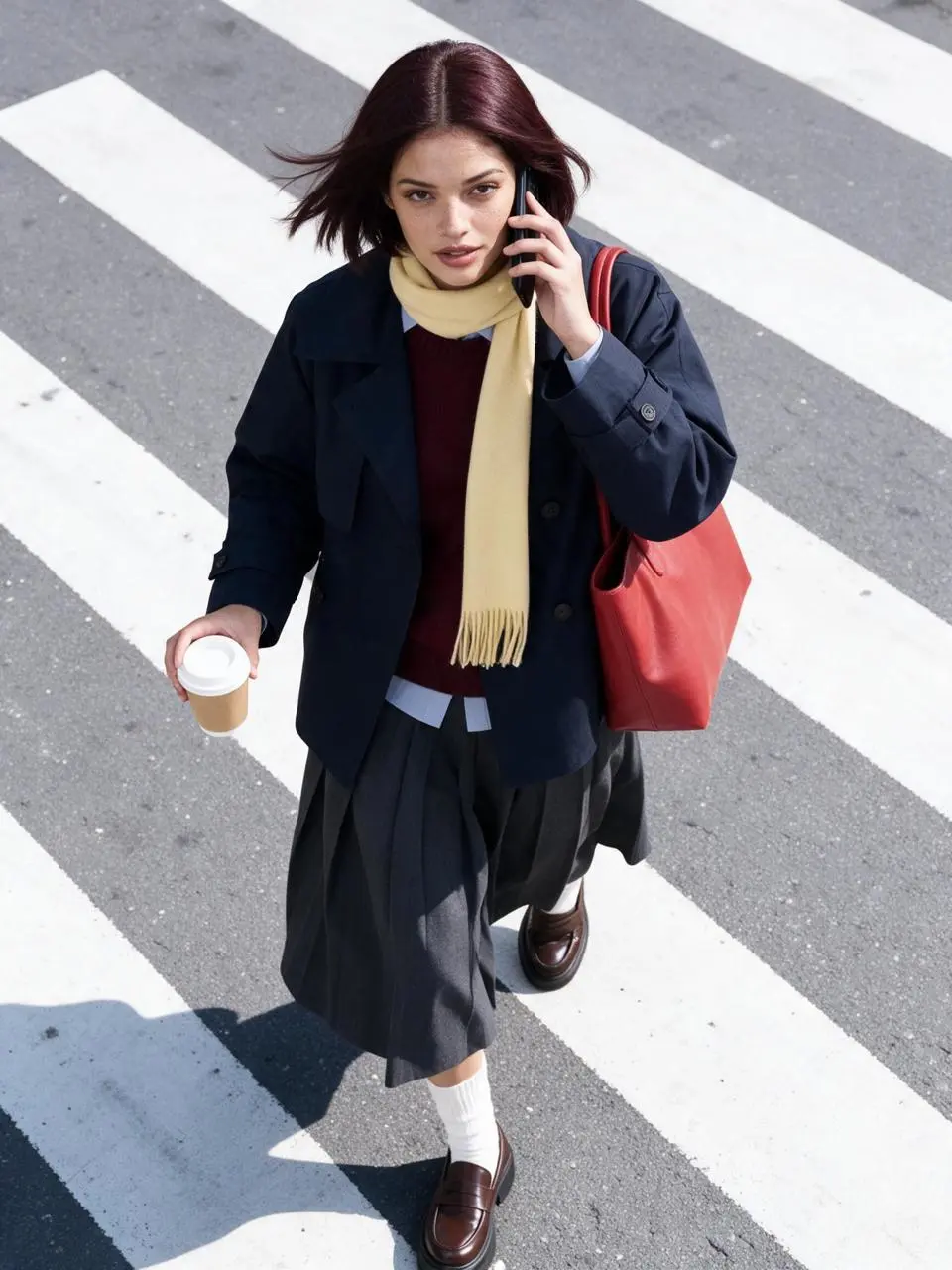
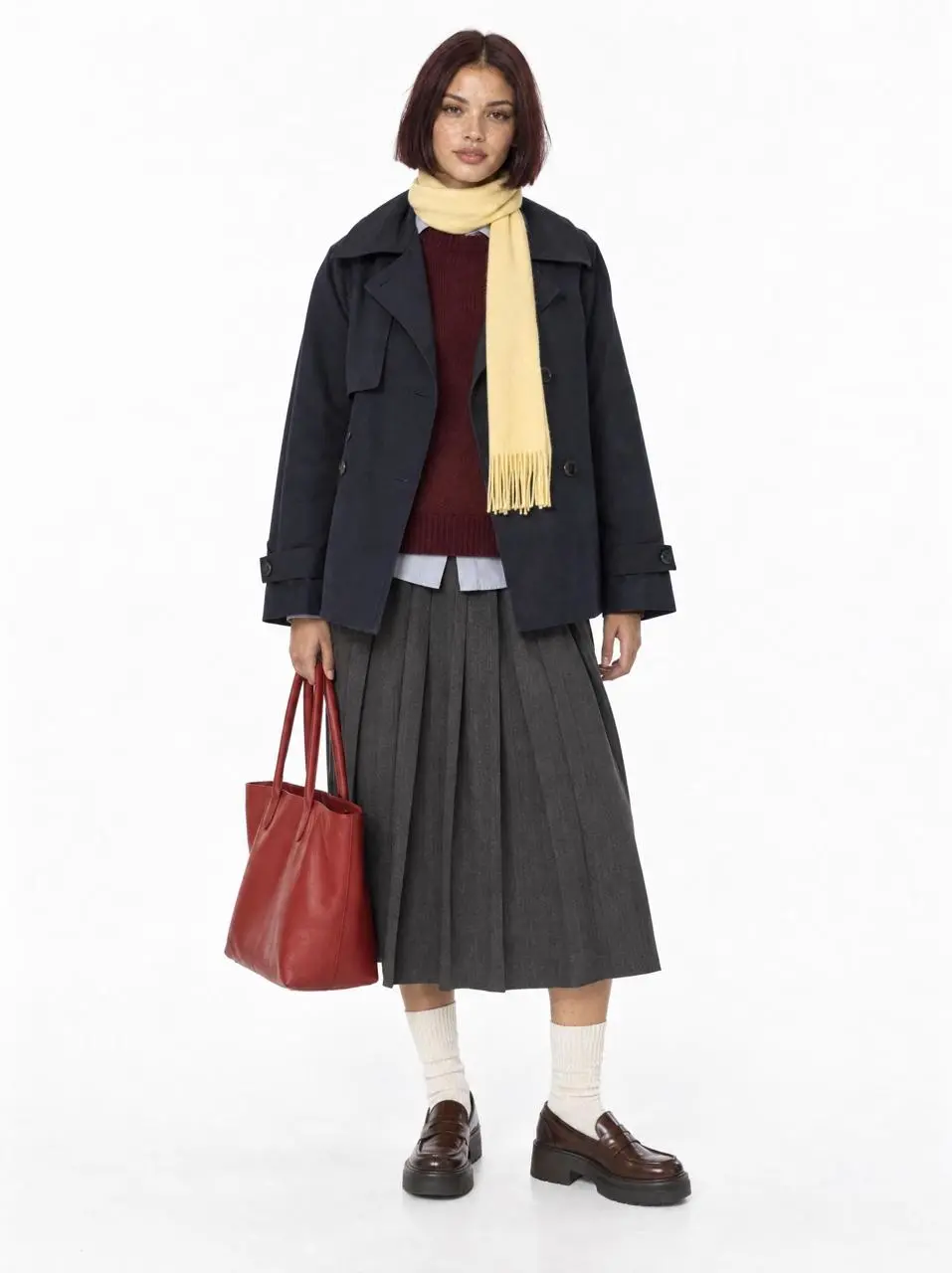
프롬프트는 업로드한 모델을 인물과 의상의 원본으로 사용하며 유지할 겹쳐 입은 옷, 신발, 스카프와 빨간 토트백을 나열합니다. 새 표현 방식은 나머지 지시를 읽어 보세요. 단순한 부분 색 변경이 아닌 피사체 보존 편집입니다.
Use the uploaded white-background model photo as the exact identity and outfit reference. Preserve the same fictional woman and every clothing color, layer, shoe, scarf and tomato-red tote. High-angle overhead fashion street photograph on a diagonal zebra crossing in natural hard daylight. She is mid-step, holding a black phone to one ear and a plain takeaway coffee in the other hand, turning her face up toward the camera as the trench hem and bob move in the breeze. The red tote hangs from her shoulder. Dynamic candid commuter moment, cool gray asphalt, bold white stripes, crisp shadow, subtle grain, commercial editorial realism, sharp focus. No readable branding, no extra person, no text, no duplicated limbs or accessories.
텍스트와 정보 위계 계획하기
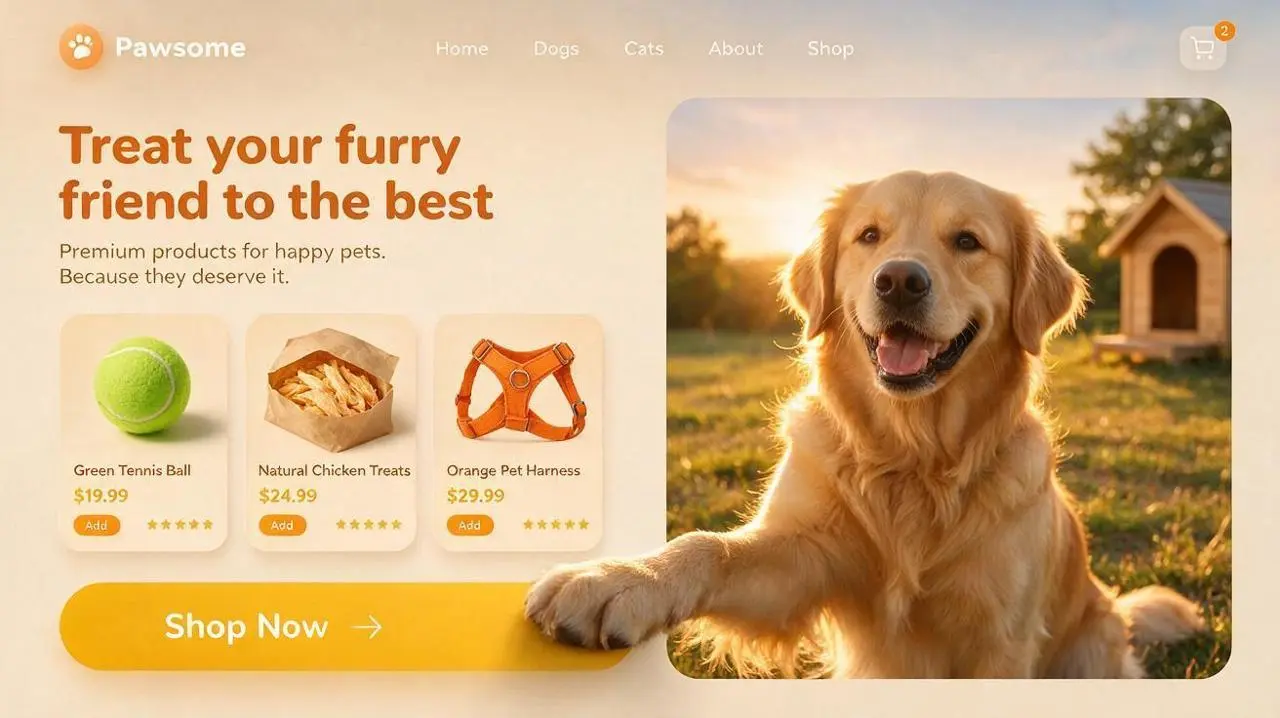
쓸 정보와 디자인 안의 위치를 지정하세요. 사용하기 전에 결과의 문구를 확인하세요. 이 사례에서는 다음과 같이 요청했습니다. “Place a bold, dark orange English headline—"Treat your furry friend to the best"—with a short subheading underneath.”
Generate a 16:9 widescreen UI concept image for a pet e-commerce website, suitable for pet brands and Shopify pet stores.
At the top, feature a clean navigation bar: a circular paw-print logo and the brand name "Pawsome" on the left; "Home," "Dogs," "Cats," "About," and "Shop" displayed sequentially in the center; and a shopping cart icon with a quantity indicator on the right.
Use a creamy beige background for the left side of the page. Place a bold, dark orange English headline—"Treat your furry friend to the best"—with a short subheading underneath.
Below the headline, arrange three floating product cards with rounded corners horizontally, showcasing:
1. A green tennis ball dog toy
2. Natural chicken pet treats
3. An orange pet harness
Each card includes a clear product image, a short English product name, price, star rating, and a small "Add" button. The cards should utilize varying shades of orange and golden yellow, featuring soft, layered shadows.
At the bottom left, place a large, golden-yellow, capsule-shaped button with rounded corners. The button text reads "Shop Now," accompanied by a simple arrow on the right.
On the right side of the page, feature a large, rounded-corner photo of a Golden Retriever. The dog is set in a grassy field at sunset, illuminated by warm golden backlighting, with a friendly, natural expression; the background includes softly blurred trees and a pet house.
Incorporate a distinct 3D interactive effect that spans layers: one of the Golden Retriever's front paws extends from the right image frame, crosses the boundary between the image area and the left content area, and rests upon the "Shop Now" button.
The dog's paw must be positioned in the foreground—overlapping both the image frame and the button—and convey realistic weight through contact shadows, fur edge details, and a slight pressing effect, clearly indicating that the paw is actively pressing the button.
The overall color palette features warm sunset tones, dominated by creamy beige, orange, and golden yellow. The design employs rounded cards, soft layered shadows, clear information hierarchy, and a refined pet e-commerce UI style.
Keep the page clean, balanced, and easy to read. Avoid adding superfluous navigation, irrelevant buttons, human figures, watermarks, garbled text, or decorations unrelated to pet e-commerce.
보이는 소재 설명
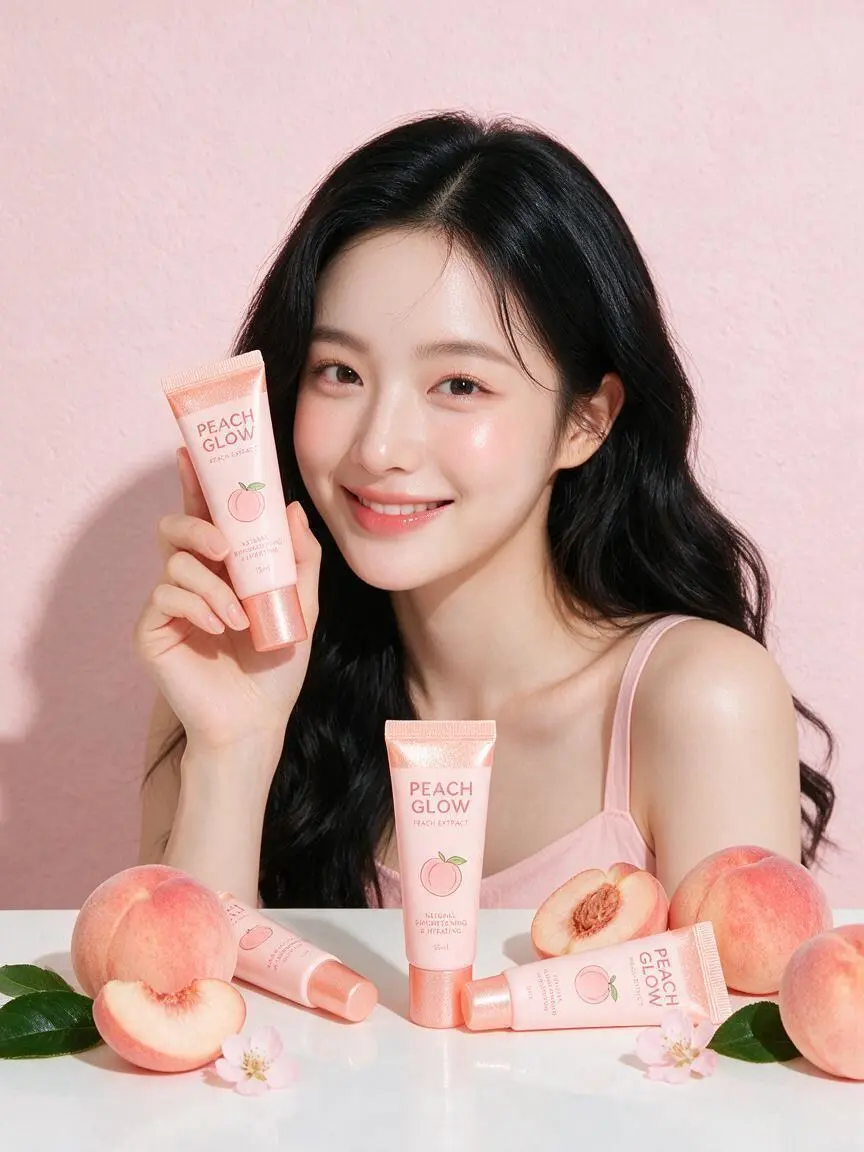
구체적인 표면 또는 재질 디테일로 요청하는 모습을 지정하세요. 이 사례에서는 다음과 같이 요청했습니다. “The lighting is bright and even, with pastel pink tones, smooth skin texture, and a polished Korean skincare advertisement style.”
A bright commercial skincare image featuring a young female model seated behind a white tabletop with a soft pink background. She has long black wavy hair, clean glowing makeup, and wears a light pink camisole. She smiles gently at the camera while holding a pale pink skincare tube upright beside her face. Several matching skincare tubes are arranged across the table, surrounded by fresh peach props with green leaves, reinforcing a peach-themed beauty concept. The overall mood is fresh, sweet, clean, and youthful. The lighting is bright and even, with pastel pink tones, smooth skin texture, and a polished Korean skincare advertisement style.
사용 방법
Seedream 5.0 Pro 첫 이미지 만들기
Seedream 5.0 Pro 선택 항목과 아래에 설명된 입력 경로로 시작하세요. 제출 전에 사용 가능한 설정과 포인트를 확인하세요.
이 모델에 필요한 입력 제공
정보의 위계를 설명하거나 편집 원본을 업로드하세요. 대상 영역과 교체 내용을 지정하고 폼에서 저장 사례에 필요한 참조를 허용하는지 확인하세요.
이용 가능한 설정과 포인트 확인
크기 라벨: 1K, 2K. 화면 비율: Auto, 1:1, 2:3, 3:2, 4:3, 3:4, 16:9, 9:16, 21:9. 이는 선택 가능한 설정이며 고정 픽셀 크기나 파일 형식 보장이 아닙니다. 실제 크기는 원본 결과 파일에서 확인하세요. 제출 전에 표시된 포인트와 요금제의 모델 접근 권한을 확인하세요.
결과 열기 및 확인
인터페이스나 포장 문구를 교정하고 편집 영역을 원본과 비교하세요. 피부, 재질과 형태를 확인하세요. 상세한 공간 지시가 픽셀 수준의 일관성을 증명하지는 않습니다.
문서화된 정보 중심 디자인과 공간 편집을 위해 Pro를 검토하고 지시 이해 및 시각적 관계에는 Lite와 비교하세요. 모델 이름을 품질 순위로 보지 말고 실제 WeShop 옵션과 대표 결과를 사용하세요. 공식 포지셔닝, 기록된 WeShop 설정, 현재 선택된 폼은 서로 구분되며 측정된 품질 또는 속도 순위를 뜻하지 않습니다.
비교 항목
Seedream 5.0 Lite
Seedream 5.0 Pro
모델 역할
요청 추론과 시각 정보 결합
정보가 풍부한 디자인, 공간 편집과 사실적 표현
페이지에 기재된 입력
참조 사진으로 시작; 글로 작성한 구상으로 제작
참조 사진으로 시작; 글로 작성한 구상으로 제작
현재 WeShop 옵션
이미지 크기: 2K, 3K
이미지 크기: 1K, 2K
모델 역할
Seedream 5.0 Lite
요청 추론과 시각 정보 결합
Seedream 5.0 Pro
정보가 풍부한 디자인, 공간 편집과 사실적 표현
페이지에 기재된 입력
Seedream 5.0 Lite
참조 사진으로 시작; 글로 작성한 구상으로 제작
Seedream 5.0 Pro
참조 사진으로 시작; 글로 작성한 구상으로 제작
현재 WeShop 옵션
Seedream 5.0 Lite
이미지 크기: 2K, 3K
Seedream 5.0 Pro
이미지 크기: 1K, 2K
Seedream 5.0 Pro 검토 시점
작업에 맞는 모델 선택
밀도 높은 정보, 위치 지정 편집이나 사실적인 표면이 필요한 요청에 Pro를 검토하세요. 지시 이해를 중시하는 Lite와 비교하세요.
Seedream 5.0 Pro는 정보가 풍부한 디자인, 위치를 지정한 편집과 사진 또는 렌더링 시각물을 위한 ByteDance 멀티모달 이미지 모델입니다.
Seedream 5.0 Pro 활용 용도는 무엇인가요?
Pro는 밀도 높은 디자인 요청, 부분 이미지 변경과 사실적인 시각 표현에 활용할 수 있습니다. 음료 배치와 색상 상자 기반 방 편집은 디자인 예시이며 인물 사진은 조명과 표면 표현을 보여 줍니다. 어느 것도 그래픽 내부의 사실을 검증하지 않습니다.
Seedream 5.0 Pro 사용에 어떤 입력이 필요한가요?
새 구도에는 텍스트를, 편집에는 원본 이미지를 사용하세요. 표시된 위치를 쓰는 요청에는 일치하는 원본 주석을 제공하세요. 폼에서 가능한 입력 수와 종류는 공식 모델 전체 범위와 구분됩니다.
어떤 크기와 화면비 설정을 사용할 수 있나요?
크기 라벨: 1K, 2K. 화면 비율: Auto, 1:1, 2:3, 3:2, 4:3, 3:4, 16:9, 9:16, 21:9. 이는 선택 가능한 설정이며 고정 픽셀 크기나 파일 형식 보장이 아닙니다. 실제 크기는 원본 결과 파일에서 확인하세요.
Seedream 5.0 Pro 프롬프트는 어떻게 쓰면 되나요?
원본 프롬프트는 표시된 위치와 제공된 이미지로 변화를 지시합니다. 자신의 입력에 맞게 표시를 다시 지정하세요. 이 사례에서는 다음과 같이 요청했습니다. “Replace the elements markedImage 2 [%#[Image 2 at <point>435 426</point>]#%][%#[Image 2 at <point>454 575</point>]#%][%#[Image 2 at <point>662 510</point>]#%][%#[Image 2 at <point>232 510</point>]#%]i” 가이드의 전체 프롬프트와 실제 입력을 읽은 뒤 자신의 작업에 맞게 조정하세요.
Seedream 5.0 Pro 모델은 관련 모델과 어떻게 다른가요?
문서화된 정보 중심 디자인과 공간 편집을 위해 Pro를 검토하고 지시 이해 및 시각적 관계에는 Lite와 비교하세요. 모델 이름을 품질 순위로 보지 말고 실제 WeShop 옵션과 대표 결과를 사용하세요.
Seedream 5.0 Pro 무료 이용이 가능한가요? 비용은 어떻게 정해지나요?
현재 WeShop 요금 페이지에서 요금제의 모델 이용 권한과 제공량을 확인하고 생성기에서 선택한 설정과 수량에 대한 예상 포인트를 확인하세요. 이 페이지는 요청당 고정 가격을 제시하거나 다른 제공업체의 구독 할당량을 WeShop에 적용하지 않습니다.
어떤 한계를 확인해야 하나요?
ByteDance는 작은 텍스트와 픽셀 수준 편집 일관성에 남은 한계를 설명합니다. 정확한 배치를 설명한 프롬프트가 픽셀 단위로 일치하는 결과를 보장하지 않습니다. 인터페이스나 포장 문구를 교정하고 편집 영역을 원본과 비교하세요. 피부, 재질과 형태를 확인하세요. 상세한 공간 지시가 픽셀 수준의 일관성을 증명하지는 않습니다.
이 페이지의 예시에서 무엇을 배울 수 있나요?
저장된 Seedream 5.0 Pro 예시는 화려한 실내의 드레스 인물 사진, 음료 제품 그래픽 배치, 네온 방에서 색상 상자로 지시하는 부분 편집 사례를 보여 줍니다. 각 결과를 실제 프롬프트와 사용 가능한 입력과 함께 확인하세요. 사례는 하나의 요청을 보여 줄 뿐 결과 보장이나 성공률 벤치마크가 아닙니다.