NANO BANANA 2.1 이미지 모델

Nano Banana 2.1 AI 이미지 생성

Nano Banana 2.1은 Nano Banana 2의 이미지 생성 및 대화형 편집을 업데이트한 Google 모델입니다. Google은 텍스트 렌더링, 배치 정확성과 여러 대화 차례에 걸친 캐릭터 일관성 개선을 문서화했습니다.

nano2.1
NANO BANANA 2.1 예시

Nano Banana 2.1 이미지 예시

Nano Banana 2.1 모델을 인물 정체성, 의상, 배경 참조, 유리 구체 에디토리얼 정물, 빗물에서 수돗물까지의 과정 인포그래픽 예시로 살펴보세요. 각 저장 사례는 실제 프롬프트와 사용 가능한 입력을 유지합니다. 자신의 피사체에 맞게 요청을 수정하기 전에 결과를 확인하세요.

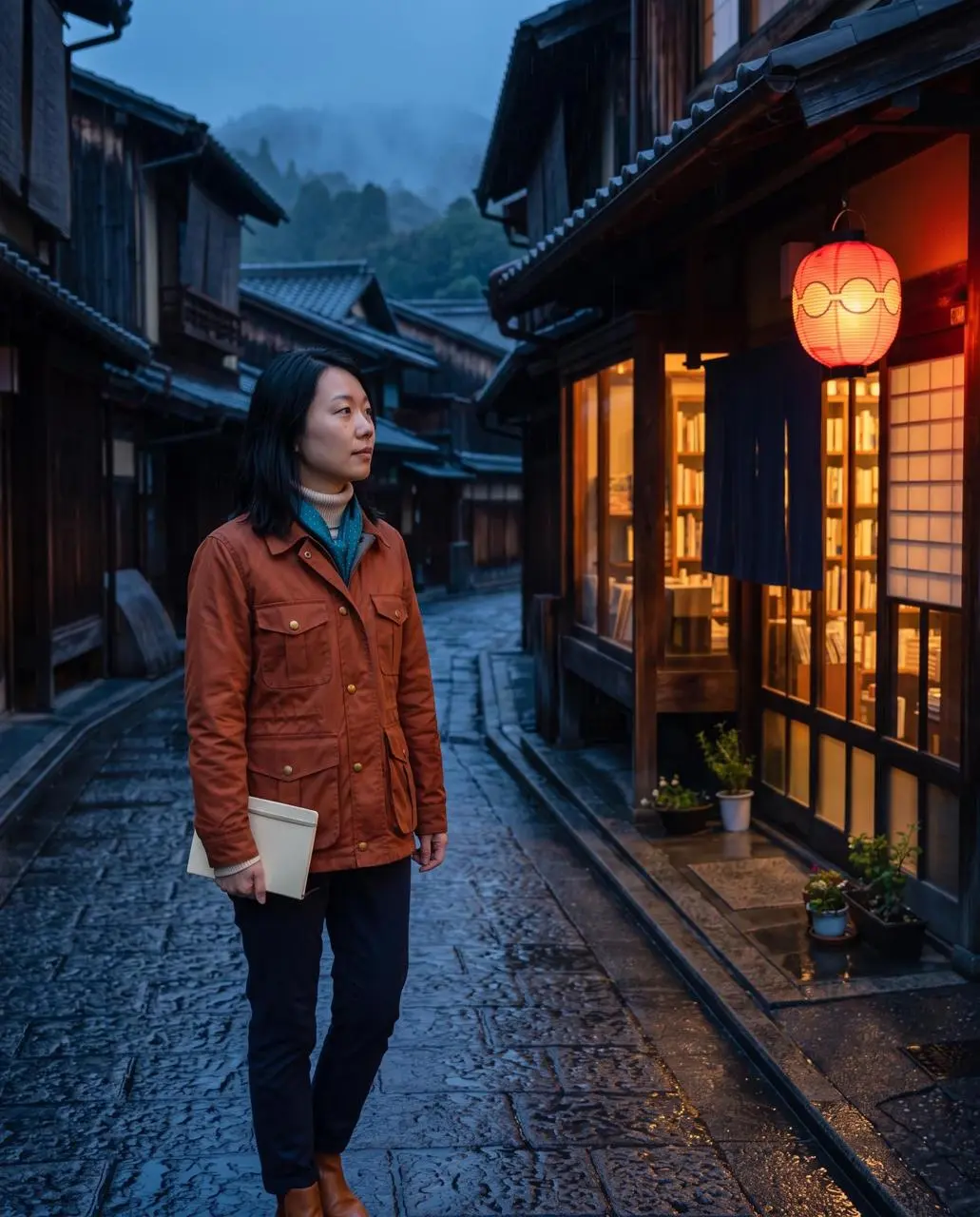
WeShop 결과: 비 오는 돌길에 서 있는 여성…
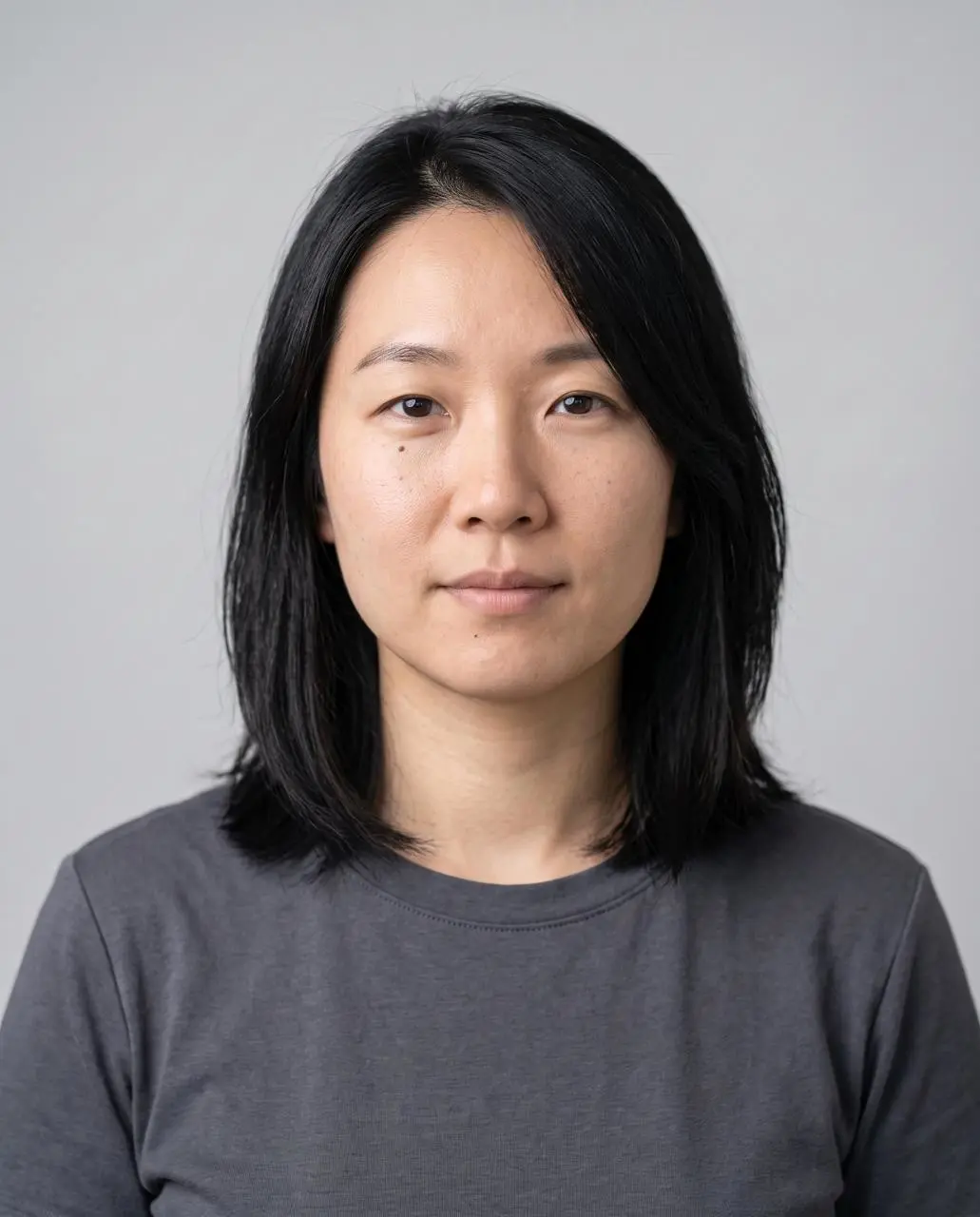
참조 1
참조 2
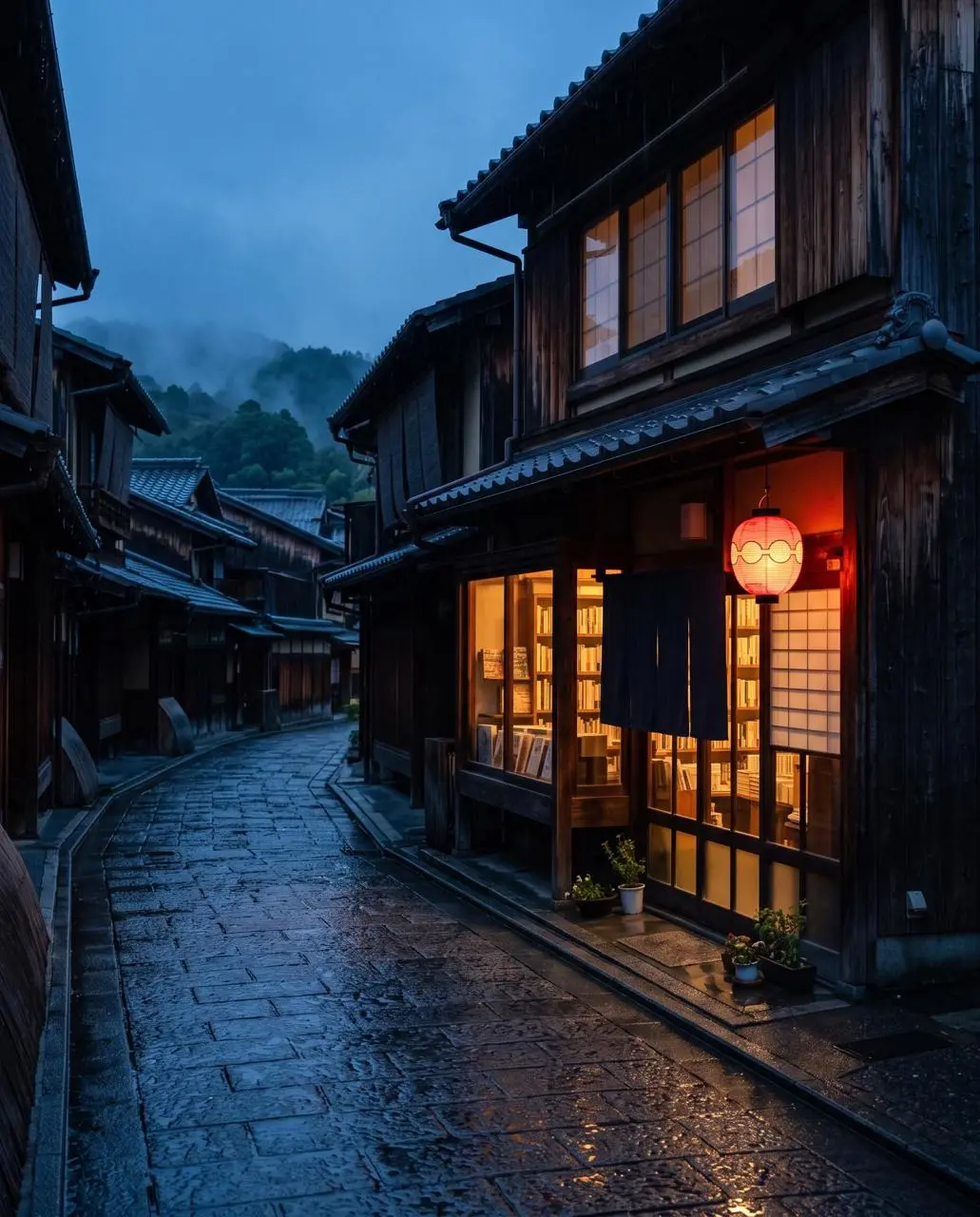
참조 3

인물 정체성, 의상, 배경 참조

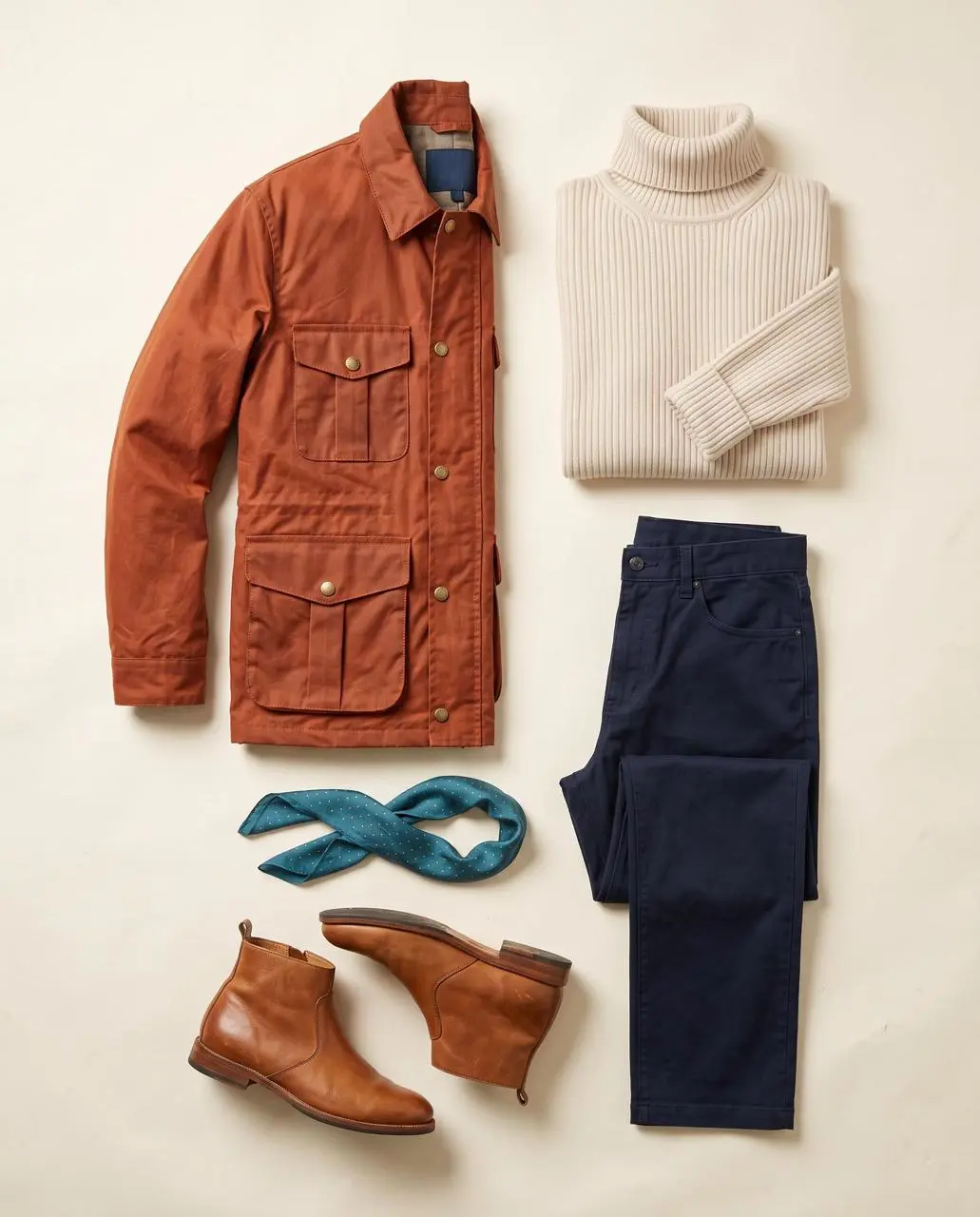
인물, 의상과 배경에 각각 다른 참조를 지정한 뒤 비 오는 거리 인물 사진으로 결합합니다.

Image 1 is the identity reference. Image 2 is the wardrobe reference. Image 3 is the location reference. Create a finished 4:5 realistic editorial travel portrait of the exact woman from image 1 standing outside the bookshop in image 3 at blue hour, wearing the complete outfit from image 2: burnt-orange four-pocket waxed jacket, cream ribbed turtleneck, navy trousers, teal scarf with tiny gold dots, and tan ankle boots. Show her three-quarter length in the left third, holding a closed cream notebook at her side and looking toward the warm shop window. Preserve her face shape, shoulder-length black hair, side part, and beauty mark below the left eye. Preserve the street layout, one red lantern, wet stone reflections, and warm-window/cool-street color contrast. Natural 50mm travel photography, light rain, no additional people, no bag, no hat, no extra accessories, no readable signs, no text, no logos, no watermark. Do not blend the outfit into the background or change the woman’s identity.
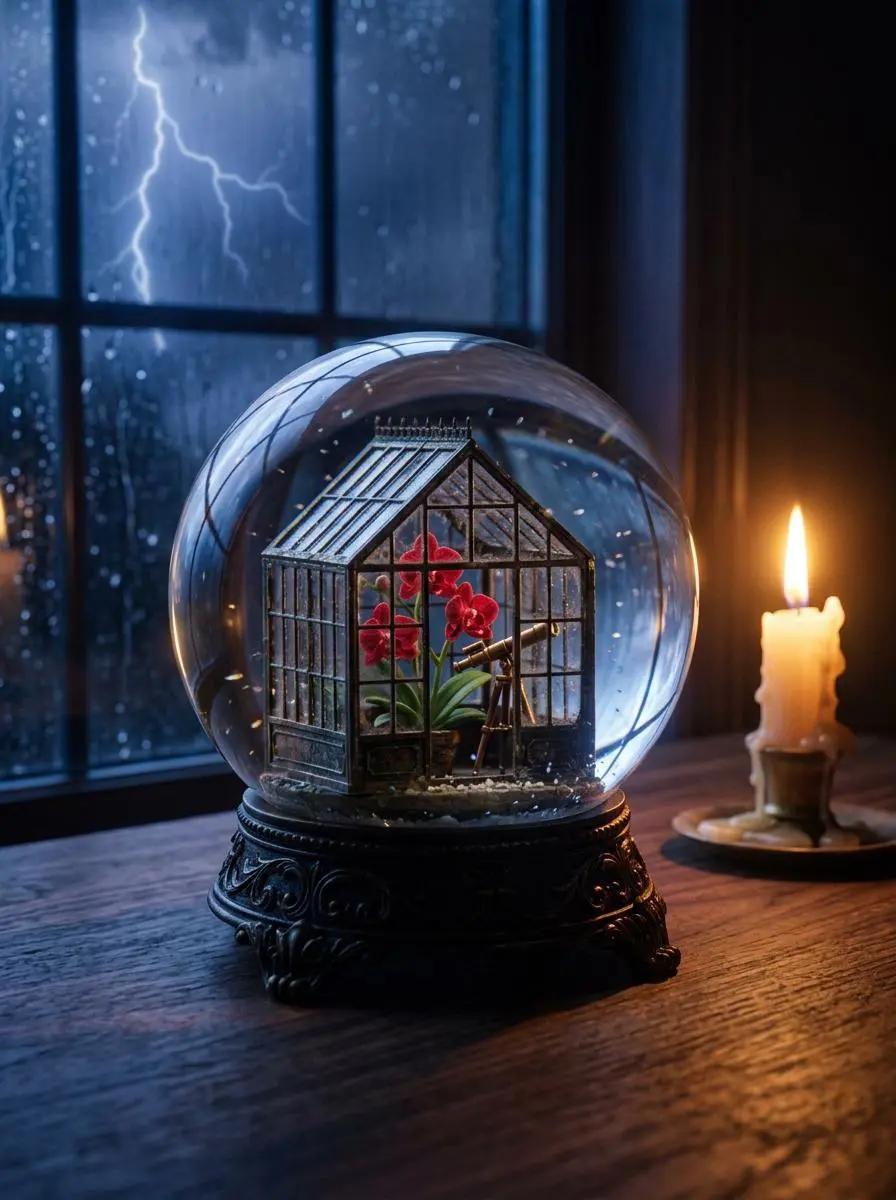
WeShop 결과: 작은 온실이 담긴 섬세한 유리 구체…

유리 구체 에디토리얼 정물

작은 온실, 따뜻한 촛불과 폭풍 배경을 결합한 유리 구체 정물을 텍스트로 만듭니다.

Create a finished 3:4 photorealistic editorial image of exactly one clear glass snow globe resting on a dark walnut desk during a thunderstorm. Inside the globe is one miniature Victorian greenhouse containing exactly three red orchids and one small brass telescope. Place a sharp lightning bolt in the upper-left background and one lit ivory candle on the desk to the right of the globe. Use realistic glass reflections and refractions, cool blue storm light from the left, warm candlelight from the right, shallow depth of field, and detailed natural materials. Keep the entire globe visible. No people, no extra flowers, no extra globes, no text, no logo, no watermark.
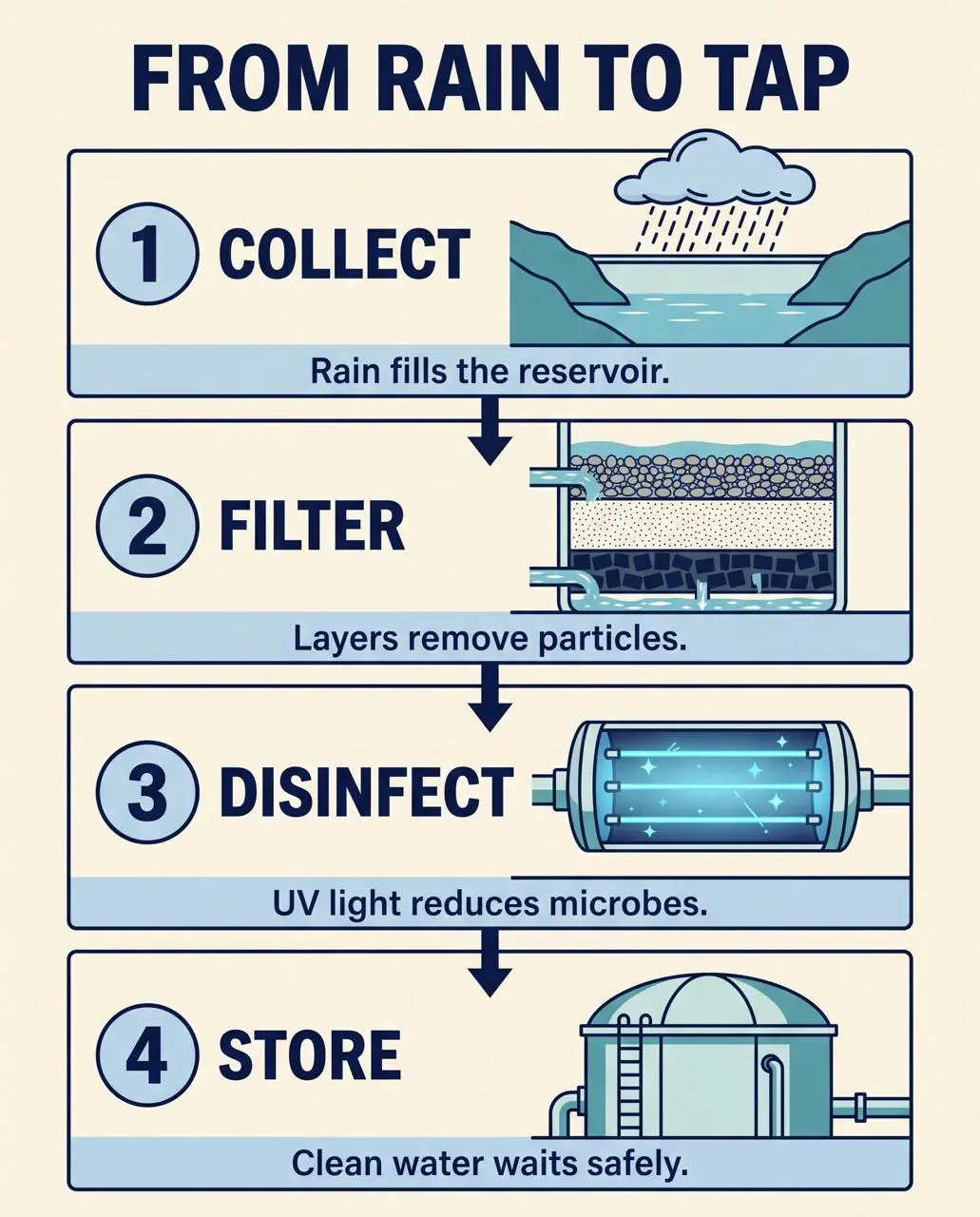
WeShop 결과: 변환 과정을 단계별로 보여 주는 인포그래픽…

빗물에서 수돗물까지의 과정 인포그래픽

글로 쓴 물 처리 과정을 번호가 있는 단계, 보조 그림, 라벨과 시각적인 읽기 순서로 구성합니다.

Create a finished 4:5 educational process infographic titled exactly “FROM RAIN TO TAP”. Use four equal numbered panels stacked vertically with one clear downward arrow between panels. Panel 1 title exactly “COLLECT” with a rain cloud feeding a reservoir and caption exactly “Rain fills the reservoir.” Panel 2 title exactly “FILTER” with gravel, sand, and charcoal layers and caption exactly “Layers remove particles.” Panel 3 title exactly “DISINFECT” with a blue UV light chamber and caption exactly “UV light reduces microbes.” Panel 4 title exactly “STORE” with a covered water tank and caption exactly “Clean water waits safely.” Use flat vector illustration, navy outlines, pale blue and teal fills, warm ivory background, generous margins, consistent icons, high text contrast, and a single reading path from top to bottom. No other words, no decorative labels, no side panels, no logo, no watermark.
NANO BANANA 2.1 모델 소개

Nano Banana 2.1 모델은 무엇이며 어떤 작업에 활용하나요?

Nano Banana 2.1은 Nano Banana 2의 이미지 생성 및 대화형 편집을 업데이트한 Google 모델입니다. Google은 텍스트 렌더링, 배치 정확성과 여러 대화 차례에 걸친 캐릭터 일관성 개선을 문서화했습니다. 2.1 업데이트는 텍스트가 풍부한 배치와 참조 기반 이미지 작업에 관련됩니다. 여러 참조 인물 사진과 과정 인포그래픽은 별개의 작업을 보여 줍니다. 단일 결과로 전체 대화에 걸친 공식 다중 차례 일관성 개선을 입증할 수 없습니다.

텍스트 및 인포그래픽 배치

Google은 이 버전의 텍스트 렌더링과 배치 정확성 개선을 설명합니다. 문구를 제공하고 결과의 작은 라벨을 확인하세요.

참조 조합

참조를 사용해 인물, 제품과 다른 시각 요소를 하나의 디자인에 구성하세요.

캐릭터와 시각적 연속성

Google은 여러 대화 차례의 캐릭터 일관성을 업데이트 영역으로 설명합니다. 저장 결과는 개별 예시이며 모든 새 요청의 반복 재현성을 증명하지 않습니다.

제작 방식

시작 입력 선택하기

새 디자인에는 텍스트를, 편집에는 인물, 의상, 배경 또는 제품 참조를 업로드하세요. 각 역할을 명확히 설명하세요. 이 페이지는 2나 Pro가 아닌 2.1에 연결되어 있습니다.

참조 사진으로 시작

편집할 피사체나 장면을 업로드하세요. 입력이 여러 개면 각 참조가 제공하는 내용과 원하는 변경을 설명하세요.

글로 작성한 구상으로 제작

새 피사체, 배경, 구도와 시각적 표현을 설명하세요. 이미지에 들어갈 문구도 포함하세요.

프롬프트 가이드

Nano Banana 2.1 프롬프트 작성 방법

아래의 실제 Nano Banana 2.1 프롬프트를 결과 및 사용한 참조 입력과 함께 살펴보세요. 각 설명은 확인할 특정 지시를 짚어 줍니다. 효과를 요청했다고 해서 생성된 모든 디테일이 일치한다는 보장은 없습니다.

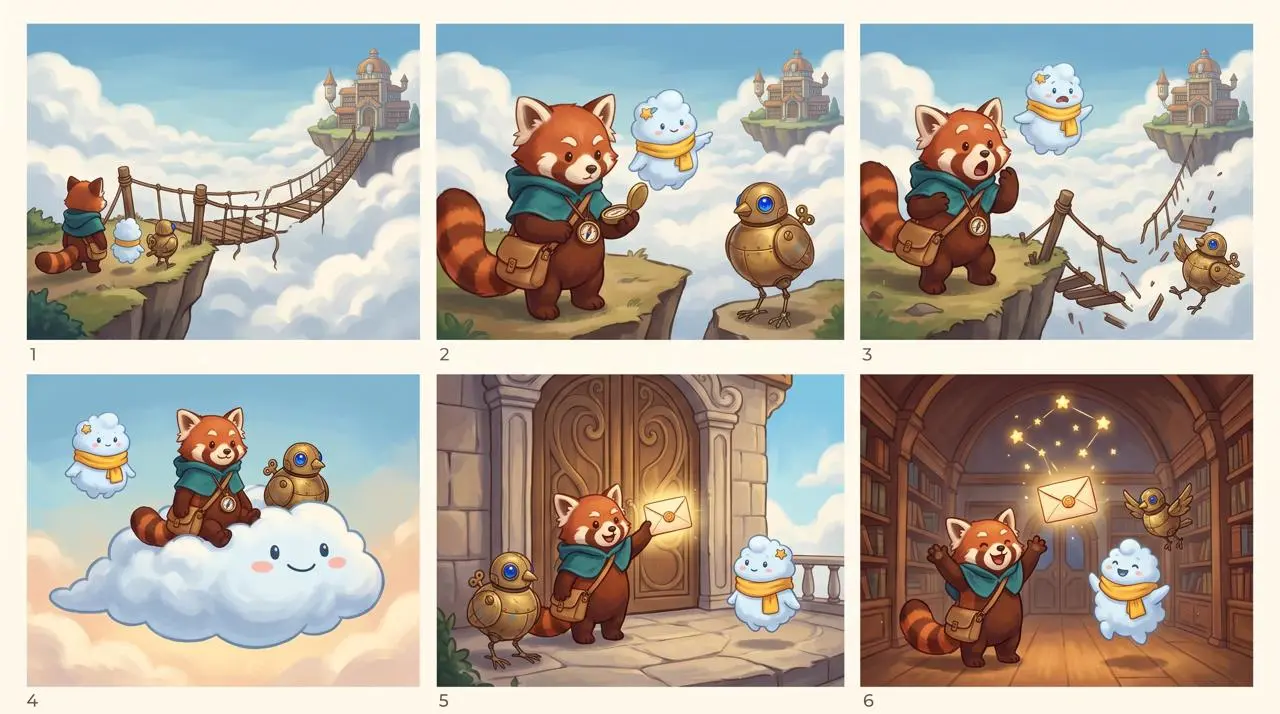
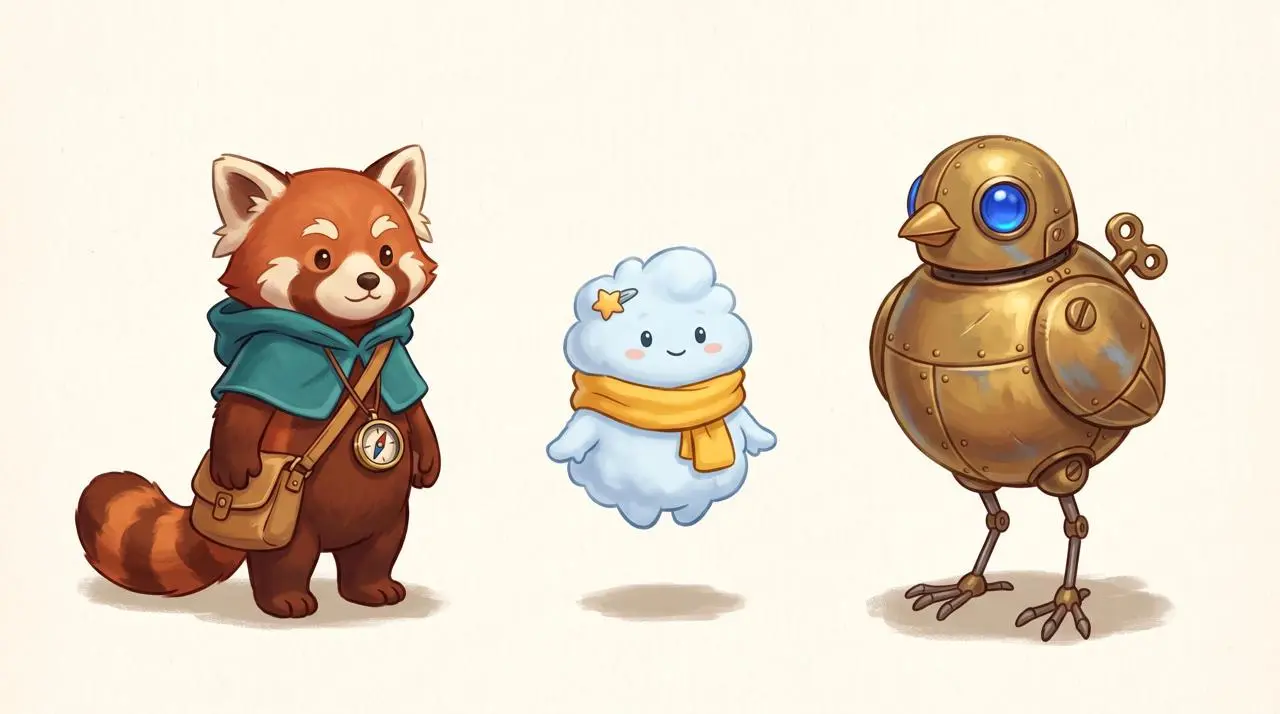
WeShop 결과: 레서판다, 구름 캐릭터와 기계 새…
참조 1

스토리보드 패널 사이에 캐릭터 특징 이어가기

프롬프트는 업로드한 캐릭터 라인업을 참조로 삼아 3-by-2 스토리보드를 요청합니다. Nimbus의 노란 스카프 같은 명명된 특징은 패널마다 캐릭터를 식별하는 데 도움이 됩니다. 모든 패널을 확인하세요. 하나의 스토리보드는 별도 대화 차례의 일관성을 증명하지 않습니다.

Use the uploaded lineup as the exact character reference. Create one polished 3-by-2 storyboard sheet with six equal cinematic panels, read left to right and top to bottom, in the same hand-painted storybook animation style. Preserve the identity, proportions, colors, clothing, and accessories of all three characters in every panel: Rhea is the red panda courier with teal hooded cape, tan satchel, and brass compass; Nimbus is the pale-blue cloud spirit with yellow scarf and star hair clip; Tock is the brass bird robot with cobalt-blue eye and winding key. Story: the trio delivers a glowing letter to a floating sky library. Panel 1: they arrive at the edge of a broken rope bridge above clouds. Panel 2: Rhea studies the compass while Nimbus points toward the distant library and Tock watches. Panel 3: the bridge collapses and all three react with surprise. Panel 4: Nimbus expands into a soft cloud platform carrying Rhea and Tock across the gap. Panel 5: they land at the sky library doors and Rhea holds up the glowing letter. Panel 6: inside the warm library, the three friends celebrate together as the delivered letter becomes a small constellation overhead. Keep exactly one Rhea, one Nimbus, and one Tock in every panel. Vary camera distance and poses, but keep faces, costume colors, body shapes, and signature accessories consistent. Clear white gutters between panels. No speech bubbles, no captions, no text, no logos, no watermark, no extra characters.
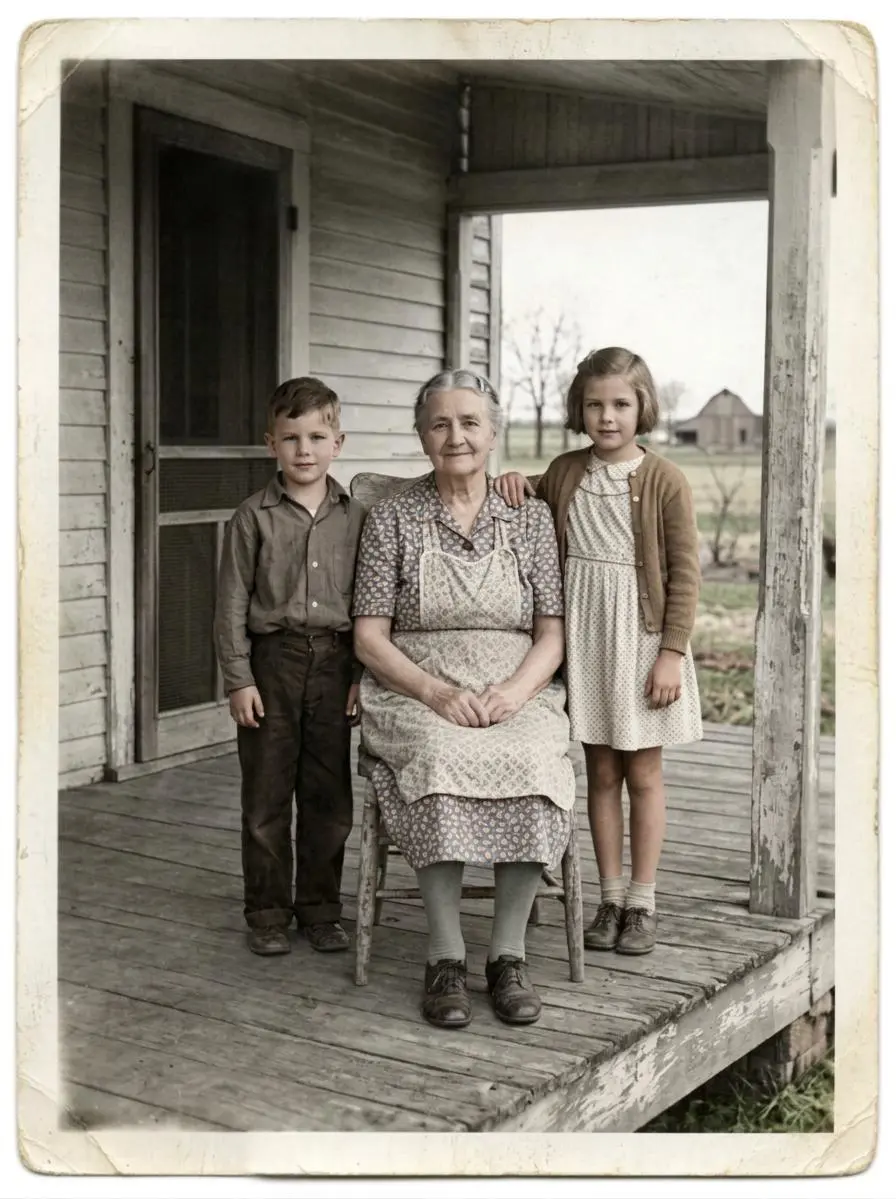
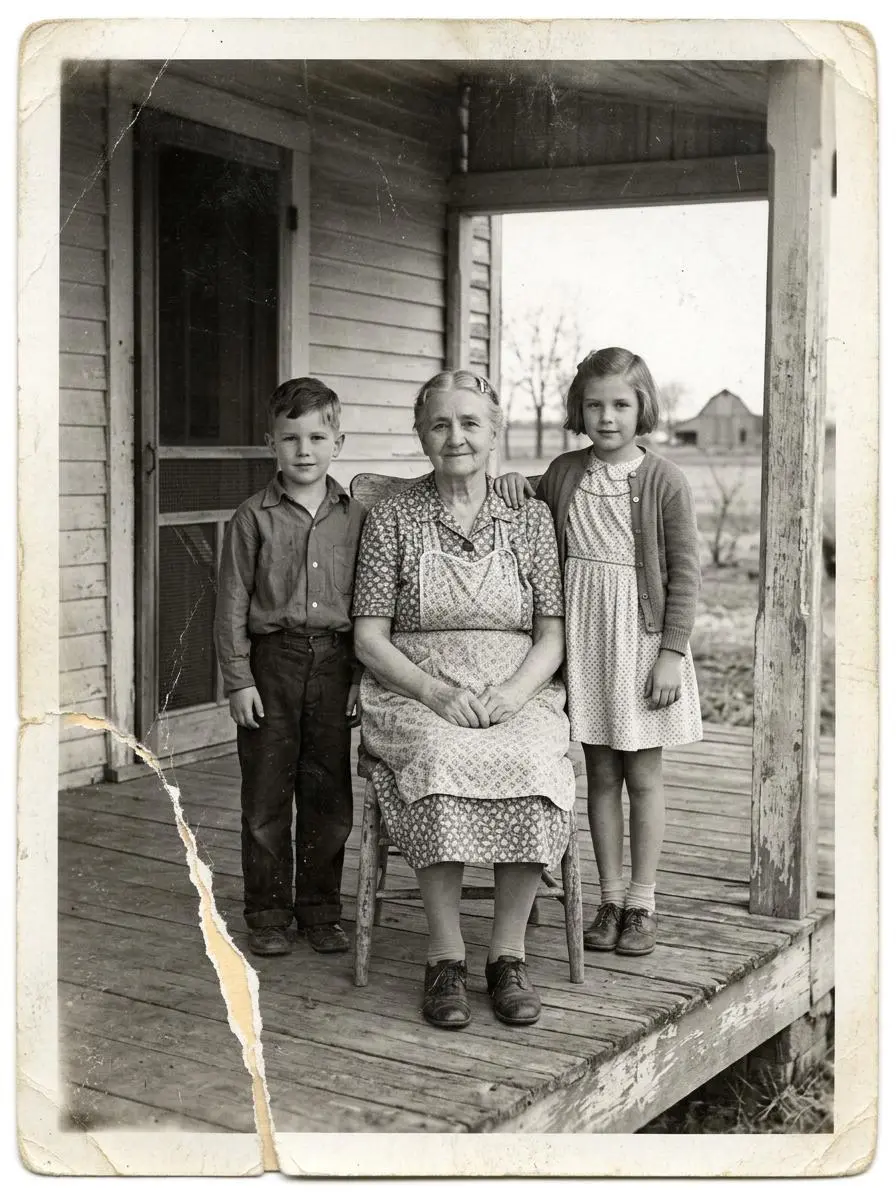
WeShop 결과: 나무 현관에 함께 앉아 있는 나이 든 여성…
참조 1

복원과 인물 변경 구분하기

원본에서 유지할 디테일과 함께 복원 내용을 설명하세요. 이 사례에서는 다음과 같이 요청했습니다. “Restore this damaged 1948 black-and-white family photograph while preserving the exact identities, ages, facial proportions, poses, clothing, porch architecture, framing, and historical period.”

Restore this damaged 1948 black-and-white family photograph while preserving the exact identities, ages, facial proportions, poses, clothing, porch architecture, framing, and historical period. Repair the lower-left tear, remove scratches and dust, recover balanced contrast and fine facial detail, and add restrained historically plausible natural color: weathered gray porch boards, muted cream and brown clothing, natural skin tones, and subdued green countryside. Do not beautify faces, change expressions, invent jewelry, alter clothing, add people, remove people, crop, modernize, add text, logo, or watermark. Keep subtle film grain so it remains an archival photograph rather than a modern digital portrait.
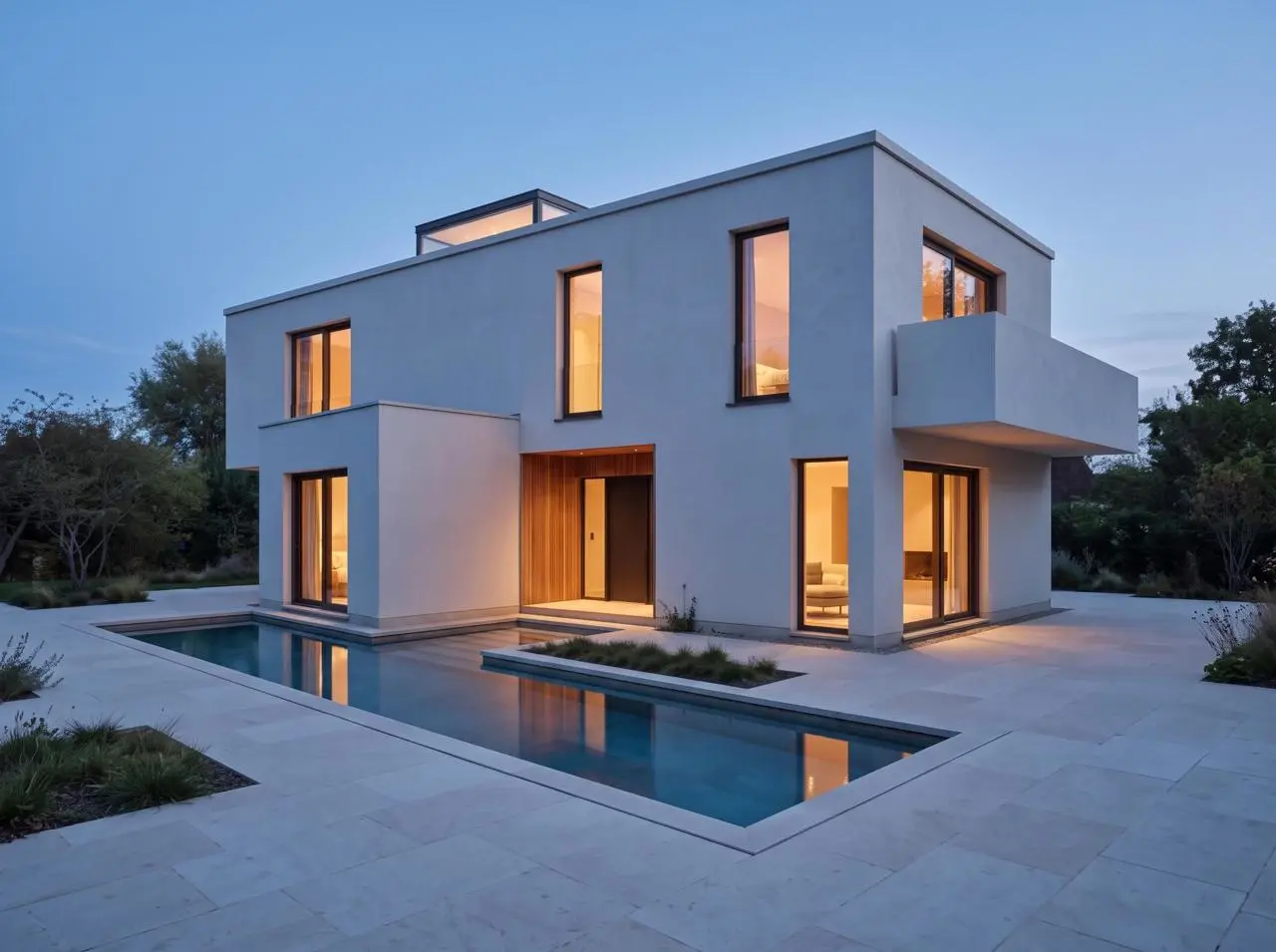
WeShop 결과: 창에 불이 켜진 현대적인 주택 주위를 둘러싼…
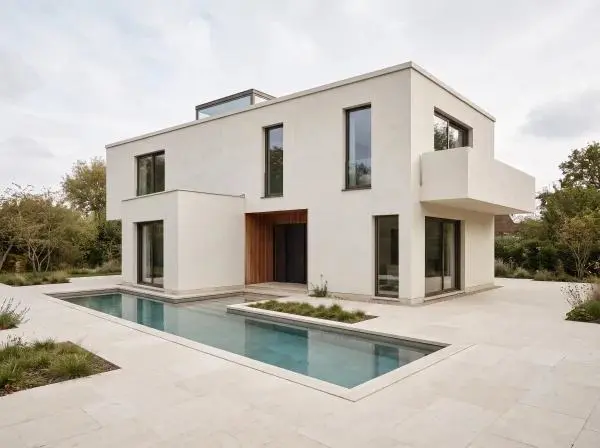
참조 1

장면을 유지하면서 조명 바꾸기

편집 요청은 새로운 조명 조건과 유지할 장면의 디테일을 함께 명시합니다. 이 사례에서는 다음과 같이 요청했습니다. “Edit only the lighting and time of day in the uploaded architectural render.”

Edit only the lighting and time of day in the uploaded architectural render. Change the soft overcast daylight to calm blue hour just after sunset, with a deep blue sky, warm 3000K interior light visible through the existing windows, and subtle warm reflections on the existing pool. Preserve the camera, crop, lens perspective, house massing, flat roof, skylight, every window and door opening, recessed entrance, balcony, wall edges, pool footprint, paving, materials, planting, and all object positions exactly. Do not add, remove, move, resize, duplicate, or redesign any architectural element. No people, furniture, vehicles, text, logo, or watermark.
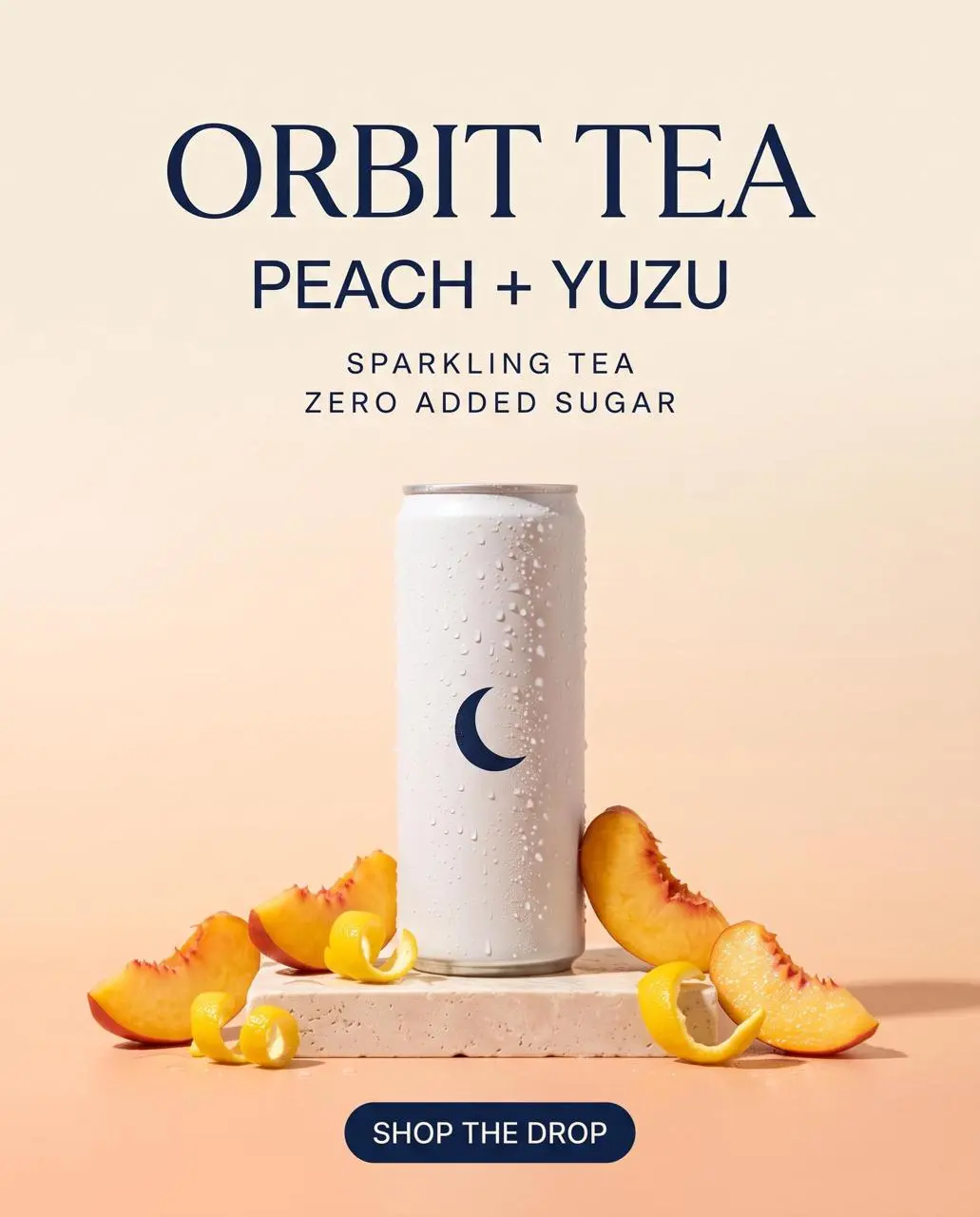
WeShop 결과: 상쾌한 Orbit Tea Peach + Yuzu Sparkling 캔…

텍스트와 정보 위계 계획하기

쓸 정보와 디자인 안의 위치를 지정하세요. 사용하기 전에 결과의 문구를 확인하세요. 이 사례에서는 다음과 같이 요청했습니다. “Create a premium vertical ecommerce launch poster for a fictional sparkling tea brand.”

Create a premium vertical ecommerce launch poster for a fictional sparkling tea brand. Hero product: one slim matte-white aluminum can with a simple navy crescent symbol, realistic condensation, peach slices and yuzu peel, on a pale stone pedestal. Warm peach-to-cream gradient background, soft studio shadows, refined editorial layout, photoreal product lighting, generous negative space. Render exactly these five text lines, spelled exactly as written: ORBIT TEA; PEACH + YUZU; SPARKLING TEA; ZERO ADDED SUGAR; SHOP THE DROP. Keep ORBIT TEA as the largest headline, PEACH + YUZU directly below it, SPARKLING TEA and ZERO ADDED SUGAR as small but clearly legible supporting lines, and SHOP THE DROP as a compact button-style callout. Do not add, duplicate, alter, or misspell any text. No people, no hands, no extra cans, no third-party logos, no watermark.
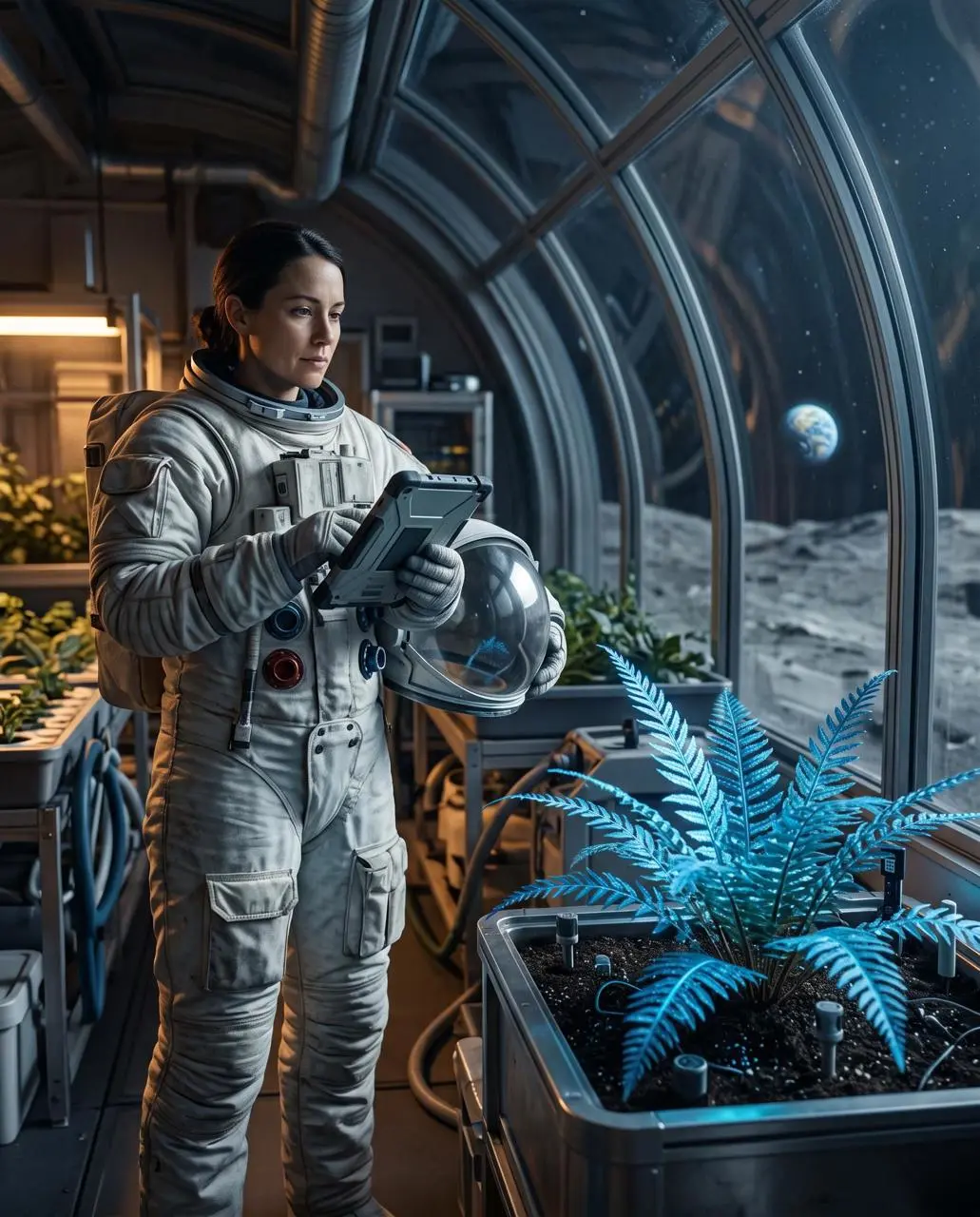
WeShop 결과: 우주복을 입은 여성이 안에서 식물을 돌보는 모습…

전경과 배경 배치하기

우주비행사와 식물학자 요청은 선명한 파란 양치식물을 전경에, 곡면 유리 너머에 달의 풍경을 배치합니다. 이 위치로 깊이와 프레이밍을 확인하세요. 단순한 재질 설명이 아닌 공간 구도 지시입니다.

Create a finished 4:5 environmental portrait of one botanist-astronaut cataloging a luminous blue fern inside a lunar greenhouse at night. The person stands in the left third, seen from knees up, wearing a practical white exploration suit with a clear helmet held under one arm. The fern is the sharp foreground subject on the right, while curved glass walls reveal the gray lunar surface and a small Earth low on the horizon. Shoot at eye level with a 50mm lens and moderate depth of field. Use cool moonlight from the right, soft amber work lights from the left, realistic skin and fabric texture, restrained blue-and-amber color grading, and a quiet documentary mood. No extra people, no flags, no readable labels, no fantasy magic particles, no logos, no watermark.
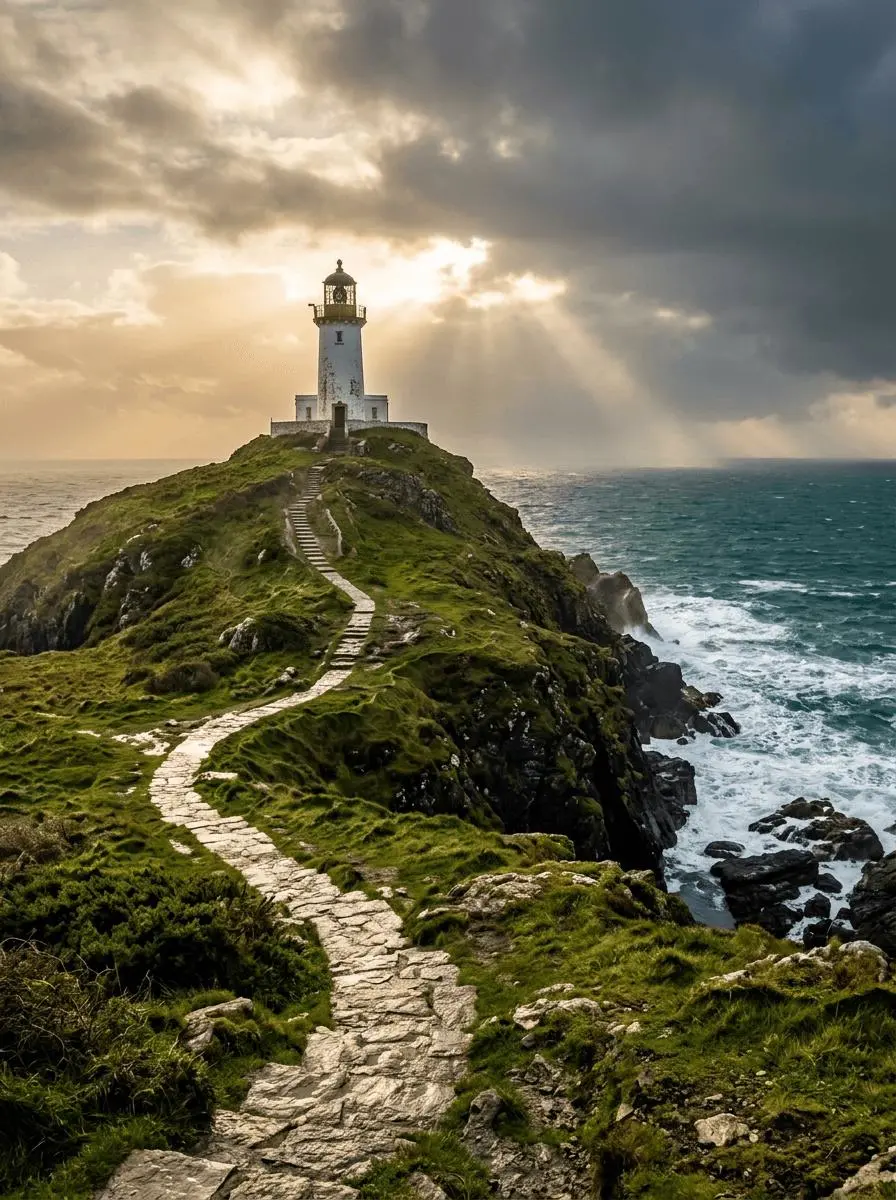
WeShop 결과: 폭풍이 지나간 뒤의 등대

장면의 빛과 색 배치

보이는 조명이나 색 배치를 구도의 일부로 지정하세요. 이 사례에서는 다음과 같이 요청했습니다. “Golden sunlight breaks through layered clouds, waves foam against dark rocks.”

A solitary white lighthouse on a rugged green headland above a deep teal sea just after a storm. A winding stone path leads from the bottom foreground to the lighthouse in the upper third. Golden sunlight breaks through layered clouds, waves foam against dark rocks. Photorealistic landscape photography, vertical 3:4 composition, no people, no lettering, no border or watermark.
사용 방법

Nano Banana 2.1 첫 이미지 만들기

Nano Banana 2.1 선택 항목과 아래에 설명된 입력 경로로 시작하세요. 제출 전에 사용 가능한 설정과 포인트를 확인하세요.

이 모델에 필요한 입력 제공

2.1을 선택하고 최종 구도를 설명하기 전에 참조 역할을 지정하세요. 인포그래픽에는 실제 라벨과 읽기 순서를 제공하세요.

이용 가능한 설정과 포인트 확인

크기 라벨: 1K, 2K, 4K. 화면 비율: auto, 1:1, 2:3, 3:2, 4:3, 3:4, 4:5, 5:4, 16:9, 9:16, 21:9, 1:4, 4:1, 1:8, 8:1. 이는 선택 가능한 설정이며 고정 픽셀 크기나 파일 형식 보장이 아닙니다. 실제 크기는 원본 결과 파일에서 확인하세요. 제출 전에 표시된 포인트와 요금제의 모델 접근 권한을 확인하세요.

결과 열기 및 확인

인물과 의상을 새 배경과 별도로 확인하고 인포그래픽 문구 및 패널 순서를 점검하세요. 스토리보드는 첫 프레임만이 아닌 모든 패널을 확인해야 합니다.

모델 선택

어떤 Nano 선택이 작업에 맞나요?

Google은 2.1을 텍스트, 배치와 여러 대화 차례의 일관성을 개선한 Nano Banana 2 업데이트로 설명합니다. 문서화된 역할을 2 및 Pro와 비교하세요. 다른 기반 Gemini 버전이나 측정된 순위를 만들어 내지 마세요. 공식 포지셔닝, 기록된 WeShop 설정, 현재 선택된 폼은 서로 구분되며 측정된 품질 또는 속도 순위를 뜻하지 않습니다.

비교 항목Nano BananaNano Banana ProNano Banana 2Nano Banana 2.1
모델 역할원본 Gemini 2.5 Flash Image 제작 및 편집상세한 디자인과 창작 제어를 위한 Gemini 3 Pro Image효율적인 제작·편집을 위한 Gemini 3.1 Flash Image레이아웃과 시각적 연속성을 위한 Nano Banana 2.1 업데이트
페이지에 기재된 입력참조 사진으로 시작; 글로 작성한 구상으로 제작새 디자인 제작; 참조 피사체 사용참조 사진으로 시작; 글로 작성한 구상으로 제작참조 사진으로 시작; 글로 작성한 구상으로 제작
현재 WeShop 옵션화면비: auto, 1:1, 2:3, 3:2, 4:3, 3:4, 4:5, 5:4, 16:9, 9:16, 21:9이미지 크기: 1K, 2K, 4K이미지 크기: 1K, 2K, 4K이미지 크기: 1K, 2K, 4K
모델 역할
Nano Banana
원본 Gemini 2.5 Flash Image 제작 및 편집
Nano Banana Pro
상세한 디자인과 창작 제어를 위한 Gemini 3 Pro Image
Nano Banana 2
효율적인 제작·편집을 위한 Gemini 3.1 Flash Image
Nano Banana 2.1
레이아웃과 시각적 연속성을 위한 Nano Banana 2.1 업데이트
페이지에 기재된 입력
Nano Banana
참조 사진으로 시작; 글로 작성한 구상으로 제작
Nano Banana Pro
새 디자인 제작; 참조 피사체 사용
Nano Banana 2
참조 사진으로 시작; 글로 작성한 구상으로 제작
Nano Banana 2.1
참조 사진으로 시작; 글로 작성한 구상으로 제작
현재 WeShop 옵션
Nano Banana
화면비: auto, 1:1, 2:3, 3:2, 4:3, 3:4, 4:5, 5:4, 16:9, 9:16, 21:9
Nano Banana Pro
이미지 크기: 1K, 2K, 4K
Nano Banana 2
이미지 크기: 1K, 2K, 4K
Nano Banana 2.1
이미지 크기: 1K, 2K, 4K

Nano Banana 2.1 검토 시점

작업에 맞는 모델 선택

문서화된 텍스트, 배치와 캐릭터 연속성 업데이트를 위해 2.1을 검토하세요. Nano Banana 2 또는 Pro와 비교할 때 정확한 버전 선택을 유지하세요.

다른 이미지 모델

다른 이미지 모델 살펴보기

관련 모델 페이지에서 기능, 사례, 현재 생성 옵션을 확인하세요.

자주 묻는 질문

Nano Banana 2.1 자주 묻는 질문

이 버전의 특징, 입력, 시작 방법에 대한 답변입니다.

Nano Banana 2.1 모델은 무엇인가요?

Nano Banana 2.1은 Nano Banana 2의 이미지 생성 및 대화형 편집을 업데이트한 Google 모델입니다. Google은 텍스트 렌더링, 배치 정확성과 여러 대화 차례에 걸친 캐릭터 일관성 개선을 문서화했습니다.

Nano Banana 2.1 활용 용도는 무엇인가요?

2.1 업데이트는 텍스트가 풍부한 배치와 참조 기반 이미지 작업에 관련됩니다. 여러 참조 인물 사진과 과정 인포그래픽은 별개의 작업을 보여 줍니다. 단일 결과로 전체 대화에 걸친 공식 다중 차례 일관성 개선을 입증할 수 없습니다.

Nano Banana 2.1 사용에 어떤 입력이 필요한가요?

새 디자인에는 텍스트를, 편집에는 인물, 의상, 배경 또는 제품 참조를 업로드하세요. 각 역할을 명확히 설명하세요. 이 페이지는 2나 Pro가 아닌 2.1에 연결되어 있습니다.

어떤 크기와 화면비 설정을 사용할 수 있나요?

크기 라벨: 1K, 2K, 4K. 화면 비율: auto, 1:1, 2:3, 3:2, 4:3, 3:4, 4:5, 5:4, 16:9, 9:16, 21:9, 1:4, 4:1, 1:8, 8:1. 이는 선택 가능한 설정이며 고정 픽셀 크기나 파일 형식 보장이 아닙니다. 실제 크기는 원본 결과 파일에서 확인하세요.

Nano Banana 2.1 프롬프트는 어떻게 쓰면 되나요?

프롬프트는 업로드한 캐릭터 라인업을 참조로 삼아 3-by-2 스토리보드를 요청합니다. Nimbus의 노란 스카프 같은 명명된 특징은 패널마다 캐릭터를 식별하는 데 도움이 됩니다. 모든 패널을 확인하세요. 하나의 스토리보드는 별도 대화 차례의 일관성을 증명하지 않습니다. 가이드의 전체 프롬프트와 실제 입력을 읽은 뒤 자신의 작업에 맞게 조정하세요.

Nano Banana 2.1 모델은 관련 모델과 어떻게 다른가요?

Google은 2.1을 텍스트, 배치와 여러 대화 차례의 일관성을 개선한 Nano Banana 2 업데이트로 설명합니다. 문서화된 역할을 2 및 Pro와 비교하세요. 다른 기반 Gemini 버전이나 측정된 순위를 만들어 내지 마세요.

Nano Banana 2.1 무료 이용이 가능한가요? 비용은 어떻게 정해지나요?

현재 WeShop 요금 페이지에서 요금제의 모델 이용 권한과 제공량을 확인하고 생성기에서 선택한 설정과 수량에 대한 예상 포인트를 확인하세요. 이 페이지는 요청당 고정 가격을 제시하거나 다른 제공업체의 구독 할당량을 WeShop에 적용하지 않습니다.

어떤 한계를 확인해야 하나요?

Nano Banana 2.1은 Nano Banana 2 및 Pro와 별개입니다. Google의 그라운딩과 Thinking 도구는 이 WeShop 페이지의 제어로 확인되지 않았습니다. 인물과 의상을 새 배경과 별도로 확인하고 인포그래픽 문구 및 패널 순서를 점검하세요. 스토리보드는 첫 프레임만이 아닌 모든 패널을 확인해야 합니다.

이 페이지의 예시에서 무엇을 배울 수 있나요?

저장된 Nano Banana 2.1 예시는 인물 정체성, 의상, 배경 참조, 유리 구체 에디토리얼 정물, 빗물에서 수돗물까지의 과정 인포그래픽 사례를 보여 줍니다. 각 결과를 실제 프롬프트와 사용 가능한 입력과 함께 확인하세요. 사례는 하나의 요청을 보여 줄 뿐 결과 보장이나 성공률 벤치마크가 아닙니다.