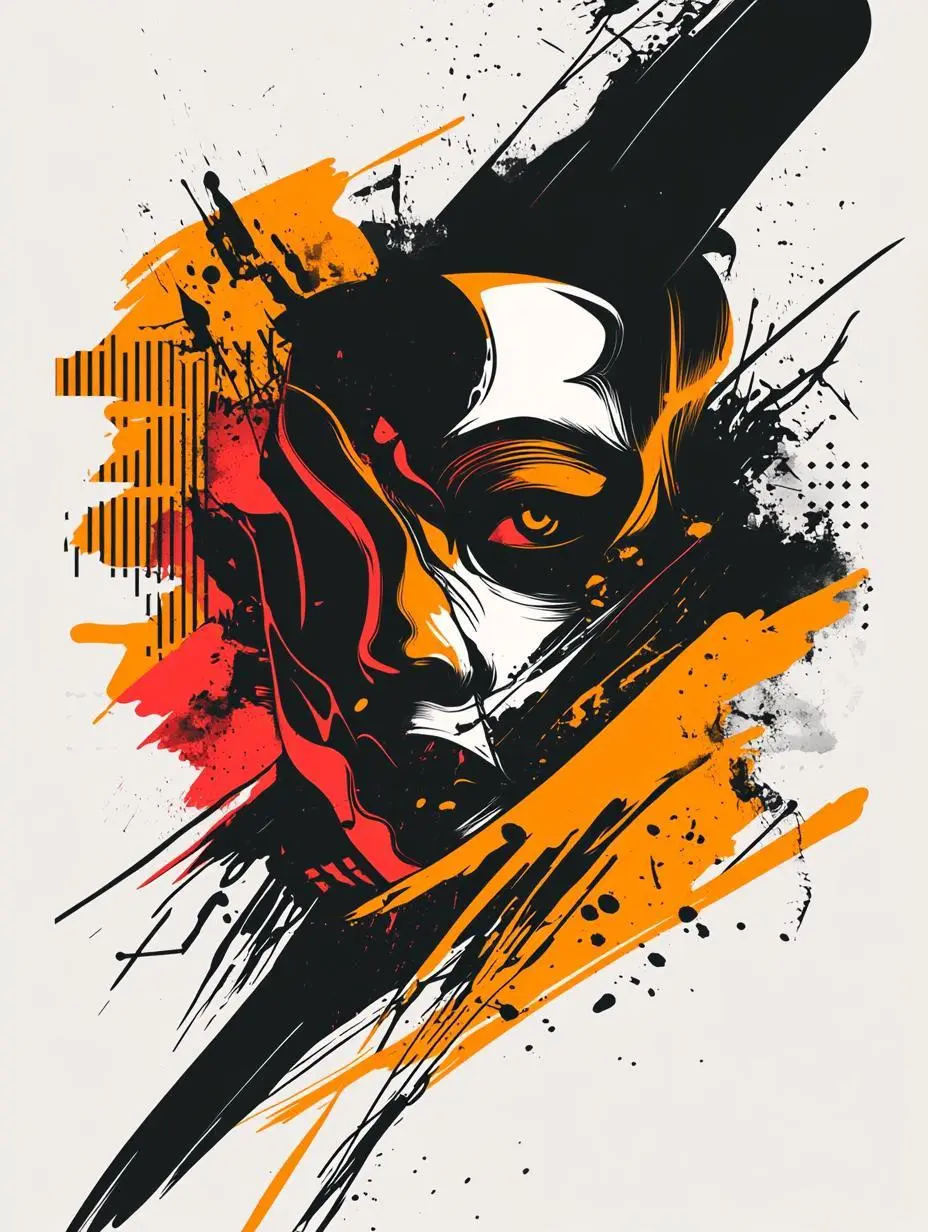
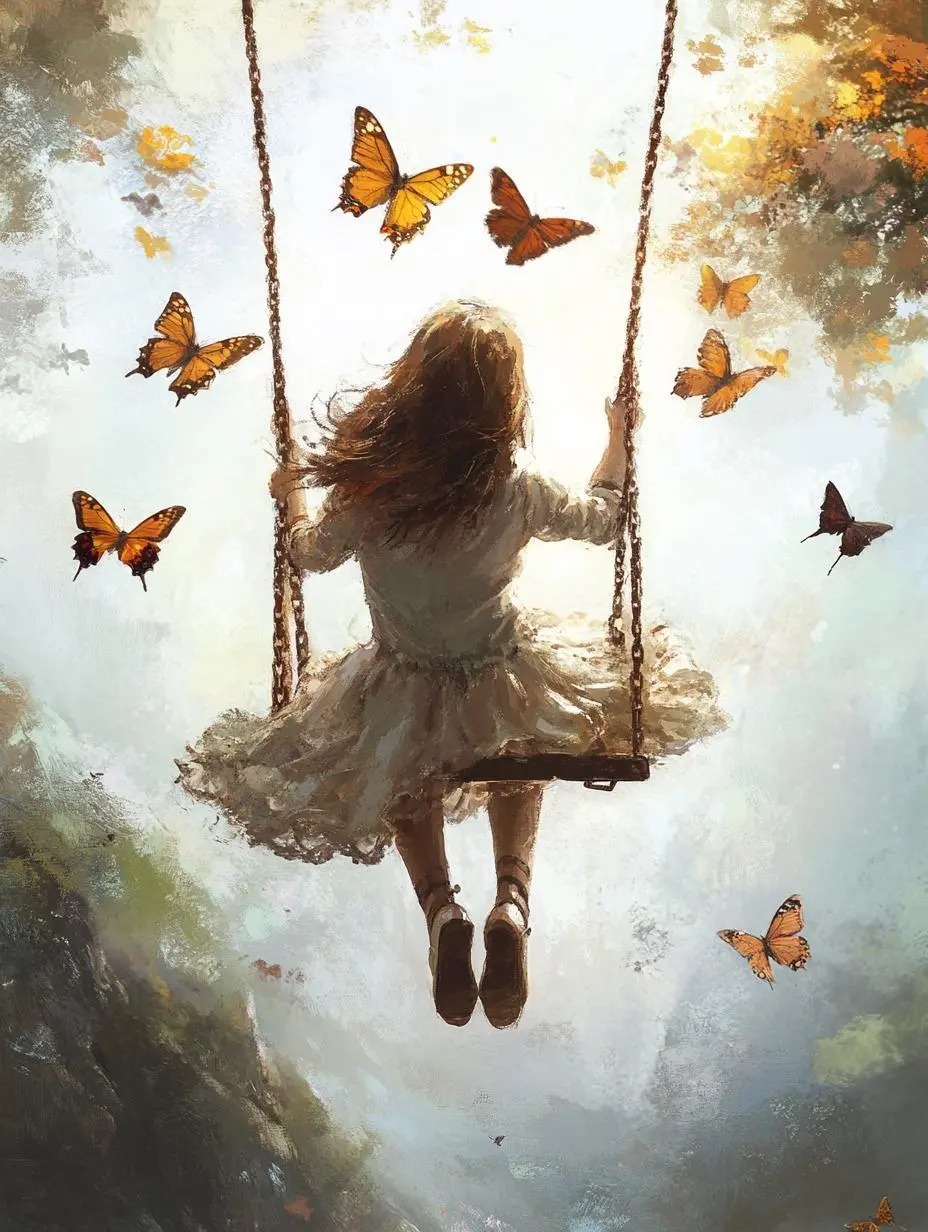
Midjourney Niji 6 모델을 떠 있는 판타지 나무 섬, 그래피티풍 티셔츠 그래픽, 나비 그네 일러스트 예시로 살펴보세요. 각 저장 사례는 실제 프롬프트와 사용 가능한 입력을 유지합니다. 자신의 피사체에 맞게 요청을 수정하기 전에 결과를 확인하세요.
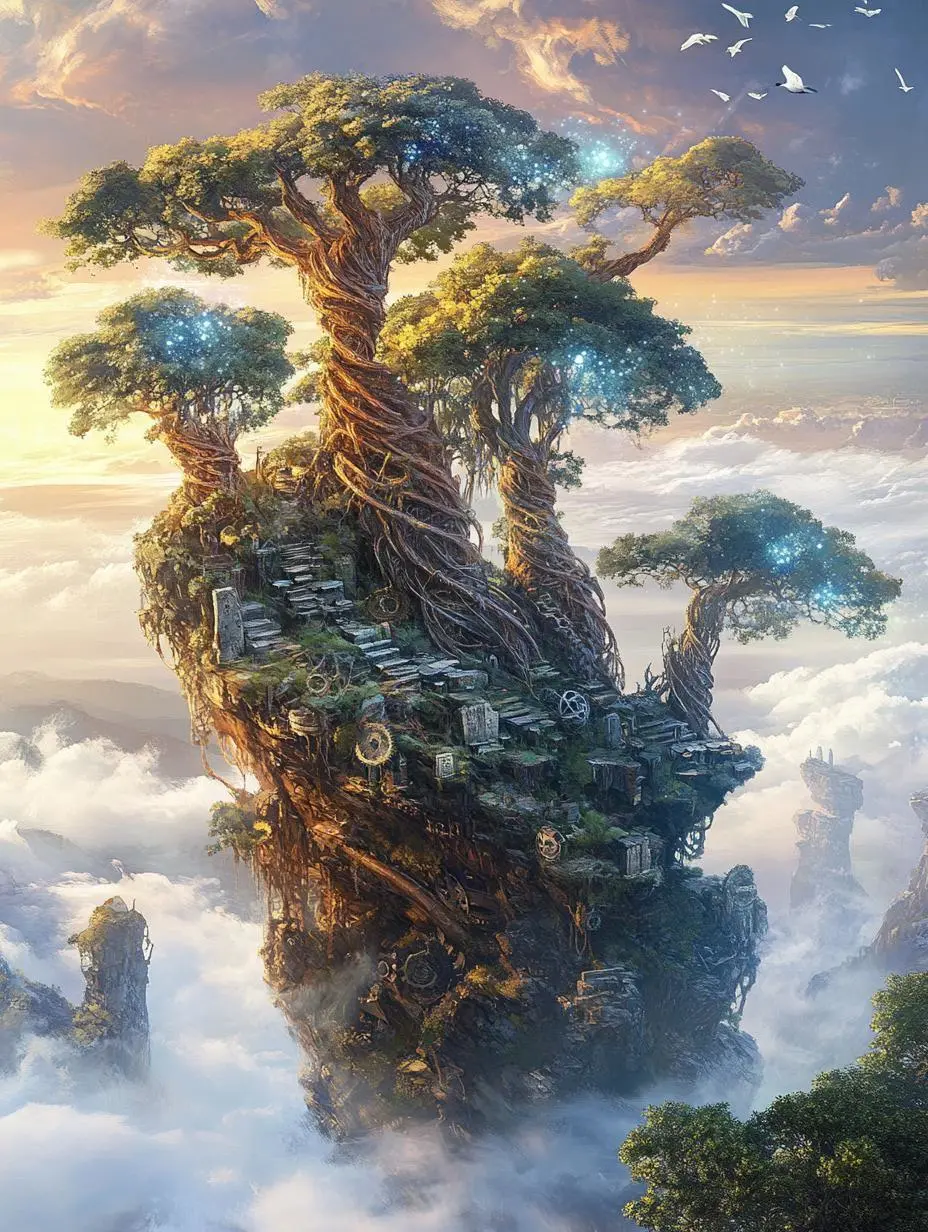
떠 있는 판타지 나무 섬
텍스트로 형태와 배경을 지정해 큰 나무 중심의 판타지 섬 일러스트를 만듭니다.
Scene: Floating islands in the morning mist, huge spiral ancient trees rooted on the rocks, their roots entwined with luminous crystal veins, and below is the churning sea of clouds.
Light and Shadow: Soft morning light seeps through the gaps in the clouds, creating the Tyndall effect, and the crystals reflect pale rainbow-colored light spots.
Details: Rusty mechanical gears are half-buried in the soil, moss-covered stone tablets bear vine-like inscriptions, and a flock of white birds fly past the edge of the island.
Niji 6은 이전의 애니메이션풍 Midjourney 이미지 모델입니다. 문서화된 업데이트에는 애니메이션 디테일과 짧은 일본어 텍스트 렌더링이 포함됩니다.
Niji 6는 애니메이션풍 캐릭터와 일러스트 장면에 활용할 수 있습니다. 판타지 섬, 그래피티풍 티셔츠 그래픽과 나비 장면은 서로 다른 일러스트 요청이며 문서화된 짧은 텍스트 지원이 긴 타이포그래피의 신뢰성을 뜻하지는 않습니다.
애니메이션 캐릭터 디테일
Niji의 애니메이션 시각 언어에 맞는 캐릭터 및 환경 요청을 사용하세요. 결과의 얼굴과 눈 디테일을 확인하세요.
짧은 글 요소
공식 Niji 6 자료는 짧은 일본어 가나와 단순한 한자 렌더링을 설명합니다. 생성된 단어를 확인하고 긴 문장의 타이포그래피도 신뢰할 수 있다고 가정하지 마세요.
제작 방식
시작 입력 선택하기
새 일러스트에는 텍스트를 사용하고 필요하면 시각적 영감을 위한 Image Prompt를 추가하세요. 참조 기반 생성이며 표시 영역 하나를 교체하는 전용 도구가 아닙니다. 텍스트 전용 폼 검증에는 현재 인터페이스 제한이 남아 있습니다.
글로 작성한 구상으로 제작
새 이미지에 원하는 피사체, 배경, 구도와 사진 또는 일러스트 표현을 설명하세요.
참조로 이미지 방향 잡기
이미지를 업로드하고 그 이미지가 이끌 새 구도를 설명하세요. Image Prompt는 시각적 방향이며 표시 영역 하나를 편집하는 전용 제어가 아닙니다.
프롬프트 가이드
Midjourney Niji 6 프롬프트 작성 방법
아래의 실제 Midjourney Niji 6 프롬프트를 결과 및 사용한 참조 입력과 함께 살펴보세요. 각 설명은 확인할 특정 지시를 짚어 줍니다. 효과를 요청했다고 해서 생성된 모든 디테일이 일치한다는 보장은 없습니다.
장면의 빛과 색 배치
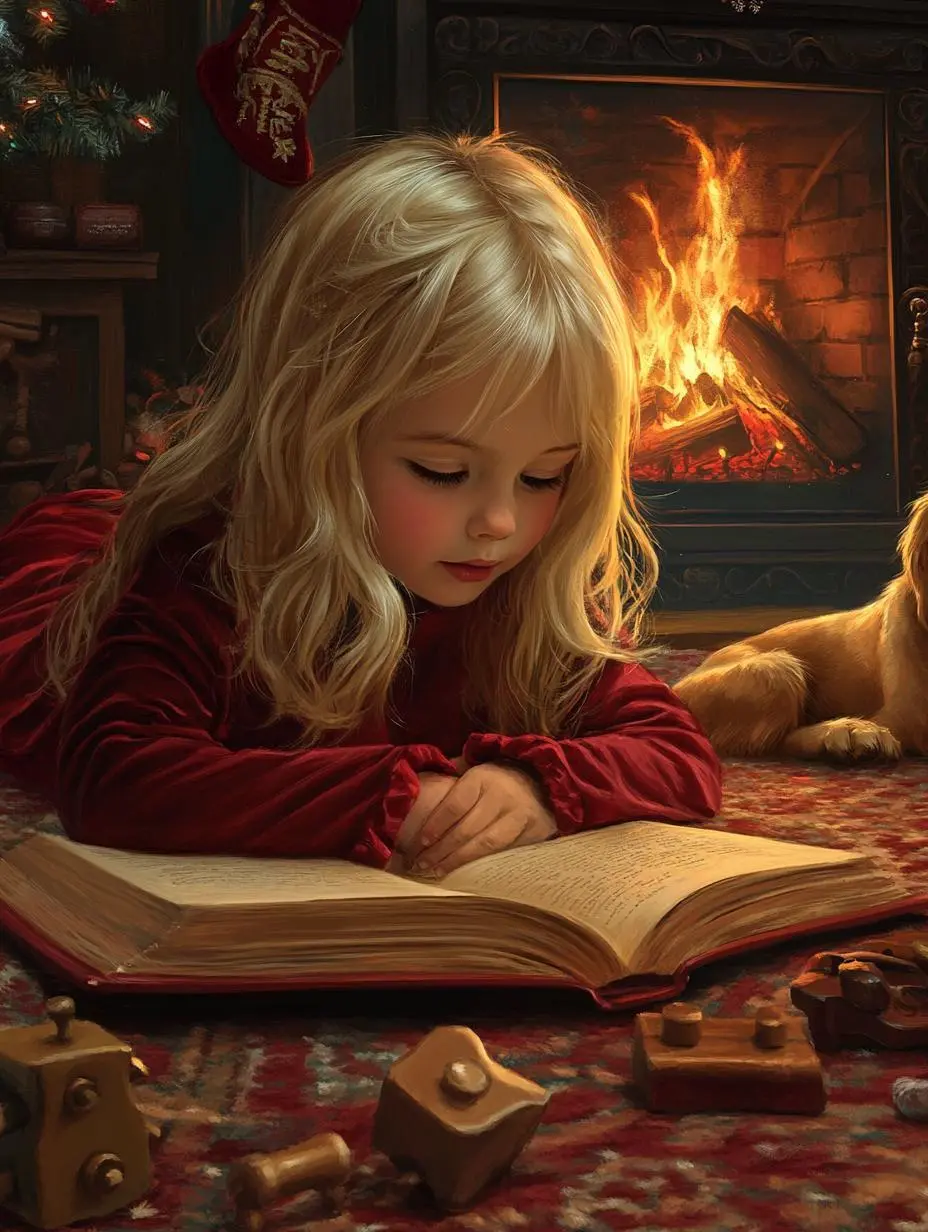
보이는 조명이나 색 배치를 구도의 일부로 지정하세요. 이 사례에서는 다음과 같이 요청했습니다. “The warm flames from the fireplace serve as the only light source, casting a soft, flickering glow on her cheeks and illuminating her curious, focused eyes.”
A Christmas illustration in the style of a classic fairy-tale picture book, rendered in hyper-realistic digital painting. It features a warm, close-up composition of a blonde girl around five years old, wearing a red velvet nightgown, lying on a thick carpet as she concentrates intently on an open Christmas storybook. The warm flames from the fireplace serve as the only light source, casting a soft, flickering glow on her cheeks and illuminating her curious, focused eyes. Beside her lies a drowsy golden retriever, surrounded by scattered vintage wooden toys. The entire scene is infused with hand-painted brushstrokes and paper-like textures, with an exceptionally warm color palette dominated by deep reds, golds, and warm browns, creating a tranquil, nostalgic, and story-filled bedtime atmosphere.
표현 흔적이나 매체 설명
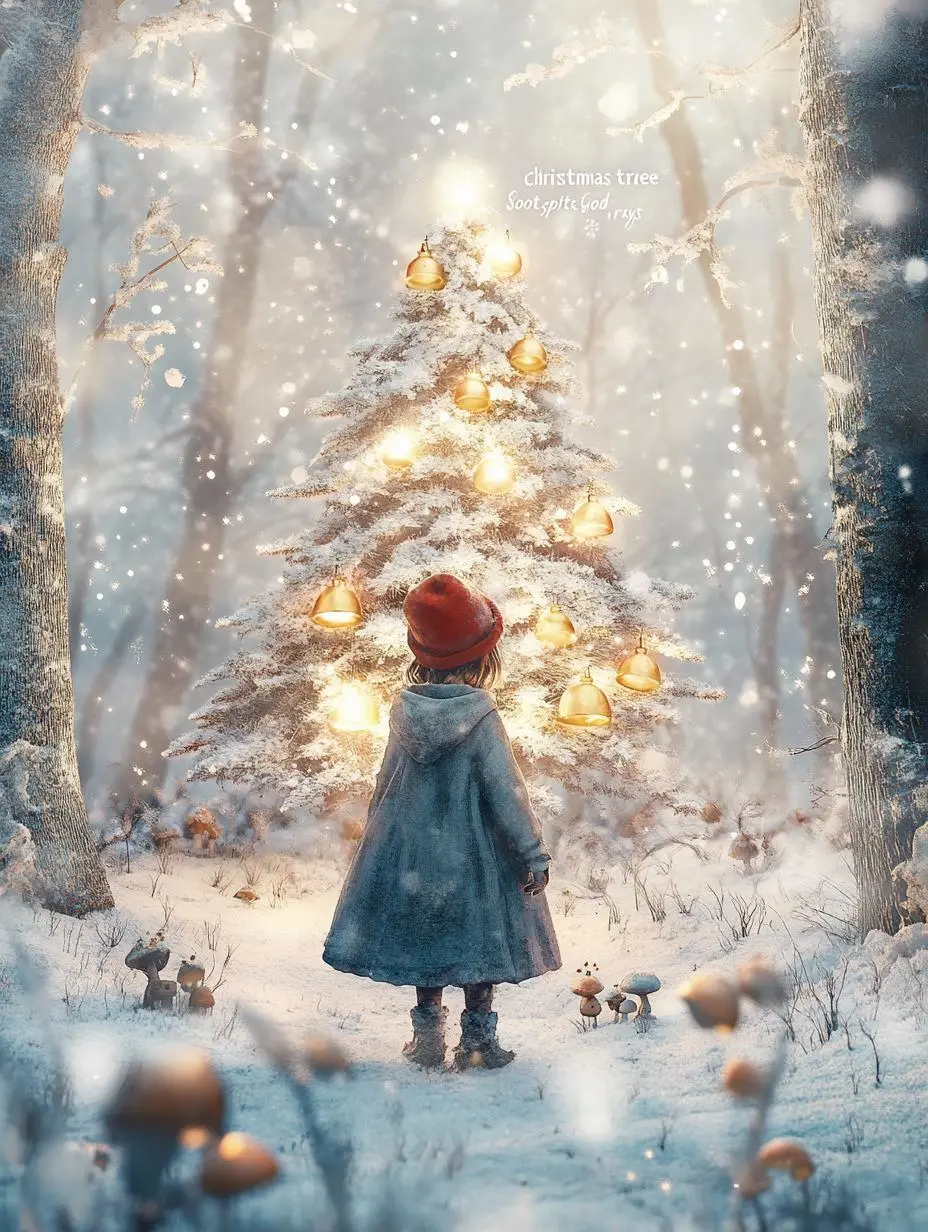
분위기를 나타내는 단어에만 의존하지 말고 선의 특징이나 소재처럼 눈에 보이는 표현을 명시하세요. 이 사례의 문구는 “A digital artwork brimming with the style of Hayao Miyazaki's animated films, blending watercolor textures with a soft, animated feel.”
A digital artwork brimming with the style of Hayao Miyazaki's animated films, blending watercolor textures with a soft, animated feel. Framed in a medium shot, a little girl in a thick cloak and a red woolen hat is captured in a winter forest after the snow has just cleared. She gazes in wonder at a "Christmas tree" adorned with glowing mushrooms and golden bells. Several fluffy, "Soot Sprite"-like creatures peek curiously out from a hollow in the tree. Sunlight filters through the gaps between branches laden with ice crystals, creating soft, warm "god rays" (Tyndall effect) that illuminate the tiny ice crystals floating in the air. The composition feels natural, with a gentle, soothing color palette dominated by the white of snow, the deep brown of trees, and the pale gold of sunlight, accented by the red of her hat and the fluorescent glow of the mushrooms. The scene evokes a warm, serene, and enchanted forest Christmas, filled with a sense of wonder and the spirit of all living things.
텍스트와 정보 위계 계획하기
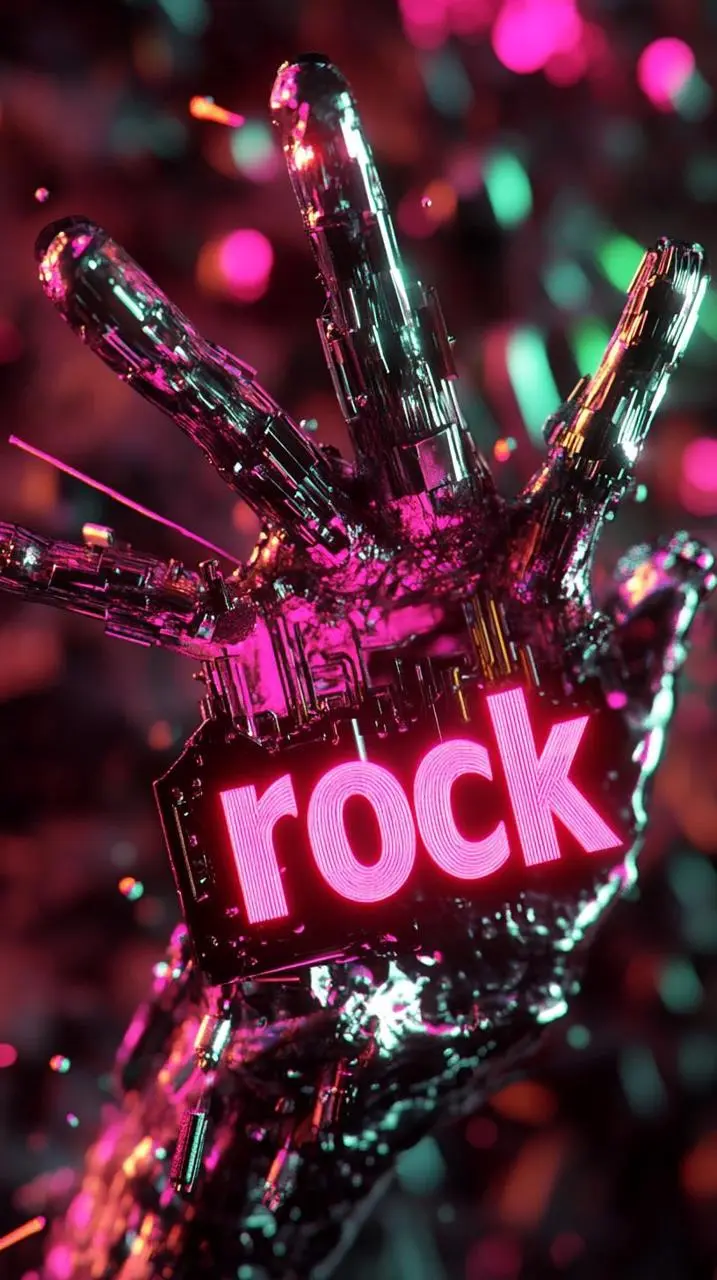
작성할 정보와 디자인 안의 위치를 지정하세요. 사용 전에 결과의 문구를 확인하세요. 이 사례의 문구는 “Ultra-fine cyberpunk rock poster, dynamic interlocking burning hands, riveted fingers holding air guitar strings, 3D glowing metal letters "rock" floating in the negative space, vivid neon pink and gr”
Ultra-fine cyberpunk rock poster, dynamic interlocking burning hands, riveted fingers holding air guitar strings, 3D glowing metal letters "rock" floating in the negative space, vivid neon pink and green tones on the darkened concrete background, underground scattered skin textures, glowing circuit board patterns, volumetric smoke effects, distorted lens flare, dramatic perspective wide-angle composition, Cinema 4D rendering with metallic mirror highlights, 8k resolution, futuristic typography with cracked edges, glowing particle trajectories, heavy metal band logo elements in the background, dark academic color palette with fluorescent bullets, contour lines and velocity lines for motion blur effect.
사용 방법
Midjourney Niji 6로 첫 이미지 만들기
Midjourney Niji 6 선택 항목과 아래에 설명된 입력 경로로 시작하세요. 제출 전에 사용 가능한 설정과 포인트를 확인하세요.
이 모델에 필요한 입력 제공
Niji 6 선택을 유지하고 캐릭터, 장면과 일러스트 표현을 설명하세요. 새 구도를 이끌어야 할 때만 참조를 추가하세요.
이용 가능한 설정과 포인트 확인
화면 비율: 1:1, 4:3, 3:4, 16:9, 9:16. 이는 선택 가능한 설정이며 고정 픽셀 크기나 파일 형식 보장이 아닙니다. 실제 크기는 원본 결과 파일에서 확인하세요. 제출 전에 표시 포인트와 요금제의 모델 접근 권한을 확인하세요.
결과 열기 및 확인
얼굴 디테일, 그림 형태와 구도를 확인하세요. 일본어 가나나 단순 한자를 포함한 글을 교정하세요. 모델의 짧은 텍스트 설명은 긴 텍스트 보장이 아닙니다.
Niji 6는 V6.1 및 V7과 별개의 이전 애니메이션풍 모델입니다. 모든 최신 Midjourney 기능이 포함된다고 가정하지 말고 문서화된 시각적 방향으로 선택하세요. 공식 포지셔닝, 기록된 WeShop 설정, 현재 선택된 폼은 서로 구분되며 측정된 품질 또는 속도 순위를 뜻하지 않습니다.
비교 항목
Midjourney V6.1
Midjourney V7
Midjourney Niji 6
모델 역할
일관성과 세밀한 디테일을 중시한 이전 버전
풍부한 질감과 일관된 피사체 디테일
이전 애니메이션풍 모델
페이지에 기재된 입력
텍스트 요청, 선택적 Image Prompt
텍스트 요청, 선택적 Image Prompt
텍스트 요청, 선택적 Image Prompt
현재 WeShop 옵션
화면 비율: 1:1, 4:3, 3:4, 16:9, 9:16
화면 비율: 1:1, 4:3, 3:4, 16:9, 9:16
화면 비율: 1:1, 4:3, 3:4, 16:9, 9:16
모델 역할
Midjourney V6.1
일관성과 세밀한 디테일을 중시한 이전 버전
Midjourney V7
풍부한 질감과 일관된 피사체 디테일
Midjourney Niji 6
이전 애니메이션풍 모델
페이지에 기재된 입력
Midjourney V6.1
텍스트 요청, 선택적 Image Prompt
Midjourney V7
텍스트 요청, 선택적 Image Prompt
Midjourney Niji 6
텍스트 요청, 선택적 Image Prompt
현재 WeShop 옵션
Midjourney V6.1
화면 비율: 1:1, 4:3, 3:4, 16:9, 9:16
Midjourney V7
화면 비율: 1:1, 4:3, 3:4, 16:9, 9:16
Midjourney Niji 6
화면 비율: 1:1, 4:3, 3:4, 16:9, 9:16
Midjourney Niji 6 검토 시점
작업에 맞는 모델 선택
애니메이션풍 캐릭터나 일러스트 장면에 Niji 6를 검토하세요. 별개의 이전 모델이며 일반 Midjourney V6.1 및 V7과 문서화된 초점이 다릅니다.
Niji 6은 이전의 애니메이션풍 Midjourney 이미지 모델입니다. 문서화된 업데이트에는 애니메이션 디테일과 짧은 일본어 텍스트 렌더링이 포함됩니다.
Midjourney Niji 6 활용 용도는 무엇인가요?
Niji 6는 애니메이션풍 캐릭터와 일러스트 장면에 활용할 수 있습니다. 판타지 섬, 그래피티풍 티셔츠 그래픽과 나비 장면은 서로 다른 일러스트 요청이며 문서화된 짧은 텍스트 지원이 긴 타이포그래피의 신뢰성을 뜻하지는 않습니다.
Niji 6는 Midjourney V7과 같은 모델인가요?
아니요. Niji 6는 이전 애니메이션풍 모델입니다. 문서화된 시각적 방향을 위해 Niji 6를 선택하세요. V7과 V6.1은 별도 모델입니다.
Midjourney Niji 6 사용에 어떤 입력이 필요한가요?
새 일러스트에는 텍스트를 사용하고 필요하면 시각적 영감을 위한 Image Prompt를 추가하세요. 참조 기반 생성이며 표시 영역 하나를 교체하는 전용 도구가 아닙니다. 텍스트 전용 폼 검증에는 현재 인터페이스 제한이 남아 있습니다.
어떤 크기와 화면비 설정을 사용할 수 있나요?
화면 비율: 1:1, 4:3, 3:4, 16:9, 9:16. 이는 선택 가능한 설정이며 고정 픽셀 크기나 파일 형식 보장이 아닙니다. 실제 크기는 원본 결과 파일에서 확인하세요.
Midjourney Niji 6 프롬프트는 어떻게 쓰면 되나요?
보이는 조명이나 색 배치를 구도의 일부로 지정하세요. 이 사례에서는 다음과 같이 요청했습니다. “The warm flames from the fireplace serve as the only light source, casting a soft, flickering glow on her cheeks and illuminating her curious, focused eyes.” 가이드의 전체 프롬프트와 실제 입력을 읽은 뒤 자신의 작업에 맞게 조정하세요.
Midjourney Niji 6 모델은 관련 모델과 어떻게 다른가요?
Niji 6는 V6.1 및 V7과 별개의 이전 애니메이션풍 모델입니다. 모든 최신 Midjourney 기능이 포함된다고 가정하지 말고 문서화된 시각적 방향으로 선택하세요.
Midjourney Niji 6 무료 이용이 가능한가요? 비용은 어떻게 정해지나요?
현재 WeShop 요금 페이지에서 요금제의 모델 이용 권한과 제공량을 확인하고 생성기에서 선택한 설정과 수량에 대한 예상 포인트를 확인하세요. 이 페이지는 요청당 고정 가격을 제시하거나 다른 제공업체의 구독 할당량을 WeShop에 적용하지 않습니다.
어떤 한계를 확인해야 하나요?
Niji 6는 특정 이전 모델이며 다른 Midjourney 버전의 결과로 대체할 수 없습니다. 얼굴 디테일, 그림 형태와 구도를 확인하세요. 일본어 가나나 단순 한자를 포함한 글을 교정하세요. 모델의 짧은 텍스트 설명은 긴 텍스트 보장이 아닙니다.
이 페이지의 예시에서 무엇을 배울 수 있나요?
저장된 Midjourney Niji 6 예시는 떠 있는 판타지 나무 섬, 그래피티풍 티셔츠 그래픽, 나비 그네 일러스트 사례를 보여 줍니다. 각 결과를 실제 프롬프트와 사용 가능한 입력과 함께 확인하세요. 사례는 하나의 요청을 보여 줄 뿐 결과 보장이나 성공률 벤치마크가 아닙니다.