GPT Image 2.5 Sunburst 모델을 레트로 게임풍 캐릭터 변환, 참조에 따른 세럼 제품 사진, 문구가 있는 코스튬 밈 만들기 예시로 살펴보세요. 각 저장 사례는 실제 프롬프트와 사용 가능한 입력을 유지합니다. 자신의 피사체에 맞게 요청을 수정하기 전에 결과를 확인하세요.
레트로 게임풍 캐릭터 변환
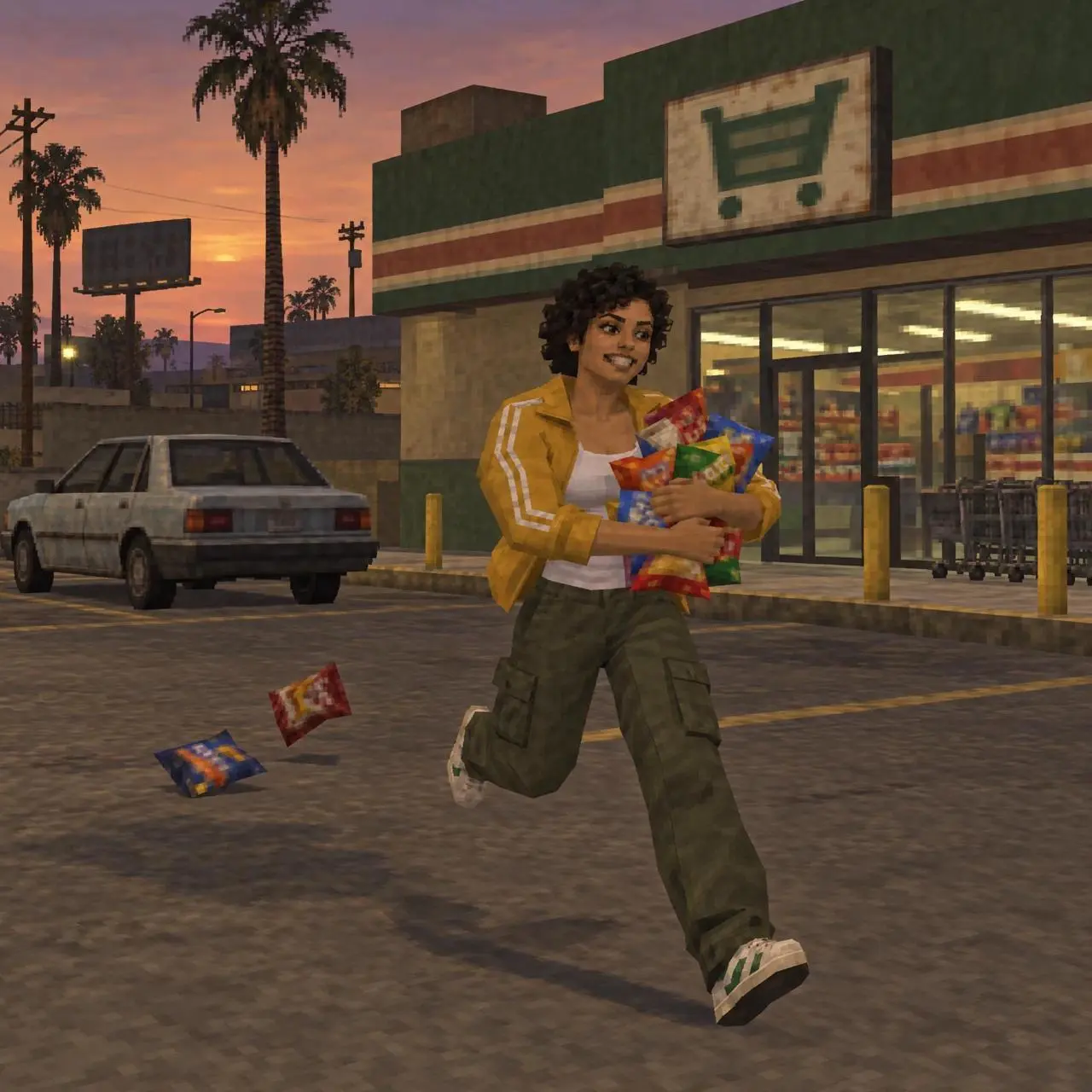
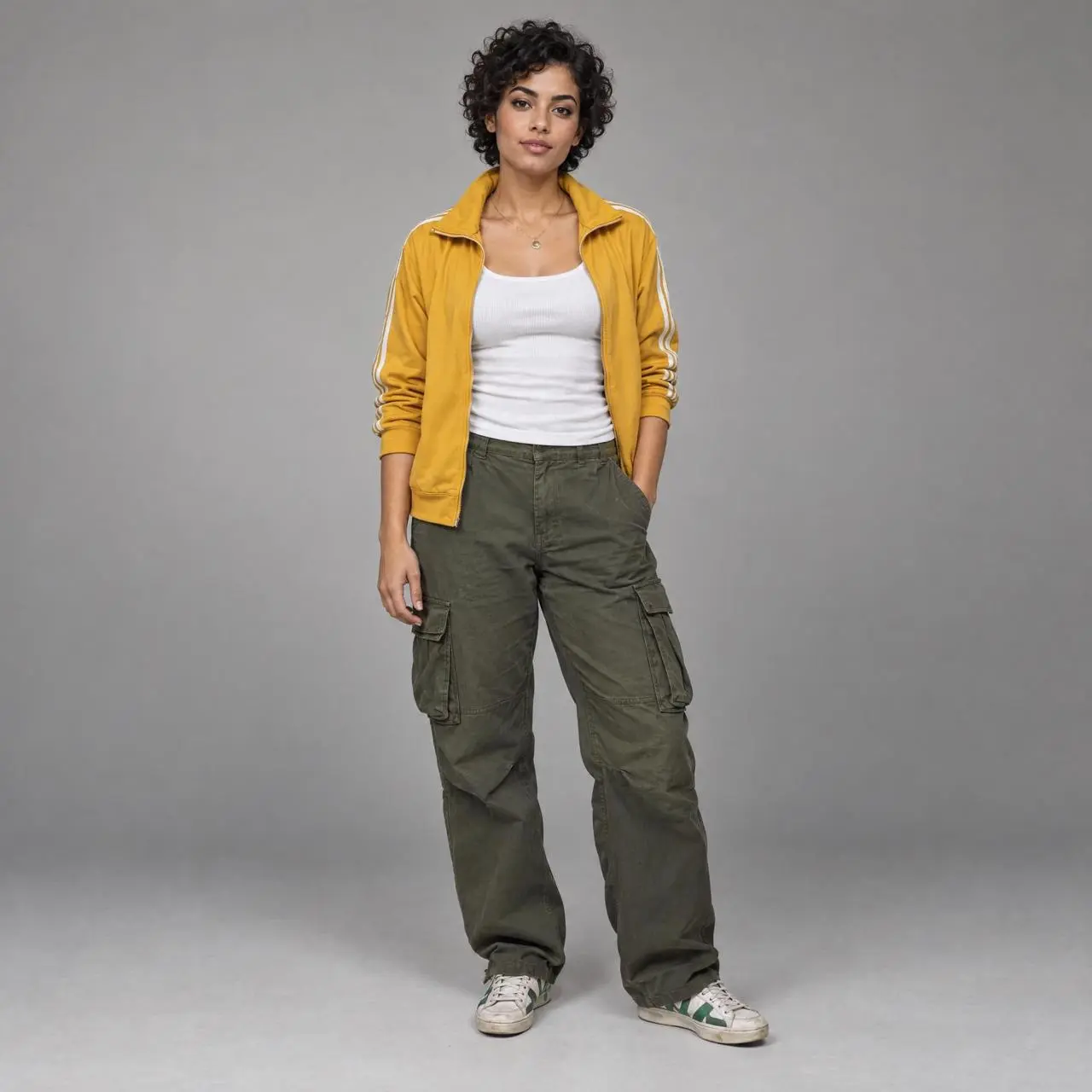
참조 인물 사진 속 여성을 초기 콘솔 게임 스타일의 캐릭터로 바꾸고 새로운 슈퍼마켓 주차장에 배치합니다. 렌더링 스타일, 자세, 배경을 바꾸는 요청입니다.
Transform the uploaded fictional woman into an early-2000s PS2-era open-world 3D game screenshot. Preserve the same short black curls, mustard track jacket, white tank, olive cargo pants and sneakers. Low-to-medium polygon model, simplified joints, angular surfaces, matte skin, blurry stretched textures, baked clothing folds, basic real-time light and shadows. Third-person wide shot outside a neighborhood supermarket at dusk. She runs awkwardly across the parking lot while hugging far too many colorful snack bags; two bags tumble behind her and an old compact car waits in the background. Her grin is exaggerated and the running pose is stiff but readable like an NPC animation. Dusty asphalt, muted green and brown storefront, a few saturated packages, large depth of field and slight compression. No logos, no readable text, no HUD, no watermark.
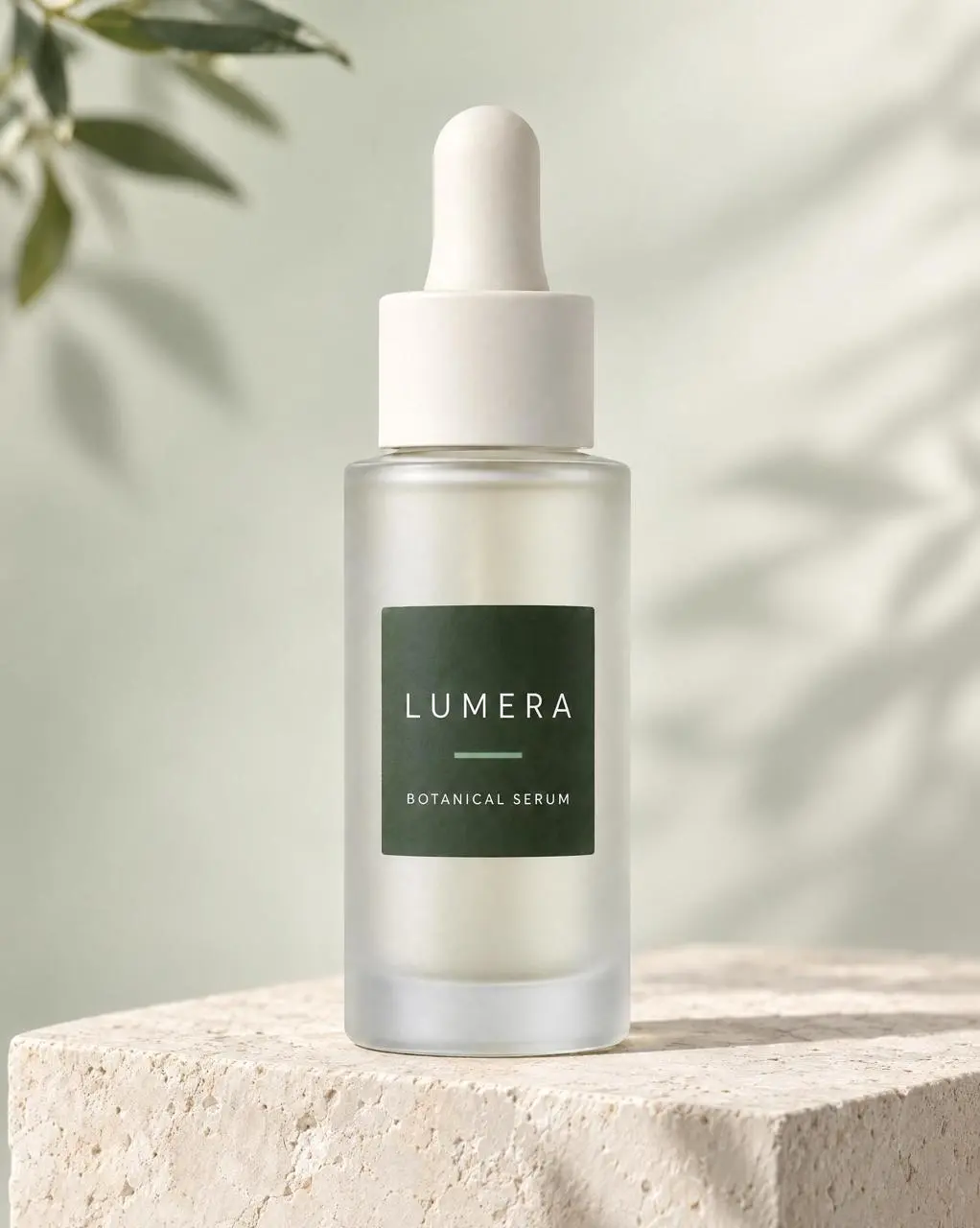
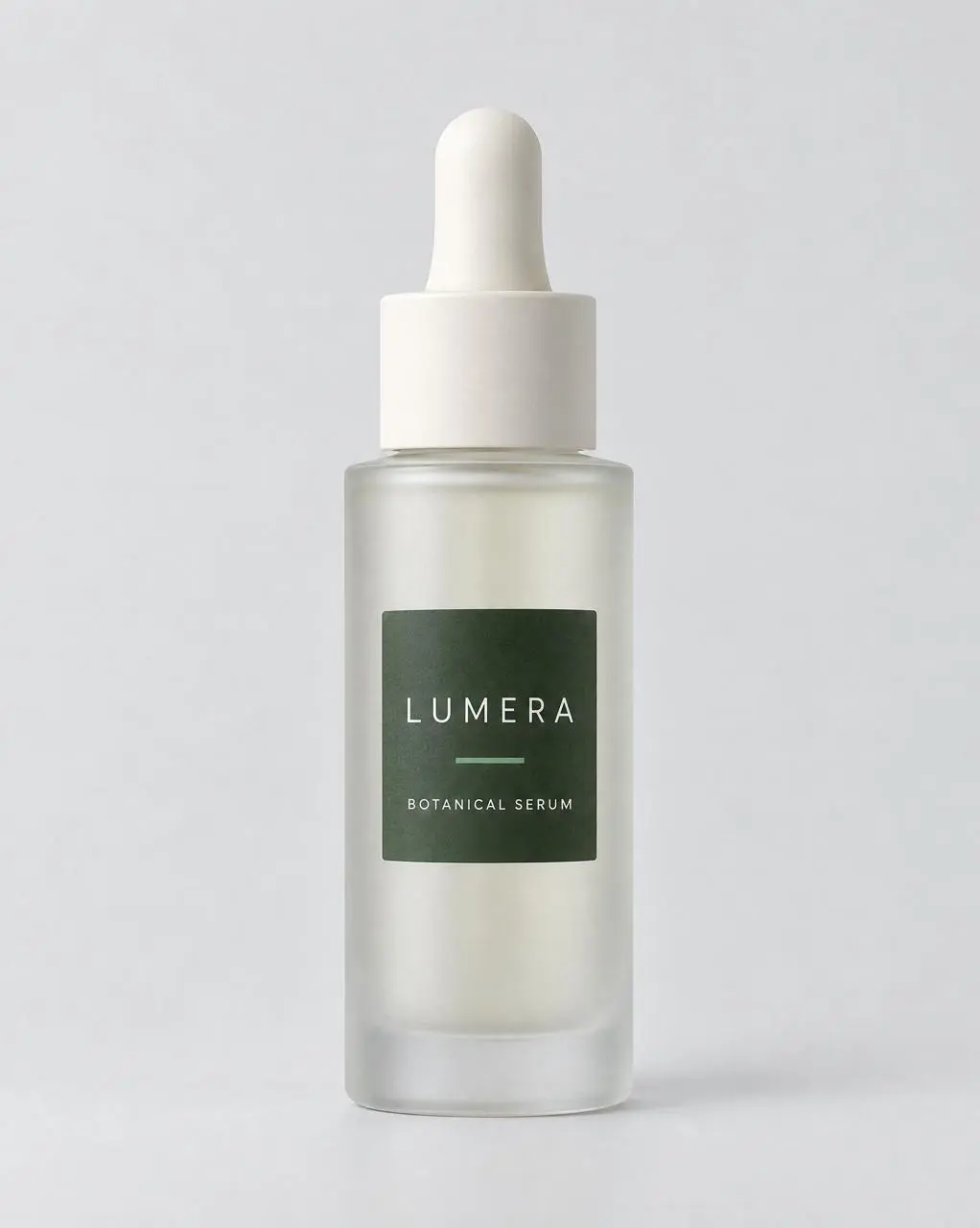
Use image 1 as the only approved product reference. Create a premium ecommerce PDP hero image of the exact same LUMERA BOTANICAL SERUM bottle. Preserve the bottle geometry, frosted glass, ivory dropper, dark-green rectangular label, sage accent line, label placement, front-facing camera angle, and exact readable words LUMERA and BOTANICAL SERUM. Place it upright on a pale limestone pedestal with a very soft sage-to-ivory background, diffused daylight, realistic contact shadow, restrained botanical shadows, generous negative space, high-end skincare photography. Do not redesign the bottle, do not change the label, do not add extra products, claims, badges, logos, or text.
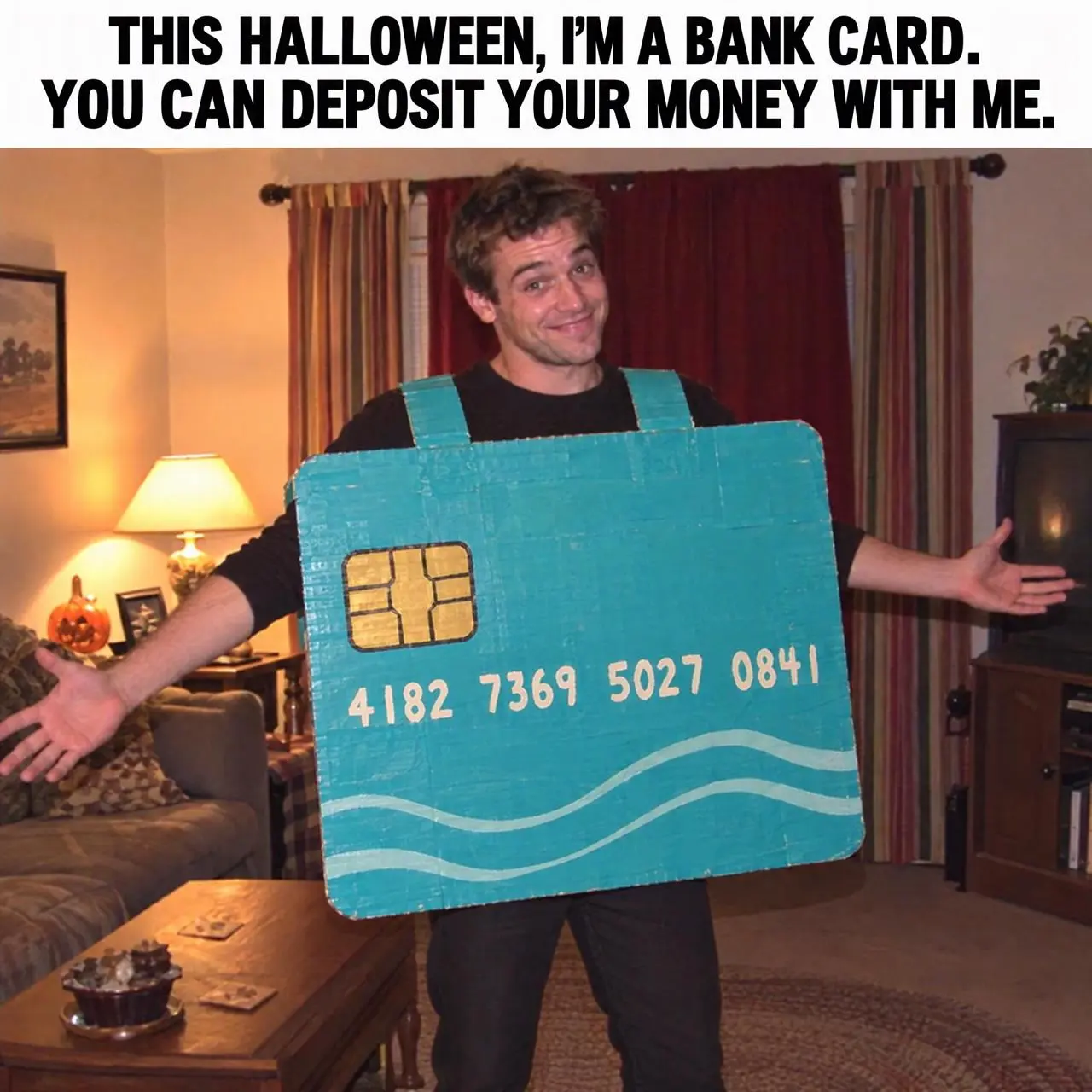
캐릭터 참조에 제공된 문구와 새 의상을 결합합니다. 요청은 문구와 피사체 위의 위치를 지정하며, 결과는 텍스트와 그림을 한 구성에 결합합니다.
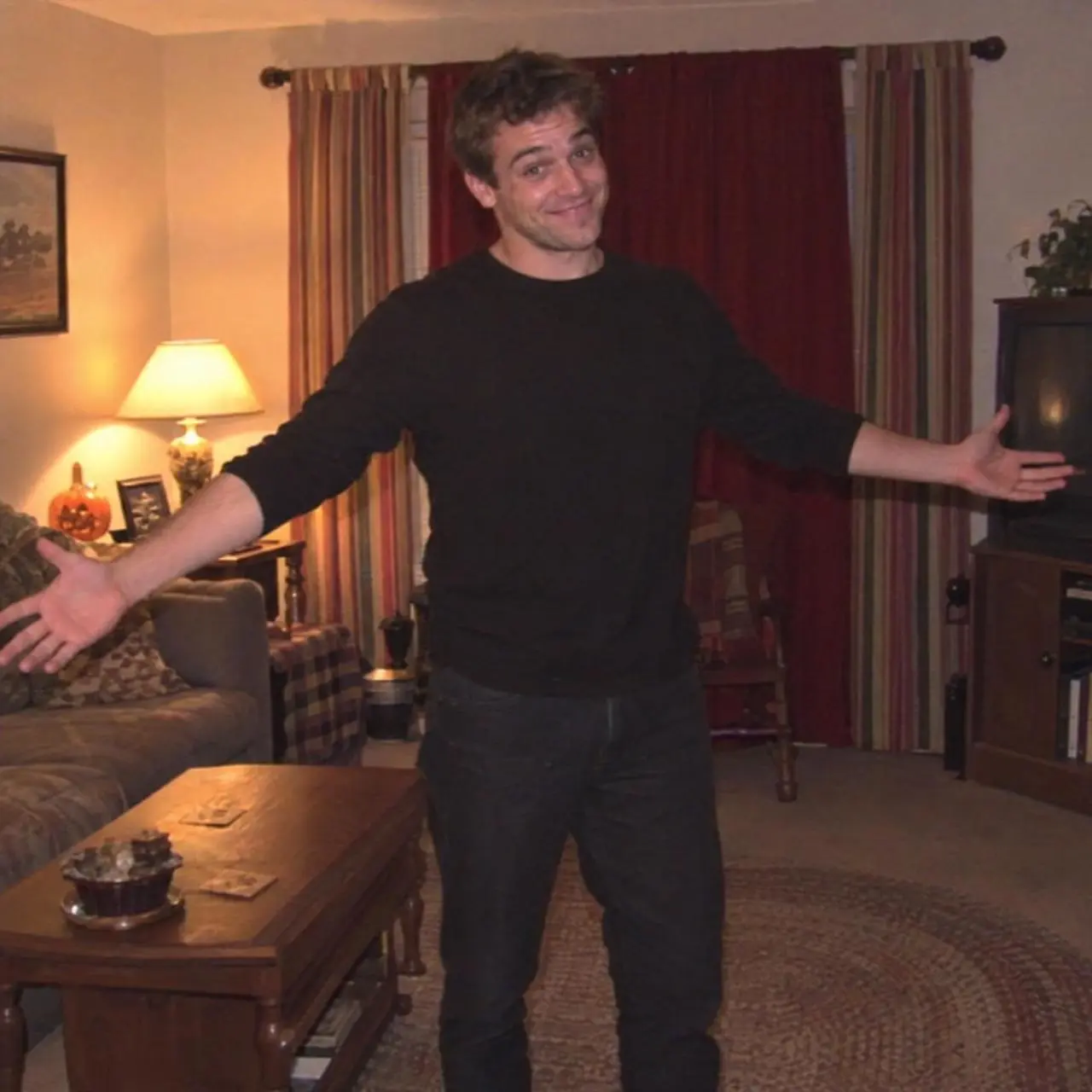
Use the uploaded fictional adult man and living room as the identity and scene reference. Create a square English-language Halloween meme. He wears a deliberately handmade oversized turquoise bank-card costume made from painted cardboard, with a generic chip shape and nonsense decorative numbers only, no real bank or payment logos. Keep his smiling face visible and arms open. Add a clean white caption band at the top containing exactly this English text in bold black characters: ‘THIS HALLOWEEN, I’M A BANK CARD. YOU CAN DEPOSIT YOUR MONEY WITH ME.’ Warm camcorder lighting, slightly awkward homemade charm, mild compression. No other text, no watermark, no child.
GPT Image 2.5 Sunburst는 정밀한 편집과 까다로운 시각 작업을 위한 OpenAI 이미지 생성 및 편집 모델입니다. 글로 쓴 지시와 참조 이미지를 입력받습니다.
세부 이미지 생성과 시각적 제약이 중요한 편집에 Sunburst를 검토하세요. 저장된 제품 사진, 게임풍 변환, 문구가 있는 코스튬 이미지는 서로 다른 참조 및 텍스트 작업을 보여 주며 픽셀 단위의 정확한 보존을 보장하지 않습니다.
정밀함을 중시하는 편집
OpenAI는 편집의 정밀함이 중요한 작업용으로 Sunburst를 소개합니다. 요청하는 변화를 지시하면서 일관성을 유지해야 할 피사체 디테일과 영역을 지정하세요.
상품 라벨과 소재 세부 표현
세럼 예시는 LUMERA 라벨, 반투명 무광 유리, 밝은 색 스포이트를 새로운 석회암 받침대 장면으로 옮깁니다. 상품 이미지를 만들 때는 문구, 라벨 위치, 소재를 지정하고 각 요소를 참조 이미지와 비교하세요.
참조 이미지에 따른 배경과 조명 변경
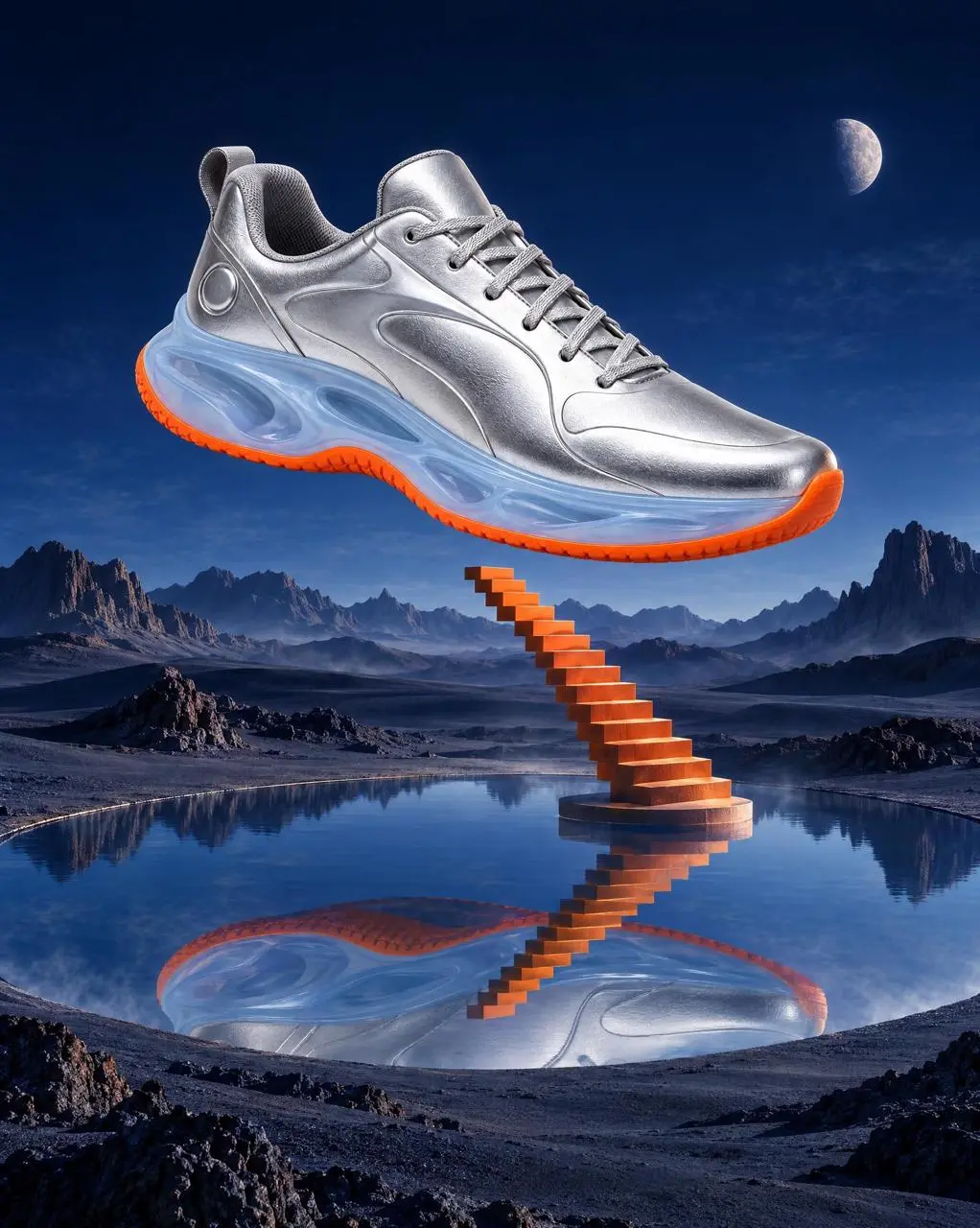
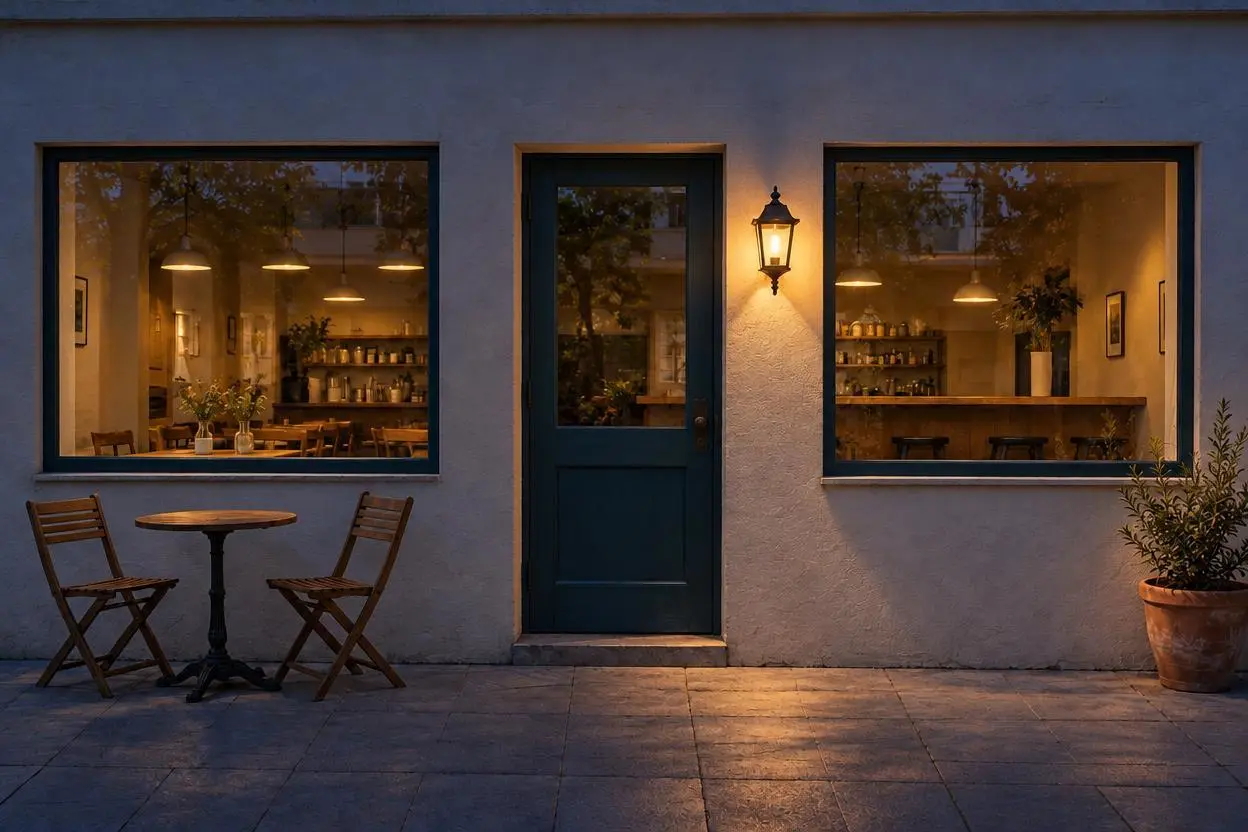
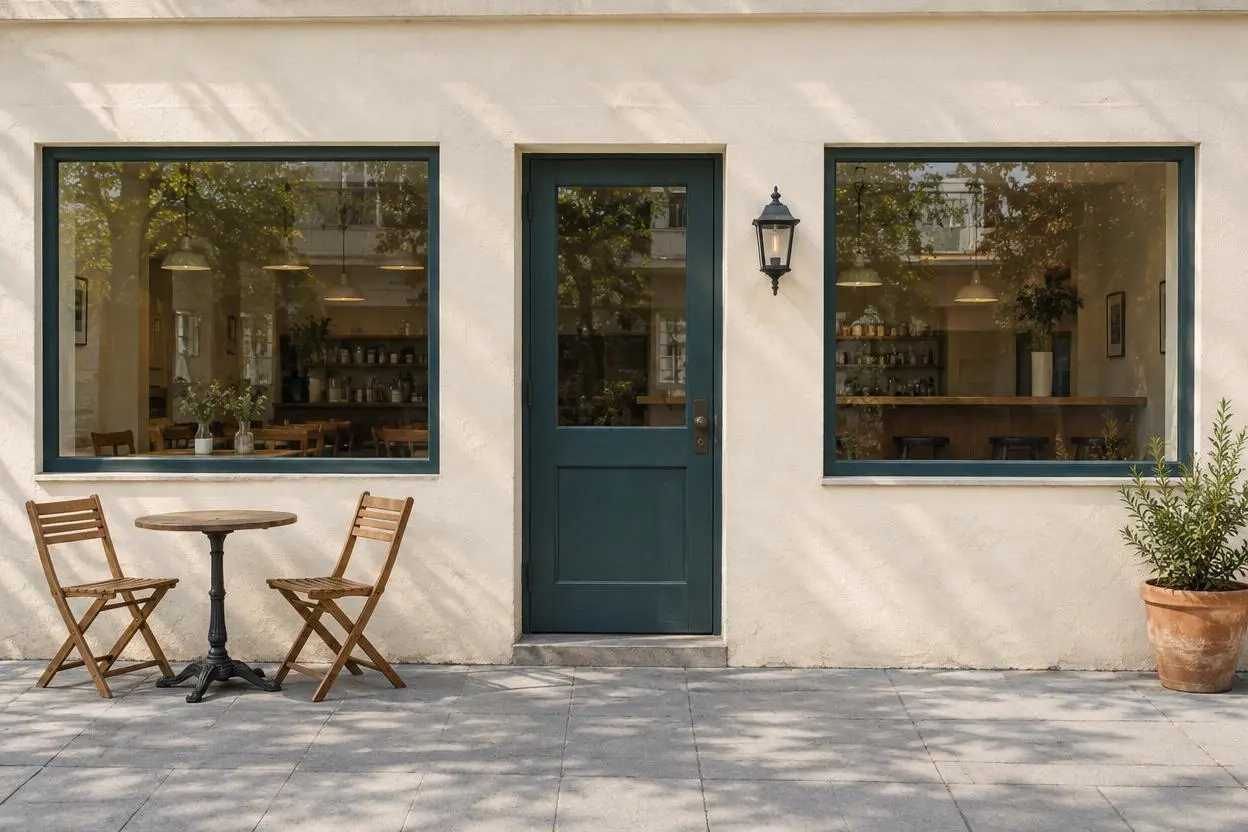
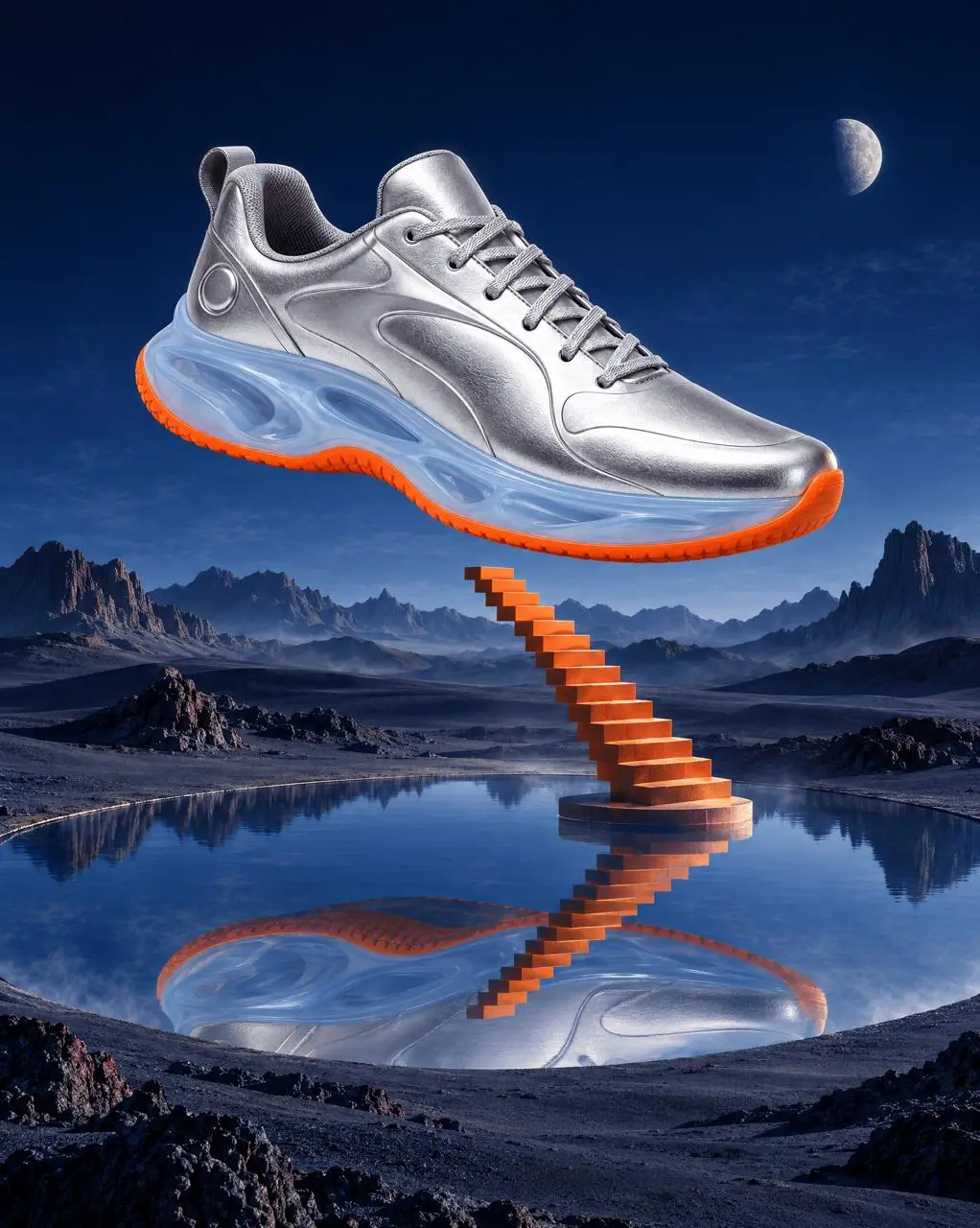
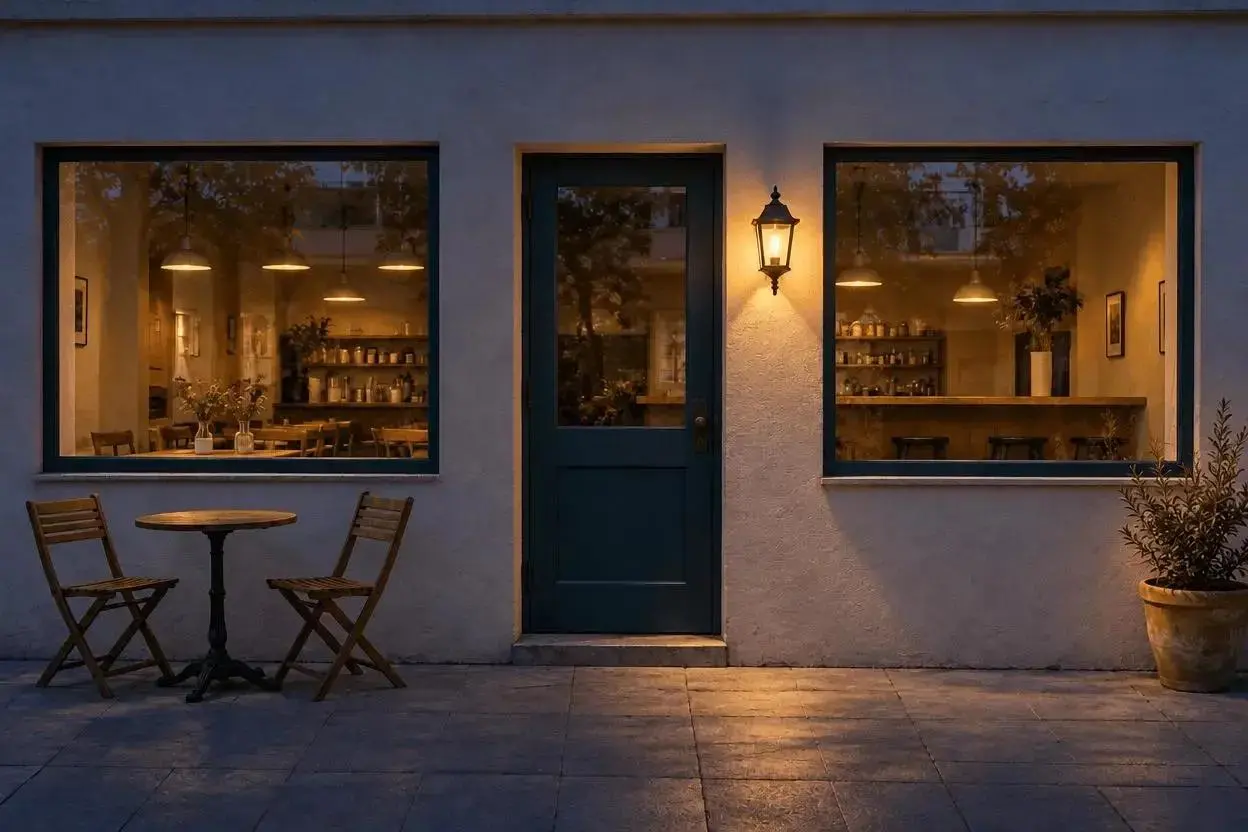
운동화 포스터는 알아볼 수 있는 은색과 주황색 상품 디테일을 초현실적인 풍경에 배치합니다. 카페 편집은 기존 창문과 벽등을 중심으로 야간 조명을 만듭니다. 피사체 세부 사항과 배경 변경을 나누어 설명하고 유지할 구조를 확인하세요.
제작 방식
시작 입력 선택하기
새 이미지에는 글로 쓴 요청을, 편집에는 원본 이미지를 사용하세요. 유지할 인물, 제품 또는 장면을 지정한 다음 새 스타일, 조명, 배치 또는 문구를 설명하세요.
참조 사진으로 시작
편집할 피사체나 장면을 업로드하세요. 입력이 여러 개면 각 참조가 제공하는 내용과 원하는 변경을 설명하세요.
글로 작성한 구상으로 제작
새 피사체, 배경, 구도와 시각적 표현을 설명하세요. 이미지에 들어갈 문구도 포함하세요.
프롬프트 가이드
GPT Image 2.5 Sunburst 프롬프트 작성 방법
아래의 실제 GPT Image 2.5 Sunburst 프롬프트를 결과 및 사용한 참조 입력과 함께 살펴보세요. 각 설명은 확인할 특정 지시를 짚어 줍니다. 효과를 요청했다고 해서 생성된 모든 디테일이 일치한다는 보장은 없습니다.
변경할 부분과 유지할 세부 사항 명시
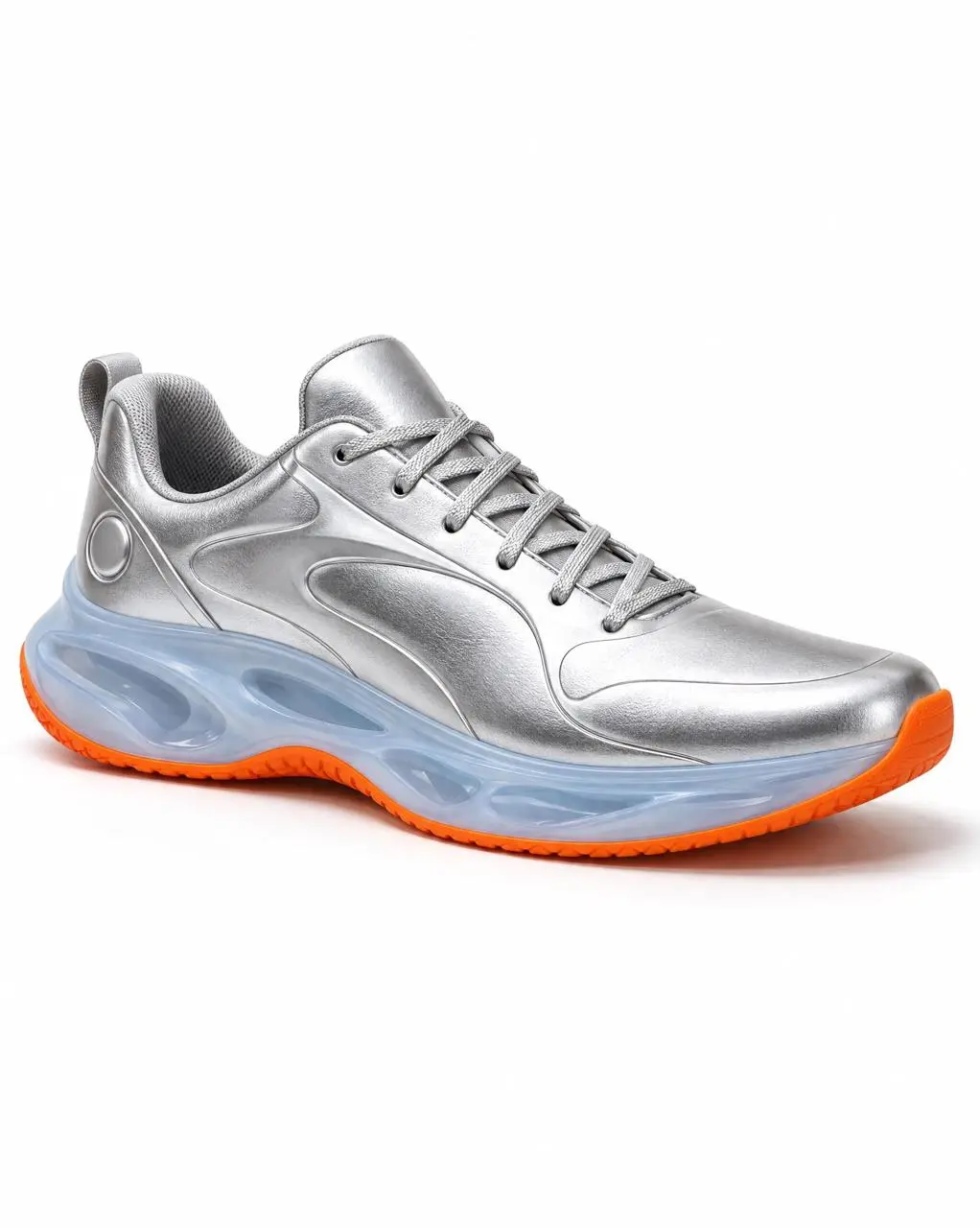
이미지가 제공하는 피사체나 구도와 요청하는 변환을 구분하세요. 이 사례의 지시는 다음과 같습니다. “Preserve the exact metallic-silver upper, silver laces, translucent ice-blue sculpted midsole, orange outsole, circular heel detail, proportions, and right-facing three-quarter orientation.”
Use the uploaded silver sneaker as a strict product reference and create a surreal 4:5 editorial product poster. Preserve the exact metallic-silver upper, silver laces, translucent ice-blue sculpted midsole, orange outsole, circular heel detail, proportions, and right-facing three-quarter orientation. Make the sneaker enormous and suspended above a quiet cobalt desert where a perfectly circular mirror lake reflects it. A narrow orange staircase rises from the lake toward the shoe but never touches it. Add a small pale moon, long hard-edged shadows, light atmospheric haze, and a deep ultramarine-to-black sky. Sophisticated surrealism, precise photorealistic materials, clean art-direction, dramatic negative space, museum-poster composition. No people, no extra shoes, no text, no letters, no logo, no watermark, no melting or distorted product.
장면을 유지하면서 조명 바꾸기
편집 요청은 새로운 조명 조건과 유지할 장면의 디테일을 함께 명시합니다. 이 사례의 지시는 다음과 같습니다. “Edit image 1 into a believable blue-hour night photograph of the same cafe.”
Edit image 1 into a believable blue-hour night photograph of the same cafe. Keep exactly the same building geometry, single central teal door, two windows, black wall lantern, two chairs, round table, planter, pavement, camera viewpoint and crop. Darken the ambient scene with cool blue evening light, illuminate the existing wall lantern with warm light and let soft warm interior light glow through both existing windows. Add subtle warm light spill onto nearby wall and pavement consistent with those light sources. Do not add a moon, stars, neon signs, extra furniture, doors, windows, people, cars, text or logos.
프레이밍, 빛, 일러스트 표현 지정하기
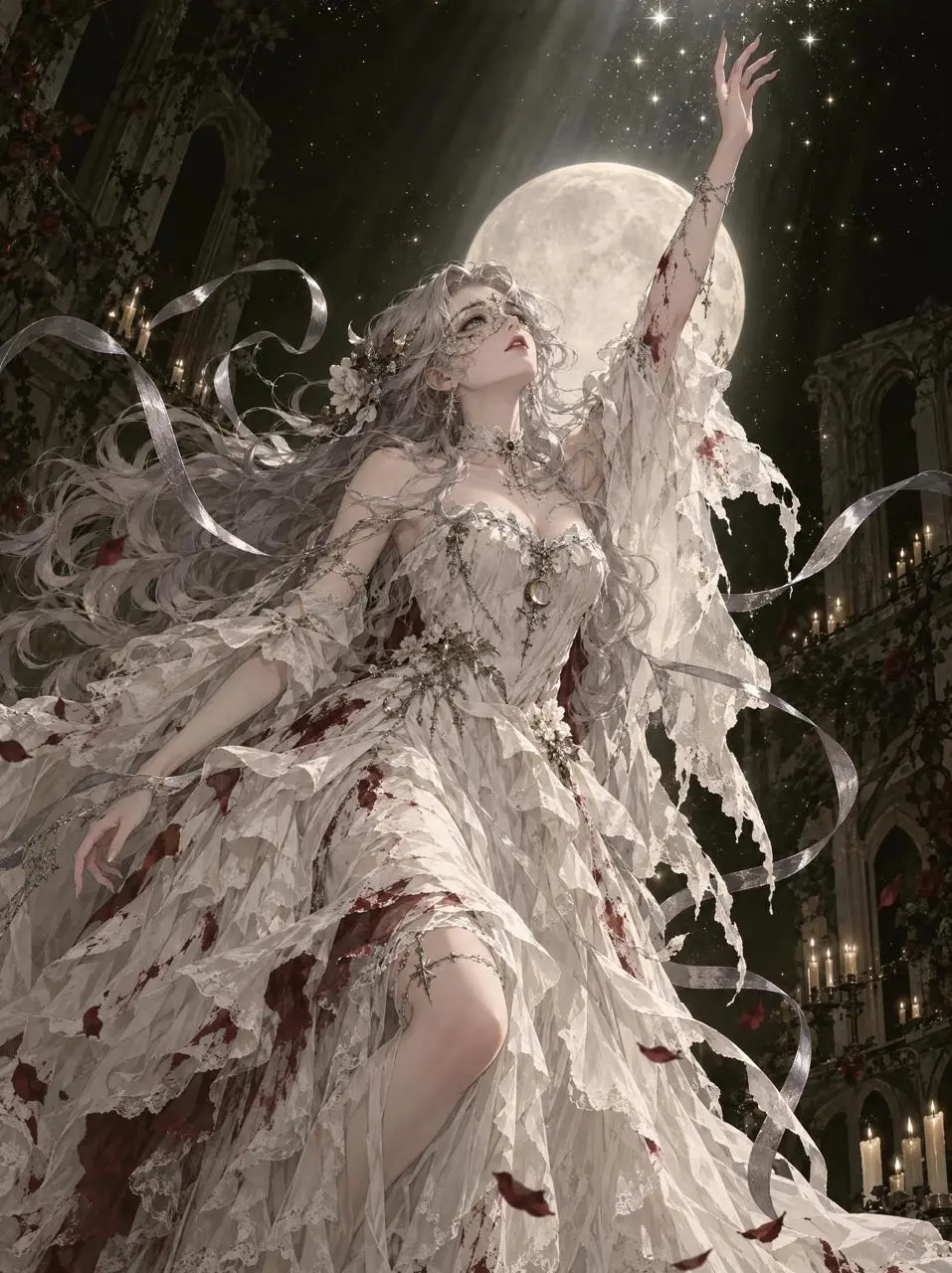
세로 구도와 위로 손을 뻗는 자세를 지정한 다음, 어두운 여백과 달빛, 윤곽광으로 시선을 이끄세요. 이 프롬프트는 흩날리는 시폰, 반짝이는 먼지, 섬세한 선화와 회화적 표현도 지정합니다. 각 지시를 결과와 비교하세요.
Create an original vertical anime Halloween fantasy illustration of one fictional adult woman aged 24 rising through a shaft of moonlight. She has flowing pearl-gray hair and wears an elaborate off-white spectral masquerade gown with layered torn chiffon, silver ribbon trails and small dark-crimson weathered stains that read as theatrical costume paint, not injury. One arm reaches toward a cluster of tiny stars above her. Deep olive-black negative space, sparkling dust, elegant dynamic fabric, cinematic rim light, refined line art and painterly rendering. Melancholic and magical rather than violent. New original character and garment design, no text, no watermark, no copied pose or franchise styling.
사용 방법
GPT Image 2.5 Sunburst 첫 이미지 만들기
GPT Image 2.5 Sunburst 선택 항목과 아래에 설명된 입력 경로로 시작하세요. 제출 전에 사용 가능한 설정과 포인트를 확인하세요.
이 모델에 필요한 입력 제공
이 페이지에서 GPT Image 2.5 Sunburst를 선택하세요. 편집하려면 원본 이미지를 업로드하고 유지할 부분과 바꿀 부분을 설명하세요. 텍스트로 새 이미지를 만들 때는 구도와 필요한 정확한 문구를 지정하세요.
이용 가능한 설정과 포인트 확인
크기 라벨: 1K, 2K, 4K. 품질: low, medium, high, xhigh, max. 화면 비율: auto, 1:1, 1:2, 2:1, 1:3, 3:1, 2:3, 3:2, 4:3, 3:4, 16:9, 9:16, 21:9, 9:21, 4:5, 5:4. 이는 선택 가능한 설정이며 고정 픽셀 크기나 파일 형식 보장이 아닙니다. 실제 크기는 원본 결과 파일에서 확인하세요. 제출 전에 표시된 포인트와 요금제의 모델 접근 권한을 확인하세요.
결과 열기 및 확인
제품이나 인물을 참조와 비교하고 각 편집의 경계를 살펴보며 문구를 교정하세요. 품질 설정을 높이는 것만으로 정확성이 검증되지는 않습니다.
세 모델 모두 텍스트와 참조 이미지를 입력받습니다. 텍스트 중심 디자인과 참조 편집에는 GPT Image 2, OpenAI가 속도 중심으로 소개하는 일상적인 이미지 제작에는 Flare, 정밀한 편집에는 Sunburst를 고려하세요. 아래에서 현재 WeShop 설정을 비교한 뒤 각 선택 카드로 모델을 열 수 있습니다.
비교 항목
GPT Image 2
GPT Image 2.5 Flare
GPT Image 2.5 Sunburst
모델 역할
텍스트 중심 디자인과 참조 편집
OpenAI가 소개하는 빠른 일상 이미지 생성
정밀한 편집과 까다로운 시각 작업
WeShop 입력
텍스트 프롬프트, 선택적 참조 이미지
텍스트 프롬프트, 선택적 참조 이미지
텍스트 프롬프트, 선택적 참조 이미지
현재 WeShop 옵션
이미지 크기: 1K, 2K, 4K; 품질: low, medium, high
이미지 크기: 1K, 2K, 4K; 품질: low, medium, high, xhigh, max
이미지 크기: 1K, 2K, 4K; 품질: low, medium, high, xhigh, max
모델 역할
GPT Image 2
텍스트 중심 디자인과 참조 편집
GPT Image 2.5 Flare
OpenAI가 소개하는 빠른 일상 이미지 생성
GPT Image 2.5 Sunburst
정밀한 편집과 까다로운 시각 작업
WeShop 입력
GPT Image 2
텍스트 프롬프트, 선택적 참조 이미지
GPT Image 2.5 Flare
텍스트 프롬프트, 선택적 참조 이미지
GPT Image 2.5 Sunburst
텍스트 프롬프트, 선택적 참조 이미지
현재 WeShop 옵션
GPT Image 2
이미지 크기: 1K, 2K, 4K; 품질: low, medium, high
GPT Image 2.5 Flare
이미지 크기: 1K, 2K, 4K; 품질: low, medium, high, xhigh, max
GPT Image 2.5 Sunburst
이미지 크기: 1K, 2K, 4K; 품질: low, medium, high, xhigh, max
GPT Image 2
텍스트 중심 이미지 디자인과 참조 사진 편집에서 low, medium, high 품질 설정이 작업에 적합하다면 GPT Image 2를 선택하세요. 모델 페이지에서 예시와 사용할 수 있는 설정을 확인하세요.
GPT Image 2.5 Sunburst는 정밀한 편집과 까다로운 시각 작업을 위한 OpenAI 이미지 생성 및 편집 모델입니다. 글로 쓴 지시와 참조 이미지를 입력받습니다.
GPT Image 2.5 Sunburst 활용 용도는 무엇인가요?
세부 이미지 생성과 시각적 제약이 중요한 편집에 Sunburst를 검토하세요. 저장된 제품 사진, 게임풍 변환, 문구가 있는 코스튬 이미지는 서로 다른 참조 및 텍스트 작업을 보여 주며 픽셀 단위의 정확한 보존을 보장하지 않습니다.
GPT Image 2.5 Sunburst 사용에 어떤 입력이 필요한가요?
새 이미지에는 글로 쓴 요청을, 편집에는 원본 이미지를 사용하세요. 유지할 인물, 제품 또는 장면을 지정한 다음 새 스타일, 조명, 배치 또는 문구를 설명하세요.
어떤 크기와 화면비 설정을 사용할 수 있나요?
크기 라벨: 1K, 2K, 4K. 품질: low, medium, high, xhigh, max. 화면 비율: auto, 1:1, 1:2, 2:1, 1:3, 3:1, 2:3, 3:2, 4:3, 3:4, 16:9, 9:16, 21:9, 9:21, 4:5, 5:4. 이는 선택 가능한 설정이며 고정 픽셀 크기나 파일 형식 보장이 아닙니다. 실제 크기는 원본 결과 파일에서 확인하세요.
GPT Image 2.5 Sunburst 프롬프트는 어떻게 쓰면 되나요?
이미지가 제공하는 피사체나 구도와 요청하는 변환을 구분하세요. 이 사례의 지시는 다음과 같습니다. “Preserve the exact metallic-silver upper, silver laces, translucent ice-blue sculpted midsole, orange outsole, circular heel detail, proportions, and right-facing three-quarter orientation.” 가이드의 전체 프롬프트와 실제 입력을 읽은 뒤 자신의 작업에 맞게 조정하세요.
GPT Image 2.5 Sunburst 모델은 관련 모델과 어떻게 다른가요?
OpenAI는 Sunburst를 까다로운 이미지 생성과 정밀한 편집용으로 소개합니다. 일상적인 반복 속도가 우선이면 Flare와 비교하세요. 이름에 따른 품질 보장 대신 실제 작업을 대표하는 입력과 WeShop의 실제 옵션을 사용하세요.
WeShop에서 Sunburst 이용 요금은 어떻게 계산되나요?
WeShop은 포인트를 사용하며 유료 요금제는 모든 모델에 대한 접근 권한을 제공합니다. 제출 전에 선택한 설정과 수량에 따른 생성기의 예상 포인트를 확인하고, 계정의 모델 이용 권한과 사용 가능한 잔액을 확인하세요. 이 FAQ 아래의 “WeShop 요금제 및 포인트 보기”에서 현재 요금제, 제공량과 구매 옵션을 볼 수 있습니다.
어떤 한계를 확인해야 하나요?
이미지 지시는 결과에서 확인해야 할 제약이며 모든 디테일이나 단어가 정확하게 재현된다는 보장은 아닙니다. 제품이나 인물을 참조와 비교하고 각 편집의 경계를 살펴보며 문구를 교정하세요. 품질 설정을 높이는 것만으로 정확성이 검증되지는 않습니다.
이 페이지의 예시에서 무엇을 배울 수 있나요?
저장된 GPT Image 2.5 Sunburst 예시는 레트로 게임풍 캐릭터 변환, 참조에 따른 세럼 제품 사진, 문구가 있는 코스튬 밈 만들기 사례를 보여 줍니다. 각 결과를 실제 프롬프트와 사용 가능한 입력과 함께 확인하세요. 사례는 하나의 요청을 보여 줄 뿐 결과 보장이나 성공률 벤치마크가 아닙니다.