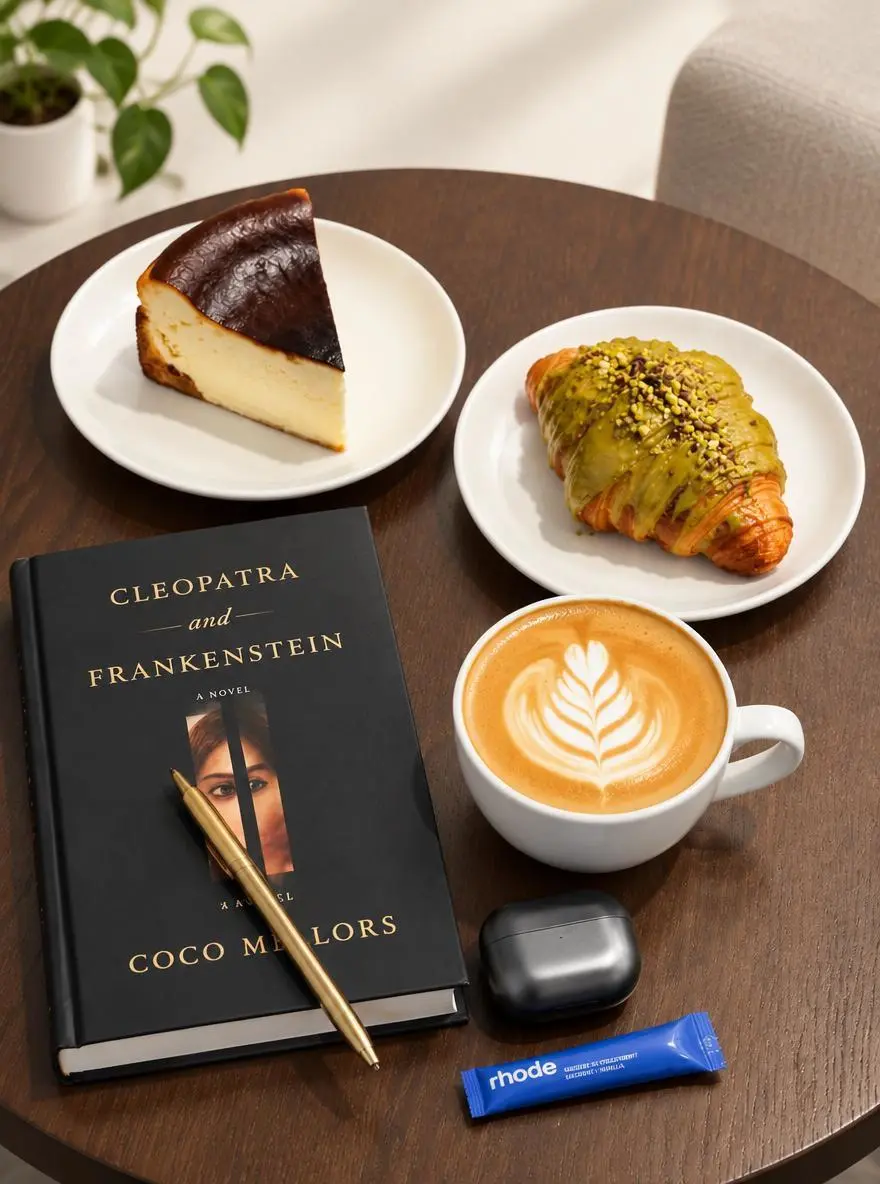
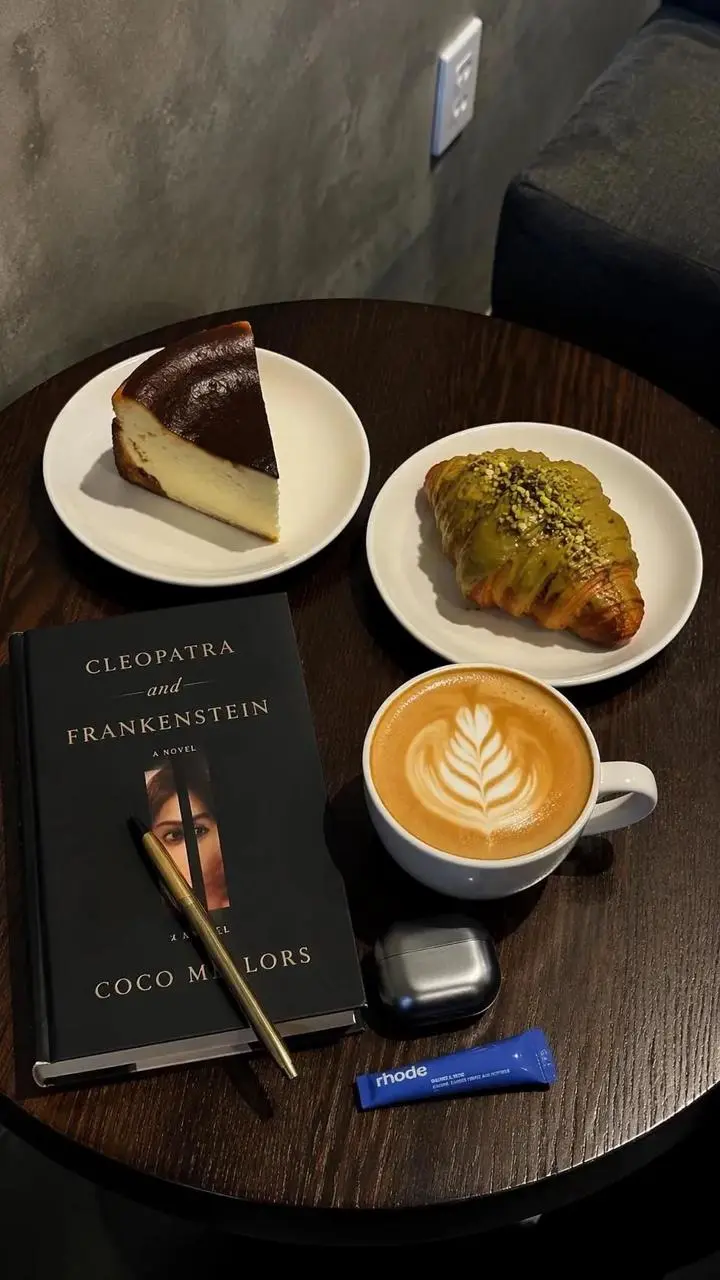
탁상 제품 사진 스타일 바꾸기
기존 이미지에서 사진의 배경과 조명을 바꿉니다. 탁상 참조 이미지에 더 밝은 배경과 부드러운 그림자를 요청한 사례입니다.
Use the uploaded photo as the reference. Explore a brighter studio background and softer shadows while focusing the composition on the main product.

GPT Image 2.5 Flare는 속도 중심 일상 생성을 위한 OpenAI의 이미지 생성·편집 모델입니다. 글 지시와 이미지 참조를 입력받습니다.
GPT Image 2.5 Flare 모델을 탁상 제품 사진 스타일 바꾸기, 두 인물 사진 사이 메이크업 옮기기, 4단계 정보 그래픽 만들기 예시로 살펴보세요. 각 저장 사례는 실제 프롬프트와 사용 가능한 입력을 유지합니다. 자신의 피사체에 맞게 요청을 수정하기 전에 결과를 확인하세요.
기존 이미지에서 사진의 배경과 조명을 바꿉니다. 탁상 참조 이미지에 더 밝은 배경과 부드러운 그림자를 요청한 사례입니다.
Use the uploaded photo as the reference. Explore a brighter studio background and softer shadows while focusing the composition on the main product.
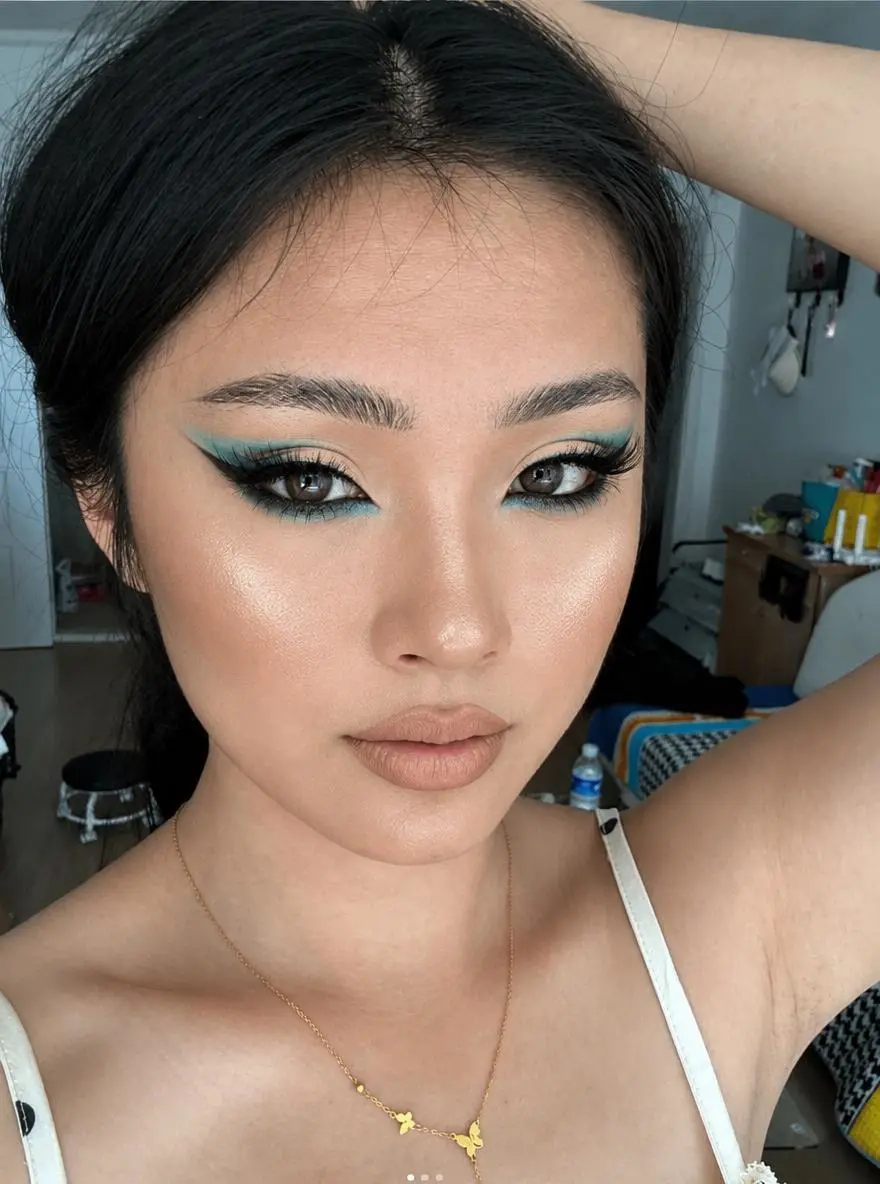
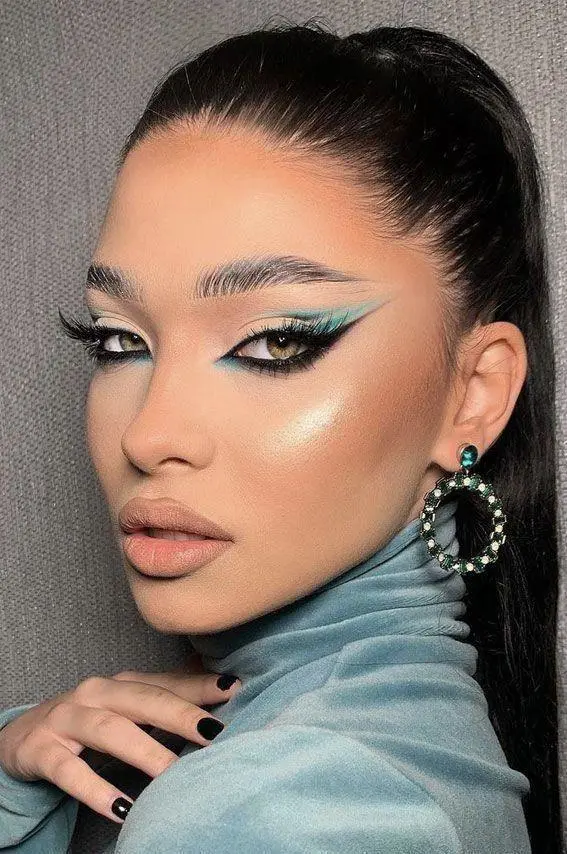
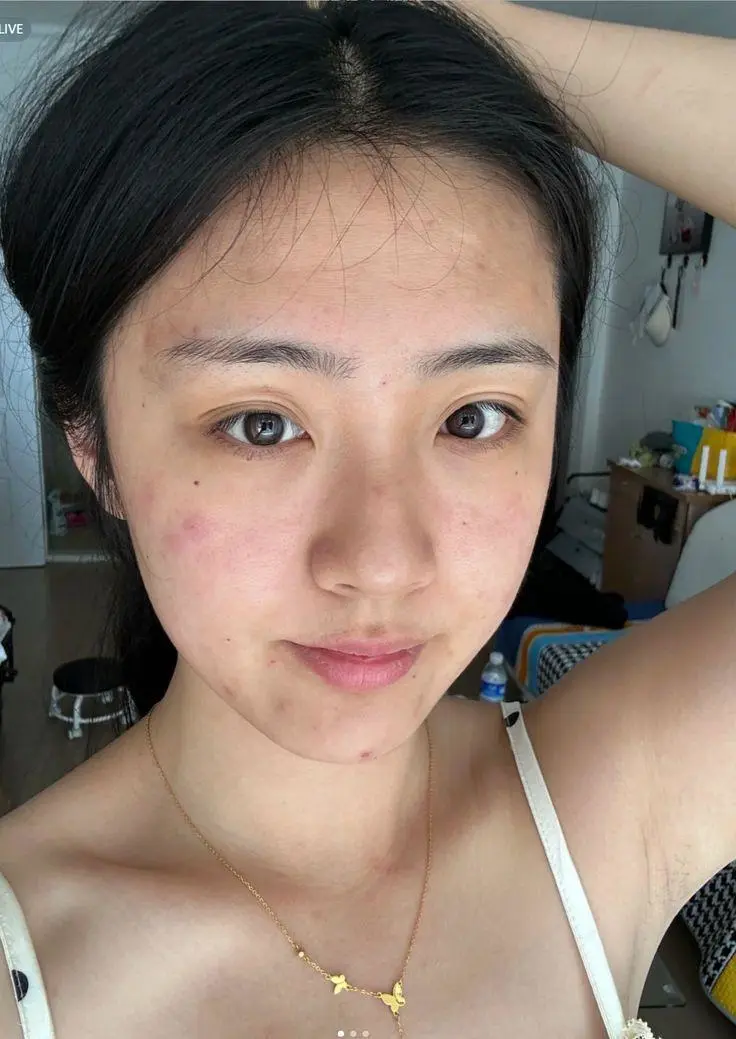
한 인물 사진은 메이크업을, 다른 사진은 사람을 제공합니다. 두 입력을 완성된 편집과 함께 표시해 참조 역할이 어떻게 사용되는지 볼 수 있습니다.
Transfer the makeup style from Image 1 to the person in Image 2. Only change the makeup on the person in Image 2, including eyeshadow, eyeliner, lashes, blush, contour, lip color, and overall makeup finish. Keep the person’s facial features, identity, hairstyle, clothing, pose, lighting, background, and photo style unchanged.
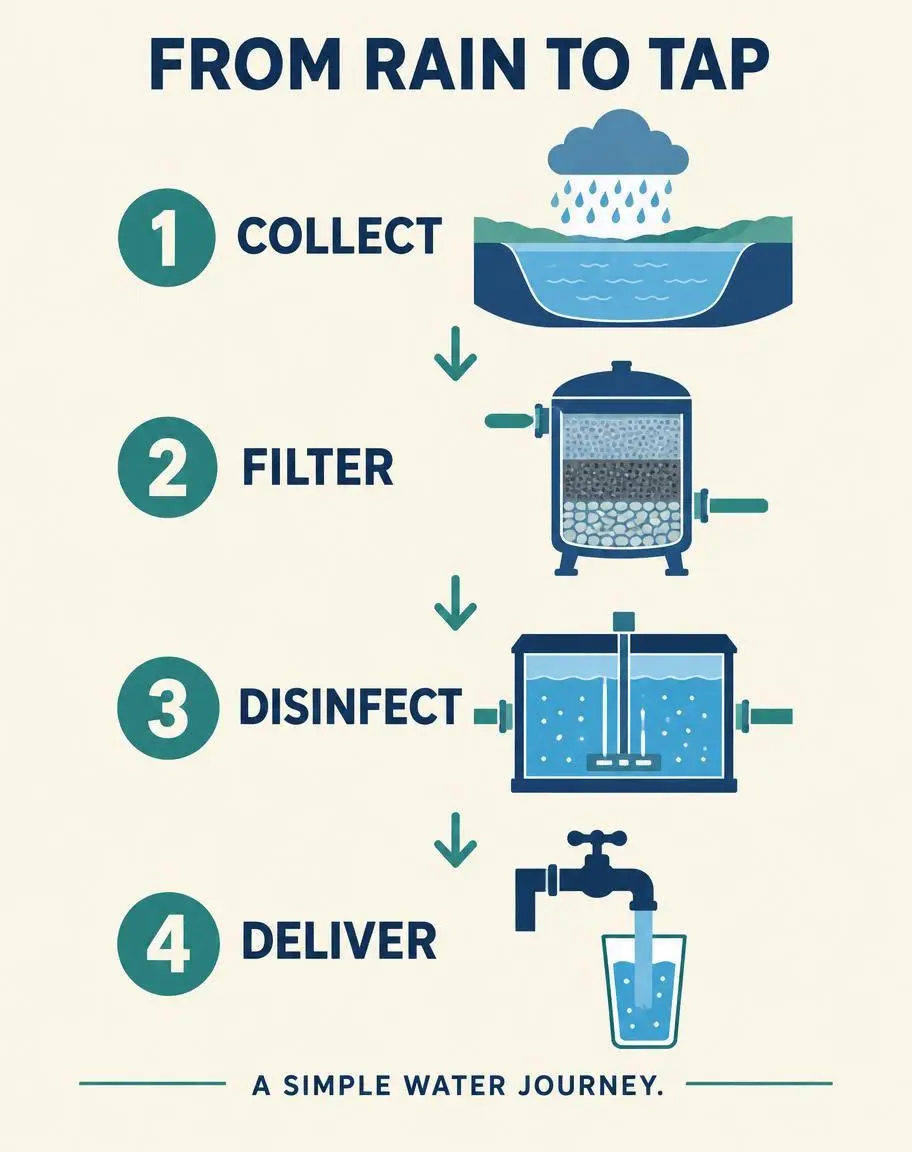
설명문을 시각적 순서로 만듭니다. 텍스트만 사용한 이 예시는 번호 단계, 화살표, 지정 라벨로 간단한 빗물 이동 과정을 설명합니다.
Create a finished vertical 4:5 editorial infographic titled FROM RAIN TO TAP. Warm ivory background, navy typography, restrained teal accents. Arrange exactly four numbered steps in a clear top-to-bottom sequence connected by arrows. Exact labels: 1 COLLECT; 2 FILTER; 3 DISINFECT; 4 DELIVER. Each step has one simple flat illustration: a reservoir under a rain cloud, a filter tank, a treatment chamber, and a household tap filling a glass. Include exactly this footer: A SIMPLE WATER JOURNEY. Use only the specified text, with exact spelling and no extra words. Large readable lettering, generous margins, consistent icon style, professional educational design. Do not repeat any step or add a fifth step. No logos, watermark, photorealistic background, or decorative illegible writing.
GPT Image 2.5 Flare는 속도 중심 일상 생성을 위한 OpenAI의 이미지 생성·편집 모델입니다. 글 지시와 이미지 참조를 입력받습니다. Flare는 제품 편집, 참조 조합, 텍스트 중심 그래픽 등 일상 생성과 반복에 적합합니다. 탁상 편집, 두 인물 사진 사이 메이크업 이동, 4단계 도표는 서로 다른 세 작업을 보여 주며 측정된 속도 벤치마크가 아닙니다.
OpenAI는 Flare를 빠른 일상 이미지 제작용으로 소개합니다. 시각적 대안을 만드는 데 사용하되 이 포지셔닝을 고정 생성 시간의 약속으로 보지 마세요.
포스터, 라벨이 있는 이미지, 레이아웃에 필요한 문구와 위치를 포함하세요. 출력에서 철자와 요소 간 관계를 확인하세요.
눈에 보이는 모든 디테일을 텍스트로 다시 구성하기보다 참조 이미지로 피사체 외형이나 편집을 지정하세요.
새 디자인은 텍스트만 사용하거나 편집용 원본 이미지를 업로드하세요. 메이크업 이동에서는 한 사진을 메이크업, 다른 사진을 인물로 지정하고 서로 바꿔 써도 된다고 가정하지 마세요.
원본 이미지는 필요하지 않습니다. 제품 콘셉트나 포스터처럼 피사체, 배경, 스타일, 구도를 설명하고 디자인에 표시할 문구를 포함하세요.
자신의 사진을 업로드하고 원하는 변경을 설명하세요. 여러 참조는 인물, 메이크업, 의상, 배경 등 각 이미지가 제공하는 요소를 지정하세요.
아래의 실제 GPT Image 2.5 Flare 프롬프트를 결과 및 사용한 참조 입력과 함께 살펴보세요. 각 설명은 확인할 특정 지시를 짚어 줍니다. 효과를 요청했다고 해서 생성된 모든 디테일이 일치한다는 보장은 없습니다.
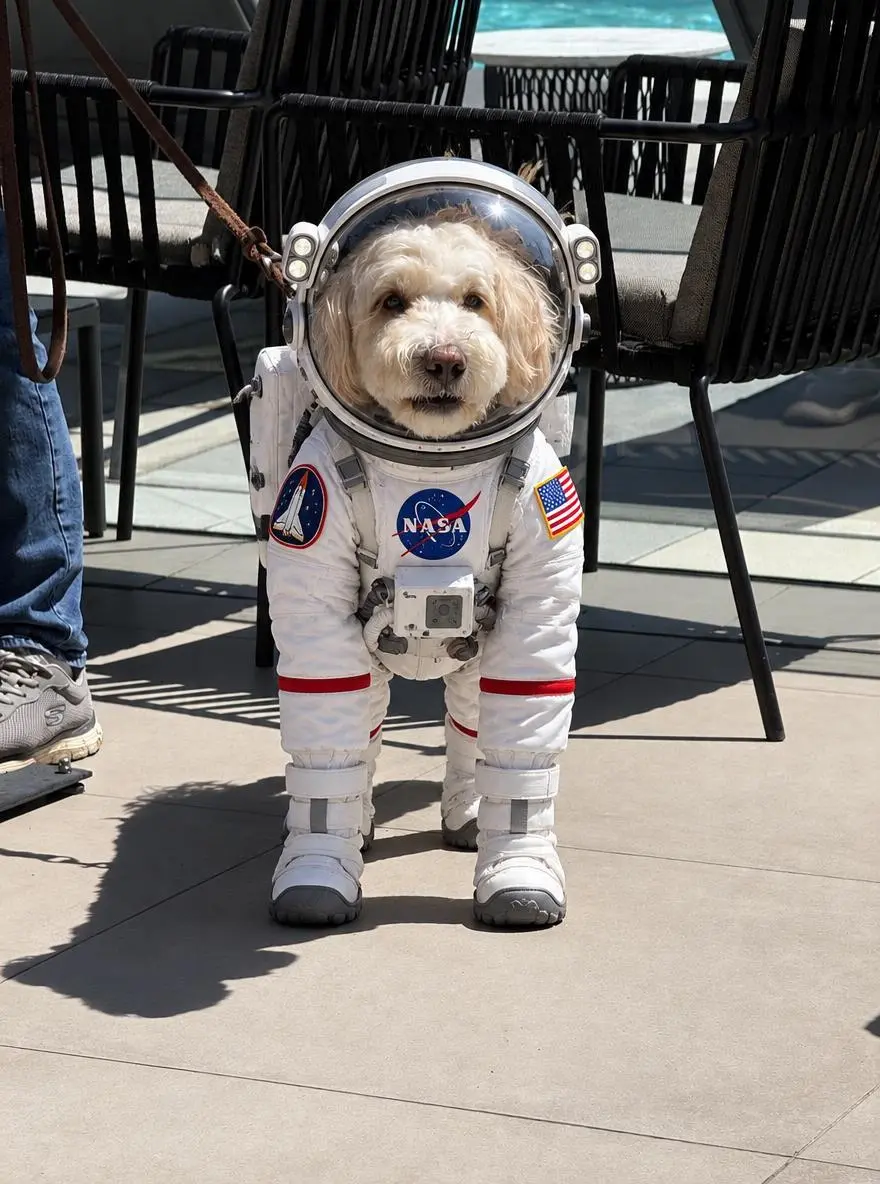
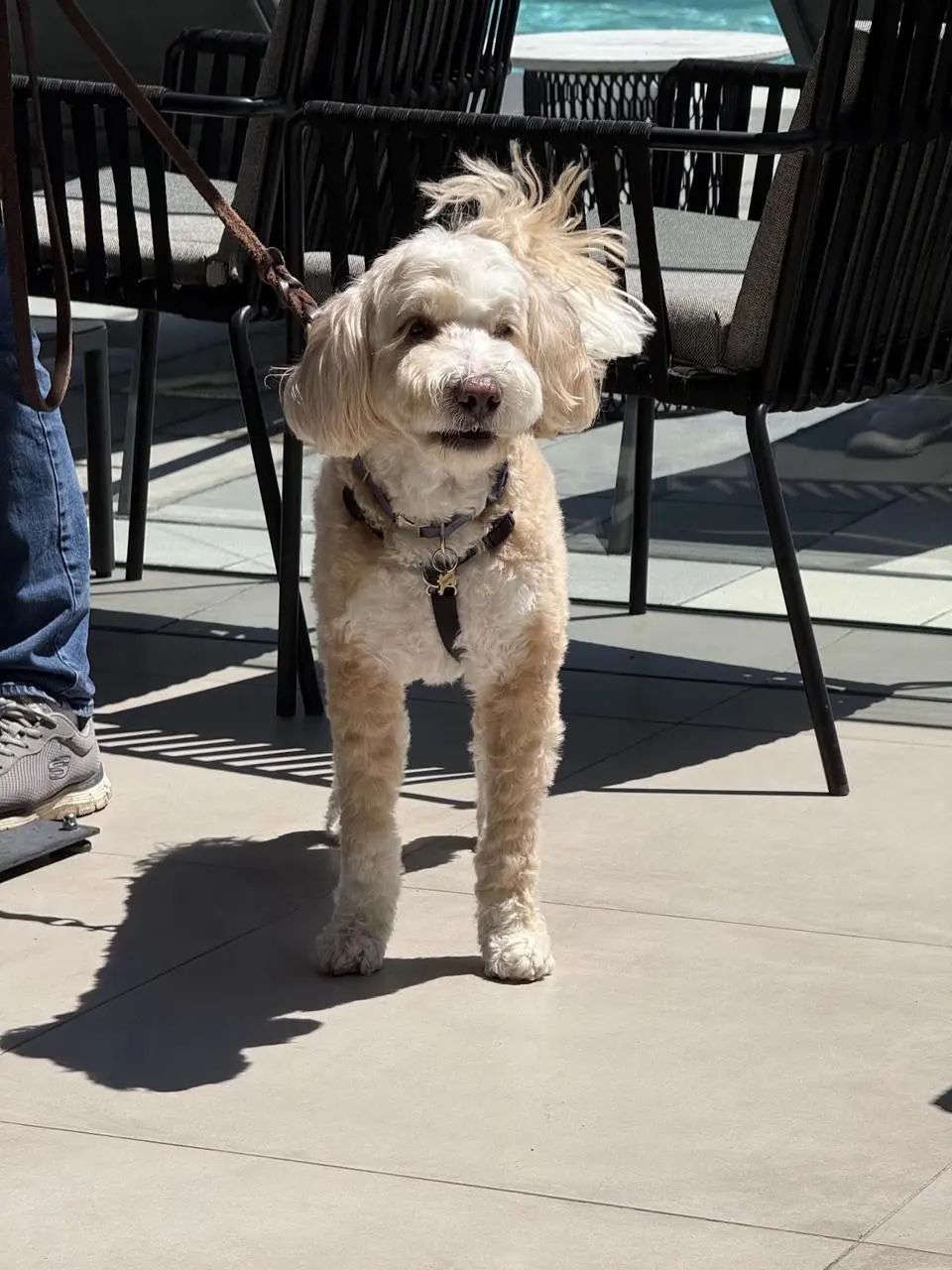
간단한 편집은 변경을 직접 설명하세요. 개 예시는 우주복을 요청하며 업로드한 사진이 시작 피사체를 제공합니다.
Dress the puppy in the picture in an astronaut Space suit
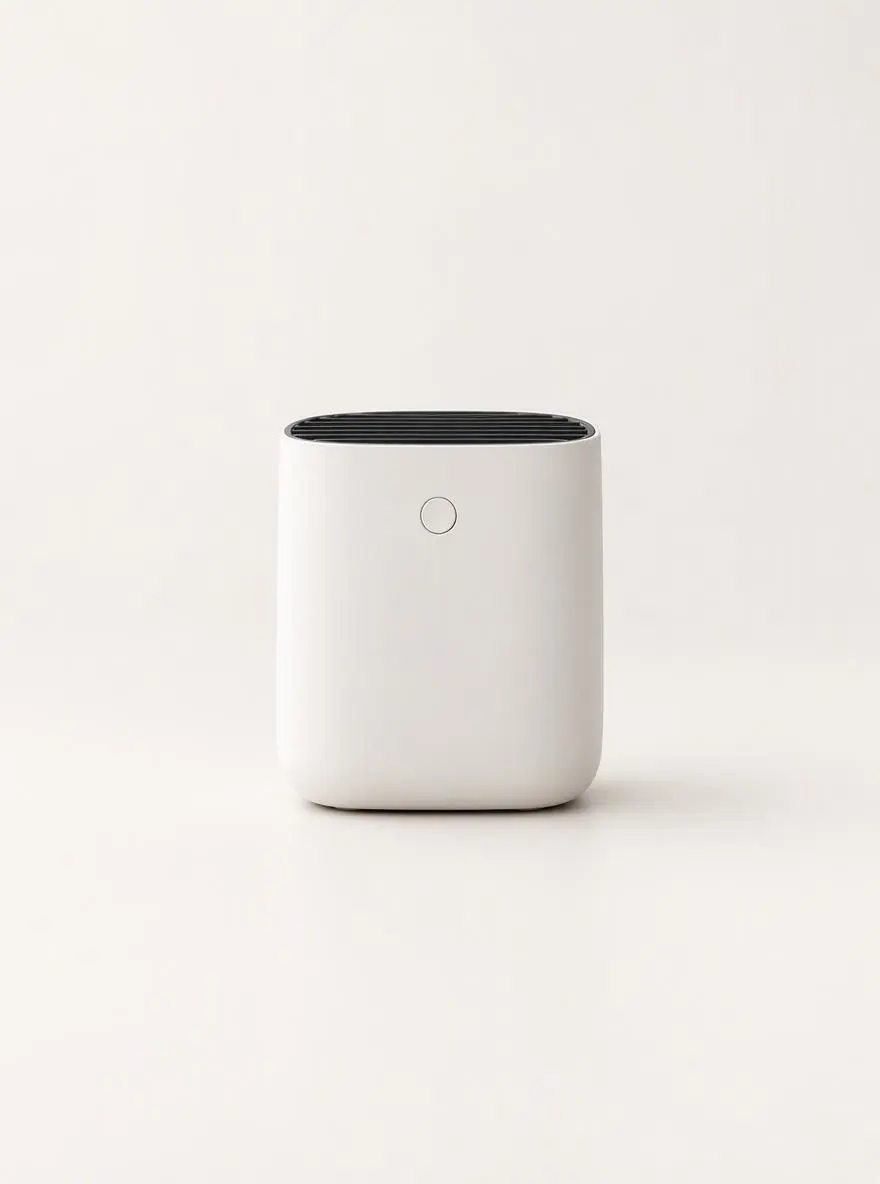
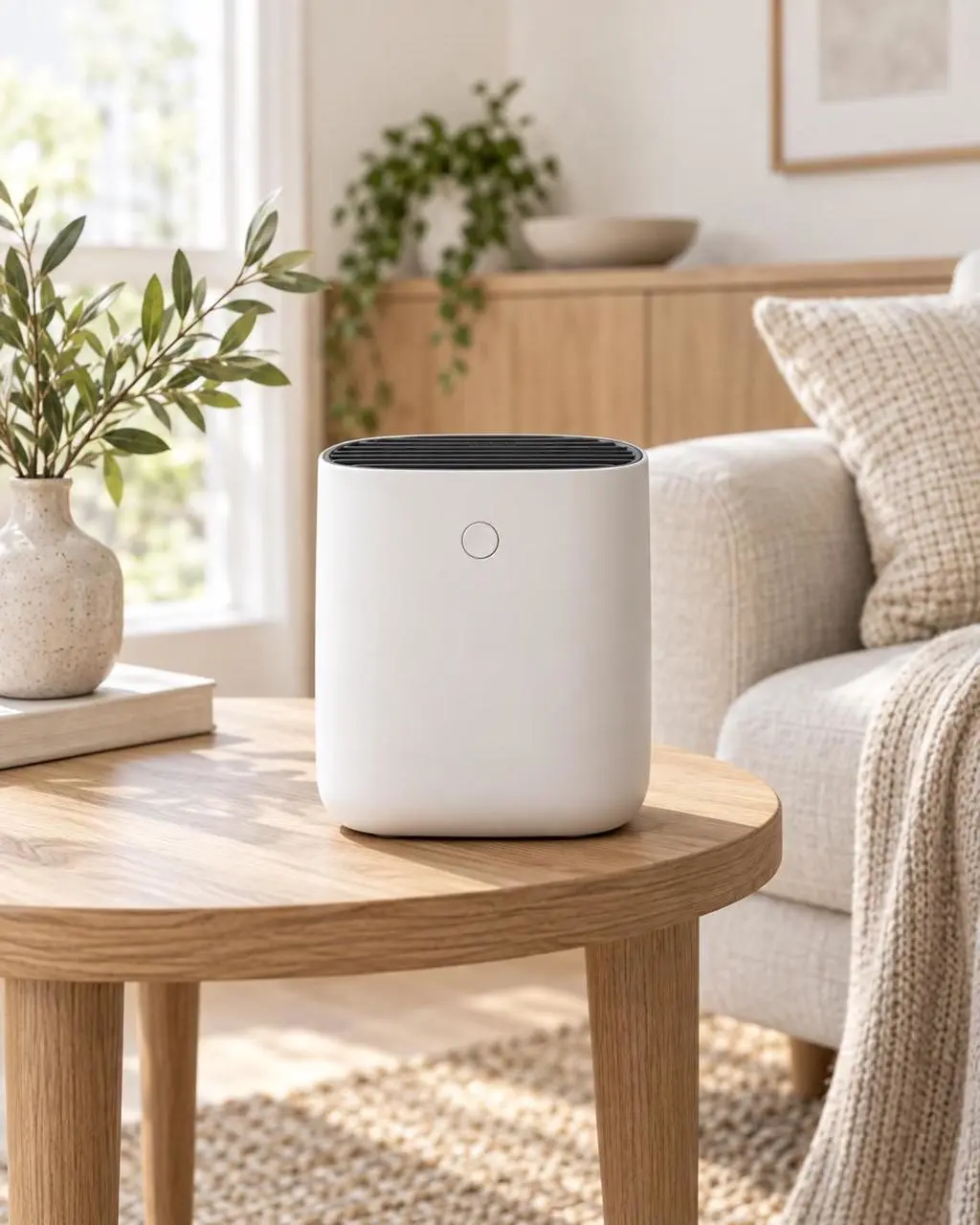
요청한 변경과 유지할 디테일을 따로 명시하세요. 제품 예시는 배경을 바꾸면서 유지할 형태, 라벨, 뚜껑, 위치를 지정합니다.
Replace the existing background with a clean warm-white photography studio. Keep the product’s shape, color, proportions, label, cap, reflections, and position unchanged. Add a soft natural shadow directly beneath the product so it remains grounded on the surface. Do not alter the product design, camera angle, crop, or packaging text.
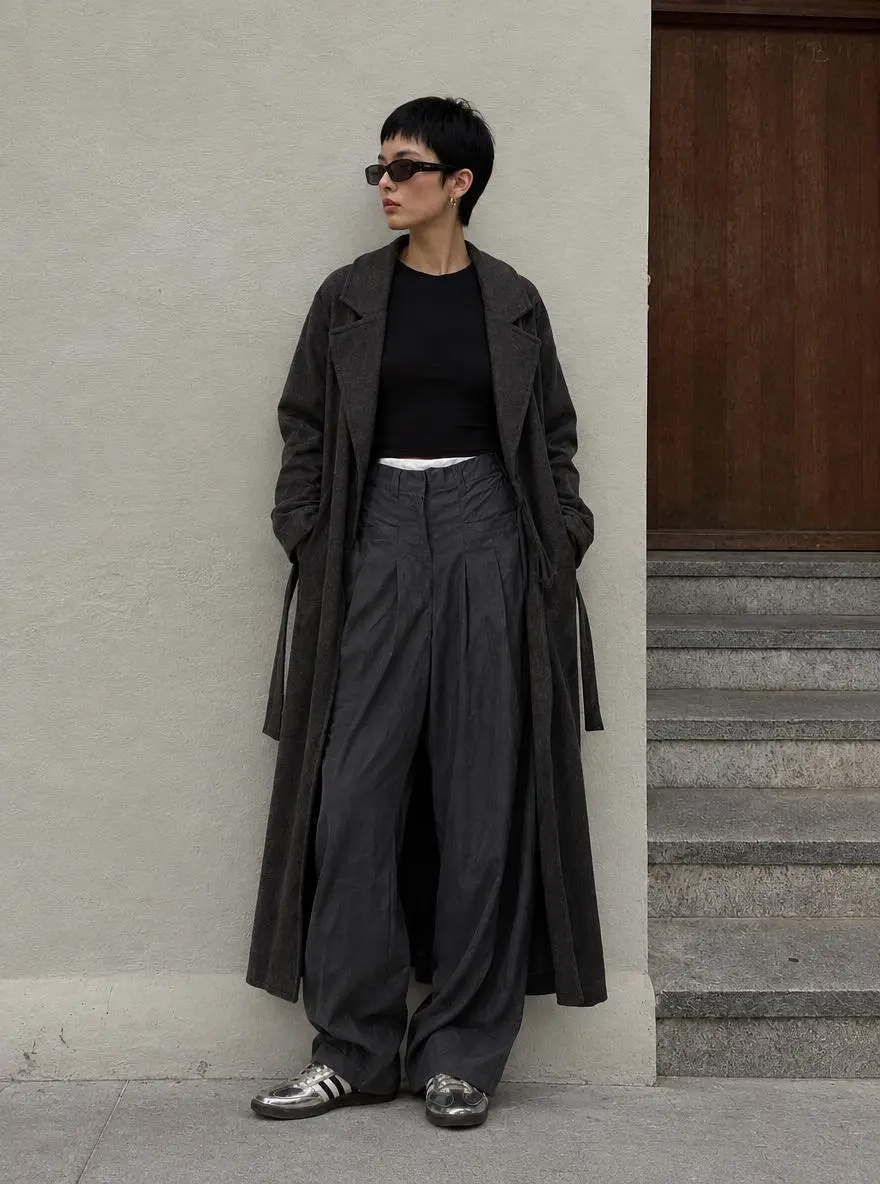
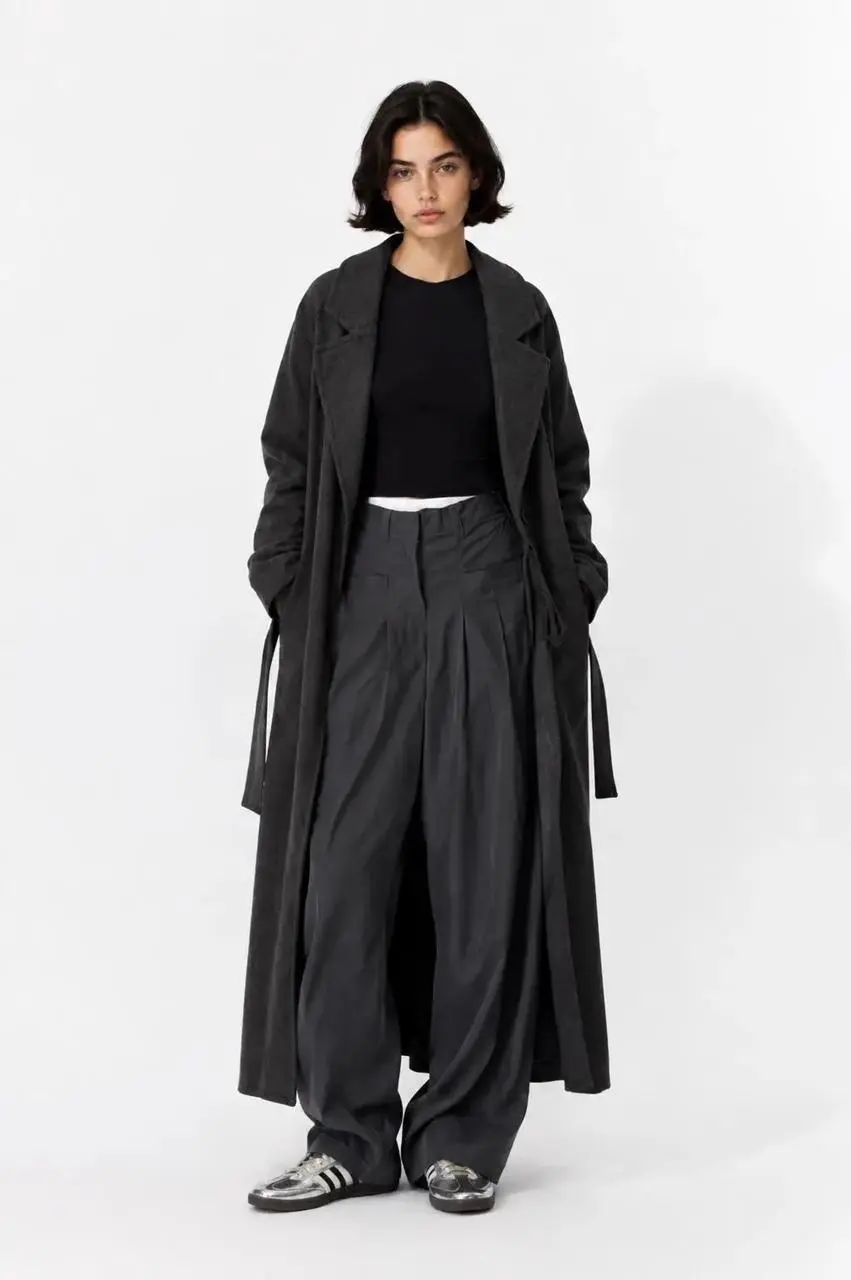
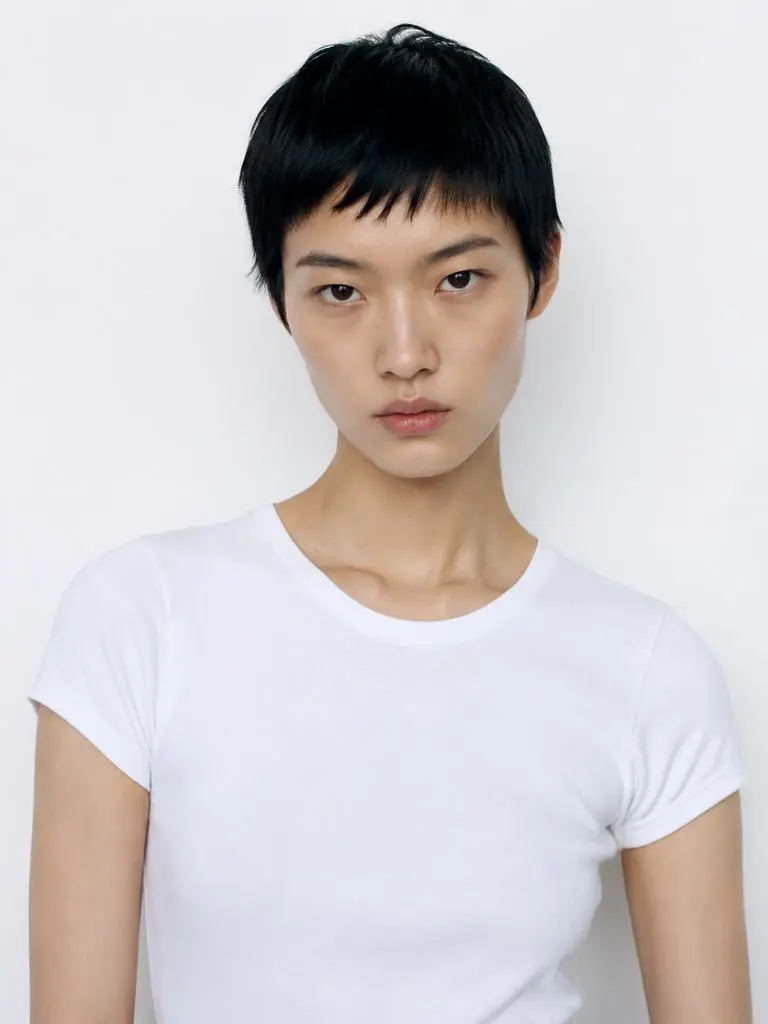
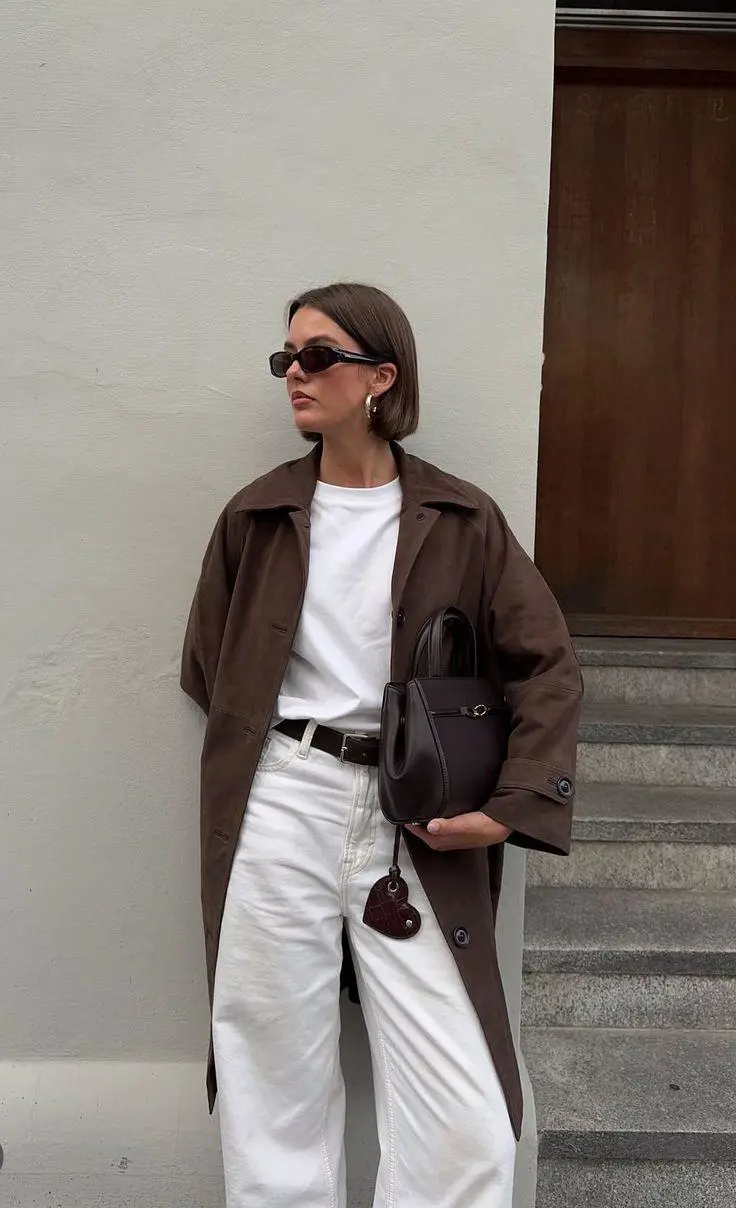
각 요소를 제공하는 이미지를 명시하세요. 이 패션 프롬프트는 인물, 의상, 배경에 별도의 참조를 지정합니다.
The model in Figure 2 is wearing the clothes from Figure 1 and standing against the background of Figure 3.
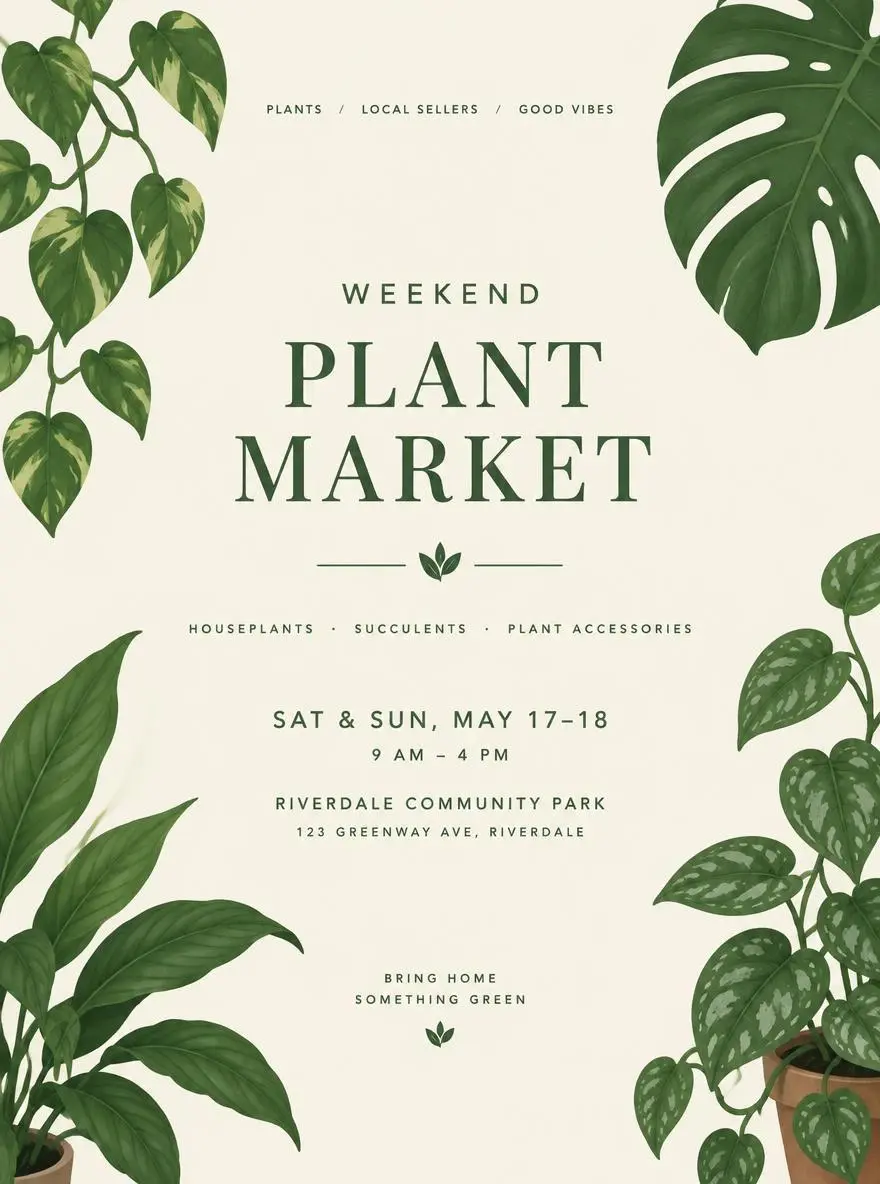
문구를 위해 그림의 어느 부분을 비울지 설명하세요. 식물 시장 예시는 빈 중앙 영역 주변에 잎 일러스트를 배치하며 정확한 행사 문구는 제공하지 않습니다.
A minimal poster concept for a weekend plant market, illustrated green leaves, cream background, a clear central space for the event title and details.
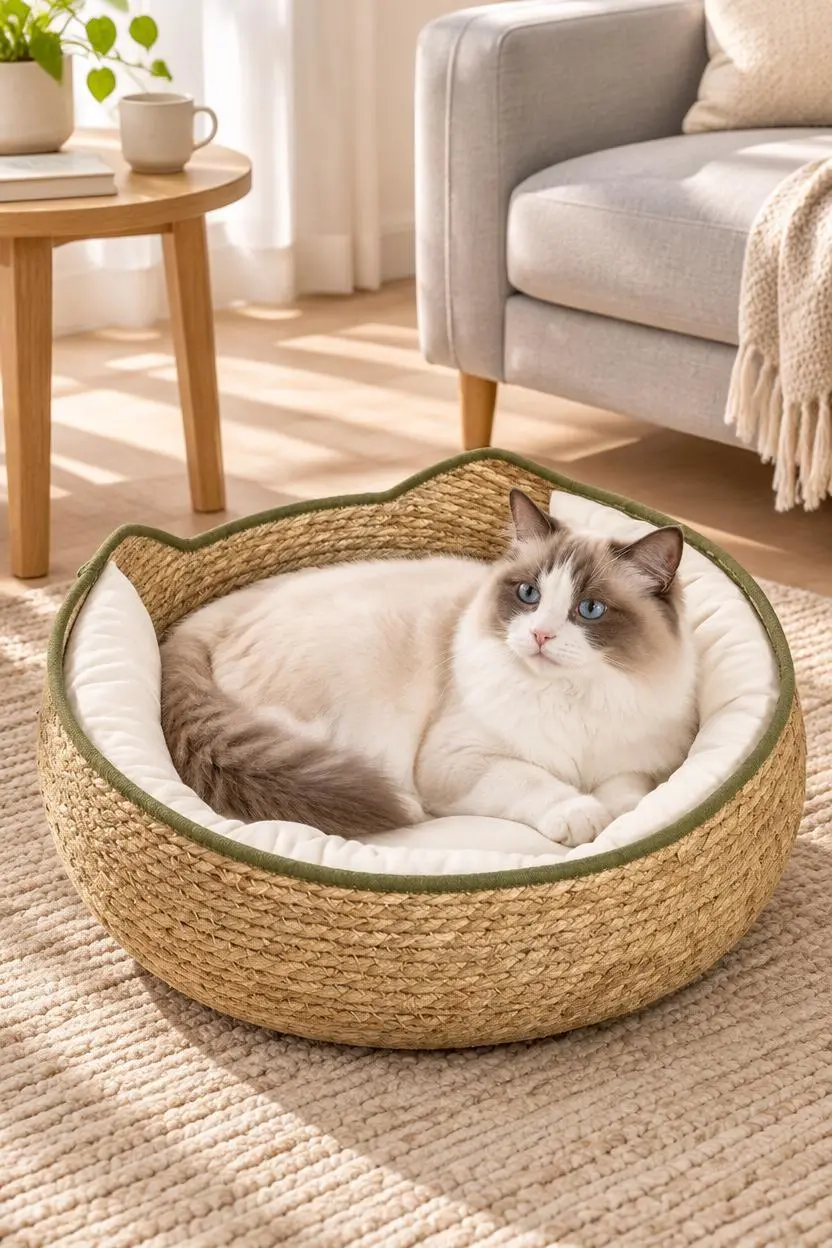
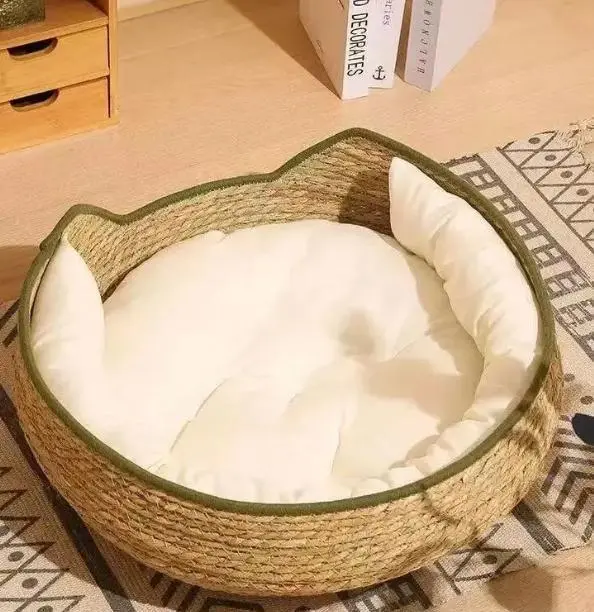
장면에 제품이 어떻게 놓이는지 설명하세요. 반려동물 침대 예시는 제품 참조에 고양이, 러그, 소파, 부드러운 자연광을 결합해 집 안 배경을 구성합니다.
Based on the pet product images I uploaded, generate an image depicting a European/American family pet lifestyle. Please strictly preserve the original appearance, color, material, size proportions, and functional details of the product; do not alter the product structure. The scene should depict a clean, natural Ragdoll cat using the product in a light-colored living room, surrounded by a beige rug, light gray sofa, wooden side table, and soft sunlight. The product should be clearly visible, and the pet's expression should be natural, avoiding excessive anthropomorphism, cartoonish elements, fake smiles, or unnecessary limbs. The overall style should be warm, believable, and realistic, like a high-quality advertisement from a European/American pet brand's official website. Do not include Chinese characters, promotional text, watermarks, or incorrect logos.
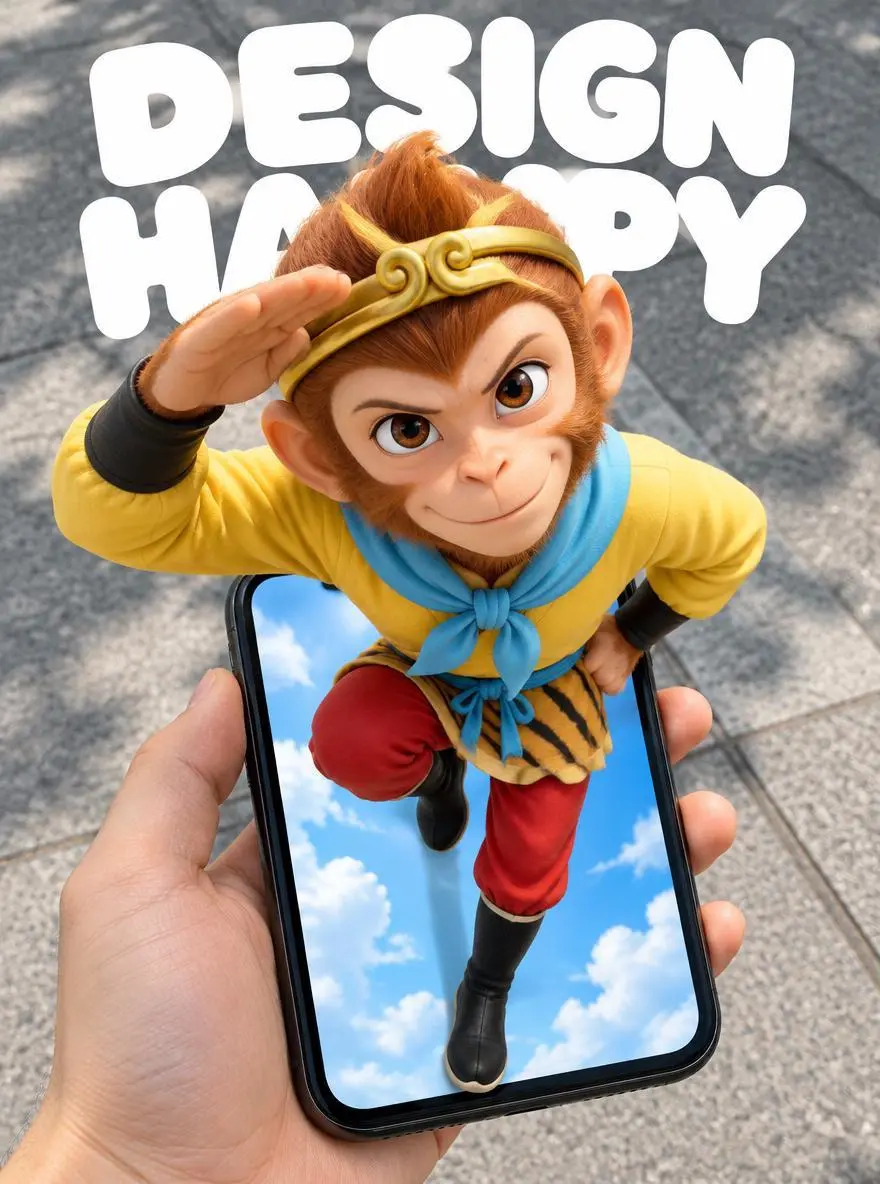
깊이를 만드는 사물의 겹침을 설명하세요. 휴대전화 포스터 프롬프트는 앞의 손과 휴대전화, 화면 밖으로 튀어나오는 인물, 뒤의 보도를 구분합니다.
Create a 3:4 vertical POV surreal "pop-out" mobile poster. The subject is Sun Wukong, retaining the classic animated look from the reference image: monkey face, golden headband, yellow top, light blue scarf, red trousers, and black boots. Maintain the original pose: one arm raised and bent beside the head, the other hand at the waist, one leg bent and lifted, and the other extending downward toward the bottom of the phone screen. Do not change this to a standard standing pose or a pose involving the swinging of the golden staff. Use a first-person, wide-angle, top-down perspective. A hand holds a black iPhone XR from the bottom-left of the frame; the phone is positioned in the lower half, slightly tilted, with the device fully visible and the hand-to-phone scale realistic. The character's head and shoulders are close to the lens and significantly enlarged, while the lower body diminishes in size with distance, creating a strong forced perspective. The phone screen acts as a spatial portal. Sun Wukong's head, shoulders, chest, and raised arm clearly protrude from the screen, obscuring the top edge and parts of the sides, while the legs extend into the screen's interior. The entire body is continuous and intact, creating a clear 3D pop-out illusion through frame occlusion, contact shadows, and depth within the screen. It is neither a flat image on the screen nor a separate figure floating above the phone. The background outside the phone is a realistic city sidewalk with gray concrete and natural daylight with soft shadows; the interior of the phone screen retains a bright blue sky with clouds, creating a contrast between the virtual world and the real ground. The hand and phone have a realistic photographic texture, while Sun Wukong retains his classic animated silhouette and color scheme, enhanced with three-dimensional shading and a sense of spatial depth. At the top of the image, include large, rounded white text reading "DESIGN" and "HAPPY" on two separate lines. The text is positioned behind the character and naturally partially obscured by the head and shoulders, without blocking the face, hand gestures, or the phone itself. The composition is clean and lively, possessing the strong visual impact of a social media poster. Feature only Sun Wukong, the hand holding the phone, and the phone itself; do not add other characters, interface buttons, or extra text. Avoid duplicated limbs, deformed fingers, body fragmentation, incorrect perspective, and conflicting lighting directions.
GPT Image 2.5 Flare 선택 항목과 아래에 설명된 입력 경로로 시작하세요. 제출 전에 사용 가능한 설정과 포인트를 확인하세요.
페이지에 연결된 Flare 선택을 사용하세요. 전체 이미지 설명을 입력하거나 참조를 업로드해 각 이미지가 제공하는 요소와 유지할 디테일을 설명하세요.
크기 라벨: 1K, 2K, 4K. 품질: low, medium, high, xhigh, max. 화면 비율: auto, 1:1, 1:2, 2:1, 1:3, 3:1, 2:3, 3:2, 4:3, 3:4, 16:9, 9:16, 21:9, 9:21, 4:5, 5:4. 이는 선택 가능한 설정이며 고정 픽셀 크기나 파일 형식 보장이 아닙니다. 실제 크기는 원본 결과 파일에서 확인하세요. 제출 전에 표시된 포인트와 요금제의 모델 접근 권한을 확인하세요.
탁상 편집은 조명과 유지된 사물을 비교하고 메이크업 사례는 인물 정체성과 메이크업을 따로 확인하세요. 도표는 라벨과 단계 순서를 교정하세요.
OpenAI는 Flare를 빠른 일상 이미지 생성, Sunburst를 까다로운 생성과 편집용으로 소개합니다. 둘 다 텍스트와 이미지 입력을 지원합니다. WeShop 품질 옵션은 설정이며 모든 용도의 모델 순위가 아닙니다. 공식 포지셔닝, 기록된 WeShop 설정, 현재 선택된 폼은 서로 구분되며 측정된 품질 또는 속도 순위를 뜻하지 않습니다.
| 비교 항목 | GPT Image 2 | GPT Image 2.5 Flare | GPT Image 2.5 Sunburst |
|---|---|---|---|
| 시작 우선순위 | 기존 GPT Image 2 작업 방식 | 빠른 일상 생성과 시각적 반복 제작 | 까다로운 이미지 품질 또는 편집 정밀도 |
| 시작 입력 | 텍스트와 이미지 참조 | 텍스트와 이미지 참조 | 텍스트와 이미지 참조 |
| 검토 시점 | 기존 프롬프트가 필요한 결과를 제공할 때 | 속도를 우선하며 새 이미지나 일상적인 참조 편집을 탐색할 때 | 다른 선택 항목에서 상세 지시나 정밀 편집이 요구를 충족하지 못할 때 |
| WeShop 이미지 크기 | 1K, 2K, 4K | 1K, 2K, 4K | 1K, 2K, 4K |
| WeShop 품질 옵션 | Low, Medium, High | Low, Medium, High, XHigh, Max | Low, Medium, High, XHigh, Max |
OpenAI는 빠른 일상 생성을 위한 시작점으로 Flare를 권장합니다. 실제 프롬프트와 참조로 결과가 요구를 충족하는지 판단하세요.
이미지나 편집이 요구를 충족하지 못하면 같은 입력과 출력 설정으로 Sunburst와 비교하세요. 필요한 결과로 선택하세요. 품질 라벨만으로 모델 간 출력 품질이 같다고 입증되지는 않습니다.
관련 모델 페이지에서 기능, 사례, 현재 생성 옵션을 확인하세요.
시작 전에 알아둘 실용적인 답변.
GPT Image 2.5 Flare는 속도 중심 일상 생성을 위한 OpenAI의 이미지 생성·편집 모델입니다. 글 지시와 이미지 참조를 입력받습니다.
Flare는 제품 편집, 참조 조합, 텍스트 중심 그래픽 등 일상 생성과 반복에 적합합니다. 탁상 편집, 두 인물 사진 사이 메이크업 이동, 4단계 도표는 서로 다른 세 작업을 보여 주며 측정된 속도 벤치마크가 아닙니다.
새 디자인은 텍스트만 사용하거나 편집용 원본 이미지를 업로드하세요. 메이크업 이동에서는 한 사진을 메이크업, 다른 사진을 인물로 지정하고 서로 바꿔 써도 된다고 가정하지 마세요.
크기 라벨: 1K, 2K, 4K. 품질: low, medium, high, xhigh, max. 화면 비율: auto, 1:1, 1:2, 2:1, 1:3, 3:1, 2:3, 3:2, 4:3, 3:4, 16:9, 9:16, 21:9, 9:21, 4:5, 5:4. 이는 선택 가능한 설정이며 고정 픽셀 크기나 파일 형식 보장이 아닙니다. 실제 크기는 원본 결과 파일에서 확인하세요.
간단한 편집은 변경을 직접 설명하세요. 개 예시는 우주복을 요청하며 업로드한 사진이 시작 피사체를 제공합니다. 가이드의 전체 프롬프트와 실제 입력을 읽은 뒤 자신의 작업에 맞게 조정하세요.
OpenAI는 Flare를 빠른 일상 이미지 생성, Sunburst를 까다로운 생성과 편집용으로 소개합니다. 둘 다 텍스트와 이미지 입력을 지원합니다. WeShop 품질 옵션은 설정이며 모든 용도의 모델 순위가 아닙니다.
현재 WeShop 요금 페이지에서 요금제의 모델 이용 권한과 제공량을 확인하고 생성기에서 선택한 설정과 수량에 대한 예상 포인트를 확인하세요. 이 페이지는 요청당 고정 가격을 제시하거나 다른 제공업체의 구독 할당량을 WeShop에 적용하지 않습니다.
이미지 지시는 결과에서 확인해야 할 제약이며 모든 디테일이나 단어가 정확하게 재현된다는 보장은 아닙니다. 탁상 편집은 조명과 유지된 사물을 비교하고 메이크업 사례는 인물 정체성과 메이크업을 따로 확인하세요. 도표는 라벨과 단계 순서를 교정하세요.
저장된 GPT Image 2.5 Flare 예시는 탁상 제품 사진 스타일 바꾸기, 두 인물 사진 사이 메이크업 옮기기, 4단계 정보 그래픽 만들기 사례를 보여 줍니다. 각 결과를 실제 프롬프트와 사용 가능한 입력과 함께 확인하세요. 사례는 하나의 요청을 보여 줄 뿐 결과 보장이나 성공률 벤치마크가 아닙니다.