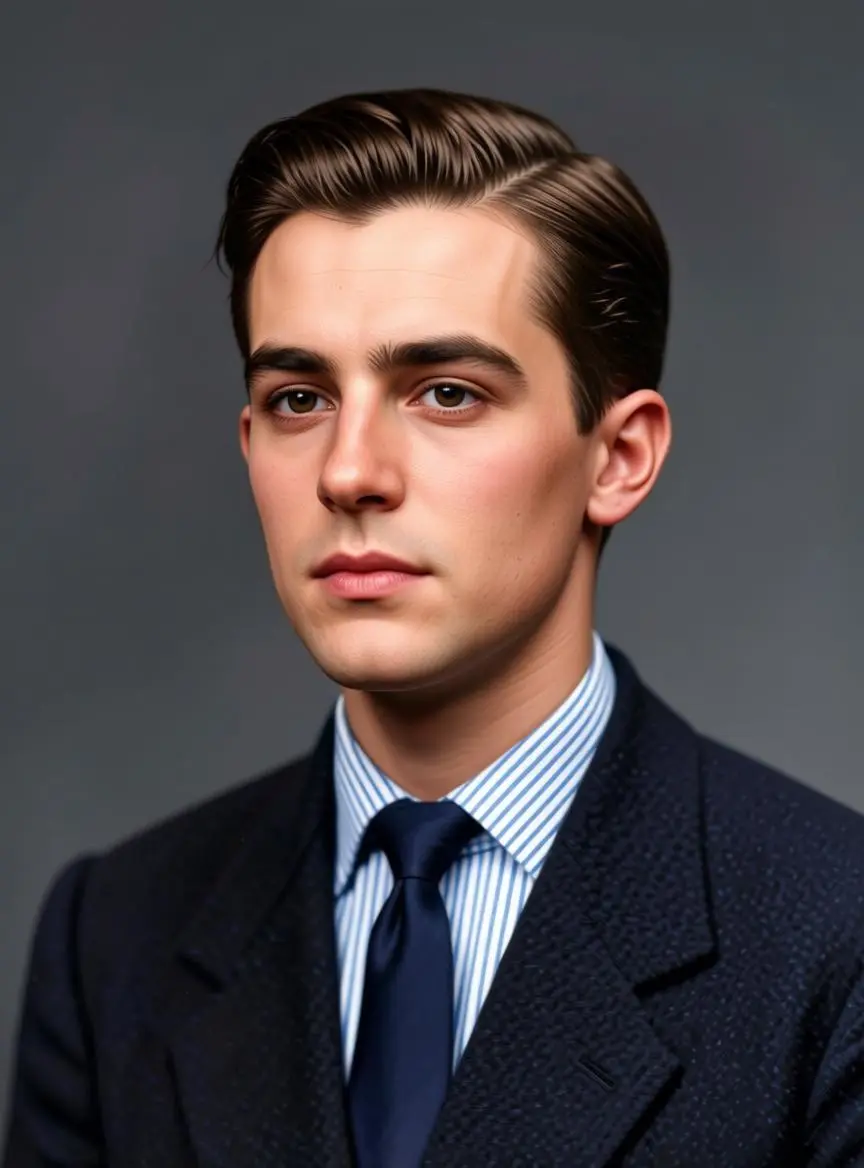
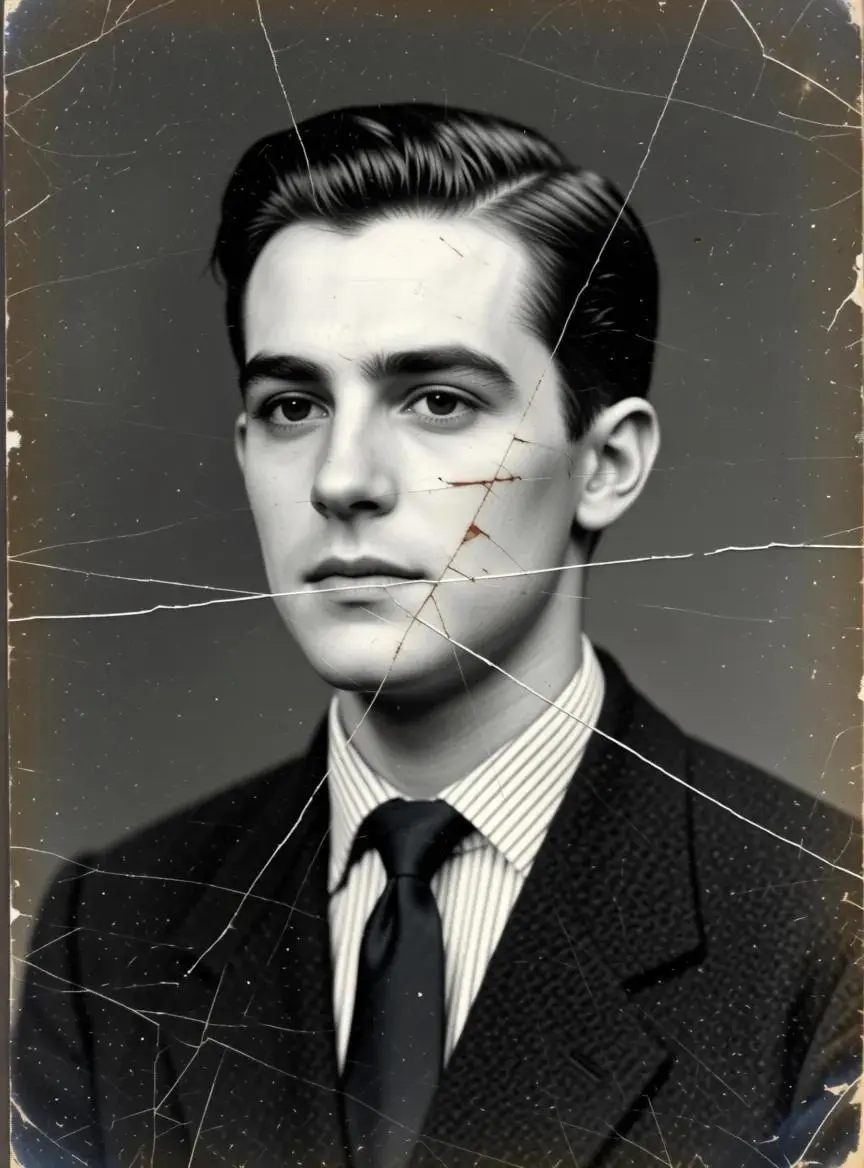
컬러 인물 사진 복원
참조 인물 사진을 고화질 컬러 사진으로 복원합니다. 원본이 인물과 구도를 제공합니다.
Turn into a high-definition color photo

참조 이미지를 사용한 인물 사진 복원, 미니어처 예술가 장면, Y2K 콜라주를 살펴보세요. 이미지 업로드 없이 만드는 예시는 프롬프트 가이드의 텍스트 전용 인물 사례에서 확인할 수 있습니다. 각 결과에는 실제 영어 프롬프트와 저장된 사례가 유지됩니다.
참조 인물 사진을 고화질 컬러 사진으로 복원합니다. 원본이 인물과 구도를 제공합니다.
Turn into a high-definition color photo
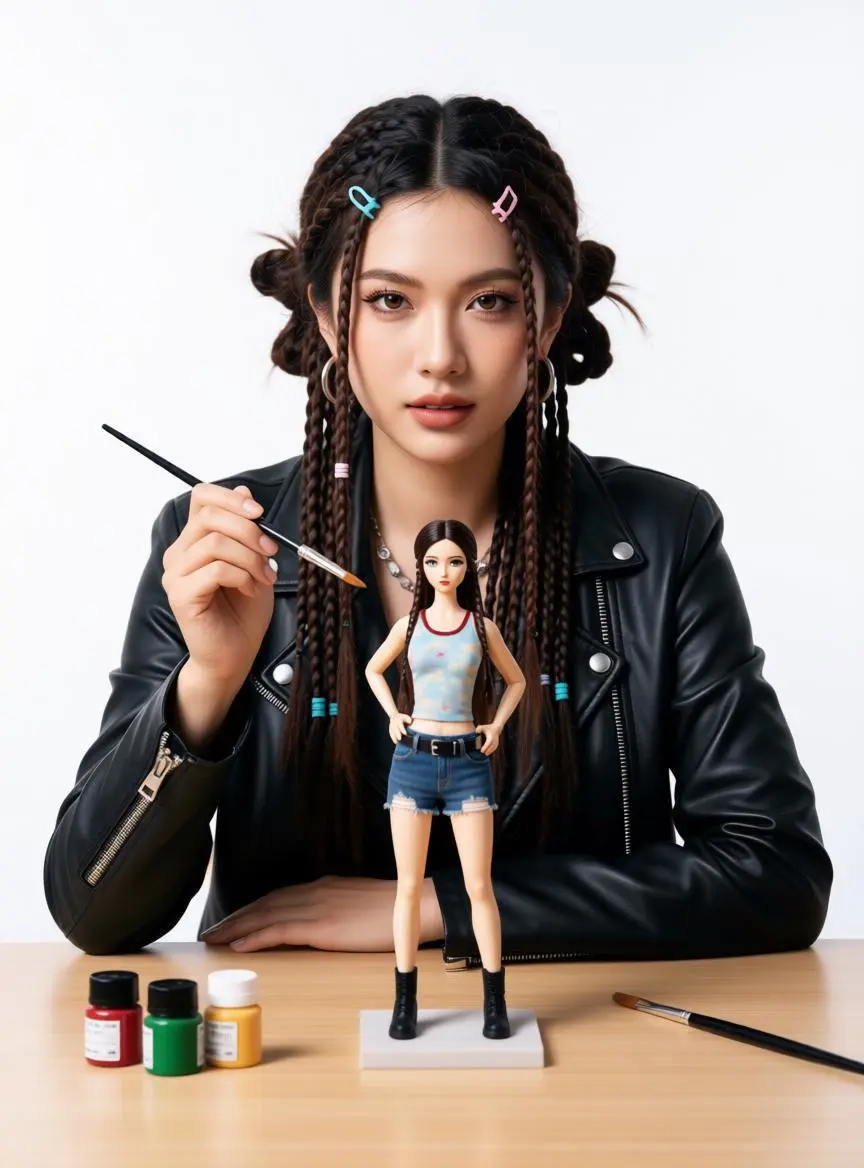
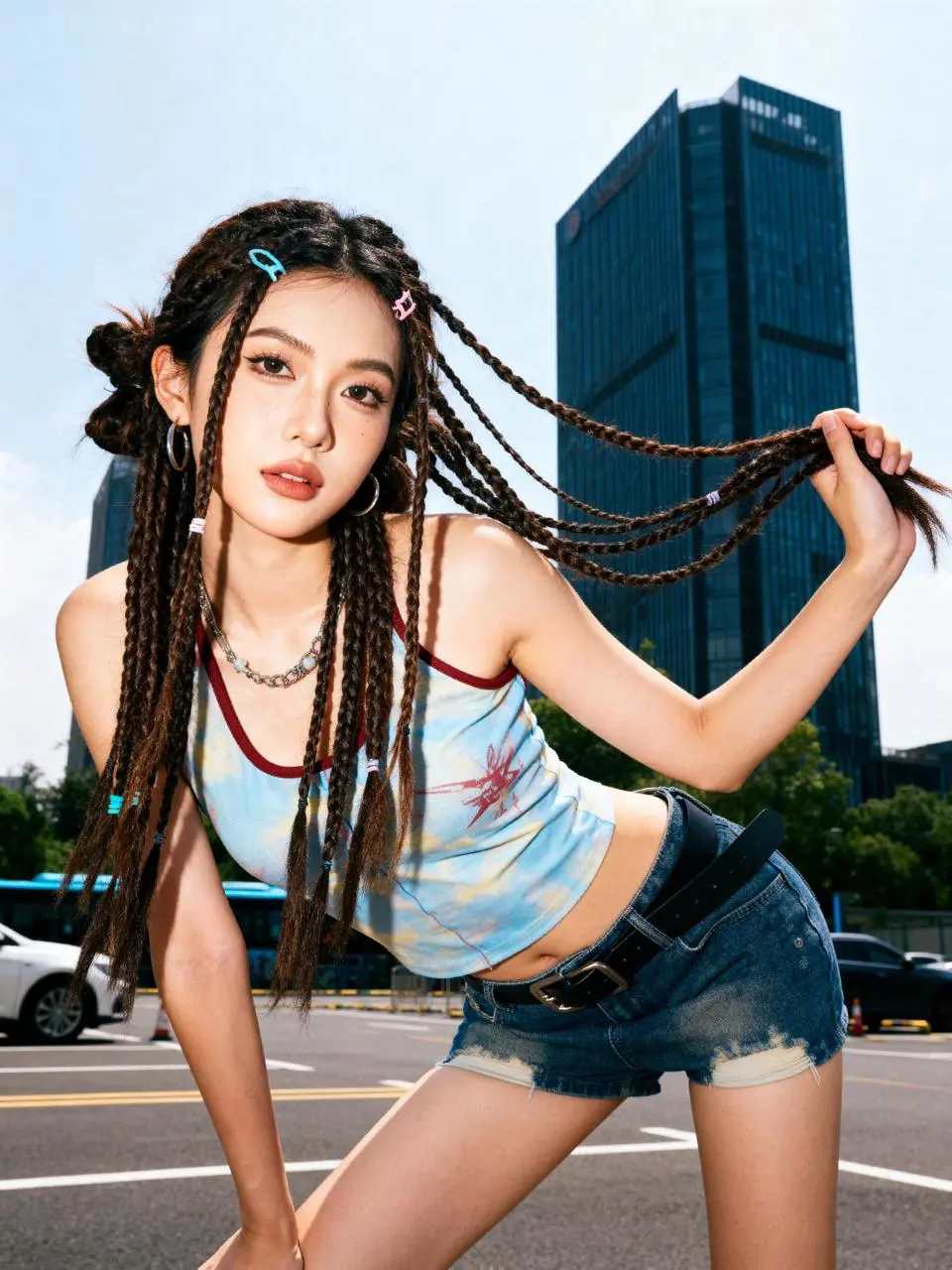
참조 인물을 미니어처에 색을 칠하는 화가로 바꿉니다. 인물 사진을 출발점으로 장면을 변경합니다.
Create a portrait of a person, depicting this individual as an artist drawing a miniature doll. This person is dressed in their most iconic attire, confidently looking directly at the camera, holding a small paintbrush in one hand. A mini version of oneself is prominently placed on the clean workbench in front of them - enlarging the doll to make it more noticeable than its actual size, thus highlighting it even more. The doll is also wearing the same iconic clothing and is posing in a typical manner. The painting supplies on the workbench are minimal, avoiding clutter - only two or three small paint bottles and one spare brush, focusing the viewer's attention on the person and the doll. A soft neutral white background, professional studio lighting, shallow depth of field. The composition highlights the facial expression of the person looking at the camera and the doll being drawn. The style of the picture is simple and lively, aiming for a photo-realistic effect, with the details of the person and the doll needing to be highly accurate.
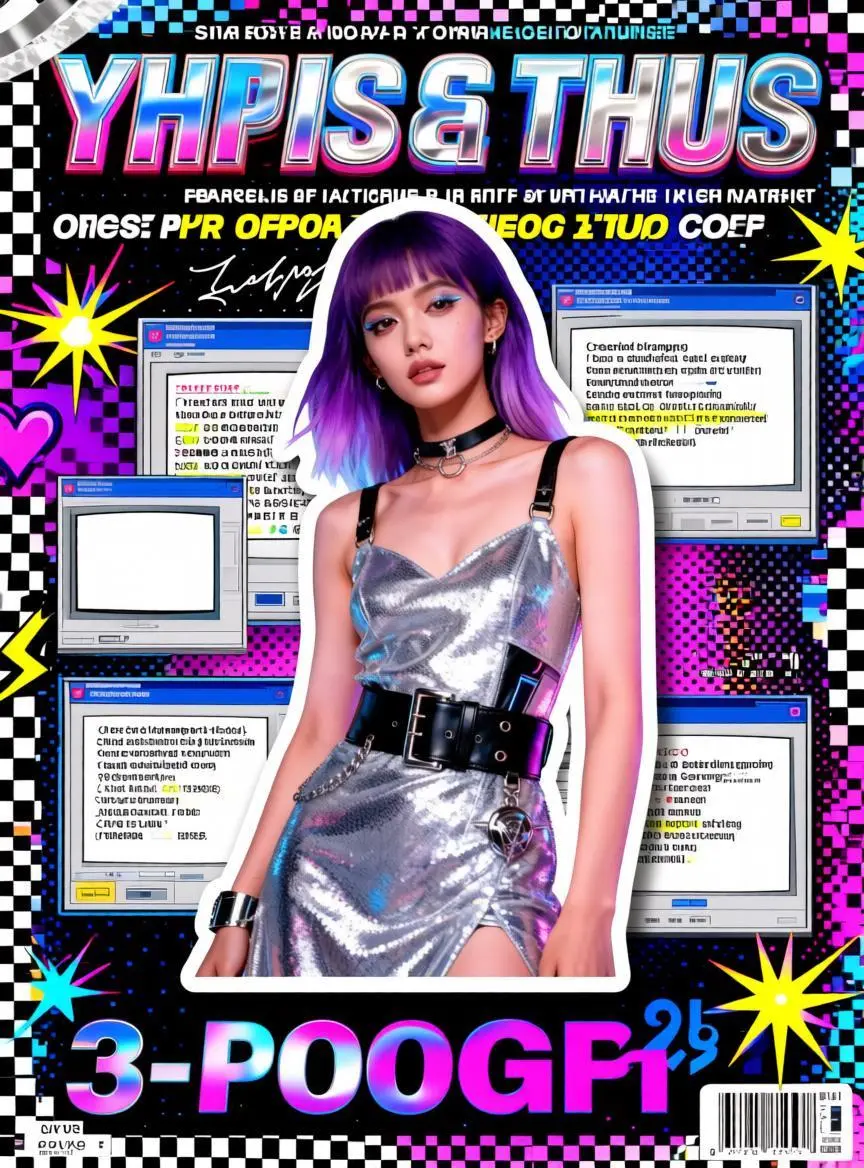
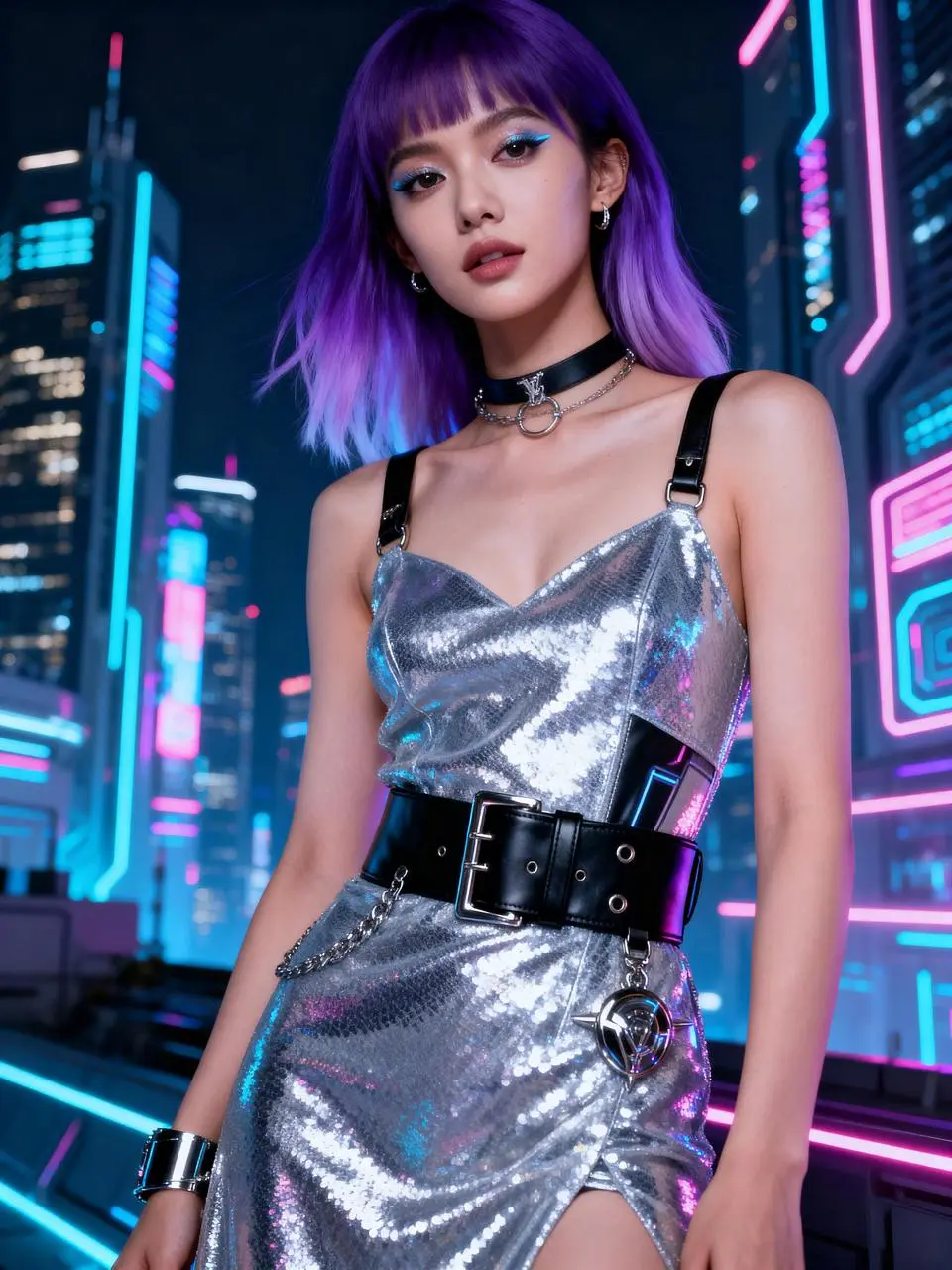
이 결과는 인물 오려내기, 네온 색상, 스티커, 복고풍 창 그래픽을 활용한 Y2K 콜라주 스타일을 보여줍니다. 생성된 제목과 작은 글씨에는 의미 없는 문자열이 포함되어 있으므로 사용 전에 교체하고 교정하세요. 정확한 타이포그래피나 완성된 잡지 표지의 예시가 아닌 스타일 예시입니다.
Convert the uploaded photos into a Y2K collage-style magazine cover poster. Keep the identity features and expressions of the main subject consistent, with the main subject clearly and prominently displayed, like being cut out and turned into a sticker placed in the center of the picture, with clean white borders and slight shadows, with distinct layers, with the main subject having the highest priority, and not being obscured. Color scheme rules: Extract the color from the main subject's largest proportion in the uploaded photo and enhance it to a higher saturation and brighter Y2K neon version; then automatically pair a set of strong contrasting colors / adjacent colors / complementary colors as embellishments for the title, stickers, and UI windows. Background uses common Y2K elements combinations: neon gradients, dot halftones, pixel textures, shiny plastic / chrome reflective textures; make a collage decoration around the edges but without competing with the main subject: hand-drawn graffiti lines, stars, hearts, lightning, checkered patterns, exploding star rays, tape stickers, arrows, sticker borders, etc., with high information density but in an orderly manner. Generate the publication name at the top (please design appropriate title text based on the nature of the subject, in English, bold, 3D border, candy color or metallic chrome effect). Generate several short subheadings / slogans above and on the sides of the picture (automatically randomly created, in English, please design appropriate subheading text based on the nature of the subject, short and powerful, like magazine cover copy). Generate a large main title at the bottom (please design appropriate text based on the nature of the subject, 3-6 words, in English, all in capital letters). Generate a magazine information module in the corners: issue number / date / price / small labels, and add a clear barcode area. Retro Windows elements: Overlay multiple layers of Windows 98 / Windows XP era-style window collages around the main subject. The text content and prompt information in the windows are randomly generated, but in line with the tone and layout of the system prompts from that era (in English, short sentences, prompts, percentages, paths, dialog box buttons, etc.), overall realistic and credible. Overall texture leans towards the trendy poster printing and scanning style: slight particles, a little misalignment / overlay effect, sharp edges, strong contrast, bright color grading, high-contrast highlights. The overall picture is clear, clean, and has layers, suitable for magazine covers.
FireRed-Image-Edit는 FireRedTeam의 지시 기반 이미지 편집 모델 제품군입니다. 편집 지시 따르기, 피사체 정체성 유지, 시각 요소 결합에 중점을 둡니다. FireRed Image Edit는 인물 사진 복원이나 다른 시각적 표현 등 지시로 원본 이미지를 수정하는 데 유용합니다. 복원된 인물 사진, 미니어처 아티스트 장면과 Y2K 콜라주는 확인할 참조 편집 세 가지이며 정확한 정체성 보존의 증거는 아닙니다.
원본 이미지에서 바꿀 부분과 알아볼 수 있게 유지할 외형을 구체적으로 설명하세요.
입력 이미지를 기준으로 인물이나 사물의 맥락을 바꾸세요. 정체성과 결합된 요소의 경계를 확인하세요.
원본의 세부 사항과 원하는 변화를 구분하며 새로운 시각 표현을 요청하세요.
WeShop AI에서는 텍스트 설명으로 새 이미지를 만들거나 이미지를 업로드하고 원하는 편집 내용을 설명할 수 있습니다. 기존 사진을 바꾸려면 이미지가 필요하며, 텍스트만으로 새로 만들 때는 이미지 없이 시작합니다.
만들고 싶은 이미지의 피사체, 배경, 시각적 스타일을 설명하세요. 원본 이미지를 업로드할 필요가 없습니다.
편집할 이미지를 업로드한 뒤 변경할 내용과 유지할 세부 사항을 설명하세요.
참조 이미지 편집 세 가지와 텍스트만으로 만든 인물 한 가지를 확인하세요. 각 카드는 실제 요청을 설명하고 결과와 해당 참조 입력을 보여주며 원본 영어 프롬프트 전체를 유지합니다. 개별 요청의 예시이며 검증된 범용 프롬프트 공식은 아닙니다.
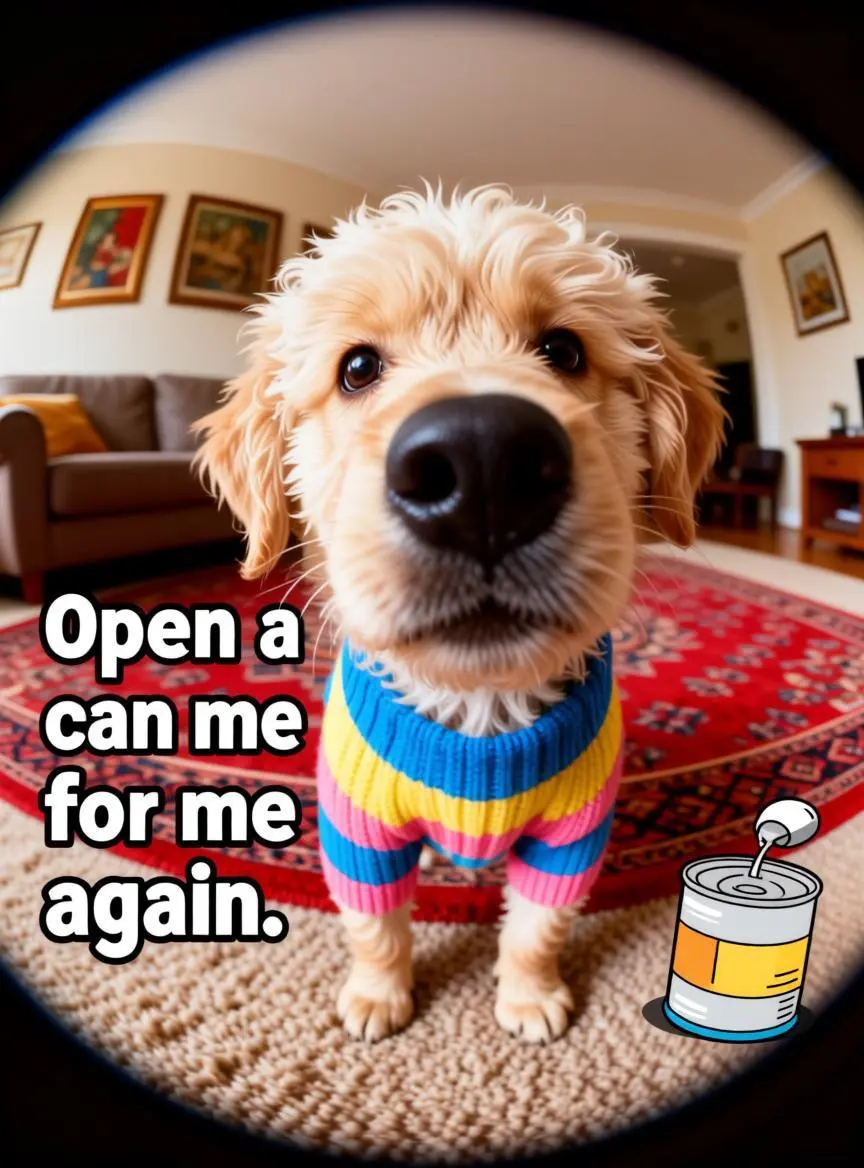
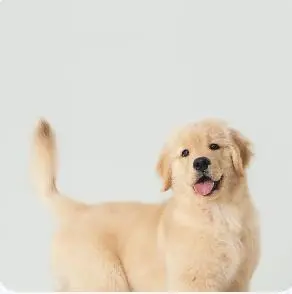
참조 강아지와 문구의 위치를 함께 지정하세요. 이 프롬프트는 왼쪽에 “Open a can for me again”, 오른쪽 아래에 캔 그림을 배치합니다.
The puppy in Figure 1 stands in the center of the image, on an indoor carpet. The camera is very close to it, and a wide-angle lens was used, making its nose appear particularly large, almost becoming the most eye-catching part of the entire picture. The puppy's fur is off-white and light brown, with slightly fluffy and curly hair on its face. Its ears fold slightly to the sides, and its round eyes look innocent yet intelligent. It wears a colorful striped sweater in blue, yellow, and pink, making the overall image warmer and more lively. The background is a cozy living room environment. A patterned red carpet covers the floor, and behind it, you can see a sofa, decorative paintings on the wall, and indoor furniture. The overall color scheme is warm, giving a comfortable family atmosphere. There is a slight vignetting effect at the edges of the image, as if it were taken through a peephole or an ultra-wide-angle lens, enhancing the photo's whimsicality. On the left side of the image, there is a large English phrase: "Open a can for me again," which roughly translates to "Open another can (of food) for me." A cartoon image of a can is also present in the lower right corner, echoing the text. The whole image is like a pet emoji, using an exaggerated close-up and a pitiful and cute expression to express the puppy's desire for another can of food.
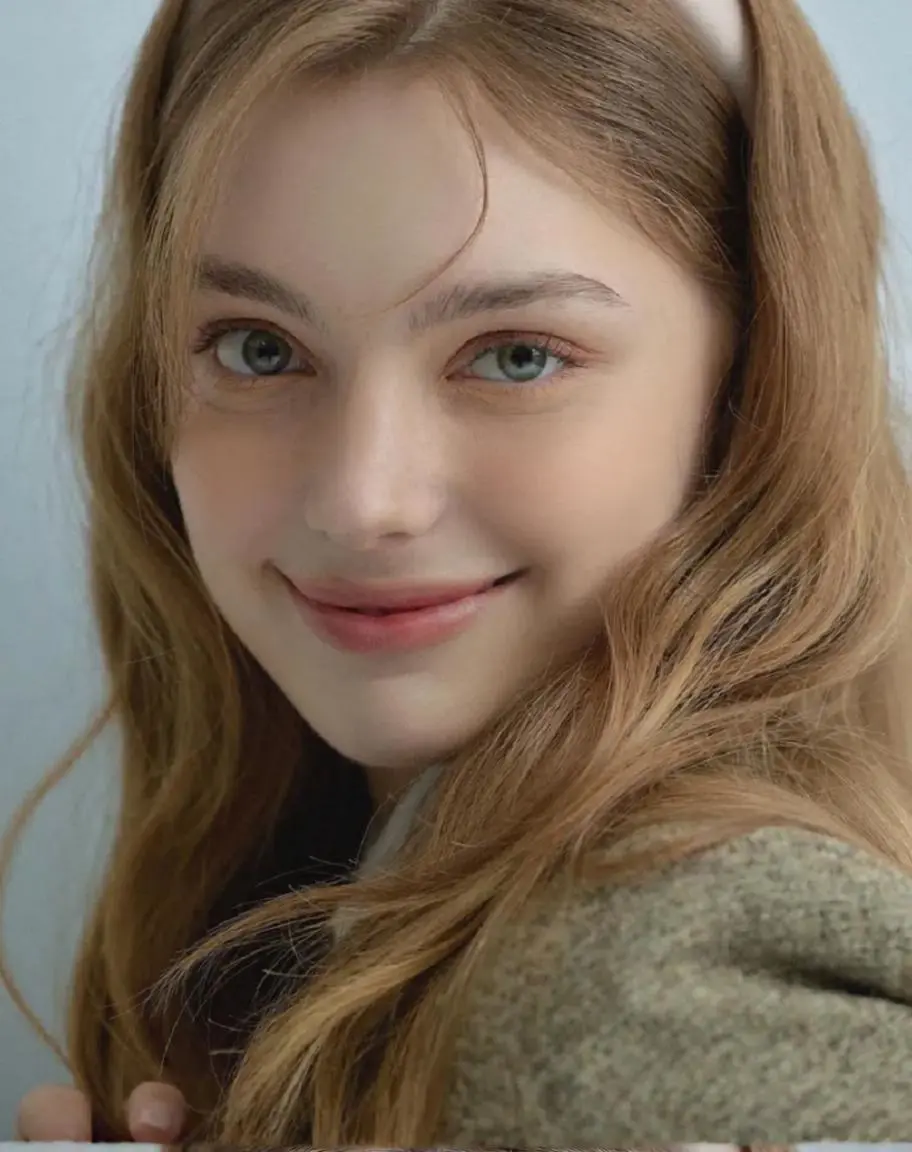
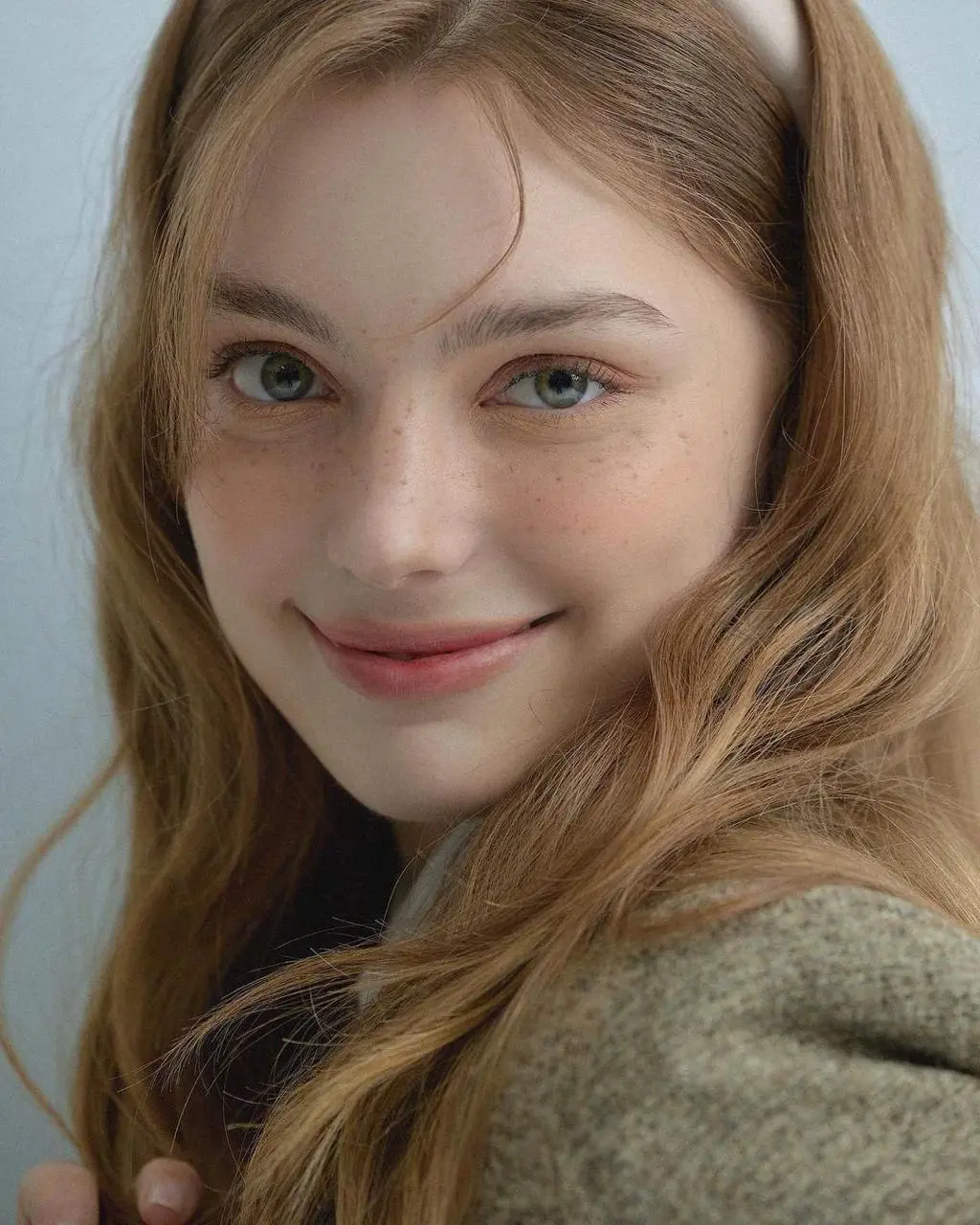
이미지가 제공하는 피사체나 구도와 요청한 변형을 구분하세요. 이 사례에서는: “remove facial imperfections and acne spots, keep natural skin texture and facial expression, preserve identity and lighting”
remove facial imperfections and acne spots, keep natural skin texture and facial expression, preserve identity and lighting
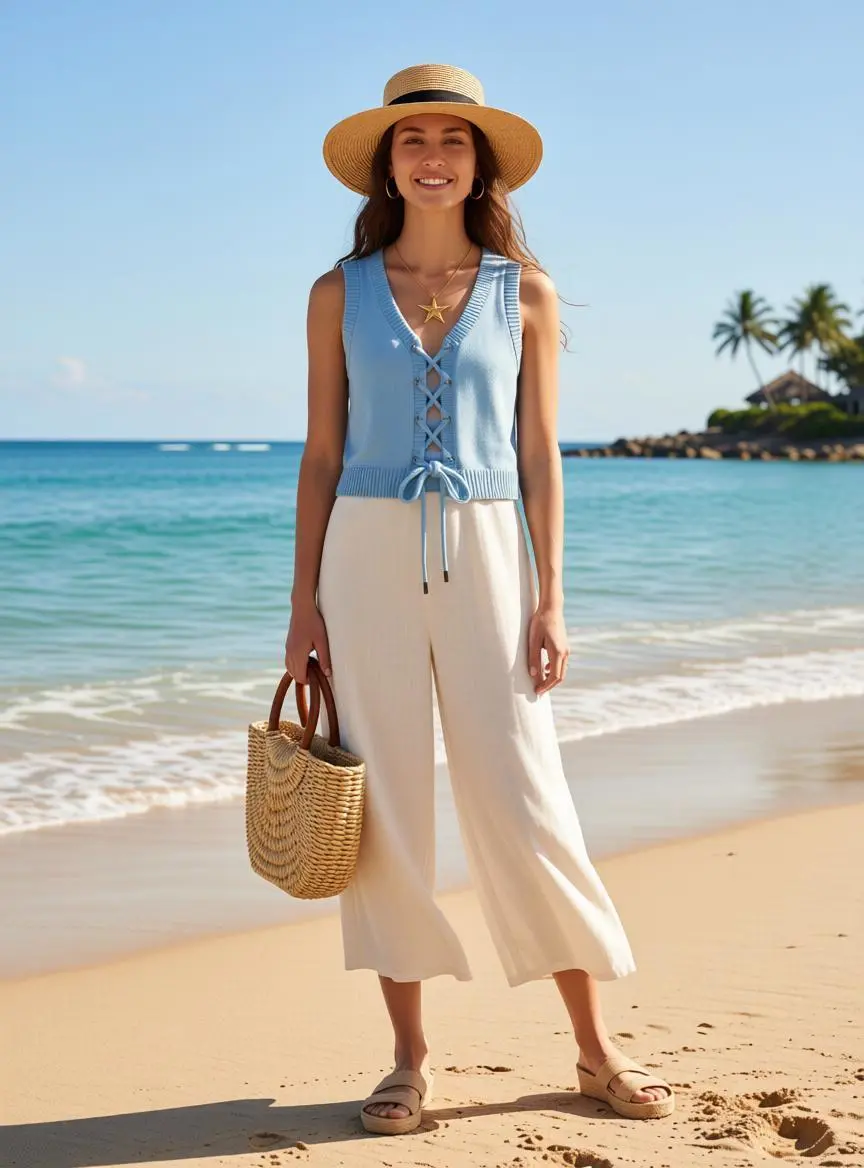
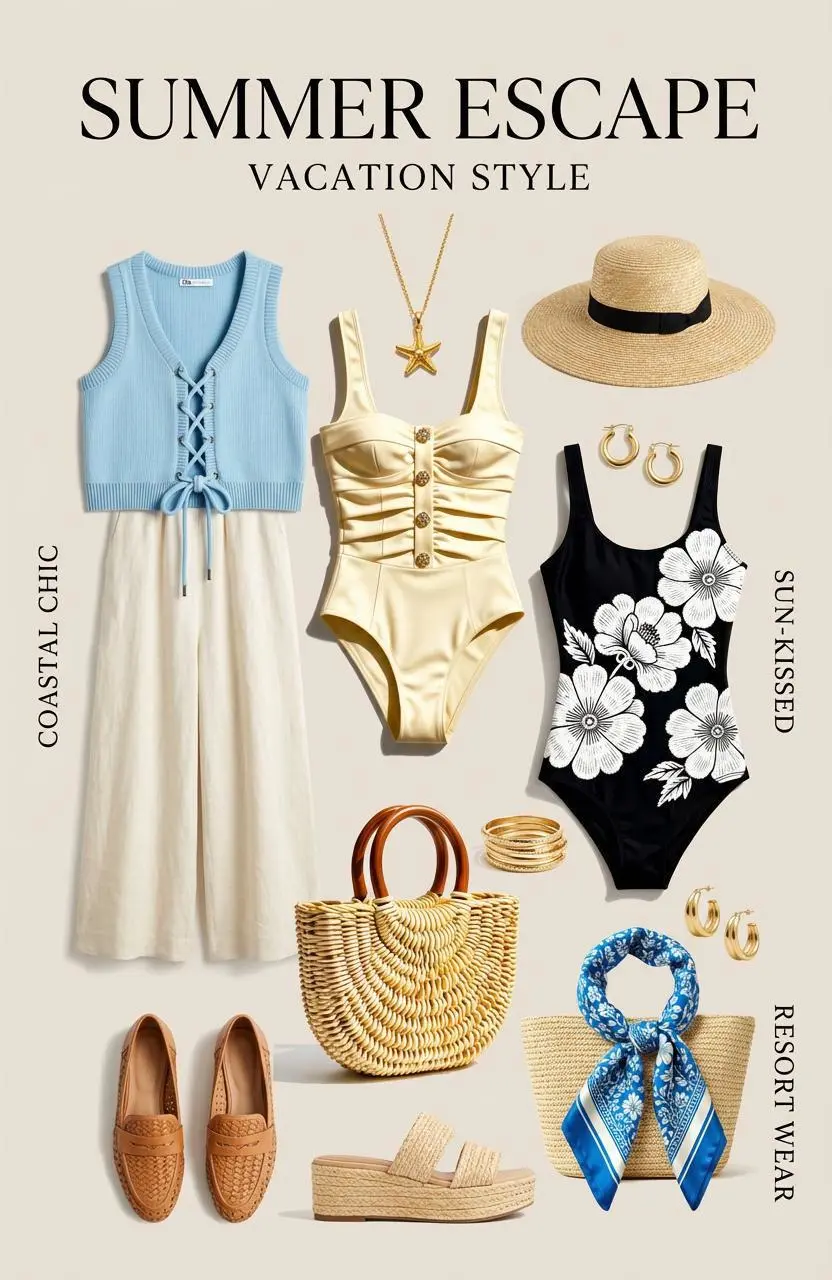
원본 이미지로 의상을 지정한 뒤 목표 장면을 설명하세요. 이 요청은 그림 1의 의상을 입은 모델을 해변에 배치합니다.
The model is wearing the outfit in Figure 1 and standing on the beach.
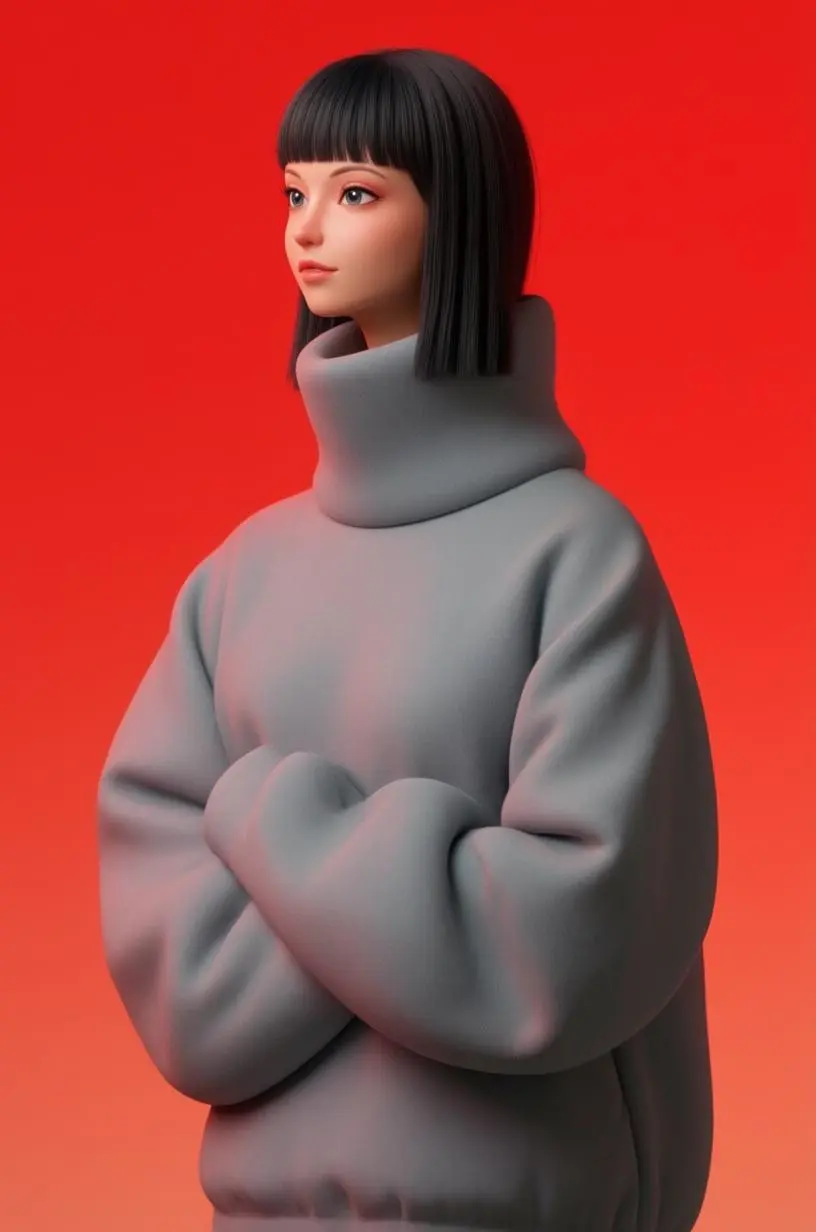
텍스트 프롬프트만 사용한 저장된 사례로, 참조 이미지가 첨부되어 있지 않습니다. 프롬프트는 검은 단발머리, 넉넉한 회색 터틀넥, 선명한 빨간 배경, 스타일화된 3D 외관을 설명합니다. 결과에서 이 요소들을 확인하세요. 단일 사례가 요청한 모든 비율의 정확한 제어를 입증하지는 않습니다.
This image is a minimalist stylized character portrait of a woman against a solid bright red background. She has a very elongated neck, a small face with delicate features, and straight black hair cut into a blunt bob with bangs. She is wearing an oversized soft gray turtleneck sweater with large rounded sleeves that make her silhouette look sculptural and fashion-forward. Her pose is calm and reserved, with her head slightly turned to the side and her eyes looking off into the distance. The character design is highly simplified and elegant, with smooth surfaces, muted colors, and a refined editorial mood. Overall, it feels like a mix of modern fashion illustration and stylized 3D sculpture.
FireRed Image Edit를 선택하고 아래 입력 경로로 시작하세요. 제출 전에 이용 가능한 설정과 포인트를 확인하세요.
새 이미지는 텍스트 설명으로 시작하고, 편집할 때는 바꿀 사진을 업로드하세요. 편집에서는 바꿀 대상과 알아볼 수 있게 유지해야 할 인물, 사물 또는 배치의 세부 사항을 지정하세요.
화면비: Auto, 1:1, 2:3, 3:2, 4:3, 3:4, 16:9, 9:16. 이는 선택 가능한 설정이며 고정된 픽셀 크기나 파일 형식을 보장하지 않습니다. 실제 크기는 원본 출력에서 확인하세요. 제출 전에 표시된 포인트와 요금제의 모델 이용 권한을 확인하세요.
새 표현과 별개로 얼굴과 유지된 원본 세부 사항을 비교하세요. 문구나 잡지 표지는 생성된 단어를 교정하고 배치를 확인하세요.
관련 모델 페이지에서 기능, 사례, 현재 생성 옵션을 확인하세요.
이 버전의 특징, 입력, 시작 방법에 대한 답변입니다.
FireRed-Image-Edit는 FireRedTeam의 지시 기반 이미지 편집 모델 제품군입니다. 편집 지시 따르기, 피사체 정체성 유지, 시각 요소 결합에 중점을 둡니다.
FireRed Image Edit는 인물 사진 복원이나 다른 시각적 표현 등 지시로 원본 이미지를 수정하는 데 유용합니다. 복원된 인물 사진, 미니어처 아티스트 장면과 Y2K 콜라주는 확인할 참조 편집 세 가지이며 정확한 정체성 보존의 증거는 아닙니다.
공식 프로젝트는 정체성 유지와 지시 이행을 강조합니다. 변경 사항과 유지할 세부 사항을 명시하고 얼굴, 의상, 편집 영역을 입력과 비교하세요.
WeShop AI에서는 텍스트 설명으로 새 이미지를 만들거나 이미지를 업로드하고 원하는 편집 내용을 설명할 수 있습니다. 기존 사진을 바꾸려면 이미지가 필요하며, 텍스트만으로 새로 만들 때는 이미지 없이 시작합니다.
화면비: Auto, 1:1, 2:3, 3:2, 4:3, 3:4, 16:9, 9:16. 이는 선택 가능한 설정이며 고정된 픽셀 크기나 파일 형식을 보장하지 않습니다. 실제 크기는 원본 출력에서 확인하세요.
현재 WeShop 요금표에는 이 모델의 제한된 무료 사용량이 표시됩니다. 계정 이용 권한과 남은 사용량을 확인한 뒤 요청의 예상 포인트를 확인하세요. 이 페이지는 고정 건당 요금을 제시하거나 다른 공급사의 구독 한도를 WeShop에 적용하지 않습니다.
공식 저장소는 1.0과 1.1을 구분합니다. 버전이 없는 WeShop 표기는 특정 체크포인트나 모든 1.1 전용 기능의 증거가 아닙니다. 새 표현과 별개로 얼굴과 유지된 원본 세부 사항을 비교하세요. 문구나 잡지 표지는 생성된 단어를 교정하고 배치를 확인하세요. 이 결과는 인물 오려내기, 네온 색상, 스티커, 복고풍 창 그래픽을 활용한 Y2K 콜라주 스타일을 보여줍니다. 생성된 제목과 작은 글씨에는 의미 없는 문자열이 포함되어 있으므로 사용 전에 교체하고 교정하세요. 정확한 타이포그래피나 완성된 잡지 표지의 예시가 아닌 스타일 예시입니다.
참조 이미지 사례는 인물 사진 복원, 미니어처 예술가 장면, Y2K 콜라주 스타일을 보여줍니다. 가이드에는 참조 이미지 없이 텍스트만으로 만든 인물도 있습니다. Y2K 결과의 의미 없는 글자는 교체하고 교정해야 하며, 이 사례는 정확한 타이포그래피가 아닌 시각적 스타일을 보여줍니다. 개별 결과로 성공률을 측정하거나 정확한 보존을 보장할 수는 없습니다.
공식 저장소는 FireRed 1.0과 1.1을 구분하지만 WeShop 이름에는 버전이 없습니다. 실제 편집 작업과 저장 결과에 따라 선택하고 모든 1.1 전용 기능이 설치되었다고 가정하지 마세요.
참조 강아지와 문구의 위치를 함께 지정하세요. 이 프롬프트는 왼쪽에 “Open a can for me again”, 오른쪽 아래에 캔 그림을 배치합니다. 가이드에서 연결된 전체 프롬프트와 실제 입력을 읽고 자신의 작업에 맞게 조정하세요.