Nano Banana 2.1 (Gemini Nano Banana 2.1) adalah model Google untuk generasi dan penyuntingan gambar percakapan, diperbarui dari Nano Banana 2. Buat desain bertulisan, gabungkan referensi, atau jelaskan adegan baru.
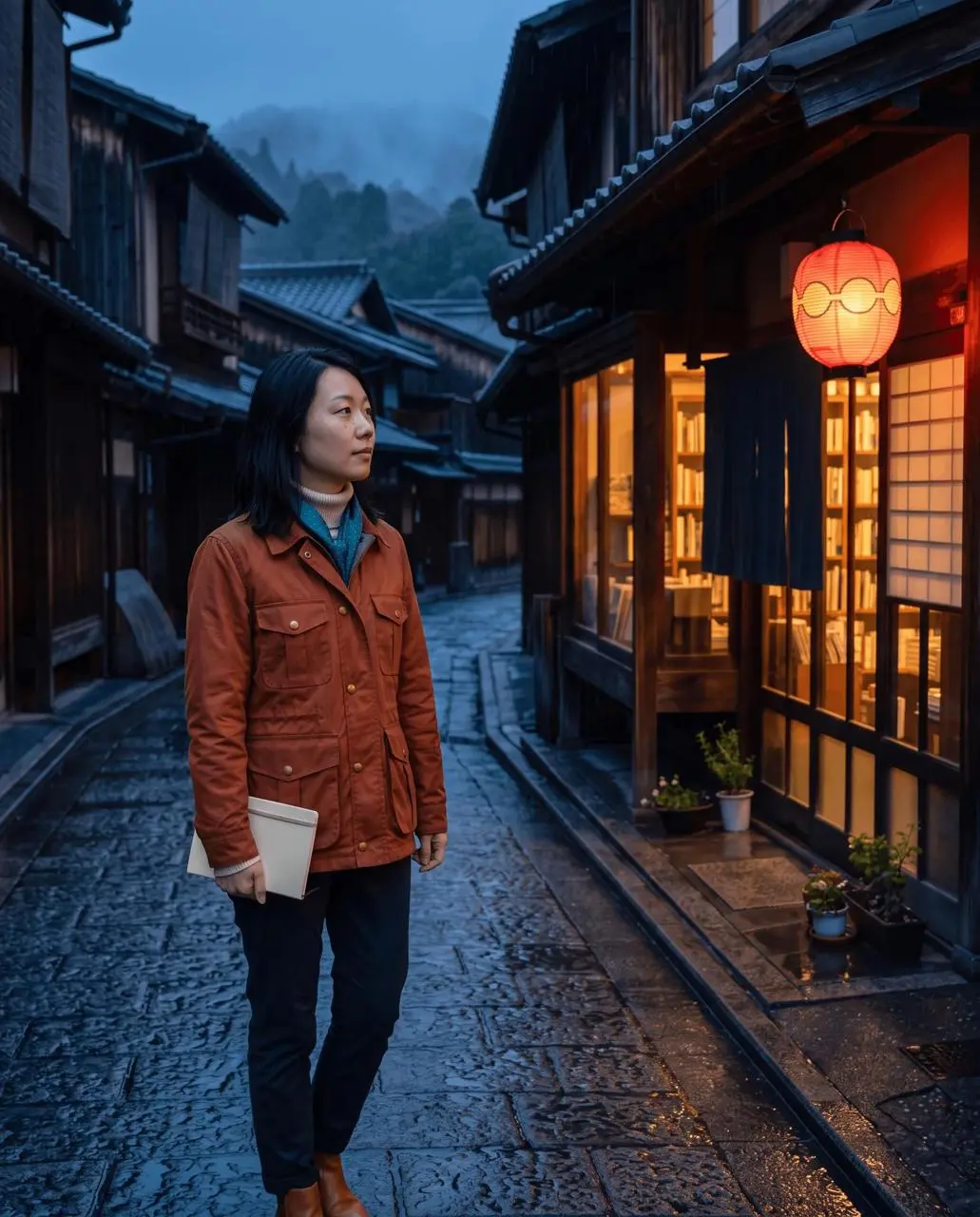
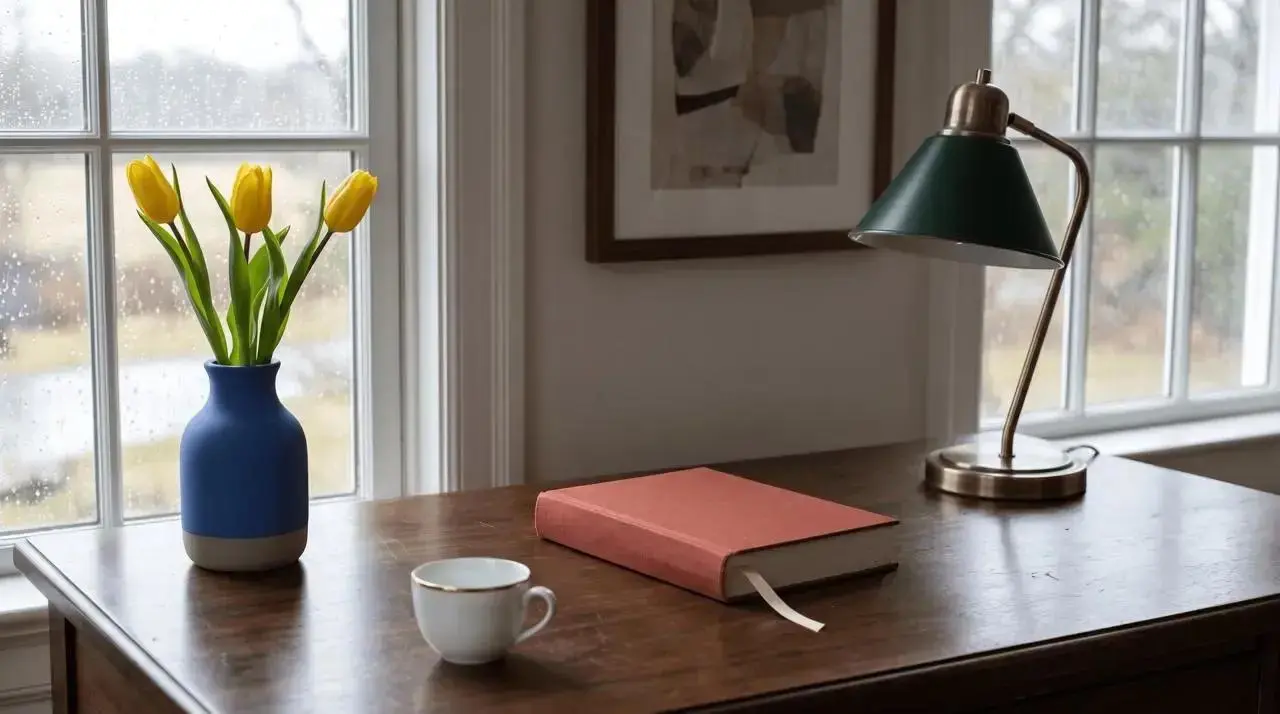
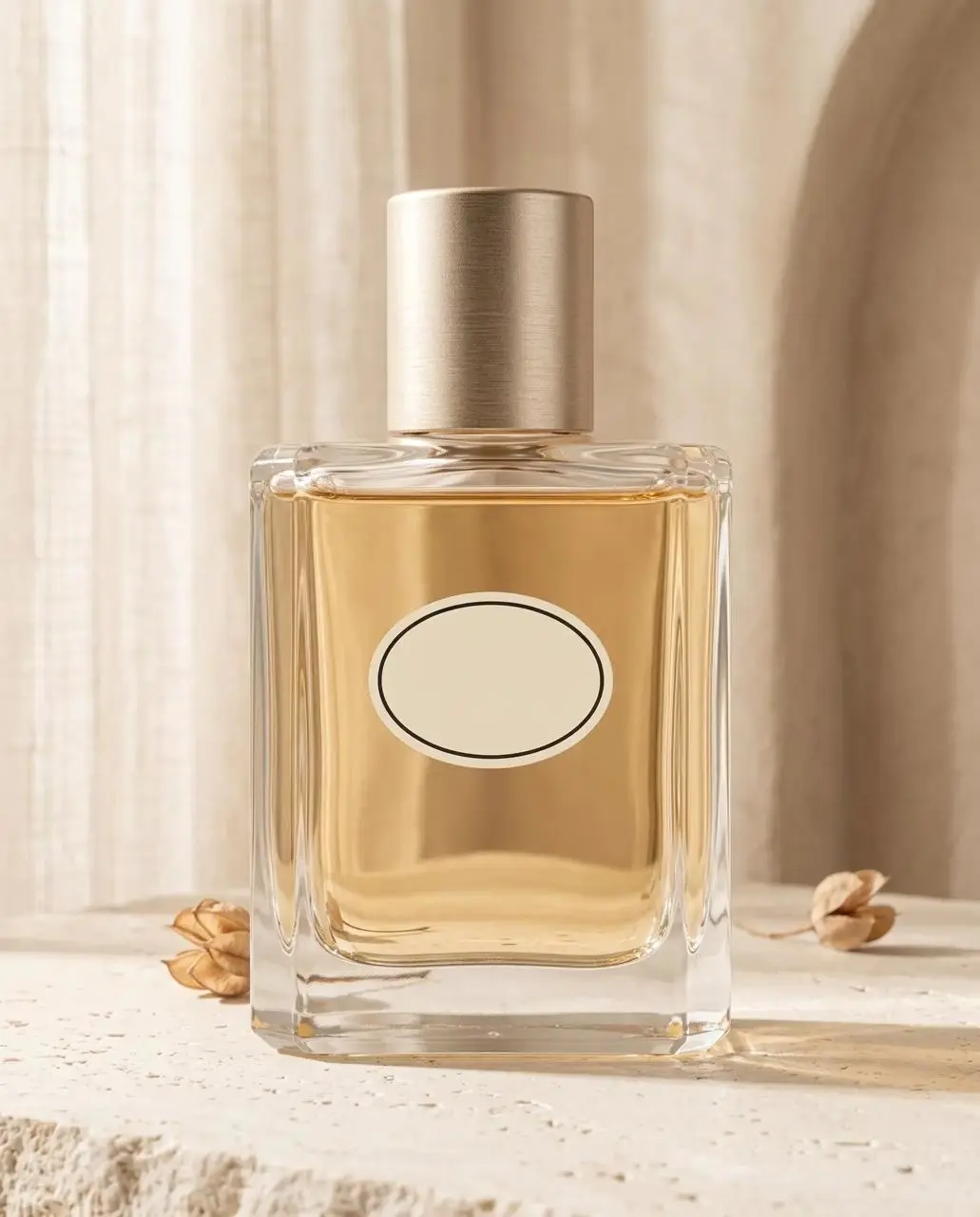
Lihat potret orang, foto produk, dan interior. Baca prompt asli bersama hasilnya; pengeditan ruangan juga menyertakan foto referensi.
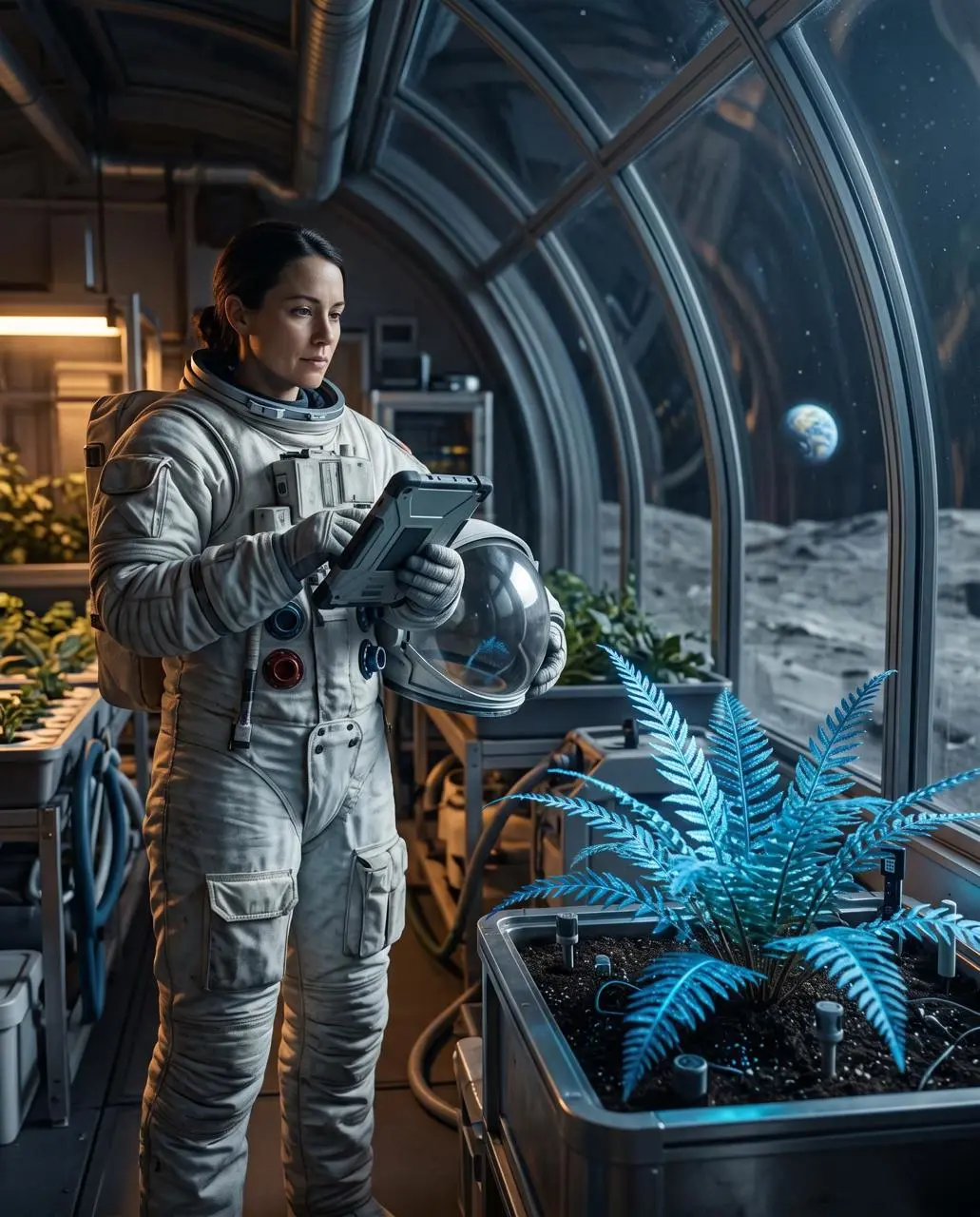
Potret di Rumah Kaca Bulan
Tempatkan astronaut botanis di kiri dan pakis biru bercahaya di kanan. Jelaskan cahaya dan rumah kaca, lalu periksa wajah serta tangan.
Create a finished 4:5 environmental portrait of one botanist-astronaut cataloging a luminous blue fern inside a lunar greenhouse at night. The person stands in the left third, seen from knees up, wearing a practical white exploration suit with a clear helmet held under one arm. The fern is the sharp foreground subject on the right, while curved glass walls reveal the gray lunar surface and a small Earth low on the horizon. Shoot at eye level with a 50mm lens and moderate depth of field. Use cool moonlight from the right, soft amber work lights from the left, realistic skin and fabric texture, restrained blue-and-amber color grading, and a quiet documentary mood. No extra people, no flags, no readable labels, no fantasy magic particles, no logos, no watermark.
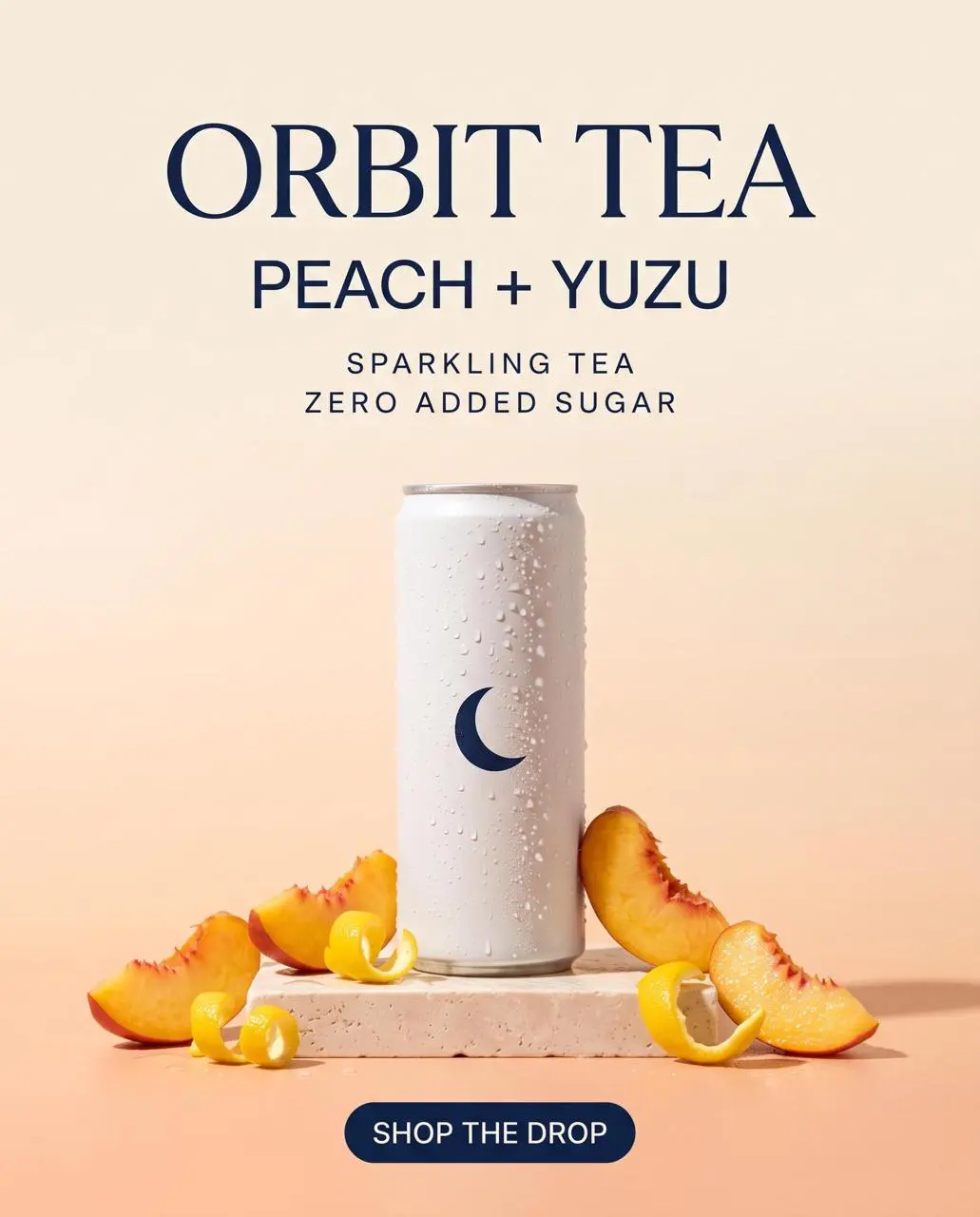
Tentukan satu kaleng, judul persis, teks pendukung, buah dan alas batu. Periksa tulisan, bentuk produk serta posisinya.
Create a premium vertical ecommerce launch poster for a fictional sparkling tea brand. Hero product: one slim matte-white aluminum can with a simple navy crescent symbol, realistic condensation, peach slices and yuzu peel, on a pale stone pedestal. Warm peach-to-cream gradient background, soft studio shadows, refined editorial layout, photoreal product lighting, generous negative space. Render exactly these five text lines, spelled exactly as written: ORBIT TEA; PEACH + YUZU; SPARKLING TEA; ZERO ADDED SUGAR; SHOP THE DROP. Keep ORBIT TEA as the largest headline, PEACH + YUZU directly below it, SPARKLING TEA and ZERO ADDED SUGAR as small but clearly legible supporting lines, and SHOP THE DROP as a compact button-style callout. Do not add, duplicate, alter, or misspell any text. No people, no hands, no extra cans, no third-party logos, no watermark.
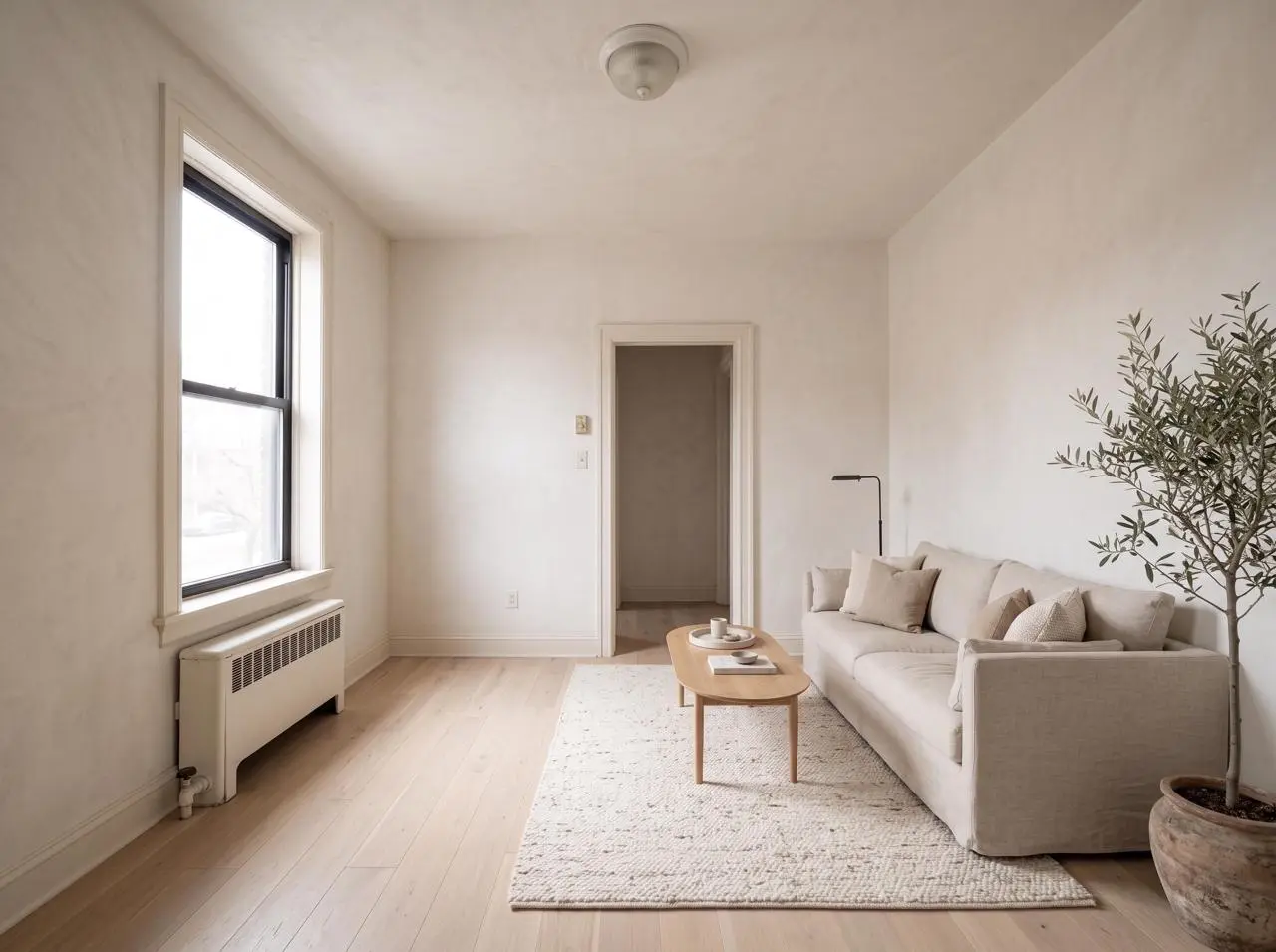
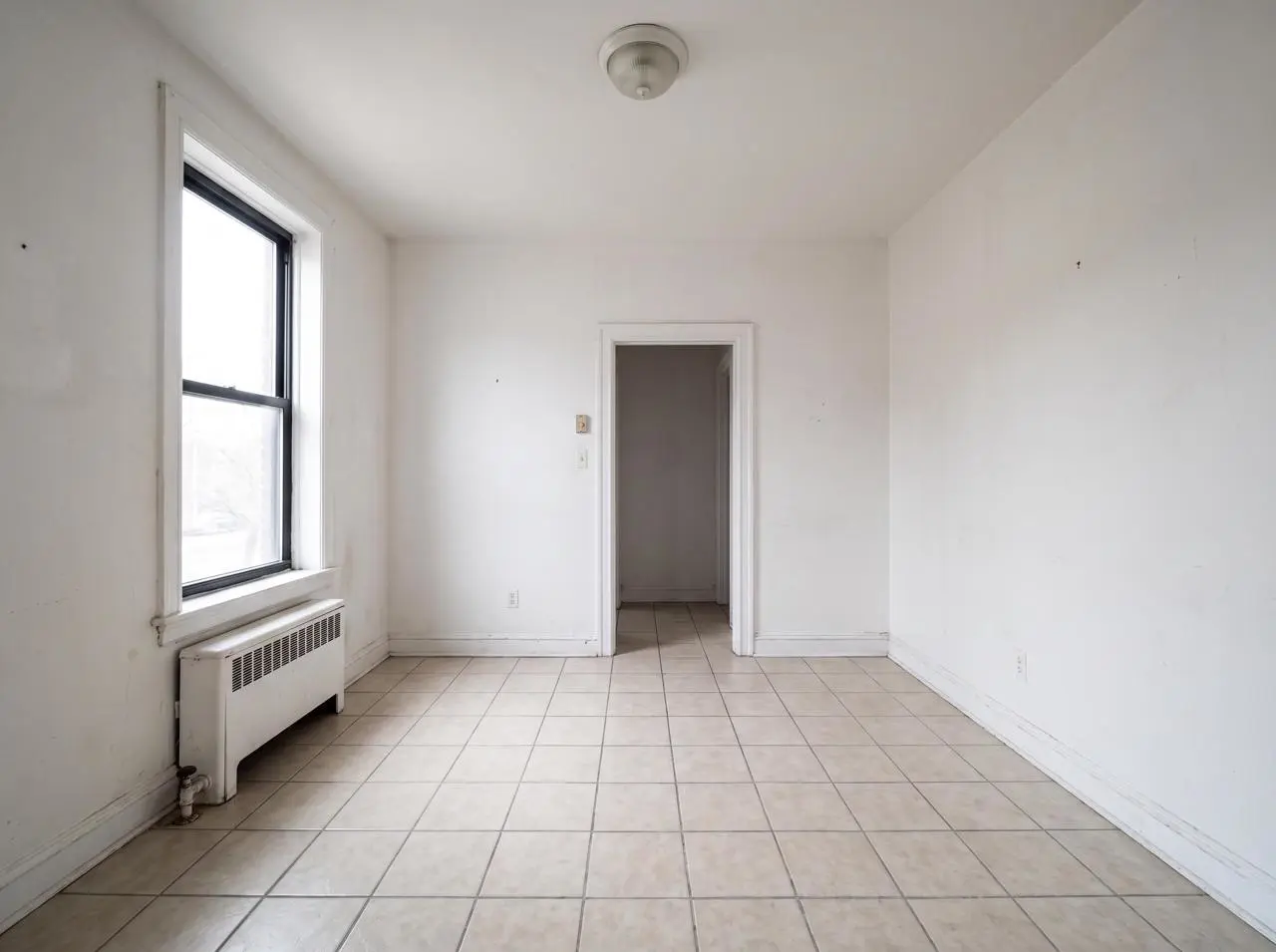
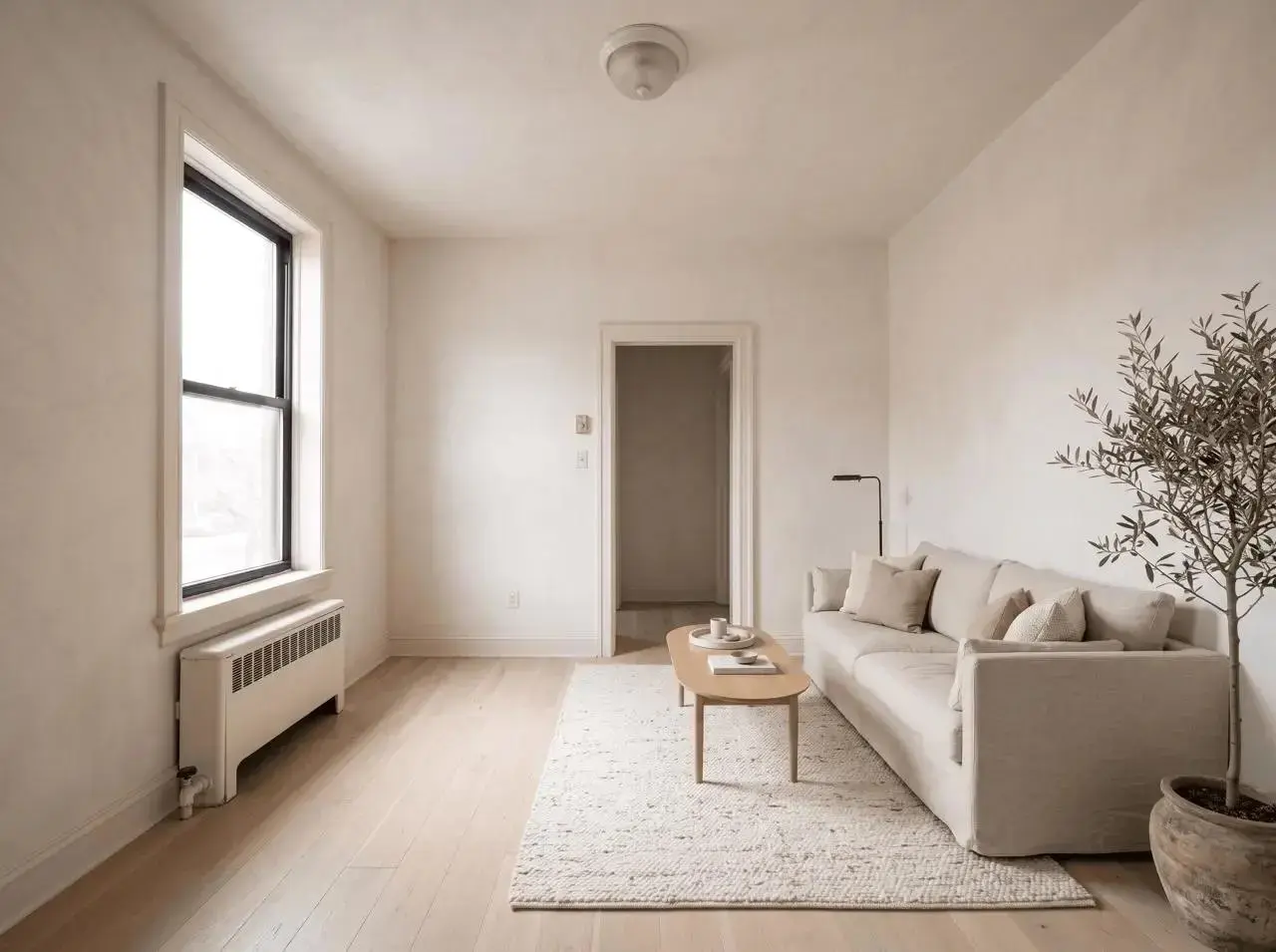
Gunakan ruangan sebagai referensi arsitektur dan ubah lapisan serta furnitur. Bandingkan jendela, pintu, radiator dan perspektif.
Use the reference photo as a locked architectural plate and perform a finish-and-furniture edit only. Preserve the exact pixel-aligned camera view, perspective, room dimensions, ceiling, all wall edges, the single tall black-framed window on the left with the same opening and frame pattern, the white radiator directly below it, and the centered back doorway with the same size and position. Do not alter, repaint, subdivide, widen, narrow, shift, add, or remove any architectural opening or fixed fixture. Change only: beige tile to pale natural oak flooring; walls to warm off-white plaster; add a low oatmeal linen sofa fully along the right wall, a slim oval oak coffee table on a cream textured rug, one minimal black reading lamp, and one olive tree in a clay pot at back right. Soft natural late-morning light, photorealistic Japandi interior photography, uncluttered. No new windows, no extra doors, no window mullions, no curtains covering the frame, no camera movement, no lens change.
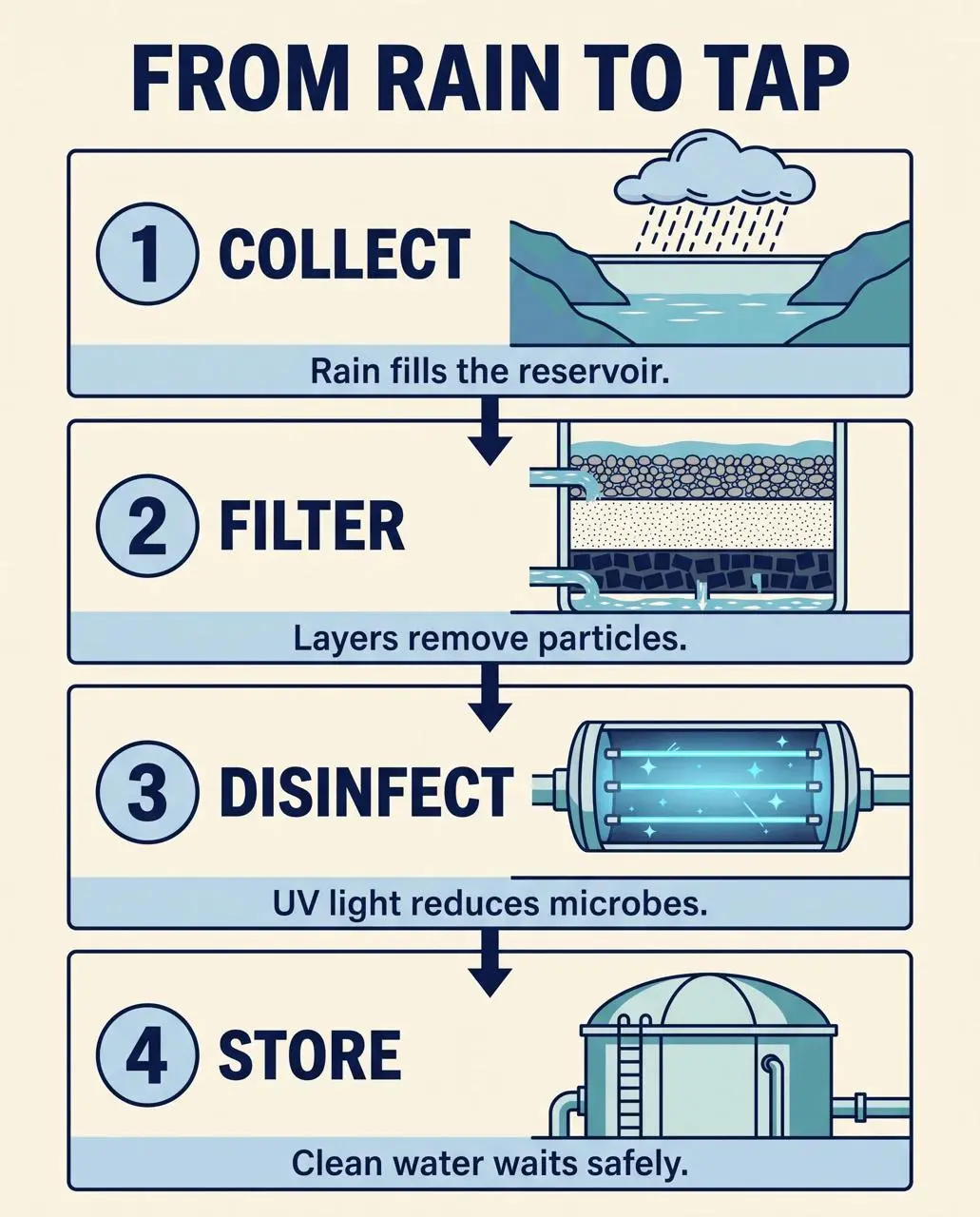
Nano Banana 2.1 adalah gemini-nano-banana-2.1 dari Google, pembaruan Nano Banana 2. Google menjelaskan peningkatan teks, tata letak infografik dan konsistensi karakter. Gunakan teks atau referensi untuk poster produk, diagram proses, potret dan edit adegan. Periksa tulisan, wajah dan detail.
Teks dan Tata Letak Infografik
Tentukan satu kaleng, judul persis, teks pendukung, buah dan alas batu. Periksa tulisan, bentuk produk serta posisinya.
Edit Adegan dengan Referensi
Gunakan ruangan sebagai referensi arsitektur dan ubah lapisan serta furnitur. Bandingkan jendela, pintu, radiator dan perspektif.
Kesinambungan Karakter dan Visual
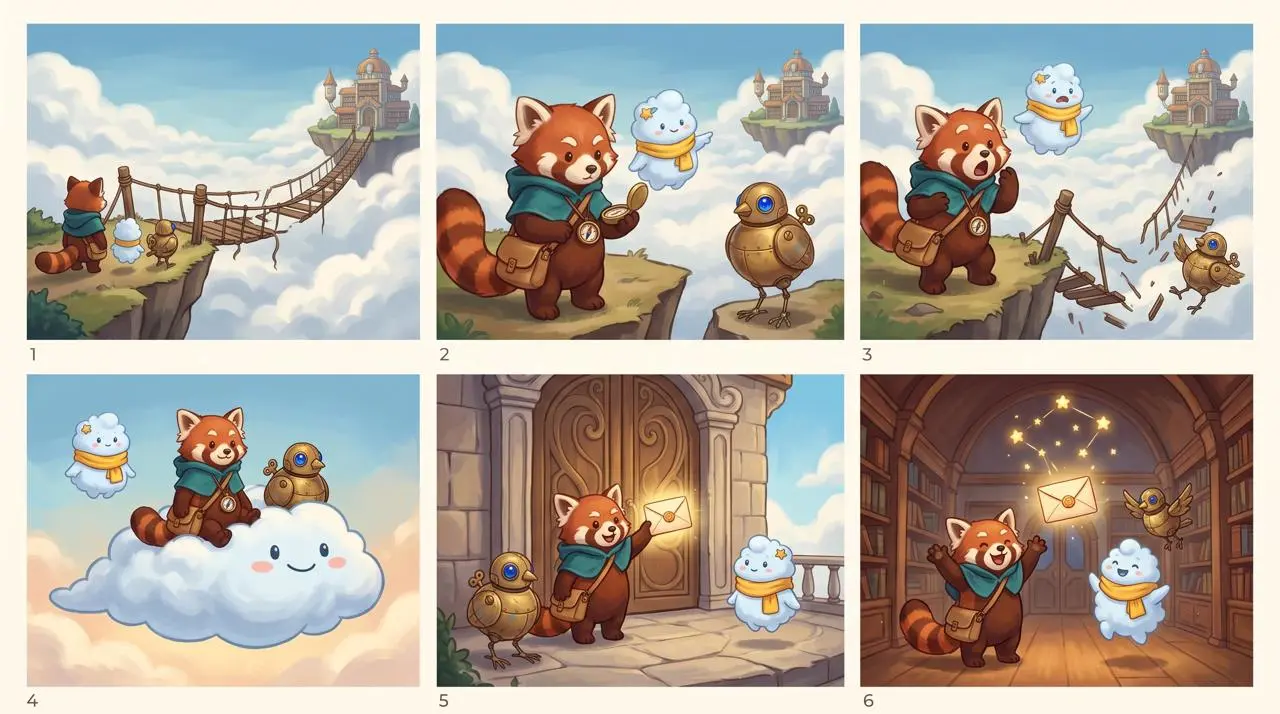
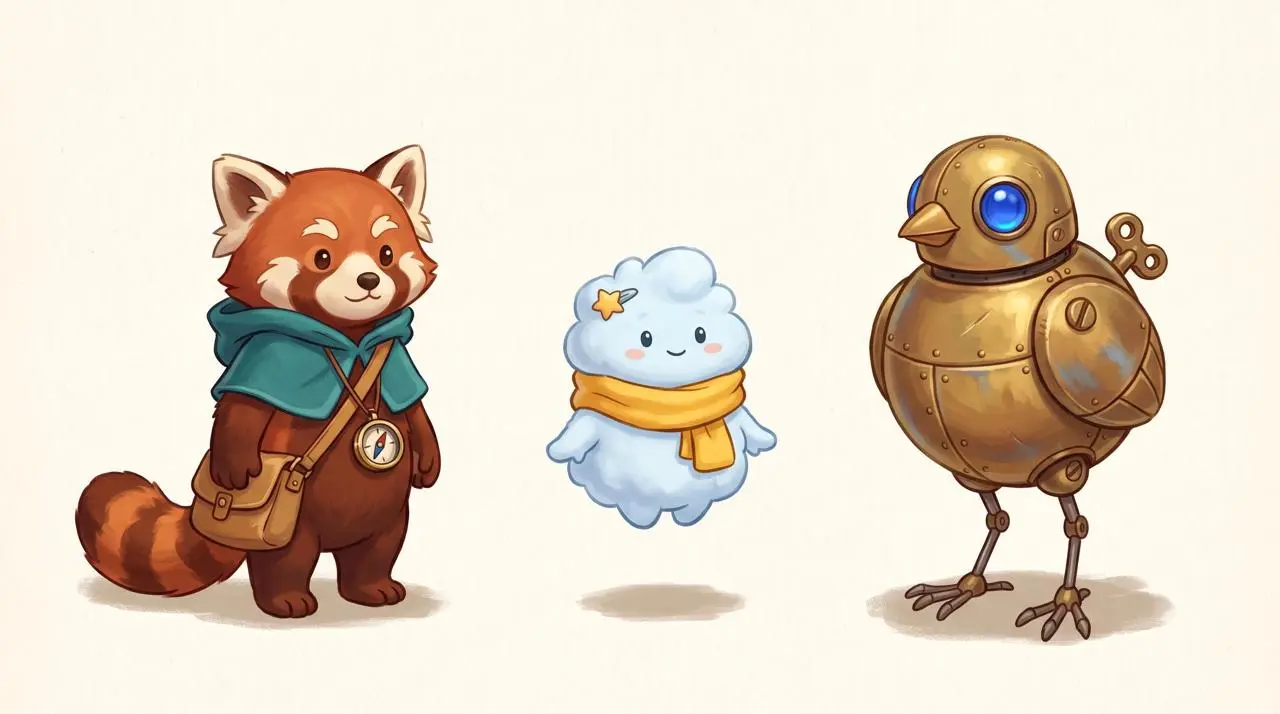
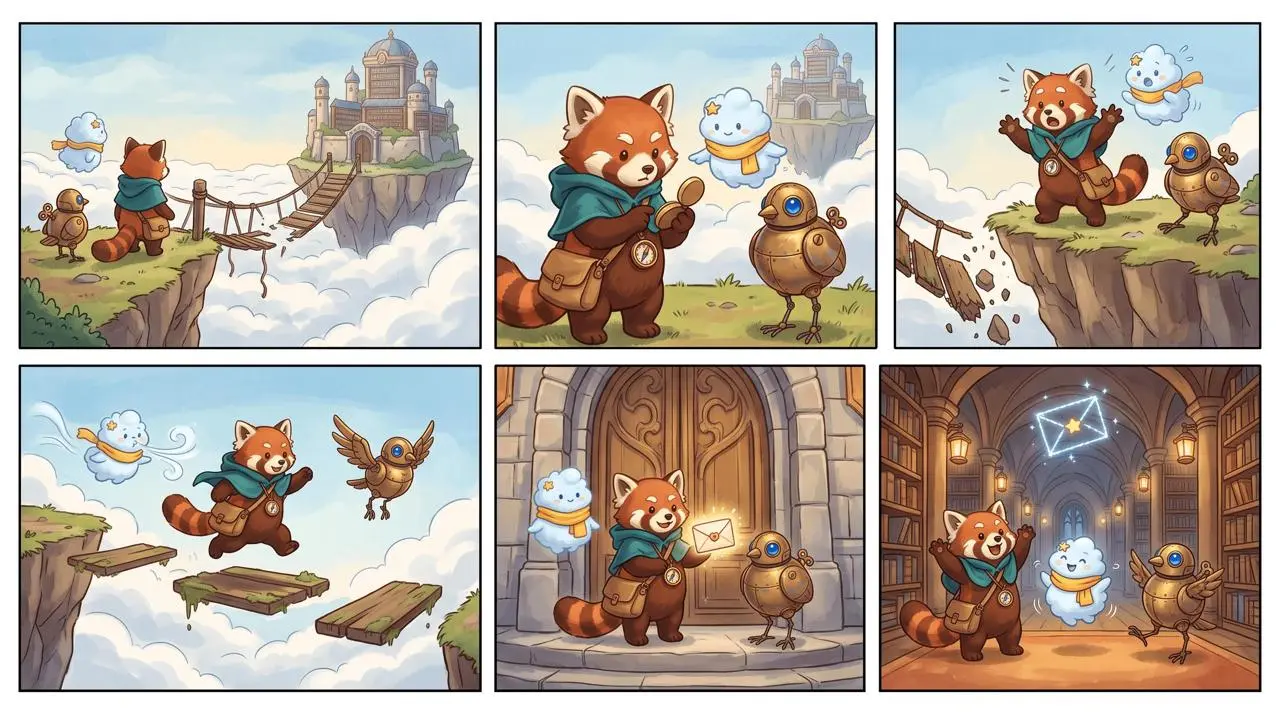
Gunakan pakaian, warna dan aksesori khas untuk memandu kesinambungan karakter. Storyboard memakai panda merah, roh awan dan burung kuningan. Periksa karakter dan detail di setiap panel.
MODE KREASI
Pilih Input Awal Anda
Mulai dengan teks untuk gambar baru atau tambahkan foto referensi untuk mengedit atau menggabungkan. Jelaskan subjek, komposisi dan perubahan serta peran setiap referensi.
Mulai dari Foto Referensi Anda
Unggah subjek atau adegan untuk diedit. Jika ada beberapa masukan, tentukan kontribusi setiap referensi dan jelaskan perubahan yang diminta.
Buat dari Deskripsi Tertulis
Jelaskan subjek baru, latar, komposisi, dan perlakuan visual. Sertakan kata-kata yang perlu muncul dalam gambar.
PANDUAN PROMPT
Cara Menulis Prompt Nano Banana 2.1
Baca prompt asli lengkap tentang peran referensi, detail yang dipertahankan, hierarki teks, komposisi dan cahaya. Bandingkan input dan hasil sebelum mengadaptasinya.
Pertahankan Ciri Karakter antar Panel Storyboard
Sebutkan warna dan aksesori tiap karakter lalu jelaskan enam panel secara berurutan. Gambar referensi memandu pemeran; periksa karakter, pakaian dan aksesori di semua panel.
Use the uploaded lineup as the exact character reference. Create one polished 3-by-2 storyboard sheet with six equal cinematic panels, read left to right and top to bottom, in the same hand-painted storybook animation style. Preserve the identity, proportions, colors, clothing, and accessories of all three characters in every panel: Rhea is the red panda courier with teal hooded cape, tan satchel, and brass compass; Nimbus is the pale-blue cloud spirit with yellow scarf and star hair clip; Tock is the brass bird robot with cobalt-blue eye and winding key. Story: the trio delivers a glowing letter to a floating sky library. Panel 1: they arrive at the edge of a broken rope bridge above clouds. Panel 2: Rhea studies the compass while Nimbus points toward the distant library and Tock watches. Panel 3: the bridge collapses and all three react with surprise. Panel 4: Nimbus expands into a soft cloud platform carrying Rhea and Tock across the gap. Panel 5: they land at the sky library doors and Rhea holds up the glowing letter. Panel 6: inside the warm library, the three friends celebrate together as the delivered letter becomes a small constellation overhead. Keep exactly one Rhea, one Nimbus, and one Tock in every panel. Vary camera distance and poses, but keep faces, costume colors, body shapes, and signature accessories consistent. Clear white gutters between panels. No speech bubbles, no captions, no text, no logos, no watermark, no extra characters.
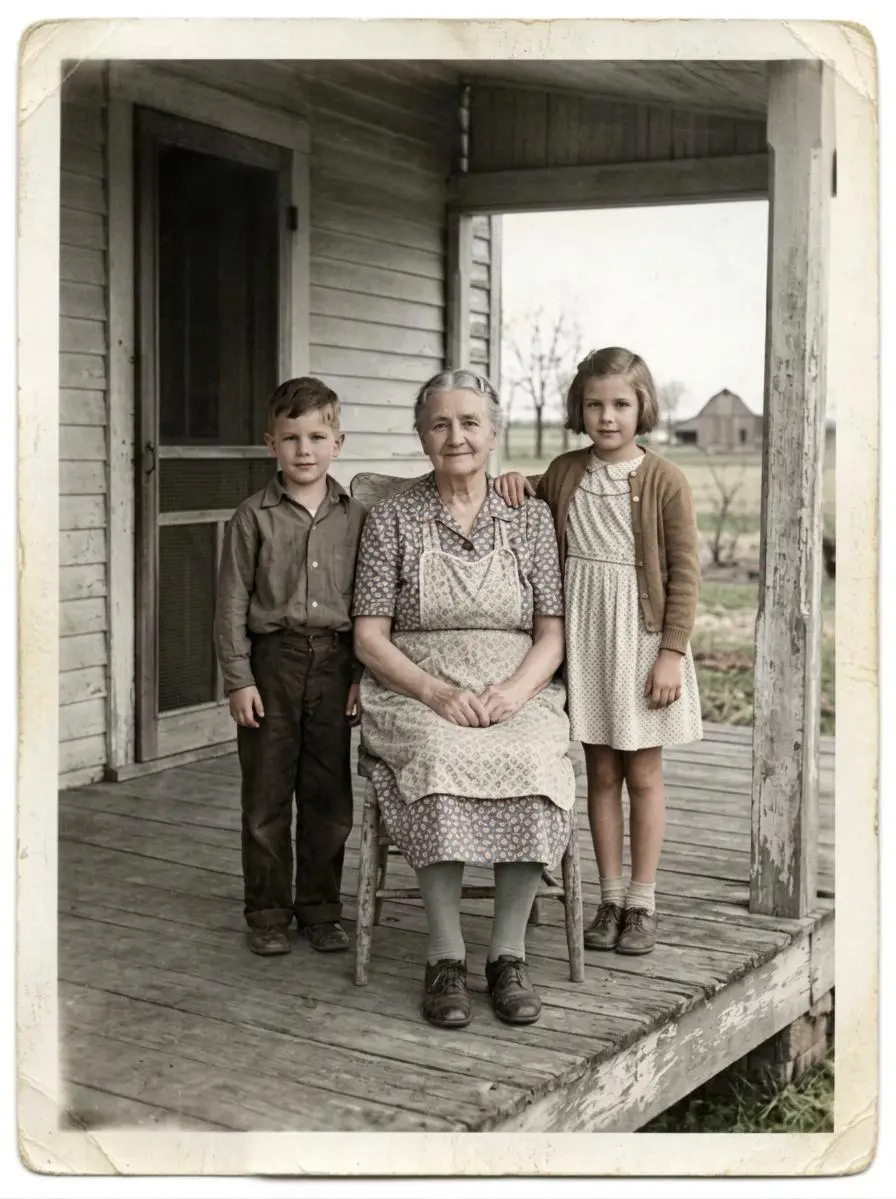
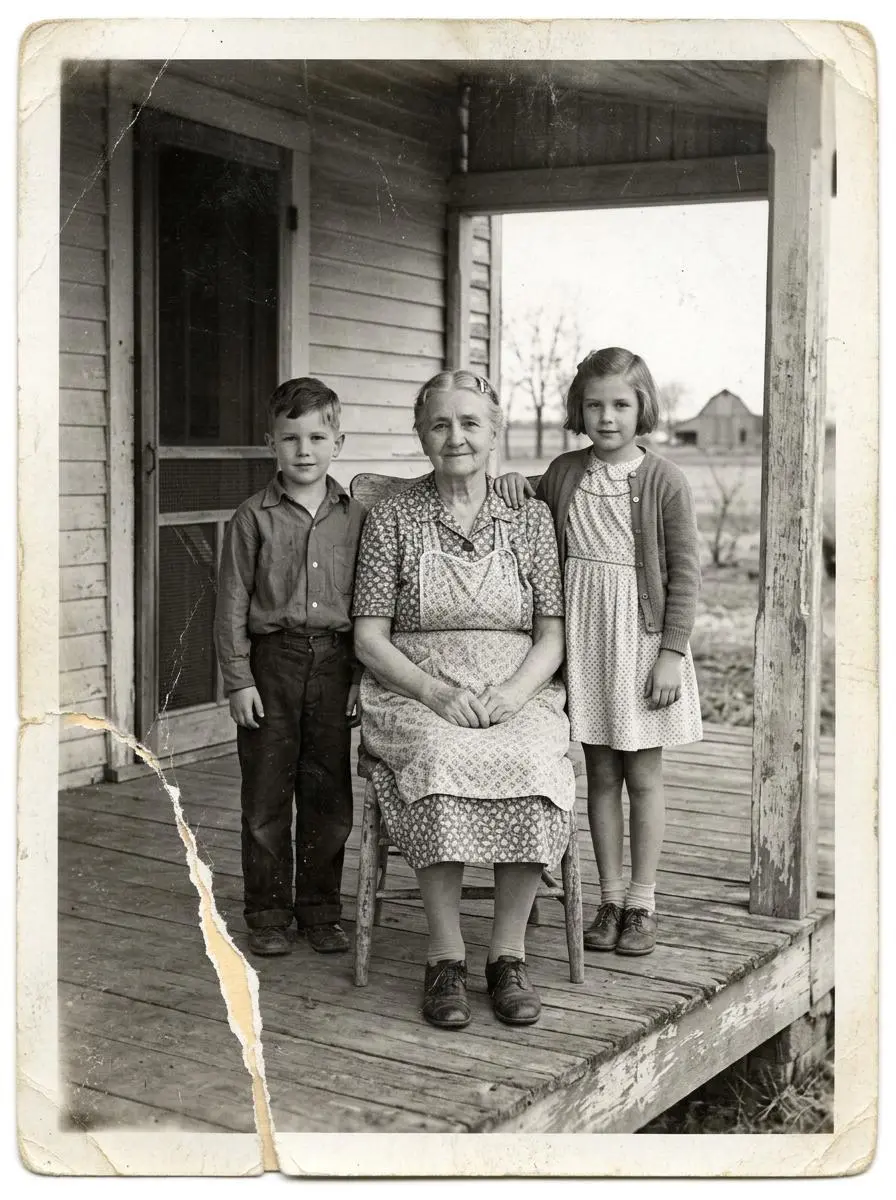
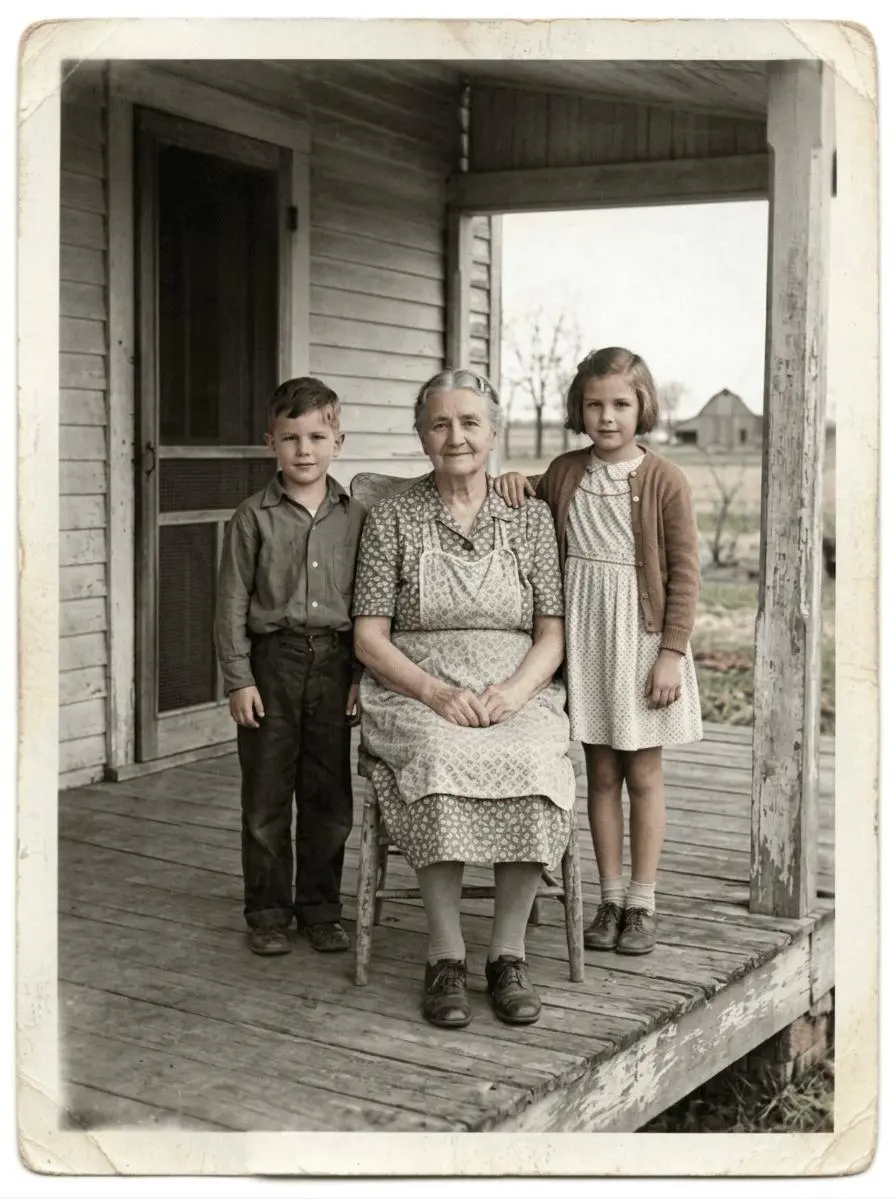
Pisahkan Restorasi dari Perubahan Orang
Pisahkan kerusakan yang diperbaiki dari wajah, pose dan bingkai yang dipertahankan. Contoh ini memperbaiki foto bergaya lama sintetis dan menambah warna lembut. Simpan sumber; warna adalah interpretasi.
Restore this damaged 1948 black-and-white family photograph while preserving the exact identities, ages, facial proportions, poses, clothing, porch architecture, framing, and historical period. Repair the lower-left tear, remove scratches and dust, recover balanced contrast and fine facial detail, and add restrained historically plausible natural color: weathered gray porch boards, muted cream and brown clothing, natural skin tones, and subdued green countryside. Do not beautify faces, change expressions, invent jewelry, alter clothing, add people, remove people, crop, modernize, add text, logo, or watermark. Keep subtle film grain so it remains an archival photograph rather than a modern digital portrait.
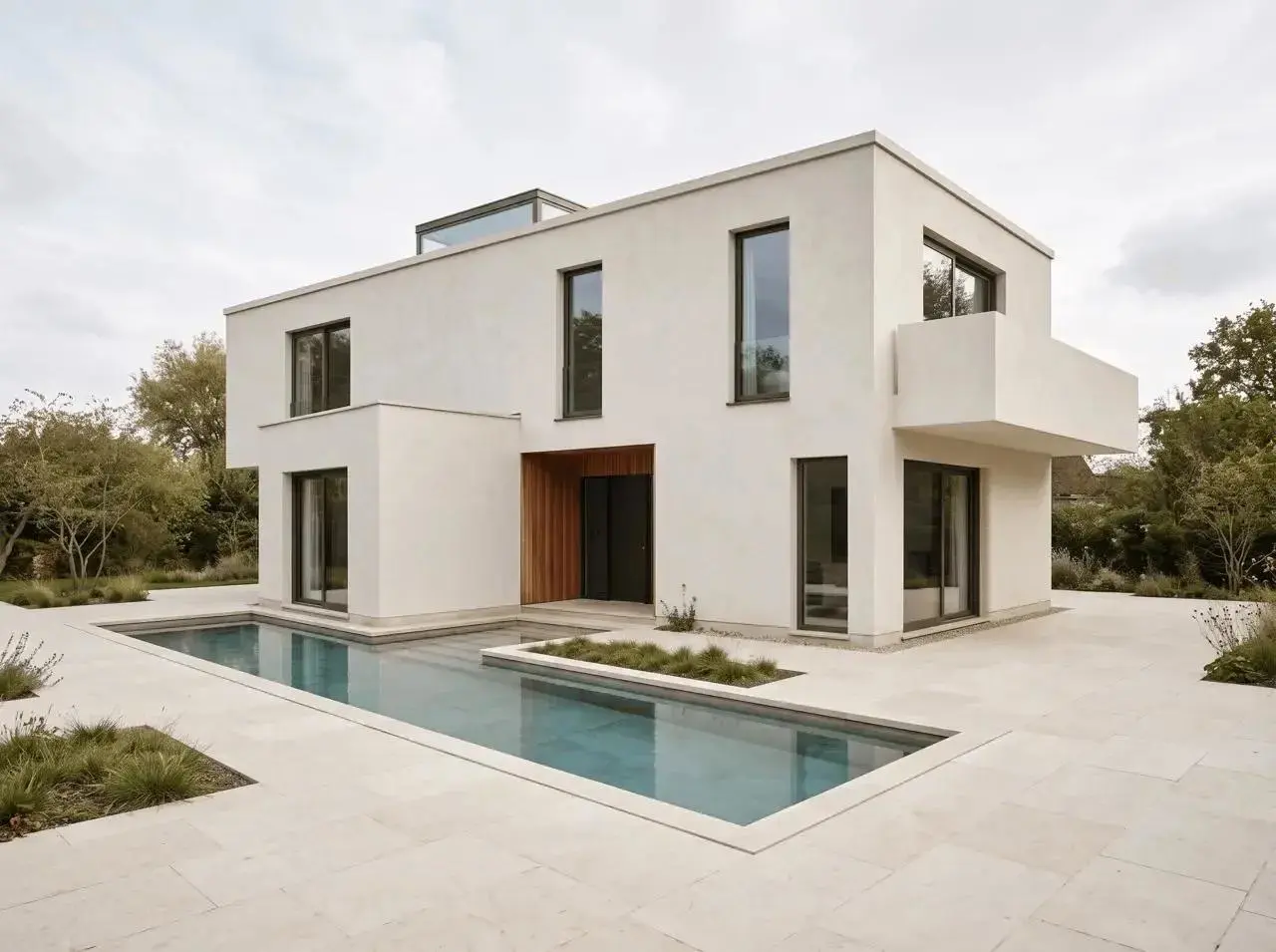
Ubah Pencahayaan sambil Mempertahankan Adegan
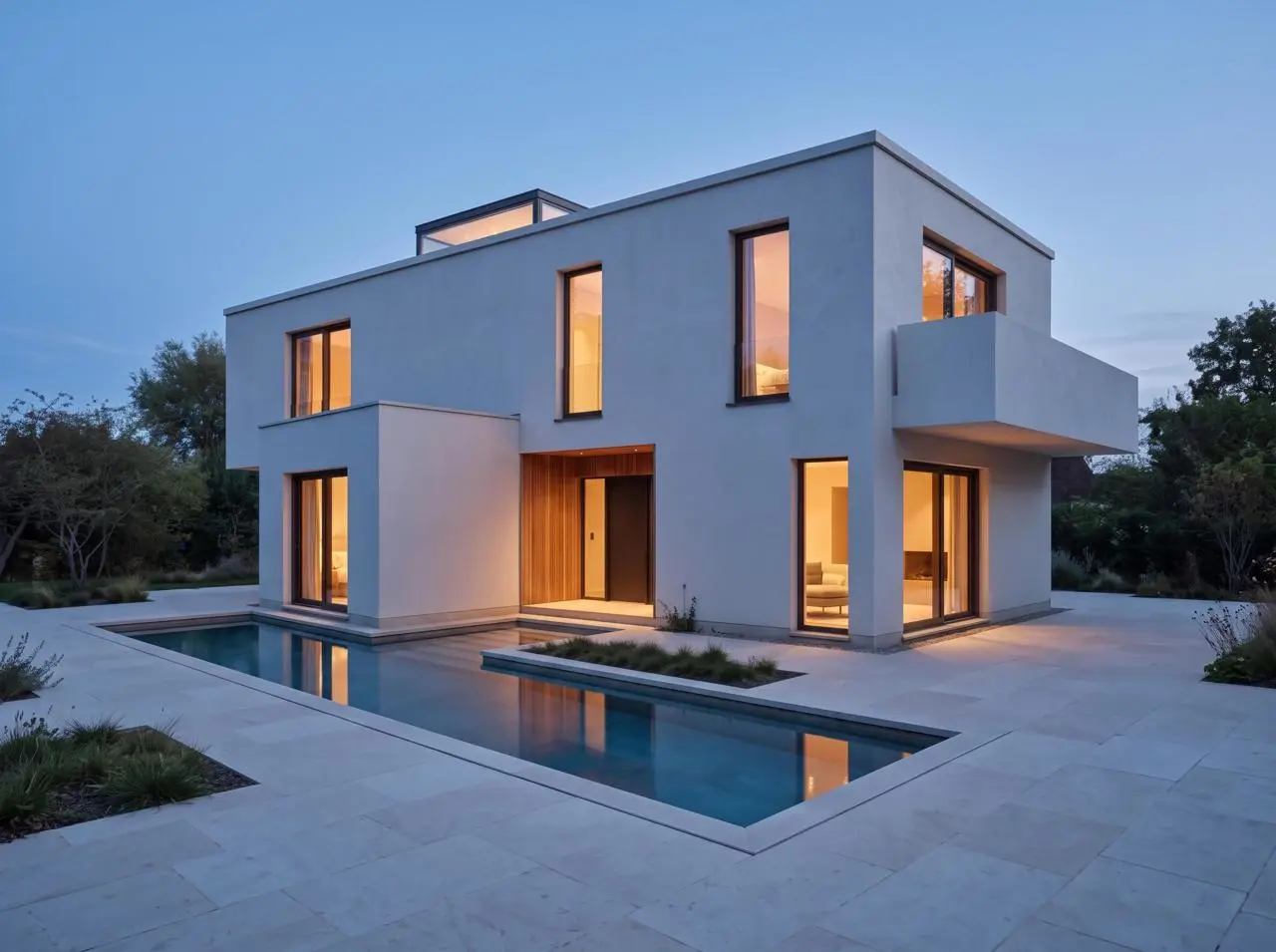
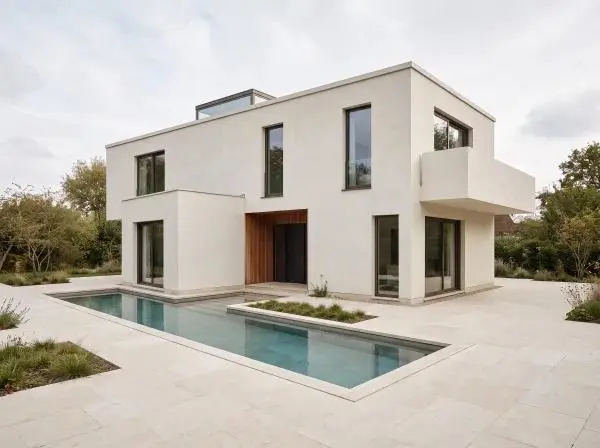
Minta perubahan cahaya dan waktu sambil menyebut bagian arsitektur yang dipertahankan. Bandingkan jendela, atap, tepi kolam dan bingkai dengan referensi siang hari.
Edit only the lighting and time of day in the uploaded architectural render. Change the soft overcast daylight to calm blue hour just after sunset, with a deep blue sky, warm 3000K interior light visible through the existing windows, and subtle warm reflections on the existing pool. Preserve the camera, crop, lens perspective, house massing, flat roof, skylight, every window and door opening, recessed entrance, balcony, wall edges, pool footprint, paving, materials, planting, and all object positions exactly. Do not add, remove, move, resize, duplicate, or redesign any architectural element. No people, furniture, vehicles, text, logo, or watermark.
Tentukan Ruang Potongan dan Objeknya
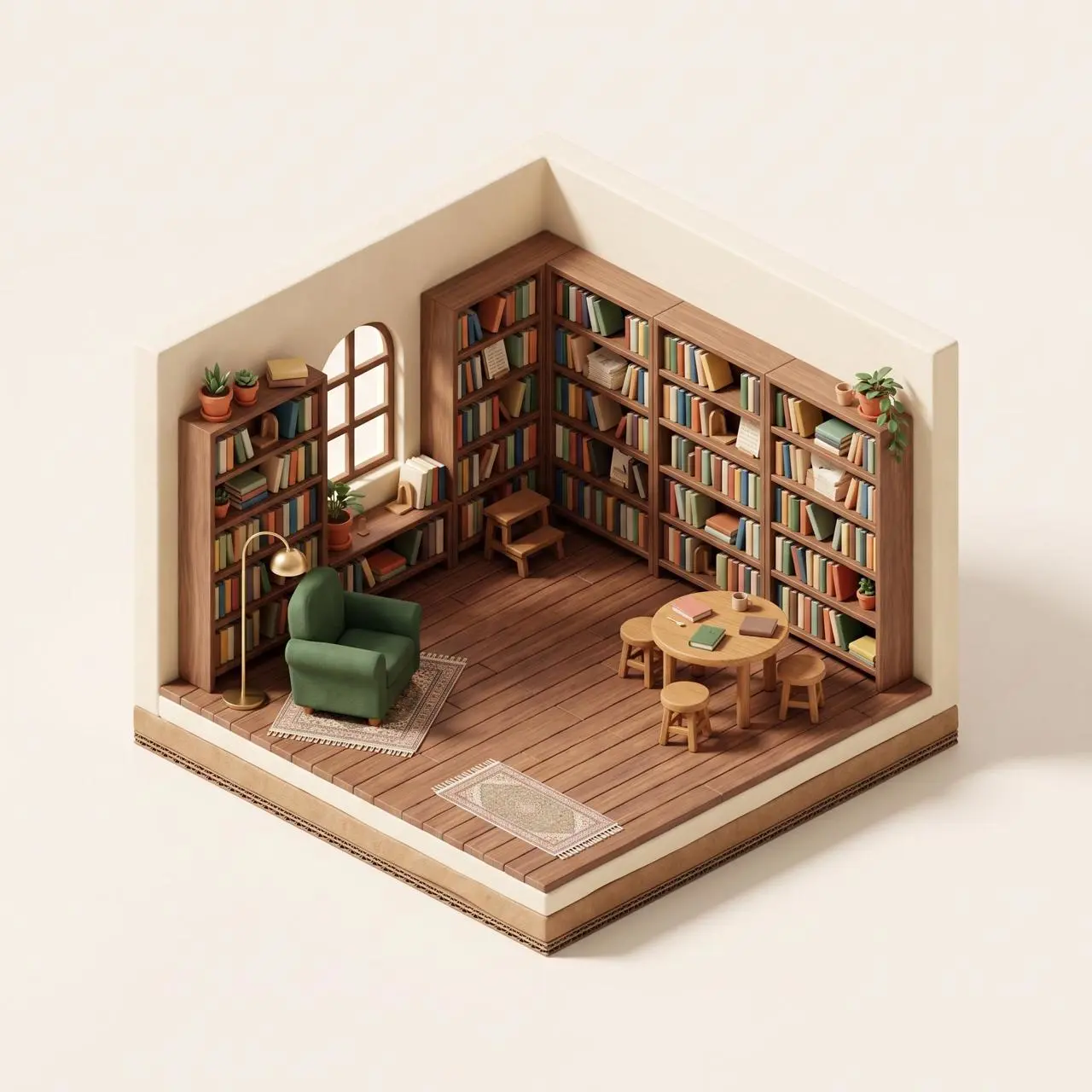
Jelaskan satu ruang persegi berbentuk potongan, dua dinding belakang, rak, area baca dan meja terpisah dengan kayu hangat dan kain hijau.
Create one isometric cutaway illustration of a tiny neighborhood library as a handcrafted miniature diorama. Orthographic view from above at a 30-degree angle, parallel verticals, no wide-angle distortion. Remove the roof and both front-facing walls so the interior is completely visible; retain the two rear walls. One single square room on a thick square base. An L-shaped wall of walnut bookshelves follows the two rear walls; a forest-green reading armchair and brass floor lamp sit on the left; one round oak table with two stools sits on the right; a small arched window is centered on the back wall. Leave a clear walking path through the middle. Warm ivory plaster, walnut wood, green upholstery, terracotta accents, tiny books with blank spines, soft clay-like materials and fine paper texture. Soft afternoon light from upper left, gentle ambient occlusion, clean warm off-white background, whole base visible with generous breathing room. Cozy editorial illustration, precise readable shapes. No people, no letters, no labels, no watermark, no extra rooms, no exterior street.
Kontraskan Jendela Hangat dan Lanskap Sejuk
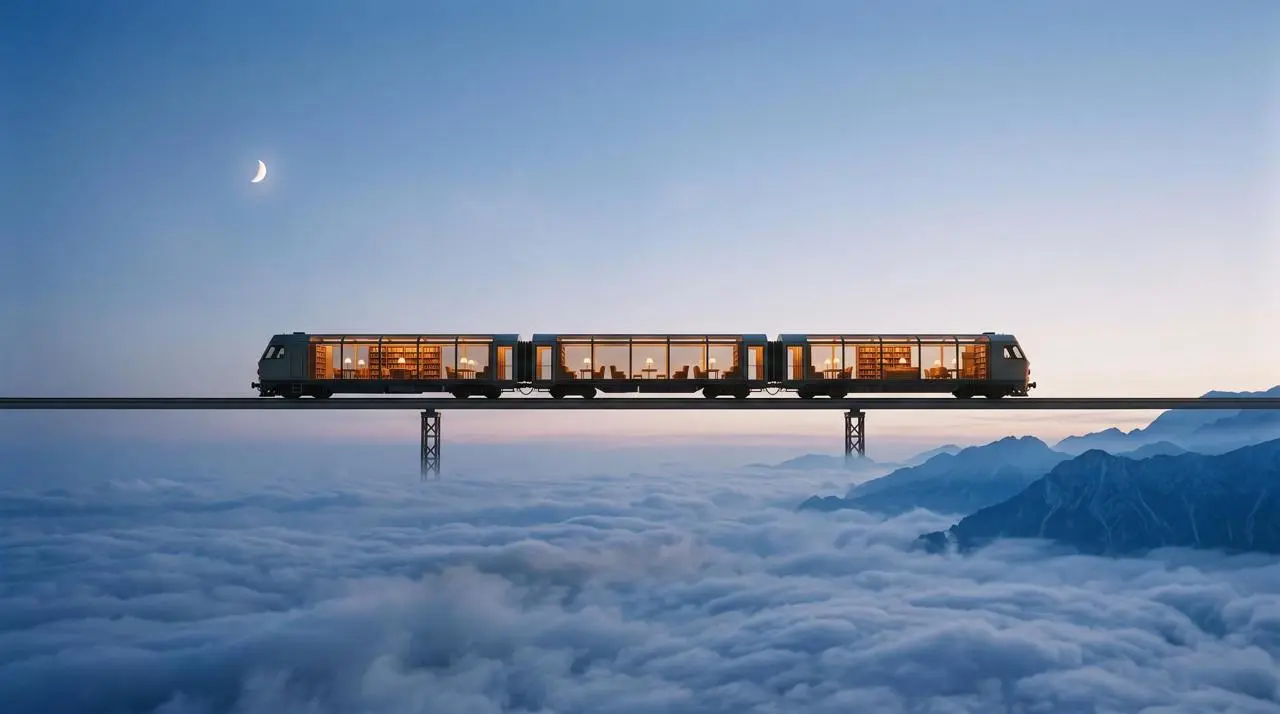
Tempatkan kereta perpustakaan kaca di atas awan. Kontraskan jendela hangat dengan fajar biru serta tentukan bulan dan pegunungan.
Create a finished 16:9 cinematic editorial image of exactly one glass-walled library train traveling from left to right on a narrow elevated rail above a sea of clouds. Show the entire train in the middle third of the frame, with a small reading lounge visible through warm amber windows. Place a pale crescent moon in the upper-left and distant blue mountains in the lower-right. Use a wide 35mm view, eye-level horizon, generous negative space, cool blue dawn light outside, warm tungsten light inside, realistic atmospheric depth, and subtle film grain. No people outside the train, no floating books, no extra vehicles, no text, logos, or watermark.
Tempatkan Cahaya dan Warna dalam Adegan
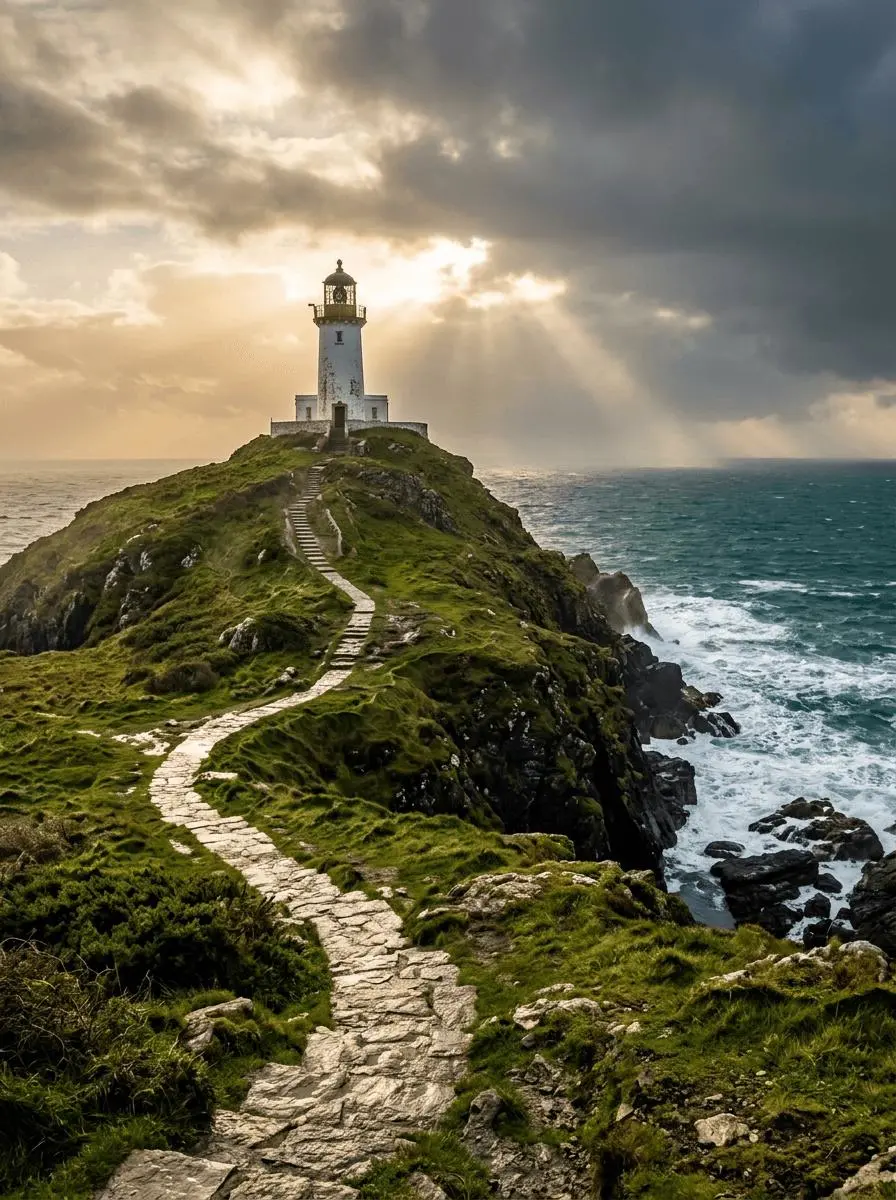
Jelaskan arah cahaya, cuaca, warna dan bingkai bersama. Prompt mercusuar meminta sinar keemasan seusai badai, laut hijau kebiruan dan jalur menuju mercusuar.
A solitary white lighthouse on a rugged green headland above a deep teal sea just after a storm. A winding stone path leads from the bottom foreground to the lighthouse in the upper third. Golden sunlight breaks through layered clouds, waves foam against dark rocks. Photorealistic landscape photography, vertical 3:4 composition, no people, no lettering, no border or watermark.
CARA PENGGUNAAN
Buat Gambar Pertama Anda dengan Nano Banana 2.1
Siapkan input di generator atas halaman, tinjau permintaan dan periksa gambar akhir.
Sediakan Masukan untuk Model Ini
Tulis ide gambar baru atau tambahkan foto untuk diedit atau digabungkan. Identifikasi referensi sesuai urutan unggahan dan jelaskan apa yang dipertahankan atau diubah.
Periksa Pengaturan dan Poin yang Tersedia
Periksa ukuran 1K, 2K atau 4K, rasio aspek dan jumlah hasil. Lihat perkiraan poin dan akses model akun sebelum membuat gambar.
Buka dan Periksa Hasil
Bandingkan hasil dengan deskripsi dan referensi. Periksa teks, wajah, tangan dan semua panel storyboard. Unduh berkas asli untuk melihat dimensi piksel sebenarnya.
Bandingkan Nano Banana asli untuk membuat dan mengedit dengan referensi, Pro untuk desain terperinci, Nano Banana 2 untuk alur Flash yang efisien, dan 2.1 untuk peningkatan teks, tata letak, serta kesinambungan visual. Lihat masukan dan pengaturan keluaran di bawah.
Aspek
Nano Banana
Nano Banana Pro
Nano Banana 2
Nano Banana 2.1
Peran model
Pembuatan dan pengeditan Gemini 2.5 Flash Image asli
Gemini 3 Pro Image untuk desain terperinci dan kontrol kreatif
Gemini 3.1 Flash Image untuk pembuatan dan pengeditan efisien
Pembaruan Nano Banana 2.1 untuk tata letak dan kesinambungan visual
Masukan yang tercantum untuk halaman
Mulai dari Foto Referensi Anda; Buat dari Deskripsi Tertulis
Buat Desain Baru; Gunakan Subjek Referensi
Mulai dari Foto Referensi Anda; Buat dari Deskripsi Tertulis
Mulai dari Foto Referensi Anda; Buat dari Deskripsi Tertulis
Jawaban tentang versi ini, masukannya, dan cara memulai.
Apa itu Nano Banana 2.1?
Nano Banana 2.1 adalah Gemini Nano Banana 2.1 dari Google (gemini-nano-banana-2.1), pembaruan Nano Banana 2 untuk generasi dan pengeditan percakapan. Google menjelaskan peningkatan teks, infografik dan konsistensi karakter.
Cocok untuk tugas apa?
Gunakan untuk poster bertulisan, infografik proses, potret berbasis referensi, edit adegan dan storyboard. Contoh menampilkan prompt lengkap, input dan hasil individual.
Bisakah membuat gambar tanpa foto?
Ya. Jelaskan subjek, latar, komposisi dan gaya. Sertakan kata persis dan posisinya bila diperlukan. Tambahkan referensi untuk mengedit atau menggabungkan materi yang ada.
Bagaimana memakai beberapa referensi?
Jelaskan file yang menyediakan orang, pakaian, produk atau latar. Sesuaikan peran dengan urutan unggahan lalu periksa wajah, pakaian dan detail objek.
Ukuran dan rasio aspek apa yang tersedia?
WeShop menyediakan 1K, 2K dan 4K. Rasio aspek: auto, 1:1, 2:3, 3:2, 4:3, 3:4, 4:5, 5:4, 16:9, 9:16, 21:9, 1:4, 4:1, 1:8, 8:1. Ini pengaturan permintaan; periksa dimensi piksel dan format pada berkas yang diunduh.
Bagaimana menulis prompt Nano Banana 2.1?
Jelaskan subjek, latar, komposisi, gaya dan cahaya. Untuk edit, sebutkan perubahan dan hal yang dipertahankan; tetapkan peran referensi serta teks dan urutan baca poster.
Bagaimana memilih 2.1, 2 atau Pro?
Gunakan 2.1 untuk pembaruan tata letak teks dan pekerjaan berbasis referensi. Nano Banana 2 adalah pilihan Gemini 3.1 Flash Image terpisah untuk melanjutkan alur lama. Google menempatkan Pro (Gemini 3 Pro Image) untuk tugas visual kompleks dan aset profesional. Bandingkan contoh serta pengaturannya.
Bagaimana memeriksa akses dan biaya?
Periksa WeShop Pricing dan akun untuk akses model dan kredit. Tinjau perkiraan poin sesuai pengaturan dan jumlah sebelum mengirim.
Apa yang harus diperiksa pada hasil?
Periksa kata dan label kecil. Bandingkan wajah dan pakaian dengan referensi, lalu periksa tangan, jumlah objek dan geometri. Periksa semua panel; detail yang diminta untuk dipertahankan pun dapat berubah.