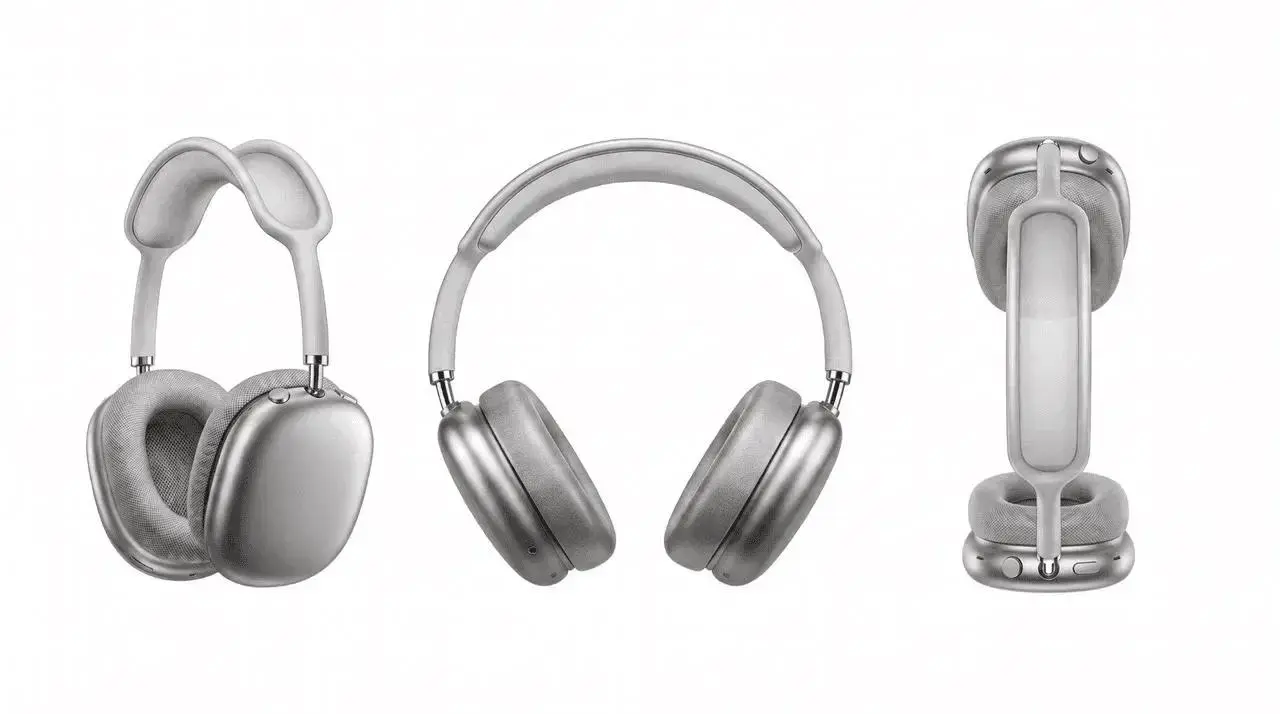
“एयर फ़्रायर की उत्पाद कहानी”, “वीडियो से बढ़ाया गया परफ़्यूम शॉट” और “गाइड इमेज से FPV कैमरा मार्ग” देखें। हर परिणाम के साथ उसका वास्तविक अंग्रेज़ी प्रॉम्प्ट, सहेजा गया केस और उपलब्ध संदर्भ इनपुट जुड़े हैं।
एयर फ़्रायर की उत्पाद कहानी
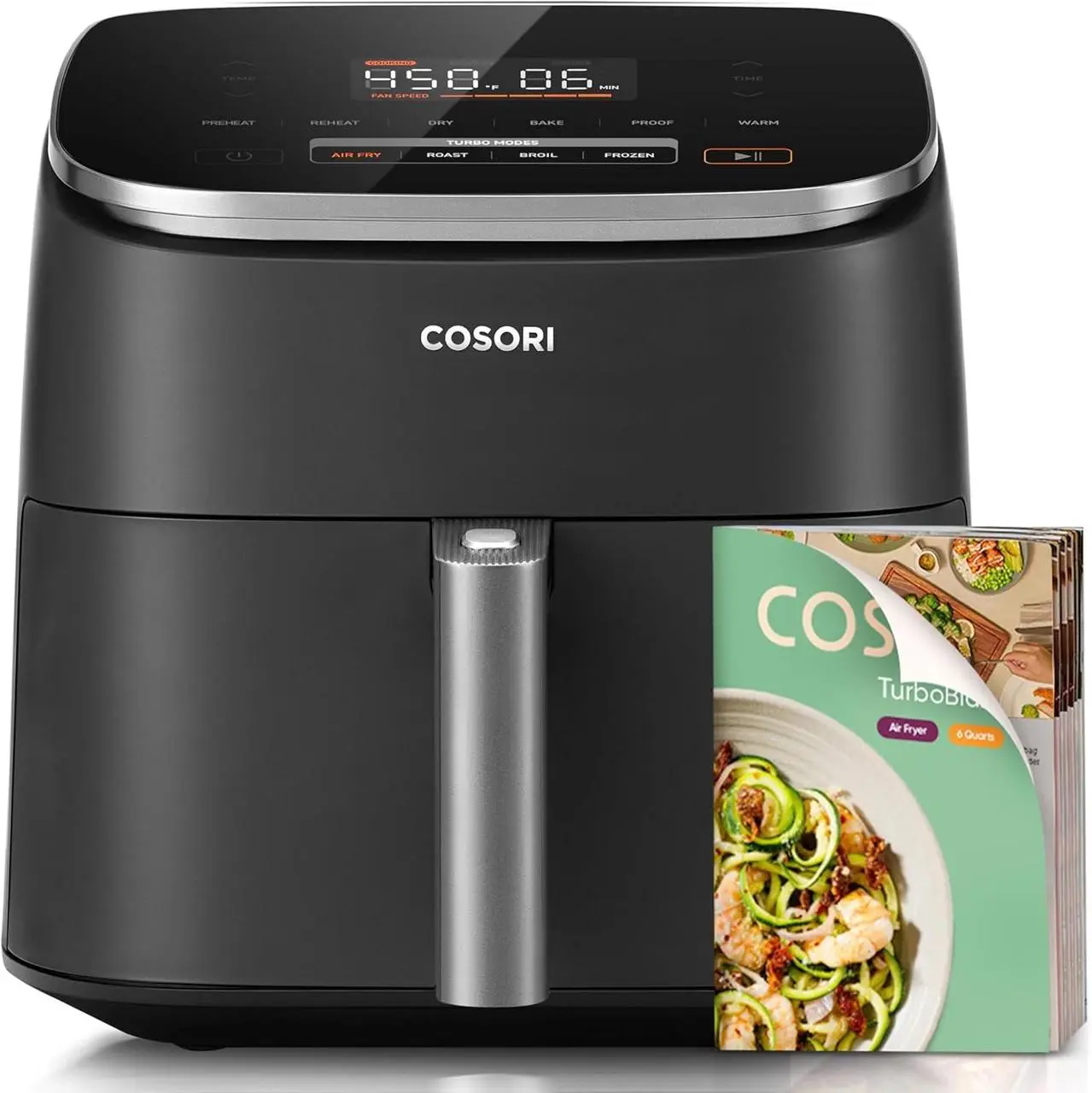
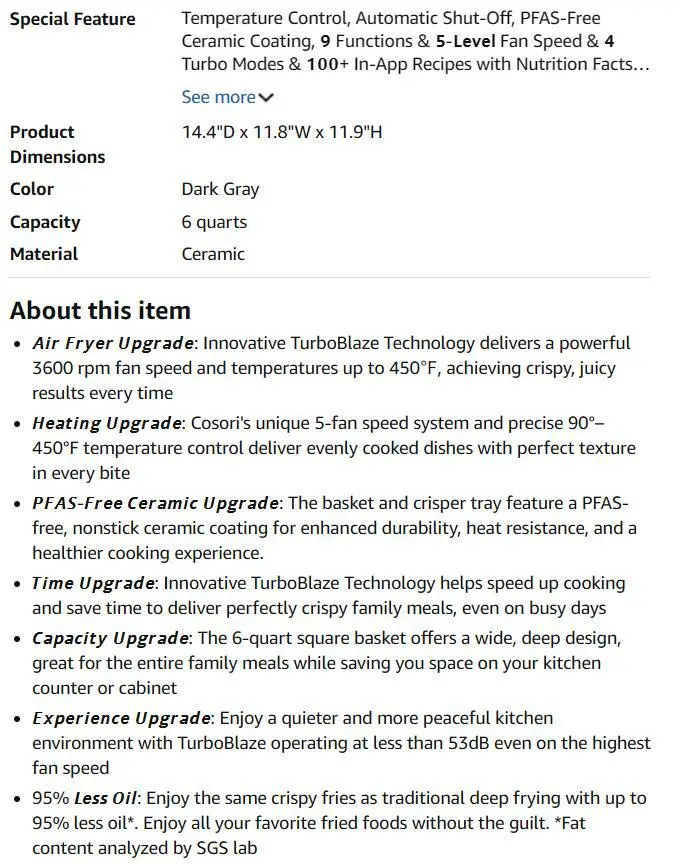
एयर फ़्रायर के आसपास उत्पाद कहानी बनाएँ। मूल प्रॉम्प्ट और इनपुट उत्पाद और उसकी प्रस्तुति देते हैं।
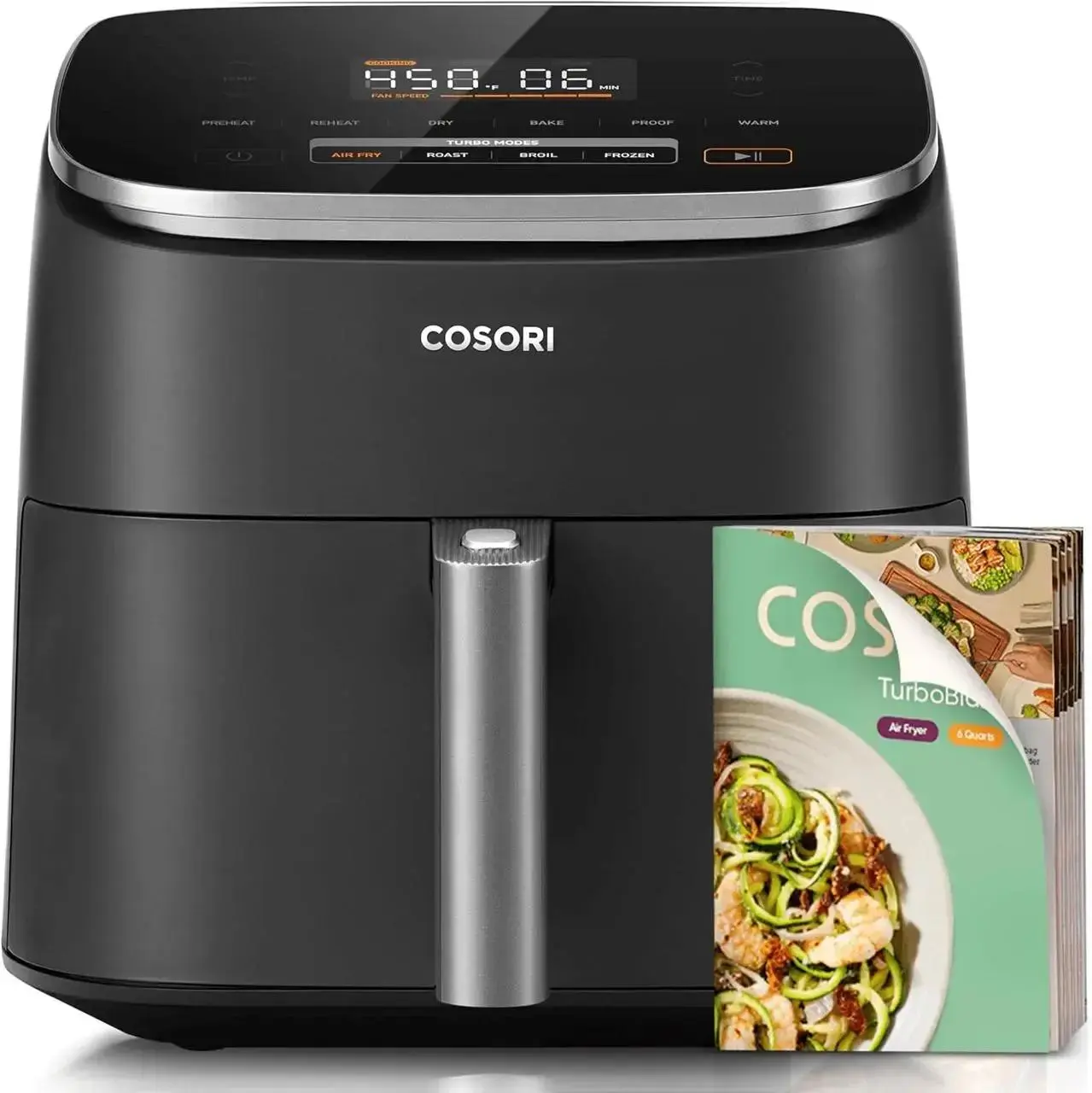
product name: Cosori TurboBlaze Air Fryer
product is[%#[image1]#%].
product details is[%#[image2]#%].
Create a piece of content that uses a full-process video for the first time.
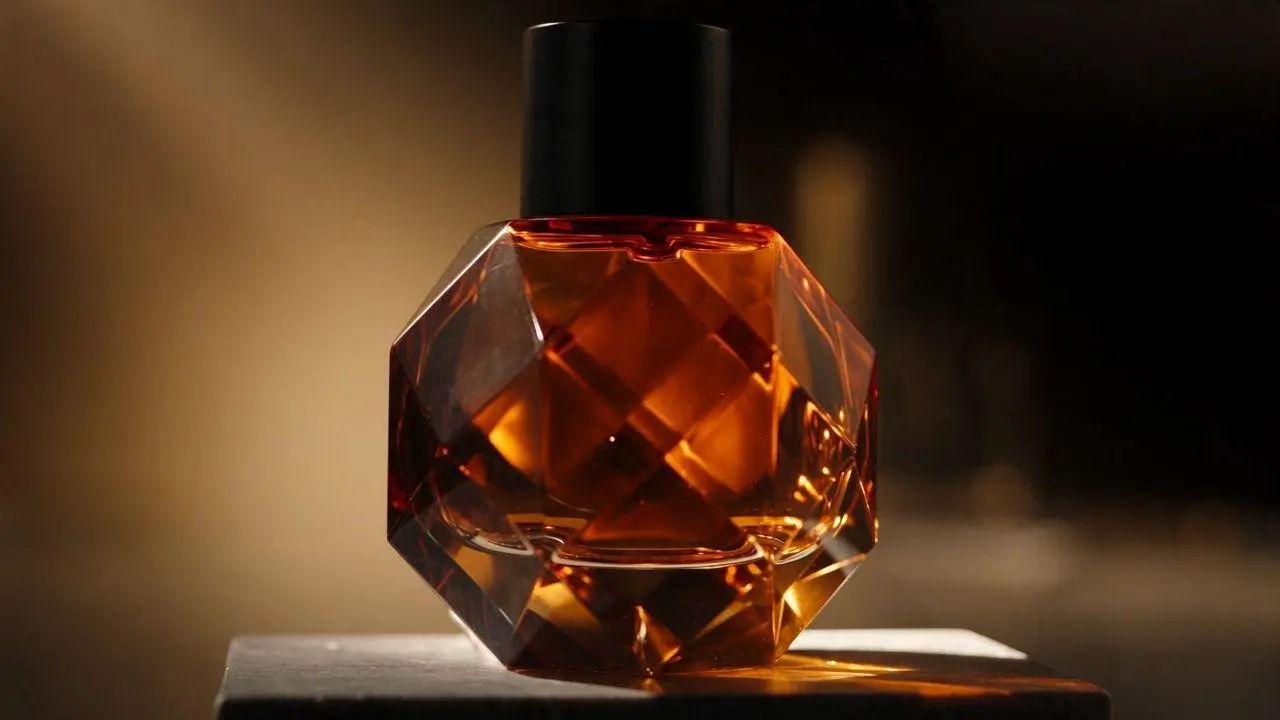
बोतल और स्टूडियो को बनाए रखते हुए मौजूदा परफ़्यूम क्लिप आगे बढ़ाएँ, फिर कैमरे को चाप में अंतिम तीन-चौथाई कोण वाले दृश्य तक ले जाएँ। इस सहेजे गए केस का संदर्भ इनपुट मूल वीडियो है। उस इनपुट और आगे बढ़ाए गए परिणाम की तुलना करने के लिए जुड़ा केस खोलें।
Continue video 1 forward from its exact final close-up. Keep the same faceted amber glass perfume bottle, matte black cylindrical cap, dark stone pedestal, warm minimal studio, golden side light, and fine background mist. The camera continues its slow forward motion for one beat, then makes a gentle clockwise arc to reveal the right side of the same bottle. A thin ribbon of mist passes behind the bottle while the golden beam narrows. End on a stable three-quarter hero close-up with the bottle centered and its amber reflections still shimmering. Preserve the bottle proportions, facet pattern, cap shape, pedestal, lighting direction, black-and-gold palette, and cinematic realism. Do not introduce people, hands, text, labels, logos, extra products, subtitles, or a watermark. Continue the same subtle room tone and let the final glass chime decay naturally.
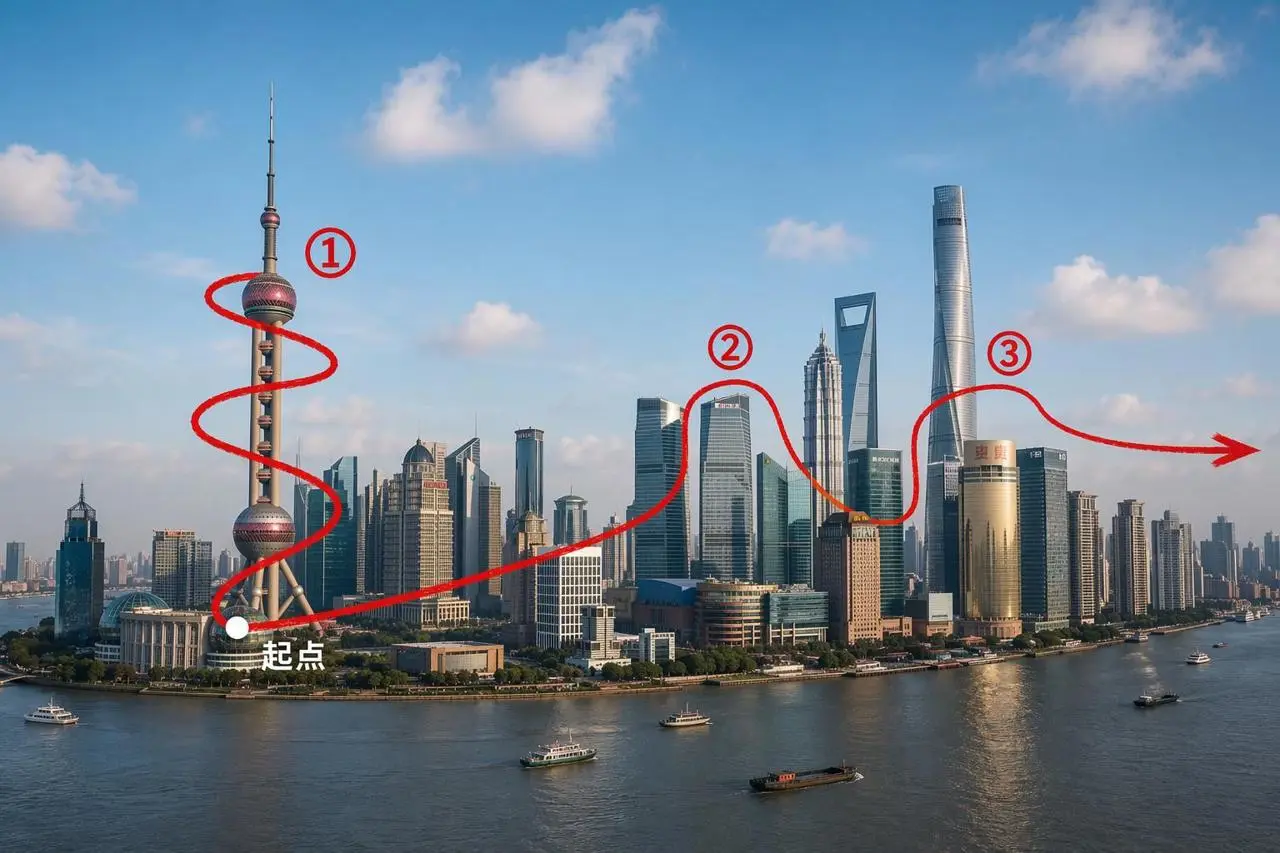
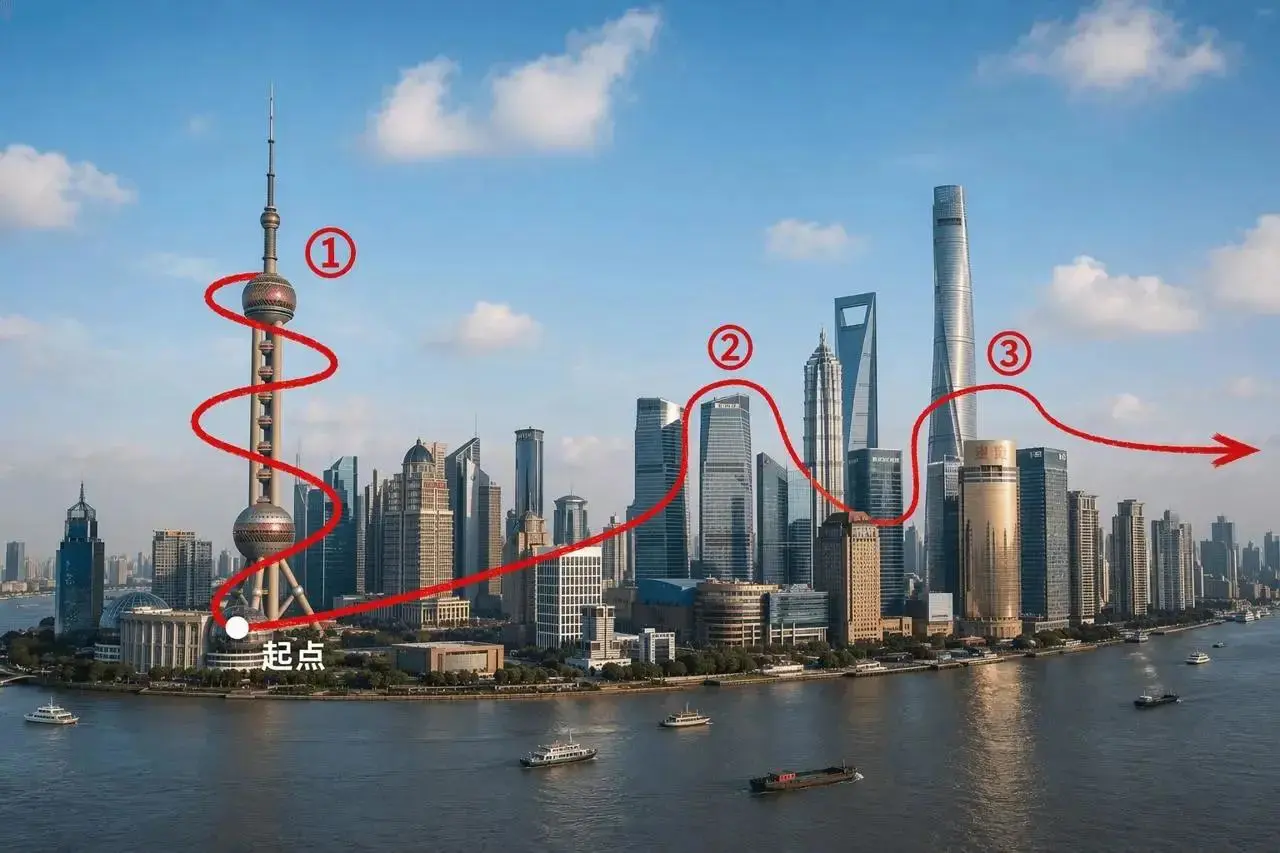
दी गई गाइड इमेज से FPV शैली का कैमरा मार्ग अपनाएँ। बताएँ कि कैमरा कहाँ जाता है और उसकी दृष्टि कैसे बदलती है।
Generate a 15-second, first-person FPV video of an ultra-high-speed drone fly-through in a cinematic, continuous one-take shot. Start at low altitude above the Huangpu River, near the base of the Oriental Pearl Tower. Rapidly climb while smoothly orbiting the tower shaft, lower sphere, upper sphere, and antenna. Then follow the spatial relationship indicated by the red route in the reference image, flying at high speed toward the Lujiazui financial district. Weave left and right with rising and diving movement between Shanghai Tower, Shanghai World Financial Center (SWFC), and Jin Mao Tower. Finally, continue in the direction of the arrow and accelerate toward the front-right side of the Pudong skyline, ending on a wide, open city view. Do not show the red route, numbers, arrow, starting-point label, or any other guide markings in the generated video; they are only spatial references.
Seedance 2.5, ByteDance का ऑडियो-वीडियो मॉडल है जो लंबी कहानी, संदर्भ आधारित निर्देशन और वीडियो एडिटिंग के लिए है।
Seedance 2.5 लंबे ऑडियो-विज़ुअल विवरण, संदर्भ निर्देशन और बढ़ाए या बदले गए शॉट के लिए प्रासंगिक है। सहेजा गया परफ़्यूम एक्सटेंशन मौजूदा क्लिप इस्तेमाल करता है, जबकि FPV केस गाइड इमेज को मार्ग देता है; ये अलग इनपुट काम हैं।
लंबी कहानी के लिए जगह
2.5 रिलीज़ प्रति जनरेशन 30 सेकंड तक का समर्थन करती है। इससे चुनी अवधि में शुरुआत, विकसित होती क्रिया और अंत रखने की जगह मिलती है।
रचनात्मक भूमिकाओं वाले संदर्भ
दृश्य और ऑडियो संदर्भ विषय, फ़्रेमिंग, प्रदर्शन और व्याख्या को दिशा दे सकते हैं। अनुरोध में दी सामग्री की भूमिका समझानी चाहिए।
जनरेशन और निर्देशित बदलाव
आधिकारिक रिलीज़ में एडिटिंग क्षमता है। अपेक्षित बदलाव के लिए WeShop में वास्तव में दिए गए संदर्भ और एडिटिंग नियंत्रण इस्तेमाल करें।
बनाने के तरीके
वीडियो का विवरण दें और ज़रूरत पर संदर्भ जोड़ें
पहले उस वीडियो का विवरण दें जिसे बनाना चाहते हैं। जब संदर्भ सामग्री से दृश्य को दिशा देनी हो, तब इमेज, वीडियो या ऑडियो जोड़ें। मौजूदा फ़ॉर्म में ये अपलोड वैकल्पिक हैं।
वीडियो के विवरण से शुरुआत करें
विषय, परिवेश, गतिविधि और कैमरे की दिशा का विवरण दें। बताएँ कि चुनी गई अवधि में दृश्य कैसे आगे बढ़ना चाहिए। संदर्भ सामग्री तभी जोड़ें जब अनुरोध में उसकी कोई भूमिका हो।
मल्टीमीडिया संदर्भों से अनुरोध को दिशा दें
ज़रूरी इमेज, वीडियो या ऑडियो जोड़ें और बताएँ कि हर सामग्री को किस चीज़ का मार्गदर्शन करना है। उत्पाद की कहानी और वीडियो को आगे बढ़ाने वाले उदाहरण अलग संदर्भ इनपुट इस्तेमाल करते हैं; प्रॉम्प्ट बदलने से पहले उनके वास्तविक इनपुट देखें। आगे बढ़ाने का उदाहरण होने से यह साबित नहीं होता कि इस पेज पर अलग वीडियो-विस्तार नियंत्रण उपलब्ध है।
प्रॉम्प्ट गाइड
Seedance 2.5 प्रॉम्प्ट: शॉट का क्रम और ध्वनि
नीचे Seedance 2.5 के वास्तविक अनुरोधों से सीखें। हर कार्ड एक खास निर्देश समझाता है, उसका परिणाम और उपलब्ध इनपुट दिखाता है तथा पूरा मूल अंग्रेज़ी प्रॉम्प्ट रखता है। विषय और संदर्भों की भूमिकाएँ अपने काम के अनुसार ढालें।
कॉफ़ी शॉट और ध्वनि निर्देशन अलग रखें
वास्तविक कॉफ़ी विज्ञापन प्रॉम्प्ट कैफ़े, कॉफ़ी बनाना और क्रमवार कट बताता है। अलग से बिना संगीत तथा बीन्स, ग्राइंडर, केतली और उँडेलने की विस्तृत आवाज़ें माँगता है। शॉट का क्रम और मिला ध्वनि आउटपुट जाँचें; “8K” शब्द आउटपुट सेटिंग की गारंटी नहीं।
Style: 8K photorealistic cinematic commercial, epic coffee montage. Ultra-shallow macro DOF (f/1.4), creamy bokeh, warm amber grade, forest-green + coral brand accents. Cine lens feel, 180° shutter motion blur. Edgar Wright-style kinetic editing. Speed ramps snap from fast motion to ultra slow-mo at impact points. Real physics and weight. Deadpan Hollywood acting. Characters, props and café identical in every cut. Audio: NO music anywhere in the film. The entire soundtrack is hyper-real, ASMR-level sound design — drawer roll, bean rattle, grinder crunch, kettle hiss, bloom fizz, liquid pours, drip plinks, ice rattle, cup slides — crisp, close-mic'd, frame-synced, layering louder as the cuts accelerate, then falling to near-silent café room tone (fan hum, distant dishes) at the presentation. Clean dialogue; slogan VO at the end. 24fps, no subtitles, no on-screen text.
Characters: barista — early-20s man, black curls under a black cap, white earbuds in BOTH ears the entire film, khaki tee, forest-green bib apron, black trousers. Performs the brew with the solemn intensity of a concert soloist — precise and ceremonial. skater — teenage boy, shaggy black hair, sage windbreaker over black hoodie, baggy grey cargos, skateboard under his arm. Total stone face, calm slow movements. worker — heavyset construction worker, navy jacket, tan work pants, yellow hard hat under his arm. Tired, second in line. woman — young woman with a shoulder bag third in line.
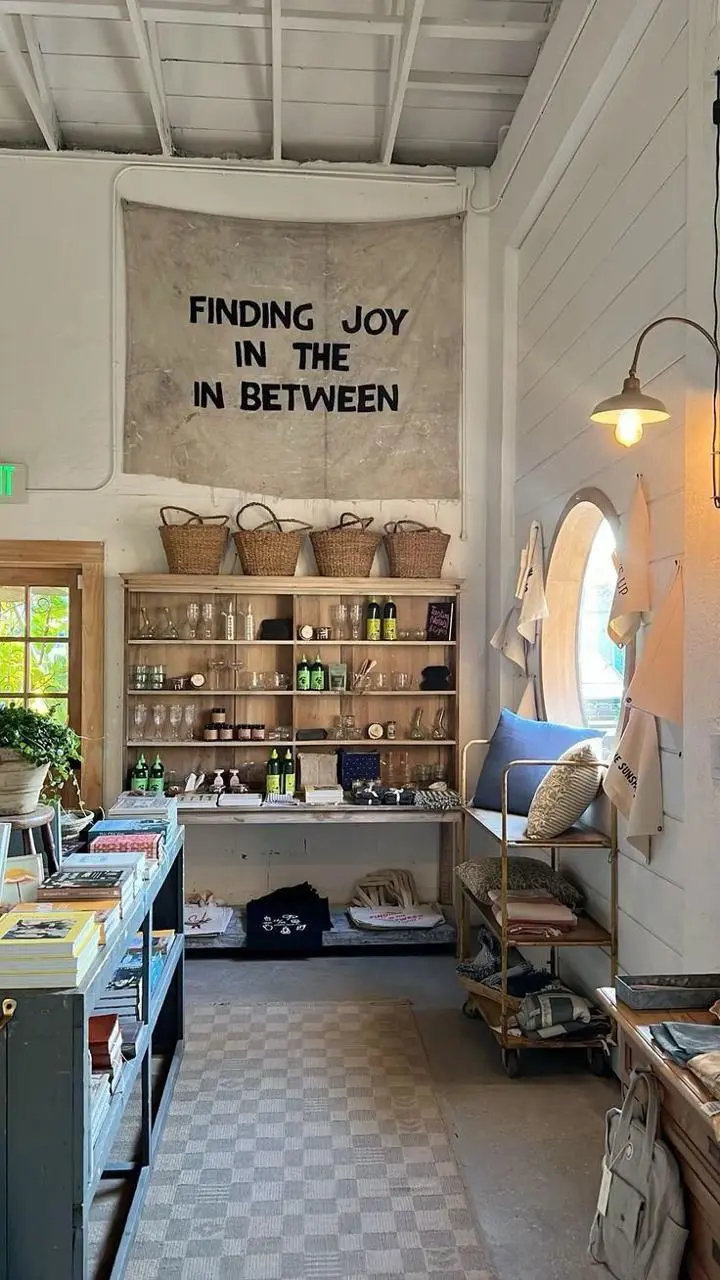
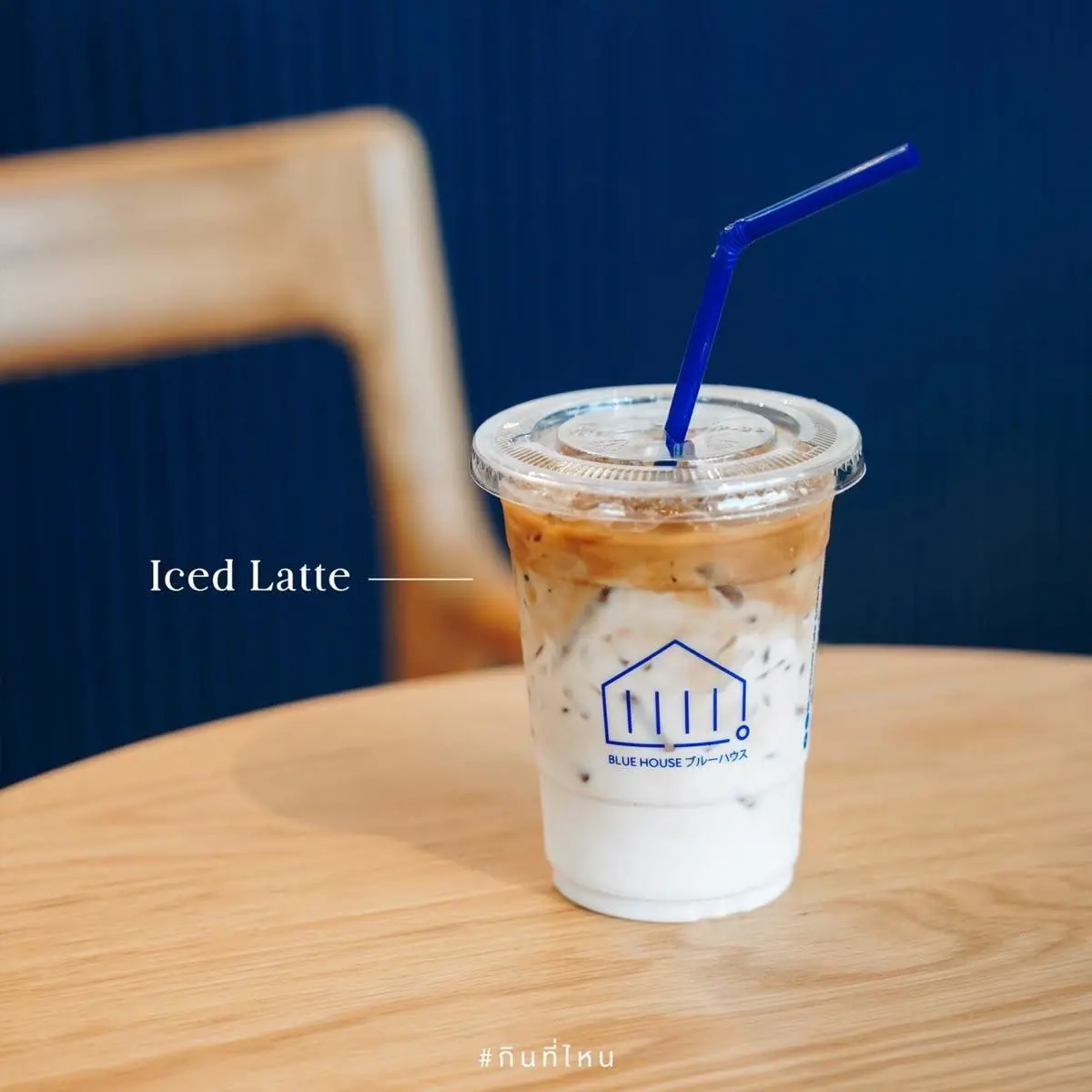
Scene: Café interior from [%#[image1]#%]cafe. barista runs a slow-drip pour-over station: glass carafe, filter cone, gooseneck kettle, grinder, and a counter drawer holding the bag from coffee-bag. The finished iced coffee is in [%#[image2]#%]caffee. Queue: skater first in line and worker and woman behind him.
CUT 1 (0:00–0:03) — Top-down tracking close-up: the counter drawer is pulled down toward the bottom of frame, camera tracking the pull; a single coffee-bag lies flat on its back inside the empty white drawer with nothing else in it. barista's hand grabs the bag and in a quick motion lifts it up toward the lens until dark fills the frame. TRANSITION: the cut hides inside the dark frame-fill.
CUT 2 (0:03–0:06) — Laowa probe lens macro dolly-out, pulling out of the bag's open mouth as beans cascade past the lens in ultra slow-motion into the grinder hopper below. TRANSITION: the camera whips DOWN with the falling beans.
CUT 3 (0:06–0:08) — Enters on the same downward plunge: macro on the grinder's spout as fresh ground coffee streams out of it like dark sand, backlit, piling into a soft mound in the dosing cup below — slow-motion on the flowing grounds, fine particles drifting in the light. TRANSITION: speed ramping orbit to the right.
हाथ और उनकी क्रिया बताएँ
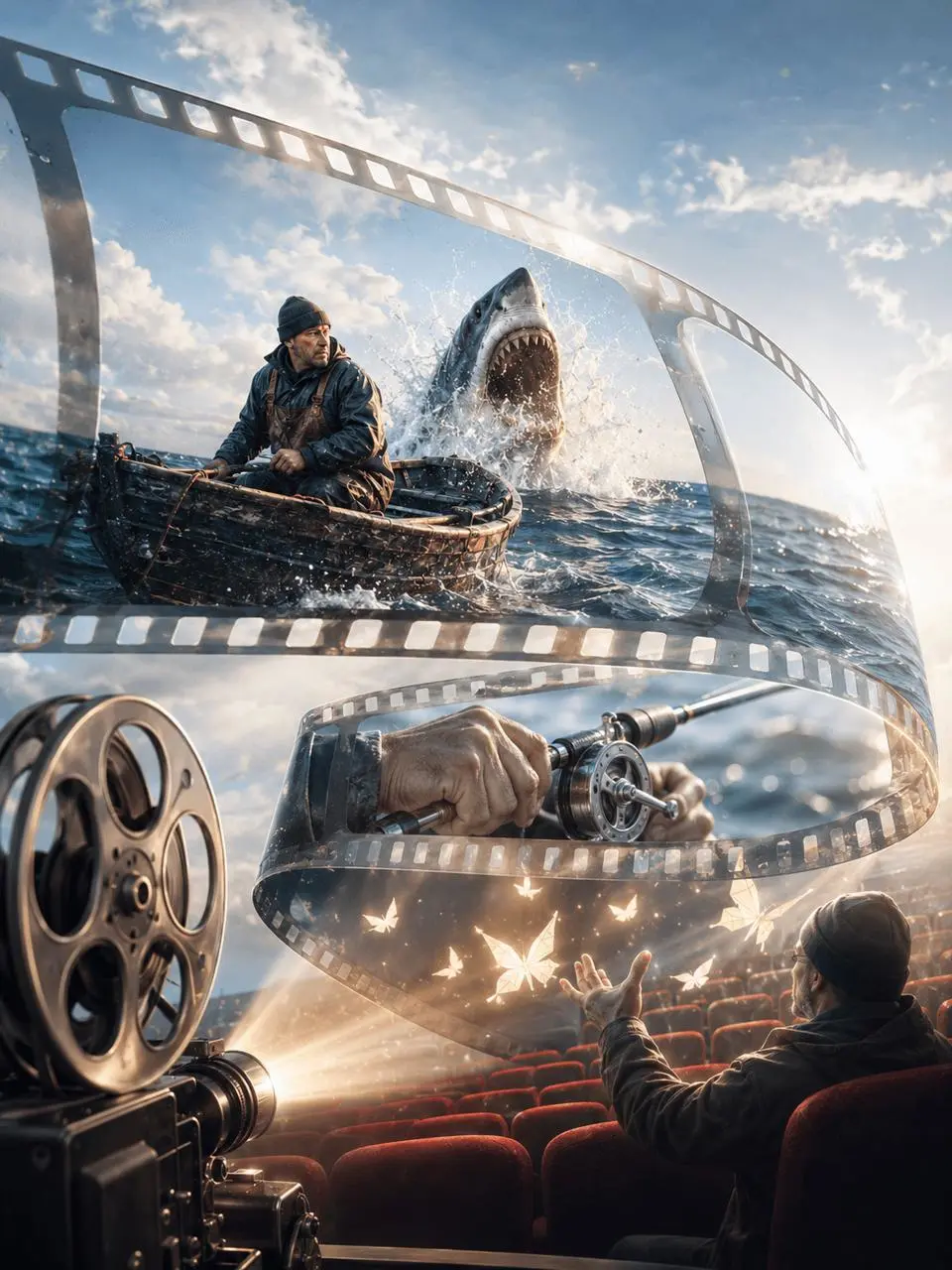
सिर्फ़ मछली पकड़ने का दृश्य कहने के बजाय पकड़, रील की गति, डोरी का तनाव और पानी की बौछार बताएँ। यह अनुरोध हाथों के क्लोज़-अप में क्रिया केंद्रित करता है।
[6-12 SECONDS]
Close-up of his hands gripping the rod, cranking the reel. The line cuts through the water in sharp zigzags, spraying mist. The boat rocks and tilts, water sloshing across the deck around his boots. He stumbles, catches himself on the railing, pulls the rod back up, laughs and says, "What did I hook, a truck?"
उत्पाद के आसपास कैमरे का चाप तय करें
इमेज से उत्पाद तय करें और स्टूडियो में धीमे चाप में घूमता कैमरा माँगें। इससे दृश्य विषय और वीडियो अनुरोध से जोड़ी गई गति अलग होती हैं।
Use the uploaded product image as the subject reference. Place it in a bright studio scene and describe a slow camera arc around the product.
कहानी को शॉट में बाँटें
कॉलेज प्रेम कहानी का विवरण कॉमिक-स्टाइल दृश्य को तय समय वाले शॉट में बाँटता है। हर शॉट में विषय की क्रिया और फ़्रेमिंग दें ताकि क्रम का विकास स्पष्ट हो।
Create a 15-second, Japanese-style campus romance motion comic in a 9:16 vertical format. The art style should be fresh and delicate, featuring clean lines, soft colors, and a subtle "manga screentone" texture. The setting is a university classroom after class; the setting sun streams through the window, casting light onto the desks, while curtains sway gently—creating a quiet, tender atmosphere. Convey the romantic tension through glances, pauses, and subtle facial expressions; avoid exaggerated effects like floating hearts.
**Character Profiles:** The girl is around 20, with shoulder-length black hair, wearing a white top under a light blue knitted cardigan; she appears studious but is actually stealing glances at the boy. The boy is also around 20, with short black hair and a crisp white shirt; he has a refreshing, clean-cut aura and is helping the girl with her coursework. They sit side-by-side at a desk by the window, with an open exercise book lying between them.
Shot 1 | 0–3 seconds: Medium shot of both characters, with a slow zoom-in.
The boy looks down, tapping a problem in the exercise book with the tip of his pen. The girl turns her head slightly, her gaze fixed on the boy’s face rather than the book.
The boy asks casually, "Did you follow that?"
Shot 2 | 3–6 seconds: Close-up of the girl.
Startled back to reality, the girl quickly looks down at the book, her fingers unconsciously gripping the edge of the page as she tries to pretend she’s been listening intently.
She murmurs, "Ah... I didn't quite get it."
Shot 3 | 6–9 seconds: Close-up of the boy, with the girl’s shoulder visible in the foreground.
The boy stops writing and turns to look at her, his eyebrows lifting slightly, his tone carrying a hint of a smile. They are positioned naturally, without any forced physical closeness.
The boy asks, "Then what were you looking at just now?"
Shot 4 | 9–12 seconds: Extreme close-up of the girl’s face.
The girl instinctively looks up, meeting his eyes. She realizes what she’s just blurted out; the tips of her ears turn a faint shade of red, and she hurriedly shifts her gaze away. The girl says, "Looking at you..."
A brief silence follows, capturing her small gestures—pressing her lips together and lowering her gaze.
Shot 5 | 12–15 seconds: A close-up, side-profile shot of both characters; the camera pulls back gently.
The boy pauses for half a second, then lowers his head with a smile. He sets his pen down on his book and looks back at the girl. She steals a glance upward, and their eyes meet once more.
In a softer tone, the boy says, "Well... keep looking for a little while longer."
The scene lingers on the moment their eyes meet, set against the backdrop of the setting sun and gently swaying curtains—a tender conclusion.
**Audio and Visual Requirements:** Use natural-sounding voiceovers for a young man and woman; the pace should be unhurried, ensuring all dialogue is completed within each respective shot, while incorporating natural hesitations and pauses. The background audio should include the faint sound of a breeze, the rustling of book pages, and soft piano music. Chinese subtitles should appear line-by-line, synchronized with the dialogue. Maintain consistent character appearances, attire, seating arrangements, and lighting throughout. Do not add any voice-over narration, additional characters, or extra lines of dialogue.
टेक्स्ट से वीडियो: स्थिर पोर्ट्रेट में सूक्ष्म भाव
यह पोर्ट्रेट टेक्स्ट से बनाया गया है। इसमें सामने से स्थिर फ्रेम, नरम प्राकृतिक रोशनी और शांत इनडोर दृश्य है। प्रॉम्प्ट में कैमरे की ओर देखना, स्वाभाविक रूप से पलक झपकाना, नज़र में हल्का बदलाव, हल्की मुस्कान और सिर को थोड़ा हिलाना बताया गया है। इस उदाहरण में कोई संदर्भ चित्र नहीं जोड़ा गया था।
8-second portrait video using the input image. Fixed front-facing composition with soft daylight and a quiet indoor setting.
The subject looks toward the camera, blinks naturally, and makes a small gaze adjustment. The expression gradually changes into a gentle smile, followed by a brief downward glance and a subtle nod.
One continuous static shot with natural movement and quiet room ambience. No speech, music, camera movement, or on-screen text.
विषय का पीछा करते हुए अंतिम दृश्य तक जाएँ
पत्थरों के पास से कागज़ की नाव का पीछा करें और आसपास की लहरों पर अंत करें। मार्ग और अंतिम फ़्रेमिंग बताने से माँगा गया कैमरा सफ़र ठोस होता है।
A paper boat moves along a shallow stream at sunrise. Follow it past mossy stones and finish on a close-up of the ripples around the boat.
इस्तेमाल कैसे करें
WeShop AI पर Seedance 2.5 का उपयोग कैसे करें
Seedance 2.5 चुनें और नीचे दिए इनपुट तरीके से शुरू करें। सबमिट करने से पहले उपलब्ध सेटिंग और पॉइंट जाँचें।
इस मॉडल का इनपुट दें
पहले अपने वीडियो का विवरण टेक्स्ट में दें। यदि काम के लिए संदर्भ सामग्री चाहिए, तो मौजूदा फ़ॉर्म में स्वीकार होने वाली फ़ाइलें जोड़ें और हर फ़ाइल की भूमिका बताएँ। किसी मौजूदा क्लिप को आगे बढ़ाने के लिए उसका मूल वीडियो दें और बताएँ कि अंतिम दृश्य से शॉट कैसे आगे बढ़ना चाहिए।
उपलब्ध सेटिंग और पॉइंट जाँचें
अवधि: 4–30 सेकंड। आस्पेक्ट रेशियो: 21:9, 16:9, 9:16, 3:4, 4:3, 1:1। ये चुनने योग्य सेटिंग हैं, तय पिक्सेल आयाम या फ़ाइल फ़ॉर्मैट की गारंटी नहीं। वास्तविक आयाम और अवधि के लिए मूल आउटपुट जाँचें। सबमिट करने से पहले दिखाए गए पॉइंट और अपने प्लान में मॉडल की पहुँच जाँचें।
परिणाम खोलें और जाँचें
उत्पाद की निरंतरता, कैमरा मार्ग और अंत देखें। बढ़ाई हुई क्लिप में मूल से जोड़ जाँचें; प्रॉम्प्ट में लिखी समय सीमा पर निर्भर होने के बजाय वास्तविक अवधि और ध्वनि जाँचें।
Seedance 2.5 के ट्यूटोरियल में प्रॉम्प्ट की संरचना, उत्पाद वीडियो, संदर्भ वीडियो, FPV मार्ग और वीडियो को आगे बढ़ाने के तरीके देखें। लिंक हर लेख के हिंदी संस्करण पर ले जाते हैं।
BytePlus, 2.0 श्रृंखला में Seedance 2.0 को गुणवत्ता-केंद्रित और Mini को लागत-दक्षता-केंद्रित विकल्प बताता है। Seedance 2.5 एक अनुरोध में अधिक लंबी अवधि देता है। नीचे मॉडल की आधिकारिक दिशा और मौजूदा WeShop विकल्पों की तुलना करें, फिर अलग चयन कार्ड से अपने काम के लिए मॉडल चुनें।
पहलू
Seedance 2.0
Seedance 2.0 Mini
Seedance 2.5
आधिकारिक दिशा — BytePlus
2.0 श्रृंखला में गुणवत्ता-केंद्रित विकल्प
2.0 श्रृंखला में लागत-दक्षता-केंद्रित विकल्प
लंबी कहानियाँ और विस्तृत संदर्भ व संपादन क्षमताएँ
WeShop में वैकल्पिक संदर्भ अपलोड
इमेज, वीडियो और ऑडियो
इमेज, वीडियो और ऑडियो
इमेज, वीडियो और ऑडियो
WeShop में चुनने योग्य अवधि
4–15 सेकंड
4–15 सेकंड
4–30 सेकंड
आधिकारिक दिशा — BytePlus
Seedance 2.0
2.0 श्रृंखला में गुणवत्ता-केंद्रित विकल्प
Seedance 2.0 Mini
2.0 श्रृंखला में लागत-दक्षता-केंद्रित विकल्प
Seedance 2.5
लंबी कहानियाँ और विस्तृत संदर्भ व संपादन क्षमताएँ
WeShop में वैकल्पिक संदर्भ अपलोड
Seedance 2.0
इमेज, वीडियो और ऑडियो
Seedance 2.0 Mini
इमेज, वीडियो और ऑडियो
Seedance 2.5
इमेज, वीडियो और ऑडियो
WeShop में चुनने योग्य अवधि
Seedance 2.0
4–15 सेकंड
Seedance 2.0 Mini
4–15 सेकंड
Seedance 2.5
4–30 सेकंड
Seedance 2.0 कब चुनें
जब 4–15 सेकंड के क्लिप में दृश्य गुणवत्ता आपकी प्राथमिकता हो। BytePlus, 2.0 श्रृंखला में इसे गुणवत्ता-केंद्रित विकल्प बताता है। परिणाम को अपने काम की ज़रूरत के अनुसार जाँचें।
जब 4–15 सेकंड के क्लिप में लागत दक्षता महत्वपूर्ण हो। BytePlus, 2.0 श्रृंखला में Mini को इस उद्देश्य से प्रस्तुत करता है। चुनने से पहले अपनी सेटिंग के लिए WeShop का मौजूदा पॉइंट अनुमान देखें।
जब एक अनुरोध में 16–30 सेकंड चाहिए, या लंबी कहानी और संदर्भ-आधारित संपादन आपके काम के अनुकूल हो। WeShop में 2.5 के लिए 4–15 सेकंड भी उपलब्ध हैं। संदर्भ-आधारित संपादन का उल्लेख 2.0 श्रृंखला के आधिकारिक दस्तावेज़ों में भी है।
इस वर्शन, इसके इनपुट और शुरुआत करने के बारे में जवाब।
Seedance 2.5 क्या है?
Seedance 2.5, ByteDance का ऑडियो-वीडियो मॉडल है जो लंबी कहानी, संदर्भ आधारित निर्देशन और वीडियो एडिटिंग के लिए है।
Seedance 2.5 किस काम आता है?
Seedance 2.5 लंबे ऑडियो-विज़ुअल विवरण, संदर्भ निर्देशन और बढ़ाए या बदले गए शॉट के लिए प्रासंगिक है। सहेजा गया परफ़्यूम एक्सटेंशन मौजूदा क्लिप इस्तेमाल करता है, जबकि FPV केस गाइड इमेज को मार्ग देता है; ये अलग इनपुट काम हैं।
Seedance 2.5 में नया दृश्य या क्लिप आगे बढ़ाने के लिए क्या अपलोड करें?
दर्ज मॉडल संदर्भ आधारित काम स्वीकार करता है, और सहेजे केस में इमेज और वीडियो को आगे बढ़ाना शामिल हैं। मौजूदा पेज नियंत्रण अकेले हर आधिकारिक मीडिया प्रकार या क्लिप बढ़ाने के टूल को स्थापित नहीं करते। दोबारा इस्तेमाल से पहले हर केस खोलकर उसका वास्तविक सेटअप देखें।
अवधि और फ़ॉर्मैट की कौन-सी सेटिंग उपलब्ध हैं?
अवधि: 4–30 सेकंड। आस्पेक्ट रेशियो: 21:9, 16:9, 9:16, 3:4, 4:3, 1:1। ये चुनने योग्य सेटिंग हैं, तय पिक्सेल आयाम या फ़ाइल फ़ॉर्मैट की गारंटी नहीं। वास्तविक आयाम और अवधि के लिए मूल आउटपुट जाँचें।
क्या Seedance 2.5 मुफ़्त है और उपयोग का शुल्क कैसे लगता है?
अपने प्लान में मॉडल की पहुँच और कोटा जानने के लिए WeShop का मौजूदा मूल्य पेज देखें। चुनी गई सेटिंग और संख्या के अनुमानित पॉइंट जनरेटर में जाँचें। यह पेज प्रति अनुरोध तय कीमत नहीं बताता और दूसरे प्रदाता की सदस्यता का कोटा WeShop पर लागू नहीं करता।
कौन-सी सीमाएँ जाँचनी चाहिए?
आधिकारिक एक्सटेंशन और निर्माण नियंत्रण यहाँ अपने-आप उपलब्ध नहीं हैं। समर्थित WeShop अवधि और इनपुट चुनें। उत्पाद की निरंतरता, कैमरा मार्ग और अंत देखें। बढ़ाई हुई क्लिप में मूल से जोड़ जाँचें; प्रॉम्प्ट में लिखी समय सीमा पर निर्भर होने के बजाय वास्तविक अवधि और ध्वनि जाँचें।
Seedance 2.5 के उदाहरण क्या दिखाते हैं?
सहेजे गए अनुरोधों में “एयर फ़्रायर की उत्पाद कहानी”, “वीडियो से बढ़ाया गया परफ़्यूम शॉट” और “गाइड इमेज से FPV कैमरा मार्ग” हैं। हर वास्तविक प्रॉम्प्ट और संदर्भ की भूमिका को उसके परिणाम के साथ पढ़ें। ये अलग-अलग उदाहरण सफलता दर का माप या हूबहू संरक्षण की गारंटी नहीं हैं।
Seedance 2.5, Seedance 2.0 और Mini में क्या अंतर है?
2.5 में लंबी एकल जनरेशन तथा संदर्भ/एडिटिंग का दायरा दर्ज है। 2.0 और Mini एंट्री के अपने मोड और 4–15 सेकंड के उत्पाद विकल्प हैं; 2.5 की हर सुविधा पीछे के वर्शन पर लागू करने के बजाय वास्तविक इनपुट, अवधि और काम की तुलना करें।
Seedance 2.5 के लिए प्रॉम्प्ट कैसे लिखें?
वास्तविक कॉफ़ी विज्ञापन प्रॉम्प्ट कैफ़े, कॉफ़ी बनाना और क्रमवार कट बताता है। अलग से बिना संगीत तथा बीन्स, ग्राइंडर, केतली और उँडेलने की विस्तृत आवाज़ें माँगता है। शॉट का क्रम और मिला ध्वनि आउटपुट जाँचें; “8K” शब्द आउटपुट सेटिंग की गारंटी नहीं। गाइड में पूरा संबंधित प्रॉम्प्ट और वास्तविक इनपुट पढ़ें, फिर अपने काम के अनुसार ढालें।