СЪЗДАВАНЕ НА ИЗОБРАЖЕНИЯ С GPT IMAGE 2

GPT Image 2 — създаване и редактиране на изображения

GPT Image 2 е моделът на OpenAI за генериране и редактиране на изображения. Приема текст и изображения за нови визии и промени по референции.

gpt-image-2
ПРИМЕРИ С GPT IMAGE 2

Примери за изображения с GPT Image 2

Разгледайте GPT Image 2 чрез: Преобразяване в неонова скулптура; Редакционно табло по референция; Джаз плакат с водеща типография. Всеки запазен пример пази действителната си подкана и наличните входове. Проверете резултата преди адаптиране към свой обект.

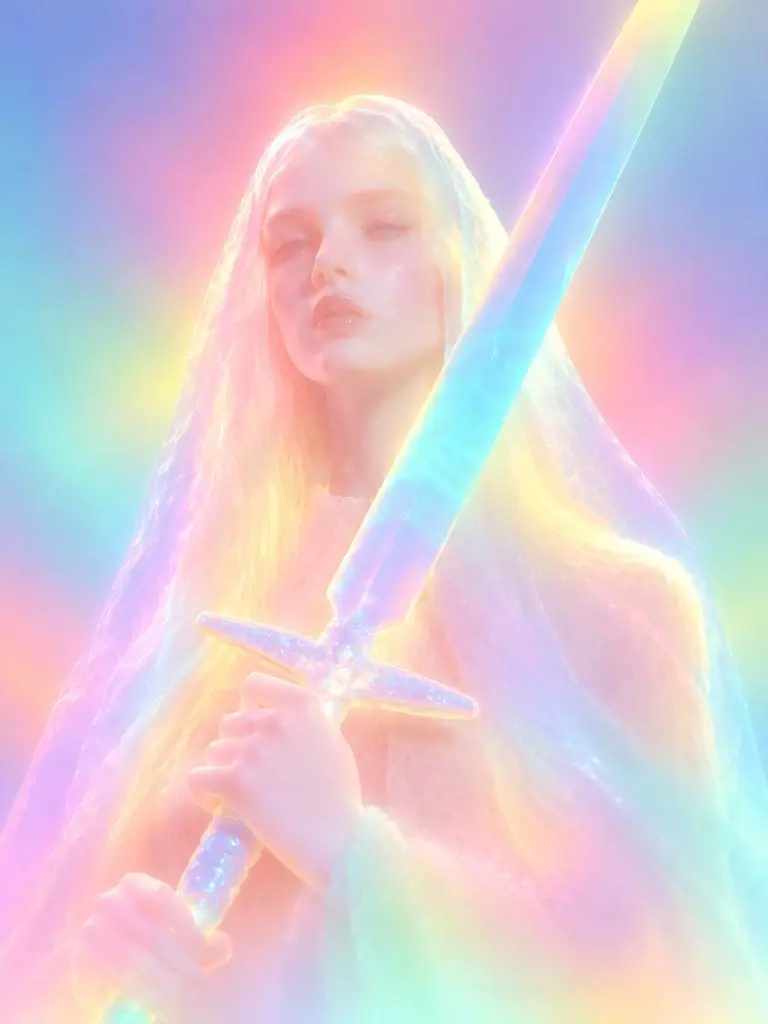
Резултат от WeShop: Преобразяване в неонова скулптура
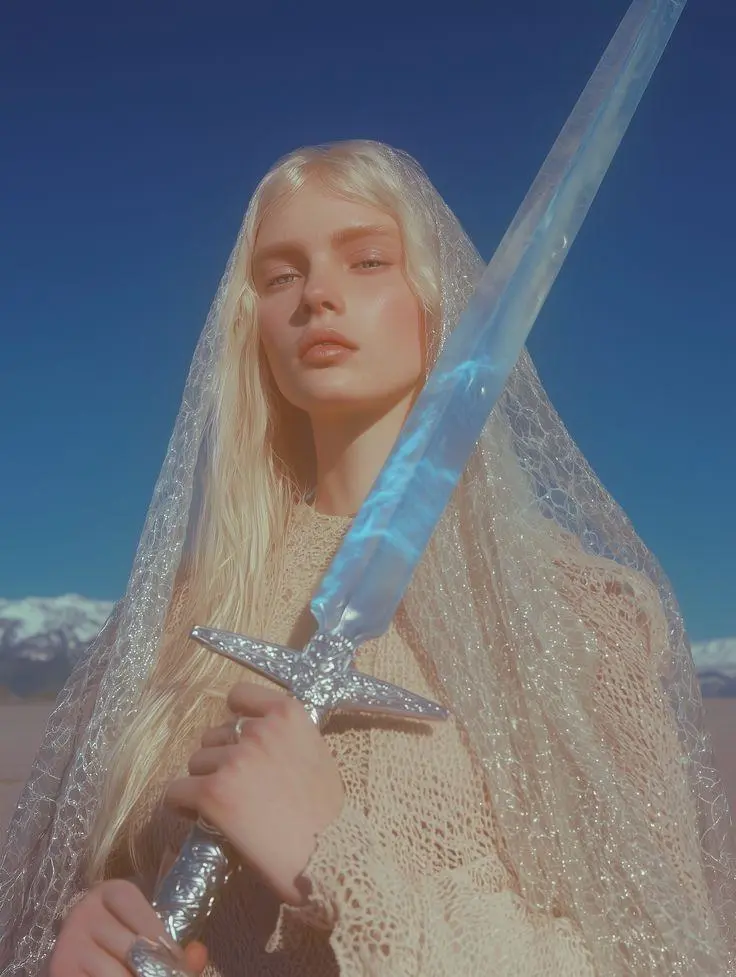
Референция 1

Преобразяване в неонова скулптура

Трансформация по референция в светеща скулптура. Разсеяни неонови цветове, омекотени лицеви детайли и заоблени материали правят поисканата промяна видима.

Please transform the input image into a soft focus, neon gradient sculptural style. Do not copy specific specific characters, crowds, compositions, or poses from any reference, but follow this visual language: Style & Texture: Create a soft, dreamy, surreal 3D illustration and digital sculpture. The subject should look like translucent plastic, frosted glass, glowing rubber, or soft ceramic sculpture wrapped in colored mist. Smooth rounded edges, moderately simplified details, with a hazy, low-contrast, non-realistic artistic effect. Color & Light: Use highly saturated but softly diffused neon gradients (fluorescent pink, coral orange, lemon yellow, mint green, cyan, violet, pale grayish-blue). Colors should blend seamlessly like thermal imaging, colored mist, or dream halos. Shadows must be bluish-purple, cyan, or deep magenta—NO pure black hard shadows. Use strong inner glow, backlight, rim light, and ambient color reflections to make the subject glow from within. Include soft focus, slight mist, fine grain, and gradient noise. Subject Treatment: Retain the identity, pose, proportions, and clothing outlines of the input image, but transform them into a minimalist, rounded, dreamy neon sculpture. Soften and weaken facial features to create a quiet, ethereal, detached expression. The face should look like a soft mask covered by a glowing halo. Composition: Clean background (solid color, soft gradient, misty or large color blocks). Quiet, surreal, fairytale-like but slightly alienating atmosphere with a floating feeling. Keywords: soft neon gradient, dreamy 3D illustration, translucent sculpture, frosted glass texture, glowing rubber, pastel fluorescence, diffused light, inner glow, soft focus, blurred facial features, surreal portrait, minimal details, smooth rounded forms, luminous mist, thermal color gradient, ethereal atmosphere, clean composition, high-end digital art.
Използвайте тази подкана
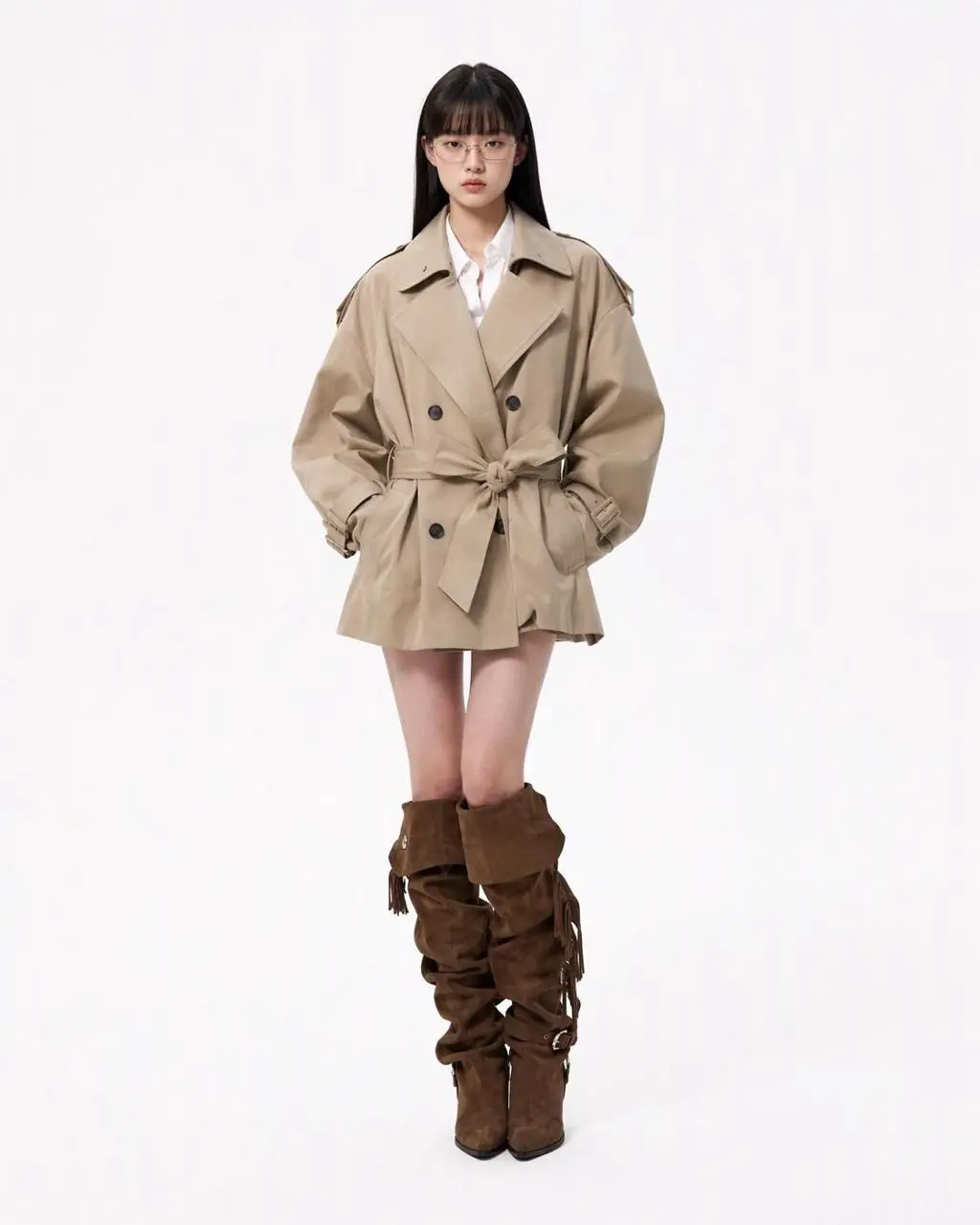
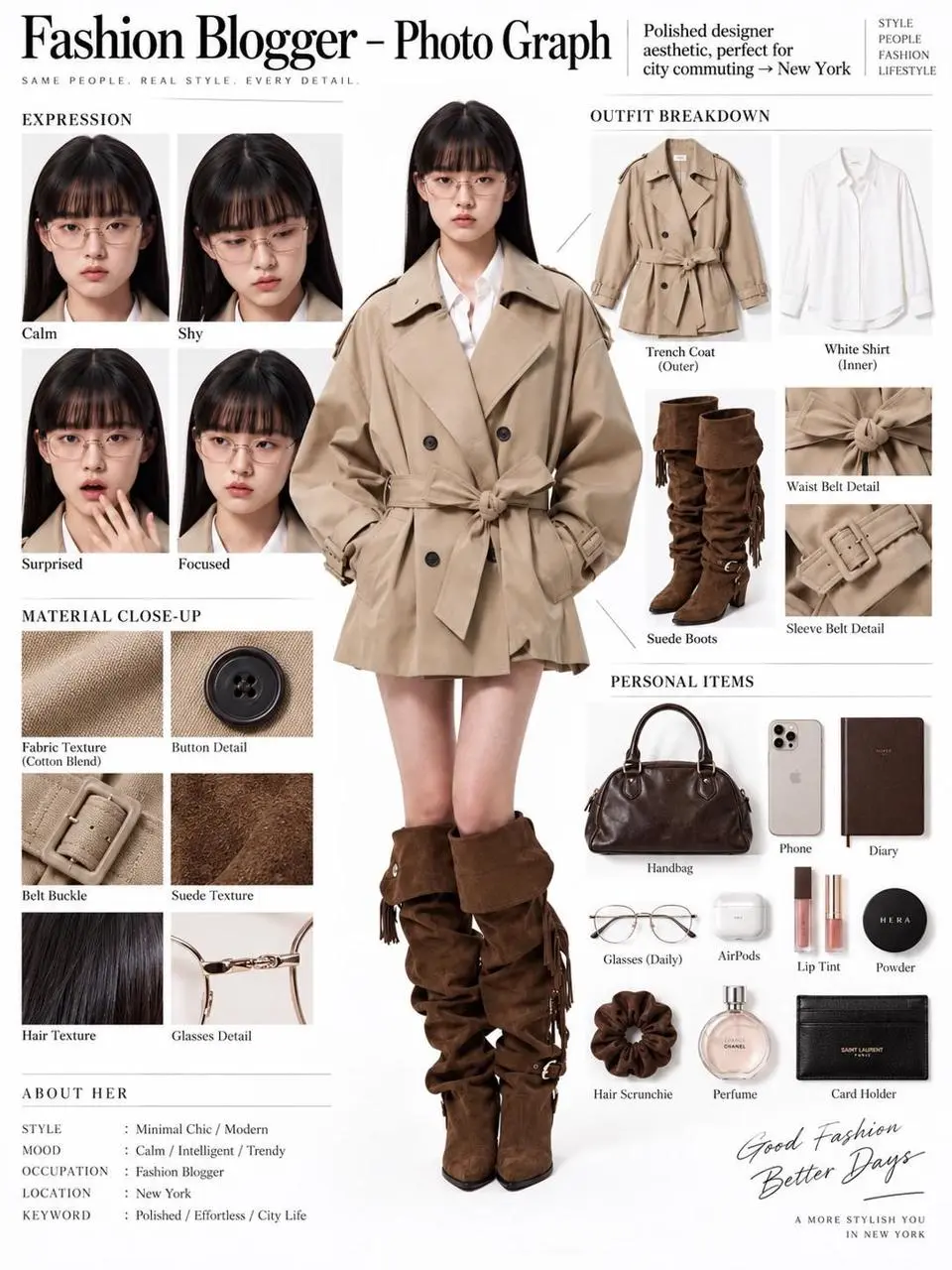
Резултат от WeShop: Редакционно табло по референция
Референция 1

Редакционно табло по референция

Една референция на човек става редакционно табло с фигура в цял ръст, части от облеклото, близки планове на лице и материални детайли. Резултатът съчетава референтна редакция и структурирано оформление в една композиция.

You are an expert in ultra-detailed, photorealistic character breakdown sheets. Create a highly detailed character reference sheet based on the uploaded person photo. Preserve 100% of the person’s original facial features, identity, hairstyle, clothing, body proportions, and realistic textures. Do not redesign, beautify, or alter the person. TASK: CENTER: Place the full-body photorealistic image of the uploaded person prominently in the center. Keep the person’s original appearance, outfit, proportions, and visual identity exactly consistent with the reference photo. SURROUNDING ELEMENTS: • Outfit Breakdown: Display each clothing item separately, from outer layers to inner layers. Preserve the exact original design, silhouette, colors, materials, patterns, stitching, accessories, and fabric textures. Present each item as realistic product photography. • Expression Variations: Create 3–4 close-up portraits of the same person showing different natural expressions, such as calm, shy, surprised, and focused. The face, hairstyle, skin tone, makeup, and identity must remain fully consistent with the uploaded person. • Material Close-ups: Include realistic macro photography of key details such as fabric texture, stitching, skin texture, hair strands, accessories, buttons, hardware, and other visible materials from the original photo. • Personal Items: Arrange realistic everyday objects that naturally match the person’s fashion style and overall character, such as bag contents, cosmetics, diary, phone, accessories, or other appropriate personal belongings. Present them as premium editorial flat-lay photography. VISUAL GUIDELINES: Layout: Use a clean white background. Position the full-body person as the main visual focus in the center. Arrange all outfit pieces, facial close-ups, material details, and personal items evenly around the central figure. Use thin, refined editorial-style lines to connect relevant details to the person. Style: Hyper-realistic professional photography only. Use natural studio lighting, realistic skin, authentic fabric textures, accurate material reflections, subtle shadows, and premium fashion-editorial photography quality. Overall aesthetic: Clean, sophisticated, modern fashion magazine character analysis board with a New York editorial atmosphere. Maintain a balanced layout, generous white space, and refined visual hierarchy. TEXT: Display the main title: “Fashion Blogger – Photo Graph” Include one short English style/persona judgment: “Polished designer aesthetic, perfect for city commuting → New York” STRICT RULES: The final image MUST look like real photography. NO illustration, anime, cartoon, sketch, painting, CGI, or obvious 3D-rendered appearance. Preserve the uploaded person’s identity, facial structure, facial features, hairstyle, skin tone, clothing, body proportions, and overall appearance as accurately as possible. Do not change, redesign, beautify, replace, or reinterpret the person’s original features. Do not randomly change the clothing design, colors, materials, patterns, or accessories. All facial close-ups must clearly represent the same person. All clothing breakdowns and material close-ups must correspond accurately to the clothing worn by the central person. All surrounding elements must have authentic photographic textures, realistic lighting, and consistent visual quality. Maintain strong visual consistency between the central full-body character and every surrounding detail image.
Използвайте тази подкана
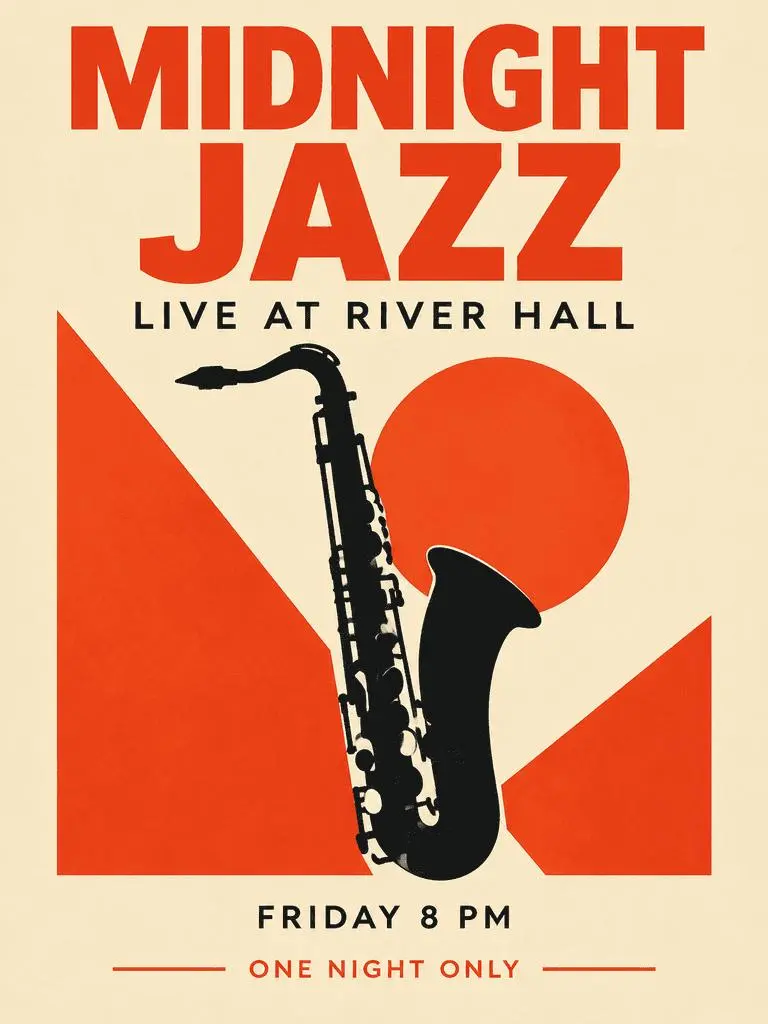
Резултат от WeShop: Джаз плакат с водеща типография

Джаз плакат с водеща типография

Измислен плакат за събитие съчетава доминиращо заглавие, допълнителна информация и рисунка на саксофон. Проверете четирите поискани фрази и йерархията им в резултата.

Create a polished vertical 3:4 poster for a fictional jazz event. Use a warm ivory background, bold vermilion geometric shapes, a single black saxophone silhouette, and a carefully aligned editorial grid. Include exactly these four text lines, with no other words: 'MIDNIGHT JAZZ' as the largest headline, 'LIVE AT RIVER HALL' as the secondary line, 'FRIDAY 8 PM' as the small event detail, and 'ONE NIGHT ONLY' as a small bottom label. Make all four lines legible and spelled exactly. Keep a clear hierarchy between headline, illustration, details, and footer. Flat graphic design, crisp edges, restrained paper texture, no border or watermark.
Използвайте тази подкана
КАКВО Е GPT IMAGE 2?

Какво е GPT Image 2 и за какво е полезен?

GPT Image 2 е моделът на OpenAI за генериране и редактиране на изображения. Приема текст и изображения за нови визии и промени по референции. Използвайте GPT Image 2 за дизайн по текст, структурирани композиции или референтни трансформации. Джаз плакатът показва планирана текстова йерархия, а редакционното табло и неоновият стил — различни употреби на изходни изображения.

Текст в планирано изображение

Създавайте оформления с думи и визуални елементи; проверявайте правописа и подредбата в резултата.

Референции за редакция на изображение

Използвайте подадено изображение за обекта или сцената и опишете желаната промяна.

Подробни визуални насоки

Задайте композиция, материали и светлина за желаното изображение.

НАЧИНИ ЗА СЪЗДАВАНЕ

Започнете с текст или изображение

Въведете текст за нова композиция или качете изображения за референтна редакция. Обяснете кой вход дава обекта, средата или оформлението и какво да се промени.

Започнете с текст

Използвайте писмено задание за нова сцена или дизайн без съществуващо изображение за запазване.

Започнете с референции

Качете изображенията за заявката. При повече от едно определете ролята на всяка референция.

РЪКОВОДСТВО ЗА ПОДКАНИ

Как да напишете подкана за GPT Image 2

Изучете действителните подкани на GPT Image 2 по-долу заедно с резултатите и наличните референции. Всяко обяснение посочва конкретна инструкция за проверка; поискан ефект не гарантира съвпадение на всеки генериран детайл.

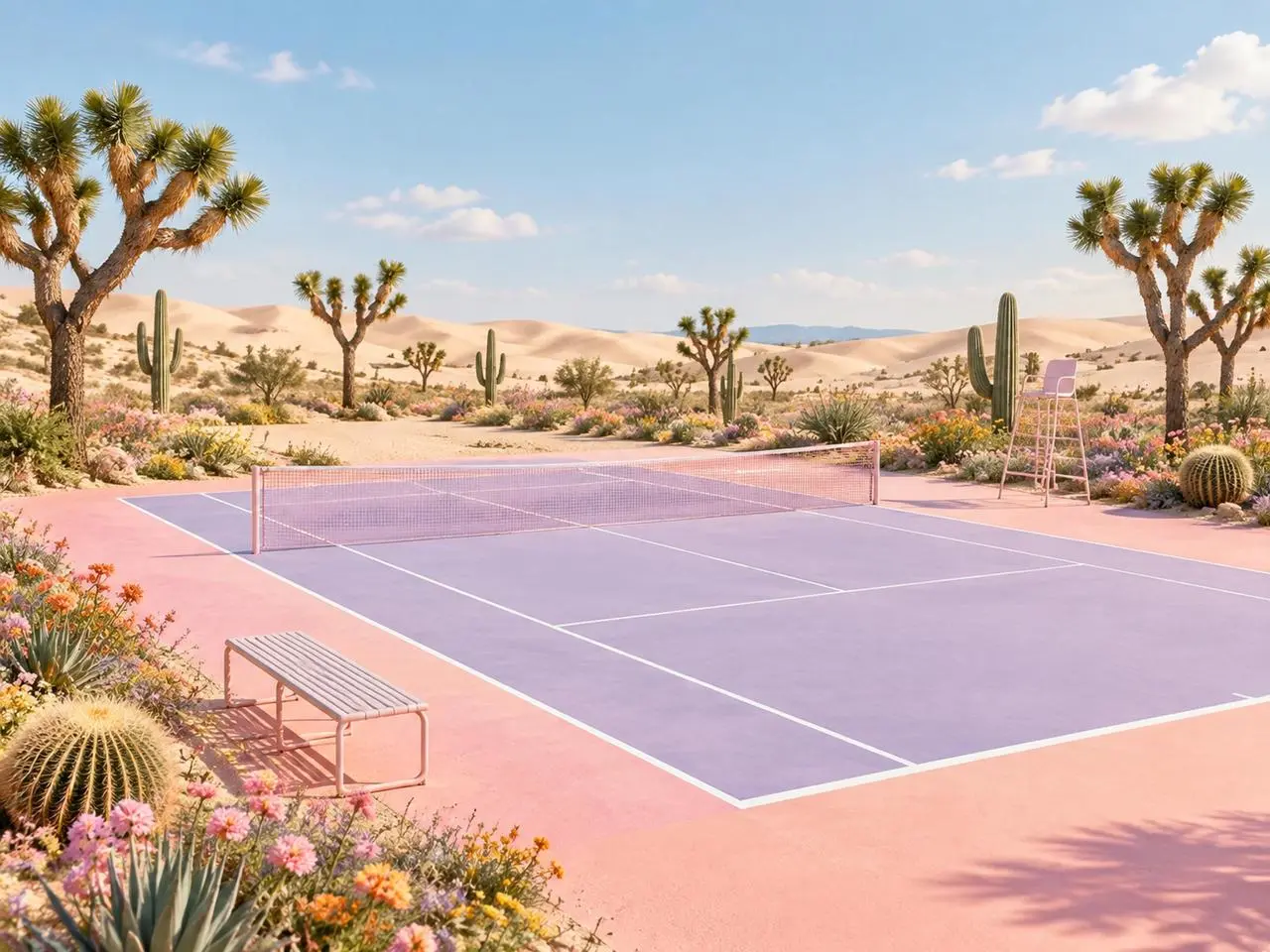
Резултат от WeShop: ясна роля на всяка референция
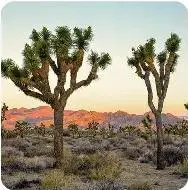
Референция 1
Референция 2

Задайте роля на всяка референция

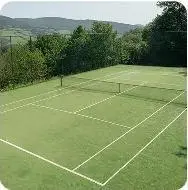
Назовете приноса на всяко изображение преди финалната сцена. В този пример: “Image 1 is the environment and botanical reference.” Сравнете пустинните растения с първата референция, а геометрията на корта с втората.

Use the two uploaded images as complementary visual references. REFERENCE ROLES: Image 1 is the environment and botanical reference. Use Image 1 to guide: - the open desert atmosphere - Joshua tree shapes and branching structure - dry natural terrain - scattered desert vegetation - spacious outdoor mood - warm arid landscape identity Image 2 is the composition and tennis-court structure reference. Use Image 2 to guide: - the camera angle - the overall court placement - court proportions - baseline and service-line geometry - the central net position - surrounding open space - the relationship between the court and the landscape Do not copy either image literally. Combine the environmental character of Image 1 with the tennis-court composition of Image 2 to create one coherent new scene. FINAL SCENE: Create a dreamy pastel tennis court located in a surreal desert landscape. The tennis court should use a refined pastel palette with: - soft blush pink outer areas - lavender and pale violet playing surfaces - clean white court lines - a subtle warm peach transition around the edges - a pale pink tennis net with realistic mesh texture Preserve believable tennis-court geometry. Keep the sidelines, baselines, service boxes, center marks, net height and court perspective visually coherent. ENVIRONMENT: Surround the court with rolling cream-colored and pale peach sand dunes. Add several Joshua trees inspired by Image 1, along with tall columnar cacti, round barrel cacti, desert succulents and small flowering plants. Scatter clusters of pink, coral, orange, yellow and lavender desert flowers around the edges of the court. Keep the central playing area clean and unobstructed. Place a simple metal bench near the foreground edge of the court and a minimal referee chair near one side of the net. The furniture should match the scene’s clean editorial styling without blocking the court. LIGHTING AND ATMOSPHERE: Use bright, soft natural daylight under a clear pale-blue sky. Add a few soft white clouds. Use gentle shadows, warm highlights and subtle atmospheric depth across the sand dunes. The mood should feel optimistic, imaginative, premium and calm. STYLE: High-end editorial landscape photography blended with polished surreal advertising art. Pastel color grading, clean commercial composition, realistic materials, precise perspective, crisp court details and refined botanical textures. The result should feel suitable for a sports-fashion campaign, lifestyle brand advertisement, social media post, website hero image or creative editorial. COMPOSITION: Use a wide landscape composition. Keep the tennis court as the central visual focus. Use desert plants and flowers to frame the foreground and side edges. Leave the sky and distant dunes relatively clean to prevent visual clutter. The scene must feel like one naturally designed environment, not a collage of two separate photographs. IMPORTANT: Do not add people or players. Do not add text, logos, signs, watermarks, brand names or promotional badges. Do not create extra tennis nets. Do not distort the court lines or perspective. Do not place cacti, flowers or furniture inside the active playing area. Do not reproduce the exact background from either reference image. Generate a new, coherent pastel desert tennis environment inspired by both references. High-resolution commercial quality, realistic lighting, precise geometry, premium AI-generated campaign visual.
Резултат от WeShop: промяна на материал и стил
Референция 1

Опишете промяната на материала

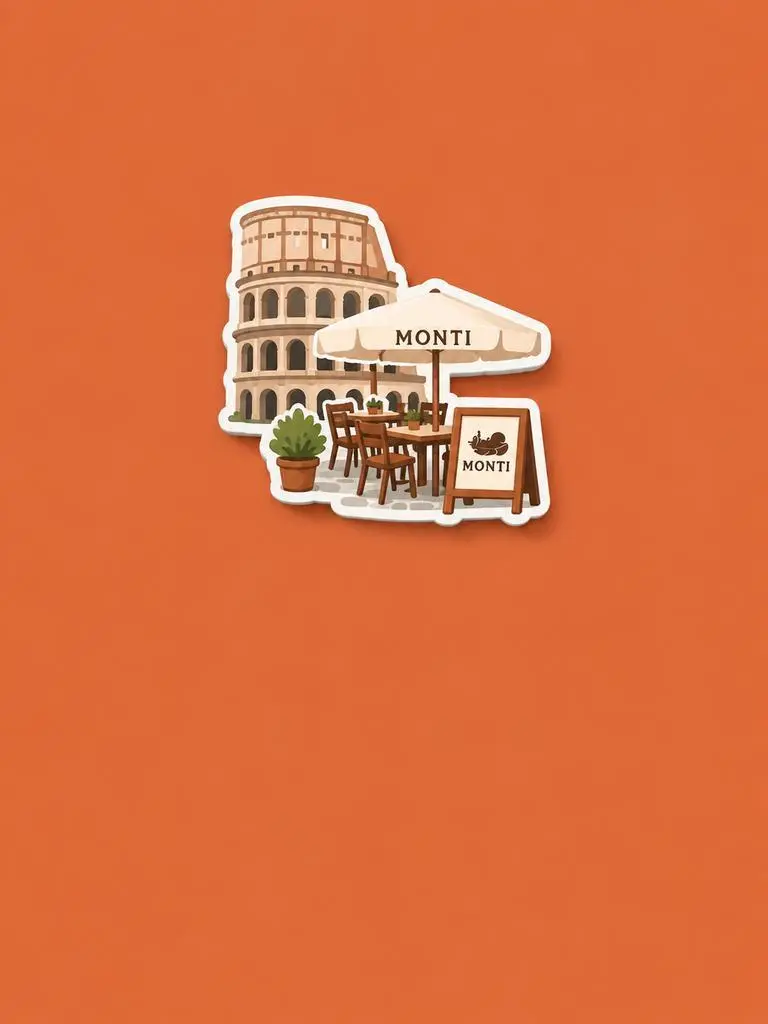
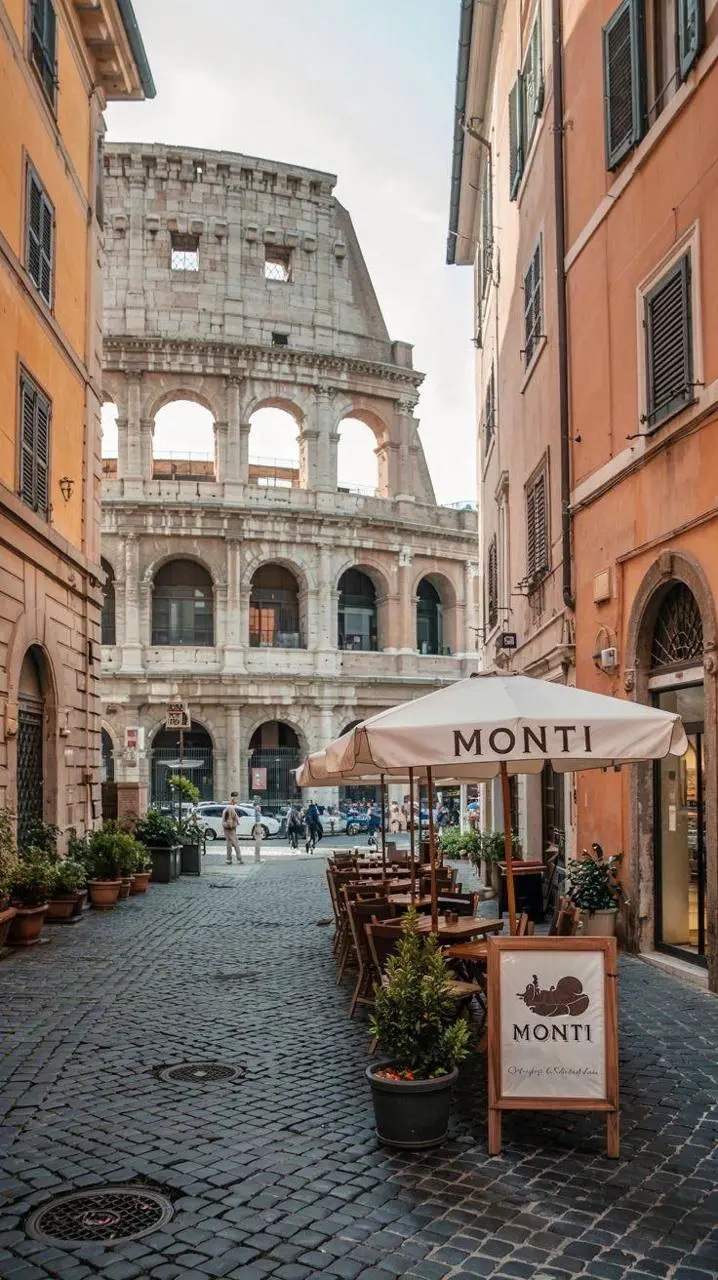
Назовете новия материал или обработка, после изходните черти за запазване. В този пример: “Retain the core outline and iconic features of the subject.” Потърсете разпознаваеми сграда и места за сядане, преосмислени като релефен сувенирен магнит.

Please generate a minimalist fridge magnet photography poster based on the real photo I provided. The overall style should reference "architectural fridge magnets" or "minimalist collage". 【Layout Structure】Horizontal composition, 3:2 ratio. Minimalist solid color background. 【Fridge Magnet Icon】Extract the most recognizable main subject from the provided photo (e.g., the dining table and chairs) and convert it into a minimalist "fridge magnet-style icon". Requirements: 1. Retain the core outline and iconic features of the subject. 2. Simple, clean shape, resembling a cute travel souvenir fridge magnet. 3. Add a slight 3D pop-up effect and a subtle drop shadow. 4. The edges must be clear, with a white or light-colored sticker-like border/stroke. 5. Moderately simplify the details; do not make the drawing too complex or hyper-realistic. 6. Place the icon in the upper center part of the image. 7. The icon should be relatively small and delicate, leaving plenty of negative space around it. 【Background Color】Extract the most prominent, memorable, and saturated color from the provided photo for the background. The background must be a solid, flat color—saturated, clean, and giving a travel postcard vibe. Do NOT use gradients, and do NOT add any complex patterns or background clutter.
Резултат от WeShop: Разграничете обекта от оформлението
Референция 1
Референция 2
Референция 3

Разграничете обекта от оформлението

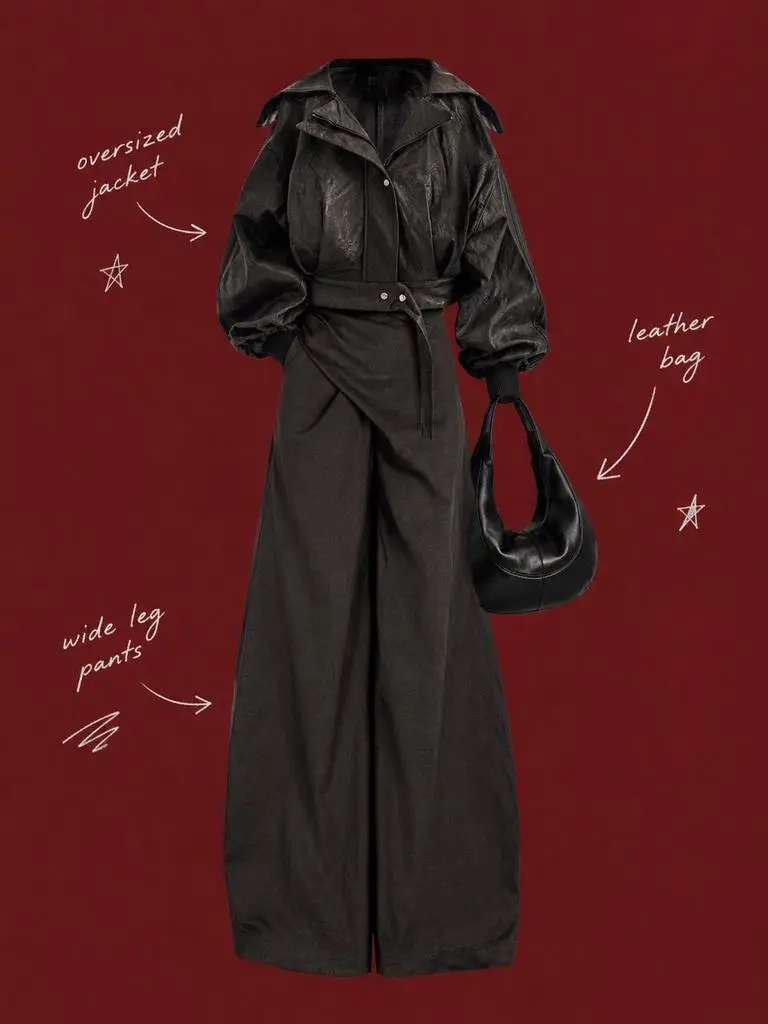
Опишете запазения обект и околното оформление с отделни инструкции. В този пример: “Use a solid deep burgundy, dark brick-red, or muted oxidized-red background that fills the entire canvas.” Сравнете референциите за облекло с централния изрязан образ, после проверете редките надписи около него.

Use my uploaded image as the main person or product asset to create a vertical, vintage fashion collage poster. Carefully cut out the subject and place it in the center of the composition. Preserve its recognizable clothing, pose, silhouette, proportions, colors, and important details without changing its identity. Present the subject as a clean magazine-style cutout layered directly onto the background. If the uploaded image features a person, the head may be cropped out or extend beyond the top edge so the visual focus remains on the outfit and body shape. If the subject is a product, keep it complete, clear, and easily recognizable. Use a solid deep burgundy, dark brick-red, or muted oxidized-red background that fills the entire canvas. Do not add a white border, white margins, a paper frame, or empty white space around the poster. Add only a few white handwritten English words, curved arrows, and casual fashion-sketch doodles on the left and right sides of the subject. The arrows may point toward clothing pieces, accessories, or other important details. The writing should look naturally hand-drawn, slightly irregular, and loosely arranged, like annotations in a fashion designer’s sketchbook. Keep these elements sparse and make sure they do not cover the subject. The overall visual language should resemble an independent fashion magazine, a clothing-design scrapbook, or an experimental late-20th-century fashion advertisement. Keep the layout minimal and clear, with one central cutout subject against the red background. Use an approximately 2:3 vertical aspect ratio. The subject should occupy around 75%–85% of the poster’s height and be positioned centrally, slightly toward the bottom. Keep the final image sharp and clearly defined. Do not add torn-paper edges, rough cutout edges, glue marks, tape, folds, stains, fading, film grain, scanning noise, blur, distressed textures, decorative badges, realistic scenery, complex props, modern interface elements, neon lighting, 3D rendering, or overly vivid colors.
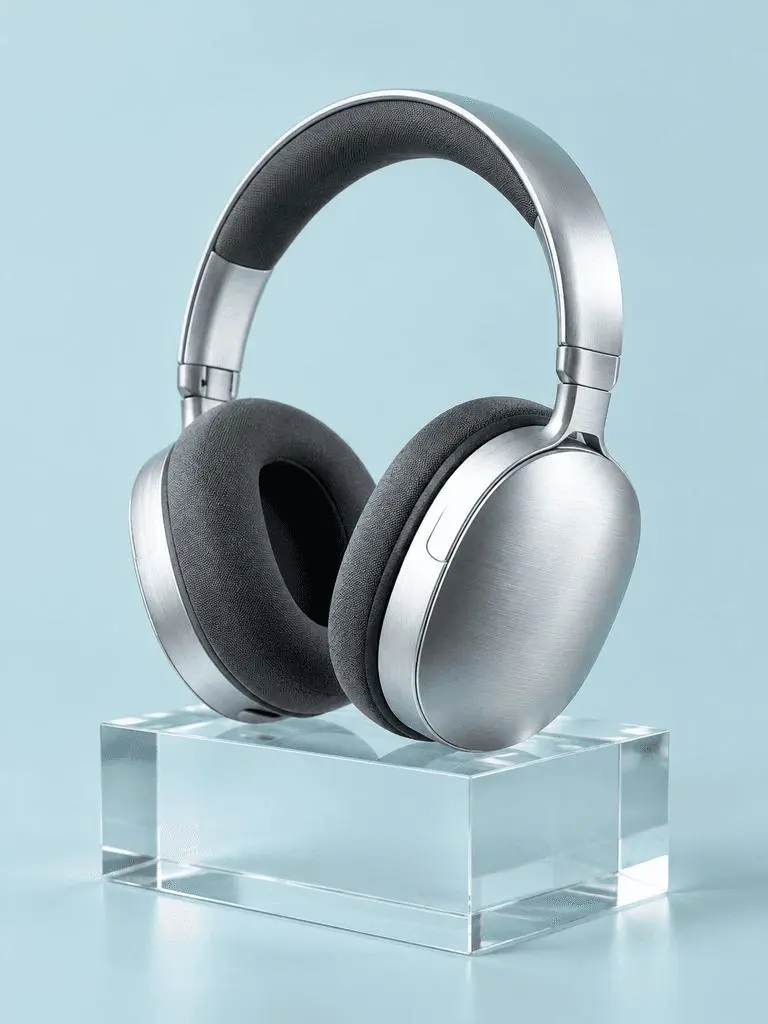
Резултат от WeShop: материали чрез осветление

Назовете материали и осветлението им

Свържете важните повърхности с видима светлинна следа. В този пример: “a broad softbox reflection across the metal”. Проверете шлифованите слушалки, текстилните възглавнички, прозрачния блок и различната им реакция на светлина.

A photorealistic commercial product photograph of one unbranded pair of brushed-silver wireless over-ear headphones. The headphones rest on a clear rectangular glass block against a seamless pale-cyan background. Show fine metal brushing, soft charcoal fabric ear cushions, a realistic transparent block, a clean contact shadow, and a broad softbox reflection across the metal. Use an eye-level three-quarter camera angle and a restrained monochrome palette. One pair of headphones only, no people, letters, logos, packaging, border, or watermark. Vertical 3:4 composition with the whole product visible.
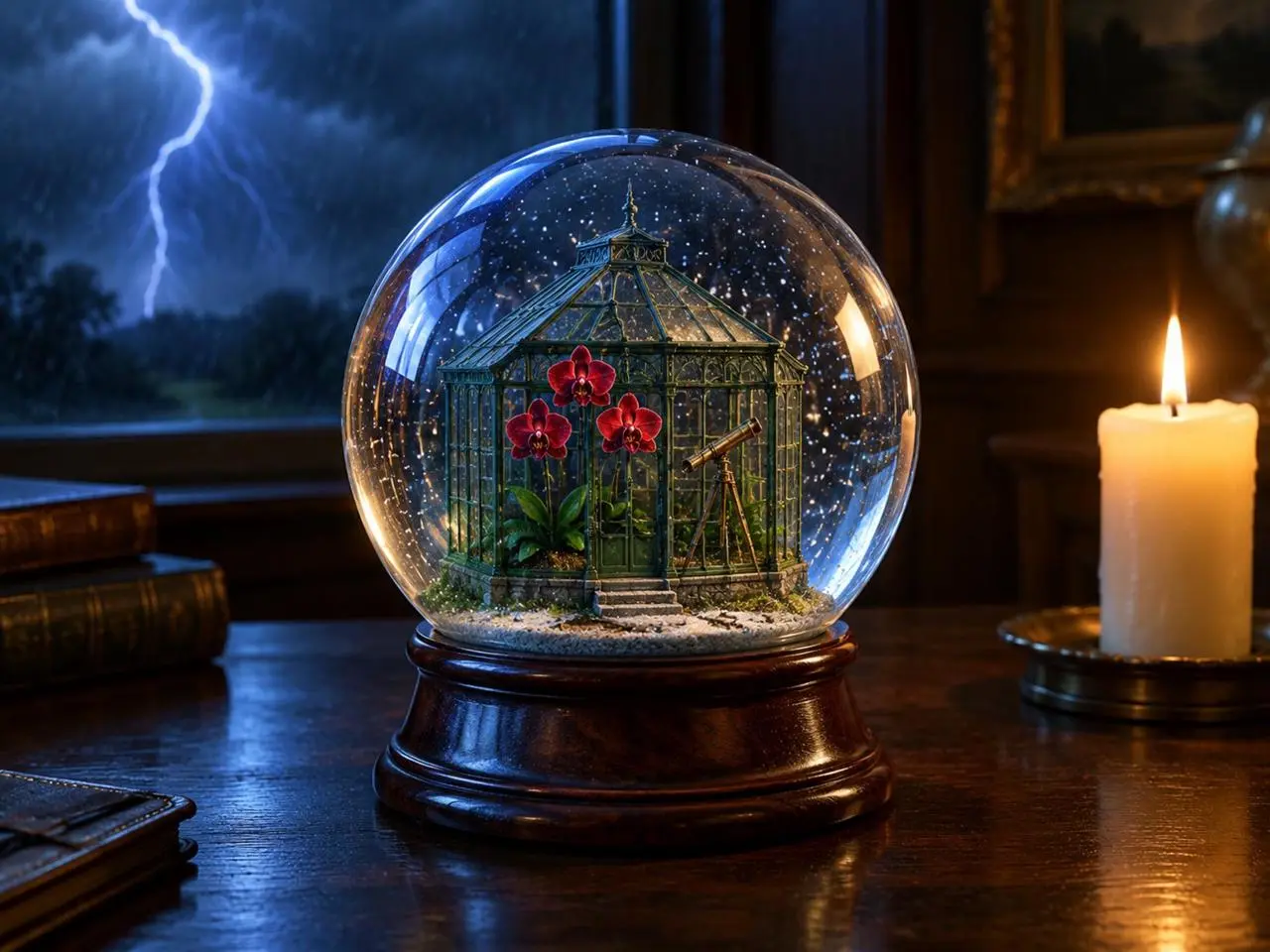
Резултат от WeShop: преден план, фон и светлина

Разположете източниците на светлина

Дайте ясни позиции на главния обект, фоновото събитие и светлинните източници. В този пример: “one lit ivory candle on the desk to the right of the globe”. Потърсете глобуса отпред, мълнията отзад и топлата свещ отстрани.

Create a finished 3:4 photorealistic editorial image of exactly one clear glass snow globe resting on a dark walnut desk during a thunderstorm. Inside the globe is one miniature Victorian greenhouse containing exactly three red orchids and one small brass telescope. Place a sharp lightning bolt in the upper-left background and one lit ivory candle on the desk to the right of the globe. Use realistic glass reflections and refractions, cool blue storm light from the left, warm candlelight from the right, shallow depth of field, and detailed natural materials. Keep the entire globe visible. No people, no extra flowers, no extra globes, no text, no logo, no watermark.
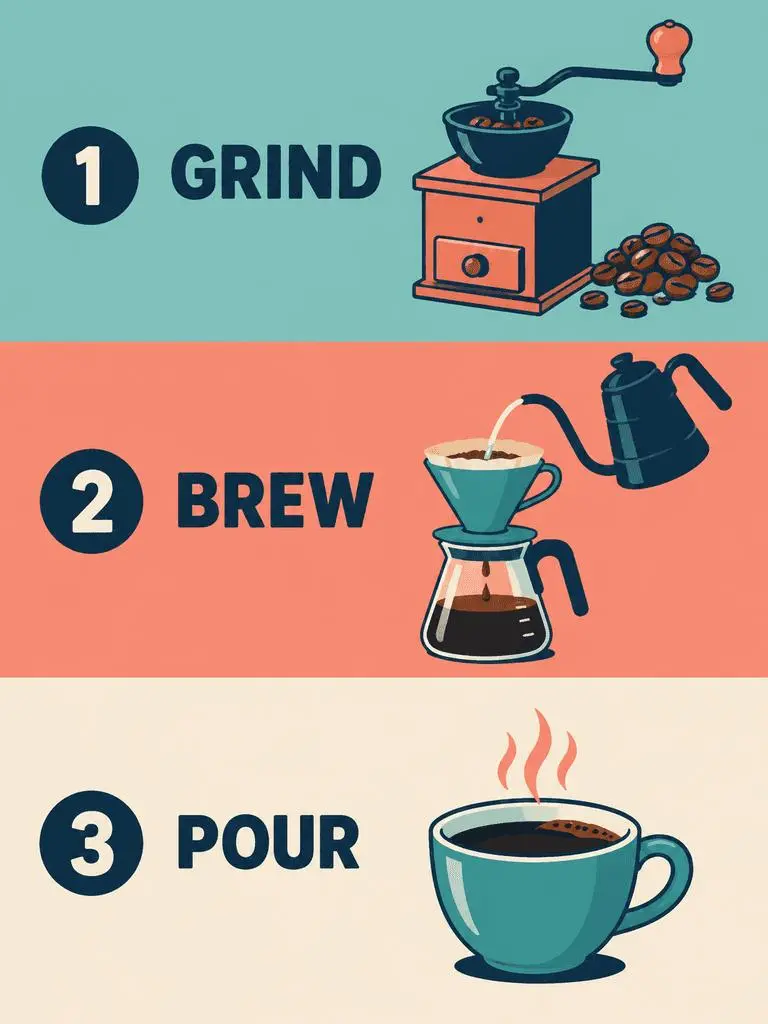
Резултат от WeShop: ред на панелите и точни надписи

Задайте реда на панелите и точния текст

При дизайн с няколко панела задайте последователността и думите за всеки. В този пример: “Panel 1 shows a simple hand grinder and coffee beans, with the exact heading 'GRIND'.” Проверете GRIND, BREW и POUR спрямо илюстрациите и реда им отгоре надолу.

Create a clean flat-vector educational infographic in a vertical 3:4 layout with exactly three equal horizontal panels stacked from top to bottom. Panel 1 shows a simple hand grinder and coffee beans, with the exact heading 'GRIND'. Panel 2 shows a pour-over cone over a glass server and a kettle pouring water, with the exact heading 'BREW'. Panel 3 shows a single ceramic cup filled with coffee, with the exact heading 'POUR'. Place the number 1, 2, or 3 beside each corresponding heading. Use teal, coral, cream, and dark-navy colors, consistent line weights, generous spacing, and a left-to-right illustration-and-label arrangement within every panel. Keep the three panels distinct and correctly ordered. No extra text, border, photorealistic imagery, or watermark.
КАК ДА ИЗПОЛЗВАТЕ

Как да използвате GPT Image 2 в WeShop AI

Започнете с избора GPT Image 2 и описания по-долу вход. Прегледайте наличните настройки и точки преди изпращане.

Предоставете входните данни за този модел

Оставете GPT Image 2 избран. За плакат задайте думите и оформлението; за редакция качете източниците и определете ролите им преди готовото изображение.

Проверете наличните настройки и точки

Етикети за размер: 1K, 2K, 4K. Качество: low, medium, high. Съотношения на страните: auto, 1:1, 1:2, 2:1, 1:3, 3:1, 2:3, 3:2, 4:3, 3:4, 16:9, 9:16, 21:9, 9:21. Това са избираеми настройки, а не фиксирани пикселни размери или гаранции за файлов формат. Проверете оригиналния резултат за действителните размери. Прегледайте показаните точки и достъпа до модела по плана си преди изпращане.

Отворете и проверете резултата

Прочетете текста на плаката и проверете реда на панелите. При референтна редакция сравнете идентичност, геометрия и променени области с източника, вместо да приемате точно съвпадение.

СРАВНЕТЕ МОДЕЛИТЕ GPT IMAGE

GPT Image 2 срещу GPT Image 2.5

GPT Image 2 е отделен от 2.5 Flare и Sunburst. Flare има ежедневна роля с фокус скорост, а Sunburst — взискателно генериране и редактиране. Текущият GPT Image 2 формуляр дава Low, Medium и High, а записите 2.5 добавят XHigh и Max. Официалното позициониране, каталогизираните конфигурации на WeShop и текущият избран формуляр са отделни; не се предполага измерено класиране по качество или скорост.

ПоказателGPT Image 2GPT Image 2.5
Моделни вариантиGPT Image 2Flare за скорост; Sunburst за високи изисквания към качеството
Създаване и редактиранеТекстови подкани и редактиране по изображенияТекстови подкани и редактиране по изображения
Редакторски фокусВходни изображения с висока точност за генериране и редактиранеOpenAI отчита подобрени прецизни редакции и запазване на обекта и при двата варианта
Нива на качество в WeShopLow, Medium, HighLow, Medium, High, XHigh, Max
Размери на изображенията в WeShop1K, 2K, 4K1K, 2K, 4K
Формати 4:5 и 5:4 в WeShopНе са изброени в текущия формулярНалични и за Flare, и за Sunburst
Моделни варианти
GPT Image 2
GPT Image 2
GPT Image 2.5
Flare за скорост; Sunburst за високи изисквания към качеството
Създаване и редактиране
GPT Image 2
Текстови подкани и редактиране по изображения
GPT Image 2.5
Текстови подкани и редактиране по изображения
Редакторски фокус
GPT Image 2
Входни изображения с висока точност за генериране и редактиране
GPT Image 2.5
OpenAI отчита подобрени прецизни редакции и запазване на обекта и при двата варианта
Нива на качество в WeShop
GPT Image 2
Low, Medium, High
GPT Image 2.5
Low, Medium, High, XHigh, Max
Размери на изображенията в WeShop
GPT Image 2
1K, 2K, 4K
GPT Image 2.5
1K, 2K, 4K
Формати 4:5 и 5:4 в WeShop
GPT Image 2
Не са изброени в текущия формуляр
GPT Image 2.5
Налични и за Flare, и за Sunburst

Кога да запазите GPT Image 2

Използвайте GPT Image 2 за дизайн по текст, структурирани композиции или референтни редакции, когато резултатите покриват заданието. Формулярът на WeShop предлага Low, Medium и High.

Кога да опитате GPT Image 2.5

Обмислете Flare при приоритет скорост или Sunburst за изисквания към качеството според позиционирането на OpenAI. И двата дават XHigh и Max в текущия формуляр на WeShop. Оценете същите представителни входове преди смяна на установен процес.

ОЩЕ МОДЕЛИ ЗА ИЗОБРАЖЕНИЯ

Разгледайте още модели за изображения

Разгледайте страниците на други модели и собствените им примери и налични начини за работа.

Често задавани въпроси

Често задавани въпроси за GPT Image 2

Какво е GPT Image 2?

GPT Image 2 е моделът на OpenAI за генериране и редактиране на изображения. Приема текст и изображения за нови визии и промени по референции.

За какво е полезен GPT Image 2?

Използвайте GPT Image 2 за дизайн по текст, структурирани композиции или референтни трансформации. Джаз плакатът показва планирана текстова йерархия, а редакционното табло и неоновият стил — различни употреби на изходни изображения.

Какъв вход е нужен на GPT Image 2?

Въведете текст за нова композиция или качете изображения за референтна редакция. Обяснете кой вход дава обекта, средата или оформлението и какво да се промени.

Кои настройки за размер и съотношение на страните са налични?

Етикети за размер: 1K, 2K, 4K. Качество: low, medium, high. Съотношения на страните: auto, 1:1, 1:2, 2:1, 1:3, 3:1, 2:3, 3:2, 4:3, 3:4, 16:9, 9:16, 21:9, 9:21. Това са избираеми настройки, а не фиксирани пикселни размери или гаранции за файлов формат. Проверете оригиналния резултат за действителните размери.

Как да напиша подкана за GPT Image 2?

Назовете приноса на всяко изображение преди финалната сцена. В този пример: “Image 1 is the environment and botanical reference.” Сравнете пустинните растения с първата референция, а геометрията на корта с втората. Прочетете пълната съответстваща подкана и действителните входове в ръководството, после ги адаптирайте към задачата си.

Как се различава GPT Image 2 от сродните модели?

GPT Image 2 е отделен от 2.5 Flare и Sunburst. Flare има ежедневна роля с фокус скорост, а Sunburst — взискателно генериране и редактиране. Текущият GPT Image 2 формуляр дава Low, Medium и High, а записите 2.5 добавят XHigh и Max.

Безплатен ли е GPT Image 2 и как се таксува?

Текущата страница с цени на WeShop не изброява този модел за Free Trial. Проверете достъпа по платен план и прогнозните точки за избраната заявка. Страницата не дава фиксирана цена на заявка и не прехвърля квота от друг доставчик към WeShop.

Какви ограничения трябва да проверя?

Проверете нужните думи, лицевите детайли, продуктовата геометрия и границата на редакциите. Инструкция за запазване сама не доказва запазен резултат. Проверете текста и реда на панелите. При референтна редакция сравнете идентичност, геометрия и променени области с източника, без да приемате точно съвпадение.

Какво мога да науча от примерите на тази страница?

Запазените примери на GPT Image 2 показват: Преобразяване в неонова скулптура; Редакционно табло по референция; Джаз плакат с водеща типография. Проверете резултата с действителната подкана и наличните входове. Един пример илюстрира заявка, а не гарантиран резултат или измерител на успеваемостта.