CREACIÓN DE IMÁGENES CON GPT IMAGE 2

GPT Image 2: generador de imágenes con IA

GPT Image 2 es el modelo de generación y edición de imágenes de OpenAI. Acepta texto e imágenes para crear gráficos nuevos y cambios guiados por referencias.

gpt-image-2
EJEMPLOS DE GPT IMAGE 2

Ejemplos de imágenes con GPT Image 2

Descubre GPT Image 2 con estos ejemplos: Transferencia de estilo a escultura de neón ; Desglose editorial a partir de una referencia ; Cartel de jazz centrado en la tipografía. Cada caso guardado conserva su prompt real y sus entradas disponibles. Examina el resultado antes de adaptar una solicitud a tu propio sujeto.

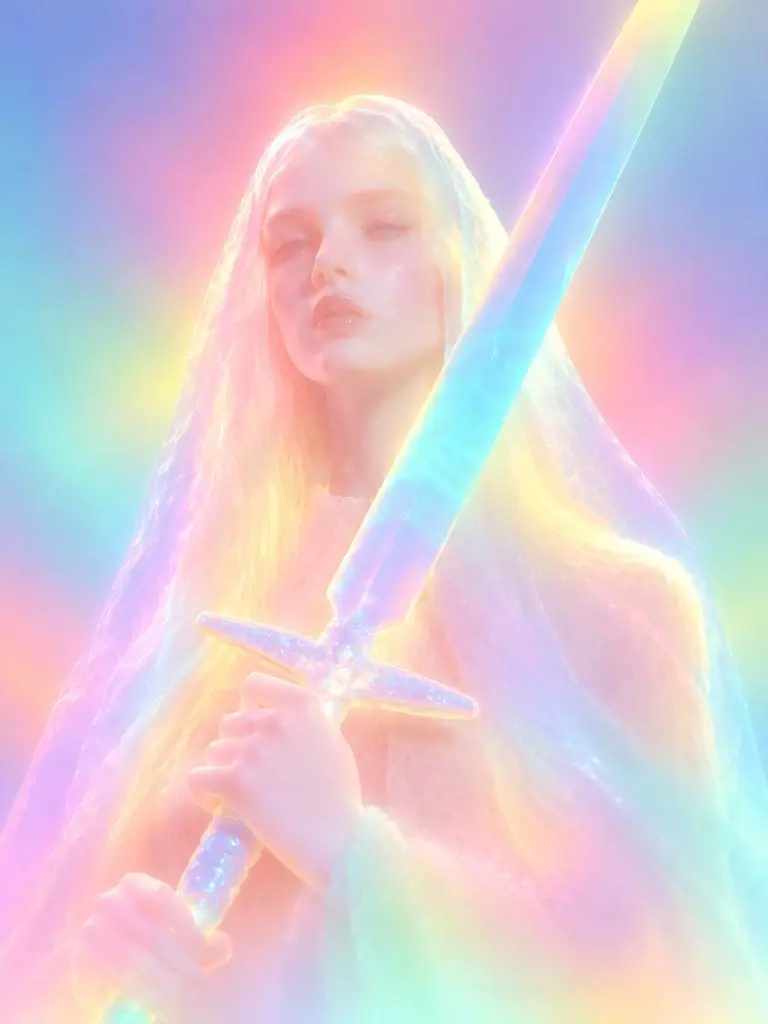
Resultado de WeShop: transferencia de estilo a escultura de neón
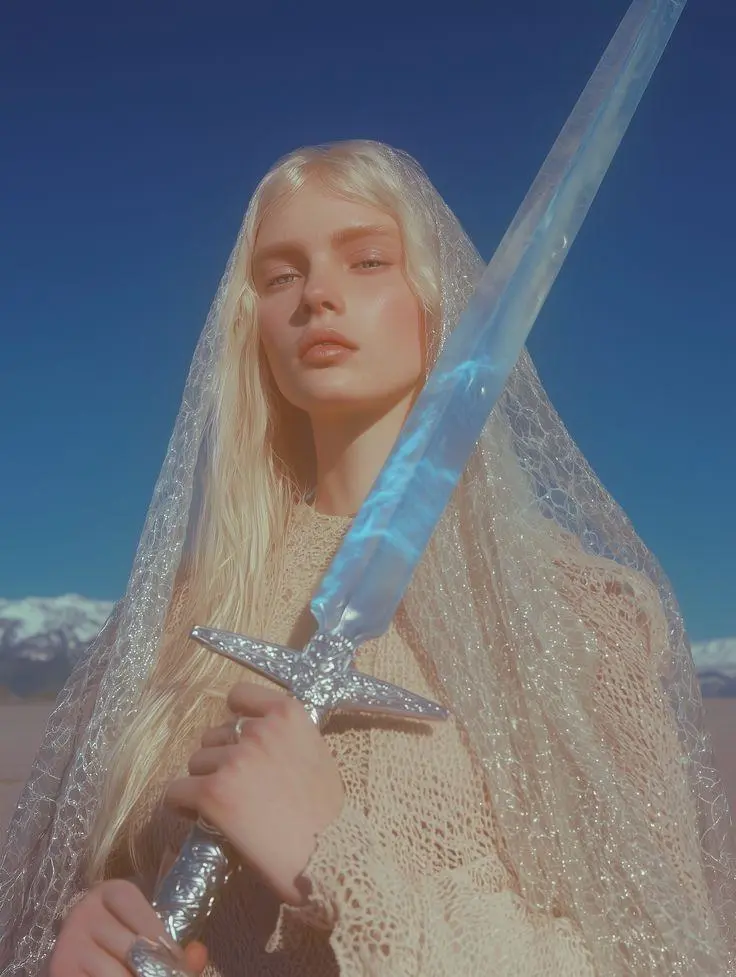
Referencia 1

Transferencia de estilo a escultura de neón

Una transformación guiada por referencia en una escultura luminosa. Los colores de neón difusos, los detalles faciales suavizados y los materiales redondeados hacen visible el cambio de estilo solicitado.

Please transform the input image into a soft focus, neon gradient sculptural style. Do not copy specific specific characters, crowds, compositions, or poses from any reference, but follow this visual language: Style & Texture: Create a soft, dreamy, surreal 3D illustration and digital sculpture. The subject should look like translucent plastic, frosted glass, glowing rubber, or soft ceramic sculpture wrapped in colored mist. Smooth rounded edges, moderately simplified details, with a hazy, low-contrast, non-realistic artistic effect. Color & Light: Use highly saturated but softly diffused neon gradients (fluorescent pink, coral orange, lemon yellow, mint green, cyan, violet, pale grayish-blue). Colors should blend seamlessly like thermal imaging, colored mist, or dream halos. Shadows must be bluish-purple, cyan, or deep magenta—NO pure black hard shadows. Use strong inner glow, backlight, rim light, and ambient color reflections to make the subject glow from within. Include soft focus, slight mist, fine grain, and gradient noise. Subject Treatment: Retain the identity, pose, proportions, and clothing outlines of the input image, but transform them into a minimalist, rounded, dreamy neon sculpture. Soften and weaken facial features to create a quiet, ethereal, detached expression. The face should look like a soft mask covered by a glowing halo. Composition: Clean background (solid color, soft gradient, misty or large color blocks). Quiet, surreal, fairytale-like but slightly alienating atmosphere with a floating feeling. Keywords: soft neon gradient, dreamy 3D illustration, translucent sculpture, frosted glass texture, glowing rubber, pastel fluorescence, diffused light, inner glow, soft focus, blurred facial features, surreal portrait, minimal details, smooth rounded forms, luminous mist, thermal color gradient, ethereal atmosphere, clean composition, high-end digital art.
Utilice este mensaje
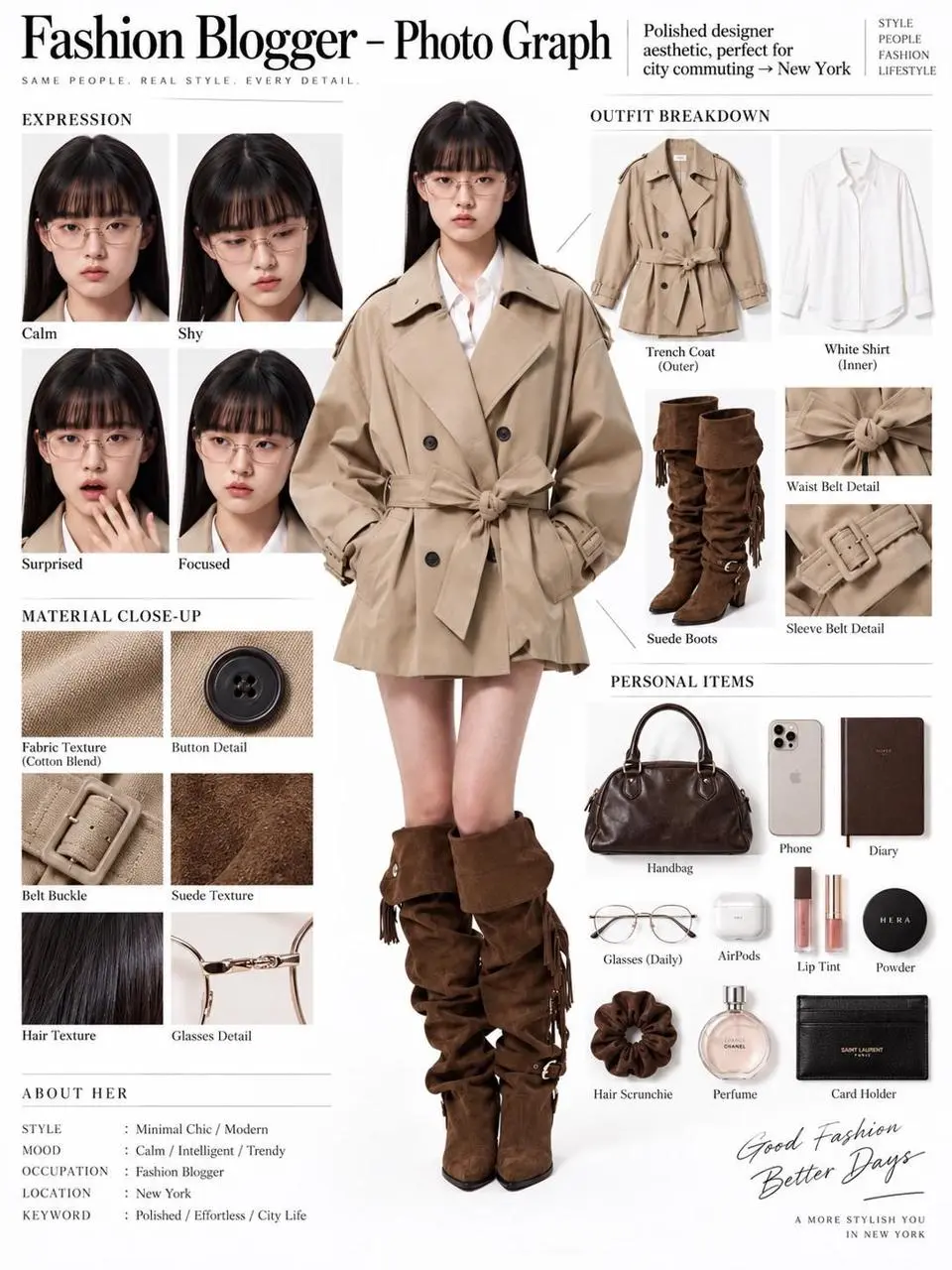
Resultado de WeShop: desglose editorial a partir de una referencia
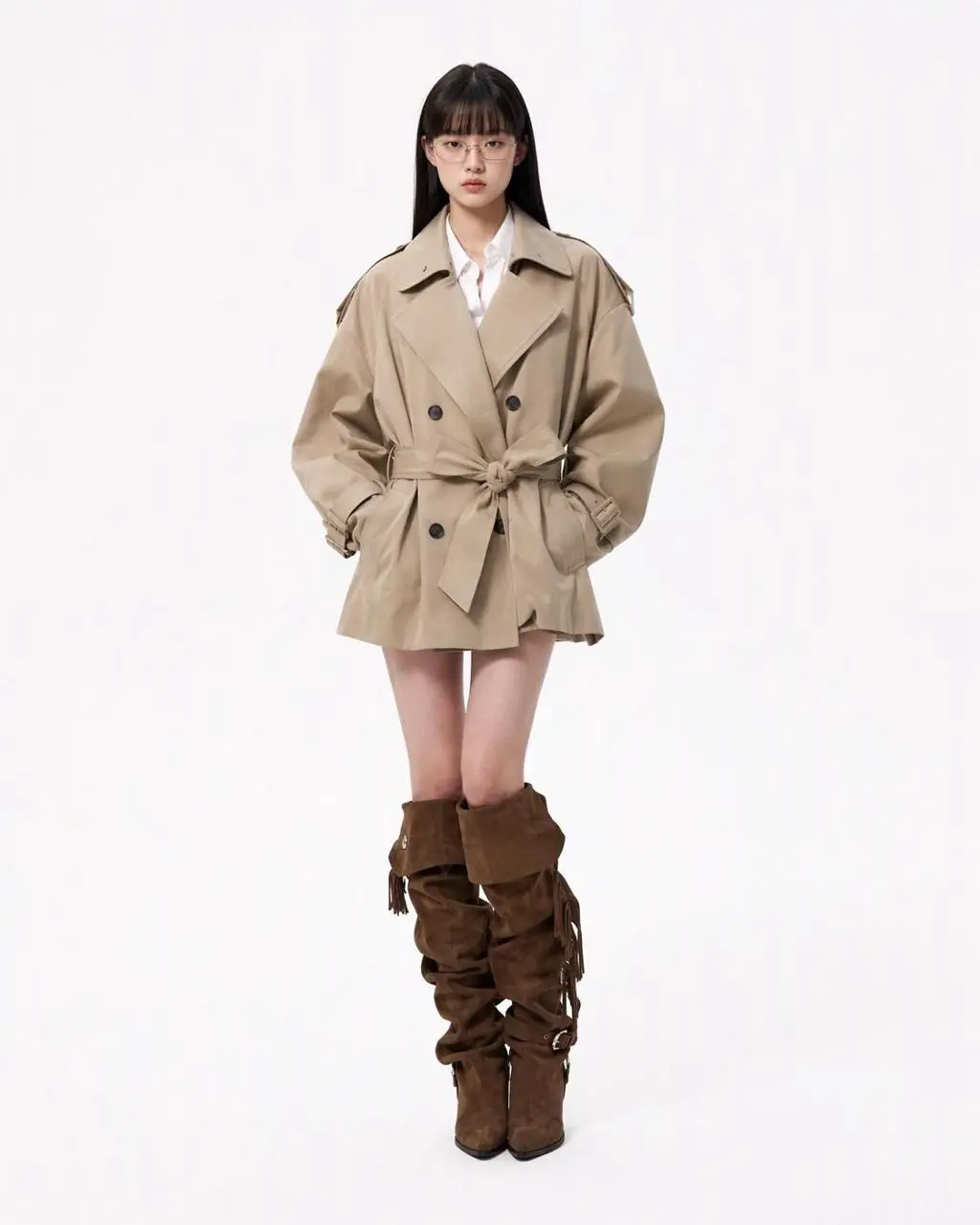
Referencia 1

Desglose editorial a partir de una referencia

Una referencia de persona se convierte en un panel editorial con figura de cuerpo entero, prendas, primeros planos faciales y detalles de materiales. El resultado reúne edición con referencias y composición estructurada en una imagen.

You are an expert in ultra-detailed, photorealistic character breakdown sheets. Create a highly detailed character reference sheet based on the uploaded person photo. Preserve 100% of the person’s original facial features, identity, hairstyle, clothing, body proportions, and realistic textures. Do not redesign, beautify, or alter the person. TASK: CENTER: Place the full-body photorealistic image of the uploaded person prominently in the center. Keep the person’s original appearance, outfit, proportions, and visual identity exactly consistent with the reference photo. SURROUNDING ELEMENTS: • Outfit Breakdown: Display each clothing item separately, from outer layers to inner layers. Preserve the exact original design, silhouette, colors, materials, patterns, stitching, accessories, and fabric textures. Present each item as realistic product photography. • Expression Variations: Create 3–4 close-up portraits of the same person showing different natural expressions, such as calm, shy, surprised, and focused. The face, hairstyle, skin tone, makeup, and identity must remain fully consistent with the uploaded person. • Material Close-ups: Include realistic macro photography of key details such as fabric texture, stitching, skin texture, hair strands, accessories, buttons, hardware, and other visible materials from the original photo. • Personal Items: Arrange realistic everyday objects that naturally match the person’s fashion style and overall character, such as bag contents, cosmetics, diary, phone, accessories, or other appropriate personal belongings. Present them as premium editorial flat-lay photography. VISUAL GUIDELINES: Layout: Use a clean white background. Position the full-body person as the main visual focus in the center. Arrange all outfit pieces, facial close-ups, material details, and personal items evenly around the central figure. Use thin, refined editorial-style lines to connect relevant details to the person. Style: Hyper-realistic professional photography only. Use natural studio lighting, realistic skin, authentic fabric textures, accurate material reflections, subtle shadows, and premium fashion-editorial photography quality. Overall aesthetic: Clean, sophisticated, modern fashion magazine character analysis board with a New York editorial atmosphere. Maintain a balanced layout, generous white space, and refined visual hierarchy. TEXT: Display the main title: “Fashion Blogger – Photo Graph” Include one short English style/persona judgment: “Polished designer aesthetic, perfect for city commuting → New York” STRICT RULES: The final image MUST look like real photography. NO illustration, anime, cartoon, sketch, painting, CGI, or obvious 3D-rendered appearance. Preserve the uploaded person’s identity, facial structure, facial features, hairstyle, skin tone, clothing, body proportions, and overall appearance as accurately as possible. Do not change, redesign, beautify, replace, or reinterpret the person’s original features. Do not randomly change the clothing design, colors, materials, patterns, or accessories. All facial close-ups must clearly represent the same person. All clothing breakdowns and material close-ups must correspond accurately to the clothing worn by the central person. All surrounding elements must have authentic photographic textures, realistic lighting, and consistent visual quality. Maintain strong visual consistency between the central full-body character and every surrounding detail image.
Utilice este mensaje
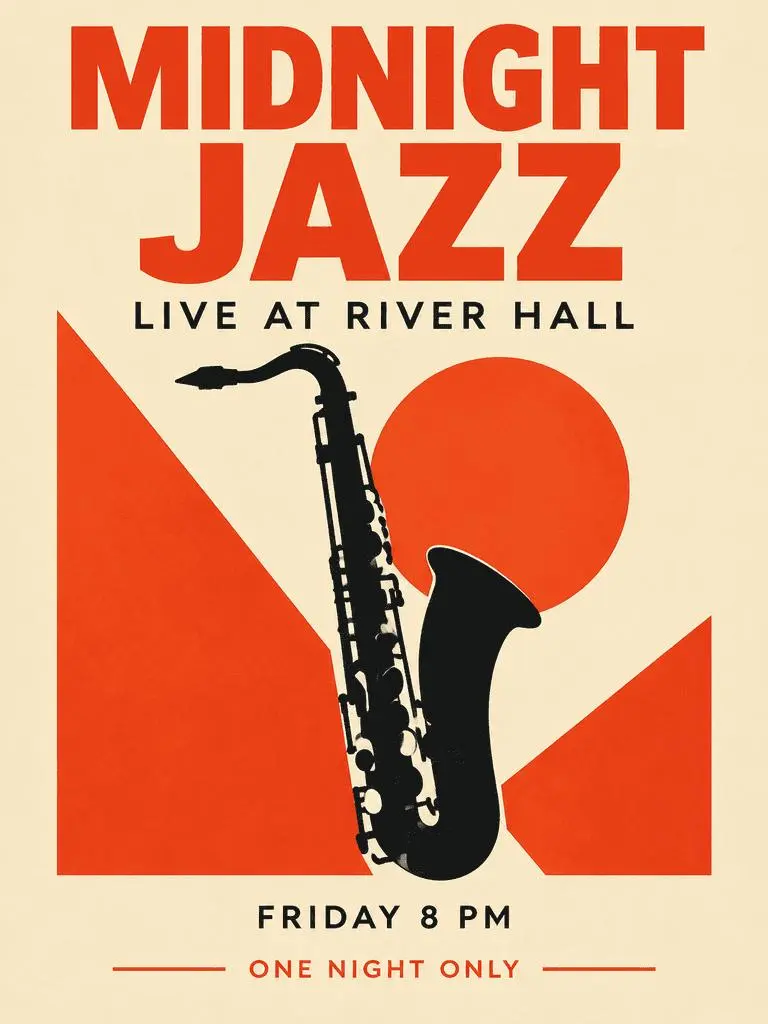
Resultado de WeShop: cartel de jazz centrado en la tipografía

Cartel de jazz centrado en la tipografía

Un cartel de evento ficticio combina un titular dominante, información secundaria y una ilustración de saxofón. Examina las cuatro frases solicitadas y su jerarquía en el resultado generado.

Create a polished vertical 3:4 poster for a fictional jazz event. Use a warm ivory background, bold vermilion geometric shapes, a single black saxophone silhouette, and a carefully aligned editorial grid. Include exactly these four text lines, with no other words: 'MIDNIGHT JAZZ' as the largest headline, 'LIVE AT RIVER HALL' as the secondary line, 'FRIDAY 8 PM' as the small event detail, and 'ONE NIGHT ONLY' as a small bottom label. Make all four lines legible and spelled exactly. Keep a clear hierarchy between headline, illustration, details, and footer. Flat graphic design, crisp edges, restrained paper texture, no border or watermark.
Utilice este mensaje
¿QUÉ ES GPT IMAGE 2?

¿Qué es GPT Image 2 y para qué sirve?

GPT Image 2 es el modelo de generación y edición de imágenes de OpenAI. Acepta texto e imágenes para crear gráficos nuevos y cambios guiados por referencias. Usa GPT Image 2 para diseños guiados por texto, composiciones estructuradas o transformaciones de referencias. El cartel de jazz muestra una jerarquía textual planificada y el panel editorial y el cambio a neón ilustran distintos usos de imágenes de origen.

Texto dentro de una imagen diseñada

Crea composiciones con palabras y elementos visuales; comprueba la ortografía y la disposición en el resultado.

Referencias para editar una imagen

Usa una imagen aportada para establecer un sujeto o una escena y describe el cambio solicitado.

Dirección visual detallada

Especifica composición, materiales e iluminación para la imagen deseada.

MODOS DE CREACIÓN

Empieza con texto o una imagen

Introduce texto para una composición nueva o sube imágenes para una edición con referencias. Explica qué entrada aporta el sujeto, el entorno o la composición e indica qué debe cambiar.

Empieza con texto

Usa una descripción escrita cuando crees una escena o diseño nuevo sin una imagen existente que conservar.

Empieza con referencias

Sube las imágenes que quieras usar en la solicitud. Si aportas varias referencias, identifica cada una por su función.

GUÍA DE PROMPTS

Cómo escribir un prompt para GPT Image 2

Estudia los prompts reales de GPT Image 2 de abajo junto con sus resultados y las referencias utilizadas. Cada explicación identifica una instrucción concreta que examinar; solicitar un efecto no garantiza que todos los detalles generados coincidan.

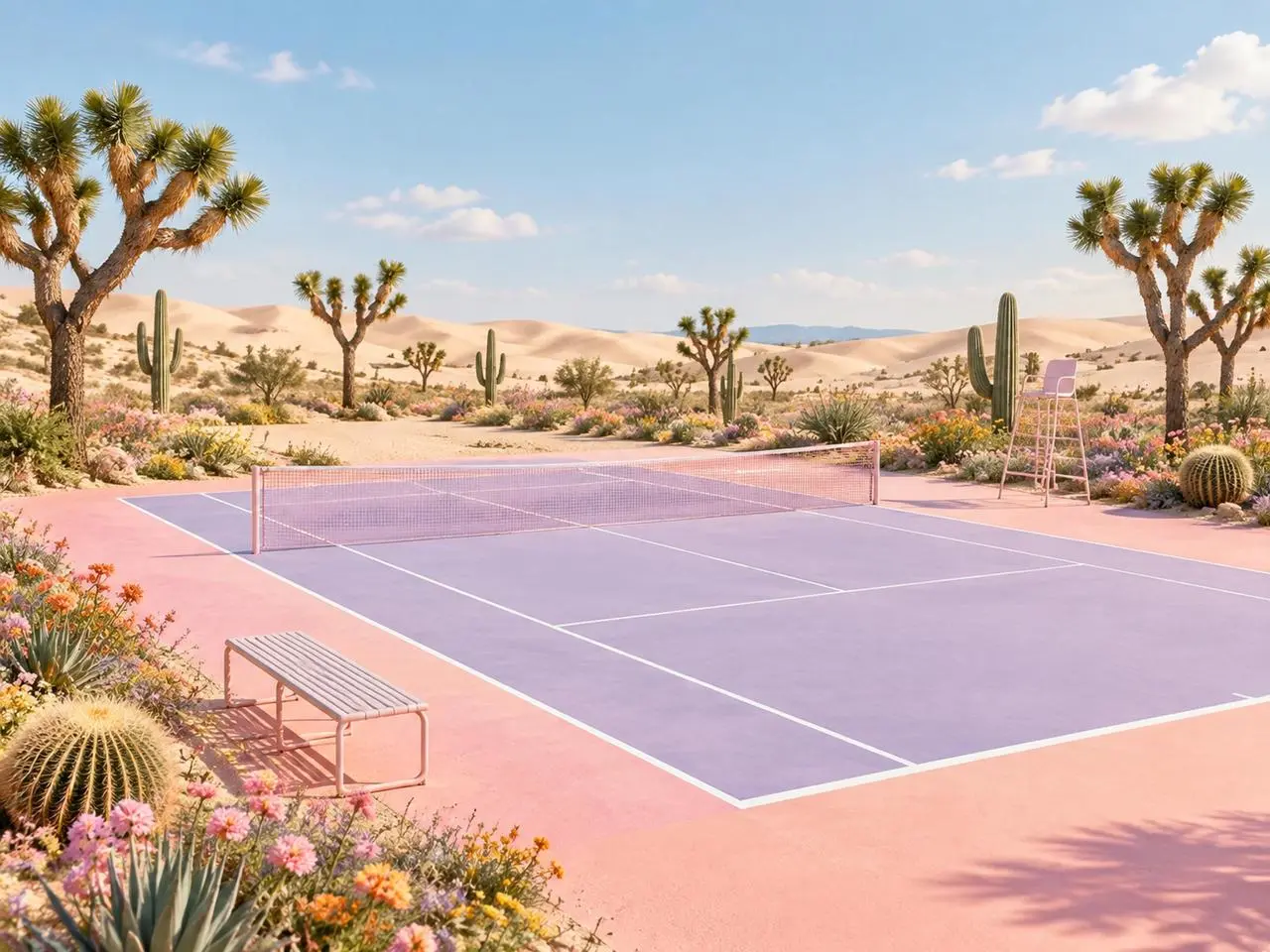
Resultado de WeShop: dar a cada referencia una función definida
Referencia 1
Referencia 2

Asigna una función a cada referencia

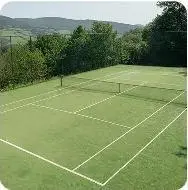
Nombra qué aporta cada imagen antes de describir la escena final. En este ejemplo: «Image 1 is the environment and botanical reference.» Compara las plantas del desierto con la primera referencia y la geometría de la pista con la segunda.

Use the two uploaded images as complementary visual references. REFERENCE ROLES: Image 1 is the environment and botanical reference. Use Image 1 to guide: - the open desert atmosphere - Joshua tree shapes and branching structure - dry natural terrain - scattered desert vegetation - spacious outdoor mood - warm arid landscape identity Image 2 is the composition and tennis-court structure reference. Use Image 2 to guide: - the camera angle - the overall court placement - court proportions - baseline and service-line geometry - the central net position - surrounding open space - the relationship between the court and the landscape Do not copy either image literally. Combine the environmental character of Image 1 with the tennis-court composition of Image 2 to create one coherent new scene. FINAL SCENE: Create a dreamy pastel tennis court located in a surreal desert landscape. The tennis court should use a refined pastel palette with: - soft blush pink outer areas - lavender and pale violet playing surfaces - clean white court lines - a subtle warm peach transition around the edges - a pale pink tennis net with realistic mesh texture Preserve believable tennis-court geometry. Keep the sidelines, baselines, service boxes, center marks, net height and court perspective visually coherent. ENVIRONMENT: Surround the court with rolling cream-colored and pale peach sand dunes. Add several Joshua trees inspired by Image 1, along with tall columnar cacti, round barrel cacti, desert succulents and small flowering plants. Scatter clusters of pink, coral, orange, yellow and lavender desert flowers around the edges of the court. Keep the central playing area clean and unobstructed. Place a simple metal bench near the foreground edge of the court and a minimal referee chair near one side of the net. The furniture should match the scene’s clean editorial styling without blocking the court. LIGHTING AND ATMOSPHERE: Use bright, soft natural daylight under a clear pale-blue sky. Add a few soft white clouds. Use gentle shadows, warm highlights and subtle atmospheric depth across the sand dunes. The mood should feel optimistic, imaginative, premium and calm. STYLE: High-end editorial landscape photography blended with polished surreal advertising art. Pastel color grading, clean commercial composition, realistic materials, precise perspective, crisp court details and refined botanical textures. The result should feel suitable for a sports-fashion campaign, lifestyle brand advertisement, social media post, website hero image or creative editorial. COMPOSITION: Use a wide landscape composition. Keep the tennis court as the central visual focus. Use desert plants and flowers to frame the foreground and side edges. Leave the sky and distant dunes relatively clean to prevent visual clutter. The scene must feel like one naturally designed environment, not a collage of two separate photographs. IMPORTANT: Do not add people or players. Do not add text, logos, signs, watermarks, brand names or promotional badges. Do not create extra tennis nets. Do not distort the court lines or perspective. Do not place cacti, flowers or furniture inside the active playing area. Do not reproduce the exact background from either reference image. Generate a new, coherent pastel desert tennis environment inspired by both references. High-resolution commercial quality, realistic lighting, precise geometry, premium AI-generated campaign visual.
Resultado de WeShop: describir el cambio de material y estilo
Referencia 1

Describe el cambio de material

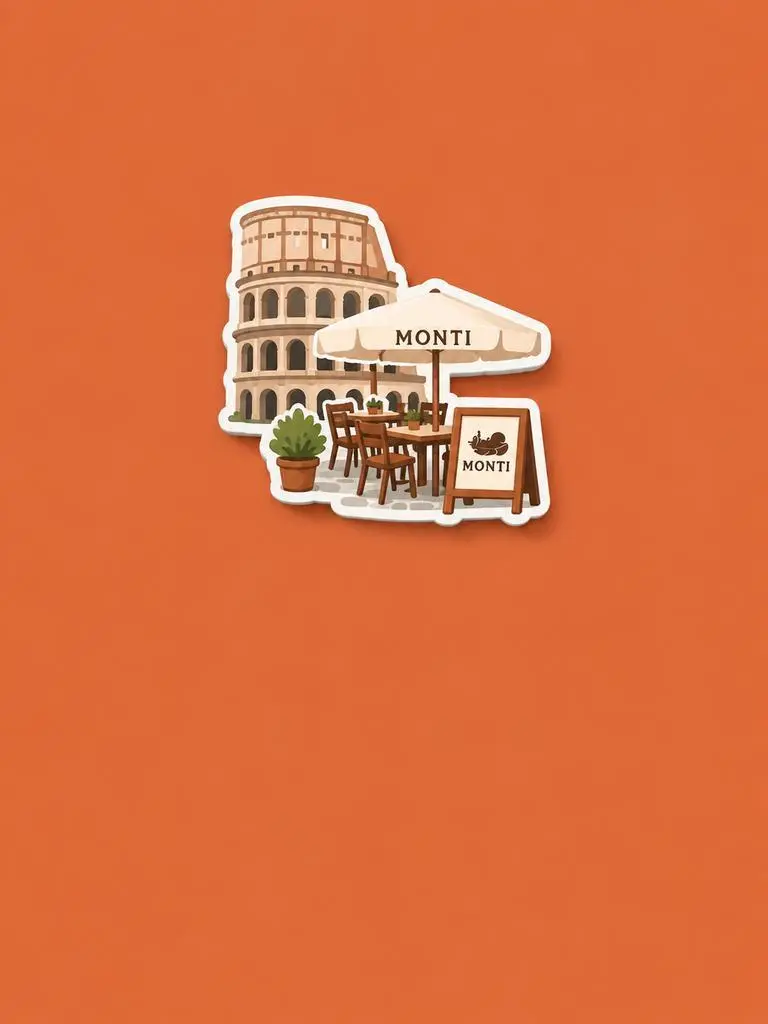
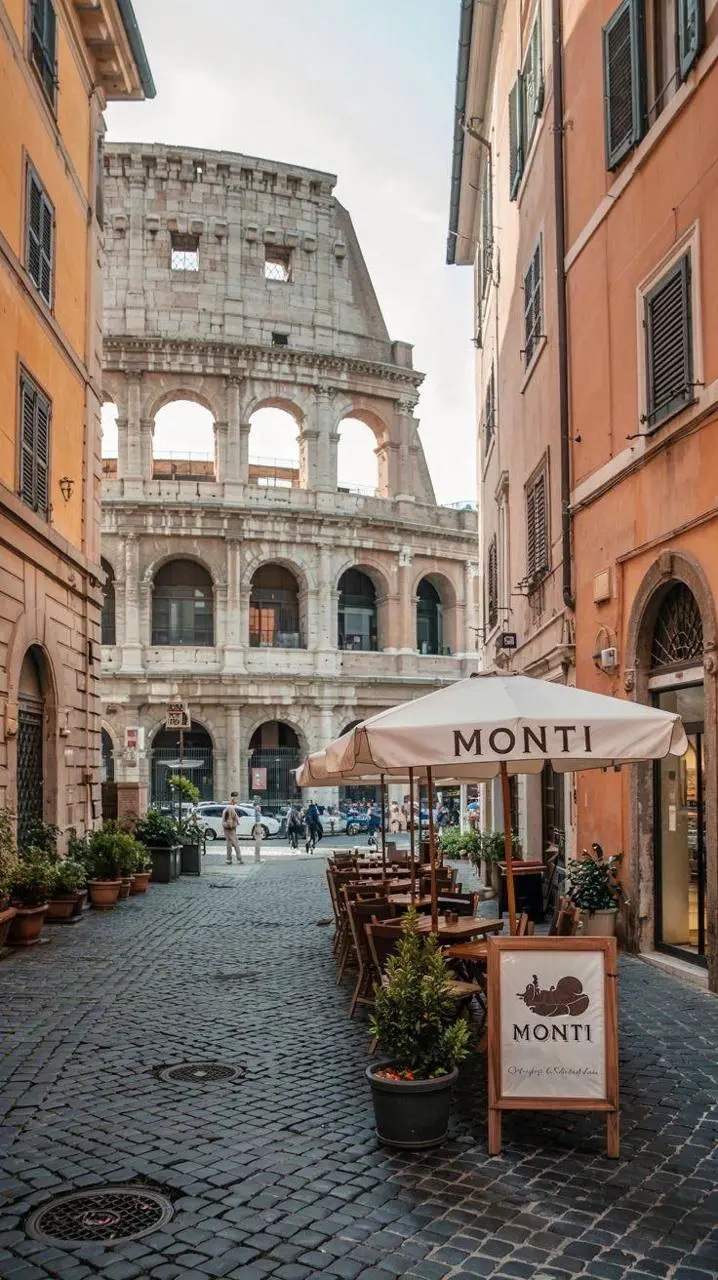
Nombra el material o tratamiento nuevo y especifica qué rasgos de origen conservar. En este ejemplo: «Retain the core outline and iconic features of the subject.» Busca el edificio y los asientos reconocibles reinterpretados como un imán de recuerdo en relieve.

Please generate a minimalist fridge magnet photography poster based on the real photo I provided. The overall style should reference "architectural fridge magnets" or "minimalist collage". 【Layout Structure】Horizontal composition, 3:2 ratio. Minimalist solid color background. 【Fridge Magnet Icon】Extract the most recognizable main subject from the provided photo (e.g., the dining table and chairs) and convert it into a minimalist "fridge magnet-style icon". Requirements: 1. Retain the core outline and iconic features of the subject. 2. Simple, clean shape, resembling a cute travel souvenir fridge magnet. 3. Add a slight 3D pop-up effect and a subtle drop shadow. 4. The edges must be clear, with a white or light-colored sticker-like border/stroke. 5. Moderately simplify the details; do not make the drawing too complex or hyper-realistic. 6. Place the icon in the upper center part of the image. 7. The icon should be relatively small and delicate, leaving plenty of negative space around it. 【Background Color】Extract the most prominent, memorable, and saturated color from the provided photo for the background. The background must be a solid, flat color—saturated, clean, and giving a travel postcard vibe. Do NOT use gradients, and do NOT add any complex patterns or background clutter.
Resultado de WeShop: separar el sujeto de la composición
Referencia 1
Referencia 2
Referencia 3

Separa el sujeto de la composición

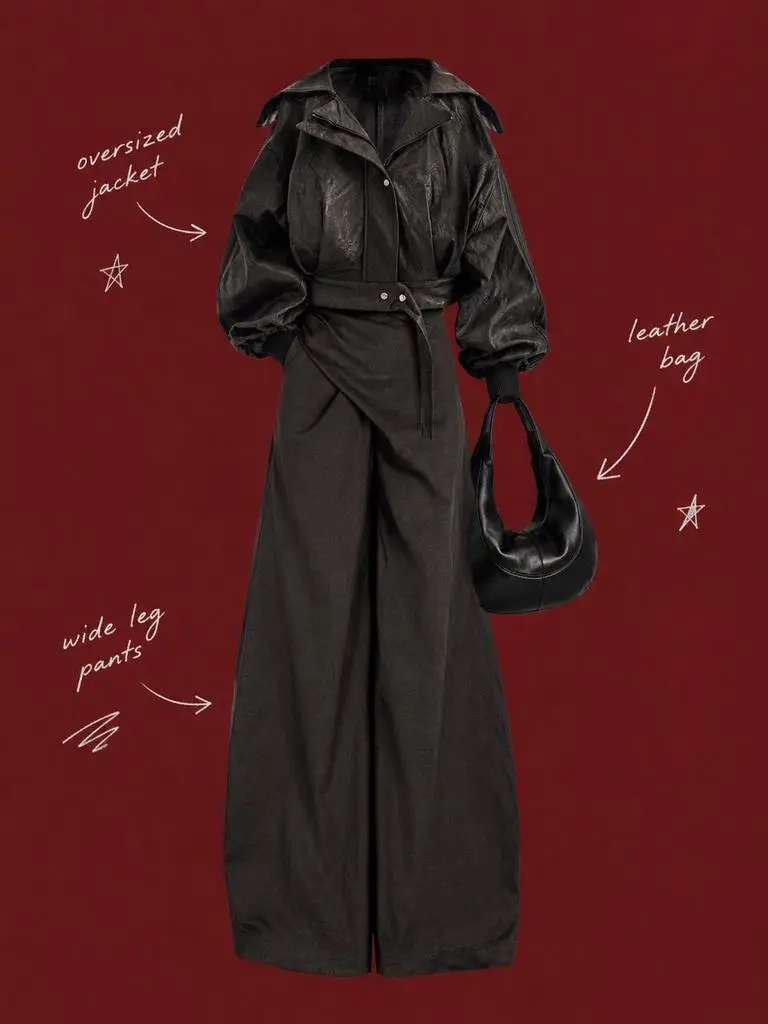
Describe el sujeto conservado y la composición que lo rodea en instrucciones separadas. En este ejemplo: «Use a solid deep burgundy, dark brick-red, or muted oxidized-red background that fills the entire canvas.» Compara las referencias de ropa con el recorte central y examina las etiquetas espaciadas a su alrededor.

Use my uploaded image as the main person or product asset to create a vertical, vintage fashion collage poster. Carefully cut out the subject and place it in the center of the composition. Preserve its recognizable clothing, pose, silhouette, proportions, colors, and important details without changing its identity. Present the subject as a clean magazine-style cutout layered directly onto the background. If the uploaded image features a person, the head may be cropped out or extend beyond the top edge so the visual focus remains on the outfit and body shape. If the subject is a product, keep it complete, clear, and easily recognizable. Use a solid deep burgundy, dark brick-red, or muted oxidized-red background that fills the entire canvas. Do not add a white border, white margins, a paper frame, or empty white space around the poster. Add only a few white handwritten English words, curved arrows, and casual fashion-sketch doodles on the left and right sides of the subject. The arrows may point toward clothing pieces, accessories, or other important details. The writing should look naturally hand-drawn, slightly irregular, and loosely arranged, like annotations in a fashion designer’s sketchbook. Keep these elements sparse and make sure they do not cover the subject. The overall visual language should resemble an independent fashion magazine, a clothing-design scrapbook, or an experimental late-20th-century fashion advertisement. Keep the layout minimal and clear, with one central cutout subject against the red background. Use an approximately 2:3 vertical aspect ratio. The subject should occupy around 75%–85% of the poster’s height and be positioned centrally, slightly toward the bottom. Keep the final image sharp and clearly defined. Do not add torn-paper edges, rough cutout edges, glue marks, tape, folds, stains, fading, film grain, scanning noise, blur, distressed textures, decorative badges, realistic scenery, complex props, modern interface elements, neon lighting, 3D rendering, or overly vivid colors.
Resultado de WeShop: describir materiales mediante la iluminación

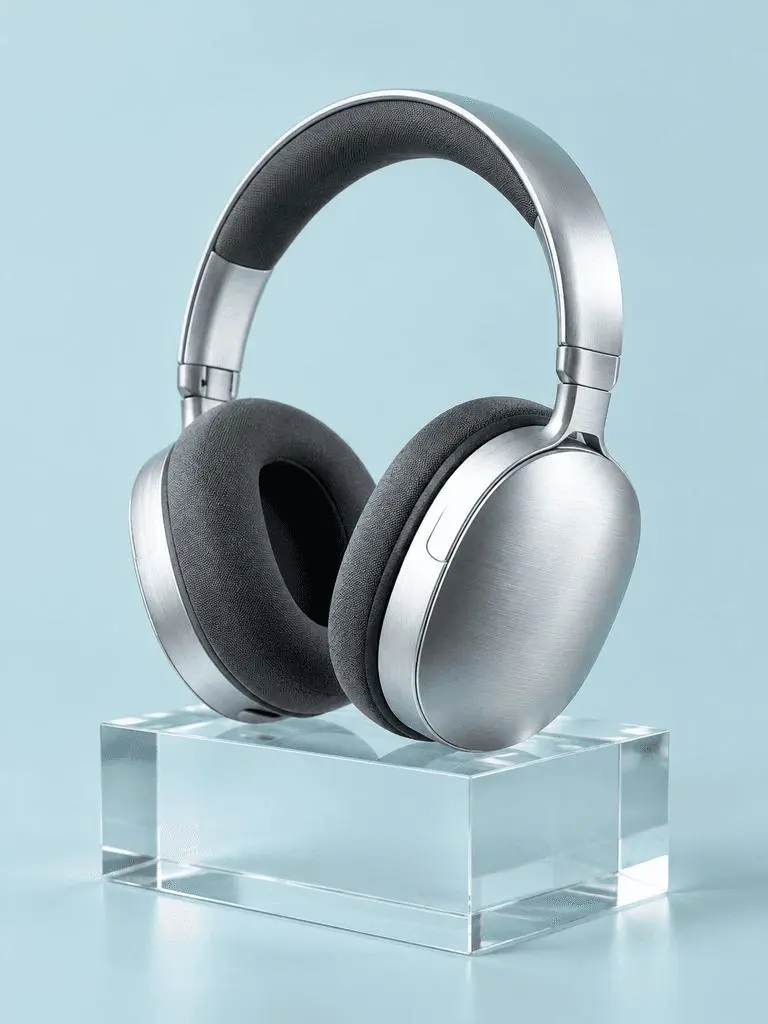
Nombra los materiales y su iluminación

Asocia cada superficie importante con una señal de luz visible. En este ejemplo: «a broad softbox reflection across the metal». Examina los auriculares cepillados, las almohadillas de tela, el bloque transparente y sus distintas respuestas a la luz.

A photorealistic commercial product photograph of one unbranded pair of brushed-silver wireless over-ear headphones. The headphones rest on a clear rectangular glass block against a seamless pale-cyan background. Show fine metal brushing, soft charcoal fabric ear cushions, a realistic transparent block, a clean contact shadow, and a broad softbox reflection across the metal. Use an eye-level three-quarter camera angle and a restrained monochrome palette. One pair of headphones only, no people, letters, logos, packaging, border, or watermark. Vertical 3:4 composition with the whole product visible.
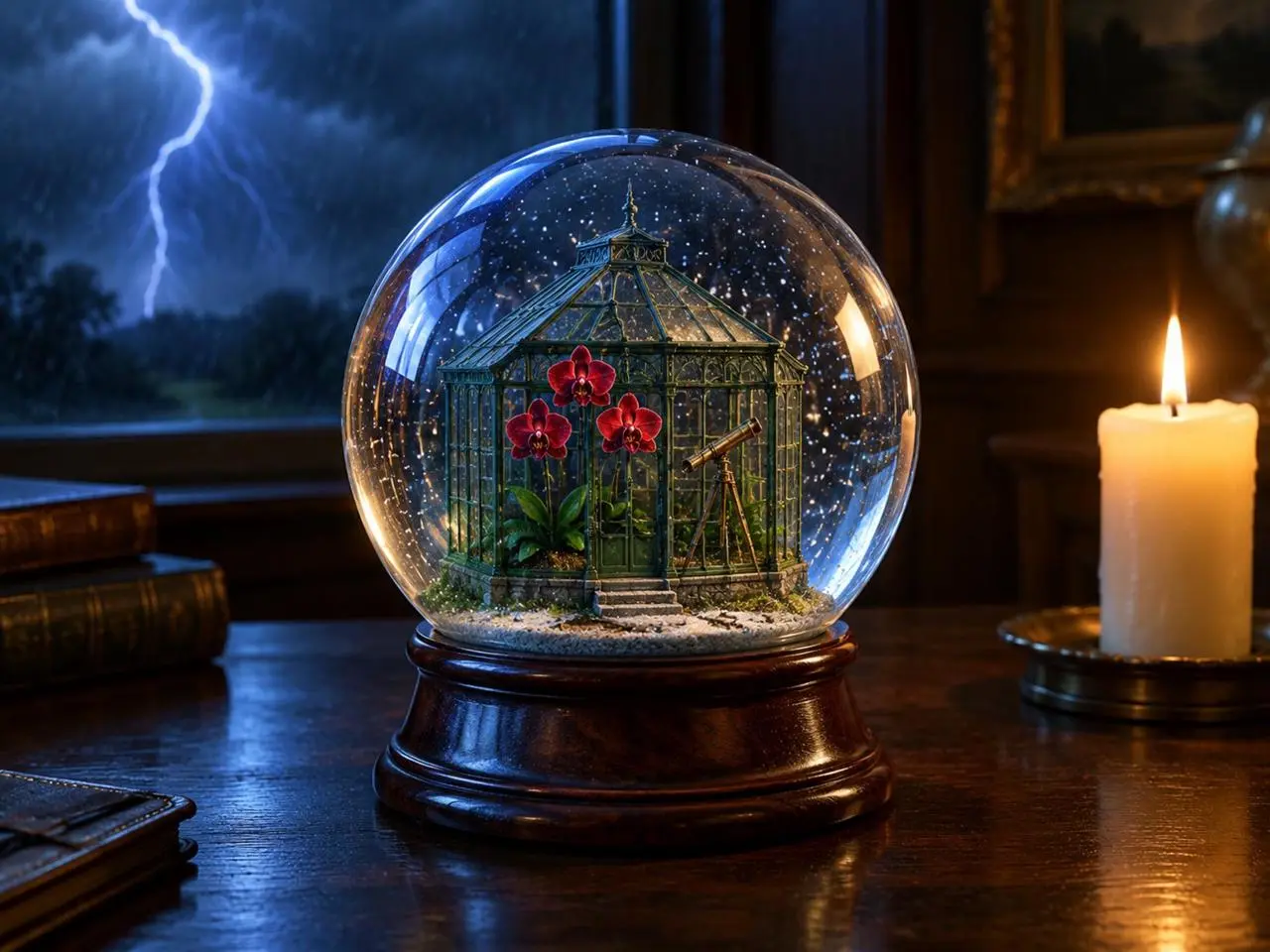
Resultado de WeShop: organizar primer plano, fondo y luz

Sitúa las fuentes de luz

Da posiciones claras al objeto principal, al acontecimiento del fondo y a las fuentes de luz. En este ejemplo: «one lit ivory candle on the desk to the right of the globe». Busca el globo delante, el rayo detrás y la vela cálida a su lado.

Create a finished 3:4 photorealistic editorial image of exactly one clear glass snow globe resting on a dark walnut desk during a thunderstorm. Inside the globe is one miniature Victorian greenhouse containing exactly three red orchids and one small brass telescope. Place a sharp lightning bolt in the upper-left background and one lit ivory candle on the desk to the right of the globe. Use realistic glass reflections and refractions, cool blue storm light from the left, warm candlelight from the right, shallow depth of field, and detailed natural materials. Keep the entire globe visible. No people, no extra flowers, no extra globes, no text, no logo, no watermark.
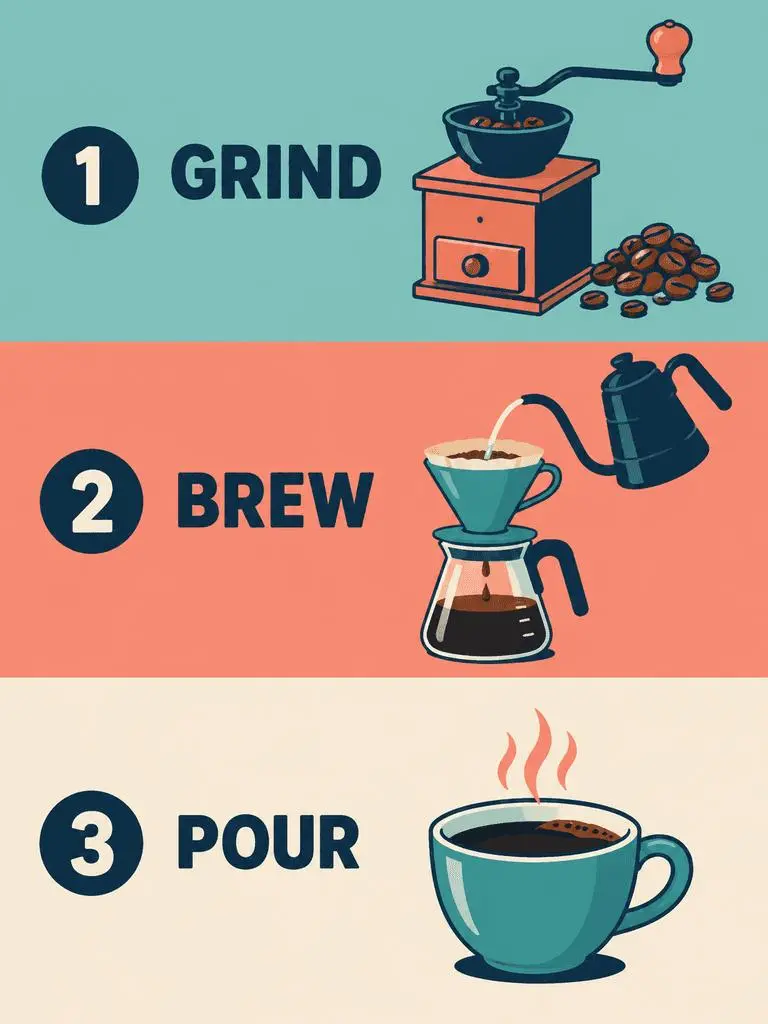
Resultado de WeShop: especificar el orden de las viñetas y las etiquetas exactas

Especifica el orden de las viñetas y el texto exacto

Para un diseño con varias viñetas, indica su secuencia y las palabras necesarias en cada una. En este ejemplo: «Panel 1 shows a simple hand grinder and coffee beans, with the exact heading 'GRIND'.» Comprueba GRIND, BREW y POUR frente a las ilustraciones y su orden de arriba abajo.

Create a clean flat-vector educational infographic in a vertical 3:4 layout with exactly three equal horizontal panels stacked from top to bottom. Panel 1 shows a simple hand grinder and coffee beans, with the exact heading 'GRIND'. Panel 2 shows a pour-over cone over a glass server and a kettle pouring water, with the exact heading 'BREW'. Panel 3 shows a single ceramic cup filled with coffee, with the exact heading 'POUR'. Place the number 1, 2, or 3 beside each corresponding heading. Use teal, coral, cream, and dark-navy colors, consistent line weights, generous spacing, and a left-to-right illustration-and-label arrangement within every panel. Keep the three panels distinct and correctly ordered. No extra text, border, photorealistic imagery, or watermark.
CÓMO USARLO

Cómo usar GPT Image 2 en WeShop AI

Empieza con la selección GPT Image 2 y la vía de entrada descrita abajo. Revisa los ajustes disponibles y los puntos antes de enviar.

Proporciona la entrada para este modelo

Mantén GPT Image 2 seleccionado. Para un cartel, aporta las palabras y la composición deseadas; para una edición, sube las fuentes e identifica sus funciones antes de describir la imagen terminada.

Revisa los ajustes y los puntos disponibles

Etiquetas de tamaño: 1K, 2K, 4K. Calidad: baja, media, alta. Relaciones de aspecto: auto, 1:1, 1:2, 2:1, 1:3, 3:1, 2:3, 3:2, 4:3, 3:4, 16:9, 9:16, 21:9, 9:21. Son ajustes seleccionables, no dimensiones fijas en píxeles ni garantías de formato de archivo. Comprueba las dimensiones reales de la salida original. Revisa los puntos indicados y el acceso al modelo de tu plan antes de enviar.

Abre y comprueba el resultado

Revisa el texto del cartel y el orden de las viñetas. En una edición con referencias, compara identidad conservada, geometría y zonas modificadas con la fuente sin dar por hecho una coincidencia exacta.

COMPARA LOS MODELOS GPT IMAGE

GPT Image 2 frente a GPT Image 2.5

GPT Image 2 es independiente de 2.5 Flare y Sunburst. Flare tiene una función cotidiana orientada a la rapidez y Sunburst destaca la generación y edición exigentes. El formulario actual GPT Image 2 incluye calidad baja, media y alta, mientras que las entradas 2.5 también incluyen XHigh y Max. El posicionamiento oficial, las configuraciones catalogadas de WeShop y el formulario seleccionado actualmente son aspectos distintos; no se implica una clasificación medida de calidad o velocidad.

AspectoGPT Image 2GPT Image 2.5
Opciones de modeloGPT Image 2Flare para rapidez; Sunburst para requisitos de calidad exigentes
Creación y ediciónPrompts de texto y edición guiada por imágenesPrompts de texto y edición guiada por imágenes
Enfoque de ediciónImágenes de entrada de alta fidelidad para generación y ediciónOpenAI informa de mejoras en edición precisa y conservación del sujeto en ambas variantes
Niveles de calidad en WeShopBaja, media, altaBaja, media, alta, XHigh, Max
Tamaños de imagen en WeShop1K, 2K, 4K1K, 2K, 4K
Formatos 4:5 y 5:4 en WeShopNo figuran en el formulario actualDisponibles para Flare y Sunburst
Opciones de modelo
GPT Image 2
GPT Image 2
GPT Image 2.5
Flare para rapidez; Sunburst para requisitos de calidad exigentes
Creación y edición
GPT Image 2
Prompts de texto y edición guiada por imágenes
GPT Image 2.5
Prompts de texto y edición guiada por imágenes
Enfoque de edición
GPT Image 2
Imágenes de entrada de alta fidelidad para generación y edición
GPT Image 2.5
OpenAI informa de mejoras en edición precisa y conservación del sujeto en ambas variantes
Niveles de calidad en WeShop
GPT Image 2
Baja, media, alta
GPT Image 2.5
Baja, media, alta, XHigh, Max
Tamaños de imagen en WeShop
GPT Image 2
1K, 2K, 4K
GPT Image 2.5
1K, 2K, 4K
Formatos 4:5 y 5:4 en WeShop
GPT Image 2
No figuran en el formulario actual
GPT Image 2.5
Disponibles para Flare y Sunburst

Cuándo mantener GPT Image 2

Usa GPT Image 2 para diseños guiados por texto, composiciones estructuradas o ediciones con referencias cuando sus resultados cumplan tu descripción. Su formulario de WeShop ofrece calidad baja, media y alta.

Cuándo probar GPT Image 2.5

Valora Flare cuando la velocidad de generación sea prioritaria o Sunburst para una descripción centrada en la calidad, siguiendo el posicionamiento de OpenAI. Ambos ofrecen también XHigh y Max en el formulario actual de WeShop. Evalúa las mismas entradas representativas antes de cambiar un flujo establecido.

MÁS MODELOS DE IMAGEN

Descubre más modelos de imagen

Explora otras páginas de modelos y consulta sus propios ejemplos y modos de creación disponibles.

Preguntas frecuentes

Preguntas frecuentes sobre GPT Image 2

¿Qué es GPT Image 2?

GPT Image 2 es el modelo de generación y edición de imágenes de OpenAI. Acepta texto e imágenes para crear gráficos nuevos y cambios guiados por referencias.

¿Para qué sirve GPT Image 2?

Usa GPT Image 2 para diseños guiados por texto, composiciones estructuradas o transformaciones de referencias. El cartel de jazz muestra una jerarquía textual planificada y el panel editorial y el cambio a neón ilustran distintos usos de imágenes de origen.

¿Qué entradas necesita GPT Image 2?

Introduce texto para una composición nueva o sube imágenes para una edición con referencias. Explica qué entrada aporta el sujeto, el entorno o la composición e indica qué debe cambiar.

¿Qué ajustes de tamaño y relación de aspecto están disponibles?

Etiquetas de tamaño: 1K, 2K, 4K. Calidad: baja, media, alta. Relaciones de aspecto: auto, 1:1, 1:2, 2:1, 1:3, 3:1, 2:3, 3:2, 4:3, 3:4, 16:9, 9:16, 21:9, 9:21. Son ajustes seleccionables, no dimensiones fijas en píxeles ni garantías de formato de archivo. Comprueba las dimensiones reales de la salida original.

¿Cómo debo escribir un prompt para GPT Image 2?

Nombra qué aporta cada imagen antes de describir la escena final. En este ejemplo: «Image 1 is the environment and botanical reference.» Compara las plantas del desierto con la primera referencia y la geometría de la pista con la segunda. Lee el prompt completo asociado y las entradas reales de la guía y adáptalos a tu tarea.

¿En qué se diferencia GPT Image 2 de los modelos relacionados?

GPT Image 2 es independiente de 2.5 Flare y Sunburst. Flare tiene una función cotidiana orientada a la rapidez y Sunburst destaca la generación y edición exigentes. El formulario actual GPT Image 2 incluye calidad baja, media y alta, mientras que las entradas 2.5 también incluyen XHigh y Max.

¿GPT Image 2 es gratis y cómo se cobra su uso?

La página de precios actual de WeShop no incluye este modelo en la prueba gratuita. Comprueba el acceso de los planes de pago y la estimación de puntos de la solicitud seleccionada. Esta página no indica un precio fijo por solicitud ni traslada la cuota de suscripción de otro proveedor a WeShop.

¿Qué limitaciones debo comprobar?

Revisa las palabras necesarias, los detalles faciales, la geometría del producto y el límite de cada edición. Una instrucción de conservar un detalle no demuestra por sí sola que la salida lo haya mantenido. Revisa el texto del cartel y el orden de las viñetas. En una edición con referencias, compara identidad conservada, geometría y zonas modificadas con la fuente sin dar por hecho una coincidencia exacta.

¿Qué puedo aprender de los ejemplos de esta página?

Los ejemplos guardados de GPT Image 2 muestran estas escenas: Transferencia de estilo a escultura de neón ; Desglose editorial a partir de una referencia ; Cartel de jazz centrado en la tipografía. Examina cada resultado junto con su prompt real y sus entradas disponibles. Un caso ilustra una solicitud, no un resultado garantizado ni una medición de la tasa de éxito.